
ASUS ExpertBook B9 OLED
5.0Editor score
Worlds Lightest 14 inch OLED
Intel Core 7 Processor
Sustainable Product Lifecycle
Choosing the right professional computing device requires careful consideration of performance, portability, and reliability. ASUS Business Laptop options provide robust features designed to meet the demanding needs of modern enterprises and remote workers alike.
We analyzed ten distinct models based on processor power, memory capacity, storage options, and build quality. Our comparison focuses on real-world usability for business tasks including multitasking, video conferencing, and secure data management.
Each pick highlights specific strengths like AI integration or military-grade durability. Prices and availability change frequently so verify current details before purchasing to ensure you get the best value for your investment.
5.0Editor score

4.1Editor score

4.8Editor score
As an Amazon Associate we earn from qualifying purchases.
This side-by-side comparison highlights key specifications across all ten models to help you quickly identify which device aligns best with your specific business requirements and performance expectations.




This model stands out for its exceptional memory capacity of 24GB RAM combined with substantial storage options. It receives strong ratings for handling multitasking and heavy business applications with ease.
We may earn a commission when you buy through this link, at no additional cost to you.
The Intel i5-1334U processor supports up to 4.6GHz boost clock enabling smooth performance for productivity tools and light creative tasks. Windows 11 Pro adds enterprise level security and encryption to protect sensitive business data effectively.
While the display refresh rate is standard at 60Hz the slim bezel design offers vivid visuals suitable for presentations. Users note that the bundled external drive helps expand storage but is a separate component from the internal SSD.
Professionals seeking reliable computing power with built-in office software and privacy features should consider this device. Its combination of performance and included accessories makes it a top contender in the business category.
The 24GB DDR4 RAM ensures you can run multiple browser tabs and applications simultaneously without slowdown.
Windows 11 Pro hardware-based isolation and encryption safeguard your confidential files against unauthorized access.
We may earn a commission when you buy through this link, at no additional cost to you.
This device is engineered for advanced business workflows with a specialized AI NPU designed to handle workload optimization. The massive 32GB RAM and 2TB storage make it ideal for data-intensive professionals.
We may earn a commission when you buy through this link, at no additional cost to you.
The Core Ultra 5 processor features 14 cores and 14 threads to support demanding multitasking. Security features like TPM 2.0 and a fingerprint reader ensure enterprise-grade protection for your business devices.
Durability is a key focus with military-grade testing and recycled materials used in construction. The spill-resistant keyboard and backlit keys provide comfort during long work hours in various environments.
IT managers and power users who need robust security and massive storage capacity will appreciate this model. Its connectivity options including Thunderbolt 4 allow for flexible external device integration.
The Intel AI Boost NPU handles AI-for-work workloads to boost office multitasking efficiency significantly.
Over 25% PCR recycled plastic materials meet eco-friendly sustainability goals for modern business deployment.
We may earn a commission when you buy through this link, at no additional cost to you.
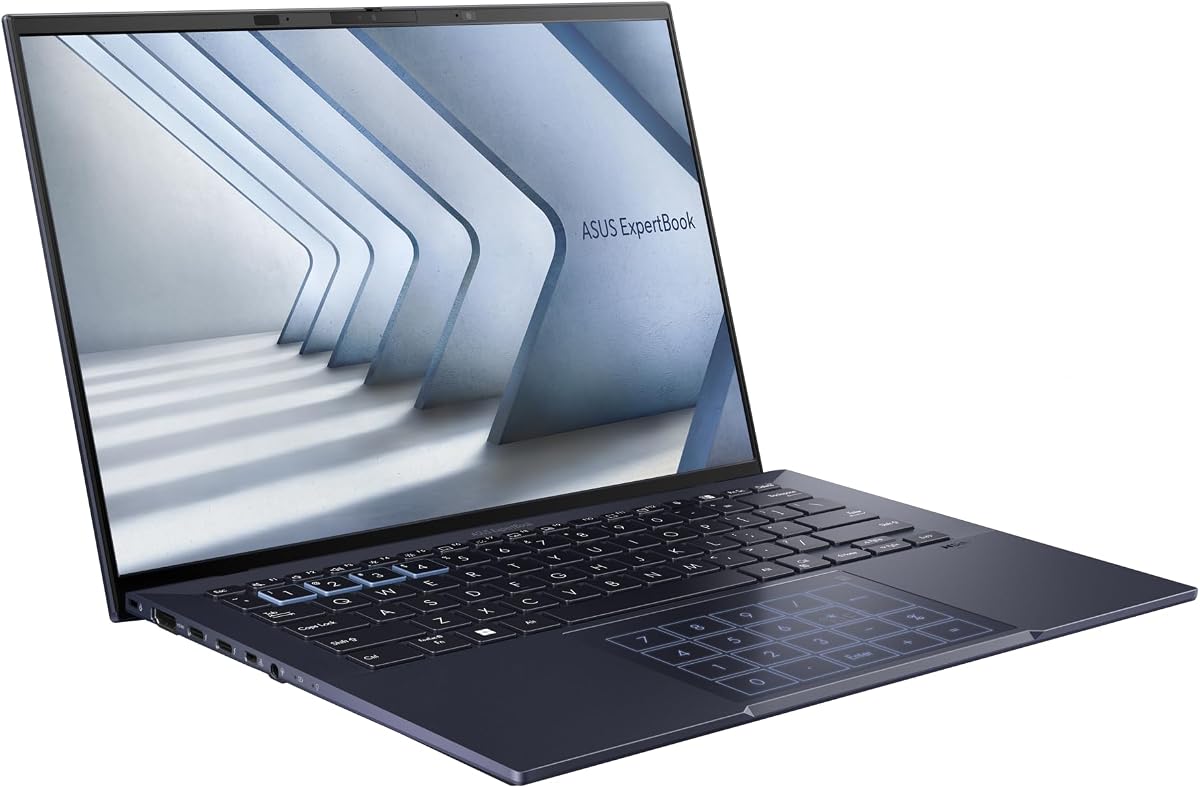
As the world lightest 14 inch OLED business laptop this model offers incredible portability for executives and travelers. A perfect score highlights its premium build quality and exceptional display fidelity.
We may earn a commission when you buy through this link, at no additional cost to you.
The Intel Core 7 processor combined with 16GB LPDDR5X RAM ensures snappy performance in a compact chassis. The OLED screen provides deep blacks and vibrant colors ideal for media consumption and detailed visual work.
Sustainability is woven into the product lifecycle with recyclable materials used throughout the device. This eco-conscious approach does not compromise on enterprise security or performance capabilities.
Business professionals who prioritize weight and display quality will find this device unmatched in its category. Its premium features justify the higher cost for those needing top-tier mobility and reliability.
Weighing a mere 2.18 pounds this is the lightest 14 inch OLED business laptop available on the market.
Built with recyclable materials this device supports sustainability goals without sacrificing performance or durability.
We may earn a commission when you buy through this link, at no additional cost to you.
This laptop uses the ExpertCool thermal system to maintain stable performance under prolonged business operations. It is a solid choice for environments where sustained heavy usage is common.
We may earn a commission when you buy through this link, at no additional cost to you.
The Intel Core 7 processor delivers reliable computing power while the 32GB RAM supports intensive multitasking tasks. Enterprise-grade security configurations like TPM 2.0 and hard drive password protection ensure data safety.
Military-grade certification ensures the device can withstand shock and pressure during transport. The full selection of I/O ports means you can connect various peripherals without needing additional dongles.
Professionals needing robust thermal management and extensive connectivity options will find this model appealing. It balances performance with durability to meet diverse enterprise operation demands effectively.
The ExpertCool system manages temperature effectively to avoid overheating during long continuous work sessions.
TPM 2.0 chip and BIOS protection safeguard business data and device security comprehensively.
We may earn a commission when you buy through this link, at no additional cost to you.
This model features a stunning 14 inch 2.8K OLED HDR display that provides exceptional visual clarity and color accuracy. It is designed for professionals who value screen quality alongside portability.
We may earn a commission when you buy through this link, at no additional cost to you.
The Intel Core i7 processor ensures powerful performance for diverse business tasks. The ultralight magnesium-lithium alloy chassis makes it easy to carry while maintaining MIL-STD-810H durability standards.
With 16GB RAM and 1TB storage you get sufficient capacity for modern productivity needs. The narrow bezel design and 180-degree hinge enhance usability for shared viewing and collaborative work.
Business users requiring high-fidelity visuals and a durable lightweight frame will appreciate this device. It is well suited for executives and creatives who work on the go.
The 14 inch 2.8K OLED display offers narrow bezels and vivid colors for immersive viewing.
Magnesium-lithium alloy chassis ensures the device is ultralight yet meets military grade durability standards.
We may earn a commission when you buy through this link, at no additional cost to you.
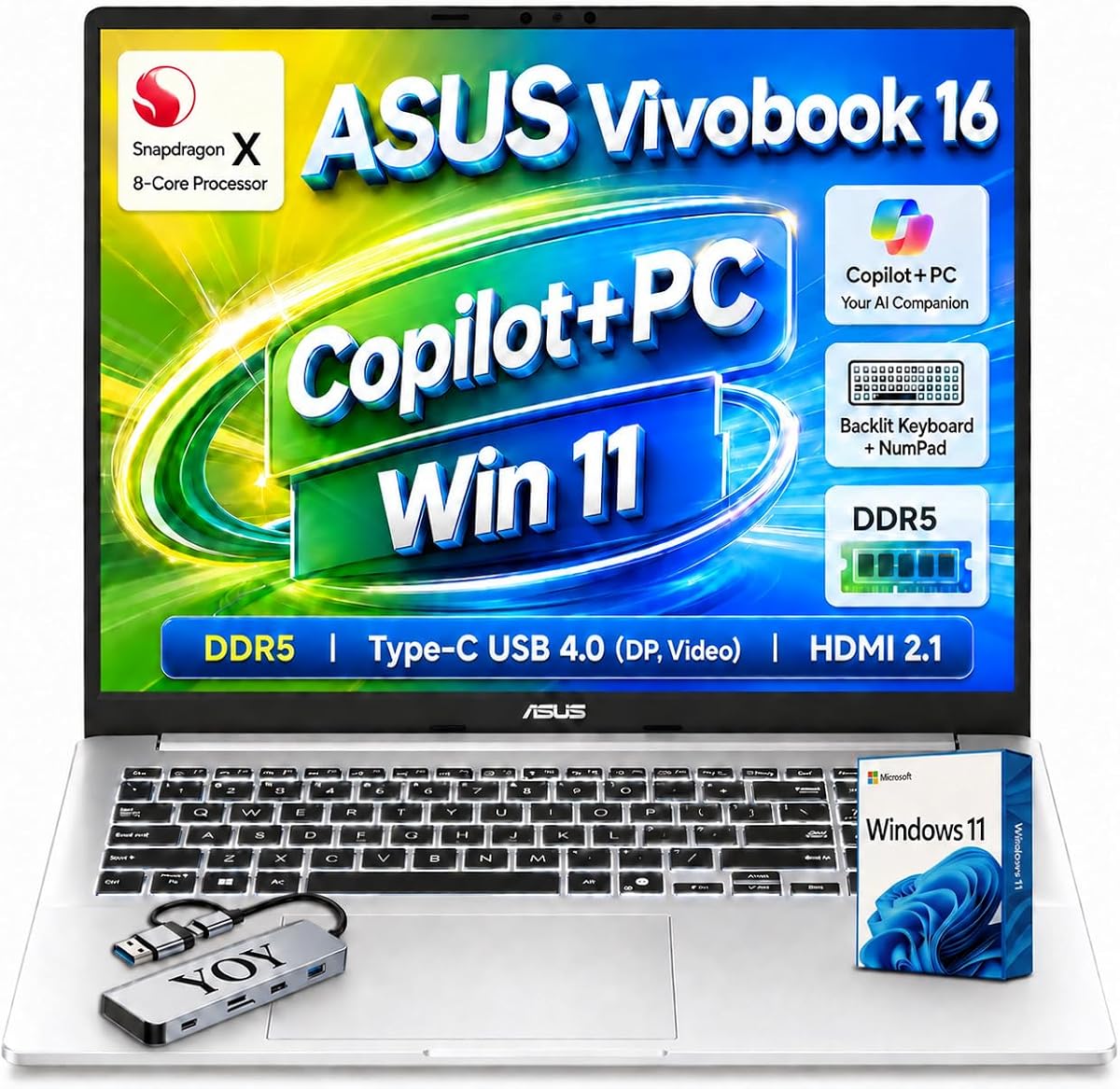
Powered by the Snapdragon X processor this Copilot+ PC delivers next-gen AI capabilities for everyday computing. The Hexagon NPU provides up to 45 TOPS for compatible AI workloads.
We may earn a commission when you buy through this link, at no additional cost to you.
The 16 inch WUXGA IPS display offers a spacious 16:10 aspect ratio perfect for document work and spreadsheets. USB4 and HDMI 2.1 connectivity supports multiple external monitors for expanded workflows.
Battery life and efficiency are optimized by the ARM architecture which supports long work sessions without power. The backlit keyboard and precision touchpad ensure comfortable navigation throughout the day.
Tech-forward professionals seeking advanced AI features and efficient processing will find this model compelling. It bridges the gap between productivity and modern artificial intelligence tasks.
The Hexagon NPU delivers up to 45 TOPS for compatible AI workloads to speed up daily tasks.
The 16 inch display with 16:10 aspect ratio makes documents and spreadsheets more comfortable to read.
We may earn a commission when you buy through this link, at no additional cost to you.
This model offers strong performance at a competitive price point with a high customer rating. It is an excellent value for small businesses needing reliable hardware with included software.
We may earn a commission when you buy through this link, at no additional cost to you.
The 13th Gen Intel Core i7 processor provides powerful machine intelligence and quick responsiveness for tasks. A 16 inch FHD+ display ensures crisp visuals for presentations and remote work calls.
The bundle includes a docking hub and external drive which adds significant utility to the package. Windows 11 Pro security features protect your data without requiring additional third-party tools.
Budget-conscious buyers who need high specs and included accessories will find this deal attractive. It balances cost with capability effectively for general office needs.
The accessory bundle includes a docking station and external drive for enhanced daily work functionality.
Windows 11 Pro offers hardware isolation and encryption to safeguard business data effectively.
We may earn a commission when you buy through this link, at no additional cost to you.
This laptop utilizes the AMD Ryzen 7 7730U to deliver strong multi-threaded performance for everyday tasks. A perfect rating indicates high customer satisfaction with its reliability and speed.
We may earn a commission when you buy through this link, at no additional cost to you.
The 16GB DDR4 RAM supports efficient multitasking while the 1TB NVMe SSD ensures fast boot and file access. The WUXGA IPS display provides clear visuals for reading documents and web browsing.
It includes a portable USB hub which adds convenience for connecting legacy devices. Windows 11 Home supports a wide range of business and productivity software seamlessly.
Users who prefer AMD processors and need solid performance with minimal fuss will like this device. It is a practical choice for general business applications and media consumption.
The Zen 3 Gen AMD Ryzen 7 7730U delivers strong performance for diverse business tasks.
The 1TB PCIe NVMe SSD ensures ample space for documents and files with fast access.
We may earn a commission when you buy through this link, at no additional cost to you.
This configuration provides similar core components to the other Ryzen model but often at a lower price. It serves well as a mid-range option for those prioritizing raw specs over OS features.
We may earn a commission when you buy through this link, at no additional cost to you.
The 16GB DDR4 RAM and 1TB SSD offer balanced performance for typical office workflows. The IPS display ensures decent color accuracy and viewing angles for collaborative meetings.
It includes a portable USB hub for easy peripheral connectivity. The backlit keyboard allows for typing in low light conditions which is useful for traveling professionals.
Business users looking for a straightforward machine without premium overhead may find this suitable. It handles daily tasks efficiently for general office environments.
The 16GB DDR4 RAM ensures smooth operation for multiple applications and browser tabs.
USB-C and HDMI ports enable flexible connections to external monitors and devices.
We may earn a commission when you buy through this link, at no additional cost to you.
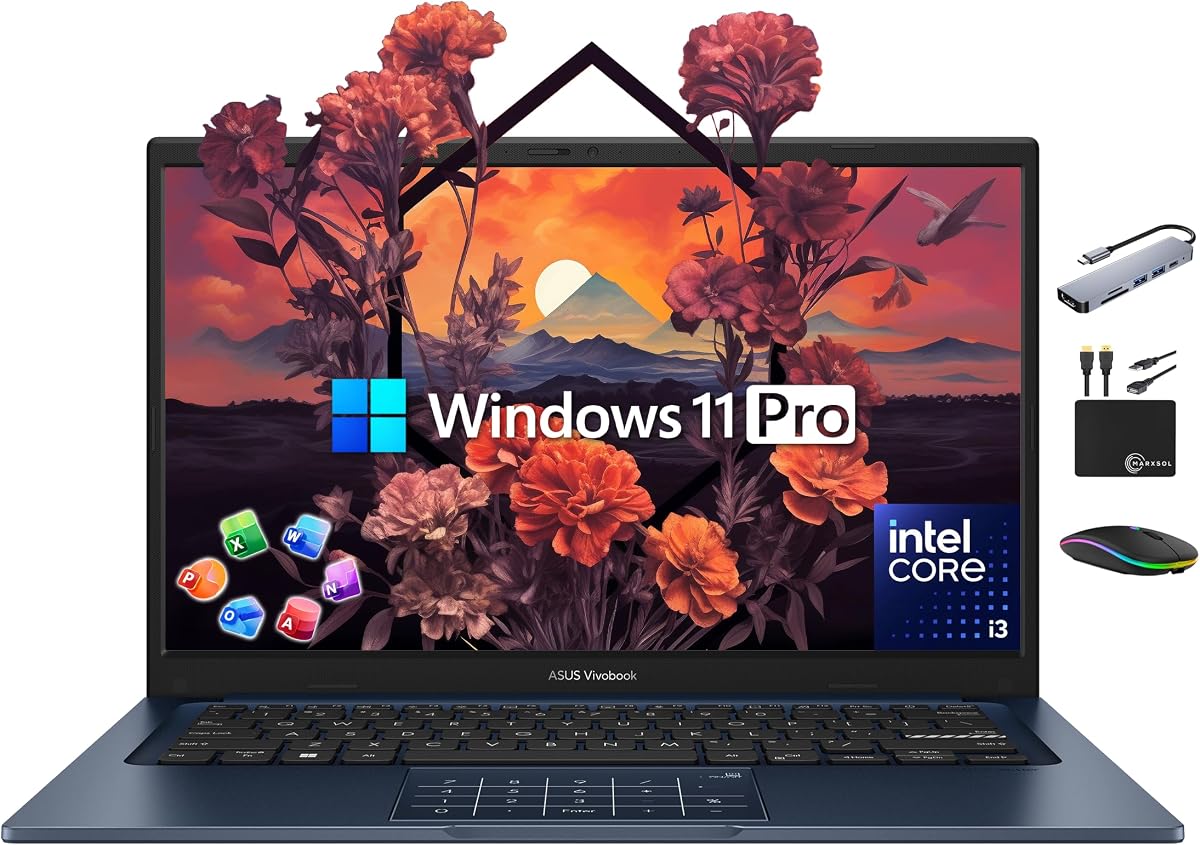
This model offers exceptional memory for its price point with 24GB RAM and a lightweight build. It is a strong entry-level choice for basic business tasks and online learning.
We may earn a commission when you buy through this link, at no additional cost to you.
The Intel i3 processor handles everyday productivity apps well. The slim bezel display provides clear visuals and the privacy shield adds an extra layer of security during video calls.
Windows 11 Pro ensures enterprise security standards are met even on an entry device. The bundled accessories like the docking hub extend usability without extra purchase costs.
Students and small business owners needing high RAM at a low cost will appreciate this value. It prioritizes memory and storage over raw CPU power for budget conscious buyers.
The 24GB DDR4 RAM allows smooth running of browser tabs and applications simultaneously.
The compact form factor and slim bezels make this laptop easy to transport daily.
We may earn a commission when you buy through this link, at no additional cost to you.
Selecting the right business laptop requires balancing performance with portability and security. This guide outlines the critical factors to consider before making a purchase.
The processor is the engine of your laptop. For business tasks choose at least a Core i5 or Ryzen 5 equivalent. High core counts help with multitasking and video conferencing simultaneously.
Aim for a processor with multiple cores and threads to ensure smooth operation.
RAM capacity directly impacts how many apps you can run. 16GB is standard for business but 24GB or 32GB offers headroom. Storage should be at least 512GB SSD for speed.
Prioritize SSD storage for fast boot times and responsive file access.
Business laptops often feature Full HD or higher resolutions. Look for IPS panels for better viewing angles and color accuracy. Larger screens like 16 inches provide more workspace for spreadsheets.
Ensure the display has a comfortable resolution and good brightness for office lighting.
Enterprise security is vital for business devices. Look for TPM chips and fingerprint readers to protect sensitive data. Windows 11 Pro offers advanced encryption and isolation features.
Select models with hardware isolation and encryption to safeguard your business data.
Traveling professionals need a durable chassis. Military grade certification ensures the device can survive drops and pressure. Spill resistant keyboards add practical protection for daily use.
Choose laptops with military standard testing for reliability during transport.
Modern business requires versatile ports. Ensure the device has USB-C Thunderbolt support for docking and HDMI for external displays. Ethernet ports can be useful for stable network connections.
Verify the device supports enough ports for your peripherals and monitors.
Business users typically benefit from Windows 11 Pro. It includes management tools and better security than the home edition. Always confirm the OS version before purchasing to meet enterprise needs.
Check that the laptop comes with Windows 11 Pro for enhanced privacy and control.
All day battery life is crucial for mobile workers. Look for models with efficient processors and reasonable wattage. Fast charging support minimizes downtime during travel or meetings.
Ensure the device has enough capacity to last through a standard work day.
To maintain peak performance keep your laptop in a cool and dry environment. Avoid placing it on soft surfaces like beds that block airflow and cause overheating.
Clean the screen gently with a microfiber cloth to avoid scratching the display. Use compressed air to remove dust from the keyboard and ports regularly to maintain connectivity.
Regularly update your operating system and drivers to ensure security patches are applied. Use the privacy shutter on webcams when not in use to protect your data during sensitive meetings.
Windows 11 Pro offers critical enterprise features like BitLocker encryption and Group Policy management. It is highly recommended for businesses handling sensitive data to ensure robust security and remote management capabilities.
Business workloads often involve running multiple browser tabs, video conferencing apps, and spreadsheet tools simultaneously. Sufficient RAM prevents slowdowns and allows for smooth multitasking without performance bottlenecks.
Many ExpertBook models feature US MIL-STD-810H certification to withstand drops and pressure. However some Vivobook models are lighter and may lack full military grade testing so check the specifications for durability claims.
OLED displays provide deeper blacks and higher contrast ratios which reduce eye strain during long hours of document reading. They also offer accurate color reproduction which is valuable for presentations and visual work.
Yes most models include HD webcams with privacy shutters and optimized microphones. The high refresh displays ensure smooth visuals and the processors handle streaming software efficiently for professional meetings.
Use a protective sleeve or case to shield the device from scratches and impact. Ensure the laptop is completely shut down or put in sleep mode before closing the lid to avoid heat buildup in the bag.
Some bundles include an external hard drive as part of a package deal. Always review the product description to confirm if storage expansion is included or if you need to purchase it separately.
Our top picks cover a wide range of needs from high mobility to powerful performance. The ExpertBook B9 OLED leads in portability while the Vivobook options offer strong value for budget conscious buyers.
Prioritize processor power and RAM if you handle heavy data workloads frequently. For travel focus on weight and battery life to ensure productivity remains consistent throughout your day.
Prices and availability change regularly so verify current details before purchasing to ensure you get the best value for your investment.