
Revopoint INSPIRE 2 3D Scanner
4.5Editor score
Wireless Scanning & Streaming
Scan Without Scanning Spray
0.05mm Accuracy
Choosing the right 3D scanner can transform your workflow whether you are into industrial design prototyping or digital art. Modern devices offer incredible precision and speed making it easier than ever to capture real world objects with high fidelity.
We have carefully analyzed the latest models available in the market focusing on accuracy scanning modes and software capabilities. Each product on this list has been evaluated based on user feedback technical specifications and real world performance data to ensure reliability.
Each pick showcases specific strengths from budget friendly options to professional grade tools. Please note that prices and availability change frequently so check the latest details before making your final decision to ensure you get the best value.
4.5Editor score

5.0Editor score

4.8Editor score
As an Amazon Associate we earn from qualifying purchases.
The following table provides a side-by-side overview of the key specifications and capabilities of each scanner to help you quickly compare features and find the right fit for your needs.


The Creality Pika stands out as an exceptional choice for those seeking high precision in a portable package. With a perfect user rating and advanced features it delivers professional grade results right from your hand.
We may earn a commission when you buy through this link, at no additional cost to you.
Its dual-mode scanning capability allows users to switch between blue laser for fine details and NIR structured light for full-body scans. The AI-powered body completion feature generates full 3D models quickly making it ideal for character modeling and digital avatars.
While it offers exceptional performance users should note the cost compared to entry-level devices. However the precision and speed justify the investment for professionals and serious hobbyists who need reliable data for 3D printing or reverse engineering.
This scanner is best suited for designers engineers and creators who need accurate scans without the hassle of cables. If you value portability and high accuracy the Pika is a top recommendation for your toolkit.
The 0.03mm accuracy ensures even the smallest features are captured faithfully for engineering and design.
Built-in AI tools streamline post-processing by filling holes and retexturing models automatically.
We may earn a commission when you buy through this link, at no additional cost to you.
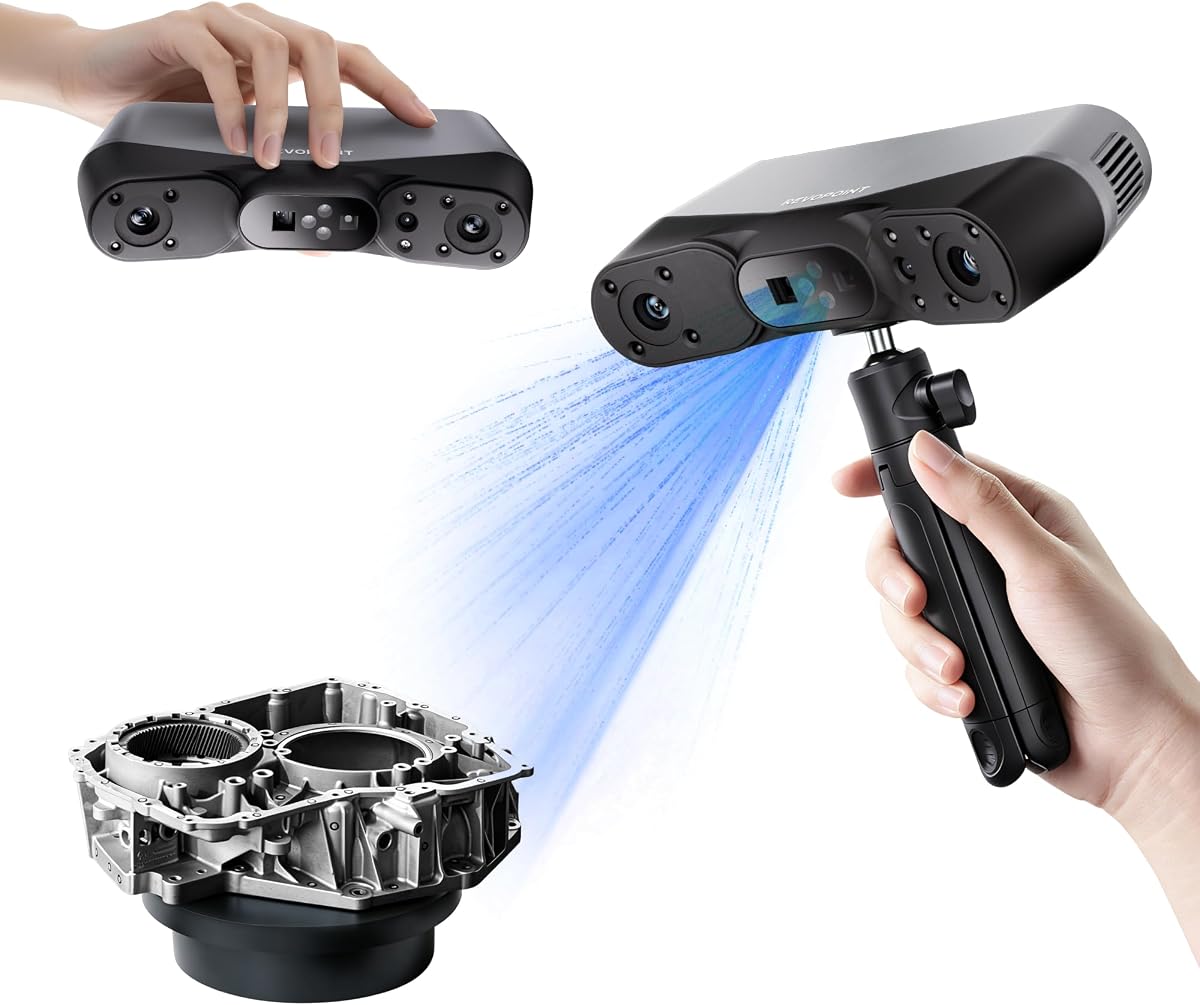
The Revopoint INSPIRE 2 offers a fantastic balance of cost and capability for hobbyists and entry-level professionals. It provides solid accuracy and wireless freedom at a price point that is hard to beat in the current market.
We may earn a commission when you buy through this link, at no additional cost to you.
Its ability to scan without spray on dark surfaces and its outdoor capability up to 20000 lux make it versatile for field work. The optical zoom helps capture mixed geometry surfaces effectively ensuring high quality data for various applications.
Users may find that advanced CAD integration requires paid software upgrades. This is a common trade-off in this segment but the base software still handles standard 3D printing workflows well for most users.
Buy this scanner if you need a reliable tool for prototyping or scanning objects without breaking the bank. It is an excellent stepping stone into professional 3D scanning technology.
Weighing only 190g the INSPIRE 2 is easy to carry for scanning on the go.
Designed to handle shaded outdoor conditions ensuring you can scan outside without issues.
We may earn a commission when you buy through this link, at no additional cost to you.
The Revopoint MetroY Ultra is a powerhouse for industrial applications requiring extreme precision and speed. Its metrology grade accuracy makes it suitable for quality control and reverse engineering tasks where tolerance is critical.
We may earn a commission when you buy through this link, at no additional cost to you.
Features like 90 FPS scanning and wireless operation allow for efficient workflows on the shop floor. The ability to scan outdoors in harsh sunlight up to 100000 lux ensures consistency regardless of environment.
While the price is higher users get a device built for professional reliability. The requirement for a capable GPU to unlock maximum speeds is a consideration for system setup.
This scanner is ideal for industrial engineers and quality inspectors who demand the best. If your work depends on exact measurements the MetroY Ultra delivers.
With 0.01mm precision this device meets tight tolerance requirements for engineering.
High frame rates significantly reduce time spent capturing large or complex objects.
We may earn a commission when you buy through this link, at no additional cost to you.
The Revopoint POP 4 brings advanced AI segmentation to the mainstream user helping to streamline the scanning process. It is a strong contender for those who want high performance without dealing with complex manual post-processing.
We may earn a commission when you buy through this link, at no additional cost to you.
Its 105 FPS speed and ability to capture up to 5000000 points per second make it incredibly fast. The various modes including laser and structured light allow it to adapt to different object types seamlessly.
Users should be aware that full AI features are Windows only and some measurement tools are sold separately. This might limit cross-platform flexibility for some teams.
Consider the POP 4 if you need speed and smart features for prototyping and design. It offers a great mix of power and usability for creators.
AI segmentation identifies targets and filters background noise automatically.
High frame rates ensure smooth scanning even for large complex scenes.
We may earn a commission when you buy through this link, at no additional cost to you.
The MetroX Pro is designed for professionals who need consistent high precision. Its blue laser technology handles shiny and dark surfaces well reducing the need for preparatory sprays.
We may earn a commission when you buy through this link, at no additional cost to you.
Features like the auto turntable make scanning round objects simple and efficient. The real-time streaming capability allows for better control during scans without holding a laptop.
The software ecosystem is robust but relies heavily on Windows for full reverse engineering tools. This can be a barrier for Mac users looking for integrated solutions.
Buy this scanner for precision engineering and manufacturing tasks. It is a solid investment for those who need reliable high quality data.
Blue laser lines capture fine details on challenging surfaces like metal.
Auto turntable mode automates scans for consistent coverage.
We may earn a commission when you buy through this link, at no additional cost to you.
The Fox from 3DMakerpro aims to bring accessible scanning to hobbyists. It offers a decent entry point into the world of 3D scanning with features that are easy to use.
We may earn a commission when you buy through this link, at no additional cost to you.
Its markerless AI tracking helps users who might not have steady hands. The medium format capability allows for scanning objects larger than what entry-level desktop scanners handle.
Users may find the accuracy and stability vary with different software updates. It is important to test the device for your specific use case before committing.
Consider this scanner if you are just starting out and want to try scanning. It is a good option for learning the basics without a large investment.
Designed for beginners with an intuitive workflow.
Handles medium sized objects well for home projects.
We may earn a commission when you buy through this link, at no additional cost to you.
The Creality Otter Lite focuses on color and flexibility. Its quad-camera system allows it to scan a wide range of object sizes from coins to cars effectively.
We may earn a commission when you buy through this link, at no additional cost to you.
Eye-safe infrared makes it suitable for scanning people and full body projects safely. The full color texture capture brings models to life for product displays or digital art.
While the speed is moderate the range and color fidelity make up for it in many cases. It is a versatile tool for general purpose scanning needs.
Buy this if you need color accuracy and a wide scanning range. It is well suited for e-commerce and creative projects.
Captures vibrant colors and handles objects from small to large.
Eye-safe infrared allows scanning of people and delicate items.
We may earn a commission when you buy through this link, at no additional cost to you.
The Ferret SE introduces anti-shake tracking which helps stabilize scans for handheld use. This is a nice feature for users who find hand jitter affects their results.
We may earn a commission when you buy through this link, at no additional cost to you.
It offers full color scanning at an affordable price making it accessible for many. However the accuracy is lower than professional models which limits it for precise engineering.
Users report mixed results on build quality and software stability. It is best suited for casual use where exact dimensions are not critical.
Consider this if you need a budget scanner with color and stabilization. It is a good starter device for personal projects.
Anti-shake tracking helps smooth out handheld movement.
Full color camera brings vivid textures to models.
We may earn a commission when you buy through this link, at no additional cost to you.
The Ferret Pro adds wireless connectivity via a WiFi 6 bridge expanding flexibility over the SE. It is a good step up for those who want mobility during scans.
We may earn a commission when you buy through this link, at no additional cost to you.
It maintains good speed and color quality while supporting mobile devices which is convenient for field work. The anti-shake feature continues to help with handheld stability.
However the accuracy remains standard and the bridge can be an extra item to manage. It is a solid option for casual mobile scanning needs.
Buy this if you need wireless freedom and mobile support. It offers good value for entry-level mobile scanning.
WiFi 6 bridge enables cable-free scanning with PC or mobile.
Compatible with Android and iOS for flexible workflow.
We may earn a commission when you buy through this link, at no additional cost to you.
The MIRACO Plus is a standalone device with processing power built-in. It removes the need for a PC during scanning which offers great convenience for field work.
We may earn a commission when you buy through this link, at no additional cost to you.
Its photogrammetric metrology kit ensures high accuracy on large objects. The large flip screen and high RAM allow for smooth on-device processing of complex scans.
The cost is high but the independence it offers is unique. It is a complete solution for those who do not want to carry a laptop to scans.
Consider this for professional field work and high-end scanning. It provides a comprehensive and convenient package.
All-in-one design handles scanning and processing without a PC.
Photogrammetric scale bars ensure high accuracy on large objects.
We may earn a commission when you buy through this link, at no additional cost to you.
Selecting the right 3D scanner involves evaluating accuracy speed and compatibility with your existing workflow.
Accuracy refers to how close the scan is to the real object while precision is the detail level. For engineering and reverse engineering look for 0.03mm or better. Hobbyists may find 0.07mm sufficient for printing.
Prioritize accuracy based on your project needs to avoid rework later.
Speed is measured in frames per second or points per second. Faster speeds reduce motion blur and save time on large objects. Look for 30 FPS minimum with GPU acceleration for smoother results.
Choose a scanner with sufficient speed to match your workflow volume.
Outdoor scanning requires devices that work in bright light. Many modern scanners offer all-weather modes with filters or laser technology to reduce glare.
If you scan outside frequently verify the lux rating is at least 100000.
True-to-life texture capture is essential for product visualization and digital art. Ensure the scanner has an RGB camera that syncs color with geometry.
Look for scanners with LED fill lights for consistent color in dim light.
Wi-Fi 6 offers faster data transfer and wireless flexibility. Some models work without any cables using a bridge or onboard processing.
Check compatibility with your PC or mobile device before buying.
Dark or shiny surfaces often require spray. High-end models use laser to skip spray saving time.
Verify the scanner handles black metal surfaces without extra prep.
Software should support STL OBJ PLY and CAD formats. Ensure the software integrates with your 3D tools easily.
Check if advanced features are included or sold separately.
Weight and size affect ease of use in the field. A lightweight scanner reduces fatigue during long sessions.
Consider weight and battery life for field work.
Always calibrate the scanner before first use and regularly. Follow manufacturer instructions for lighting and object setup to avoid errors.
Keep the lens clean with a soft cloth and avoid direct sunlight on the lens. Use a turntable for consistent rotations during object scans.
Back up your data immediately after scanning. Store original scans and processed files separately to prevent data loss.
Many modern scanners use on-device processing or mobile apps reducing PC needs. However advanced post-processing like reverse engineering usually requires a PC with good GPU RAM and Windows.
Yes many scanners like the Creality Otter Lite offer eye-safe infrared and AI body completion. Always check safety ratings and use appropriate modes for people scans.
Laser uses lines for high precision and dark surfaces. Structured light projects patterns for faster full-color captures. Hybrid models combine both for versatility.
Noise often results from low light reflective surfaces or fast movement. Adjust lighting use spray if needed or slow down the scan to improve quality.
Yes industrial-grade models offer metrology features and tight tolerances. Ensure the scanner supports measurement software like Revo Measure or similar for inspection tasks.
Scan time depends on object size and settings. A small object may take minutes while a large car can take hours. Use high-speed modes for efficiency.
The Creality Pika and Revopoint models lead in accuracy and features. They suit professionals needing reliable results for engineering and design.
Hobbyists may prefer the Revopoint INSPIRE 2 or Creality Otter Lite for affordability and ease of use. These provide strong value for home and creative projects.
Check current prices and specs before buying as the market evolves quickly. Choose a scanner that matches your workflow needs and budget for long-term satisfaction.