
Moread 4K DisplayPort to HDMI Adapter
4.6Editor score
4K 30Hz output
Locking connector design
5 year warranty
This comprehensive guide compares the top HDMI output to input adapter for laptop solutions, analyzing performance compatibility and reliability for seamless
Finding the right HDMI output to input adapter for laptop can transform your workspace into a versatile entertainment hub. These devices bridge the gap between modern connectivity standards and legacy displays ensuring smooth video transmission for work and play.
We evaluated ten leading adapters based on signal stability resolution support and build quality. Each product was scrutinized for compatibility with USB-C DisplayPort and VGA sources to ensure they meet diverse user needs across different laptop models and configurations.
Every selection highlights unique strengths such as 4K support compact design or multiport functionality. While prices may fluctuate due to market conditions our picks remain consistent in value and performance standards for reliable daily use in professional environments.
4.6Editor score

4.6Editor score

4.7Editor score
The following table provides a side-by-side comparison of all ten selected adapters highlighting key specifications and features to help you choose the right fit for your specific laptop connectivity requirements.





The Anker USB C to HDMI Adapter stands out as the premier choice for connecting modern laptops to external displays. With a solid 4.6 rating it delivers reliable 4K resolution at 60Hz ensuring smooth video playback for presentations and entertainment without stuttering or lag.
We may earn a commission when you buy through this link, at no additional cost to you.
Its premium aluminum casing dissipates heat effectively maintaining stable performance during extended use. The adapter supports USB-C DP Alt mode making it compatible with most ultrabooks and tablets that feature a functional USB-C port for video output.
While it does not support charging through the same port this design choice simplifies the circuitry and enhances reliability for video transmission alone. Users seeking a dedicated video adapter will find this trade-off acceptable given the consistent signal quality and robust build.
Ideal for professionals and students who need a quick plug-and-play solution the Anker adapter eliminates the need for drivers. Its lightweight design ensures portability making it a practical addition to any travel kit for on-the-go presentations.
Supports up to 4K resolution at 60Hz providing crisp images ideal for detailed work or high-definition media consumption.
Constructed with aluminum casing and braided nylon cable for improved heat dissipation and resistance to daily wear and tear.
We may earn a commission when you buy through this link, at no additional cost to you.
The BENFEI DisplayPort to HDMI Adapter is engineered for users who need to bridge older DisplayPort outputs to modern HDMI inputs. Its advanced IC chip ensures superior stability during signal conversion reducing the risk of flickering or connection drops during critical presentations.
We may earn a commission when you buy through this link, at no additional cost to you.
A standout feature is the latching connector which provides a secure physical connection preventing accidental disconnection. This design is particularly useful in dynamic environments where cables might get snagged or knocked during setup changes.
The adapter supports 4K at 30Hz which suffices for static content viewing but may lag for high-speed gaming. For standard office work or streaming this refresh rate remains adequate while keeping the device affordable and compact.
Best suited for enterprise settings with existing DisplayPort monitors this adapter offers a reliable bridge solution. Its build quality and included warranty reflect a commitment to long-term utility and customer support.
Built-in latches on the DisplayPort connector prevent accidental unplugging ensuring a stable link during movement or use.
Advanced internal IC chip converts DisplayPort signals to HDMI efficiently minimizing signal loss and maintaining video quality.
We may earn a commission when you buy through this link, at no additional cost to you.
The Moread 4K DisplayPort to HDMI Adapter offers exceptional value for budget-conscious users seeking reliable video transmission. With a high rating and a five-year warranty it provides peace of mind that few competitors match in this price range.
We may earn a commission when you buy through this link, at no additional cost to you.
Its locking connector design prevents accidental disconnections ensuring stable signal transfer even in busy workspaces. This adapter supports 4K at 30Hz and 1080p at 120Hz making it versatile for both high-resolution screens and fast-paced video content.
As a passive converter it relies on your laptop's native DisplayPort signal which reduces latency but requires compatible hardware. Users should verify DP dual mode support on their source device to ensure full functionality before purchase.
Ideal for home offices or educational setups this adapter balances cost and performance effectively. The extended warranty period underscores the manufacturer's confidence in its durability and long-term usability.
Includes an exclusive unconditional five-year warranty providing long-term protection and customer service for your purchase.
Supports video resolutions up to 4K at 30Hz and 1080p at 120Hz catering to diverse display needs.
We may earn a commission when you buy through this link, at no additional cost to you.
The Highwings USB C to HDMI Adapter is designed to turn your laptop's USB-C port into a full HDMI output effortlessly. It delivers a crisp 4K picture at 60Hz ensuring smooth visuals for streaming video or extended work sessions without frame drops.
We may earn a commission when you buy through this link, at no additional cost to you.
Plug and play functionality means no drivers are required simplifying setup for non-technical users. The braided nylon jacket and 24K gold-plated connectors enhance durability making it resistant to daily tugs and corrosion over time.
Users must confirm their device supports DP Alt Mode as not all USB-C ports transmit video. This pre-check ensures compatibility and prevents confusion after purchase while the adapter itself handles audio video transmission efficiently.
Best for home office users needing a simple and durable extension solution this adapter performs reliably. The extended warranty period further supports its appeal as a long-term investment for remote workers.
Turns USB-C port into HDMI port instantly without requiring any drivers or software installation.
Built with flexible strain relief and braided nylon jacket to withstand frequent plug-in use and long-term reliability.
We may earn a commission when you buy through this link, at no additional cost to you.
The Anker HDMI Switch simplifies transitions between multiple media sources like game consoles and laptops. With a single button press you can switch inputs without unplugging cables streamlining workflows for entertainment or presentation scenarios.
We may earn a commission when you buy through this link, at no additional cost to you.
It supports resolutions up to 4K at 60Hz ensuring high-fidelity visuals for gaming and streaming. The switch is compatible with a wide range of devices including VR headsets and monitors making it versatile for various setups.
Manual switching requires user interaction which might be less convenient than automatic detection but offers precise control over input selection. This design ensures you always know which source is active preventing unexpected screen changes.
Ideal for users managing multiple devices on one screen this switch reduces cable clutter effectively. Its build quality and warranty reflect Anker's commitment to reliable multimedia accessories.
Dive directly into chosen media with a single button for seamless transitions between game or movie sources.
Turns viewing sessions into cinematic experiences with support for resolutions up to 4K at 60Hz.
We may earn a commission when you buy through this link, at no additional cost to you.
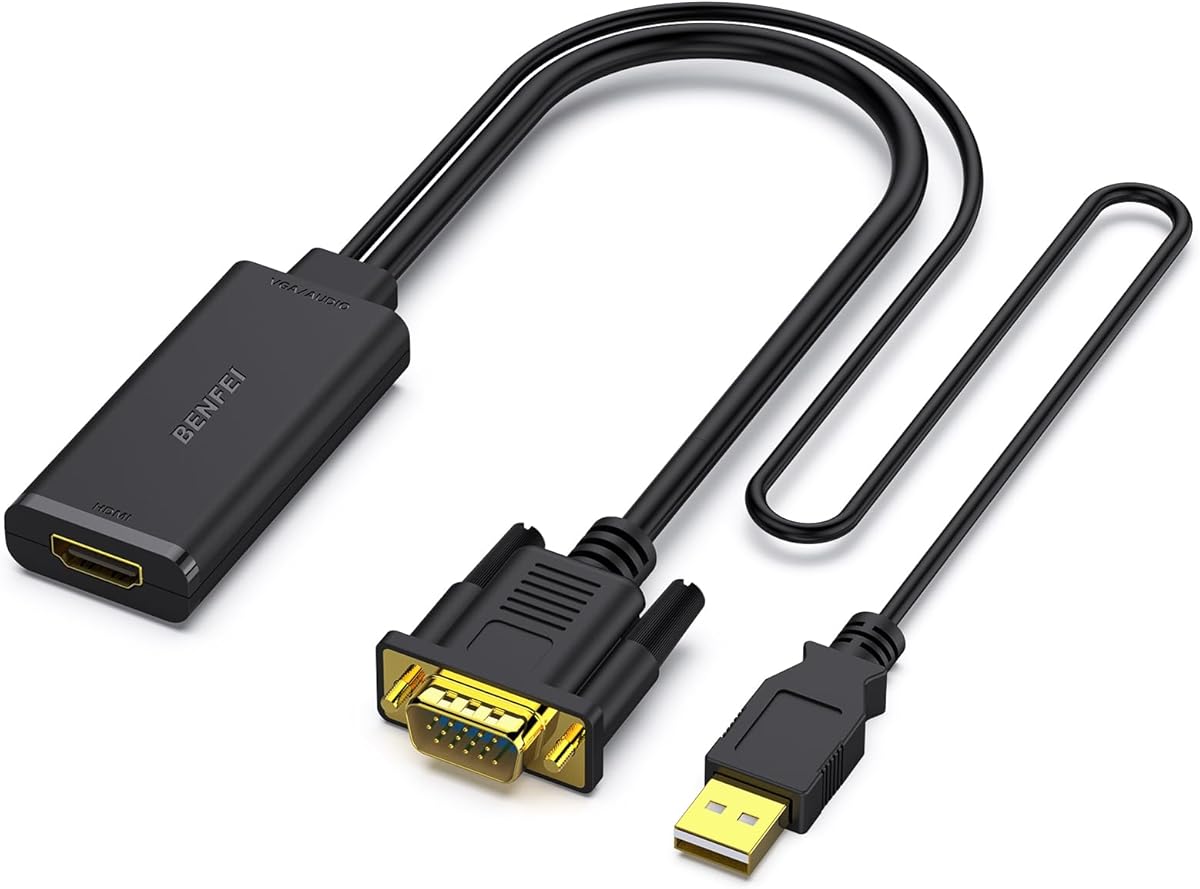
The BENFEI VGA to HDMI Adapter bridges older VGA-equipped computers to modern HDMI displays ensuring continued use of legacy hardware. Its compact design allows easy portability for business presentations using projectors or older TV monitors.
We may earn a commission when you buy through this link, at no additional cost to you.
Since VGA lacks audio the adapter includes an integrated USB cable that embeds audio signals along with the video stream. This dual-signal approach enables full multimedia playback without needing additional sound equipment.
Built-in IC chips convert analog VGA signals to digital HDMI outputs reliably. While it only supports 1080P resolution this is sufficient for standard office applications and basic entertainment needs.
Perfect for IT departments managing mixed hardware fleets this adapter extends the lifespan of older displays. Its plug-and-play nature simplifies setup for temporary or permanent connections.
Integrated USB cable embeds audio with video over HDMI allowing digital audio configuration in Windows.
Connects computers with VGA ports to HDMI TVs and monitors ensuring continuity with older display technology.
We may earn a commission when you buy through this link, at no additional cost to you.
The USB C to HDMI Multiport Adapter expands your laptop's connectivity through three essential ports in one compact device. Ideal for travelers it allows simultaneous use of HDMI video USB-C charging and USB-A data transfer without sacrificing functionality.
We may earn a commission when you buy through this link, at no additional cost to you.
It supports 4K Ultra HD at 30Hz mirroring or extending your screen to external displays. The aluminum body enhances heat dissipation ensuring stable performance during high-resolution output and active data transfers.
While the USB-C port on the adapter handles charging it does not support video output itself. This specialization helps maintain clean signal pathways for HDMI and USB-A while keeping the device slim and portable.
Best for users needing multiple connections on the go this hub balances convenience and performance effectively. The included warranty supports its reliability for daily use in professional or personal contexts.
All ports can be used simultaneously to extend laptop capabilities without needing multiple separate adapters.
USB 3.0 hub supports up to 5 Gbps transfer speed ten times faster than USB 2.0 for large file handling.
We may earn a commission when you buy through this link, at no additional cost to you.
The STSAUX Mini HDMI to HDMI Adapter delivers cutting-edge connectivity with support for 8K resolution at 60Hz. This high-performance adapter uses advanced HDMI 2.1 standards ensuring stunning visual clarity for future-ready displays and gaming rigs.
We may earn a commission when you buy through this link, at no additional cost to you.
Its 24K gold-plated connectors resist oxidation ensuring nearly zero signal loss over time. The aluminum alloy housing enhances heat dissipation and shielding making it robust for daily use in demanding environments like studios.
A 2-pack value allows flexible setup configurations or replacements. The compact design fits easily into pockets making it ideal for field work or on-site presentations requiring professional-grade output quality.
Ideal for content creators and gamers needing top-tier resolution support this adapter sets a high standard. Its extended warranty underscores confidence in build quality and performance reliability.
Adopts HDMI 2.1 standards delivering 8K at 60Hz with backward compatibility for 4K and 2K high refresh modes.
24K gold-plated connectors resist corrosion ensuring stable signal transmission over many plug-unplug cycles.
We may earn a commission when you buy through this link, at no additional cost to you.
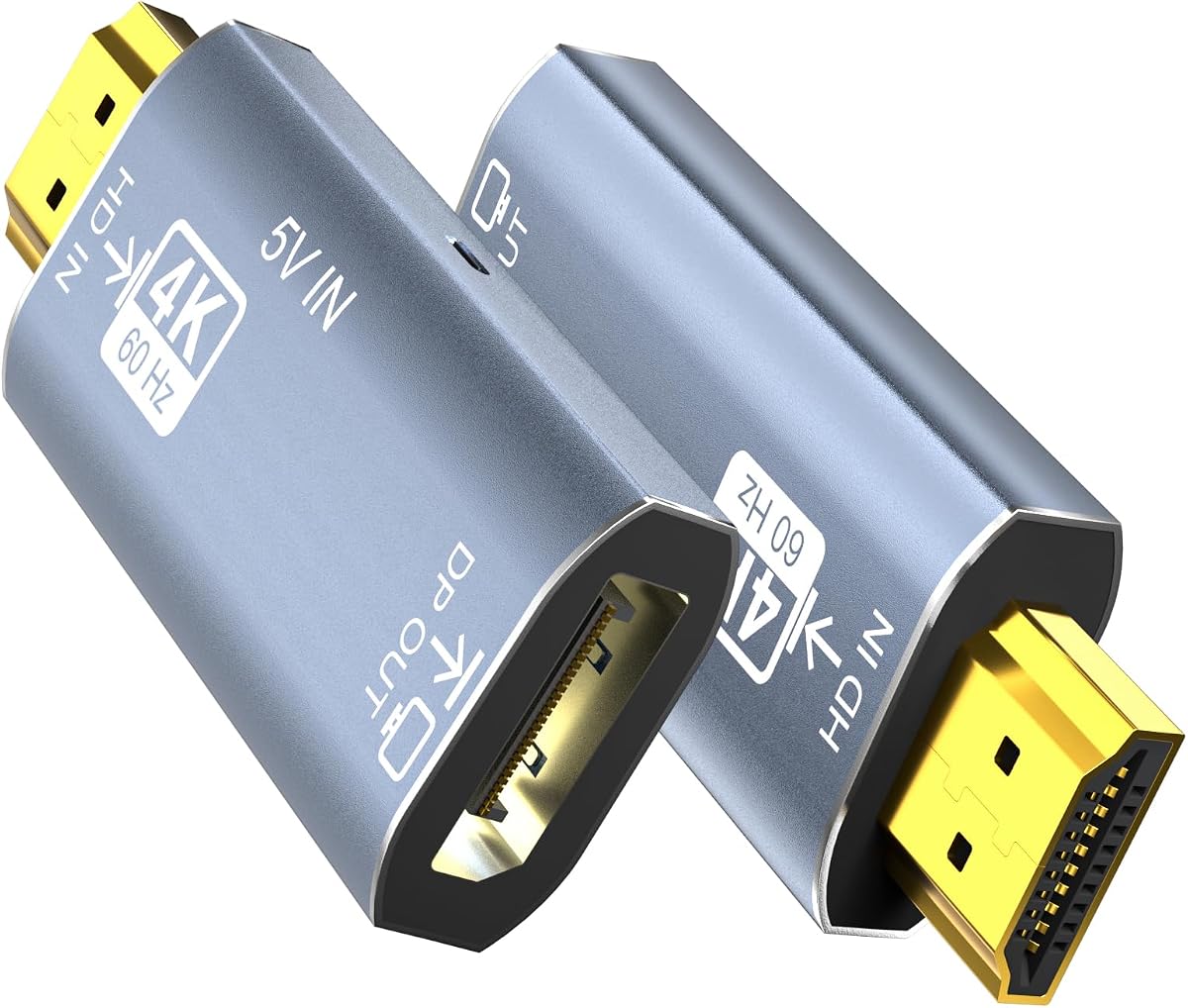
The BENFEI HDMI to DisplayPort Adapter is specifically designed to connect HDMI-source devices to DisplayPort monitors. This reverse conversion allows gaming consoles and PCs to utilize high-refresh-rate DP screens for enhanced visual performance.
We may earn a commission when you buy through this link, at no additional cost to you.
It supports resolutions up to 4K at 60Hz and 2K at 144Hz making it suitable for competitive gaming and high-fidelity video playback. An external USB power source activates the conversion chip ensuring stable signal translation.
The braided nylon cable and aluminum casing enhance durability and heat management. This active adapter ensures that HDMI signals are correctly interpreted by DP monitors without loss of quality or refresh rate capabilities.
Best suited for gamers and professionals with HDMI-source devices and DP monitors this adapter offers a unique solution. Its compatibility with major consoles broadens its utility for home entertainment setups.
Connects devices like consoles and laptops with HDMI ports to monitors and displays with DisplayPort inputs.
Supports 2K at 144Hz and 1080P at 165Hz ensuring smooth motion for gaming and dynamic content.
We may earn a commission when you buy through this link, at no additional cost to you.
The Active HDMI to DisplayPort Adapter provides zero latency video processing making it ideal for fast-paced gaming and real-time applications. Its hardware-level decoding design ensures instant response times during FPS or flight simulator sessions.
We may earn a commission when you buy through this link, at no additional cost to you.
It supports 4K at 60Hz and 1080P at 120Hz for crisp visual performance. The premium aluminum housing dissipates heat efficiently allowing continuous operation without thermal throttling or signal degradation.
As an active converter it requires external USB power to function which guarantees stable chipset performance. This setup allows seamless mirroring or extending desktops across Windows macOS and Linux systems without driver installation.
Best for corporate IT professionals and console gamers this adapter delivers reliable connectivity. Its compatibility with Switch docks and streaming cards adds versatility for modern multimedia workflows.
Designed for console gamers providing instant response times for immersive gaming experiences.
Pure hardware-level decoding ensures true plug and play operation across multiple operating systems.
We may earn a commission when you buy through this link, at no additional cost to you.
Selecting the right adapter depends on your laptop's ports and display requirements. Here are key factors to consider before making a purchase.
Ensure your laptop's output port matches the adapter's input. USB-C requires DP Alt Mode support while older laptops may need VGA or DisplayPort adapters to function correctly.
Check your laptop specs before buying to avoid incompatibility issues with video signal transmission.
Look for adapters that support your monitor's native resolution. 4K at 60Hz is ideal for crisp visuals while 30Hz may suffice for static content viewing.
Higher refresh rates are critical for gaming and video editing tasks.
Active adapters require external power and work for reverse conversions like HDMI to DisplayPort. Passive adapters rely on source device signaling and suit standard directional transfers.
Choose active options when connecting gaming consoles to DisplayPort monitors.
Durable materials like aluminum casing and braided cables improve heat dissipation and longevity. Gold-plated connectors reduce oxidation risks over time.
Invest in sturdy builds for daily use and frequent travel.
Long warranties indicate manufacturer confidence in product durability. Some brands offer five years of protection while others provide 18 months.
Prioritize brands with solid customer support for troubleshooting.
Multiport hubs combine HDMI USB-A and charging ports for convenience. This reduces cable clutter during presentations or travel.
Verify charging and video ports function simultaneously without power conflicts.
Some adapters include audio channels while others rely on external connections. Ensure audio pass-through is supported for full multimedia experience.
VGA adapters often need separate USB audio inputs for sound.
Integrated cable adapters limit placement options while dongles offer flexibility. Choose based on your desk layout and device positioning.
Shorter cables reduce signal degradation and clutter.
Begin by connecting the adapter securely to your laptop's compatible port and plug the HDMI cable into the adapter and external display. Ensure the laptop is powered on and display settings are configured to extend or mirror the screen.
For active adapters requiring external power connect the included USB cable to a power source before use to activate the chipset. This ensures stable signal conversion without flickering or black screens.
Care for your adapter by avoiding sharp bends in the cable and storing it in a protective case. Clean connectors with a dry cloth to remove dust and maintain optimal performance over time.
Most basic HDMI adapters do not support charging as they focus on video signal transmission. However multiport hubs often include separate USB-C ports for power delivery without video capabilities.
Ensure the laptop detects the external display and select the correct resolution. Active adapters require external power which if missing can cause signal failure.
Only laptops with video output capabilities on their ports will work. Verify that USB-C ports support DP Alt Mode or that DisplayPort ports are present for compatibility.
Active adapters require external power and perform complex signal conversions like HDMI to DisplayPort. Passive adapters rely on the source device for signal and suit standard direction transfers.
Most modern adapters transmit audio through HDMI cables but VGA adapters require a separate USB audio input to carry sound alongside video.
Use a soft dry cloth to gently wipe the gold-plated connectors. Avoid liquids or abrasive materials that might damage the surface finish.
The top picks like the Anker USB-C adapter and Moread DisplayPort connector offer reliable performance for diverse needs. Select based on your laptop's port type and resolution requirements.
Prioritize build quality and warranty coverage to ensure long-term satisfaction. Active adapters are essential for specific console setups while passive ones work for standard laptop connections.
Always check current prices and availability as these vary by retailer. Our picks remain consistent in value and performance standards for any professional or home use case.