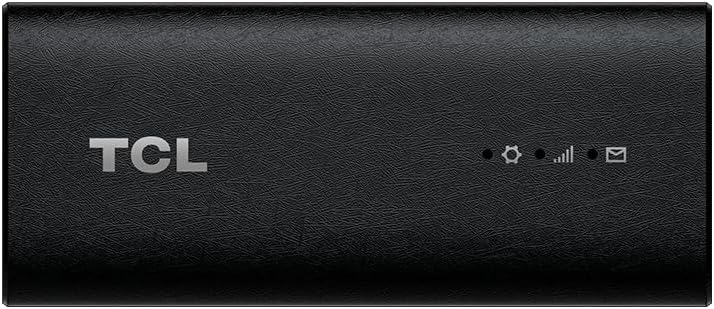
TCL LINKPORT IK511
4.0Editor score
Affordable price point for 5G access
Slim portable design for easy travel
Supports multiple operating systems easily
This guide compares the top 5G modems for laptops to help you find secure portable connectivity with fast speeds for work and travel needs.
Finding reliable internet on the go is essential for modern professionals and travelers who need consistent high-speed access. 5G modems for laptops offer a direct connection to cellular networks without relying on public Wi-Fi or tethering to a phone. These devices ensure you stay productive anywhere with robust security and impressive download rates for all your digital tasks.
We evaluated ten leading models based on compatibility, speed potential, and ease of use across different operating systems. Our analysis covers USB dongles, internal modules, and gateway routers that support 5G standards. We looked at real-world performance claims, driver requirements, and network support to help you choose the right device for your specific laptop setup.
Each selection highlights unique strengths such as global roaming, enterprise security, or plug-and-play simplicity for various users. You will see detailed breakdowns of specs, pros, and cons to inform your decision confidently. Please note that prices and availability change frequently so check current listings before purchasing your preferred modem today.
4.0Editor score

3.1Editor score

4.2Editor score
The following table provides a side-by-side look at the key specifications and features of each modem reviewed in this guide to help you quickly compare options.




The Tri Cascade VOS 5G USB Modem stands out as a leading choice for users seeking immediate high-speed internet without complex setups. With a rating reflecting early adopter feedback, it offers impressive download speeds capable of handling large file transfers and HD video. The device focuses heavily on security by avoiding public Wi-Fi entirely which is a critical feature for remote workers.
We may earn a commission when you buy through this link, at no additional cost to you.
Key strengths include its ability to deliver secure private internet access that does not broadcast a standard SSID making it harder for hackers to intercept data. The package includes a T-Mobile 5G SIM card allowing for online activation without needing to visit a physical store. This plug-and-play experience extends to Windows and Linux systems providing broad utility for diverse laptop users.
However there are some trade-offs to consider before purchasing this dongle. Video conferencing features are limited on macOS and iPadOS which might affect professionals who rely on Zoom or Teams during business trips. Additionally the device has specific compatibility requirements for iPads excluding earlier generations which could confuse some buyers looking for universal tablet support.
This modem is best suited for travelers and remote workers who prioritize security and speed over specific tablet app features. If you need a reliable way to connect your laptop to 5G networks safely in public spaces this device delivers strong performance. We recommend it for those who value convenience and robust data protection in a compact USB form factor.
The device creates a private connection that avoids standard Wi-Fi broadcasting reducing vulnerability to public network attacks.
Data plans offer unlimited roaming options making it ideal for international business travel without excessive fees.
We may earn a commission when you buy through this link, at no additional cost to you.
The TCL LINKPORT IK511 offers an affordable entry point into the world of 5G connectivity for laptops and other devices. With its renewed status this unit provides a cost-effective way to access high-speed networks without the premium price tag of newer hardware. The device is designed specifically for the T-Mobile network ensuring optimized performance within that specific coverage area.
We may earn a commission when you buy through this link, at no additional cost to you.
Its main advantage lies in the straightforward plug-and-play USB-C connection which works across Windows macOS Linux and Android systems easily. The slim portable design ensures it does not add bulk to your travel bag while still providing reliable single-point access to secure data. This simplicity makes it an excellent choice for users who want basic connectivity without complex configuration.
One limitation to note is the restriction to the T-Mobile network which means it may not work well if you travel outside their service zones. Users should verify their location coverage before relying on this device for critical business operations. Despite this the renewed option offers a great balance of performance and price for those within the supported region.
We recommend this dongle for budget-conscious travelers who primarily operate within T-Mobile coverage areas. It provides a reliable and cheap way to get 5G speeds on a laptop without investing in expensive router systems. For users needing a lightweight and efficient solution this modem delivers consistent performance at a fraction of the cost of competitors.
This renewed unit provides access to 5G speeds at a significantly lower price point than standard retail models.
Compatible with a wide range of operating systems ensuring flexibility for diverse user environments.
We may earn a commission when you buy through this link, at no additional cost to you.
The TCL LINKPORT IK511 Black version stands out with a higher user rating compared to its renewed counterpart making it a strong pick for reliable budget performance. It delivers the same core benefits of 5G speed and ease of use without compromising on the compact design that travelers love. The device is strictly built for the T-Mobile network ensuring seamless integration with their 5G infrastructure.
We may earn a commission when you buy through this link, at no additional cost to you.
Users benefit from a plug-and-play USB-C connection that requires no driver installation on Windows or macOS systems. This makes setup incredibly fast and allows you to start working immediately after connecting the dongle to your laptop. The secure single-point access feature ensures your data remains private while you are working in cafes or public spaces.
While the device excels in performance within its carrier network it does not offer the flexibility of multi-carrier support which might limit travel options. You will need to ensure your travel locations are covered by T-Mobile to get the best experience. However for local or regional travel this constraint is often an acceptable trade-off for the lower price point.
This modem is an ideal choice for students and professionals who need affordable high-speed internet on their laptops. Its high rating suggests that most users find it reliable and easy to use for daily tasks like browsing and streaming. We recommend it for anyone looking for a straightforward entry into 5G connectivity without unnecessary complexity or cost.
Optimized specifically for T-Mobile networks to ensure stable connections and fast speeds within coverage areas.
No drivers or configuration needed simply plug in and connect to your preferred data plan.
We may earn a commission when you buy through this link, at no additional cost to you.
The Gen 2 5G Dongle USB-C Modem combines premium hardware with a tailored network service to deliver enterprise-level performance. It uses the Qualcomm Snapdragon X62 modem which supports speeds up to 2.5Gbps and includes a TRITOM SIM designed for high-priority data routing. This combination bridges the gap between consumer and professional internet solutions ensuring reliable connectivity for critical work.
We may earn a commission when you buy through this link, at no additional cost to you.
One of its strongest features is the zero-config plug-and-play setup that works across Windows macOS Linux and ChromeOS without drivers. The included SIM ensures you are not limited by standard consumer throttling allowing for consistent speeds even in crowded areas. This makes it particularly effective for 4K video conferencing and cloud computing where latency matters significantly.
The cost is higher than basic options but the value lies in the specialized network support and hardware reliability. Unlike using a phone hotspot this device does not drain your battery or cause thermal throttling ensuring your laptop stays cool during long sessions. It is a robust solution for users who cannot afford connection drops or speed reductions.
We recommend this modem for professionals who need guaranteed uptime and high speeds for remote desktop applications. The integrated SIM removes the friction of finding a compatible plan which saves time and ensures immediate service. If you require a stable and powerful internet connection for demanding tasks this device is an excellent investment.
The TRITOM SIM ensures you get priority data routing to avoid slowdowns during peak usage times.
Supports major operating systems out of the box removing the need for technical setup or driver installation.
We may earn a commission when you buy through this link, at no additional cost to you.
The 5G SIM Card Router CPE offers a robust solution for creating a private high-speed network in your home or office. With WiFi 6 technology it handles multiple devices efficiently ensuring smooth streaming and gaming for your whole team. The device features an 8-antenna design which significantly boosts signal strength and stability in indoor environments where signals often fade.
We may earn a commission when you buy through this link, at no additional cost to you.
This router supports both NSA and SA 5G standards providing a flexible future-proof connection that adapts to network updates. It allows for seamless roaming under mixed backhaul configurations meaning you can integrate it with existing wired setups easily. The capacity to support multiple streams makes it superior for dense device environments compared to simple dongles.
While it is not as portable as a USB stick it excels as a stationary gateway for consistent high-speed internet. It removes the need for external cables by inserting a SIM card directly into the unit which simplifies the installation process. Users should be aware it requires a dedicated power outlet which limits where it can be placed in a building.
We recommend this CPE for small businesses or home offices that need reliable internet for multiple people simultaneously. Its high capacity and antenna design make it a solid choice for anyone tired of slow speeds on shared home connections. If you want a dedicated router that leverages 5G for whole-house coverage this device is highly effective.
The eight antennas work together to provide a more robust connection signal than typical consumer routers.
WiFi 6 features allow multiple users to share bandwidth without lag ensuring smooth performance for all.
We may earn a commission when you buy through this link, at no additional cost to you.
The GL.iNet GL-X3000 Spitz AX is a premium cellular gateway designed for users who need advanced network control and reliability. It supports dual SIM cards with automatic failover which ensures your connection stays active even if one network fails or loses signal. This feature is particularly valuable for remote workers and travelers who cannot afford downtime during critical tasks.
We may earn a commission when you buy through this link, at no additional cost to you.
With its support for OpenWrt firmware users can customize the router behavior to suit complex security needs or specific protocols. The device includes pre-installed VPN services like WireGuard allowing you to encrypt all network traffic securely. The detachable antenna system lets you upgrade signal strength which is essential for rural areas or RV parks with poor coverage.
While the price is higher than simple dongles the versatility and stability it offers justify the investment for power users. You can balance loads between cellular and wired connections using the multi-WAN technology ensuring optimal performance at all times. However casual users might find the extensive customization options overwhelming without time to explore them.
We recommend this router for professionals and digital nomads who need a reliable and secure mobile internet solution. The ability to switch between carriers and customize security protocols makes it a top choice for demanding environments. If you need a gateway that can grow with your needs and handle multiple connection types this device is unmatched.
Automatically switches to the stronger SIM card connection to maintain uptime in areas with variable coverage.
Built-in VPN support allows you to secure your traffic on public networks with professional-grade encryption.
We may earn a commission when you buy through this link, at no additional cost to you.
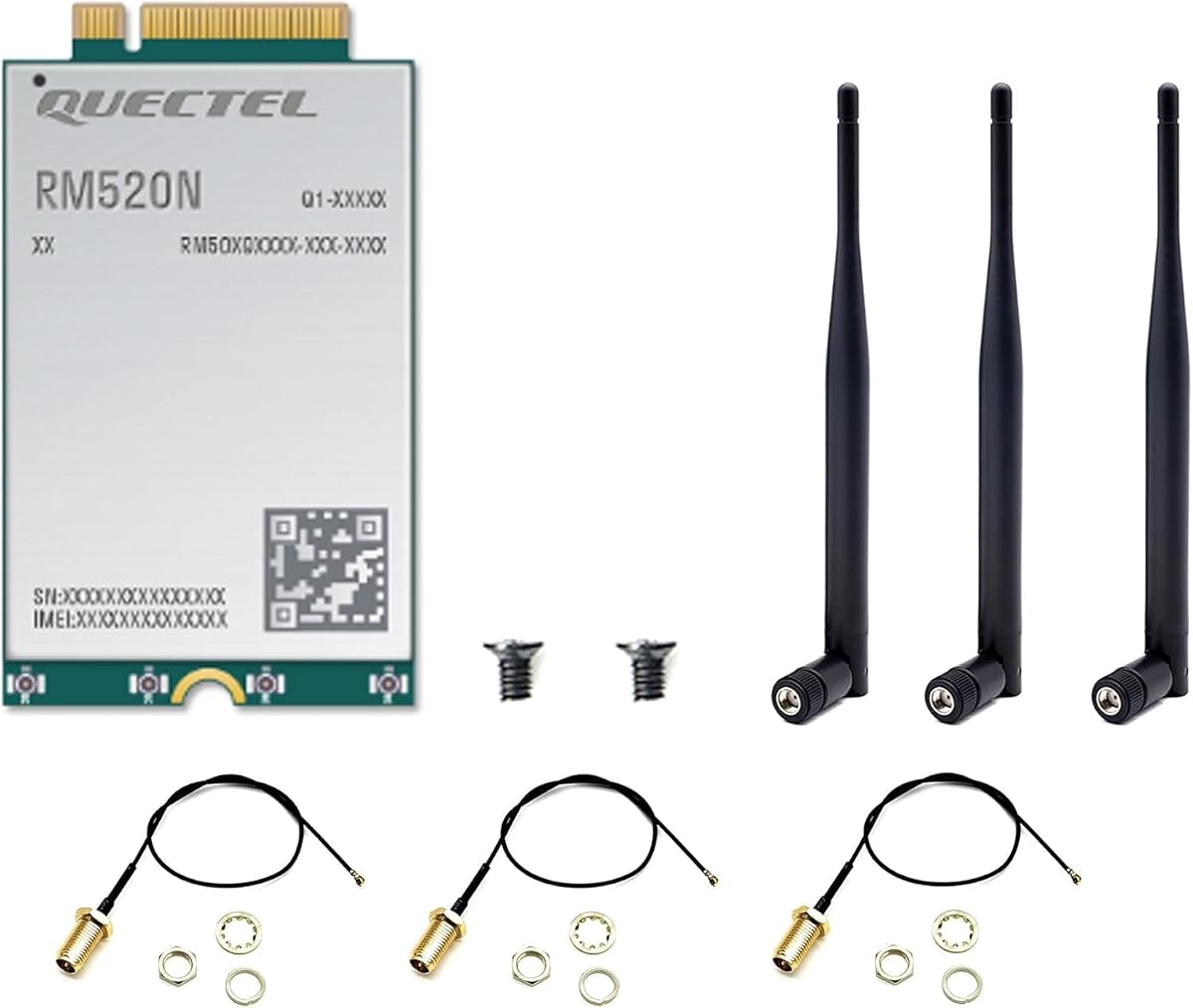
The WayPonDEV RM520N-GL IoT Module offers a high-performance internal solution for laptops that have an available M.2 slot. It is designed for industrial and commercial applications ensuring reliability across a wide temperature range that standard consumer modules might not withstand. With a perfect rating this module stands out for its ability to integrate seamlessly into existing hardware for a permanent solution.
We may earn a commission when you buy through this link, at no additional cost to you.
It supports both 5G NSA and SA modes providing a flexible connection that adapts to network evolution. The inclusion of a GNSS receiver allows for accurate location tracking which is vital for applications needing navigation data. This makes it an ideal choice for embedded systems or rugged laptops used in field environments.
The main requirement is that you must have physical access to the laptop's internal slot to install it which limits its use to technicians or advanced users. It is not a plug-and-play dongle that sits outside so it requires opening the device to insert. However the performance and stability gain are worth this effort for those who need a dedicated internal card.
We recommend this module for developers and businesses building custom IoT or industrial laptop solutions. Its industrial-grade build quality ensures it can handle tough conditions while maintaining high-speed data rates. If you are looking to upgrade an existing laptop with built-in 5G capabilities this card delivers professional-grade reliability.
Built-in GNSS receiver provides precise location data for devices used in field logistics or tracking.
Operates reliably in extreme temperatures from -40C to +85C making it ideal for industrial use.
We may earn a commission when you buy through this link, at no additional cost to you.
This USB-C dongle is engineered with enterprise deployment in mind targeting laptops kiosks and digital signage systems that need consistent data. It uses the Qualcomm Snapdragon SDX62 chipset which is known for reliable 5G performance and automatic 4G LTE fallback. This fallback mechanism ensures that if 5G is unavailable you still maintain a connection preventing critical downtime for public displays.
We may earn a commission when you buy through this link, at no additional cost to you.
The dual USB-C port design allows for simultaneous data transfer and power pass-through which is crucial for devices that do not have independent power sources. This feature simplifies cabling and reduces the need for extra adapters in tight setups like retail kiosks. The device supports both SA and NSA modes making it future-proof for various network environments.
While it performs well on laptops the primary design focus is on digital signage and industrial applications where stability is key. The comprehensive network support means it works across different global standards which is useful for international businesses. However for home use the specialized features might not justify the investment compared to simpler consumer options.
We recommend this modem for IT managers and businesses deploying public-facing digital screens that require network access. The ability to maintain connection through fallback and the dual power options make it a robust choice for commercial hardware. If you need a reliable 5G link for kiosks or laptops in a commercial setting this device is a strong candidate.
Automatically switches to 4G when 5G signals are weak ensuring continuous operation for critical displays.
Dual USB-C ports allow power pass-through reducing cable clutter in compact device installations.
We may earn a commission when you buy through this link, at no additional cost to you.
The Sanpyl DW5931e 5G Module is a powerful internal card designed for laptops and desktops that need maximum download potential. It supports speeds up to 4.67Gbps which is among the highest available for internal modules. Additionally the inclusion of a GNSS modem provides precise navigation capabilities which is a bonus for mobile workstations and field devices.
We may earn a commission when you buy through this link, at no additional cost to you.
This module supports MIMO technology to improve connection stability and coverage ensuring you get the most out of available signals. It also works with 3G 4G and 5G networks allowing for broad compatibility across different regions. The wide frequency band support makes it a versatile choice for international use where network frequencies vary significantly.
However the lower user rating suggests that drivers may be tricky to install on some systems leading to setup challenges. You may need to spend time ensuring your operating system version is compatible to get full performance. This makes it better suited for tech-savvy users who can troubleshoot installation issues effectively without support.
We recommend this module for users who need high-speed internal connectivity and can handle some setup complexity. If you want a card that supports the fastest possible downloads and offers navigation features this option delivers. Just be prepared to check driver requirements before purchasing to avoid potential compatibility headaches.
Supports download rates up to 4.67Gbps for ultra-fast data transfers and cloud syncing.
Works with legacy 3G and 4G networks ensuring connection everywhere even before 5G rollout.
We may earn a commission when you buy through this link, at no additional cost to you.
The Rhino D2 5G RedCap Enterprise USB Dongle is built for businesses that need reliable and compliant connectivity solutions. It supports CBRS Band 48 allowing for private networks that give you full control over your bandwidth. Additionally its TAA compliance makes it a preferred choice for government procurement and secure environments where regulatory adherence is mandatory.
We may earn a commission when you buy through this link, at no additional cost to you.
The device features a durable IP54 rating making it resistant to dust and splashes which is ideal for industrial settings. It uses dual USB-C ports with power pass-through to charge your laptop while connected so you do not need extra adapters. The eSIM and pSIM support provide flexibility in managing your cellular connections without swapping physical cards.
However early user feedback indicates potential connectivity challenges that may require updates or support. This is common for specialized enterprise hardware that is released to specific markets first. For standard consumer use the focus on RedCap and private networks might be unnecessary complexity compared to broader 5G options.
We recommend this dongle for government agencies and enterprises needing secure compliant cellular access for laptops. Its durability and CBRS features make it a solid choice for field service teams working in challenging environments. If you require TAA compliance and a rugged design this device meets those specific enterprise demands effectively.
TAA compliant design ensures it meets strict US government procurement requirements for secure IT hardware.
CBRS support allows you to create your own private cellular network for enhanced security and reliability.
We may earn a commission when you buy through this link, at no additional cost to you.
Choosing the right 5G modem requires evaluating several factors to ensure it fits your laptop and usage needs perfectly.
Ensure the modem supports the 5G bands and standards used by your carrier in your region. Many dongles are locked to specific networks like T-Mobile or AT&T so check coverage maps before buying.
Verify that your selected device works with your local carrier's frequencies to avoid connection issues.
USB dongles are the most portable option for laptops allowing you to carry them easily without bulk. Internal M.2 modules are better for permanent integration but require opening your device to install.
Select a form factor that matches your need for portability versus permanent installation in your device.
Check that the modem drivers or plug-and-play features are compatible with your laptop's operating system. Most modern dongles work with Windows and macOS but some may lack support for Linux.
Confirm system compatibility to ensure a smooth setup process without needing extra driver installations.
Consider your typical usage needs to decide if a standard 5G model or a high-performance one is better. Streaming HD video and large file transfers benefit significantly from faster download speeds.
Align the modem's speed capabilities with your daily tasks to ensure smooth performance.
For remote work and public spaces look for devices that offer secure connections without broadcasting Wi-Fi signals. Private network features protect your data from being intercepted by nearby hackers.
Prioritize security features if you often connect in cafes or other public locations.
Some modems drain laptop battery power if they do not support pass-through charging. Devices with dual USB-C ports allow you to charge your laptop while connected to maintain battery life.
Choose a modem with power pass-through to avoid draining your laptop battery during long work sessions.
Some modems come with included SIM cards and data plans which can simplify setup but may be costlier. Others require you to source your own carrier SIM giving you more flexibility but requiring research.
Factor in the cost of any included SIM or plan when comparing total value across devices.
If you work in rugged environments look for modems with IP ratings for dust and water resistance. Ruggedized options ensure your connection stays active even in challenging field conditions.
Select a durable device if you frequently travel to outdoor or industrial work sites.
Begin by inserting your SIM card into the modem slot and connecting the device to your laptop via USB-C. The modem should appear as a new network adapter in your system settings and you can connect through the usual Wi-Fi or Ethernet interface.
Keep the modem in a cool dry place to prevent overheating during long use sessions. Avoid covering the device with other objects while it is connected to ensure proper airflow for heat dissipation.
Regularly update the drivers provided by the manufacturer to maintain compatibility with your operating system. If you notice slow speeds or drops restart the modem to clear any temporary network issues before contacting support.
Many modern 5G modems are compatible with macOS but it is vital to check the product details. Some models may not support all macOS features like video conferencing so verify the specs carefully.
Most modems require you to scan a QR code or visit a portal online to activate the SIM. Follow the activation guide provided with your device to start using the service immediately.
Yes as long as your laptop has a USB port that supports data transfer you can use a 5G modem. However ensure your operating system is supported to avoid driver issues and connection errors.
NSA uses existing 4G infrastructure while SA is a dedicated 5G network offering better performance. Devices that support both ensure you have connectivity even if one standard is unavailable.
Modems that support power pass-through can actually charge your laptop while connected. However using a simple dongle without this feature may draw power from your laptop reducing battery life slightly.
A dedicated modem provides a more stable and secure connection than a phone hotspot. It also does not drain your phone battery making it better for long work sessions on the go.
We have reviewed ten top 5G modems for laptops including portable dongles internal modules and cellular routers to suit diverse needs.
Prioritize your specific usage scenarios like security or speed to select the device that offers the best balance for your workflow.
Always check current pricing and availability on retailer sites before purchasing to ensure you get the best deal available today.