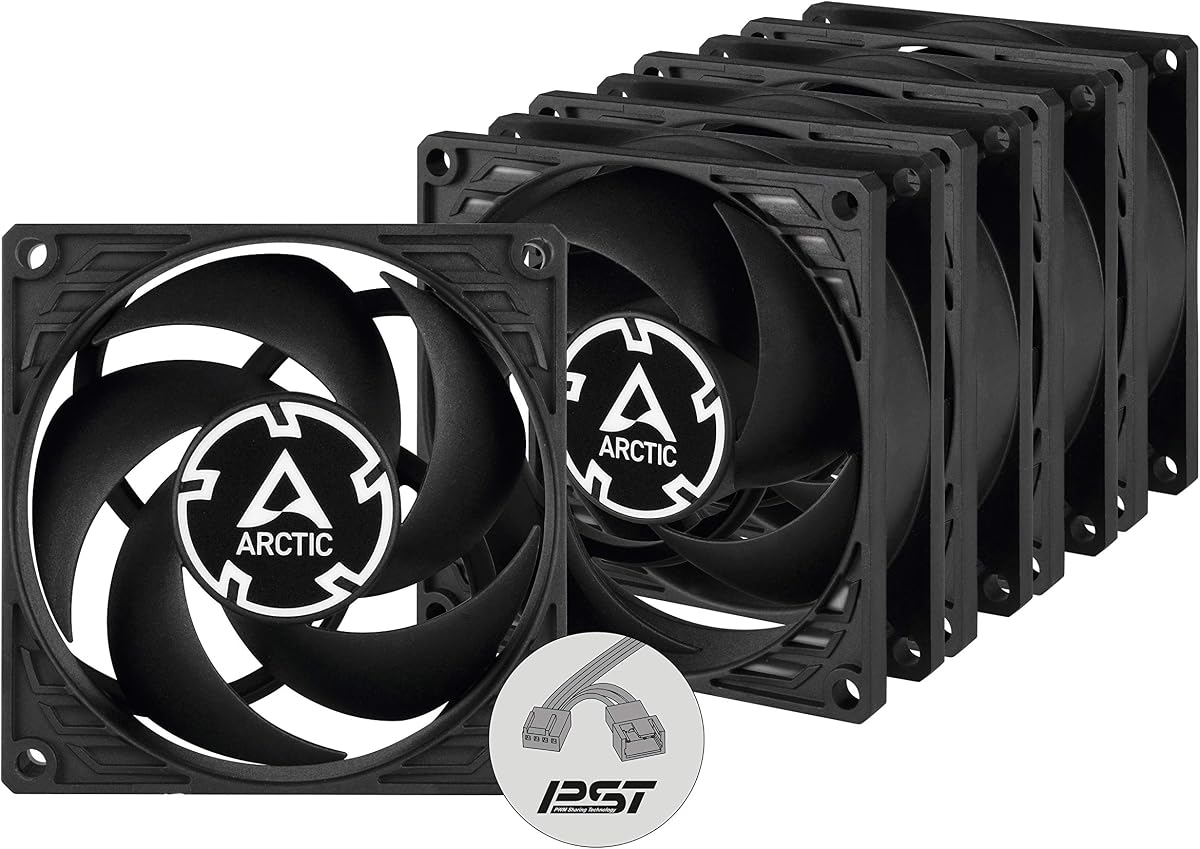
ARCTIC P8 PWM PST
4.7Editor score
5 Pack value
PWM Sharing Tech
High static pressure
This guide compares the top 80mm case fans for quiet cooling and performance in compact builds, NAS units, and server racks using real data.
Finding the right 80mm case fan is crucial for maintaining optimal temperatures in compact systems. Whether you are building a small form factor PC or upgrading a network attached storage device, airflow and noise matter. A good fan balances static pressure with operational silence to ensure longevity.
We evaluated ten highly rated models based on customer feedback and technical specifications. Our analysis focuses on bearing types, speed control options, and airflow efficiency. This list covers premium brands and budget-friendly options to suit various needs and preferences.
Each pick highlights key strengths and ideal use cases for different setups. You will see ratings and detailed specs to help you decide quickly. Please note that prices and availability change frequently on retailer platforms.
4.7Editor score

4.9Editor score

4.8Editor score
This table provides a side-by-side view of the leading 80mm fans available now. It highlights key specifications like speed, noise levels, and connectivity to help you compare options at a glance.


This Noctua fan is widely regarded as the gold standard for quiet cooling. It receives a near-perfect rating due to its advanced acoustic optimization. The fan uses Flow Acceleration Channels to reduce turbulence significantly.
We may earn a commission when you buy through this link, at no additional cost to you.
The bearing technology ensures it runs smoothly for years without degradation. It offers precise speed control through its PWM interface. Users appreciate the included accessories like extension cables.
While it costs more than budget options, the longevity justifies the investment. It is slightly larger than some thin variants but fits standard 80mm slots. The brown and beige color may not suit all aesthetics.
Buyers seeking reliability and silence should choose this model first. It works well in HTPCs and NAS units. The performance remains consistent even under high load conditions.
Advanced frame design minimizes noise at high speeds effectively.
Extra cables and mounts simplify installation in tight cases.
We may earn a commission when you buy through this link, at no additional cost to you.
This pack offers incredible value for anyone needing multiple fans. The rating reflects strong performance relative to cost. PWM Sharing Technology allows synchronized control without extra hubs.
We may earn a commission when you buy through this link, at no additional cost to you.
Each fan is optimized for static pressure making them ideal for radiators. The bearing design reduces friction for longer life. Speeds are adjustable from 200 to 3000 RPM easily.
Some users find the plastic construction less premium than top brands. However, function takes precedence here. The pack solves the issue of mismatched speeds across a system.
Choose this for server racks or multi-fan builds on a budget. It balances performance and affordability better than most alternatives. The noise levels remain manageable during peak operation.
Connect multiple fans to one header for unified speed control.
Blade design pushes air effectively through resistance.
We may earn a commission when you buy through this link, at no additional cost to you.
This version brings the same top-tier performance as the original A8. The black aesthetic fits modern builds seamlessly. It carries the same high rating for reliability and cooling power.
We may earn a commission when you buy through this link, at no additional cost to you.
Swappable vibration pads allow you to change colors easily. The acoustic optimization frame ensures silence even at full speed. It is perfect for those who hate the classic Noctua look.
The price is higher due to the premium finish. Some users prefer LED lights which this lacks. But the build quality remains unmatched in this category.
Buy it if you want style without sacrificing cooling quality. It is a direct upgrade for users needing a black fan. The silence ensures it does not disturb your environment.
Interchangeable pads let you match any system theme.
Noise levels stay low even at maximum airflow.
We may earn a commission when you buy through this link, at no additional cost to you.
This redux fan offers classic Noctua quality at a better price. It maintains the 4.8 rating for excellent reliability. The speed is capped lower but still effective for standard cases.
We may earn a commission when you buy through this link, at no additional cost to you.
The design focuses on balance between performance and cost. It includes fewer accessories than the premium line. However, the cooling performance is still top-tier for the price.
Some users find the brown color less appealing. It lacks the advanced acoustic frames of the A series. But for pure function it remains a strong contender.
Pick this for general ventilation in standard PCs. It is a reliable workhorse that rarely fails. The noise levels are low enough for office environments too.
Get trusted cooling without the flagship price tag.
Built to last with proven bearing technology.
We may earn a commission when you buy through this link, at no additional cost to you.
This fan provides a low cost entry point for cooling needs. It has a strong rating due to its affordability. The blades are shaped to move air efficiently without much noise.
We may earn a commission when you buy through this link, at no additional cost to you.
It is often used in mining rigs where multiple fans are needed. The bearing ensures a long operational lifespan. It fits standard mounts without requiring adapters.
Build quality is lower than premium options. It may not last as long under continuous heavy loads. But for the price the value is undeniable for bulk buys.
Choose this for secondary cases or budget builds. It is ideal for replacing old worn out fans. The noise is low enough not to disrupt daily use.
Design focuses on moving volume to reduce heat.
Compatible with most standard 80mm screw patterns.
We may earn a commission when you buy through this link, at no additional cost to you.
This fan is designed specifically for minimal noise output. It maintains a solid rating for its quiet performance. The motor runs at a lower max speed to reduce sound.
We may earn a commission when you buy through this link, at no additional cost to you.
It is great for radiators where air resistance is high. The 3-pin connection makes it simple to connect. The motor quality ensures it stays whisper quiet over time.
Lack of PWM means speed is fixed unless using a controller. The lower speed might not be enough for heavy heats. But for silent PCs it is perfect.
Pick this for home theaters or bedroom PCs. It balances airflow and silence effectively. The cost is low for the level of noise control.
Optimized bearing and motor design reduce vibration.
Moves air effectively through radiators.
We may earn a commission when you buy through this link, at no additional cost to you.
This model delivers high performance with a sleek look. It is often chosen for builds needing a monochrome theme. The ratings confirm it matches the standard A8 in quality.
We may earn a commission when you buy through this link, at no additional cost to you.
The swappable pads add fun custom touches without tools. Noise remains low despite the high RPM limit. It serves well as an intake or exhaust in tight spots.
The only downside is the higher cost. The lack of RGB might disappoint some enthusiasts. But pure cooling and style are unmatched here.
Buy it for custom PCs where looks matter. It keeps your system cool while looking sharp. The build quality ensures it will last for years.
Change colors to match your rig.
Delivers strong cooling without loud noise.
We may earn a commission when you buy through this link, at no additional cost to you.
This pack is ideal for filling multiple slots quietly. The rating shows it meets expectations for value. It is built for low noise environments effectively.
We may earn a commission when you buy through this link, at no additional cost to you.
It handles high resistance areas well. The motor is developed to reduce friction significantly. For server racks this is a great choice.
Some units might vary slightly in quality. Lack of PWM limits advanced control features. But for basic silent cooling it works perfectly.
Choose this for data centers or quiet NAS. You get multiple units for one low price. The performance is steady across the pack.
Five units simplify bulk replacement.
Noise levels are minimal even at full speed.
We may earn a commission when you buy through this link, at no additional cost to you.
This fan pushes air harder than most others. It is favored for extreme cooling needs. The rating highlights its power and speed flexibility.
We may earn a commission when you buy through this link, at no additional cost to you.
It uses a fluid dynamic bearing for durability. The speed can go up to 5000 RPM. This makes it perfect for dense server racks.
Running at max speed is very loud. Long term full load use may shorten life. But for peak cooling it is excellent.
Select this for high density server hardware. It moves heat fast when needed. Keep PWM settings low for quieter daily use.
Reaches speeds others cannot match.
Handles dense heat sinks effectively.
We may earn a commission when you buy through this link, at no additional cost to you.
This fan is designed for space constrained spots. The 15mm depth allows fitting in tight cases. The rating shows it delivers well for its size.
We may earn a commission when you buy through this link, at no additional cost to you.
It provides good airflow despite the thin profile. The PWM connection helps control noise effectively. It is great for CPU coolers too.
The thin frame might be less sturdy. But for cooling performance it is efficient. The cost is low for the features provided.
Use this for ultra slim PCs or radiators. It fits where others do not. The airflow helps keep components cool efficiently.
Fits into shallow chassis spaces.
Moves air well for the small size.
We may earn a commission when you buy through this link, at no additional cost to you.
Selecting the right fan involves checking size, noise, and performance metrics. These factors ensure your system stays cool without disturbing your workspace.
80mm fans are standard but depth varies between 15mm and 25mm. Always check the case manual to confirm depth clearance. A standard 25mm fan might block cables or heat sinks in tight enclosures.
Verify screw holes and frame thickness before buying. This avoids installation issues.
PWM fans offer precise speed control based on system temperature. They use a fourth wire to adjust RPM dynamically. 3-pin fans run at constant speeds or need external voltage control.
Choose PWM for better noise management. It saves power and reduces sound at idle.
Noise is measured in dB(A) or Sone. Lower numbers mean quieter operation. For offices or bedrooms, look for fans under 20 dB(A) at full speed.
Prioritize noise ratings if your PC is near your head. Silent fans enhance comfort.
Airflow measures volume moved in CFM. Static pressure measures force against resistance. Fans with high static pressure work better on radiators or filters.
Pick high static pressure for heat sinks. Use high airflow for open cases.
Fluid Dynamic Bearings last longer and stay quieter than sleeve bearings. They use oil capsules to reduce friction over time. Sleeve bearings are cheaper but can wear out faster.
Select Fluid Dynamic Bearings for longevity. They reduce maintenance needs.
Premium fans often come with long warranties. Quality plastics and metal frames prevent wobbling. Look for brands with strong support reputations.
Warranty length signals confidence in durability. Check return policies before buying.
Colors matter for custom builds. Black frames fit modern cases while brown may not. Swappable pads allow color changes without buying new fans.
Choose colors that match your theme. This improves visual consistency.
Buying packs of five often lowers cost per unit. Ensure all fans are identical for consistent performance. Check ratings for single units versus bulk packs.
Bulk packs save money for server or multi-slot needs. Compare total cost carefully.
First ensure the fan is mounted securely. Loose screws cause vibrations and noise over time. Use rubber mounts if available to absorb shock.
Second clean the blades regularly. Dust reduces airflow and causes motor strain. Use compressed air to blow out debris from the grill.
Third monitor fan speeds in BIOS. If a fan sounds louder than usual check the cable. A poor connection can cause irregular rotation.
Standard 80mm fans measure 80x80mm in width and length. The depth usually ranges from 15mm to 25mm. Always check your case dimensions before purchasing a new unit.
Not all cases accept 80mm fans. Many modern PCs use 120mm or 140mm fans. Check if your system supports 80mm mounts specifically. ITX and HTPC cases often require this size.
Use the motherboard fan header. Most use 3-pin or 4-pin connectors. Align the pins correctly with the socket. PWM fans need 4-pin headers for speed control.
It depends on the model and RPM. Budget fans often have more vibration and noise. Premium models include acoustic optimization to reduce sound. Check dB ratings before buying.
Yes but high static pressure is needed. Fans designed for pressure work best with radiators. Standard airflow fans may not push air through fins effectively.
MTTF stands for Mean Time To Failure. A rating over 150,000 hours is excellent. It suggests the bearing will last many years under normal use.
Replace fans if they make loud noises or stop spinning. High quality fans last 5 to 10 years. Dust accumulation can shorten lifespan so clean them regularly.
Most premium fans include mounting screws. Check the product description for included accessories. If not included, standard M3 screws usually work for 80mm cases.
We reviewed ten top fans ranging from premium to budget models. Each offers distinct advantages for cooling or silence. The Noctua options lead in performance while ARCTIC offers value.
Prioritize static pressure if you use radiators. Choose low noise fans for quiet homes. Always check PWM support for modern systems.
Prices and availability change frequently online. Verify current specs before finalizing your order. This guide helps you pick the best fit for your setup.