
Dell 24 All-in-One Desktop Computer Touchscreen
5.0Editor score
Intel Ultra 7 355 processor
32GB DDR5 RAM
23.8 inch FHD display
Finding the right All in One Desktop PC with Touchscreen can transform your workspace into a sleek and efficient hub for work and entertainment. These devices combine powerful hardware with intuitive touch interfaces, eliminating the need for separate monitors and reducing cable clutter on your desk.
We have carefully evaluated ten top-rated models based on processor power, display quality, memory capacity, and user experience. Our analysis focuses on real-world performance, build quality, and the specific features that matter most to professionals, students, and home users alike.
Each pick in this list highlights unique strengths, from budget-friendly options to premium machines equipped with AI capabilities. Note that specifications and availability can change over time, so always verify current details before making your final purchase decision for your specific needs.
5.0Editor score

4.7Editor score

4.5Editor score
As an Amazon Associate we earn from qualifying purchases.
The following table provides a side-by-side comparison of all ten selected All in One Desktop PC with Touchscreen models, highlighting their key specifications to help you quickly identify the best fit for your workflow requirements.




The HP 27 All in One Desktop Computer Touchscreen Copilot PC stands out as a top contender for users seeking next-generation AI integration in a sleek desktop package. It combines a powerful AMD Ryzen AI 7 350 processor with a dedicated Microsoft Copilot key to streamline complex workflows. With a 4.7 rating, it has earned praise for its intelligent design and seamless performance across diverse tasks.
We may earn a commission when you buy through this link, at no additional cost to you.
This model delivers blazing-fast AI processing that accelerates tasks like video editing and content creation without needing cloud dependencies. The 16GB DDR5 RAM ensures smooth multitasking even with heavy browser tabs and professional apps open simultaneously. Its 1TB SSD provides ample space for large creative assets and fast boot times for immediate productivity.
While it offers premium features like anti-glare display and AI noise reduction for calls, the cost reflects these high-end capabilities. The RAM is onboard which limits future upgrades but ensures high bandwidth efficiency for current workloads. Most users find the performance justifies the investment for professional environments demanding reliability.
If you need an All in One Desktop PC with Touchscreen that combines enterprise-grade security with intuitive AI tools, this HP model is an excellent choice. It includes a comprehensive accessory bundle with a pen and USB drive making it ready for use out of the box. It remains a strong recommendation for power users seeking innovation and performance.
The AMD Ryzen AI 7 350 processor and dedicated Copilot key enable rapid on-device AI acceleration for complex tasks without lag.
The 27-inch FHD IPS touchscreen offers 178 degree viewing angles and anti-glare technology to reduce eye strain during long sessions.
We may earn a commission when you buy through this link, at no additional cost to you.
Dell 24 All-in-One Desktop Computer Touchscreen represents the pinnacle of business-ready hardware with cutting-edge connectivity and robust memory. Its Intel Ultra 7 355 processor brings advanced NPU capabilities for Copilot+ PC experiences while maintaining a compact and sleek footprint. The perfect 5.0 rating reflects its exceptional reliability and premium build quality that professionals trust daily.
We may earn a commission when you buy through this link, at no additional cost to you.
This desktop handles demanding workloads effortlessly thanks to 32GB of DDR5 RAM which ensures no slowdowns even during heavy multitasking or virtual meetings. The 1TB SSD provides fast file access for large documents and media files without requiring external storage solutions. Wi-Fi 7 support ensures ultra-fast wireless speeds and low latency for cloud-based collaboration tools.
Although it offers incredible power it might be overkill for casual users who do not need enterprise-grade features or massive RAM. The smaller 23.8 inch display may feel cramped for those who prefer larger viewing areas for creative work. However for business users prioritizing performance and security over screen size it is a top choice.
Buy this model if you require a professional All in One Desktop PC with Touchscreen that supports advanced AI workflows and secure sign-ins. Its pen support and modern design make it ideal for interactive presentations and collaborative environments. The inclusion of business features like Win 11 Pro ensures compliance and enhanced management capabilities.
Wi-Fi 7 and Bluetooth 6 provide future-proof wireless performance ensuring fast speeds and stable connections for high-bandwidth applications.
Advanced features like user detection technology and secure sign-ins protect sensitive data while maintaining seamless access for authorized users.
We may earn a commission when you buy through this link, at no additional cost to you.
The Dell 23.8 All-in-One Desktop FHD offers an excellent entry point for those seeking an All in One Desktop PC with Touchscreen without breaking the bank. It balances cost and functionality well with features like ComfortView Plus and Dolby Atmos sound that elevate the experience beyond basic entry-level devices. A 4.5 rating confirms its solid performance for everyday tasks and light productivity needs.
We may earn a commission when you buy through this link, at no additional cost to you.
Despite its budget focus this model includes a narrow border FHD IPS display that delivers vivid colors and wide viewing angles for comfortable use. The Intel Core 5 120U processor handles web browsing and streaming efficiently making it suitable for students or home office setups. Additional features like 5MP IR camera improve call quality without needing expensive peripherals.
The primary trade-off is reduced processing power compared to premium models which might limit performance for heavy gaming or intensive video editing. Upgradeability is also limited which means choosing the right configuration at purchase is crucial. However for most general users these limitations do not impact daily usability or satisfaction significantly.
Choose this device if you need a reliable touch-enabled desktop for learning and casual entertainment that fits a tighter budget. The 1 Year Onsite Service provides peace of mind for potential hardware issues while the ergonomic stand ensures comfortable viewing angles. It remains a strong contender for value-conscious buyers seeking Dell quality.
Dell ComfortView Plus reduces harmful blue light emissions to protect your eyes during long screen sessions and improve viewing comfort.
Dual Bluetooth speakers with Dolby Atmos spatial sound and a narrow border display enhance both media consumption and video calls.
We may earn a commission when you buy through this link, at no additional cost to you.
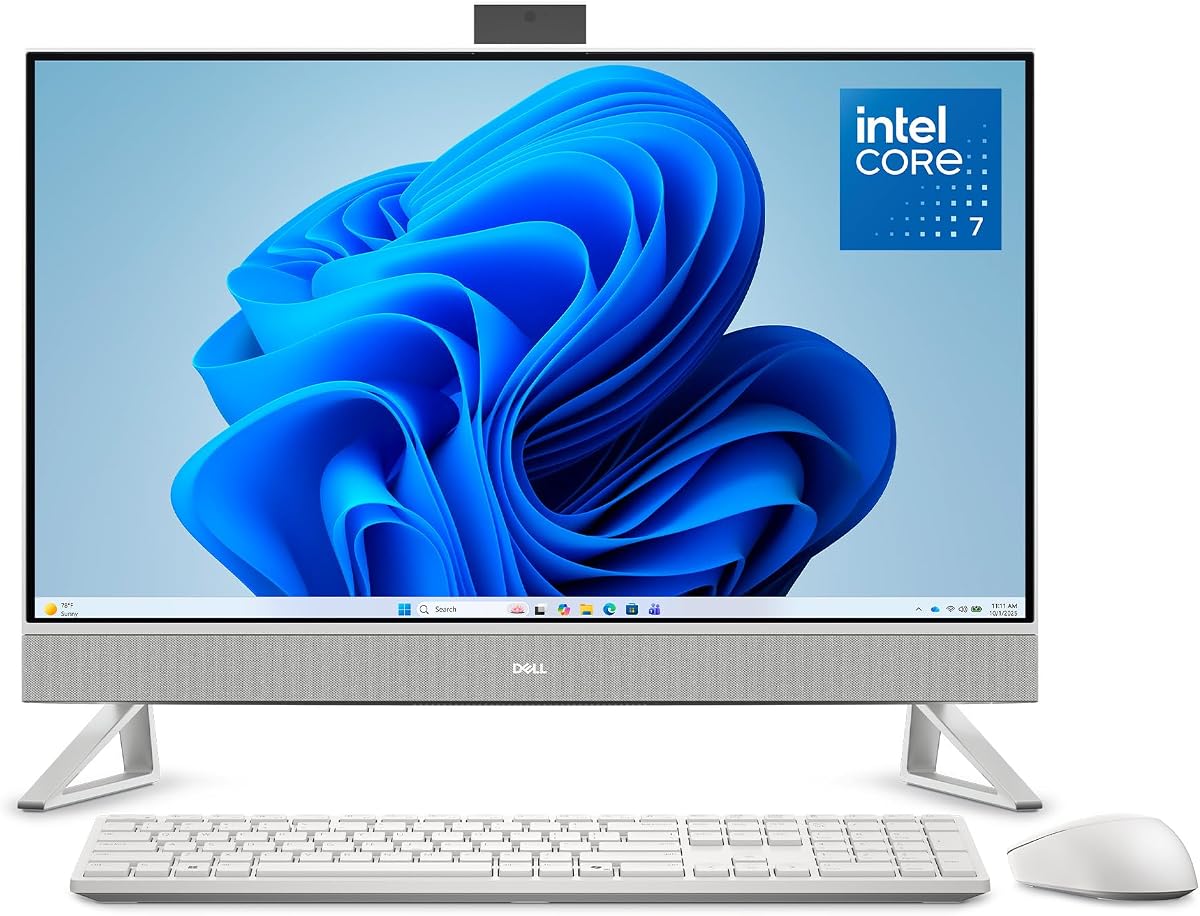
The Dell All-in-One 24 FHD Touchscreen Desktop brings professional features to a mid-range price point making it an attractive option for small businesses. It features a powerful 10-core Intel Core 7 processor that delivers reliable speed for office applications and multitasking. With a perfect 5.0 rating it demonstrates high satisfaction among users who value performance and ease of use.
We may earn a commission when you buy through this link, at no additional cost to you.
Running Windows 11 Pro offers advanced security and management tools beneficial for professional environments. The 16GB RAM ensures smooth performance during routine workloads while the 512GB SSD provides fast boot times for daily productivity. Easy-to-access ports simplify connectivity for peripherals and external drives without needing dongles or adapters.
While the storage is smaller than some rivals it may require external drives for large media libraries or archives. The webcam supports HDR technology for better lighting but lacks the resolution of premium models with 5MP sensors. For general office tasks these constraints rarely impact efficiency or user experience negatively.
If you need a dependable All in One Desktop PC with Touchscreen that balances power with professional OS features this Dell is ideal. Its keyboard and mouse included in the bundle reduce setup time significantly. It is a solid recommendation for users who need Pro features without the cost of top-tier premium hardware.
The Intel Core 7 150U with 10 cores and Windows 11 Pro ensures fast performance and advanced security management for professional tasks.
Easy-to-access ports and Bluetooth 5.3 allow quick connection of peripherals and external devices for a clutter-free workspace setup.
We may earn a commission when you buy through this link, at no additional cost to you.
The ASUS VM670 27 All-in-One Desktop Computer delivers exceptional power with its AMD Ryzen AI 7 350 processor and massive 32GB DDR5 memory. This configuration handles complex creative projects and AI-enhanced productivity tools with impressive speed and efficiency. A perfect 5.0 rating highlights its appeal among power users who demand top-tier performance in a touch-enabled format.
We may earn a commission when you buy through this link, at no additional cost to you.
Its 27-inch FHD touchscreen offers 100% sRGB color coverage ensuring accurate visuals for design work and media consumption. The 1TB PCIe 4.0 NVMe SSD provides rapid file access and ample space for large creative assets without slowdowns. HDMI-in support allows the display to function as a secondary monitor for external devices like consoles or laptops.
The cost is high compared to standard models reflecting its advanced specs and premium materials. Some users might find the feature set complex if they do not need AI acceleration or 32GB RAM for their tasks. However these trade-offs are acceptable for those prioritizing performance and color accuracy above budget constraints.
Choose this model if you need a professional All in One Desktop PC with Touchscreen capable of handling demanding workflows and accurate color tasks. Its security features like Microsoft Pluton ensure safe business environments while the anti-glare technology reduces eye strain. It remains a top recommendation for content creators seeking integrated high-performance desktops.
The 27-inch FHD IPS screen with 100% sRGB ensures accurate color reproduction vital for design professionals and media creators.
HDMI-in and HDMI-out support turn the device into a flexible hub for multiple displays and external media sources.
We may earn a commission when you buy through this link, at no additional cost to you.
This Dell model stands out for its robust security features including Intel Ultra 7 processor capabilities and Windows 11 Pro integration. It ensures safe enterprise environments with user detection technology and secure sign-ins that simplify access while protecting sensitive data. The perfect 5.0 rating indicates strong satisfaction among business professionals relying on it daily.
We may earn a commission when you buy through this link, at no additional cost to you.
With 32GB of DDR5 RAM it handles demanding workloads and virtual meetings without slowdowns. The 1TB SSD offers ample storage for business documents and media files ensuring quick access to critical files. Wi-Fi 7 support provides future-proof wireless speeds that enhance cloud collaboration and remote work productivity significantly.
The high price point may not fit every budget but reflects the premium build and security features included. The smaller 23.8 inch display is compact enough for desk space but might feel limited for users needing larger screens for multitasking. For those prioritizing security and performance this model is worth the investment.
If you need a secure All in One Desktop PC with Touchscreen for business use with advanced features and pen support this Dell is ideal. Its modern design complements office environments while reducing desk clutter effectively. It is a strong recommendation for companies seeking reliable professional hardware with integrated security.
Advanced features like user detection and secure sign-ins keep data safe while maintaining seamless access for authorized employees.
Wi-Fi 7 ensures ultra-fast and stable connections for high-bandwidth applications and reliable cloud access during critical meetings.
We may earn a commission when you buy through this link, at no additional cost to you.
The HP 27 inch All-in-One Desktop PC FHD Touchscreen offers a balanced blend of performance and professional features suitable for business and home offices. Its AMD Ryzen 5 7520U processor delivers reliable speed for everyday productivity while Windows 11 Pro ensures enterprise-ready security. A 4.4 rating reflects its solid performance and value proposition for many users.
We may earn a commission when you buy through this link, at no additional cost to you.
With 16GB of LPDDR5 RAM and 1TB SSD storage it handles multitasking and file storage effectively for routine tasks. The integrated AMD Radeon graphics support smooth media playback and light design work. Built-in speakers enhance video calls and entertainment without requiring external audio equipment.
The RAM is onboard which limits future upgrades but ensures high bandwidth efficiency for current tasks. The webcam supports noise reduction but may not match the resolution of premium models with IR cameras. These limitations are acceptable for most users who do not plan to upgrade hardware components later.
Choose this model if you need a reliable All in One Desktop PC with Touchscreen that includes Pro features at a reasonable price point. The 27-inch touchscreen provides ample space for work and media consumption comfortably. It is a good recommendation for small businesses seeking cost-effective yet capable hardware.
Windows 11 Pro provides advanced management and security tools ideal for business environments and remote work scenarios.
The AMD Ryzen 5 7520U offers efficient multitasking and smooth performance for standard office applications and web browsing.
We may earn a commission when you buy through this link, at no additional cost to you.
The Dell 27 All-in-One Desktop FHD offers a spacious display and powerful memory making it ideal for users prioritizing screen real estate and multitasking. Its Intel Core 7 150U processor provides smooth performance for various tasks while the 27-inch IPS screen delivers vivid visuals. A 4.3 rating suggests satisfaction though some users may prefer premium OS options.
We may earn a commission when you buy through this link, at no additional cost to you.
With 32GB of RAM it handles heavy workloads such as video editing and complex spreadsheets effortlessly. The 27-inch screen ensures comfortable viewing angles and clarity for detailed work or entertainment. The innovative stand design keeps the keyboard hidden to save desk space and maintain a clean aesthetic.
It runs Windows 11 Home which limits some enterprise features compared to Pro versions available on other models. The higher price may not suit all budgets but reflects the large screen and strong memory configuration. For home entertainment and creative work it offers significant value and performance.
If you need a large-screen All in One Desktop PC with Touchscreen for creative projects or immersive media consumption this Dell is a strong pick. Its ComfortView Plus technology protects eyes during long sessions while the audio system supports clear calls. It remains a solid recommendation for users prioritizing display quality and memory.
The 27-inch FHD IPS display provides ample workspace and vivid colors ideal for creative tasks and entertainment media.
An innovative stand design houses the keyboard underneath to reduce desk clutter and maintain a sleek professional appearance.
We may earn a commission when you buy through this link, at no additional cost to you.
The HP 24 Touchscreen All-in-One Desktop Computer is designed for reliable everyday use in home and school environments. It features an Intel Processor N100 and 16GB DDR4 RAM which provide sufficient power for web browsing and learning tasks. A 4.3 rating indicates that it meets the needs of casual users seeking a simple and functional device.
We may earn a commission when you buy through this link, at no additional cost to you.
With 1TB of PCIe SSD storage it offers ample space for documents and media files while keeping the system responsive. The 23.8 FHD touchscreen provides clear visuals for online classes and video calls. WiFi 6 and Bluetooth 5.3 ensure stable wireless connectivity for smart home devices and peripherals.
The processor is basic compared to higher-end models which may limit performance for heavy multitasking or gaming. It is best suited for light productivity and entertainment rather than intensive professional work. The white design blends well into home spaces without drawing excessive attention.
If you need an All in One Desktop PC with Touchscreen for basic computing and educational purposes this HP model is a practical choice. Its compact footprint saves space on desks and it remains quiet during operation. It is a strong recommendation for families and students seeking reliable and easy-to-use technology.
Designed for basic computing tasks it handles learning apps and web browsing efficiently for students and home users alike.
WiFi 6 and 1TB SSD ensure fast wireless speeds and plenty of storage space for everyday files and multimedia content.
We may earn a commission when you buy through this link, at no additional cost to you.
The ASUS 27 FHD Touchscreen All-in-One PC is a powerhouse for AI-enhanced workflows with its AMD Ryzen AI 7 350 processor and dedicated Copilot Key. It delivers responsive performance for office applications and video meetings while accelerating modern Copilot+ PC experiences. A perfect 5.0 rating reflects its capability to handle complex multitasking and creative tasks efficiently.
We may earn a commission when you buy through this link, at no additional cost to you.
With 32GB of DDR5 RAM and 1TB SSD storage it ensures smooth operation across multiple browser tabs and productivity suites. The 27-inch FHD touchscreen offers clear visuals and responsive touch navigation with anti-glare coating to reduce eye strain. HDMI-in and HDMI-out support expand connectivity for external displays and gaming consoles.
The price is higher than standard models reflecting the AI features and high memory capacity which may exceed casual user needs. Some users may find the feature set complex without specific workflows leveraging AI tools. However these trade-offs are negligible for professionals requiring advanced productivity and performance.
Choose this model if you need an All in One Desktop PC with Touchscreen optimized for AI tools and demanding professional workloads. Its security features like Windows Hello ensure safe access while the space-saving design reduces desk clutter. It remains a top recommendation for power users seeking cutting-edge technology and reliability.
The Copilot Key and advanced AI NPU accelerate modern workflows while HDMI-in and HDMI-out support flexible external displays.
32GB RAM and fast SSD ensure smooth multitasking for office apps and video calls without lag or performance drops.
We may earn a commission when you buy through this link, at no additional cost to you.
The msi Touch Screen All-in-One Business Desktop offers dual external monitor support making it ideal for professionals requiring extended desktop space. It features a 14th Gen Intel Core 7 processor and wireless keyboard and mouse combo for a clean workspace setup. While user ratings vary it presents a strong value for those needing multi-monitor capabilities in a compact form.
We may earn a commission when you buy through this link, at no additional cost to you.
With 23.8 FHD touchscreen display it provides intuitive interaction for touch workflows while supporting high-resolution external displays. The 1.2TB storage ensures ample space for business files and documents without external drives. It is pre-installed with Windows 11 which offers essential productivity tools and enhanced security features.
The base 8GB RAM may require upgrades for heavier multitasking or creative workloads. User ratings suggest mixed feedback compared to other models which may affect confidence for some buyers. However for those prioritizing dual monitor flexibility and business features it offers unique value.
If you need an All in One Desktop PC with Touchscreen that supports external displays and a clean workspace this msi model is worth considering. It is a good recommendation for small businesses seeking affordable multi-monitor solutions. Always verify current stock and reviews before purchasing to ensure compatibility with your needs.
Dual external monitor support allows users to expand workspace efficiently for multitasking and complex data viewing.
Includes wireless keyboard and mouse with Windows 11 ensuring a complete professional workspace out of the box.
We may earn a commission when you buy through this link, at no additional cost to you.
Selecting the right All in One Desktop PC with Touchscreen requires balancing performance, display quality, and features to suit your specific needs. This guide outlines key factors to consider to ensure you choose a device that offers long-term value and productivity.
The processor determines how quickly your computer handles tasks ranging from web browsing to video editing. Look for modern Intel Core or AMD Ryzen processors with sufficient cores to support multitasking and future software demands. Higher tier processors often include AI capabilities that can accelerate productivity tools.
Choose a processor that matches your workload intensity to avoid slowdowns during peak usage.
Random Access Memory (RAM) impacts your ability to run multiple applications simultaneously without lag. For general office tasks 16GB is usually adequate while professionals may benefit from 32GB or more for creative software and heavy multitasking. Ensure the RAM is upgradeable if you anticipate growing storage needs over time.
Opt for DDR5 RAM if available as it offers faster speeds and better energy efficiency than DDR4.
Solid State Drives (SSD) provide much faster boot times and file access compared to traditional hard drives. Aim for at least 512GB of storage for basic tasks but consider 1TB or more if you store large media files or numerous documents. NVMe PCIe SSDs offer the highest performance for demanding applications.
Verify if additional storage options or external drives are needed for your specific file requirements.
Touchscreen displays vary in size resolution and color accuracy which affect usability and visual comfort. FHD (1920×1080) is standard but higher resolutions or IPS panels improve clarity and viewing angles. Anti-glare coatings are essential for reducing eye strain during long work sessions.
Select a screen size that fits your workspace and supports your preferred touch interaction style.
Adequate ports and wireless standards ensure you can connect peripherals without extra dongles. Look for USB-C USB-A HDMI and Ethernet ports as well as modern Wi-Fi standards like Wi-Fi 6 or 7. Bluetooth support is crucial for connecting wireless keyboards mice and audio devices.
Check the number and type of ports to ensure they meet your current and future connectivity needs.
Windows 11 Pro offers advanced security and management features ideal for business environments over Home versions. Features like BitLocker encryption and remote desktop capabilities enhance data protection and remote work capabilities. Consider whether your organization requires these specific features for compliance or efficiency.
Ensure the OS version aligns with your security protocols and software compatibility requirements.
Built-in cameras and speakers are integral for video conferencing and media consumption. HD IR cameras with privacy shutters provide secure logins and protection against unauthorized access. Quality speakers with Dolby Atmos enhance audio clarity for calls and entertainment without external equipment.
Verify the camera resolution and microphone quality to ensure clear communication during remote meetings.
Reliable customer support and warranty services minimize downtime when hardware issues occur. Look for onsite service options that provide in-person repair without shipping costs. Extended warranty plans can offer peace of mind for professional users depending on critical hardware.
Prioritize brands with strong service networks to ensure quick resolution of any technical problems.
To optimize performance keep your device clean by using a soft microfiber cloth to wipe the touchscreen and keyboard regularly. Avoid using harsh chemicals that may damage the screen coating. Ensure proper ventilation by placing the unit on a flat stable surface free from dust and debris that could block air vents.
Maintain software health by installing system updates promptly and managing storage space to prevent slowdowns. Use built-in security tools and regular virus scans to protect your data from online threats. Avoid installing unnecessary applications that consume memory and processing power unnecessarily.
For longevity reduce eye strain by adjusting brightness to match room lighting and taking regular breaks during extended use. Use the tilt feature to find an ergonomic viewing angle that minimizes neck and eye fatigue. These simple habits ensure your device remains reliable and efficient for years of use.
An All in One Desktop PC with Touchscreen combines the computer components and monitor into a single compact unit reducing cable clutter. The touchscreen feature adds intuitive interaction allowing users to navigate using touch gestures which traditional desktops do not offer.
Many models have non-upgradeable RAM and storage integrated into the mainboard to maintain sleek designs. Check product specifications before purchase as some business-oriented models may offer limited upgrade options for added flexibility.
Some premium models support active pens for precise drawing and annotation. Verify pen support features if you need digital art or note-taking capabilities as not all touchscreens include this functionality.
While basic All in One Desktops handle casual games well they often lack the dedicated graphics power needed for intensive gaming. Professional or high-performance models with upgraded GPUs offer better gaming capabilities.
Most models include HDMI or USB-C ports to connect external displays. Check the specifications for HDMI-out support to extend your desktop workspace across multiple screens for enhanced productivity.
Most All in One Desktops run Windows 11 Home or Pro with built-in touch optimization. Some models offer Linux support but Windows remains the primary OS for touch interface compatibility and app support.
Choosing the best All in One Desktop PC with Touchscreen depends on balancing performance features and budget to meet your specific workflow needs. Our top picks offer a range of options from budget-friendly to high-performance AI-enabled models ensuring there is a suitable choice for every user.
Prioritize processor power and memory capacity if you plan to run demanding applications or multitask frequently. For businesses consider security features and OS support while for home users display quality and ease of use may be more important.
Prices and availability can fluctuate so always check current prices and specifications before finalizing your purchase. This guide aims to simplify your decision process with reliable expert insights to help you make an informed choice.