
Aura Digital HD Picture Frame
4.7Editor score
Unlimited cloud storage
Premium gift packaging
Smart auto-brightness
Finding the right digital picture frame for grandparents means prioritizing simple setup, clear displays, and reliable photo sharing. These devices keep families connected by turning ordinary moments into lasting visual memories displayed right in their living room.
We evaluated ten leading models based on screen quality, storage capacity, app usability, and connectivity options. Our comparison highlights frames that balance advanced features with user-friendly interfaces designed specifically for seniors who may not be tech-savvy.
Each pick below showcases unique strengths like touchscreen controls, cloud storage, or physical media support. Prices and availability change frequently, so verify current details before purchasing to ensure you get the best value for your needs.
4.7Editor score
4.7Editor score

4.6Editor score
As an Amazon Associate we earn from qualifying purchases.
This side-by-side comparison breaks down key specifications across all ten models to help you quickly identify which frame offers the best balance of features, price, and usability for your family.


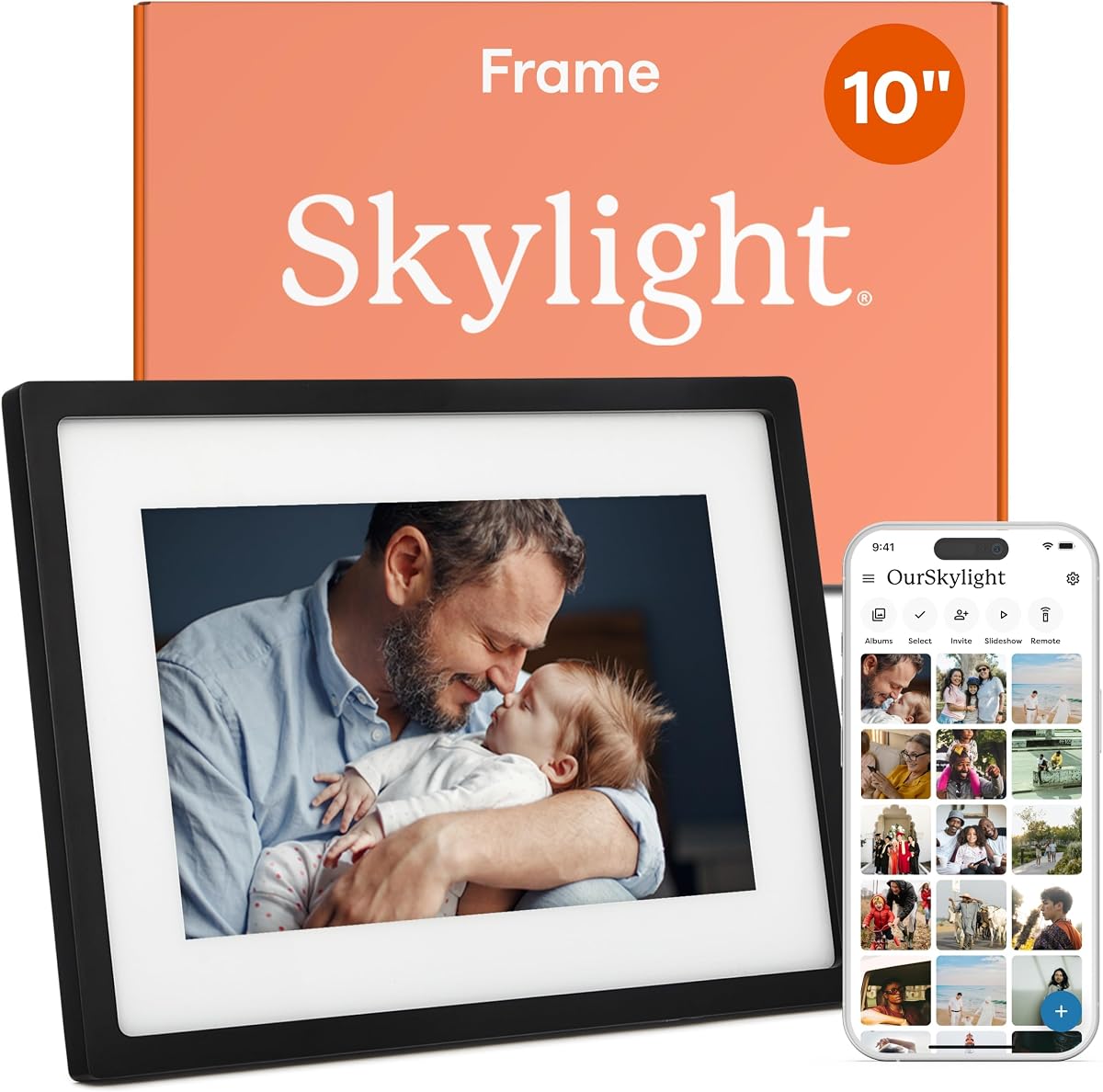
The Skylight Digital Picture Frame stands out for its effortless setup and straightforward sharing method. Rated highly for user experience, it eliminates app complexity by letting family send photos via a unique email address.
We may earn a commission when you buy through this link, at no additional cost to you.
Its 10-inch Full HD display delivers vivid colors and sharp details perfect for aging eyes. The cloud-based storage ensures you never run out of space, and the offline mode allows viewing existing photos without active internet.
While the price is higher than budget alternatives, the simplicity justifies the cost. The only trade-off is the lack of local storage expansion, but cloud options make this negligible for most users.
This frame is ideal for grandparents who value simplicity over advanced tech. If you want a reliable, fuss-free connection to keep memories flowing daily, Skylight is the top recommendation.
Seniors do not need to download apps or navigate menus to receive photos. Family members simply email images to the frame's address, and they appear instantly on the screen.
The Full HD display ensures photos look sharp and colors pop. This clarity is crucial for grandparents to enjoy details like facial expressions and scenery without strain.
We may earn a commission when you buy through this link, at no additional cost to you.
Aura Digital HD Picture Frame offers a premium experience with unlimited free cloud storage. Its high-quality display adjusts automatically to room lighting ensuring optimal visibility throughout the day without manual intervention.
We may earn a commission when you buy through this link, at no additional cost to you.
The frame's sleek design blends into any home decor effortlessly. Setup takes under a minute and the app supports live photos and videos making memories feel more dynamic than static prints.
Although it requires a smartphone app for configuration, the interface is intuitive enough for most families. The main cost is the upfront price, but long-term savings on subscriptions offset this over time.
Choose Aura if you want a high-end gift that feels luxurious and functional. Its balance of smart features and simplicity makes it a standout choice for tech-comfortable grandparents.
The built-in light sensor adjusts brightness based on ambient conditions. This feature protects eyes from glare at night and ensures photos remain visible during bright daytime hours.
Unlike frames with limited internal storage, Aura lets you upload unlimited photos without extra charges. This is perfect for large families wanting to share daily updates without deleting old favorites.
We may earn a commission when you buy through this link, at no additional cost to you.
The Frameo 10.1 Digital Picture Frame delivers solid performance at a budget-friendly price. It combines Wi-Fi sharing with USB support giving flexibility for seniors uncomfortable with apps or internet connectivity.
We may earn a commission when you buy through this link, at no additional cost to you.
Its 32GB memory holds thousands of photos reducing the need for cloud subscriptions. The magnetic stand allows easy switching between landscape and portrait modes which adds versatility to home placement.
While the screen resolution is lower than premium options, it remains clear enough for casual viewing. The trade-off is acceptable given the significant cost savings and practical features like non-WiFi transfers.
This frame is perfect for families on a budget who still want reliable photo sharing. It bridges the gap between basic displays and smart devices without breaking the bank.
Users can send photos via Wi-Fi or use USB/SD cards if internet is unavailable. This dual approach ensures grandparents receive memories even if network issues arise.
With 32GB built-in, the frame holds up to 50,000 photos. This large capacity means users rarely need to delete content keeping the memory archive intact.
We may earn a commission when you buy through this link, at no additional cost to you.
This Frameo model features a massive 15.6-inch display ideal for those needing larger text and images. The IPS panel ensures colors remain vibrant even from side angles making it great for living room placement.
We may earn a commission when you buy through this link, at no additional cost to you.
With 64GB storage it holds around 100,000 photos. Touchscreen controls simplify navigation while the Reply emoji function lets recipients react to shared photos adding a personal touch to interactions.
Video playback with sound enhances storytelling but requires SD or USB upload for longer clips. The Type-C power connection is somewhat sensitive so care is needed during plugging and unplugging.
Ideal for seniors with vision issues, this frame offers a big screen without premium pricing. It balances size, storage, and smart features effectively for everyday family use.
The 15.6-inch screen makes details easy to see from across the room. This size is particularly helpful for grandparents with reduced eyesight who want to enjoy every moment clearly.
Recipients can send emojis back to senders via the Frameo app. This feedback loop creates a more engaging conversation rather than just passive viewing of photos.
We may earn a commission when you buy through this link, at no additional cost to you.
Another Frameo 15.6-inch model delivers similar benefits with a focus on interactivity. The React feature allows senders to get real-time feedback on their shared photos which keeps the connection lively.
We may earn a commission when you buy through this link, at no additional cost to you.
Photos adjust orientation automatically saving the manual flipping hassle. The touchscreen allows direct cropping and editing which adds convenience for older adults wanting to curate their own display.
Sleep mode protects energy and screen health but requires setup via app. USB transfers offer backup options for users uncomfortable with wireless sharing ensuring memories arrive reliably.
This frame suits families valuing interaction and screen size. It merges modern communication features with simple physical controls for a balanced user experience.
Users can adjust and crop photos directly on the frame. This control ensures memories are displayed exactly as intended without needing to contact someone else for fixes.
The built-in sleep mode turns off the display when not in use. This feature helps preserve the screen and saves electricity when the frame sits unused for hours.
We may earn a commission when you buy through this link, at no additional cost to you.
The AEEZO frame features a gravity sensor that automatically rotates photos based on how the frame is positioned. This removes the guesswork for users placing the device in varying orientations throughout the day.
We may earn a commission when you buy through this link, at no additional cost to you.
Its light sensor dims the screen automatically for comfort in dark rooms. The display is crisp and the included weather and clock widgets provide practical daily info without needing a phone.
Photos must be imported via SD card to play directly from external media which is slightly restrictive. However, the ease of setup via the AiMOR app compensates for this minor step.
Best for users needing automatic orientation and lighting features, this frame delivers great value. It combines smart sensors with reliable performance for everyday family memories.
The internal sensor detects physical positioning to flip images correctly. This feature is excellent for grandparents who move the frame often or switch between table and wall mounts.
Built-in sensors adjust brightness based on room light. This prevents eye strain during evening viewing and keeps the display visible during bright daylight hours.
We may earn a commission when you buy through this link, at no additional cost to you.
This Frameo model stands out with calendar sync allowing daily schedules to appear alongside photos. It keeps grandparents organized while enjoying memories blending utility with entertainment seamlessly.
We may earn a commission when you buy through this link, at no additional cost to you.
Collage mode displays multiple photos on one screen saving space and showcasing group events. The 32GB storage handles large families without clutter while the auto-rotate ensures correct image orientation.
Sharing is limited to short videos via app but photos are unlimited. Some seniors may find the app interface complex initially but support guides help simplify the process.
Choose this frame for users wanting calendar features alongside photos. Its balanced specs make it a versatile tool for keeping memories and plans accessible.
Syncs with email services to show daily appointments on the frame. This helps seniors keep track of events without needing to check a separate calendar or phone.
Multiple images can be displayed simultaneously on one screen. This feature is great for sharing event recaps or group shots efficiently without endless sliding.
We may earn a commission when you buy through this link, at no additional cost to you.
The Flyruit Frameo 15.6-inch frame offers exceptional clarity with a Full HD touchscreen. Its large size ensures text and faces are easily readable making it suitable for living rooms with distant viewing.
We may earn a commission when you buy through this link, at no additional cost to you.
Private sharing ensures photos stay within the family circle without public exposure. The USB option allows direct uploads if internet access is unreliable which adds necessary redundancy.
Reaction emojis add a fun layer to communication but require the app to function. While setup takes a few minutes, the interface is streamlined enough for quick daily use.
Best for those prioritizing screen size, this frame delivers vibrant visuals. Its combination of connectivity options makes it adaptable to different household tech needs.
The Frameo app ensures photos are shared only with invited family members. This privacy feature prevents unwanted public exposure and keeps personal memories safe within the group.
USB drives allow photo uploads without needing Wi-Fi. This ensures seniors can still view new memories even if the internet connection is down or slow.
We may earn a commission when you buy through this link, at no additional cost to you.
This entry currently shows unavailable information in the product database. As listings update, specific details about features and specs may become available for review.
We may earn a commission when you buy through this link, at no additional cost to you.
Please check current product details on Amazon for the most up-to-date data. Specifications may vary or change without prior notice for this item.
We recommend comparing available alternatives before purchasing. This ensures you find a suitable model that meets your requirements without delay.
Stay tuned for updates as product data is refreshed. Meanwhile, consider the other verified frames listed above for immediate purchase options.
This product listing lacks current data for detailed comparison. Checking the official Amazon page ensures you access any updates on features or availability.
As product statuses change, verifying the current listing status is crucial. This helps avoid purchase delays or confusion over shipping and specs.
We may earn a commission when you buy through this link, at no additional cost to you.
Selecting the right frame involves balancing display quality, ease of use, and sharing capabilities to match your grandparents lifestyle and tech comfort.
Larger screens such as 10 inches or more make it easier to see photos clearly. IPS panels offer better color accuracy and viewing angles compared to standard LCDs ensuring images look great from anywhere in the room.
Look for HD or Full HD resolution for sharp details. Brightness control is also important to prevent eye strain in different lighting conditions.
Frames that support plug-and-play or email sharing reduce the need for complex app configurations. Touchscreen interfaces simplify navigation for users who find button menus difficult.
Choose models with straightforward menus and physical controls where possible. Avoid setups requiring multiple accounts or downloads unless necessary for your needs.
Wi-Fi is essential for remote sharing but USB or SD card slots provide valuable backups if internet access is limited. Dual connectivity ensures photos can always reach the frame.
Check supported networks such as 2.4GHz vs. 5GHz since many frames only support 2.4GHz. USB transfer support is crucial for seniors without tech support at home.
Internal storage determines how many photos you can keep locally before needing to delete old ones. Frames with cloud storage remove these limits but may require subscriptions.
Aim for at least 32GB internal storage or unlimited cloud options. Large capacity ensures you can store thousands of memories without worrying about space constraints.
Interactive features like emoji reactions add a personal touch to photo sharing. Some frames support calendar sync or weather displays adding practical daily utility.
Ensure the sharing method matches who will be sending photos. Family members may need apps while seniors only need to view content on the screen.
Most digital frames require constant power via wall outlet. Ensure the power cord length and adapter are compatible with your placement options.
Avoid models relying on internal batteries unless portability is required. Stable power supply ensures the frame stays on continuously without interruptions.
Budget models under $60 offer basic features while premium frames cost more for better displays and unlimited storage. Consider long-term value versus initial cost.
Factor in subscription fees for cloud storage if applicable. A slightly higher upfront cost may save money compared to recurring payments over time.
Frames made with durable materials ensure longevity. Check manufacturer support availability and warranty length to protect your investment against defects.
Read customer reviews regarding reliability and customer service. Brands offering responsive support reduce stress if setup or hardware issues arise.
Start by plugging the frame into a stable power source and connecting to Wi-Fi if supported. Follow the on-screen prompts to set up language, time, and basic preferences.
Invite family members to send photos via the provided email address or app. Encourage them to send smaller files for quicker loading and better performance.
Keep the screen clean with a soft cloth and avoid touching with sharp objects. Place the frame away from direct sunlight to prevent fading and maintain display lifespan.
Photos are typically received via email, dedicated app, or USB transfer. Family members send images through the app which pushes them instantly to the frame. For seniors without internet, USB or SD card uploads work effectively.
Most frames do not require a monthly subscription for basic photo viewing. However, cloud storage models may charge extra for unlimited photo backups or advanced features. Check product details for any recurring fees.
Yes, many models support short video clips via app or USB. Video length limits often apply for remote sharing but local uploads may allow longer playback. Ensure the frame supports MP4 format for compatibility.
Most frames require a 2.4GHz Wi-Fi network for remote photo sharing. They do not typically support 5GHz networks. Ensure your router broadcasts 2.4GHz bands for successful connectivity.
Touchscreen frames are generally intuitive and require minimal physical effort. However, large text options and clear icons are important. Physical buttons may still be preferred by some seniors who find screens overwhelming.
Yes, frames with USB or SD card slots allow photo sharing without Wi-Fi. This is useful if internet is unreliable or for seniors uncomfortable with wireless tech. Simply insert media and the frame will read the photos.
With proper care and stable power, digital frames can last several years. LCD screens are durable but may suffer from burn-in if left on the same image too long. Adjust sleep settings to preserve display life.
Most modern frames support both iOS and Android apps for photo sharing. Check compatibility before purchase to ensure seamless integration with your devices. Cloud services usually work across all platforms.
The top picks include Skylight for simplicity, Aura for premium features, and Frameo for budget-friendly options. Each offers unique strengths tailored to different needs and tech comfort levels.
Focus on setup ease and display quality when prioritizing. Grandparents will benefit most from devices that work intuitively without requiring constant assistance or complex steps.
Always check current prices and availability before purchase as these change frequently. Ensure the frame matches your specific sharing needs to make the gift truly meaningful.