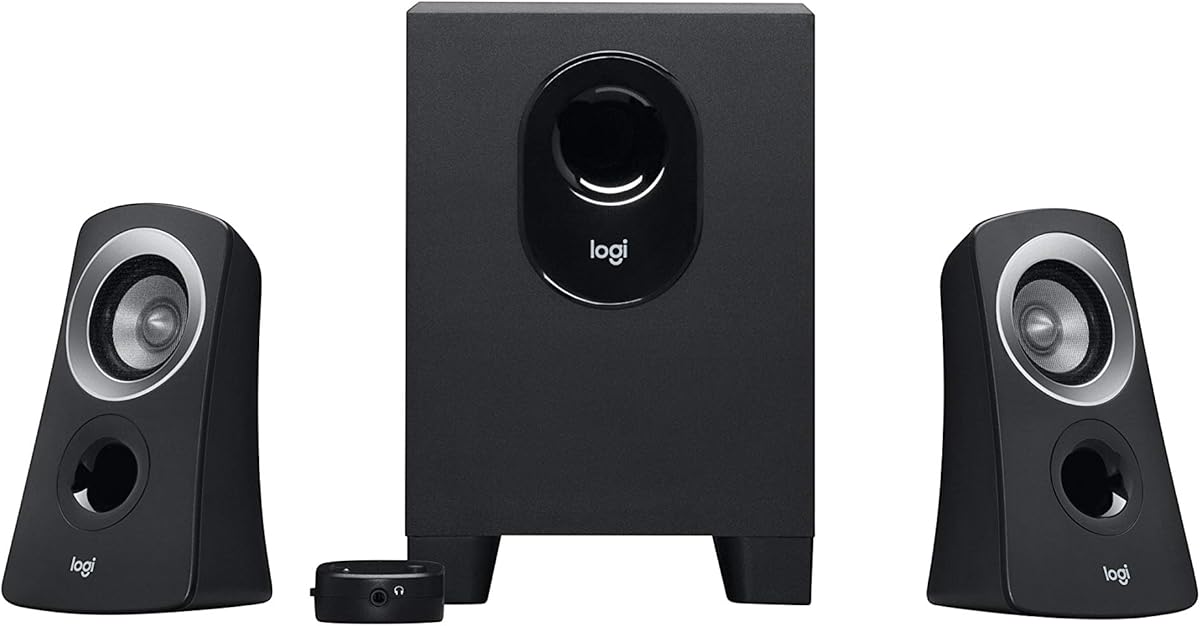
Logitech Z313 Multimedia Speaker System
4.4Editor score
25 Watts RMS Output
Compact Subwoofer Design
Convenient Control Pod
This guide compares the top 2.1 channel desktop speakers for immersive audio, covering sound quality, bass response, connectivity, and design for every budget.
Finding the right audio setup can transform your daily computing experience. A good 2.1 channel system provides deep bass and clear highs without overwhelming your desk space.
We compared ten top-rated systems based on power output, driver quality, connectivity options, and user feedback to find the most reliable choices for your setup.
Each pick highlights key strengths and ideal use cases to help you decide. Please note that prices and availability may change over time on retailer sites.
4.4Editor score

4.5Editor score
4.2Editor score
Below is a side-by-side comparison of all ten systems to help you quickly assess power, connectivity, and design features across different price points.


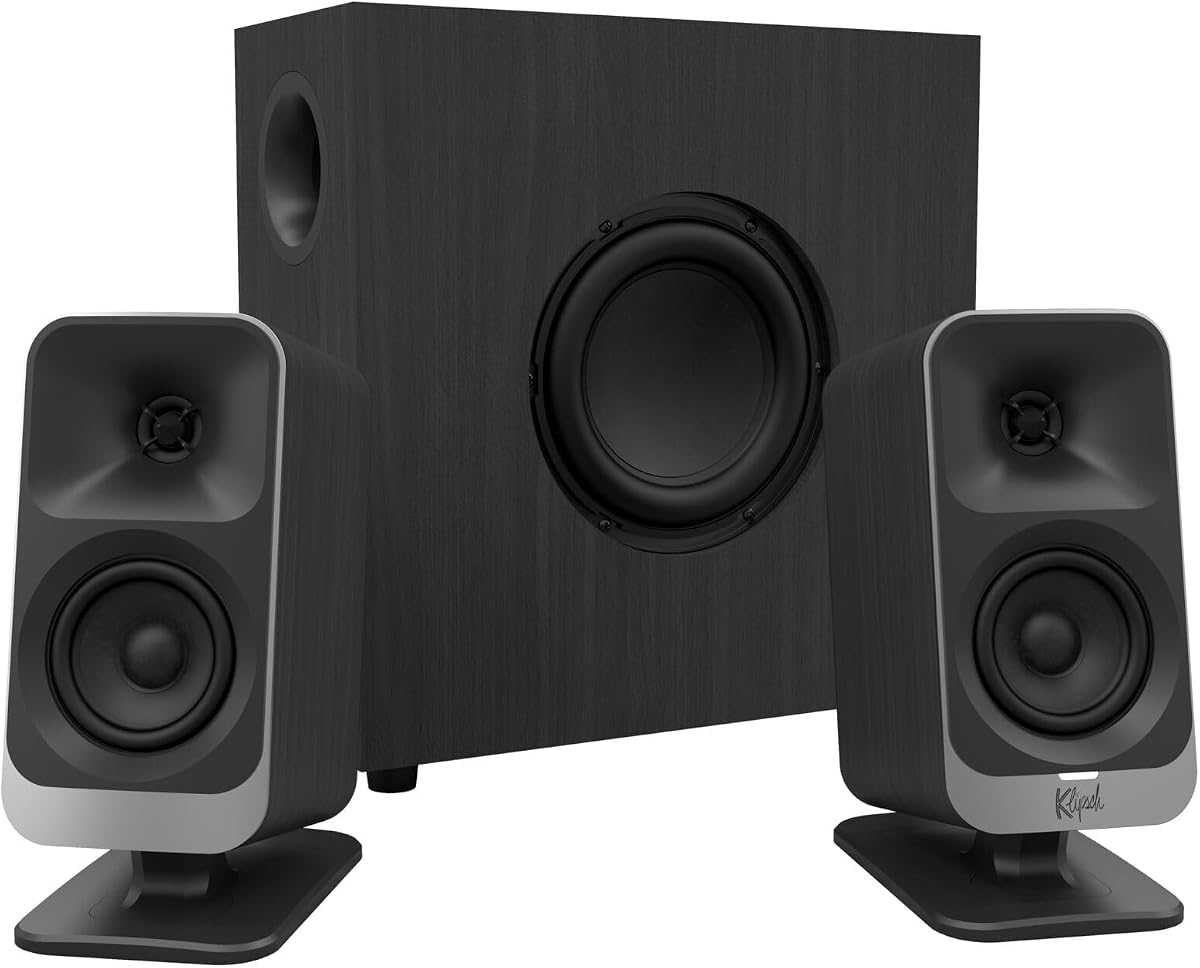
The Klipsch ProMedia 2.1 THX is a legendary system known for delivering immersive studio-quality audio. With a high rating, it remains a top choice for those who value sound clarity.
We may earn a commission when you buy through this link, at no additional cost to you.
Its MicroTractrix Horn Technology ensures that sound is directed precisely to your ears, minimizing loss and distortion. The 6.5-inch ported subwoofer provides deep, felt bass that enhances movies and music.
While it lacks modern wireless options, the physical controls are intuitive and the sound performance justifies the setup. It demands space but rewards you with powerful, balanced audio.
Buy this if you want a reliable, high-performance system for your desktop or home theater setup and prioritize sound quality over wireless convenience.
This certification guarantees the system meets strict standards for audio fidelity and dynamic range across different media types.
The side-firing subwoofer delivers punchy low-end frequencies that add depth to every track or action scene you enjoy.
We may earn a commission when you buy through this link, at no additional cost to you.
The Logitech Z313 offers a fantastic entry point into 2.1 audio systems. With a strong rating, it proves you do not need to spend heavily to enjoy better sound.
We may earn a commission when you buy through this link, at no additional cost to you.
It features a convenient control pod for quick volume adjustments and a compact subwoofer that fits under most desks. The sound is clear enough for casual listening and video calls.
While it lacks the raw power of higher-end models, it delivers consistent performance for its price. It is ideal for users needing basic audio enhancement without clutter.
Choose this if you are on a tight budget or have limited desk space and want a straightforward, reliable speaker solution.
The subwoofer is designed to fit neatly under a desk, freeing up valuable surface area for your keyboard and monitor.
The control pod makes it easy to adjust volume and power without reaching for computer settings or external devices.
We may earn a commission when you buy through this link, at no additional cost to you.
The Klipsch ProMedia Lumina reimagines the classic with modern connectivity and style. It brings the trusted audio quality of Klipsch to a new design language.
We may earn a commission when you buy through this link, at no additional cost to you.
Featuring USB-C and Bluetooth 5.3, it supports multiple devices easily. The integrated RGB lighting adds a visual touch that can be customized via the Klipsch Control app.
While pricey, it offers a blend of aesthetics and performance that appeals to gamers and creators. The low-profile subwoofer ensures it looks good on any desk.
Buy this if you want a stylish, future-proof system that combines legendary sound with modern connectivity and customization options.
The desktop app gives you precise control over equalization, lighting modes, and other features to tailor sound to your preference.
USB-C and Bluetooth allow seamless connection to laptops, phones, and consoles without needing multiple adapters or cables.
We may earn a commission when you buy through this link, at no additional cost to you.
The Z623 is a powerhouse built for filling rooms with sound. Its high power output and THX certification make it a reliable choice for immersive experiences.
We may earn a commission when you buy through this link, at no additional cost to you.
The 130-watt subwoofer provides serious low-end punch that can be felt physically. Multiple inputs allow easy switching between computer, console, and media players.
It requires a dedicated space due to its size, but the audio performance is unmatched in this price category. It is best suited for entertainment areas.
Choose this if you need a powerful system for a media room or large office and want deep bass and clear highs without compromise.
With 400 watts peak power, these speakers can deliver loud, distortion-free audio that fills even large spaces easily.
This ensures the audio reproduction meets strict standards for accuracy, ensuring what you hear matches the original recording.
We may earn a commission when you buy through this link, at no additional cost to you.
The Creative Pebble X Plus updates the classic Pebble design with USB-C and RGB lighting. It offers a unique blend of aesthetics and audio performance for modern desks.
We may earn a commission when you buy through this link, at no additional cost to you.
Powered via USB-C, it simplifies connectivity while supporting Bluetooth for wireless streaming. The subwoofer is compact yet provides punchy bass that enhances media playback.
It is a stylish choice for users who value design and connectivity options. The lighting adds a playful touch without compromising audio clarity.
Buy this if you want a space-saving, USB-C ready system that looks great on your desk and offers wireless flexibility.
Digital audio over USB-C ensures high-quality sound transmission without interference from other computer cables.
Six lighting presets allow you to match your speaker glow to your personal style or room theme.
We may earn a commission when you buy through this link, at no additional cost to you.
Bluedee offers a versatile set of PC speakers with DSP tuning for balanced audio. The combination of Bluetooth 5.4 and wired inputs provides flexibility for many setups.
We may earn a commission when you buy through this link, at no additional cost to you.
The dedicated subwoofer ensures vocals stay clear while low frequencies get the power they need. A single control knob simplifies volume and lighting adjustments.
These are great for work-from-home users needing reliable sound without complex setups. The design is modern and fits well in home offices.
Choose this if you want a balanced, easy-to-use system with wireless options and clear sound for daily tasks and entertainment.
Digital Signal Processing reduces distortion and harsh highs, resulting in a smoother, more comfortable listening experience.
This latest Bluetooth version offers stable, low-latency wireless connection for audio streaming from mobile devices.
We may earn a commission when you buy through this link, at no additional cost to you.
The CA-3090 is a straightforward, budget-friendly option for basic audio needs. It delivers acceptable sound for casual listening and video chats.
We may earn a commission when you buy through this link, at no additional cost to you.
The 4-inch subwoofer adds more depth than standard bookshelf speakers. Controls are accessible via a simple pod that handles power and volume.
While it lacks the power of higher-end models, it fulfills its role well for limited budgets. It is perfect for dorm rooms or small offices.
Buy this if you need a simple, no-fuss solution that improves sound without taking up much space or money.
The flat profile of satellites and subwoofer allows them to tuck away easily on small desks.
A dedicated control pod makes basic adjustments easy without needing to access computer settings.
We may earn a commission when you buy through this link, at no additional cost to you.
The Pebble Plus enhances the original with a down-firing subwoofer and angled drivers. This ensures sound is projected directly to your listening position.
We may earn a commission when you buy through this link, at no additional cost to you.
USB power keeps setup minimal, and the High Gain mode allows for louder output if using a stronger adapter. It is a smart upgrade for laptop users.
While small, it delivers more punch than standard laptop speakers. The design is clean and fits on crowded workspaces.
Choose this if you want better sound than built-in laptop speakers without needing wall outlets or complex cabling.
Angling drivers towards you creates a wider soundstage and clearer focus on dialogue and music.
Power via USB removes the need for a wall socket, ideal for clean and portable desktop setups.
We may earn a commission when you buy through this link, at no additional cost to you.
The CA-3610 delivers solid performance with 62 watts peak power. Dual titanium drivers ensure crisp highs and warm mids for various media types.
We may earn a commission when you buy through this link, at no additional cost to you.
The 5.25-inch subwoofer provides strong bass that enhances games and movies. A convenient headphone jack allows for private listening when needed.
It offers a good balance of power and features for its price. The controls are easy to use and placement is flexible.
Buy this if you want a strong, versatile system that handles games and movies well without needing high-end features.
Titanium drivers provide clear highs that remain crisp even at higher volumes for immersive audio.
A front-facing headphone jack makes it easy to switch to private listening without moving cables.
We may earn a commission when you buy through this link, at no additional cost to you.
The Z407 stands out with a wireless dial that lets you control volume and bass from anywhere in the room. This unique feature adds significant convenience.
We may earn a commission when you buy through this link, at no additional cost to you.
It supports Bluetooth, USB, and 3.5mm inputs, making it versatile for computers and mobile devices. The sound is immersive with clear mids and strong bass.
The satellites can be placed vertically or horizontally to match your desk layout. It is a great choice for users who value control flexibility.
Choose this if you want a premium experience with wireless convenience and strong performance for daily use.
Control playback, volume, and bass wirelessly without reaching for your computer or phone.
Satellites can be placed vertically or horizontally to fit your unique desk layout.
We may earn a commission when you buy through this link, at no additional cost to you.
Selecting the right speaker system involves assessing power, connectivity, and design to match your environment.
Power output in watts indicates how loud your speakers can get without distortion. Higher wattage usually means better bass and volume for large rooms.
Look for systems with at least 20W RMS to ensure clear audio at moderate volumes.
Modern setups need multiple inputs like USB-C, Bluetooth, and AUX. Check if your devices match these ports.
Wireless Bluetooth simplifies setup but wired inputs reduce latency for games.
Subwoofer size impacts bass depth. Larger subs like 6.5 inch produce deeper tones but require space.
For small desks, compact subs are better to maintain workflow space.
Certifications like THX ensure audio meets quality standards. They are valuable for professional or cinematic experiences.
Prioritize certified systems if you watch movies or listen to music critically.
Speakers should fit your workspace style. Sleek modern designs with RGB or matte finishes blend well in offices.
Choose a design that suits your visual taste to maintain a cohesive desk setup.
Easy access to volume and bass controls saves time. Pods or wireless dials offer better convenience than desktop buttons.
Look for systems that put controls within reach for quick adjustments.
Materials like metal grills or sturdy plastics impact durability. Heavier units often sound better due to reduced resonance.
Check reviews for long-term build quality to avoid cheap plastics.
Prices vary widely. Set a limit that balances your needs for sound quality and features.
Mid-range systems often offer the best value with strong performance.
Start by connecting the subwoofer to power and placing it on a solid surface away from walls to prevent excessive bass resonance.
Connect satellite speakers to the subwoofer using provided cables and plug the sub into your device using 3.5mm or USB-C for best results.
Keep speakers clean with a soft cloth to avoid dust buildup and adjust EQ settings in the control app if available to match your room.
RMS wattage represents continuous power output for steady sound, while peak wattage is the maximum power speakers can handle briefly. For accurate volume comparison, focus on RMS rather than peak numbers.
Most 2.1 systems have built-in amplification and do not need an external amp. They plug directly into your device or power outlet to provide sufficient volume.
Use the 3.5mm AUX cable or USB-C/USB ports depending on your model. Plug the audio cable into the headphone jack for wired connections.
Yes, many systems support consoles via 3.5mm jack or HDMI audio out adapters. Always check the console's audio output compatibility.
Bass can become muddy if the subwoofer is too close to a corner or wall. Move it slightly away to reduce resonance for clearer sound.
Newer models like the Z407 and Pebble X Plus support Bluetooth. Older wired models may not unless specified.
Most require at least 20 inches of width for satellites plus floor space for the subwoofer. Compact units save space on smaller desks.
Our top picks highlight the Klipsch ProMedia 2.1 THX for quality, Logitech Z313 for budget, and Lumina for premium features.
Prioritize power, connectivity, and design that fit your space and usage. Reliable brands ensure long-term value.
Please check current prices and availability on retailer sites to make the best decision for your setup today.