
QCNCM865 WiFi 7 M.2 Key E Card
4.1Editor score
5.8Gbps theoretical peak speed
Multi-Link Operation support
Requires Wi-Fi 7 router
This guide compares the top M2 Key E WiFi cards for laptops and desktops, covering Wi-Fi 6E and Wi-Fi 7 models with detailed specs and performance insights.
Finding the right wireless adapter can transform your computing experience significantly. Modern M2 Key E WiFi cards offer faster speeds and lower latency than older models. You need a reliable device that supports the latest protocols for seamless connectivity at home or work.
We evaluated ten top-rated options based on their chipset performance, antenna design, and system compatibility. Our analysis focuses on real-world usability for gaming, streaming, and remote work tasks. Each product was selected for its ability to deliver consistent high-speed wireless performance.
Every pick includes detailed specifications and honest assessments of strengths and weaknesses. You will see which models support the latest Wi-Fi 7 standards versus solid Wi-Fi 6E choices. Please note that product availability and pricing may change frequently online.
4.1Editor score

4.5Editor score
4.1Editor score
This table provides a side-by-side view of the top ten M2 Key E WiFi cards available today. Compare their wireless standards, supported bands, and key compatibility notes to find the right match for your hardware setup.

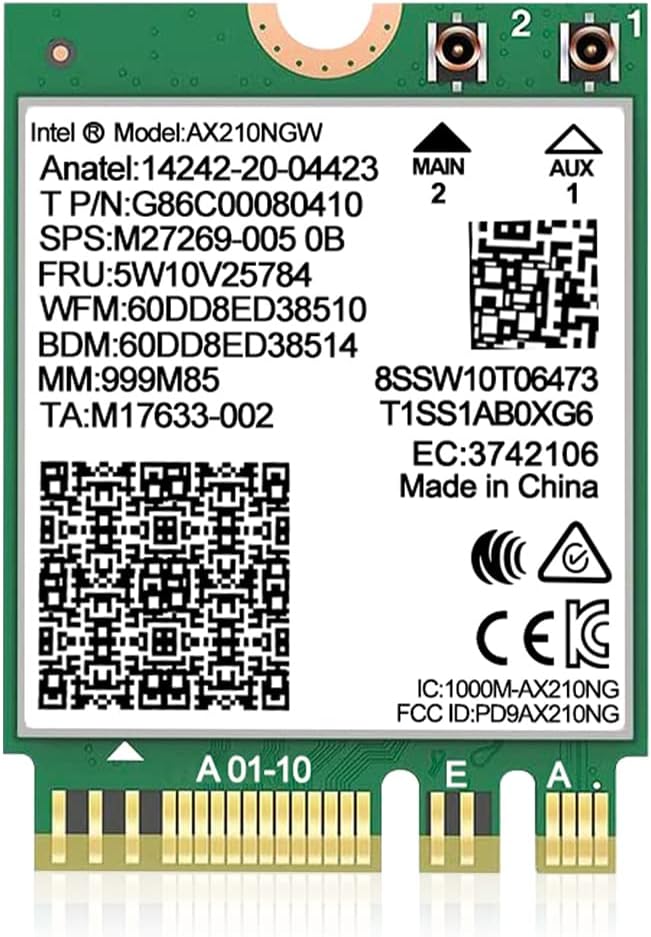




This AX210NGW DTK WiFi Card is our top pick for those seeking reliable Wi-Fi 6E performance. It boasts a 4.5-star rating from numerous verified buyers who praise its speed and stability. The inclusion of the 6GHz band ensures you get faster speeds with minimal congestion compared to older standards.
We may earn a commission when you buy through this link, at no additional cost to you.
The standout qualities include its comprehensive kit which comes with high-gain antennas and low-profile brackets for easy installation. You benefit from Tri-Band support allowing simultaneous connections across 2.4GHz 5GHz and 6GHz frequencies. The BT 5.3 module ensures low latency connections for wireless peripherals like earbuds and mice.
While the performance is excellent there are a few trade-offs to consider. You will need to download and install drivers from the Intel website manually which adds a small step during setup. Additionally this module does not work with CNVio2 interfaces limiting compatibility on some laptops.
If you are upgrading an older desktop or laptop with a standard M.2 Key E slot this card is ideal. It is perfect for gamers and streamers who need ultra-low latency and high throughput. We recommend it highly for anyone wanting a plug-and-play upgrade with included accessories.
The ultra-low latency and Tri-Band support make this card excellent for competitive gaming and VR experiences without lag.
Includes RF cables and high-gain antennas so you do not need to buy extra accessories to get started immediately.
We may earn a commission when you buy through this link, at no additional cost to you.
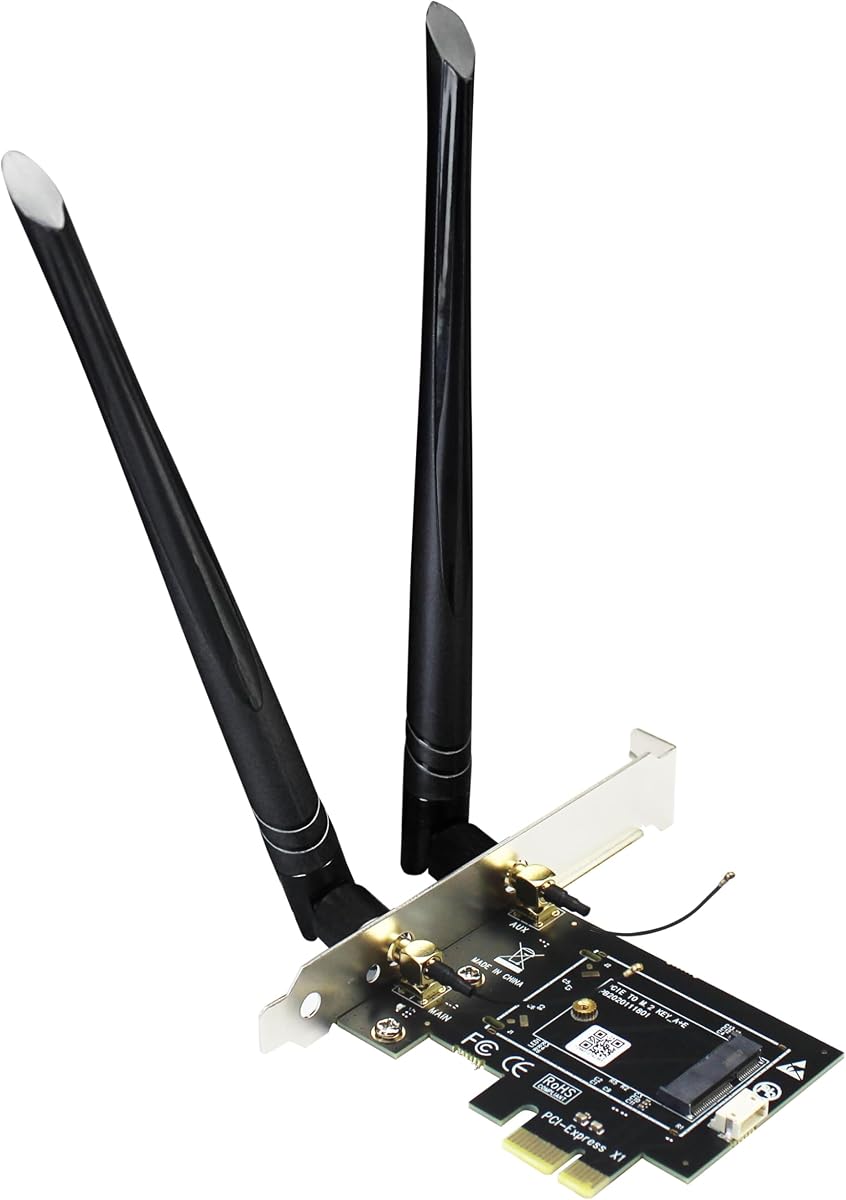
The GLOTRENDS WA01 adapter is a versatile solution for desktop users who want to install modern M.2 WiFi cards. It converts a standard PCIe X1 slot into a functional M.2 E Key interface allowing you to use various WiFi modules. This flexibility makes it a strong choice for custom PC builds.
We may earn a commission when you buy through this link, at no additional cost to you.
Key strengths include its broad compatibility with modules ranging from Wi-Fi 4 to Wi-Fi 7 standards. It also supports Coral TPU modules making it useful for AI tasks beyond just networking. The included 6-dBi SMA antenna kits ensure you get strong signal strength even across larger rooms.
One limitation is that Bluetooth functionality requires a separate USB cable connection to the motherboard. This extra step can be slightly inconvenient during assembly compared to cards with integrated USB links. Also it does not work with Intel CNVio2 interfaces so you must check your module type.
This adapter is best for DIY enthusiasts building or upgrading a desktop system. It allows you to mix and match high-performance WiFi cards without needing a motherboard with native M.2 slots. We recommend it for anyone needing a reliable bridge between PCIe and M.2 connectivity.
Supports almost all M.2 2230 NGFF modules except CNVio2 giving you freedom to choose your preferred WiFi card.
Comes with 6-dBi SMA antennas for better range and signal stability than standard laptop antennas.
We may earn a commission when you buy through this link, at no additional cost to you.
This 10Gtek adapter provides a straightforward way to add wireless capabilities to a desktop PC. It is designed to take your existing notebook M.2 wireless card and transfer it to a desktop environment. The 4.4-star rating reflects its reliability and ease of setup for most users.
We may earn a commission when you buy through this link, at no additional cost to you.
It supports both Wi-Fi and Bluetooth simultaneously using the included cables to connect to motherboard headers. The dual-band 2.4GHz and 5GHz support ensures decent speeds for everyday tasks and streaming. The package comes with a full height baffle making it compatible with standard desktop cases.
Note that the adapter does not come with a WiFi card so you must source that separately. Additionally Bluetooth requires a specific 9-pin to 4-pin cable connection which adds a small wire inside your case. These minor points do not detract from its overall value as a cost-effective solution.
Buyers looking to repurpose laptop WiFi cards for desktop use will find this useful. It is particularly good for budget builds where buying a dedicated desktop WiFi card is not feasible. We suggest checking your card compatibility before purchase to ensure seamless operation.
Allows you to move an M.2 WiFi card from a laptop to a desktop PC easily.
Works with both AMD and Intel motherboards ensuring you can use it in various systems.
We may earn a commission when you buy through this link, at no additional cost to you.
This QCNCM865 WiFi 7 card represents the cutting edge of wireless networking technology. It is designed for users who want the fastest possible speeds and lowest latency available today. With a 4.1-star rating it appeals to early adopters eager to upgrade their home or office setup.
We may earn a commission when you buy through this link, at no additional cost to you.
The key features include Multi-Link Operation which allows simultaneous use of multiple bands for better stability. It supports 4K QAM and 320MHz channels to achieve peak speeds up to 5.8Gbps. This is ideal for 4K streaming large file transfers and professional work-from-home setups.
A significant requirement is that you need a compatible Wi-Fi 7 router to unlock these speeds. Without one you will be limited to backward compatible speeds on older routers. Also it only supports Windows 11 24H2 or newer which restricts use on older operating systems.
If you are building a high-end system with the latest hardware this card is a great investment. It ensures you are ready for the next generation of wireless standards. We recommend it for gamers and power users who demand top-tier network performance.
Multi-Link Operation uses multiple bands at once to reduce latency and increase reliability for real-time tasks.
Investing in Wi-Fi 7 now prepares your system for faster speeds as more routers adopt this standard.
We may earn a commission when you buy through this link, at no additional cost to you.
This Intel AX210 NGW WiFi 6E card is a highly rated choice for laptop and desktop upgrades. It offers a robust Tri-Band experience with speeds up to 5400Mbps across all three bands. Its 4.6-star rating reflects consistent performance and good compatibility with modern systems.
We may earn a commission when you buy through this link, at no additional cost to you.
The card supports the latest Bluetooth 5.3 standard for faster pairing and better battery life on peripherals. It is compatible with both Intel and AMD platforms making it versatile for different laptop models. Drivers are easily available from the official Intel website for straightforward installation.
One drawback is that antennas are not included with this unit so you may need to source them separately. It also does not support CNVio2 interface slots which are found on some specific Intel laptops. Ensure your slot type matches before purchasing to avoid compatibility issues.
For those seeking a reliable and affordable Wi-Fi 6E upgrade this card is an excellent choice. It provides excellent speed and low latency for streaming and online gaming. We recommend it for users who need a solid balance of features and price.
Works with both Intel and AMD systems ensuring you can use it in a wide range of devices.
Includes a year warranty and lifetime technical support for peace of mind after purchase.
We may earn a commission when you buy through this link, at no additional cost to you.
This WiFi 6E AX210 NGW card is a powerful upgrade for users needing high-speed connectivity. It shares the robust AX210 chipset known for stability and speed in modern networks. The 4.6-star rating from customers highlights its reliability and performance in everyday use cases.
We may earn a commission when you buy through this link, at no additional cost to you.
Key features include MU-MIMO technology which allows multiple devices to communicate simultaneously without congestion. It also supports WPA3 security protocols for enhanced protection of your network traffic. The BT 5.3 integration ensures low latency connections for headphones and mice.
Like many similar cards you will need to download drivers manually from the Intel website. It also does not support CNVio2 slots which means checking your motherboard or laptop interface is crucial before buying. These are minor steps compared to the benefits it offers.
If you are upgrading a laptop to enjoy smoother streaming and online gaming this card is ideal. It is perfect for users who prioritize security and speed in their wireless setup. We recommend it for anyone looking to future-proof their network connection.
WPA3 support provides stronger encryption and protection against modern network threats for safer browsing.
MU-MIMO technology allows multiple devices to connect without slowing down speeds in busy households.
We may earn a commission when you buy through this link, at no additional cost to you.
This WiFi 6E AX210 NGW card stands out because it includes 8dBi high-gain antennas. These antennas provide better range and signal strength than standard options making it ideal for larger spaces. The 4.4-star rating confirms its effectiveness in delivering consistent wireless connectivity.
We may earn a commission when you buy through this link, at no additional cost to you.
The package includes IPex cables and brackets for easier installation in desktop cases. It supports the latest WPA3 security protocol to keep your network protected. Bluetooth 5.3 provides four times the range of older versions for better peripheral performance.
One limitation is that you must check if your slot is CNVio2 compatible before buying. If your laptop uses that interface this card will not work. Also drivers are not pre-installed and must be downloaded from the Intel website for full functionality.
For users who want a complete kit with strong antennas this is a top choice. It is perfect for desktop upgrades or laptops with standard M.2 Key E slots. We recommend it for anyone needing extended wireless range without extra purchases.
The included 8dBi antennas significantly improve signal range and stability compared to standard 5dBi units.
Includes cables and brackets so you have everything needed for a clean desktop installation.
We may earn a commission when you buy through this link, at no additional cost to you.
This QCNCM865 WiFi 7 card brings next-gen performance to both Intel and AMD systems. It is designed for users who want the absolute fastest wireless speeds available. The 4.4-star rating suggests strong satisfaction among early adopters and tech enthusiasts.
We may earn a commission when you buy through this link, at no additional cost to you.
It supports Multi-Link Operation which combines bands for lower latency and higher reliability. With speeds up to 5800Mbps it is perfect for heavy data transfers and 4K streaming. The included driver instructions help avoid conflicts when installing on Windows 11.
You must disable old WiFi drivers before installing to ensure smooth setup. Also it is strictly for Windows 11 users so it will not work on older operating systems. This limits its use for dual-boot or older system configurations.
Buyers with AMD motherboards often struggle to find compatible high-end WiFi cards making this a great option. It is ideal for gaming rigs and creative workstations needing high bandwidth. We recommend it for users ready to upgrade their entire network ecosystem.
One of the few Wi-Fi 7 cards that supports both Intel and AMD platforms effectively.
The 5800Mbps speed is ideal for professionals transferring large files quickly over wireless.
We may earn a commission when you buy through this link, at no additional cost to you.
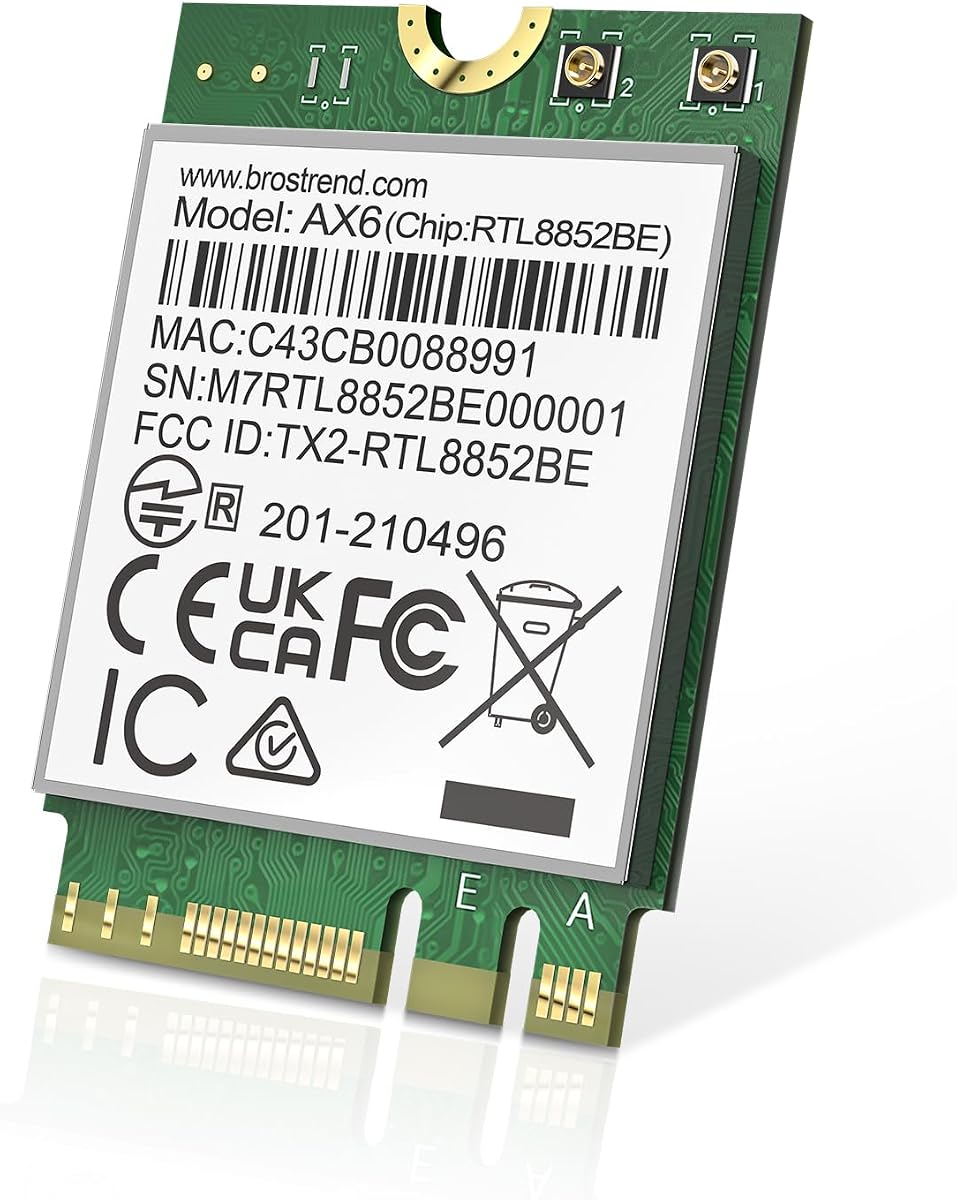
This BrosTrend card is an excellent entry-level option for users wanting Wi-Fi 6. It delivers dual-band speeds up to 1800Mbps which is sufficient for most streaming and browsing needs. The 4.4-star rating reflects good value and performance for its price point.
We may earn a commission when you buy through this link, at no additional cost to you.
It supports Linux systems with kernel 6.5 or higher which is rare for many proprietary WiFi cards. The BT 5.2 support improves range and speed for wireless mice and headphones. The compact 2230 form factor fits easily into most laptops and desktops.
The main limitation is that it lacks 6GHz support found in newer models. This means you may experience congestion in dense Wi-Fi areas. However for most home users this dual-band option is perfectly adequate for daily tasks.
If you need a budget-friendly upgrade without spending extra on 6GHz this is a solid choice. It is perfect for students and home users who need reliable connectivity. We recommend it for anyone needing a simple cost-effective wireless solution.
Offers compatibility with Linux systems which makes it a strong choice for developers and open-source users.
1800Mbps speeds are more than enough for HD streaming and general browsing at home.
We may earn a commission when you buy through this link, at no additional cost to you.
This Intel Killer BE200 card is a premium option designed specifically for Intel processor systems. It brings Wi-Fi 7 performance with ultra-low latency ideal for competitive gaming. The 4.6-star rating suggests it performs well in real-world gaming and streaming scenarios.
We may earn a commission when you buy through this link, at no additional cost to you.
Key features include BT 5.4 for the latest Bluetooth connectivity and Tri-Band support for less interference. It is optimized for Intel platforms ensuring better stability and driver support. The compact design fits standard M.2 PCIe Key E slots easily.
The main limitation is that it does not support AMD based systems or older operating systems. You must have a Windows 11 machine to utilize all its features. This restricts its appeal to a specific subset of users but delivers top results for them.
For gamers with Intel rigs this card offers a competitive edge with minimal lag. It is perfect for those who need maximum speed and reliability during intense play sessions. We recommend it for dedicated gamers upgrading high-end desktops or laptops.
Designed specifically for ultra-low latency to give you an edge in competitive multiplayer games.
As an Intel product it integrates seamlessly with Intel platforms for stable and reliable performance.
We may earn a commission when you buy through this link, at no additional cost to you.
Choosing the right WiFi card depends on your hardware and usage needs. This guide helps you understand key factors to consider before purchasing.
Check if you need Wi-Fi 6E or Wi-Fi 7 for future-proofing. Wi-Fi 6E offers 6GHz bands while Wi-Fi 7 offers even higher speeds. Ensure your router matches the card standard for full performance.
Selecting the right standard prevents bottlenecks and ensures you get the fastest possible connection speeds available today.
Confirm your device uses a standard M.2 Key E or Key A+E slot. Avoid CNVio2 interfaces as many cards do not support them. Desktops may need an adapter to use these cards effectively.
Matching the interface ensures physical compatibility and avoids the need for extra adapters or cables.
Some cards come with antennas and cables while others require separate purchases. Desktop builds usually need external antennas for best signal. Laptop users may rely on internal antenna ports.
Including antennas saves time and ensures better signal range from the start.
Look for BT 5.3 or higher to connect peripherals efficiently. Newer Bluetooth standards offer lower latency and better battery life. This improves usability with headsets and mice.
A strong Bluetooth module adds value to your network upgrade by handling wireless peripherals well.
Most modern cards require Windows 11 24H2 or newer for full Wi-Fi 7 features. Some older cards still support Windows 10. Linux users should check kernel compatibility carefully.
Ensure your OS matches the card requirements to avoid installation issues later.
Choose cards supporting WPA3 for better network security. This protocol protects data better than older WPA2 standards. Look for this in product specs for peace of mind.
Strong security features keep your network safe from unauthorized access.
Opt for established brands with customer support and warranties. Many include lifetime technical support. This helps resolve driver or installation issues quickly.
A good warranty protects your investment and provides help when needed.
Compare features against your budget to find the best value. Basic Wi-Fi 6 cards cost less but Wi-Fi 7 offer future-proofing. Decide if extra speed justifies the higher price.
Balancing cost and performance ensures you spend only on what you need.
Power down your PC completely before installing the card to avoid hardware damage. Locate the M.2 Key E slot and insert the card at a slight angle before securing it with a screw.
Install the latest drivers from the manufacturer or Intel website immediately after installation. Restart your computer to let the system recognize the new hardware properly.
Keep your system clean and dust-free to maintain optimal performance. Avoid physical stress on the card and ensure good ventilation to prevent overheating during extended use.
M.2 Key E is primarily used for WiFi and Bluetooth modules while Key A+E supports both and offers more pins. Most modern cards support both Key E and Key A+E slots. Always check your motherboard or laptop manual before buying.
Yes to use the 6GHz band you need a Wi-Fi 6E compatible router. Older routers will still work but only provide 2.4GHz and 5GHz bands. Buying a new router unlocks full speeds on these cards.
Yes desktops can use these cards with a PCIe to M.2 adapter. Many cards come with brackets and antennas for desktop use. This allows laptops to upgrade without a new motherboard.
Bluetooth often requires a USB header connection on desktops. Check your cable and connect it to the USB9 header on the motherboard. Installing drivers from Intel will also activate full functionality.
Most AX210 and newer cards work well on Linux kernel 6.5 or higher. However Wi-Fi 7 models might have limited Linux support. Always verify community support before buying for Linux machines.
Yes laptops with M.2 Key E slots can use these cards for upgrades. Ensure your laptop supports the specific interface type. Some laptops have soldered WiFi cards that cannot be upgraded.
WiFi cards generally last many years without issues if kept cool. Proper installation and good ventilation prolong lifespan. Most come with at least a one-year warranty for peace of mind.
MLO allows a device to connect to multiple Wi-Fi bands at once for better speed and lower latency. It is a key feature of Wi-Fi 7. This improves gaming and streaming stability significantly.
We reviewed ten top options including Tri-Band Wi-Fi 6E and next-gen Wi-Fi 7 cards. The AX210NGW DTK leads our list with reliable performance and included accessories. For enthusiasts the QCNCM865 and Killer BE200 offer top-tier speeds.
Prioritize compatibility with your slot type and operating system to ensure smooth installation. If you need maximum speed choose a Wi-Fi 7 model but verify your OS supports it. Budget shoppers can save with dual-band AX210 cards.
Remember to check current availability and prices before finalizing your purchase. Technology evolves quickly so staying informed helps you make the best choice. We hope this guide helps you find the perfect wireless upgrade for your system.