10 Best HDMI LED Monitor (November 2026) Expert Guide
Written by Jordan · Updated November 2026
Finding the right HDMI LED monitor can transform your workspace or gaming setup. These displays offer vibrant visuals, reliable connectivity, and features designed to reduce eye strain during long sessions.
We evaluated ten popular models based on refresh rates, color gamut coverage, eye care technologies, and port flexibility. Each product was selected for its balance of performance, build quality, and value in the current market.
Every pick below highlights key strengths and ideal use cases. Note that availability and pricing may fluctuate, so checking current listings ensures you get the best deal available when you buy.
Top 3 Picks for Best HDMI LED Monitor
Best Budget
Sceptre 24-inch Prime Monitor Thin 1080p LED Monitor 99% sRGB 2X HDMI VGA Build-in Speakers, Machine Black (E248W-19203R 2025 Series)
As an Amazon Associate we earn from qualifying purchases.
Top 10 Best HDMI LED Monitor in 2026 Compared
This table provides a side-by-side overview of key specifications across all ten models. It helps you quickly identify differences in refresh rates, panel types, and connectivity options.
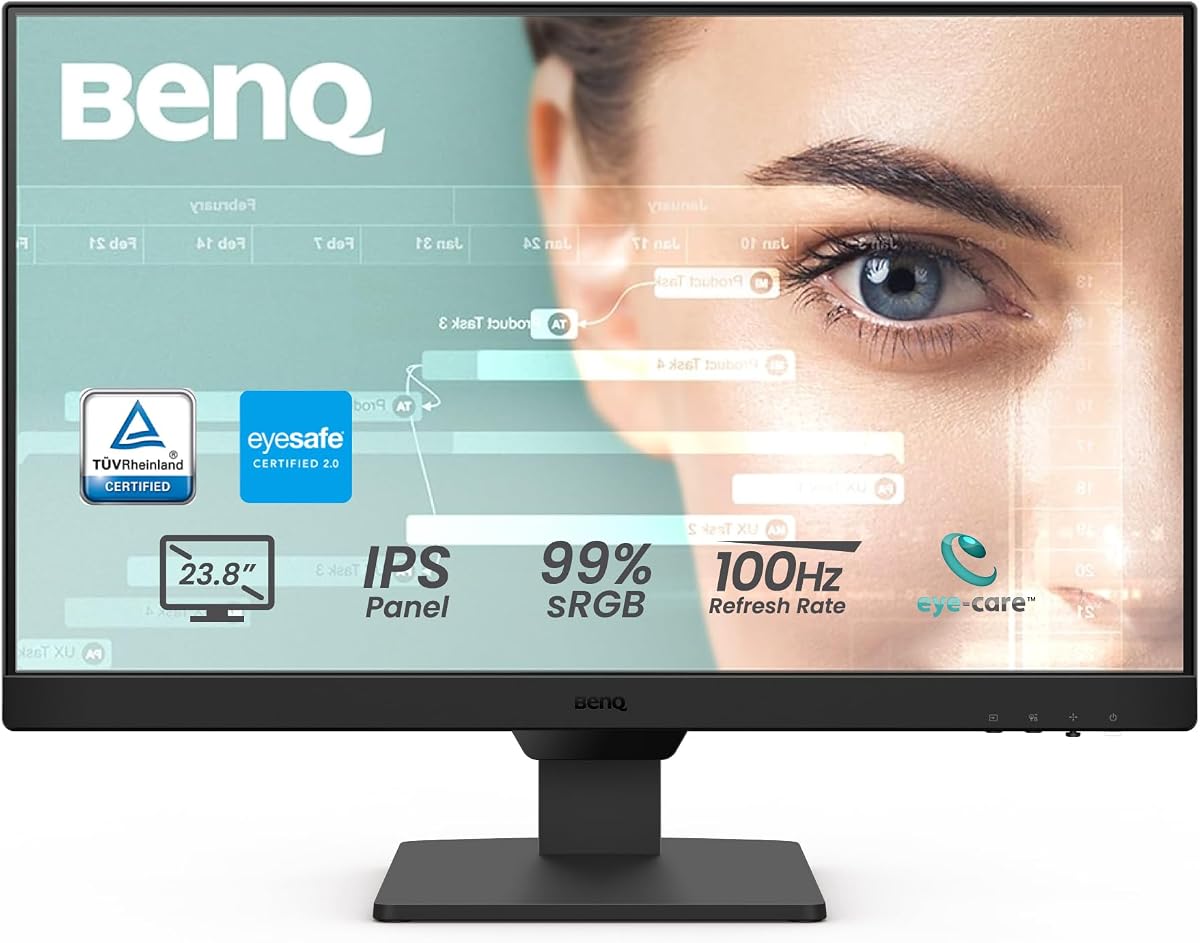
The BenQ GW2490 stands out as a versatile choice for both office and entertainment use. It holds a solid 4.6 rating from users who appreciate its balance of performance and eye comfort features.
Pros
Smooth 100Hz performance
Excellent color accuracy
Effective eye care tech
Versatile connectivity options
Cons
Stand lacks height adjustment
Built-in speakers are basic
We may earn a commission when you buy through this link, at no additional cost to you.
Its 100Hz refresh rate ensures smooth visuals that reduce motion blur during fast-paced activities. The 99% sRGB coverage delivers accurate colors essential for creative tasks. Connectivity is flexible with HDMI and DisplayPort options.
While the stand does not offer height adjustment, the tilt function helps find a comfortable viewing angle. The speakers are functional but not high fidelity. These trade-offs are acceptable given the price point.
This monitor is ideal for users seeking reliable daily performance without sacrificing visual quality. It suits professionals and casual gamers who prioritize eye health and color consistency.
Enhanced Eye Care Technology
Low Blue Light Plus filters harmful radiation while maintaining color quality for extended viewing sessions.
Seamless Device Switching
An input hotkey allows quick transitions between connected devices with a single click.
The Sceptre 24-inch Prime offers exceptional value for budget-conscious buyers seeking a modern display. It maintains a high 4.6 rating due to its reliable performance and feature set.
Pros
Affordable price point
Dual HDMI connectivity
Blue Light Shift feature
Game modes included
Cons
Basic stand design
Average contrast ratio
We may earn a commission when you buy through this link, at no additional cost to you.
With up to 100Hz refresh rate, this monitor handles daily tasks and light gaming smoothly. The 99% sRGB coverage provides vibrant visuals for media consumption. Dual HDMI ports support multi-device setups easily.
The stand is simple and tilts only, which may limit ergonomic positioning. Color contrast is decent but not premium. These limitations are common in this price category.
This model is perfect for students or home offices needing a functional screen without overspending. It delivers core features effectively while keeping costs low.
Gaming Optimized Modes
Custom FPS and RTS game modes enhance visibility and response for strategy and shooter games.
Audio Convenience
Built-in speakers eliminate the need for external audio devices in compact spaces.
The Dell 24 Plus Monitor brings premium features to a professional display. It achieves a 4.6 rating from users who value build quality and comprehensive adjustability.
Pros
High refresh rate speed
Complete ergonomic stand
Integrated premium audio
TÜV eye comfort
Cons
Higher price than others
Limited bezel thickness
We may earn a commission when you buy through this link, at no additional cost to you.
A 144Hz refresh rate paired with 1ms response time ensures fluid motion for gaming and fast workflows. The stand supports height, tilt, pivot, and swivel for perfect positioning. Integrated speakers offer better audio range than competitors.
The price is higher than standard models but justifies the hardware upgrades. The bezels are thin but not borderless which may matter for multi-monitor setups. These are minor trade-offs for the flexibility provided.
This monitor suits power users and executives needing a polished, high-performance workspace solution. It balances advanced visual tech with ergonomic design.
Advanced Eye Comfort
A 4-star TÜV certification reduces blue light while preserving image quality and color depth.
Dell Display Management
Optimized software helps manage workspace performance across Dell PC environments efficiently.
The Sceptre E275W delivers a larger viewing experience at an accessible price. It holds a 4.5 rating reflecting satisfaction with its size and visual fidelity.
Pros
Larger 27-inch viewing
Vibrant color output
Multiple port options
Eye protection features
Cons
Lower refresh rate than some
No height adjustment
We may earn a commission when you buy through this link, at no additional cost to you.
At 27 inches, it provides ample screen real estate for multitasking and media. The 99% sRGB ensures vivid imagery. Ports include dual HDMI and VGA for broad compatibility with older and newer devices.
The refresh rate tops out at 75Hz which is decent but not gaming-focused. Ergonomics are limited to tilt only. These constraints keep costs low but may suit static workloads better.
This monitor is best for home entertainment or office setups requiring a bigger screen. It offers great value for users who prioritize size over high-speed refresh rates.
Extended Comfort Viewing
Blue Light Shift reduces strain enabling longer work sessions without eye fatigue.
Audio Integration
Built-in speakers support conference calls and media playback without external hardware.
The Dell 24 Monitor SE2426H brings fast refresh capabilities to a budget-friendly tier. It earns a 4.7 rating for performance that exceeds expectations in its class.
Pros
High refresh rate available
IPS color consistency
Eye comfort certified
Slim bezel design
Cons
Limited tilt adjustment
Basic build materials
We may earn a commission when you buy through this link, at no additional cost to you.
With 144Hz refresh rate and 1ms response, motion appears crisp and fluid. IPS technology ensures consistent color across wide viewing angles. TÜV certification adds trust for eye health during daily use.
The stand tilts but lacks height adjustment which may affect long-term ergonomics. Build quality is functional but not premium. These compromises allow the price to remain competitive.
This display suits gamers and power users needing speed without premium costs. It is a strong choice for those prioritizing fluid motion and accurate visuals.
Fluid Motion Technology
High refresh rates and low response times reduce blur for smoother video and gameplay.
Wide Color Accuracy
IPS panels maintain color integrity even when viewed from side angles.
The Philips 24 Inch Monitor prioritizes contrast and readability for text-heavy work. It holds a 4.6 rating based on user feedback regarding display quality.
Pros
Deep blacks and contrast
Comfortable for text
Modern bezel design
Flicker-free operation
Cons
Viewing angles narrower than IPS
No height adjustment
We may earn a commission when you buy through this link, at no additional cost to you.
A VA panel produces deeper blacks and brighter whites than many peers. The 100Hz rate ensures smooth scrolling and video playback. The bezel-free design looks modern and fits well in multi-monitor arrays.
Viewing angles are narrower compared to IPS models so side viewing may shift colors. The stand does not adjust height. These traits are typical for VA panels at this price.
This monitor is ideal for writers, analysts, and office workers needing sharp text. It delivers strong contrast and eye comfort for prolonged reading tasks.
EasyReading Mode
A dedicated mode mimics paper to reduce strain during long document sessions.
Stable Multi-Display Setup
Minimal bezels enable cleaner visual transitions across multiple screens.
The Dell P2425H focuses on ergonomics and durability for professional environments. It maintains a 4.6 rating for its sturdy construction and usability.
Pros
Strong ergonomic support
Reliable Dell quality
Clean professional look
Solid contrast performance
Cons
Fewer connectivity options listed
Higher price point
We may earn a commission when you buy through this link, at no additional cost to you.
Height and swivel adjustments help maintain posture during long work hours. The stand is robust and the screen is ready for VESA mounting. It fits well into office settings requiring reliable hardware.
Connectivity is standard and may lack modern ports like HDMI 2.1. The price is higher than basic models but reflects better build. This is a trade-off for longevity.
This monitor serves best in corporate offices where uptime and comfort are critical. It supports users who need flexible positioning without technical compromises.
Flexible Positioning
Full adjustability ensures the screen can align with any desk setup.
Enterprise Readiness
Dell professional monitors are designed for long-term daily use in business.
The BenQ BL2490 impresses with an anti-glare surface that minimizes reflections. It holds a perfect 5.0 rating from satisfied users.
Pros
Reduced screen glare
High user rating
Multiple input types
Smooth refresh rate
Cons
Basic stand adjustments
Limited brightness controls
We may earn a commission when you buy through this link, at no additional cost to you.
The coating keeps content visible even in bright rooms. A 100Hz refresh rate ensures smooth motion. Ports include HDMI and DisplayPort for versatile setups. The stand is simple but functional.
Stand ergonomics are limited to tilt which may require external arms. Controls are basic on the panel. These are minor drawbacks compared to the anti-glare benefit.
This monitor works best in brightly lit spaces like offices near windows. It suits users needing clarity and comfort without extra accessories.
Reflection Control
Anti-glare surface cuts reflections helping you see details clearly.
Input Flexibility
Multiple ports allow connections to various devices without adapters.
The LG 24U411A-B brings HDR and high refresh speeds to everyday use. It holds a 4.6 rating due to its modern feature set.
Pros
HDR content support
Fast refresh speed
Reader Mode for eyes
Modern borderless look
Cons
Limited stand adjustability
HDR may be limited
We may earn a commission when you buy through this link, at no additional cost to you.
HDR10 support enhances dynamic range in compatible content. A 120Hz rate ensures fluid transitions. Reader Mode lowers blue light for reading comfort. The slim design creates a borderless look.
Stand options are basic with limited tilt and height options. HDR performance may be modest on budget panels. These limits are typical for this segment.
This monitor suits viewers seeking vibrant content and smooth motion. It balances visual tech with practical ergonomics for general use.
Dynamic Range Enhancement
HDR10 support brings richer contrast and detail to media content.
Visual Multitasking
The switch app enables screen splits for efficient multitasking.
The Acer 21.5in FHD fits small desks without sacrificing modern features. It has a 4.6 rating from users who value efficiency.
Pros
Space-saving footprint
High refresh rate
Adaptive-Sync compatible
Slim bezel look
Cons
Smaller screen real estate
Basic build quality
We may earn a commission when you buy through this link, at no additional cost to you.
Its compact size saves space while delivering Full HD visuals. A 100Hz refresh rate supports smooth motion. ZeroFrame design reduces bezel intrusion. Adaptive-Sync helps prevent tearing.
Smaller size may not suit users needing wide spreadsheets. Build feels functional but not premium. These traits suit budget setups well.
This monitor is perfect for tight workspaces and secondary displays. It offers high refresh performance in a portable and cost-efficient package.
Space Efficiency
Compact 21.5-inch footprint saves desk space for peripherals.
Seamless Viewing
ZeroFrame bezels allow multiple units to appear as one larger display.
We may earn a commission when you buy through this link, at no additional cost to you.
Buying Guide – How to Choose the Best HDMI LED Monitor
Selecting the right monitor depends on your workflow and visual needs. This guide covers key factors to consider before making a purchase.
Refresh Rate
Refresh rate determines how many frames per second the screen can show. Higher rates like 120Hz or 144Hz reduce motion blur and are beneficial for gaming and video editing. For general office tasks 60Hz to 75Hz is sufficient but 100Hz adds smoothness for scrolling.
Aim for at least 75Hz for a noticeable upgrade over basic displays.
Panel Type
Panel types affect color and viewing angles. IPS panels provide consistent color across angles ideal for creative work. VA panels offer deeper blacks and contrast which suits media. TN panels are rare now but still appear in budget models with limited color.
Choose IPS for color work and VA for high contrast viewing.
Color Accuracy
Color accuracy matters for design and photo editing. Look for sRGB coverage around 99% for reliable results. Professional displays may cover wider gamuts but add cost. For general use standard coverage is acceptable if brightness is consistent.
Prioritize 99% sRGB if color precision is required for your tasks.
Eye Care Features
Eye care technologies reduce strain during long sessions. Features like blue light filters and flicker-free modes help maintain comfort. TÜV certifications indicate tested standards for health. These features are essential if you work more than four hours daily.
Select monitors with low blue light and flicker-free certification.
Connectivity
HDMI remains the standard for most modern devices. Having multiple HDMI ports supports consoles or secondary PCs. DisplayPort can offer higher bandwidth for high refresh rates. Ensure your ports match your primary devices to avoid adapters.
Verify HDMI 2.0 or newer compatibility for high refresh outputs.
Ergonomics
Ergonomics determine how well the monitor fits your posture. Stands with height tilt and swivel adjustments improve comfort. If the stand is fixed consider a VESA mount for flexibility. A comfortable position prevents back and neck pain.
Look for adjustable stands or confirm VESA compatibility early.
Built-in Speakers
Integrated speakers add convenience but rarely deliver premium audio. They suffice for alerts and casual video without external gear. For music or immersive gaming separate speakers are recommended. Check wattage and frequency range if audio is important.
Treat built-in speakers as a backup not a primary audio source.
Resolution and Size
Resolution defines sharpness. Full HD 1920×1080 remains standard for 24 to 27-inch screens. Larger screens benefit from higher pixel counts to maintain detail. Consider room size and viewing distance when choosing dimensions to avoid straining eyes.
Match resolution to screen size to maintain pixel density and clarity.
How to Use and Care for Your HDMI LED Monitor
To install connect the HDMI cable to your graphics card and the monitor's HDMI port. Use the power adapter and turn on the device. Access the input menu to select HDMI and adjust resolution settings in your operating system for sharp visuals.
For daily use adjust the tilt and height to reduce neck strain. Enable eye care features during long work sessions. Use stand settings to calibrate brightness and contrast. Keep the surface clean with a microfiber cloth to avoid scratches.
For maintenance avoid pressing on the screen or placing heavy items on top. Allow the monitor to cool if used for extended periods in hot rooms. Check cable connections if display issues arise. Updating graphics drivers can improve compatibility and performance.
Frequently Asked Questions
What refresh rate is best for general office use?
For general office work a refresh rate between 75Hz and 100Hz offers smooth visuals without needing extra budget. Higher rates are beneficial for gaming but 60Hz suffices for static documents.
Are HDMI LED monitors compatible with older PCs?
Most HDMI LED monitors support HDMI 1.4 or 2.0 which are widely available on older systems. Ensure your graphics card has an HDMI output or use an adapter if needed.
Do built-in speakers provide enough sound?
Built-in speakers are adequate for system sounds and casual media. For music or critical listening external speakers or headphones deliver better fidelity and range.
How does blue light shift work?
Blue light shift filters high-energy wavelengths to reduce eye strain. It maintains image brightness and color while making the display warmer during extended use.
Can I connect multiple devices to one monitor?
Yes most monitors include multiple HDMI ports allowing you to switch between devices easily. Some models also offer input hotkeys for fast transitions.
What is the best way to mount a monitor?
Use a VESA mount if the stand lacks height adjustment. Check the pattern size usually 100mm x 100mm. Ensure your desk or wall can support the weight securely.
Final Thoughts on Choosing the Best HDMI LED Monitor
This guide highlighted ten strong HDMI LED monitors for 2026. Top choices like the BenQ GW2490 and Dell 24 Plus offer high refresh rates and eye care features suitable for professionals and gamers.
Prioritize panel type and connectivity based on your main tasks. IPS panels serve creatives while high refresh rates aid fluid motion. Ensure ergonomics match your desk setup to maintain comfort.
Check current listings for availability and updates. Prices and models may shift quickly. Review your needs against these features to find the ideal display for your workspace.