
Upgraded Watt Power Meter Plug
4.6Editor score
Seven display modes for various metrics
Adjustable backlight for easy reading
Overload protection ensures safety
Discover the top Energy Consumption Monitors for PC to track usage and save bills. Our guide compares smart plugs, whole-home systems, and outlet meters for
Managing your computer's energy usage is essential for reducing electricity bills and understanding power needs. The right monitor helps you identify wasteful devices and optimize your setup for efficiency. Whether you use a gaming rig or a workstation, tracking consumption provides valuable insights into your daily energy habits.
We evaluated ten top-rated energy monitors based on accuracy, features, ease of installation, and value. Our analysis includes smart plugs, whole-home systems, and outlet meters designed for personal computing environments. Each product was chosen for its ability to deliver precise data and user-friendly interfaces for monitoring consumption.
This guide reveals the best options for tracking PC energy usage across different budgets and technical needs. Every pick highlights key capabilities and real-world applications to help you choose wisely. Please note that prices and availability change frequently, so check current listings before making your final purchase decision today.
4.6Editor score

4.6Editor score

4.3Editor score
This side-by-side comparison highlights the key specifications and capabilities of each energy monitor to help you make an informed decision for your PC setup.


The Emporia Vue 3 stands out as a top choice for users seeking detailed whole-home energy insights. It combines safety certifications with real-time monitoring capabilities, making it ideal for tracking high-power PC setups alongside other household loads. The system includes sensors for branch circuits, allowing precise tracking of individual devices without guesswork.
We may earn a commission when you buy through this link, at no additional cost to you.
Its standout quality lies in the detailed reporting and solar integration. Users can see live spending and set automated alerts for unusual spikes. The app provides minute-by-minute data when active and retains longer-term summaries in the cloud for trend analysis. This depth of information is rare in consumer-grade monitors.
Trade-offs include the need for electrical panel installation, which may not suit everyone. Also, offline data retention is limited once the internet disconnects. However, these constraints are acceptable given the robust feature set and safety compliance. Most users find the initial setup effort worthwhile for long-term savings.
This monitor is best for homeowners wanting to maximize efficiency and understand system-wide usage. If you want actionable data on how your PC impacts the total bill, this is a strong pick. The safety certifications and warranty add peace of mind for long-term use.
The system tracks solar production and net usage, helping you offset high PC loads with renewable energy.
Set custom alerts for peak demand or spending thresholds to catch inefficiencies early before bills arrive.
We may earn a commission when you buy through this link, at no additional cost to you.
For budget-conscious users, this watt meter offers extensive functionality without the need for complex wiring. It plugs directly between your PC and the outlet, giving immediate access to voltage, power, and cumulative energy data. The backlight ensures readability even in dark rooms where PCs often operate.
We may earn a commission when you buy through this link, at no additional cost to you.
Key strengths include the seven display modes and adjustable backlight timing. You can track watts, kWh, cost, and power factor easily. The overload protection feature safeguards against excessive draw, which is helpful for powerful gaming rigs. Data memory ensures you do not lose cumulative stats during power cycles.
The main trade-off is the lack of connectivity to remote devices. You must view data on the device itself, which may be inconvenient for long-term trends. However, the simplicity and low cost make it an excellent starting point for anyone new to energy monitoring.
This plug is perfect for renters or users with a single high-load PC. It requires no tools and provides enough insight to identify waste quickly. If you want a reliable meter at an unbeatable price, this option delivers consistent performance.
The large screen and backlight options ensure you can read metrics clearly at any angle or time.
Adjustable overload thresholds help prevent damage to your outlet or PC power supply from excessive draw.
We may earn a commission when you buy through this link, at no additional cost to you.
The Meross energy monitor offers a premium experience with a focus on data privacy and local control. It connects via clamp-on sensors for your panel and sends data to a local hub for analysis. This design avoids cloud dependency and ensures your usage details stay private within your network.
We may earn a commission when you buy through this link, at no additional cost to you.
Its standout feature is the deep integration with Home Assistant and API support. Advanced users can build automations to shift high PC loads to off-peak times automatically. The interface provides clear charts for power, cost, and usage, helping you identify hogs efficiently. The ETL certification adds a layer of trust for safety.
Trade-offs include the complexity of panel installation and potential app lag on slow Wi-Fi. These are minor compared to the privacy benefits and flexible controls. The warranty coverage also exceeds many competitors, giving confidence in durability and long-term reliability for demanding setups.
This monitor suits tech-savvy homeowners who value local control and detailed analytics. If you run Home Assistant and want to automate energy savings around your PC usage, this is the ideal choice. It balances robust features with user-friendly reporting for serious monitoring needs.
All data stays local with no hidden fees or cloud lock-in, ensuring long-term privacy and cost savings.
Detects solar surplus and shifts PC loads accordingly to maximize free energy and reduce grid dependence.
We may earn a commission when you buy through this link, at no additional cost to you.
This system is built for transparency in multi-tenant environments. It includes multiple circuit sensors so landlords or roommates can track usage per room or device. The app calculates costs using customizable rate templates, which makes billing fair and simple without multiple meters.
We may earn a commission when you buy through this link, at no additional cost to you.
Its ability to run without cloud dependence via MQTT is a major advantage for privacy. You get detailed real-time stats and historical charts on demand. The system supports various wiring configurations, making it adaptable to many homes. This flexibility is rare at this price point.
Trade-offs involve needing flexible sensors for some panels and potential installation complexity. But once set up, it delivers reliable data for cost management. It is particularly useful when you want to prove energy savings or allocate utility bills accurately among users.
Ideal for shared apartments or rental properties with distinct circuits. The billing features and privacy mode make it unique. If you need to track PC usage in a communal setting, this system provides the right level of granularity and control.
Customizable rate templates help allocate electricity costs accurately across rooms or users for fair billing.
Run entirely within your LAN with MQTT to ensure data stays private and independent of external servers.
We may earn a commission when you buy through this link, at no additional cost to you.
This meter handles a broad voltage range, making it suitable for travel or regions with unstable supply. It measures power with high resolution and stores data for long periods during outages. The compact design leaves the lower outlet accessible, which is helpful for dense PC setups.
We may earn a commission when you buy through this link, at no additional cost to you.
Strengths include the Class 1.0 accuracy and fire-resistant build. You get precise readings for watts and volts that are reliable for calibration. The backlight aids visibility in dark rooms. Data retention ensures you do not lose history during short power cuts, adding reliability to daily use.
Trade-offs involve lack of connectivity and manual reading only. But for a standalone tool, it performs well. The safety features and durable construction ensure longevity. If you need a portable and precise meter for multiple locations, this unit delivers consistent results.
Best for users needing wide voltage support and reliable offline readings. The space-saving design is a bonus for crowded desks. If you want accuracy and safety without smart features, this meter is a solid and affordable choice.
Class 1.0 accuracy and fine resolution ensure your PC power readings are trustworthy and consistent over time.
Data persists for months during power outages so you never lose cumulative usage records unexpectedly.
We may earn a commission when you buy through this link, at no additional cost to you.
This plug offers a wide view and nine data types, giving deep insight into appliance health. It tracks power factor and frequency alongside standard metrics. The backlight improves readability, and the data storage ensures history is safe during outages. Setup is instant with no tools required.
We may earn a commission when you buy through this link, at no additional cost to you.
Key benefits include the broad metric selection and simple interface. You can quickly cycle through stats to check efficiency. The design is compact and user-friendly. While the max rating is lower than others, it covers typical PC loads well. The safety ratings provide peace of mind.
Trade-offs include quick backlight timeout and no connectivity. However, the metrics and design make it a strong contender for manual monitoring. If you want detailed stats and easy viewing, this plug offers consistent performance and reliability.
Best for users wanting detailed metrics at a simple plug form. The wide angle and data storage add value. If you need a reliable tool for periodic checks, this meter delivers clear and accurate results.
Nine display modes include power factor and frequency for deeper insights into electrical quality and efficiency.
Rated for standard household use with safety features ensuring reliable operation under normal loads.
We may earn a commission when you buy through this link, at no additional cost to you.
This unit features a one-click interface that makes accessing parameters simple. It provides multiple alarm options for overload and cost limits. The high-precision chip ensures accurate readings. Its wide angles make viewing easy from any angle. Data stores reliably during outages.
We may earn a commission when you buy through this link, at no additional cost to you.
Strengths include quick access to metrics and robust protection features. You can set alarms to prevent costly usage spikes. The interface is straightforward and fast. While it lacks smart connectivity, the alarms and precision make it great for active monitoring and cost control.
Trade-offs involve manual alarm setup and no remote data. But for a plug-in meter, it performs well. The build quality and chip precision ensure durability. If you want alerts and quick access to key stats, this plug is a practical tool.
Best for users wanting alarms and easy access to metrics. The interface and protection features stand out. If you need a reliable manual monitor with alert capabilities, this device delivers consistent and accurate results.
Set alarms for overload and cost limits to prevent unexpected usage spikes and protect your devices.
Built-in precision chip ensures your PC power readings remain accurate and reliable over long periods.
We may earn a commission when you buy through this link, at no additional cost to you.
This two-pack offers great value for tracking multiple devices simultaneously. It covers PC, monitors, and peripherals with ease. The body is durable ABS material, and the backlight aids visibility. Data memory and easy reset features ensure hassle-free operation without losing history.
We may earn a commission when you buy through this link, at no additional cost to you.
Its main benefit is cost-effective coverage for several outlets. You can compare consumption across devices quickly. The eight modes provide flexibility. While not smart, the units are reliable and sturdy. The reset process is straightforward for quick recalibration.
Trade-offs include backlight auto off and lack of connectivity. However, the value and durability are strong. If you want to monitor multiple parts of a PC setup affordably, this two-pack is a practical and versatile solution.
Best for multi-device setups needing simultaneous tracking. The value and durability make it a top choice. If you want to measure several components without buying multiple singles, this pack delivers consistent and reliable performance.
High-quality ABS body ensures durability and resistance to drops or heat during extended daily usage.
Monitor PC and peripherals simultaneously without extra cost, giving you a complete view of total power usage.
We may earn a commission when you buy through this link, at no additional cost to you.
The Kill A Watt is a classic tool for basic power assessment. It offers a large display and time-based stats. It works with inverters and gives clear efficiency data. Its simple operation makes it easy for non-tech users to track usage. The design is sturdy and reliable.
We may earn a commission when you buy through this link, at no additional cost to you.
Key strengths include the large LCD and inverter compatibility. You can track usage by day or week to spot trends. While features are basic, it covers essential needs. The unit is trusted for its accuracy. It is a great entry point for home monitoring.
Trade-offs involve outdated features and no modern connectivity. But it remains effective for core tasks. If you want a reliable, proven tool for straightforward tracking, this device delivers consistent and clear results without complexity.
Best for users who prefer simple and proven tools. The large display and time stats make it useful. If you want a basic meter that does the job well, this is a dependable and classic choice.
A trusted tool for straightforward power checks that provides clear readings without extra complexity.
Monitor usage by day or week to identify trends in PC consumption patterns over time easily.
We may earn a commission when you buy through this link, at no additional cost to you.
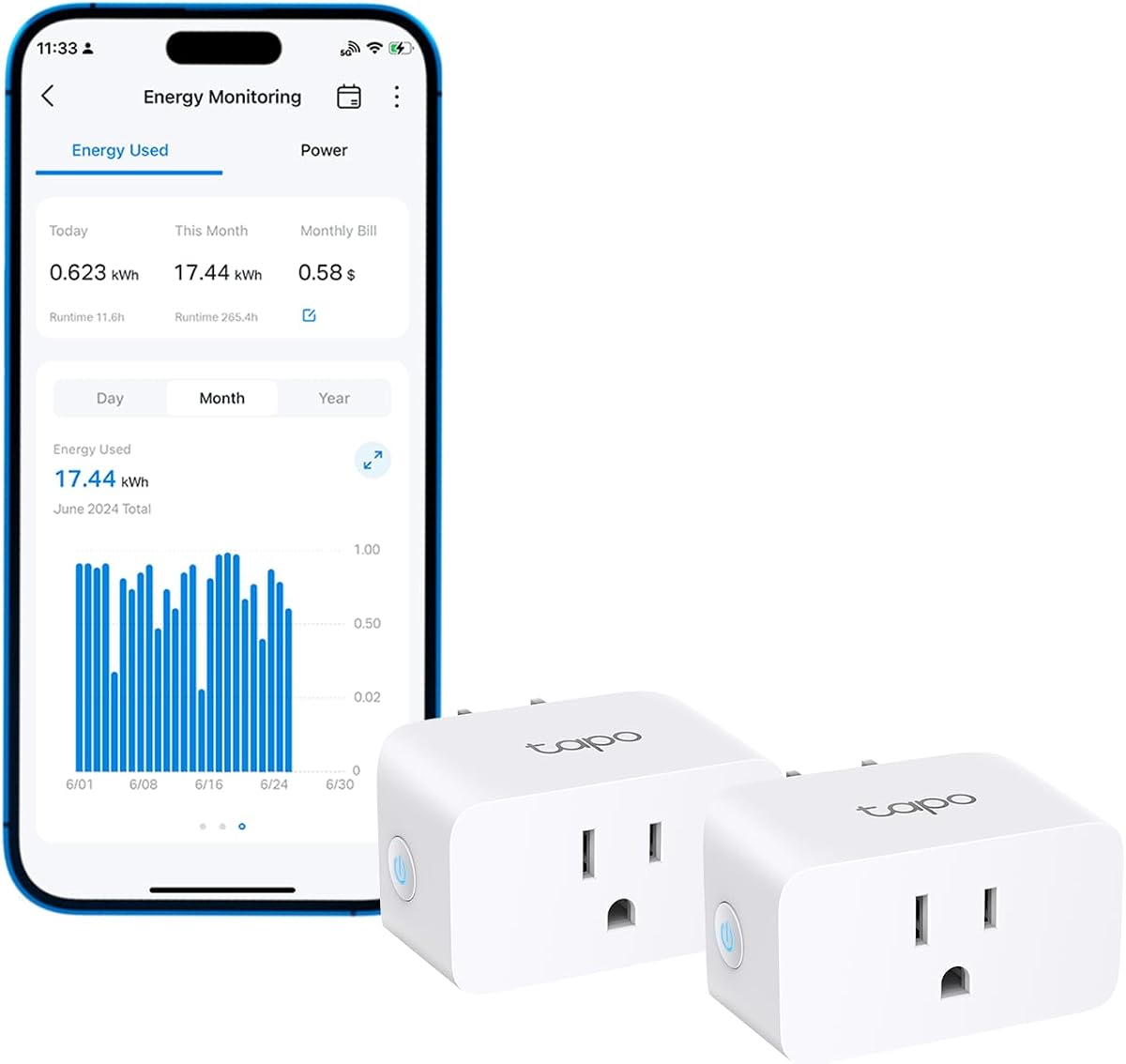
This smart plug combines energy monitoring with smart automation. It tracks usage with clear charts and supports scheduling. You can automate devices to run off-peak or use voice commands for control. The auto-shutoff feature adds safety for high-power devices.
We may earn a commission when you buy through this link, at no additional cost to you.
Strengths include smart ecosystem integration and easy app management. You get visibility into costs and usage patterns. It supports voice commands and allows scheduling for efficiency. The auto-shutoff prevents overloads, which is useful for PCs. Setup is quick and user-friendly.
Trade-offs include reliance on Wi-Fi and less detail than panel monitors. But it suits smart homes well. If you want to automate PC power and track costs easily, this plug provides a convenient and secure solution.
Best for smart home users wanting automation and insights. The scheduling and control features stand out. If you need a plug that integrates with Alexa or Google and tracks usage, this is a reliable and flexible option.
Schedule high-load devices to run during cheaper hours to automatically reduce energy bills and usage.
Use voice commands with Alexa or Google to manage power states and view stats instantly.
We may earn a commission when you buy through this link, at no additional cost to you.
Selecting the right monitor depends on your needs, budget, and technical comfort. These factors will help you find a device that provides accurate insights and saves money.
Energy monitors come as plug-in outlets or whole-home panel systems. Outlet meters are simple and cheap for single PC monitoring. Whole-home systems track all circuits and are better for detailed household analysis.
Choose plug-ins for renters or simple setups and panel systems for homeowners wanting full visibility.
Look for models with high accuracy standards. Small errors add up over time. Good units provide voltage, current, power factor, and cumulative energy data for complete assessment.
Prioritize units with tight tolerances and high resolution for trustworthy PC usage data.
Smart monitors send data to apps or cloud services. This helps track trends without manual reading. Some offer home automation support to shift loads during cheap hours.
Pick smart models if you want remote access and automation features for your PC power.
Plug-in meters are instant. Panel systems require professional wiring. Consider your comfort with electricity and the permanence of your setup before choosing.
Ensure you have the skills or hire a pro if you choose a whole-home system.
Check how long the unit stores history. Some save weeks of data offline while others only show real time. Cloud storage adds backup but may need subscriptions.
Opt for devices with local memory or long cloud retention to avoid data loss.
Safety is critical when dealing with power. Look for UL, ETL, or CE listings. These ensure the device meets electrical safety standards for safe operation.
Always verify certifications to protect your PC and home from electrical hazards.
User interfaces vary from simple LCDs to complex apps. Consider how much you will view data daily. Clear displays and intuitive apps save time and reduce errors.
Select a system with an interface you can read and understand without hassle.
Prices range from cheap plugs to expensive systems. Balance cost with the value of data you receive. Sometimes a basic plug pays for itself in a few months of savings.
Compare features against your actual needs to ensure a return on investment.
Start by setting up the device according to the manual. For plugs, plug them into the outlet first then your PC. For panel systems, follow all safety instructions and install sensors properly before connecting power.
Regularly check the display or app to review your energy data. Note when your PC is on and compare usage across different times. Use this info to identify wasteful settings or habits.
Keep the device clean and avoid physical damage. If it has an LCD screen, wipe it gently to avoid scratches. For smart models, ensure firmware updates are installed to maintain security and functionality.
Most monitors support standard PC power setups. Plug-in meters work for any device with a compatible plug. Whole-home systems measure all circuits regardless of PC type. Check voltage ratings if using special power supplies.
Quality outlet meters have accuracy within 1 percent to 2 percent. This is enough to track PC usage trends. Higher-end units may offer better precision. Always review specs for specific error margins.
A single plug-in monitor tracks one outlet or device. To monitor multiple PCs, use multiple plugs or a panel system with sensors. Panel systems can measure each PC separately per circuit for detailed tracking.
Yes, provided they have proper safety certifications and are rated for your PC's power draw. Always check overload limits and voltage ratings to ensure safe operation during high load gaming sessions.
Memory varies by model. Some store days while others save months. Panel systems with cloud storage may keep years. Check the device specs for retention duration and backup options.
Plug-in meters do not require internet. Smart monitors need Wi-Fi for app features. If you want offline data, choose models with local storage. Some smart systems also offer offline modes.
This guide presented ten solid options for tracking PC energy usage. The top picks offer different benefits including budget-friendly simplicity and premium smart features for automation.
When choosing, prioritize what matters most. If you want privacy and detail, a panel monitor is best. If you want ease and cost, a plug meter works well for most setups.
Prices and availability change often. Always check current listings and reviews before buying to ensure you get the latest version and best support for your energy tracking needs.