
Asus ROG Maximus VIII Hero
4.2Editor score
Extreme Engine DIGI+ Power
SupremeFX 2015 Audio
USB 3.1 Type A and C
Compare the top 1151 Z170 Skylake gaming motherboards for performance and features in our detailed expert guide for October 2026 buyers.
Finding the right motherboard for your Skylake build requires careful consideration of chipset features and form factor compatibility to ensure smooth gaming performance.
We analyzed ten top models based on user feedback and technical specs to highlight the most reliable options for LGA1151 processors available today.
Each pick shows key strengths and weaknesses while noting that availability and pricing may shift rapidly in the current market landscape for legacy hardware.
4.2Editor score

4.2Editor score

4.1Editor score
This side-by-side comparison highlights the key specifications and unique features of each model to help you identify the best fit for your specific gaming setup.


The Asus ROG Maximus VIII Hero stands out as a top tier choice for enthusiasts seeking premium features and reliable performance for their Z170 builds.
We may earn a commission when you buy through this link, at no additional cost to you.
Its Extreme Engine DIGI+ technology ensures stable power delivery which is crucial for pushing Intel Core processors to their limits during demanding gaming sessions.
While the price is higher than average boards the included SupremeFX 2015 audio and robust build quality justify the investment for users who demand the best components.
This board is ideal for gamers who want a balance of aesthetic appeal functional features and long term reliability in their custom PC rig.
The SupremeFX 2015 audio codec delivers crystal clear sound that immerses players in their games without needing external sound cards.
Extreme Engine DIGI+ VRM design provides clean and stable power to the CPU which reduces heat and increases system stability under load.
We may earn a commission when you buy through this link, at no additional cost to you.
This Gigabyte model offers a compelling mix of features and value making it a strong contender for budget conscious gamers who still want quality performance.
We may earn a commission when you buy through this link, at no additional cost to you.
It supports both 6th and 7th generation Intel processors which adds flexibility for upgrades as long as the BIOS is updated properly before installation.
The industrial packaging means you get the essentials without the retail box so it is best suited for builders who already have the necessary tools and knowledge.
With multiple M.2 slots and robust SATA support this board handles modern storage needs well while keeping costs down for a full gaming system.
Three M.2 sockets allow users to install high speed SSDs for faster load times and better system responsiveness during multitasking.
Support for both 6th and 7th gen Intel Core processors means you can upgrade your CPU later without replacing the entire motherboard.
We may earn a commission when you buy through this link, at no additional cost to you.
The ASUS Z170 PRO Gaming delivers essential performance features without unnecessary bloat making it an ideal entry point for new builders on a budget.
We may earn a commission when you buy through this link, at no additional cost to you.
Its SupremeFX audio ensures clear sound for gaming and communication while the Intel Gigabit Ethernet guarantees stable and fast network connections online.
Although it lacks some of the flashier features found on premium boards it provides all the core functionality needed for a smooth gaming experience.
This board is perfect for users who prioritize performance and reliability over looks and want to save money for a better GPU or CPU.
Intel Gigabit Ethernet with LANGuard protects your network connection from damage and ensures consistent speeds for online gaming and streaming.
SupremeFX technology provides high definition audio that enhances immersion without the need for additional external sound equipment.
We may earn a commission when you buy through this link, at no additional cost to you.
This model emphasizes durability and enhanced power delivery which makes it a solid choice for gamers who plan to push their system to the edge.
We may earn a commission when you buy through this link, at no additional cost to you.
The upgraded power design ensures that your CPU receives stable electricity during intense gaming sessions reducing the risk of crashes or instability.
While specific details may vary due to the nature of the listing it is designed to offer seamless connectivity and stable performance for most Intel processors.
It is a good option for those looking to rebuild a system on a tight budget without sacrificing core performance capabilities or RAM capacity.
The improved power design helps maintain consistent performance even when running high load applications or overclocking your processor.
Support for up to 64GB of DDR4 memory allows for heavy multitasking and future proofing your gaming rig for demanding titles.
We may earn a commission when you buy through this link, at no additional cost to you.
The Gigabyte GA-Z170X-Gaming 7 is a powerhouse board designed for users who want to maximize their system's graphical potential with multiple GPUs.
We may earn a commission when you buy through this link, at no additional cost to you.
It supports both 2-Way SLI and 3-Way Crossfire configurations giving you the flexibility to scale performance based on your budget and needs.
The abundance of USB ports and high quality audio make it a versatile platform for gaming streaming and peripheral connectivity without adapters.
This board is best suited for serious gamers who need top tier features and are willing to invest in a premium component for long term use.
Support for SLI and Crossfire allows you to link graphics cards together for significantly higher frame rates and resolution capabilities.
With seven USB 3.0 ports and two USB 3.1 ports you can connect all your devices without worrying about port availability or adapters.
We may earn a commission when you buy through this link, at no additional cost to you.
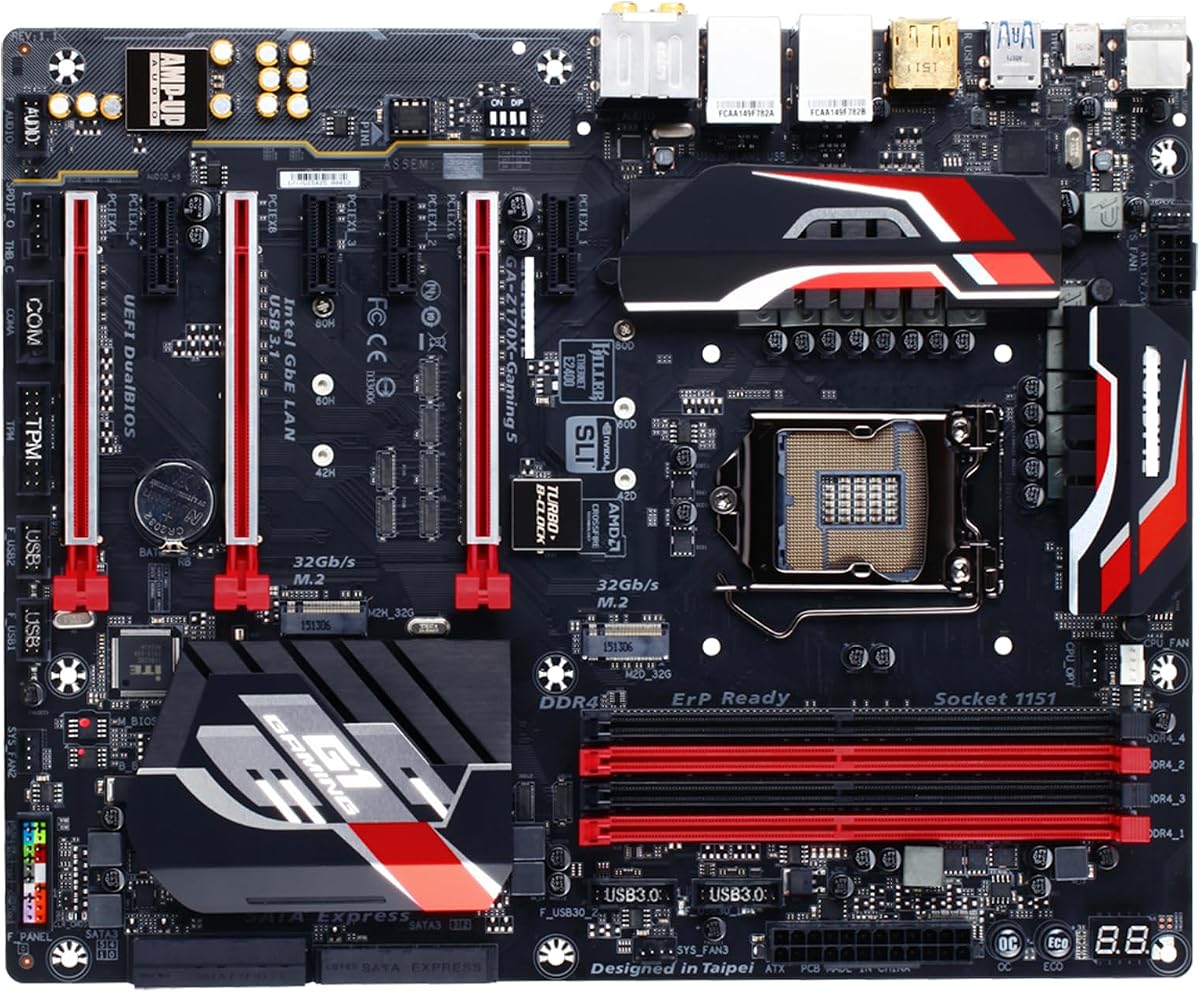
This version of the Gaming 5 offers solid features for users who need multi GPU support and reliable storage options for their Skylake based systems.
We may earn a commission when you buy through this link, at no additional cost to you.
It includes support for both NVIDIA SLI and AMD Crossfire making it a versatile choice for those who prefer different graphics hardware brands.
The layout includes enough SATA and expansion slots to handle various configurations without needing complicated adapters or additional hardware components.
While user ratings vary it remains a competent choice for builders who value specific technical features and are comfortable with its current market status.
Support for both NVIDIA and AMD multi GPU setups ensures you are not locked into one ecosystem when building your rig.
Multiple SATA ports and Express connectors allow you to mix traditional hard drives with faster SSDs for optimal storage balance.
We may earn a commission when you buy through this link, at no additional cost to you.
The ASRock Z170 EXTREME4 brings high value to the table with a feature set that punches above its weight for budget conscious gamers.
We may earn a commission when you buy through this link, at no additional cost to you.
It features a Realtek ALC1150 audio codec which provides impressive sound quality for gaming and media playback without extra investment.
The board includes three PCIe 3.0 x16 slots and multiple SATA ports making it easy to expand your system with cards and storage drives.
This model is a smart pick for users who want strong performance and upgradeability without paying for unnecessary bells and whistles.
The Realtek ALC1150 codec supports high definition audio with premium Blu-ray sound support for an immersive gaming experience.
Multiple PCIe slots allow you to add sound cards network cards or additional storage controllers as your needs grow.
We may earn a commission when you buy through this link, at no additional cost to you.
The MSI Z170 Krait Gaming focuses on delivering strong memory support and reinforced hardware to handle the demands of modern gaming workloads.
We may earn a commission when you buy through this link, at no additional cost to you.
It supports DDR4 speeds up to 3000 MHz and features Steel Armor for your PCIe slots which protects against heavy graphics cards damaging the board.
Audio Boost 3 provides a dedicated audio pathway for better sound quality making it a great choice for gamers who rely on audio cues.
This board is suitable for those looking for a balance of gaming specific features and durability at a competitive price point.
Steel Armor slots add extra durability to the PCIe connection points ensuring your GPU stays secure even during transport.
Support for faster DDR4 speeds means you can get better system responsiveness and improved performance in memory hungry games.
We may earn a commission when you buy through this link, at no additional cost to you.
The Asus Z170-A is known for its balanced performance and ease of use making it a popular choice for builders who want a hassle free experience.
We may earn a commission when you buy through this link, at no additional cost to you.
Its 5-Way Optimization feature automatically tunes your system for performance stability and efficiency with a single click in the software.
With support for both M.2 and SATA Express storage you get future proof connectivity options that keep your system fast and responsive.
This board is a safe and reliable choice for most gamers who want good quality components without the complexity of extreme enthusiast boards.
The 5-Way Optimization tool simplifies tuning your CPU memory and cooling for the best balance of performance and power efficiency.
DTS Studio Sound delivers realistic audio with surround sound capabilities that enhance the gaming experience without extra hardware.
We may earn a commission when you buy through this link, at no additional cost to you.
The ROG MAXIMUS VIII GENE packs high end features into a small mATX case making it ideal for compact builds that still need serious power.
We may earn a commission when you buy through this link, at no additional cost to you.
As a Certified Refurbished product it offers significant savings while maintaining quality standards with testing and basic cleaning before shipping.
The inclusion of USB 3.1 Type C provides future proof connectivity for modern peripherals without sacrificing space inside your gaming rig.
This board is perfect for gamers who want a small form factor PC without giving up the premium quality of the ROG line.
The mATX size saves space while keeping the same core features as larger boards including robust power delivery and audio.
Certified Refurbished products are tested and repackaged to ensure they function like new so you can buy with confidence.
We may earn a commission when you buy through this link, at no additional cost to you.
Selecting the right motherboard for your Skylake build requires understanding key features that impact performance and stability.
Ensure the board supports LGA1151 sockets for 6th and 7th Gen Intel Core processors to guarantee physical and electrical fit.
Most Z170 boards work out of the box with 6th Gen CPUs but may need a BIOS update for 7th Gen compatibility.
Look for DDR4 slots with high speed support to reduce bottlenecks and improve frame rates during gaming sessions.
Check the maximum capacity supported especially if you plan to run memory intensive games or multitask heavily.
M.2 slots are essential for fast NVMe SSDs which significantly reduce load times compared to traditional SATA drives.
Adequate SATA ports allow you to add extra storage for media libraries without needing additional controllers.
Multiple PCIe slots are necessary if you plan to use multiple GPUs or add expansion cards like sound or capture cards.
Ensure the physical length of your GPU fits the available slot spacing to avoid interference with other components.
High quality onboard audio codecs like SupremeFX or Audio Boost provide clear sound without needing a separate sound card.
Look for boards with shielding and isolated circuits to reduce noise and interference during critical gaming moments.
USB 3.1 Type C and multiple Type A ports ensure you can connect all your peripherals and external drives easily.
Gigabit Ethernet is standard but consider boards with better network management features if you stream or game competitively.
ATX boards offer more features and slots while mATX boards save space for compact builds without sacrificing key performance.
Verify your case supports the form factor you choose to ensure the motherboard fits securely with room for cables.
Effective VRM heatsinks are critical for maintaining stability during long gaming sessions or overclocking attempts.
Look for boards with adequate thermal design to prevent throttling and ensure consistent performance under heavy loads.
Always handle the motherboard by its edges and wear an anti static wrist strap to prevent damage from electrostatic discharge.
Apply thermal paste evenly on the CPU and install the cooler firmly to ensure proper heat transfer and prevent overheating.
Regularly update your BIOS through the manufacturer website to ensure system stability and compatibility with new hardware.
Yes most Z170 boards require a BIOS update to support 7th Gen Intel processors. Check the manufacturer website for the latest version and update before installing the CPU.
DDR4 2133 MHz is standard but boards support up to 3600 MHz or higher via overclocking. Faster RAM improves performance in memory heavy tasks.
Insert the SSD into the M.2 slot at a slight angle and press it down before securing it with the screw provided. No cables are needed for installation.
No you cannot use both simultaneously. You must choose either NVIDIA SLI or AMD Crossfire depending on your graphics card brand and software configuration.
ATX boards are larger with more expansion slots while mATX boards are smaller and fit in compact cases. Both can deliver excellent performance.
Most Z170 boards have high quality onboard audio that is sufficient for gaming. Separate audio is optional unless you need specific pro features.
Our top picks include the ROG Maximus VIII Hero for premium features and the Z170 PRO Gaming for budget value.
Prioritize connectivity memory speed and VRM quality when selecting a board for your specific gaming and performance needs.
Always check current availability and pricing as these models are legacy products and stock may vary by region.