
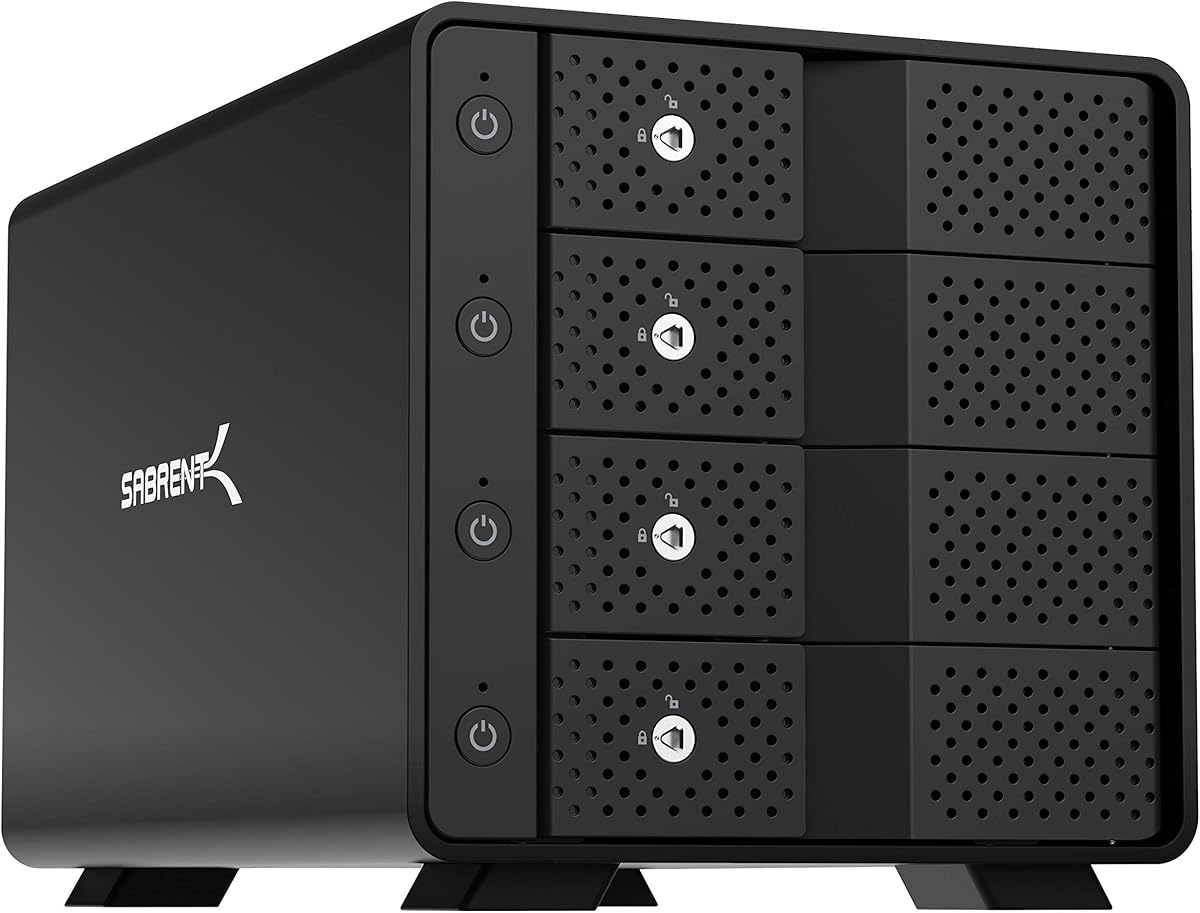
SABRENT USB 3.0 4-Bay Docking Station
4.2Editor score
Whisper quiet fan cooling
Tool free drive access
USB 3.0 up to 5Gbps
Finding reliable external storage is crucial for modern workflows. A quality enclosure keeps drives cool and ensures fast data transfer speeds for professionals and enthusiasts alike.
We analyzed ten top models based on build quality, cooling efficiency, and connectivity. Our list covers various price points and features to suit different storage needs.
Each pick highlights key strengths and weaknesses based on user feedback. Prices and availability change frequently, so verify details before purchasing your next storage solution.
4.2Editor score

4.3Editor score
4.1Editor score
As an Amazon Associate we earn from qualifying purchases.
The following table provides a side-by-side comparison of all ten products. It highlights key specifications like transfer speed, drive capacity, and cooling mechanisms to help you decide.



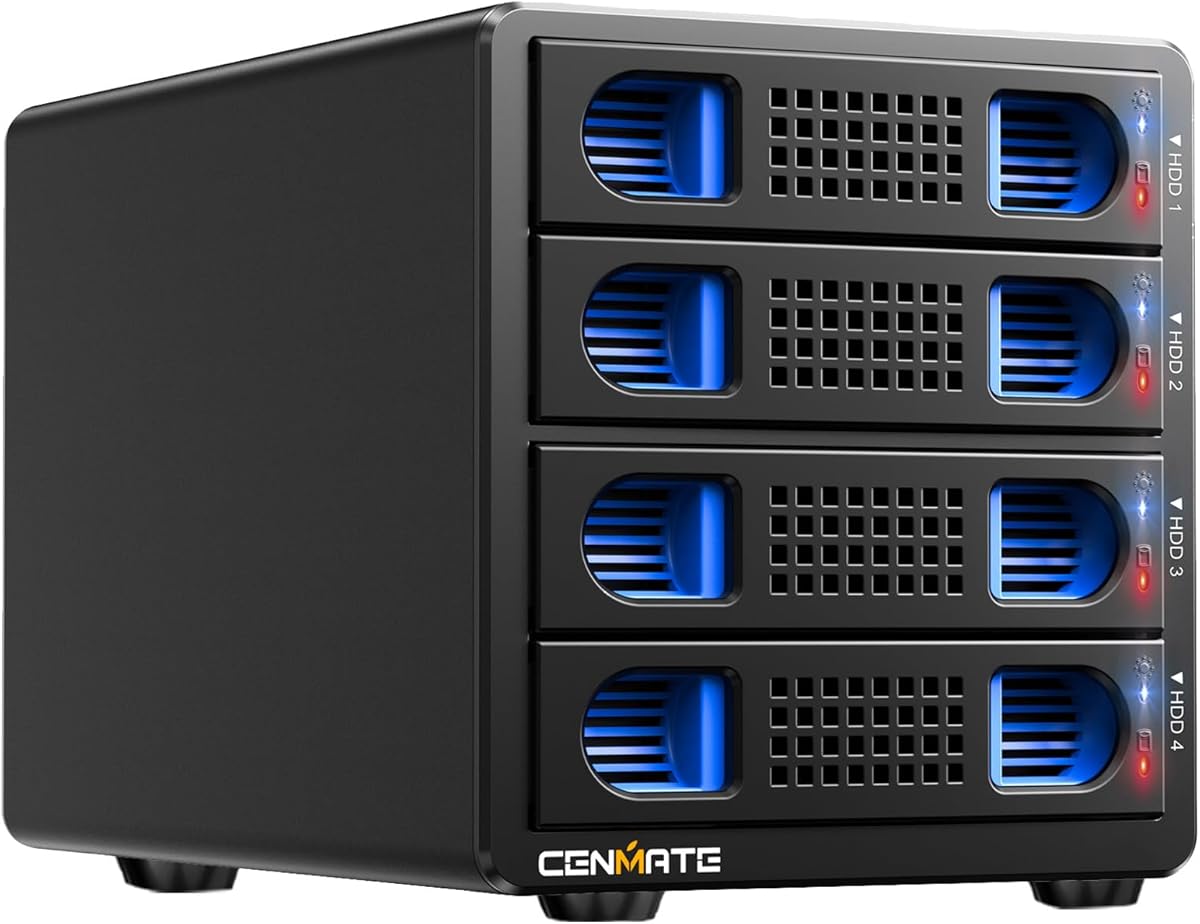
The CENMATE Aluminum 4 Bay Hard Drive Enclosure stands out as a reliable solution for managing large amounts of data. With a solid 4.3 rating, users appreciate its robust construction and effective cooling system.
We may earn a commission when you buy through this link, at no additional cost to you.
Its aluminum-alloy body helps dissipate heat effectively, ensuring your drives remain safe during long transfer sessions. The inclusion of a 2-inch fan provides active cooling, which is crucial for preventing thermal throttling when using multiple high capacity drives.
While the fan operates at around 40 to 50 decibels, some noise sensitive users might find it noticeable. However, this trade-off is necessary for maintaining optimal operating temperatures for your hardware during intensive workloads.
This enclosure is ideal for professionals and home users who need a reliable way to expand storage without breaking the bank. Its plug and play compatibility with Windows, Mac, and Linux makes it a versatile choice for any setup.
The aluminum alloy shell works in tandem with the active cooling fan to keep drive temperatures in check, ensuring long term reliability.
With support for up to 80TB total capacity, this enclosure handles massive storage needs for video editing or backup purposes.
We may earn a commission when you buy through this link, at no additional cost to you.
The SABRENT USB 3.0 4-Bay Docking Station offers an affordable entry point into multi drive storage management. With a 4.2 rating, it is praised for its quiet operation and ease of use.
We may earn a commission when you buy through this link, at no additional cost to you.
Its magnetic cover design allows for quick access to your drives without needing any tools. This feature is particularly useful for users who frequently swap out hard drives for different projects or backup tasks.
While it lacks the advanced speed of USB 3.2 models, the 5Gbps transfer rate is still sufficient for most general storage needs. The whisper quiet fan ensures that your workspace remains peaceful during operation.
This docking station is perfect for budget conscious users who need reliable access to multiple drives. It works seamlessly with Windows, macOS, and Linux, making it a versatile addition to any computer setup.
The magnetic cover allows you to swap drives instantly without screws, saving time and effort during daily operations.
Engineered with a whisper quiet fan, this station maintains cool drives without adding disruptive noise to your office.
We may earn a commission when you buy through this link, at no additional cost to you.
The SABRENT 4-Bay USB-C 10Gbps Docking Station represents the high end of consumer storage docks. With a 4.1 rating, it delivers professional grade performance and reliability for demanding users.
We may earn a commission when you buy through this link, at no additional cost to you.
Each bay has its own dedicated ASMedia controller, ensuring that one drive does not bottleneck another during heavy data transfers. This architecture provides stable and independent connections that professionals require for critical work.
The aluminum and metal housing combined with a large 92mm fan ensures excellent thermal management. The 92mm fan is designed for safe 24/7 operation, keeping your drives cool even during extended use.
If you need maximum speed and reliability, this station is worth the investment. Its 10Gbps USB-C interface and robust build quality make it a top choice for editors and power users.
Dedicated controllers per bay ensure each drive performs at its best without interference from others.
The aluminum metal shell and large fan support continuous operation for mission critical storage needs.
We may earn a commission when you buy through this link, at no additional cost to you.
The CENMATE Aluminum 4 Bay 10Gbps Enclosure brings high speed connectivity to the mid range market. It earns a 4.1 rating by balancing performance with ease of use.
We may earn a commission when you buy through this link, at no additional cost to you.
Featuring USB 3.2 Gen 2, it offers up to 10Gbps transfer speeds, which is twice as fast as standard USB 3.0. This makes it ideal for moving large video files quickly between drives and your computer.
Hot swapping allows you to replace drives without shutting down the system. This convenience is supported by the tool free design, making drive management efficient for daily tasks.
This model is excellent for users who need speed without the premium price tag. It supports up to 80TB and works with Windows, Mac, and Linux out of the box.
With 10Gbps USB 3.2 Gen 2, you can move large files in seconds rather than minutes.
Swap drives on the fly to save time on your workflow without power cycling your system.
We may earn a commission when you buy through this link, at no additional cost to you.
The MAIWO 4 Bay Hard Drive Enclosure offers unique connectivity features like daisy chaining. It receives a 3.5 rating due to mixed user experiences but remains popular for its expansion options.
We may earn a commission when you buy through this link, at no additional cost to you.
This model allows you to connect multiple storage devices together, which is great for growing your storage without using more ports on your computer. It also includes an HD-TV port for direct video output.
Equipped with 2 cooling fans, it handles thermal management efficiently. The fans activate when drive temperatures exceed 48 degrees Celsius to protect your data during intensive operations.
While it has a lower average rating, its unique features make it valuable for specific needs. Users looking for daisy chain expansion or TV connectivity will find this enclosure useful.
Connect multiple enclosures to scale your storage effortlessly without exhausting your host ports.
The built-in HD-TV port allows you to connect directly to a TV for video playback.
We may earn a commission when you buy through this link, at no additional cost to you.
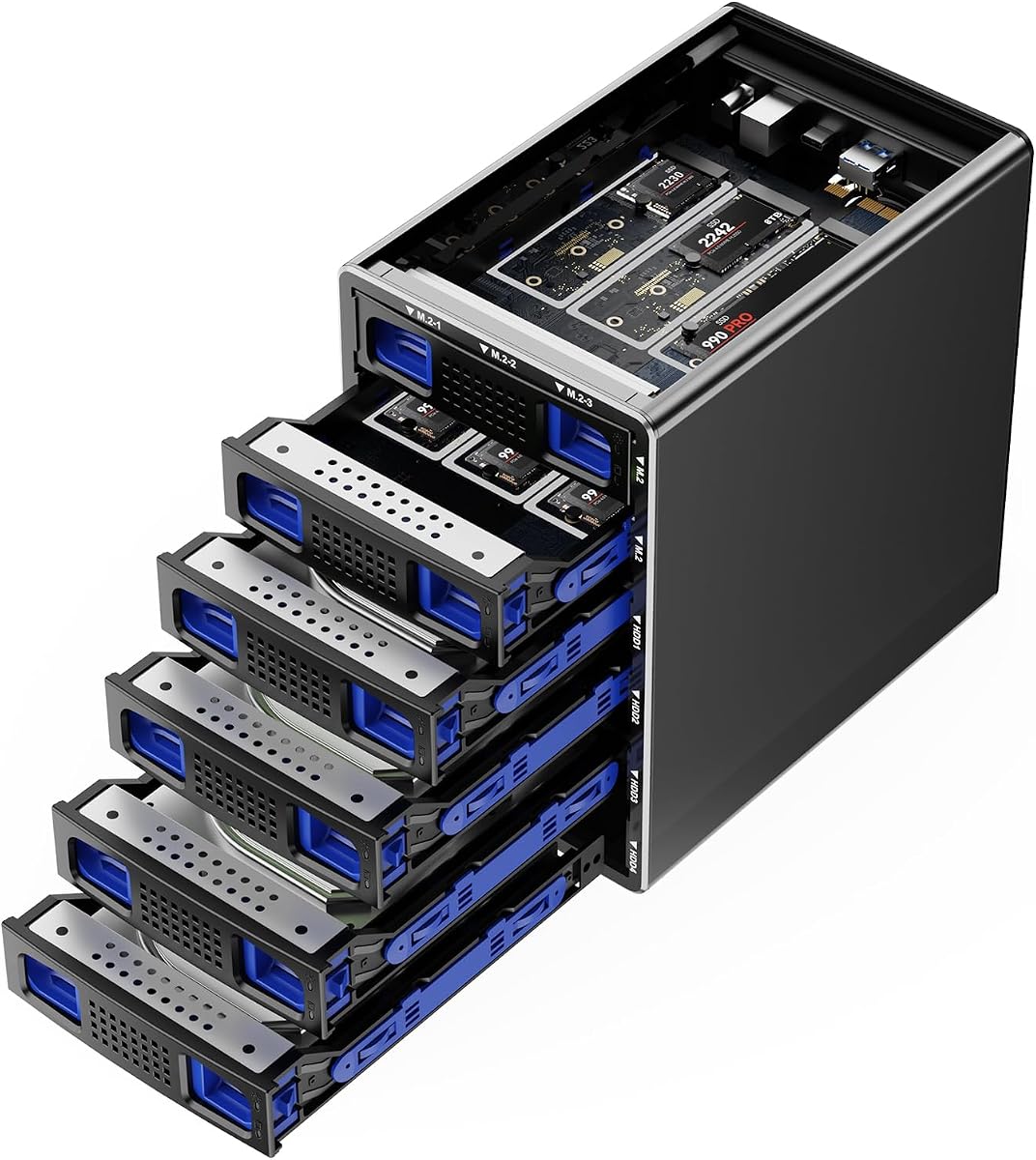
The CENMATE Hybrid enclosure is unique because it supports both traditional SATA drives and modern M.2 NVMe SSDs. It holds a 4.1 rating for its ability to combine capacity and speed in one unit.
We may earn a commission when you buy through this link, at no additional cost to you.
You can install four SATA drives for bulk storage and six NVMe SSDs for speed critical applications. This hybrid approach saves space on your desk while giving you the best of both worlds.
The enclosure uses aluminum alloy materials and silent fans to keep temperatures down. Although the fans do not sleep, they are designed to operate quietly to protect data security.
This is a great pick for advanced users who want maximum flexibility. It allows you to build a powerful workstation storage setup that grows with your technology needs.
Combine massive HDD storage with fast NVMe SSDs in one compact enclosure for optimal performance.
With support for up to 136TB total, this enclosure handles virtually any data storage requirement.
We may earn a commission when you buy through this link, at no additional cost to you.
The WAVLINK 4-Bay Hard Drive Enclosure adds a multimedia twist to storage docking. It carries a 4.0 rating and is recognized for its 4K HDMI output and high speed connectivity.
We may earn a commission when you buy through this link, at no additional cost to you.
You can connect this dock to your TV via HDMI to play media directly from your drives. This is perfect for living room setups where you want easy access to movies and photos.
The enclosure uses 10Gbps USB-C for fast data and dual fans that activate at 48 degrees. This ensures your drives stay cool even during prolonged playback or transfer sessions.
While the HDMI feature requires specific host support, the speed and build quality are top tier. It is an excellent choice for home entertainment centers needing large storage.
Connect directly to a TV with HDMI to enjoy high resolution media from your storage drives.
USB-C 3.2 delivers up to 10Gbps for quick access to your media library.
We may earn a commission when you buy through this link, at no additional cost to you.
The CENMATE 4 Bay Enclosure with eSATA adds flexibility for older or specific systems. It has a 4.0 rating and offers both modern USB and legacy eSATA connectivity.
We may earn a commission when you buy through this link, at no additional cost to you.
This enclosure uses a specific chipset that supports high speed data transfer. The eSATA port can be useful if your computer lacks USB 3.0 ports but has an eSATA connection.
It includes a 2 inch fan for cooling and supports up to 80TB total capacity. While the eSATA port requires specific driver support, it provides an alternative connection method.
This unit is suitable for users who need versatile connectivity options. Its reliability and cooling features make it a solid pick for general external storage needs.
Choose between USB or eSATA to match your computer's available ports and performance needs.
Supports up to 80TB and ensures safe data access with consistent cooling and power.
We may earn a commission when you buy through this link, at no additional cost to you.
The WAVLINK 4-Bay Enclosure 128TB extends the HDMI model to support even larger drives. It holds a 4.2 rating and is one of the top picks for high capacity home storage.
We may earn a commission when you buy through this link, at no additional cost to you.
With support for up to 128TB, this dock is ready for future storage needs. It retains the 4K HDMI feature for direct media playback on televisions.
The cooling system activates automatically at 48 degrees to protect your data. Dual fans ensure that high capacity drives remain cool during sustained use.
If you plan to use 32TB drives, this is the ideal choice. Its combination of speed, capacity, and multimedia features makes it a powerful tool for any user.
Support drives up to 32TB each for a total of 128TB to future proof your storage setup.
Use the HDMI port to display video directly on your TV without an extra computer.
We may earn a commission when you buy through this link, at no additional cost to you.
The CENMATE Aluminum 4 Bay RAID Enclosure offers hardware RAID support for data protection. It has a 3.8 rating due to setup complexity but is valuable for those needing redundancy.
We may earn a commission when you buy through this link, at no additional cost to you.
You can choose from modes like RAID 0, 1, 5, and 10 to balance speed and safety. This helps protect your data against drive failure which is essential for business use.
Note that RAID setup requires careful configuration to avoid data loss. It also uses a 2 inch fan for cooling and supports up to 80TB total capacity.
This model is recommended for advanced users who understand RAID configurations. It provides a cost effective way to build redundancy without buying a full NAS system.
Choose from 8 modes like RAID 5 to balance speed and data redundancy based on your needs.
Supports up to 80TB and offers both USB and eSATA for flexible connection options.
We may earn a commission when you buy through this link, at no additional cost to you.
Selecting the right enclosure involves balancing speed, capacity, and thermal performance. Consider your specific workflow needs to find the perfect match.
Transfer speed determines how quickly you can move files between your drives and your computer. Look for USB 3.2 Gen 2 or USB-C ports to get speeds up to 10Gbps for large video projects.
For standard backups, USB 3.0 at 5Gbps is often sufficient and more affordable.
Heat is the enemy of hard drive longevity. A good enclosure will have aluminum construction and active cooling fans that turn on when temperatures rise.
Check for fans that activate around 48 degrees Celsius to ensure your drives stay safe during long transfers.
Ensure the enclosure supports the total capacity you plan to use. Most modern enclosures support 80TB to 128TB, but verify specific drive size limits.
Higher capacity support future proofs your purchase as drive sizes continue to grow.
Hot swapping allows you to remove or insert drives without turning off the power. This feature is essential for workflow efficiency and frequent backup routines.
Look for independent power switches on each bay for maximum control.
Aluminum alloy casings provide superior durability and heat dissipation compared to plastic. A solid build protects your expensive drives from physical damage.
Investing in a metal enclosure extends the lifespan of your storage setup.
Modern enclosures offer USB-C which is compatible with newer laptops and desktops. Some also include HDMI for direct media output or eSATA for legacy systems.
Choose the interface that matches your current computer setup.
Active cooling fans can produce noise. Most models operate between 40 and 50 decibels, which might be noticeable in quiet environments.
If noise is a concern, look for models with silent fans or adjustable speed settings.
If you need data redundancy, consider an enclosure that supports hardware RAID. This allows drives to work together to protect against failure.
Ensure you understand the setup process before initializing RAID to avoid accidental data loss.
Always place the enclosure on a hard, flat surface to allow proper airflow for the cooling fans. Avoid covering the vents with fabric or placing it inside a closed drawer during use.
Connect the power adapter before connecting the USB cable to ensure the system boots correctly. Most enclosures require external power to run four drives simultaneously.
Regularly check your drives using your operating system tools to ensure they are functioning correctly. If a drive makes clicking noises, disconnect it immediately to prevent data loss.
Yes, most of these enclosures are plug and play with macOS. You may need to reformat drives to APFS or exFAT depending on your needs, but the hardware is fully compatible.
Some models like the CENMATE RAID enclosure support multiple RAID modes. However, most are DAS (Direct Attached Storage) meaning each drive appears individually to the computer.
Fans typically operate between 40 and 50 decibels. They are designed to be quiet but may be audible in a silent room.
Yes, most enclosures support a mix of 2.5 and 3.5 inch drives. Just ensure each drive fits securely in its bay with any provided mounting brackets.
Yes, running four hard drives usually requires the included external power adapter to provide enough voltage and amperage for stable operation.
USB 3.2 Gen 2 supports speeds up to 10Gbps while USB 3.0 supports up to 5Gbps. If you need faster transfers, choose a 3.2 model.
We highlighted top choices like the CENMATE Aluminum enclosure for overall value and the SABRENT options for budget and premium needs. Each model offers reliable cooling and solid performance.
Prioritize transfer speed and thermal management to ensure your drives remain safe during heavy use. Choose based on your specific capacity and connectivity requirements.
Prices and availability change frequently so check current listings for the best deal on your chosen model.