
Redragon BM4195 AI Wireless Optical Mouse
3.9Editor score
Voice typing and translation
5 level DPI adjustment
2.4G and Bluetooth modes
This guide compares the top AI smart wireless mouse options featuring voice typing, translation, and AI tools to help you choose the best productivity device.
Finding the right input device can transform how you work and interact with your computer daily. AI smart wireless mice offer voice typing and translation features that streamline tasks for professionals and students alike.
We evaluated ten leading models based on connectivity, battery life, and AI functionality. Our analysis highlights performance differences to help you find a mouse that matches your specific workflow needs.
Each pick includes detailed specs and honest insights on real-world use. Prices and availability change frequently so check current listings before deciding on your next productivity upgrade tool.
3.9Editor score

4.1Editor score

5.0Editor score
The following comparison table provides a side by side overview of all ten products selected for this guide to help you quickly identify key differences.


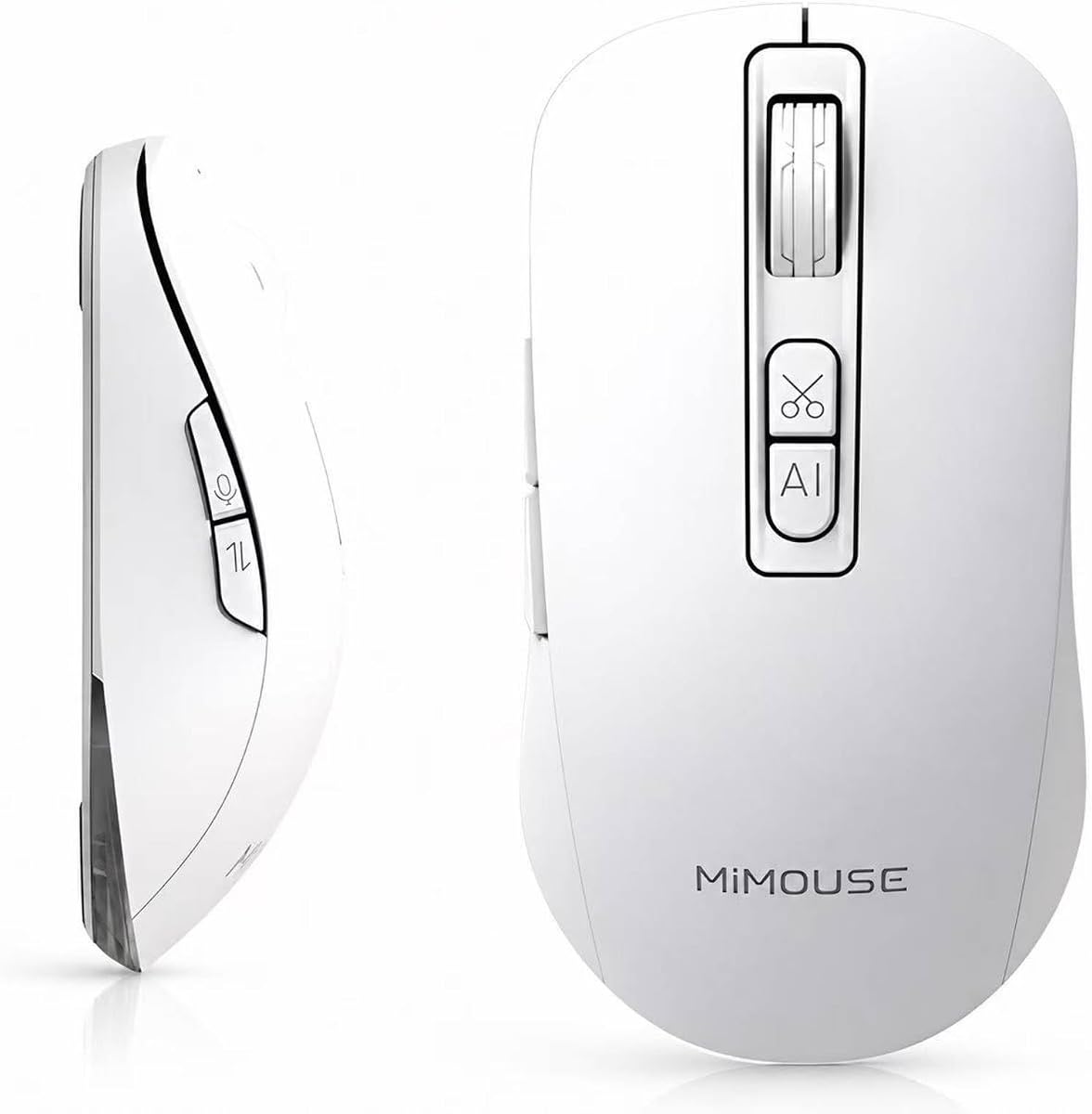


The Redragon BM4195 brings AI voice typing to your desk at an accessible price. It features a 5 level DPI adjustment and supports three connection modes for versatile use.
We may earn a commission when you buy through this link, at no additional cost to you.
Voice commands allow hands free control and software customization gives operational freedom. The 500mAh battery ensures you stay powered throughout the workday with Type-C fast charging.
Users note that the AI function requires software activation which adds a setup step. The rating suggests some variability in quality control or feature reliability across units.
This mouse is ideal for budget conscious users who want to experiment with voice input. It offers solid basic features without the premium cost of other AI models.
Switch between 2.4G and Bluetooth effortlessly across three devices for seamless multitasking.
Assign different functions to keys to achieve operational freedom tailored to your workflow.
We may earn a commission when you buy through this link, at no additional cost to you.
This AI mouse promises high accuracy voice typing at 98 percent with 400 words per minute input. It supports multilingual translation and features an LED display to check remaining power at a glance.
We may earn a commission when you buy through this link, at no additional cost to you.
The local offline AI processing protects your voice records and text files from cloud storage. Triple connection modes allow seamless switching between devices with a 500mAh battery for lasting use.
Setup involves downloading the GAMINJA app which may take a moment to configure initially. The lack of a confirmed rating might reflect recent release or limited user feedback data.
Choose this mouse if you prioritize privacy and language versatility in a smart device. It balances advanced AI tools with practical features like battery monitoring and multiple connections.
Data processing happens offline to fully protect your voice records and private work files.
An LED real-time power display lets you check remaining power easily without guesswork.
We may earn a commission when you buy through this link, at no additional cost to you.
This upgraded model features a 600mAh battery and ergonomic silent clicks for all-day comfort. It supports voice to text at 98 percent accuracy and includes a suite of AI tools for creation.
We may earn a commission when you buy through this link, at no additional cost to you.
Local processing ensures privacy while the mouse offers translation and AI Q&A capabilities. Setup involves inserting the receiver and holding the scroll wheel to activate pairing mode easily.
The battery life allows for long standby times with options to turn off lights for efficiency. However the pairing process requires a few steps which may test patience during initial setup.
Professionals seeking comfort and advanced AI features will find this mouse a strong candidate. It combines productivity tools with a design focused on reducing hand strain and noise.
A 600mAh battery supports long standby times with customizable power saving modes.
Silent clicks under 25dB make this ideal for shared offices and quiet libraries.
We may earn a commission when you buy through this link, at no additional cost to you.
The LTC OM021 focuses on comfort with an ergonomic shape designed to reduce hand strain. It supports BT 5.0 and 2.4GHz connections for reliable performance across multiple devices.
We may earn a commission when you buy through this link, at no additional cost to you.
Voice typing reaches 300 words per minute with 98 percent accuracy and translation for over 100 languages. The silent click feature ensures a peaceful workspace for shared environments.
Battery life is supported by a 500mAh rechargeable unit with Type-C charging. A 5-minute smart sleep mode helps save energy but setup requires holding the scroll wheel for six seconds.
Consider this mouse for office environments where comfort and quiet operation are priority. While the rating is lower it still offers versatile connectivity and solid voice input features.
Latest BT 5.0 technology ensures stable connections with improved range and efficiency.
Silent clicks allow focus without disturbing colleagues or neighbors in shared spaces.
We may earn a commission when you buy through this link, at no additional cost to you.
Logitech brings its reputation for reliability to the AI mouse market with this M750 edition. It supports dual connectivity via Logi Bolt USB and Bluetooth Low Energy for flexible setups.
We may earn a commission when you buy through this link, at no additional cost to you.
Battery life is exceptional with up to 24 months using the USB receiver or 20 months on Bluetooth. It includes an AA battery and integrates with Logi Options+ for customization.
While specific AI features like voice typing are not detailed in the specs it offers trusted software support. The high rating indicates strong user satisfaction with build quality and performance.
Choose this model if you prefer a trusted brand and long battery life over specialized voice tools. It serves well as a dependable daily driver for general productivity tasks.
Up to 24 months on a single battery allows years of use without frequent changes.
Supported by Logi Options+ software for Windows and macOS for key customization.
We may earn a commission when you buy through this link, at no additional cost to you.
This mouse stands out with a 6-in-1 magnetic detachable design that includes a touchpad and laser pointer. It is designed for presenters who need to move freely while controlling slides.
We may earn a commission when you buy through this link, at no additional cost to you.
Voice transcription and AI assistant features allow for meeting notes and summaries. The battery lasts up to 20 days and Type-C fast charging ensures quick power tops when needed.
At just 70 grams it slips into a pocket easily but the multi function design may take learning. The perfect rating suggests high user satisfaction with its unique capabilities and build.
Ideal for professionals who travel often and need a versatile tool for meetings. The detachable nature and long battery life make it a standout choice for business users.
Glide cursor with touchpad and flip slides hands-free to keep audience attention.
Built to last up to 20 days on a single charge for travel without anxiety.
We may earn a commission when you buy through this link, at no additional cost to you.
This model offers a robust AI toolset including writing assistance and code generation. It supports 200 languages for translation and features local processing to protect your privacy.
We may earn a commission when you buy through this link, at no additional cost to you.
The ergonomic design ensures comfort with silent clicks suitable for shared workspaces. Dual mode connectivity allows switching between Bluetooth and USB 2.4G for flexibility.
Battery life is supported by a 500mAh rechargeable unit with fast charging capabilities. However the need to download specific apps for full functionality may add to initial setup time.
Choose this mouse if you need extensive language support and local data security. It combines AI productivity tools with standard ergonomic features for office use.
Translation and voice typing support 200 plus languages for global collaboration.
Enhanced with RGB indicators and smart connectivity for modern desk aesthetics.
We may earn a commission when you buy through this link, at no additional cost to you.
This mouse integrates a unified M-AI platform powered by ChatGPT and other models for advanced writing. It features 4 adjustable DPI settings and a 500Hz polling rate for sensitivity.
We may earn a commission when you buy through this link, at no additional cost to you.
It supports connecting three devices simultaneously and has a 30-day battery life. The ergonomic design fits naturally and supports charging while using for long-hour office workers.
The 92 gram weight is slightly higher but provides a stable feel for daily tasks. Privacy is assured with local encryption and cloud access only for your own use.
Suitable for lawyers and teachers needing transcription and AI drafting tools. The long battery life and multi-device support make it a reliable workhorse.
Powered by multiple AI engines for writing drafting and summarizing content.
Type-C rechargeable design supports using the mouse while it charges.
We may earn a commission when you buy through this link, at no additional cost to you.
This mouse focuses on meeting transcription and summarization for remote work. It features a triple-mode switch allowing seamless transitions between desktop tablet and laptop.
We may earn a commission when you buy through this link, at no additional cost to you.
AI tools include PPT generation and Q&A capabilities which save time on content prep. The ergonomic design ensures secure grip for all-day comfort during long sessions.
It supports Windows and macOS with 5 adjustable DPI settings for graphic design or presentations. The voice translation helps break language barriers for international research and business.
Remote workers and students will appreciate the transcription and multi-device flexibility. It simplifies workflow by combining input and AI tools into one device.
Connect up to three devices simultaneously with zero lag transitions.
Generate presentations quickly by voice to revolutionize your workflow.
We may earn a commission when you buy through this link, at no additional cost to you.
This basic model turns spoken words into text for emails and notes. It supports 200+ languages for translation and offers silent clicks for shared office environments.
We may earn a commission when you buy through this link, at no additional cost to you.
It is designed for those who want simple voice-to-text capabilities without complexity. The rechargeable wireless design keeps your desk organized and simple to use.
With a low rating score users should be cautious of potential performance issues. However for basic summarization and writing assistance it may meet simple needs.
Consider this for students or those wanting a simple entry into AI voice typing. It handles basic dictation and translation tasks effectively if the hardware holds up.
Capture ideas and notes before you forget them during typing.
Silent rechargeable design works naturally with computers and laptops.
We may earn a commission when you buy through this link, at no additional cost to you.
Selecting the right AI mouse requires evaluating key factors that impact daily productivity and comfort.
High accuracy voice typing is essential for reducing errors in transcripts and documents. Look for models claiming 98 percent accuracy or 400 words per minute input for efficiency.
Prioritize accuracy to ensure your spoken words convert to text reliably every time.
Battery life varies widely so check if the mouse offers 20 days or more of usage. Type-C fast charging is a modern standard that ensures quick power tops when needed.
Opt for high capacity batteries to avoid interruptions during important work sessions.
Multi-device connectivity allows switching between laptop tablet and desktop easily. Bluetooth and 2.4G wireless modes provide flexibility for different systems and distances.
Choose models with seamless switching to maintain workflow across multiple devices.
A comfortable shape reduces hand strain during long workdays. Silent clicks are also important for shared offices to minimize noise distractions for others.
Look for ergonomic shapes and low decibel clicks for all-day comfort.
Beyond typing consider AI tools like summarization translation and code generation. Local processing ensures your data stays private on your device rather than in the cloud.
Select a mouse with AI tools that match your specific workflow needs and privacy concerns.
Ensure the mouse supports your operating system like Windows or macOS. Some models offer universal compatibility which simplifies switching between PC and Mac.
Check OS support before buying to avoid connectivity issues with your devices.
Most smart mice require a companion app to unlock advanced features. Look for user-friendly software that enables easy key mapping and command customization.
Verify software quality to ensure the mouse functions as intended on your computer.
For travel choose lightweight models that slip into a pocket easily. Magnetic detachable designs offer versatility like presentation modes for professionals on the go.
Prioritize lightweight and portable designs if you move between offices or locations.
Start by installing the companion app and pairing via Bluetooth or USB receiver. Download the software to unlock voice typing and AI features fully.
Charge the mouse fully before first use and avoid letting it drain to zero regularly. Use the Type-C port for quick top-ups between long work sessions.
Clean the surface with a dry cloth and keep sensors free of dust. Store it in a protective case if you transport it daily to prevent damage.
Some AI features like translation or cloud summaries need internet but many voice functions work locally. Check if the model offers offline local processing for privacy and offline use.
Most models support both Windows and macOS but always verify specific OS requirements. Universal compatibility is common but some features may require specific OS updates.
Many models claim 98 percent accuracy for standard speech conditions. Accuracy may drop in noisy environments so use in quiet rooms for best results.
Some models offer high DPI and polling rates suitable for light gaming. However they are optimized for productivity so check specs for gaming performance needs.
Most include a USB 2.4G receiver in the box for plug and play use. Bluetooth models may not need one but the receiver ensures faster connection on some systems.
Reset typically involves holding the scroll wheel for six seconds to enter pairing mode. Consult the manual for specific reset steps if connection issues occur.
Our top picks highlight diverse options from budget friendly to premium models with advanced features. Each brings unique strengths to meet different productivity needs and workflow styles.
Prioritize voice accuracy battery life and comfort when making your choice. Privacy focused local processing is also key for sensitive business or personal documents.
Prices and availability change so review current listings before finalizing your decision. With the right AI mouse you can streamline tasks and work smarter today.