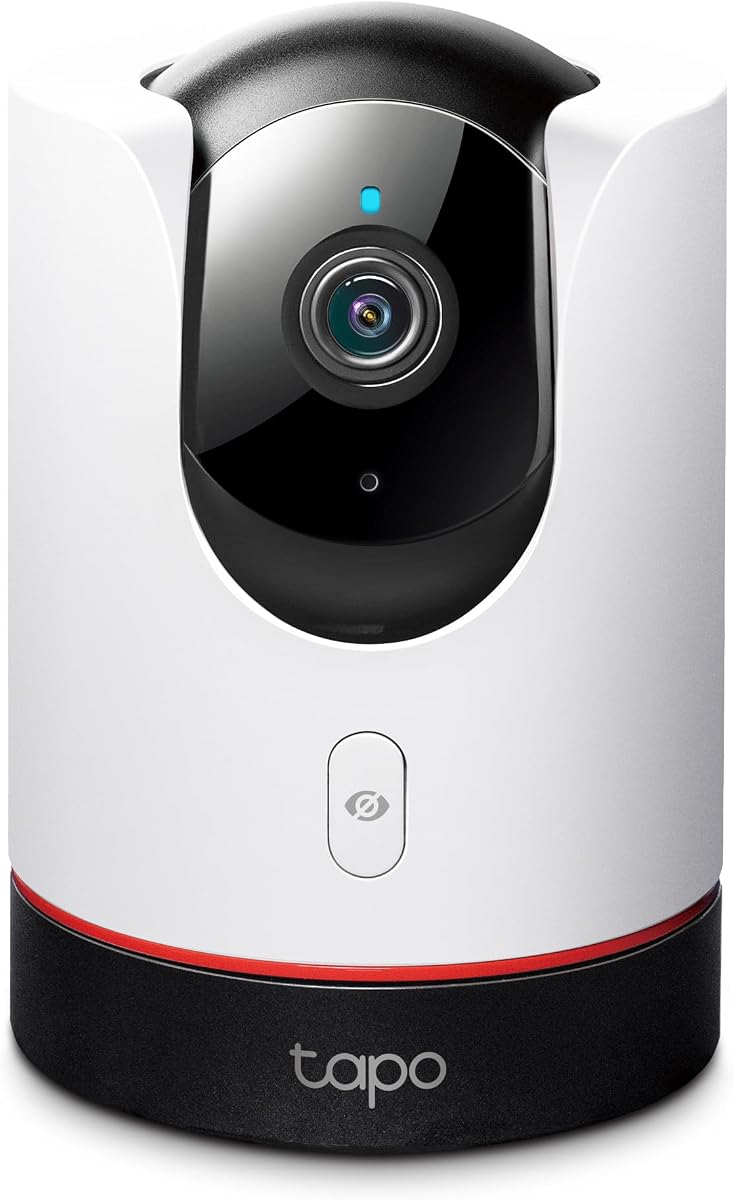
TP-Link Tapo 2K+ Pan/Tilt Security Camera C225
4.5Editor score
360 degree pan and tilt
Physical privacy mode included
Affordable 2K video quality
Compare the top Apple HomeKit security cameras of October 2026 featuring secure video, privacy encryption, and smart home integration for your home.
Securing your home with smart technology has never been more important. Apple HomeKit security cameras offer robust privacy and seamless integration with your Apple devices for reliable monitoring.
We evaluated ten top models based on video quality, detection features, storage options, and ecosystem compatibility to help you find the perfect fit for your needs.
Each pick below highlights key strengths and trade-offs to guide your decision. Remember that product availability and pricing can change over time so verify details before buying.
4.5Editor score
4.2Editor score
4.3Editor score
This side-by-side comparison highlights the key specifications and capabilities of each model to help you evaluate performance features and compatibility at a glance.



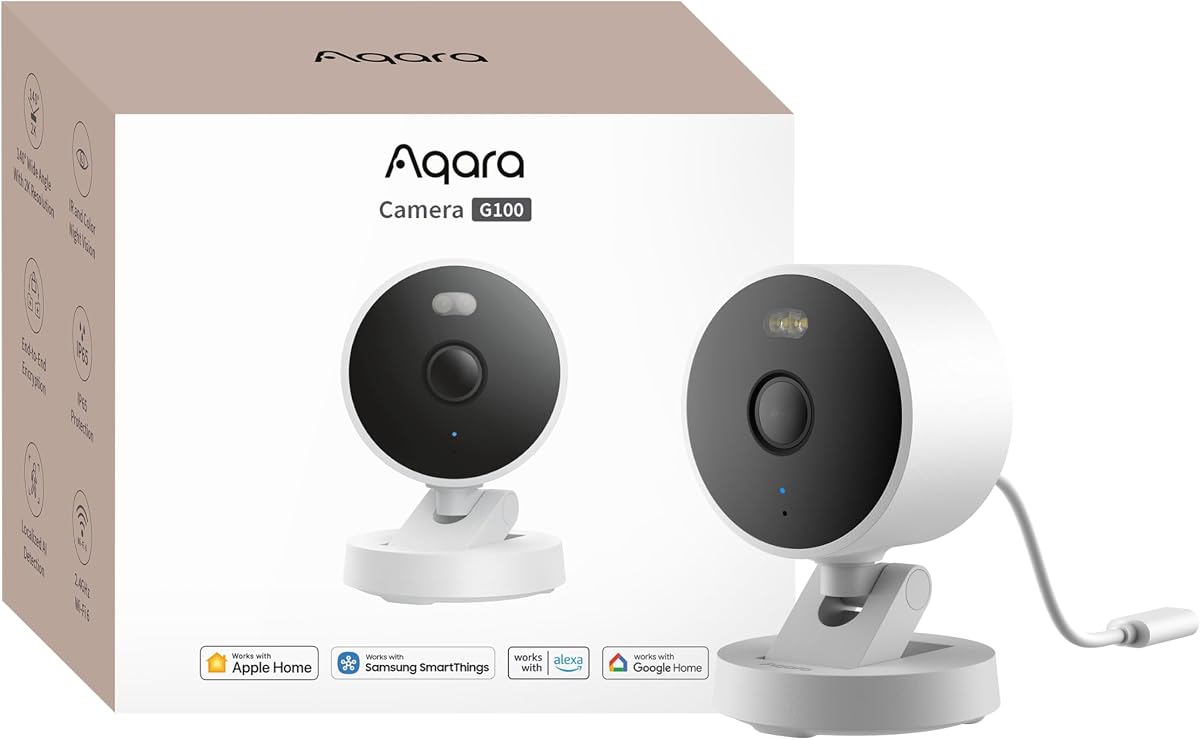
The Aqara G100 stands out as a top choice for HomeKit users seeking reliable indoor and outdoor surveillance with sharp 2K resolution.
We may earn a commission when you buy through this link, at no additional cost to you.
Its IP65 weatherproof housing allows flexible placement while HomeKit Secure Video ensures end-to-end encryption for privacy compliant recording.
Night vision modes must be manually enabled in the app which may be inconvenient but the color spotlight provides clear detail in darkness.
Buy this camera if you need a versatile HomeKit compatible device that balances video quality privacy and smart detection features effectively.
The G100 works indoors and outdoors thanks to its IP65 rating and durable housing for flexible home security setup.
Full support for HomeKit Secure Video means encrypted storage and seamless integration with your Apple Home hub and iCloud.
We may earn a commission when you buy through this link, at no additional cost to you.
Eve Cam delivers a privacy focused indoor camera designed exclusively for HomeKit Secure Video with local processing to protect your data.
We may earn a commission when you buy through this link, at no additional cost to you.
End-to-end encryption ensures only you can view recorded footage while smart automation lets you deactivate when someone is home.
Although limited to indoor use the Cam excels in data security and seamless integration with your Apple ecosystem and smart devices.
Choose this if privacy is your top priority and you want a camera that keeps video analysis securely within your home network.
Video analysis happens locally on the device so your personal data stays private and under your control at all times.
Built exclusively for HomeKit Secure Video the Cam offers seamless integration and high privacy standards across Apple devices.
We may earn a commission when you buy through this link, at no additional cost to you.
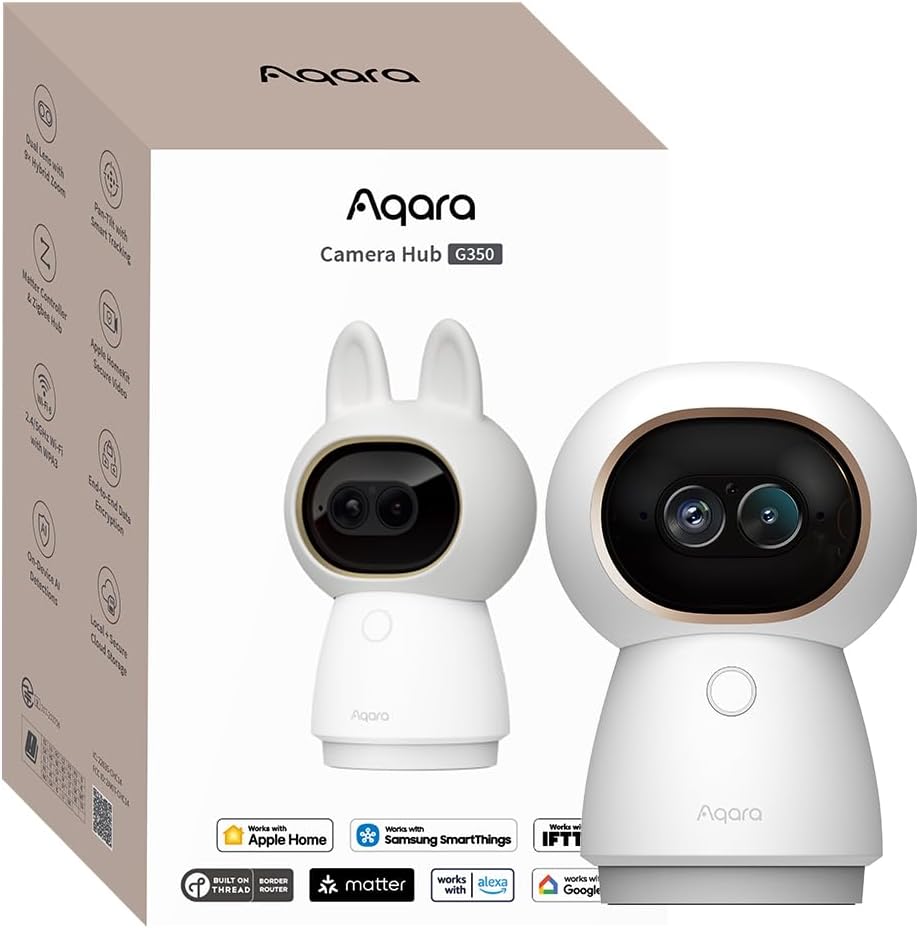
The G350 impresses with its 4K dual-lens system and Matter bridge capabilities making it a powerful hub for your smart home ecosystem.
We may earn a commission when you buy through this link, at no additional cost to you.
AI auto-tracking and gesture recognition add unique interactive features while local processing ensures your video data remains private.
Its 360 degree pan tilt lets you monitor entire rooms and zoom in on details without losing clarity through hybrid zoom tools.
Pick this camera if you want a high-resolution indoor option that also acts as a central bridge for Matter compatible devices.
Combine a wide-angle 4K lens with a telephoto HD lens to capture sweeping views and detailed close-ups effortlessly.
Integrate third-party Matter devices into your Aqara Home app and bridge existing devices to Apple Home and more.
We may earn a commission when you buy through this link, at no additional cost to you.
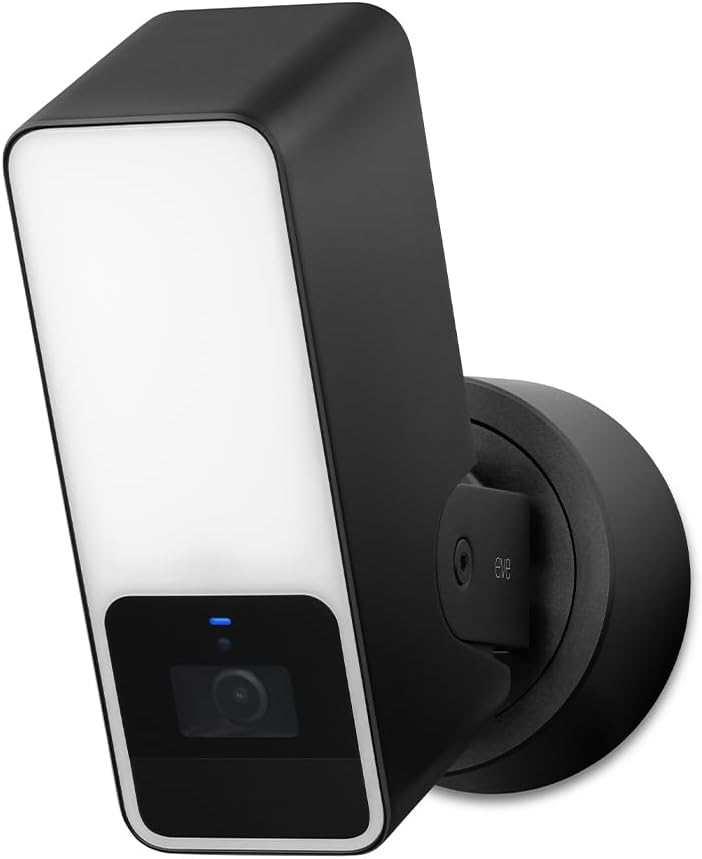
Eve Outdoor Cam combines a powerful dimmable floodlight with HomeKit Secure Video to create a formidable deterrent against unwanted visitors outside.
We may earn a commission when you buy through this link, at no additional cost to you.
It features people pet and vehicle detection with end-to-end encryption ensuring your footage remains private on your Apple home hub.
Installation requires a neutral wire and ground connection which may limit some setups but the security features are robust and reliable.
Ideal for driveways or entryways where bright lighting and strong privacy standards are essential for effective outdoor monitoring and deterrence.
A dimmable floodlight with light boost provides illumination and deterrent power when motion is detected outdoors.
No Eve cloud or registration means your data stays secure with local intelligence and direct communication to devices.
We may earn a commission when you buy through this link, at no additional cost to you.
The Tapo C225 offers impressive value with 2K video quality physical privacy mode and a compact award-winning design suitable for home use.
We may earn a commission when you buy through this link, at no additional cost to you.
Its 360 degree pan tilt ensures no corner is missed while the physical shutter gives you complete control over when the camera sees.
HomeKit compatibility may not include all advanced features but the camera integrates well for basic monitoring and smart home automation needs.
Choose this if you want a cost-effective indoor camera with strong privacy controls and reliable performance for everyday home monitoring.
A physical shutter blocks the lens when privacy mode is enabled ensuring absolute visual privacy indoors.
Advanced AI technology identifies people pets and abnormal sounds like baby crying with instant push notifications.
We may earn a commission when you buy through this link, at no additional cost to you.
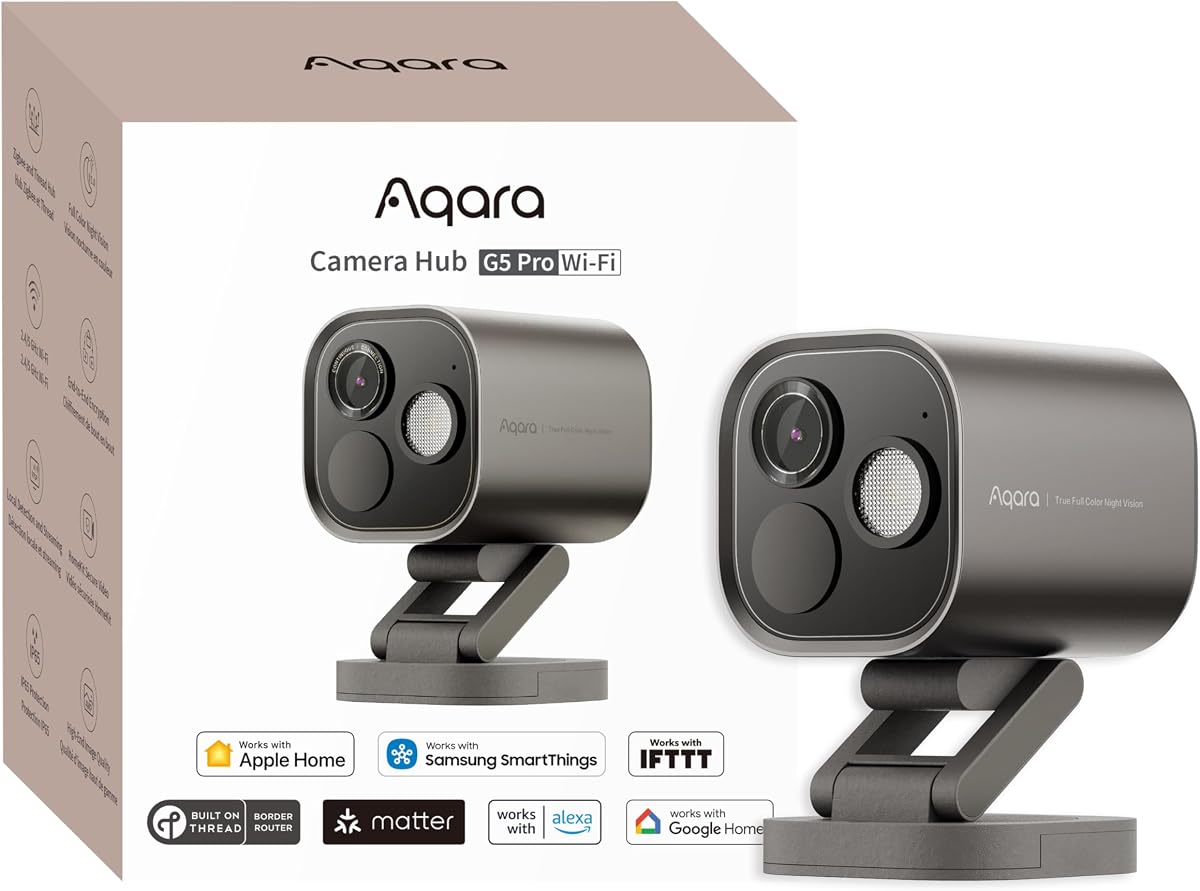
G5 Pro WiFi excels with true color night vision enabled by a large aperture sensor and built-in spotlight for superior low-light visibility.
We may earn a commission when you buy through this link, at no additional cost to you.
Local AI detection recognizes faces and vehicles while also serving as a Matter bridge to connect your smart devices seamlessly.
Although it lacks traditional infrared the color night vision provides clearer detail in dim settings without visible glow to disturb peace.
Buy this camera for high-quality video in low-light conditions and advanced hub capabilities for an integrated home automation system.
A 1/1.8 sensor and large aperture allow color video identification even in low-light without traditional infrared.
Powerful NPU supports face vehicle and sound detection locally so key events can be recorded even offline.
We may earn a commission when you buy through this link, at no additional cost to you.
Circle View delivers best-in-class TrueView video with a wide 180 degree field of view and premium build quality for reliable home security.
We may earn a commission when you buy through this link, at no additional cost to you.
It is developed exclusively for HomeKit ensuring seamless integration and encrypted video analysis within your Apple ecosystem for privacy.
While it relies on wired power and motion detection the clear image quality and weatherproof design make it solid for covered outdoor areas.
Select this if video clarity and Apple ecosystem compatibility matter most and you can accommodate wired power near your mounting spot.
1080p HD with best-in-class TrueView optics captures everything in razor-sharp detail across a 180 degree view.
Exclusive HomeKit development ensures viewing across Apple devices with powerful in-home video analysis and encryption.
We may earn a commission when you buy through this link, at no additional cost to you.
The E1 offers full 360 degree coverage with 2K resolution and smart privacy features making it versatile for monitoring your interior spaces.
We may earn a commission when you buy through this link, at no additional cost to you.
It supports HomeKit Secure Video and on-device detection which ensures your footage is encrypted and processed locally for added privacy.
Automated privacy mode pivots the lens and disables audio to give you control over when the camera is active in shared rooms.
Choose this camera if you need a reliable indoor monitor with wide viewing angles and robust privacy controls for family use.
Pan and tilt motor allows a full 360 degree viewing angle to track persons and pets around the room.
Automated privacy mode pivots the lens and disables audio so you control when the camera is active.
We may earn a commission when you buy through this link, at no additional cost to you.
eufy E30 provides 4K recording and color night vision with local storage options for pet monitoring without requiring a subscription.
We may earn a commission when you buy through this link, at no additional cost to you.
AI tracking follows movement and distinguishes pets while two-way audio keeps you connected for real-time communication with family or pets.
HomeKit support is limited to 1080p but the camera integrates well with Alexa and Google Assistant for broader automation possibilities.
Pick this if you prioritize local storage and high resolution for pet monitoring and want to avoid ongoing monthly subscription costs.
Capture every detail with 4K video and 24/7 recording to stay connected with family pets and nannies.
Store footage locally with SD card to enjoy all functions without any subscription fees for basic use.
We may earn a commission when you buy through this link, at no additional cost to you.
G5 Pro PoE simplifies installation with Power over Ethernet and delivers strong 4MP video with true color night vision for outdoor security.
We may earn a commission when you buy through this link, at no additional cost to you.
It also functions as a Matter bridge hub connecting Aqara devices to Apple Home and other platforms for unified smart home control.
Local AI detection ensures key events are recorded even during internet outages while HomeKit Secure Video encrypts footage locally.
Ideal for permanent outdoor setups where wiring power and data with one cable and advanced hub capabilities are required for reliability.
Transmit video and receive power via a single network cable for easy installation and fewer wires.
Bridge Aqara devices to Matter compatible platforms like Apple Home Alexa and Google Home seamlessly.
We may earn a commission when you buy through this link, at no additional cost to you.
Selecting the right HomeKit security camera involves balancing video quality privacy features connectivity and smart home ecosystem needs.
Higher resolution like 2K or 4K provides more detail for identifying faces or license plates especially during daylight or well-lit night.
Prioritize cameras with wide aperture lenses and HDR support to maintain clarity in varied lighting conditions throughout the day.
HomeKit Secure Video ensures end-to-end encryption of your footage and stores it in iCloud securely within your Apple ecosystem.
Choose cameras that support this feature to maintain privacy and seamless integration with your Apple Home hub and apps.
Outdoor cameras must have weatherproof IP ratings like IP65 to withstand rain dust and temperature changes without damage.
Indoor models focus more on design and sound detection so verify the rating before mounting a camera outside your home.
Local storage on microSD cards or NAS allows continuous recording while cloud options like iCloud or subscriptions may offer easier access.
Consider cameras that support both local and cloud storage to keep footage safe even if internet service is interrupted temporarily.
Advanced AI detects people pets vehicles and unusual sounds like alarms or crying to reduce false alerts and keep you informed.
Look for models with local processing to ensure privacy while still benefiting from smart detection without constant cloud uploads.
Matter compatibility ensures your camera works across Apple Home Alexa Google Home and more without needing proprietary hubs.
Check if the camera acts as a bridge hub to connect other devices and expand your smart home automation possibilities.
Color night vision or infrared LEDs help you see clearly at night while some models include spotlights to illuminate intruders.
Evaluate the range and clarity of night vision to ensure your camera captures useful footage in dark outdoor areas.
Some cameras need wired power or PoE while others are battery powered so choose based on your installation preferences and location.
Wi-Fi 6 and dual-band support provide more stable connections especially in homes with many devices or interference issues.
Start by installing the camera securely near a Wi-Fi source and connect it to your Home app using the provided QR code or HomeKit setup.
Adjust settings in the companion app to customize motion zones detection preferences and night vision modes to match your environment.
Clean the lens regularly with a soft cloth and check firmware updates to ensure optimal performance and security for your devices.
Most cameras need internet to connect to your iPhone initially but local detection and video can work offline. Some features like remote viewing require internet access.
No you can store videos locally on microSD or NAS. HomeKit Secure Video requires iCloud+ for cloud storage but local methods are available.
Yes many cameras support third-party hubs like Alexa and Google through Matter or RTSP integration allowing broader smart home automation.
Use the companion app or Home app to enable motion alerts customize detection zones and set schedules to receive notifications on your Apple devices.
Yes local storage provides good security and privacy but ensure the card is encrypted and physically secure to prevent loss or tampering.
Absolutely you can add as many cameras as your iCloud plan allows and view them all from the Home app or Siri commands seamlessly.
The top picks like Aqara G100 and TP-Link Tapo C225 offer strong privacy and integration options suited for most Apple users and home setups.
Consider your needs for resolution privacy features indoor outdoor use and smart home compatibility before choosing the model that fits best.
Prices and availability can change so verify details on Amazon or official stores before buying to get the best deal and features.