
TransOurDream Iron on Heat Transfer Paper
4.4Editor score
Suitable for light fabrics
Includes reusable Teflon paper
No mirror printing required
Choosing the right fabric printing printer can transform your creative projects into professional results. Whether you are designing custom apparel or home decor, the right machine ensures vibrant colors and sharp details that last through multiple washes.
We compared ten top-rated models based on print quality, speed, ease of use, and compatibility with various fabrics. Our analysis includes direct to film printers, sublimation machines, and specialized fabric sheets to cover all crafting needs.
Each pick highlights specific strengths like automated maintenance, wide print widths, or beginner-friendly interfaces. Prices and availability change frequently, so verify current details on the product pages before making your final decision today.
4.4Editor score
5.0Editor score

4.9Editor score
As an Amazon Associate we earn from qualifying purchases.
This side-by-side comparison summarizes key specifications for all ten selected models to help you quickly identify the right machine for your specific fabric printing needs.



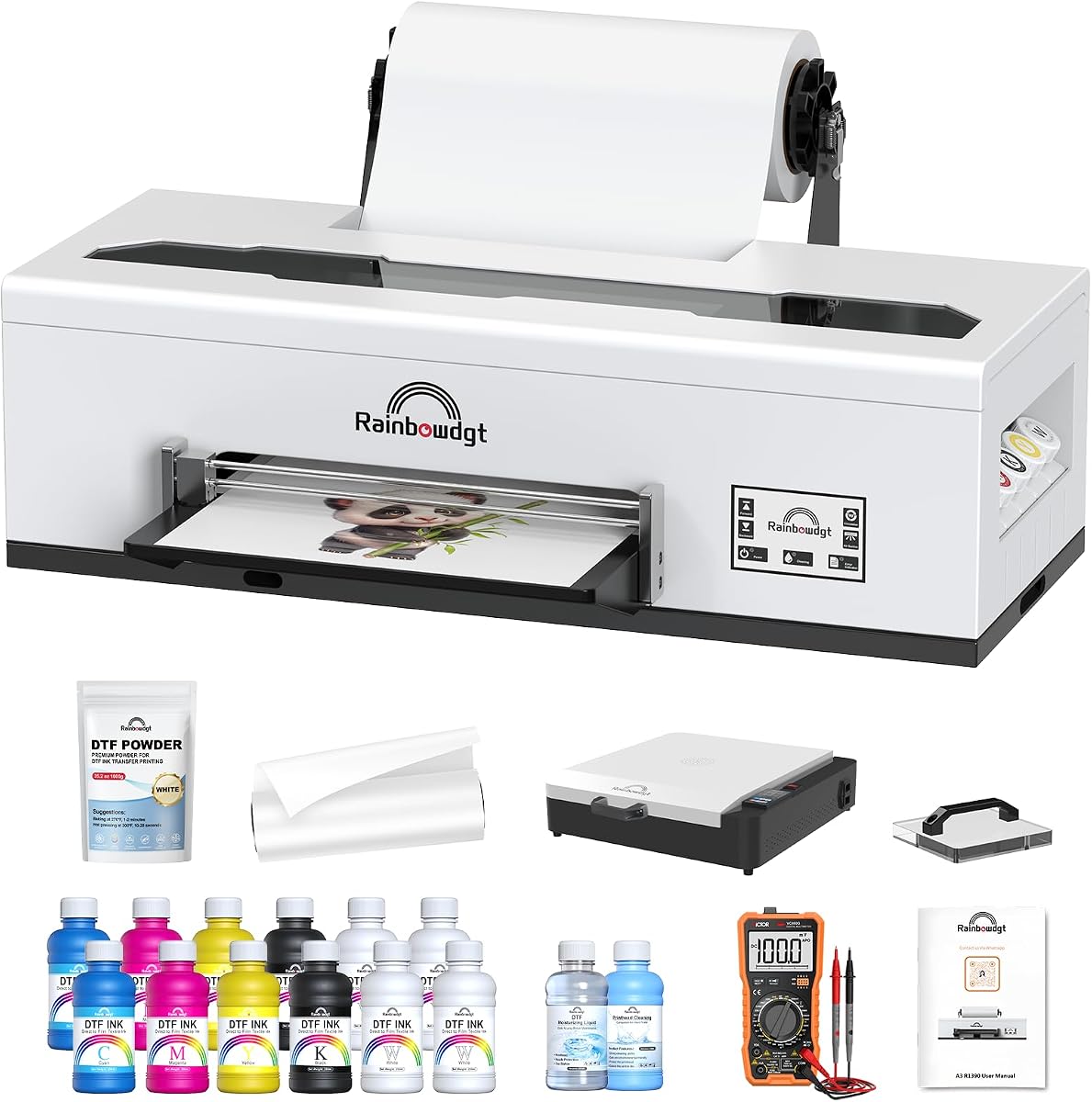
This printer leads our list with a perfect rating and comprehensive bundle. It is designed for launching custom apparel businesses with professional-grade transfers without needing extra purchases immediately.
We may earn a commission when you buy through this link, at no additional cost to you.
The two-year ink supply significantly minimizes ongoing production costs for users. Advanced nozzle protection ensures stable performance during idle periods while smart adsorption keeps film flat to prevent wrinkles and scratches.
While the unit is heavy and might arrive in separate packages, the durability justifies the logistics. The integrated heating system cures ink instantly which prevents smudging before powder application and preserves image integrity effectively.
Small business owners and home studios will find this kit highly reliable. It offers a complete solution for creating custom T-shirts and hoodies with minimal trial and error in the printing process.
The bundle includes the printer curing oven and essential supplies like ink film and powder ready for immediate use.
Integrated white ink agitation circulation and filtration prevent settling and clogging for consistent results over time.
We may earn a commission when you buy through this link, at no additional cost to you.
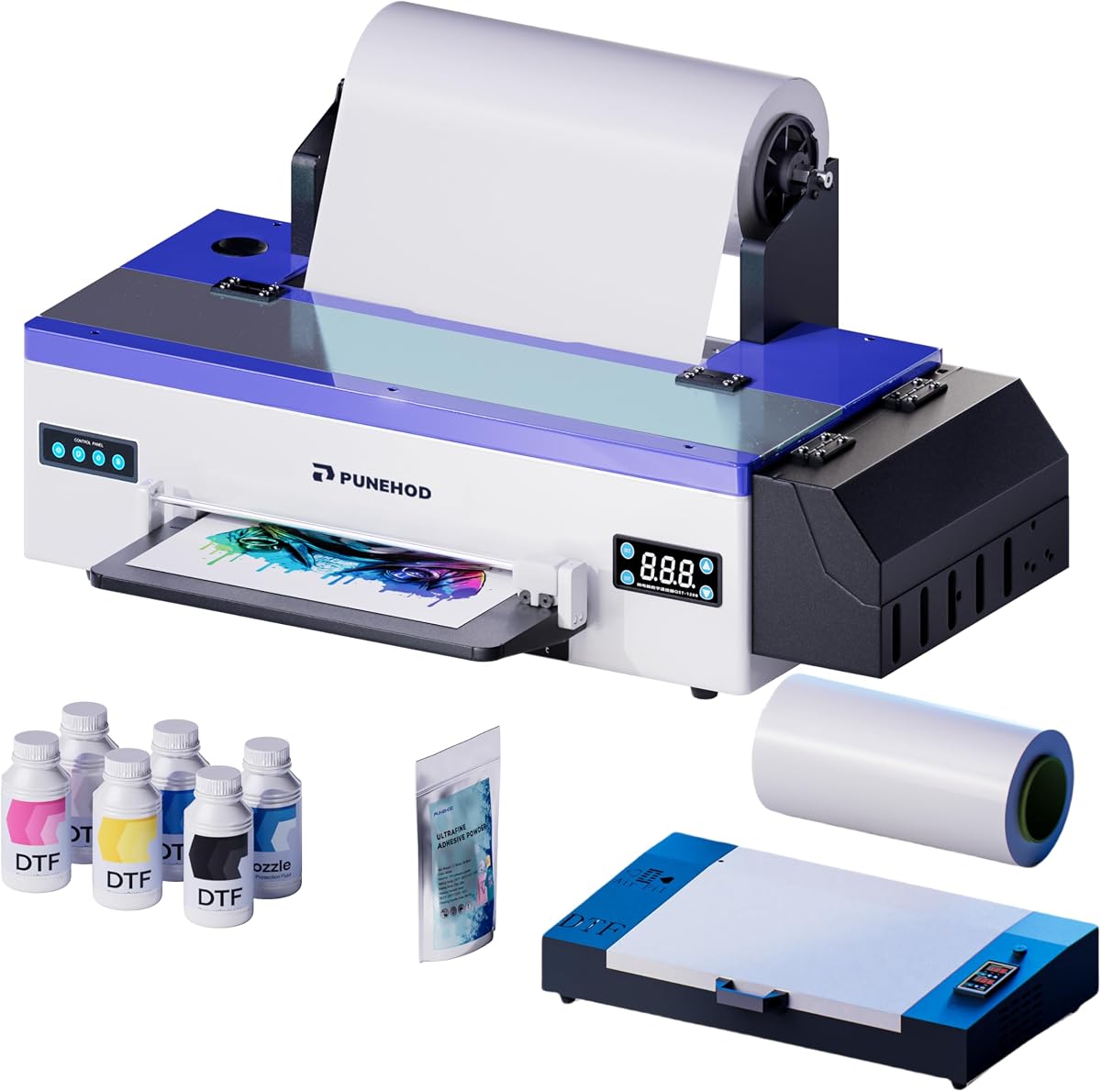
This model offers professional features for serious businesses needing high throughput. It delivers sharp vibrant designs on T-shirts and garments with speeds up to 500 mm/s for efficient daily output.
We may earn a commission when you buy through this link, at no additional cost to you.
The vacation-proof auto maintenance feature allows users to take breaks without worrying about clogged printheads. A genuine 14 inch width supports XS to XXXXXL sizes on a single machine without splicing or outsourcing.
While the investment is higher than standard models the long-term efficiency and maintenance savings are significant. Professional after-sales service ensures problems are resolved quickly within 24 hours by technical engineers.
Businesses scaling custom apparel production will appreciate the unlimited size potential. It prints flawlessly on cotton polyester blends and other fabrics maintaining vivid true-to-life colors on every material.
Holiday Mode performs printhead moisturizing nozzle cleaning and white ink circulation while the printer is idle.
The 14 inch width enables printing transfers for adult plus sizes hoodies and bags without needing multiple passes.
We may earn a commission when you buy through this link, at no additional cost to you.
This option is perfect for casual crafters needing quick transfers without expensive machinery. It works with standard inkjet printers and allows users to print sharp images easily on light color fabrics.
We may earn a commission when you buy through this link, at no additional cost to you.
The 2nd generation paper has a lower melting point which makes ironing easier and more accessible. Users get 15 sheets plus 3 reusable Teflon papers in the pack to complete the transfer process.
While it lacks the durability of professional DTF it is excellent for single-use gifts or testing designs. The transfer is bright stretchable and can be peeled off easily once the silicon paper is removed.
Individuals creating custom DIY gifts for friends or family will find this practical and affordable. It eliminates the need for complicated pre-treatment steps while delivering satisfactory results for light cotton materials.
Step-by-step instructions are on the back of the cover paper with video tutorials available for reference.
Print and cut peel and place the printed image facing upward then cover with silicon paper before ironing.
We may earn a commission when you buy through this link, at no additional cost to you.
This printer is designed to give small businesses a reliable start with wide color print capability. It features a 13-inch width suitable for T-shirts hoodies tote bags and more with high DPI resolution.
We may earn a commission when you buy through this link, at no additional cost to you.
The 3-in-1 white ink protection system reduces pigment settling and keeps ink flowing smoothly during idle periods. Each bundle includes 3500ml of premium ink transfer film hot melt powder and essential maintenance supplies.
While specific ratings are not yet available the support structure is robust with 24/7 one-on-one guidance. Users receive clear installation videos and detailed manuals to build a smoother workflow quickly.
Side businesses and online sellers will appreciate the matched consumables for better color consistency. It works with cotton polyester denim canvas leather and blended fabrics for versatile custom apparel options.
InkSonic pairs every printer with phone assistance clear installation videos and detailed user manuals for a confident setup.
Circulation mixing and filtration help prevent pigment settling while the moisturizing unit protects the printhead.
We may earn a commission when you buy through this link, at no additional cost to you.
This bundle offers professional quality for sublimation enthusiasts looking for reliable performance. The PrecisionCore printhead provides Precision Droplet Control for exceptional image clarity that stands out on the market.
We may earn a commission when you buy through this link, at no additional cost to you.
High-capacity sublimation ink bottles with auto-stop make filling easy and mess-free to save money. A 150-sheet auto-feed tray with a closed dust-resistant design ensures cleaner prints with less paper preparation.
While it does not support direct email printing the connectivity options are versatile for Windows macOS and mobile devices. Users can send designs directly from Android or iOS devices using the Epson iPrint app effectively.
Businesses focusing on sublimation transfers will find this system cost-effective and efficient. Ensure that once ink is loaded the item cannot be returned as ink may leak during transport causing skin irritation.
Genuine Epson dye-sublimation ink technology delivers consistent delivery of extraordinary color saturation and high contrast.
Compatible with Windows and macOS computers using Epson Print Layout or Edge Print software for easy printing.
We may earn a commission when you buy through this link, at no additional cost to you.
This printer is ideal for crafters wanting to create custom fabric prints quickly at home. It features the Artspira App with many designs including photo frames quilt blocks and fabric patterns ready to edit.
We may earn a commission when you buy through this link, at no additional cost to you.
Fast printing speeds mean orders can be created in minutes rather than days from big box stores. Two print settings allow users to choose rich color printing or eco mode depending on their design needs.
While the rating is lower than others its integration with the app offers ease of use for beginners. Wireless connectivity lets you use favorite design software on your computer and print directly to the machine.
Hobbyists creating banners and home decor will appreciate the vibrant color output. It serves as a fabric printer for all kinds of creations with access to paper trays for both paper and fabric rolls.
The app lets you edit text elements swap out images and change backgrounds of the templates conveniently.
Use built-in wireless connectivity to design on your laptop and print directly to PrintModa easily.
We may earn a commission when you buy through this link, at no additional cost to you.
This machine is built for DIY projects ranging from DIY mugs and tumblers to shirts and hats. You can access over 100 sublimation designs and stylistic photo authentic images through the Artspira app easily.
We may earn a commission when you buy through this link, at no additional cost to you.
Sublimation uses heat and pressure to melt ink into polyester coated items that stay vibrant through multiple wash cycles. Brother Genuine Sublimation Ink prints in muted tones on paper to activate into bright rich colors.
While a heat press is required as an additional purchase the results are long-lasting and wash durable. The printer ensures that projects look professional with high-quality transfer capabilities for readymade clothes.
Creative individuals seeking reliable performance for various DIY crafts will find this suitable. Note that this product is intended for sale only in the US at 120 volts to avoid warranty voiding.
Import and save up to 20 printing images easily with access to printing patterns and designs.
Projects stay vibrant throughout multiple wash and wear cycles due to the heat and pressure process.
We may earn a commission when you buy through this link, at no additional cost to you.
This printer brings 13-inch DTF printing into a workflow designed for home studios and side businesses. It creates full-color transfers without garment pretreatment giving creators flexibility to handle real customer work.
We may earn a commission when you buy through this link, at no additional cost to you.
Lower long-term ownership costs are achieved through 12-hour auto cleaning and white ink circulation systems. The platen vacuum keeps film flatter during printing to help reduce printhead strikes and protect costly components.
While routine maintenance is still required the controls are simple and accessible for daily functions. Guidance is provided through setup videos and manuals with 24/7 one-on-one technical assistance for a first successful print.
Home-based apparel sellers will appreciate the polished professional finish for customer orders. G7-certified color performance keeps colors closer to the original design for accurate reproduction.
12-hour auto cleaning helps limit clogs during downtime while white ink circulation helps keep ink working condition.
The L1800 printhead delivers fine image detail smooth gradients and accurate color reproduction for photos.
We may earn a commission when you buy through this link, at no additional cost to you.
This package includes all supplies to launch a custom apparel business right away without extra purchases. The roll feeder abandons limited single sheet printing and adds a built-in automatic cutter for efficiency.
We may earn a commission when you buy through this link, at no additional cost to you.
Superior printing technology with double white ink delivers ultra clear delicate and full color transfer patterns. Advanced white ink system keeps pigment evenly mixed and unobstructed at all times to ensure consistent solid layers.
While the system is advanced it eliminates frequent nozzle clogging issues and cuts down daily maintenance work. It cuts DTF film waste by 30 percent compared with flat sheet only printers to lower long-term costs.
Formal commercial garment mass printing orders can be handled alongside small home DIY projects. It works perfectly on nearly all textile and leather materials including cotton polyester canvas and genuine leather.
Supports continuous long film printing and precise automatic cutting according to custom pattern sizes easily.
Built-in core white ink maintenance functions include ink agitation continuous circulation and automatic print head cleaning.
We may earn a commission when you buy through this link, at no additional cost to you.
These sheets turn your computer into a fabric designer with sharp photo-quality images. You can scan in photos flowers love letters or whatever you want to print on soft fabric sheets.
We may earn a commission when you buy through this link, at no additional cost to you.
The 6 sheets per pack are sized 8.5×11 inches which fit standard inkjet printers perfectly. They feel like real fabric rather than rubbery transfers and are ideal for simple DIY custom projects.
While they require no special equipment the quantity is limited to 6 sheets which may not suit high-volume needs. It is a straightforward way to add custom prints to projects without complex machinery.
Hobbyists needing occasional custom fabric pieces will find this very convenient. The sheets allow you to print images onto fabric easily for unique personal or gift creations.
You become a fabric designer as you scan in photos flowers or love letters for custom prints.
Print sharp photo-quality images from your computer onto these soft fabric sheets.
We may earn a commission when you buy through this link, at no additional cost to you.
Selecting the right fabric printer requires understanding key factors that affect your specific printing needs and business goals.
The most critical choice is between sublimation DTF and inkjet fabric sheets. Sublimation works best for polyester items while DTF transfers work on a wider range of fabrics including cotton blends and dark colors.
Understand the material compatibility before purchasing to ensure the printer meets your target product needs.
Print width determines the maximum design size you can print on a single sheet. Options range from 8.5 inches to 14 inches affecting the types of garments you can create without splicing.
Choose a width that aligns with the sizes of apparel or decor you intend to produce regularly.
For small businesses speed is essential for fulfilling orders quickly. Look for models with high-speed settings and automated features to increase daily output without sacrificing quality.
Prioritize models with faster cycle times if you plan to handle larger volumes.
Ongoing costs depend heavily on ink and transfer media. Check whether the printer uses proprietary ink bottles or standard refills and if bundles include initial supplies like film and powder.
Look for suppliers offering two-year ink supplies to minimize initial cash flow and reduce shipping frequency.
DTF printers often need regular maintenance to prevent printhead clogs especially when idle. Models with auto-cleaning white ink circulation and vacuum adsorption reduce downtime and extend hardware life.
Select a machine with automated features to maintain consistent performance even during slow periods.
Technical support is vital for beginners encountering setup or operation issues. Look for companies offering 24/7 phone assistance detailed manuals and replacement warranties for printheads.
Prioritize vendors with dedicated support centers and clear warranty terms for non-consumable parts.
Bundles vary widely in what is included such as curing ovens films and powders. Ensure the bundle has everything required to start printing immediately without needing extra purchases.
Evaluate each package carefully to confirm essential accessories and software are present in the box.
Initial investment ranges from cheap paper sheets to high-end industrial machines. Balance upfront costs against long-term benefits like print quality and throughput for your specific application.
Set a realistic budget that includes necessary accessories to avoid unexpected expenses after purchase.
Start by downloading and installing the provided driver and RIP software on your computer. Connect the printer via USB or wireless network ensuring your system recognizes the device properly before sending test files.
For DTF printers ensure white ink circulation is active and perform nozzle checks daily. Load the film and powder correctly then print the design and apply the powder while the ink is still wet before curing.
Maintain your printer by running auto-cleaning cycles during idle periods. Cover the machine when not in use and store consumables in a cool dry place to prevent clogging or premature expiration.
Sublimation requires polyester fabrics and transfers dye into the fibers using heat while DTF prints designs onto a film that transfers to any fabric using adhesive powder. DTF is more versatile for cotton and dark fabrics while sublimation offers better durability on polyester.
Not all fabric printers need a heat press. Some inkjet fabric sheets work with a household iron but DTF and sublimation machines typically require a dedicated heat press for proper adhesion and color activation.
Yes DTF printers can print on dark fabrics because they use a white underbase layer before the color. Standard inkjet fabric sheets are usually designed for light colored fabrics so check compatibility before buying.
Use printers with auto-maintenance features like white ink circulation and vacuum adsorption. Run print checks regularly and keep the printer in a clean controlled environment to minimize dust exposure and ink drying.
Most DTF printers include RIP software for color management and print preparation. Sublimation printers often work with standard driver software but advanced design may require separate design apps like Artspira or CorelDRAW.
Warranties usually cover non-consumable parts for 2 years and printheads for 6 months. Always check the seller details for specific terms as some brands offer lifetime technical assistance even if hardware coverage is limited.
No regular ink will not work in a sublimation printer as it requires special dye-sublimation ink to turn into gas under heat. Using standard ink can damage the printer and will not produce colorfast transfers on fabrics.
Our top picks highlight the RAINBOWDGT R1390 for its complete startup kit and the DXZ 2026 for high speed and maintenance features. The TransOurDream transfer paper offers a cost-effective entry point for occasional DIY projects.
Prioritize models with strong support and auto-maintenance features to ensure long-term reliability. Consider your budget and production volume to select the right technology whether it is DTF sublimation or simple sheets.
Always verify current product details and availability on Amazon before purchasing since features and bundles may change over time.