
Acer Nitro V
4.5Editor score
RTX 4050 Graphics
165Hz Refresh Rate
Affordable Price Point
Finding the right Gaming Laptop for Diablo 4 requires balancing raw processing power with display fidelity. You need a machine that handles intense combat while maintaining cool performance during long sessions.
We evaluated ten top models based on their graphics capabilities, processor speed, and cooling systems. Our analysis focuses on how each device supports ray tracing and high frame rates in demanding action RPG environments.
Each pick highlights unique strengths for different budgets and play styles. Prices and availability change frequently, so verify current details before purchasing to ensure you get the best value for your setup.
4.5Editor score

4.4Editor score

4.3Editor score
As an Amazon Associate we earn from qualifying purchases.
This side-by-side comparison outlines the core specifications of each model to help you identify the best fit for your specific gaming needs and budget constraints.




This ASUS model stands out as a top choice for Diablo 4 with its balanced performance and display quality. It holds a solid rating and offers the tools needed for smooth demon slaying in high detail.
We may earn a commission when you buy through this link, at no additional cost to you.
The RTX 5060 GPU powered by Blackwell architecture delivers excellent ray tracing capabilities essential for modern action games. Combined with the 165Hz display, motion stays fluid during intense combat scenarios.
While powerful, the laptop does run warm under heavy load despite advanced cooling solutions. The weight and thickness are standard for gaming rigs but might limit travel frequency.
Gamers seeking a reliable machine for long sessions will appreciate the consistent performance and vibrant visuals this model provides.
The ACR film on the display reduces glare and enhances contrast for clearer visibility in dark dungeon areas.
Conductonaut liquid metal and tri-fan technology keep thermals stable during extended raid sessions.
We may earn a commission when you buy through this link, at no additional cost to you.
The Acer Nitro V 16S brings powerful AI capabilities to the table which helps optimize game rendering. Its high RAM and refresh rate make it ideal for multitasking and smooth gameplay.
We may earn a commission when you buy through this link, at no additional cost to you.
With 32GB of DDR5 memory and an 180Hz screen, you can keep many applications open while enjoying fluid visuals. The RTX 5060 ensures that graphics remain sharp and responsive.
The laptop might lack the latest Wi-Fi 7 standard found in some rivals but performs well on most networks. Battery usage is typical for gaming hardware so expect to stay plugged in.
Content creators and heavy gamers will find this model offers excellent value for its high-end specs and performance.
DLSS 4 uses fifth-gen Tensor Cores to boost frame rates without sacrificing image quality.
100% sRGB coverage ensures accurate colors for character skins and environmental details.
We may earn a commission when you buy through this link, at no additional cost to you.
This Acer model delivers a highly rated experience with a strong focus on value and performance. It handles Diablo 4 well with sufficient power for high settings and smooth frame rates.
We may earn a commission when you buy through this link, at no additional cost to you.
The 165Hz display ensures that movements during combat are clear and precise. You get a generous 1TB storage for your games and files without needing extra drives.
While the RTX 4050 is a generation older it still provides solid performance for most titles. The build is sturdy but the screen is a bit smaller than some 16 inch competitors.
Gamers looking for a reliable mid-range option will appreciate the blend of speed and affordability this laptop offers.
Thunderbolt 4 port allows for fast data transfer and external monitor support easily.
Killer Ethernet ensures stable online connections for multiplayer matches and updates.
We may earn a commission when you buy through this link, at no additional cost to you.
This premium ASUS model offers the highest specs in our list for those who want maximum performance. It features the powerful RTX 5070 Ti and a stunning high refresh rate display for the best visuals.
We may earn a commission when you buy through this link, at no additional cost to you.
The 2.5K screen provides exceptional clarity making every detail in the game world pop. The cooling system is robust enough to handle the heat generated by such powerful components.
The price is significantly higher than other models which may not fit all budgets. The size is also large making it less ideal for frequent travel or small desks.
Enthusiasts and professionals needing top power will find this machine unmatched for demanding graphics and processing tasks.
2.5K resolution at 240Hz brings fluidity and sharpness to fast action sequences.
Core Ultra 9 ensures quick loading times and smooth multitasking across apps.
We may earn a commission when you buy through this link, at no additional cost to you.
The Cyborg 17 offers a large screen experience that is surprisingly thin and light for its size. It brings big visuals to your gaming sessions with solid performance capabilities for modern titles.
We may earn a commission when you buy through this link, at no additional cost to you.
Its cooling system is designed to keep things quiet even under pressure. The RTX 5060 ensures that you can enjoy high settings without major frame drops.
The screen refresh rate is lower than some competitors but still provides smooth visuals. Weight is manageable but it is still heavier than smaller models for travel.
Gamers who prefer a bigger view will love the immersion this laptop offers without a huge bulk penalty.
Just 0.83 inches thin and 5.5 lbs make it easy to carry for gaming on the go.
Shared-pipe thermal design keeps heat out efficiently during long play sessions.
We may earn a commission when you buy through this link, at no additional cost to you.
The HP Victus earns a perfect user rating for its reliable performance and solid build quality. It includes a generous amount of RAM which helps with multitasking and smoother gameplay.
We may earn a commission when you buy through this link, at no additional cost to you.
The 144Hz screen provides good clarity for action though it is not as fast as higher models. The design is sleek and professional looking for both work and play.
GPU performance is moderate so you might lower some settings for best frame rates in demanding scenes. The design does offer plenty of ports for all your peripherals and accessories.
Those looking for a well-rounded machine with great build quality will find this model hard to beat.
32GB DDR5 allows for running heavy apps alongside games without slowdown.
HDMI 2.1 and USB-C support high bandwidth display and fast charging needs.
We may earn a commission when you buy through this link, at no additional cost to you.
This entry level model offers an affordable entry point into high refresh gaming. It balances cost with performance to deliver a smooth experience for budget conscious gamers.
We may earn a commission when you buy through this link, at no additional cost to you.
The 165Hz screen ensures that fast movements stay clear even in competitive environments. You get a decent amount of storage for your core games and applications.
Memory is lower than other models so upgrades might be needed for heavy multitasking. The storage is also smaller but can be expanded later if needed.
Players on a tight budget will find this a great option to start their gaming setup right away.
High refresh rate and decent GPU make this a strong budget pick for gaming.
Extra slots allow for adding more RAM or storage as your needs grow.
We may earn a commission when you buy through this link, at no additional cost to you.
This model brings AI tracking capabilities that help optimize system performance in real time. It also includes a fast refresh rate screen that is great for smooth action gameplay.
We may earn a commission when you buy through this link, at no additional cost to you.
The 180Hz display offers fluid motion which helps with quick reflexes during battle. You get a full terabyte of storage for all your games and files without needing extra drives.
GPU power is lower than other 50 series models but still handles most modern titles well. The battery life is standard for gaming and you should stay close to an outlet.
Gamers who want a blend of AI optimization and high refresh visuals will appreciate this model.
NitroSense lets you customize fan speeds and track device performance easily.
180Hz refresh minimizes motion blur for clearer view in fast action.
We may earn a commission when you buy through this link, at no additional cost to you.
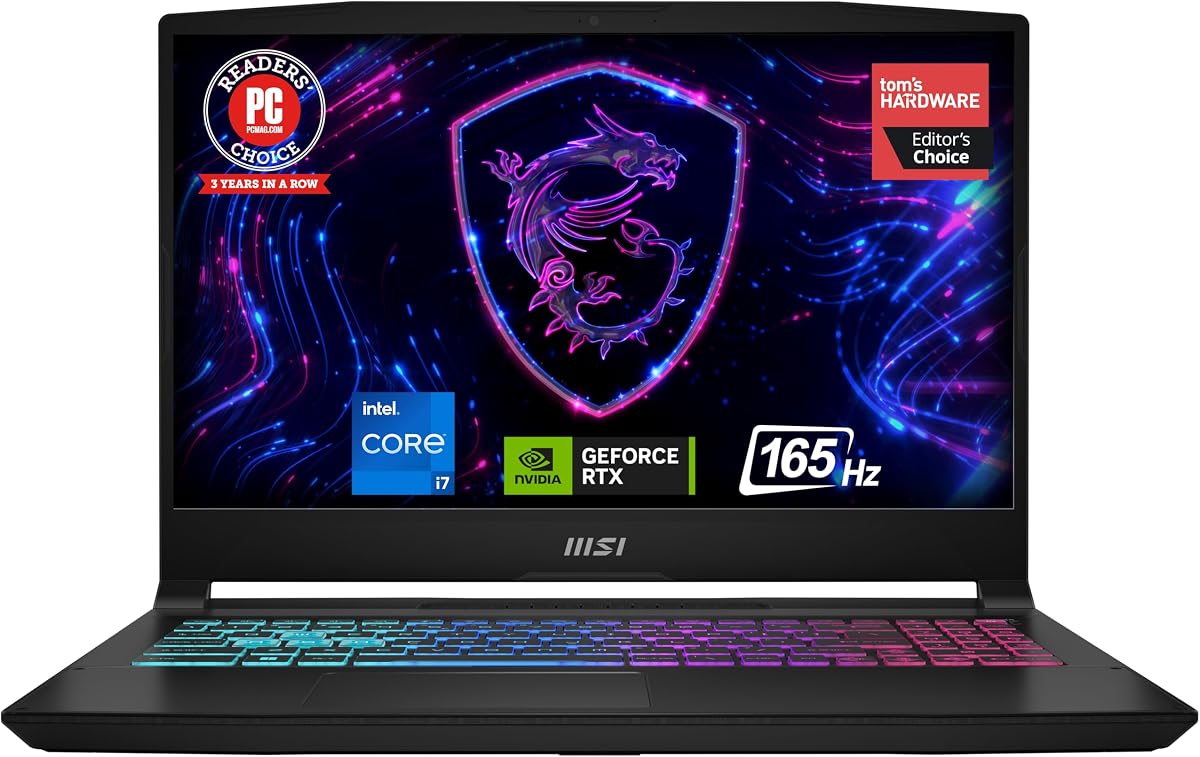
The Katana 15 offers a sharp QHD screen that provides rich detail for your game visuals. It balances performance with thermal management to keep your system cool under load.
We may earn a commission when you buy through this link, at no additional cost to you.
The RTX 4070 GPU ensures that you can enjoy high settings and ray tracing in many scenes. The cooling system is well designed to dissipate heat effectively during long sessions.
User feedback shows some mixed results which may vary by unit and usage. The CPU is slightly older but still provides enough power for gaming tasks and streaming.
Those who want a high resolution display for better clarity will find this model a strong candidate.
QHD display brings more vivid colors and pixel density for the ultimate gaming experience.
Cooler Boost 5 ensures optimal thermal dissipation for best gaming performance.
We may earn a commission when you buy through this link, at no additional cost to you.
This model offers a slim chassis design that stands out for its portability and style. It includes a smart AI interface that helps optimize interactions with your system and apps.
We may earn a commission when you buy through this link, at no additional cost to you.
The 16 inch screen provides a good balance of size and portability for travel. It runs cool and efficient thanks to a strong cooling system and solid GPU power.
You get an easy to carry unit with a hinge that allows full laying flat for better viewing. The performance is strong enough for gaming and content creation tasks.
Gamers seeking a slim and portable solution will appreciate the style and function this laptop offers.
GiMATE creates an intelligent interface that truly understands your needs.
180-degree hinge adapts to various scenarios with a slim chassis.
We may earn a commission when you buy through this link, at no additional cost to you.
Choosing the right gaming laptop for Diablo 4 involves considering several key factors that impact performance and comfort.
The GPU determines how well you can render detailed environments and effects like ray tracing. Look for recent RTX models that support AI features for better frame rates.
Prioritize a strong GPU to ensure smooth combat and high settings during extended gameplay.
A fast CPU helps manage multitasking and game physics without causing bottlenecks. Modern Core or Ryzen chips provide the speed needed for responsive gameplay.
Choose a processor with high core counts to handle background tasks and game logic efficiently.
A high refresh rate screen like 165Hz or higher makes movement look smoother and more fluid. This is crucial for tracking fast-moving enemies and projectiles accurately.
Opt for a display with a high refresh rate to gain a visual edge during competitive play.
Enough RAM is vital for running multiple applications alongside your game without lag. Storage speed affects how quickly games load and how fast you can switch between titles.
Ensure you have at least 16GB of RAM and a fast SSD for the best experience.
Robust cooling systems prevent thermal throttling that can reduce performance over time. Features like liquid metal and multiple fans help keep temperatures low under load.
Check for advanced cooling features to maintain consistent performance during long sessions.
Ports like USB-C and HDMI allow you to connect external displays and peripherals easily. Wi-Fi 7 or 6E ensures stable internet connections for online play and updates.
Verify your needs for ports and wireless standards to avoid limitations in your setup.
Gaming laptops often have shorter battery life but some models manage power better than others. If you need to play unplanned check the battery capacity and power management features.
Expect to use a power adapter for optimal performance but look for efficient models if mobility is key.
A sturdy build ensures durability and helps with heat dissipation through better materials. Look for designs that balance portability with the robustness needed for gaming.
Choose a model with solid construction to ensure longevity and reliable daily use.
To get the best performance from your laptop use the manufacturer control software to adjust performance profiles. This allows you to balance speed and thermal output based on your current session needs.
Keep the vents clean and clear of dust to ensure the cooling system works effectively. Regular cleaning with compressed air can prevent heat buildup and maintain system stability.
Store the laptop in a cool dry place when not in use and avoid placing it on soft surfaces like beds that block airflow.
For optimal performance in Diablo 4 an RTX 4050 or higher is recommended. The RTX 50 series GPUs offer better AI and ray tracing capabilities for smoother gameplay.
16GB of RAM is the standard minimum for smooth gameplay. Having 32GB allows for better multitasking if you run other applications while playing.
Yes a high refresh rate screen makes movements and actions look much smoother. It can improve your experience by reducing motion blur during fast combat sequences.
Yes you can play Diablo 4 on budget laptops with adequate specs like an RTX 4050. You may need to adjust some settings for lower resolution or detail levels.
Use a cooling pad and keep the vents clean for better airflow. Adjust your fan settings to high performance mode to manage heat during intense sessions.
Most gamers prefer 15 to 16 inch screens for a balance of portability and visibility. Larger screens like 17 inches offer more immersion but reduce ease of transport.
We have covered ten excellent options ranging from budget friendly picks to high-end machines. Each model brings unique strengths that cater to different needs and play styles in Diablo 4.
When selecting your machine prioritize GPU power and display quality for the most immersive experience. Consider how you use your laptop outside of gaming to find the best fit.
Prices and availability change often so check current listings for the latest deals. We hope this guide helps you find the perfect laptop for your next adventure.