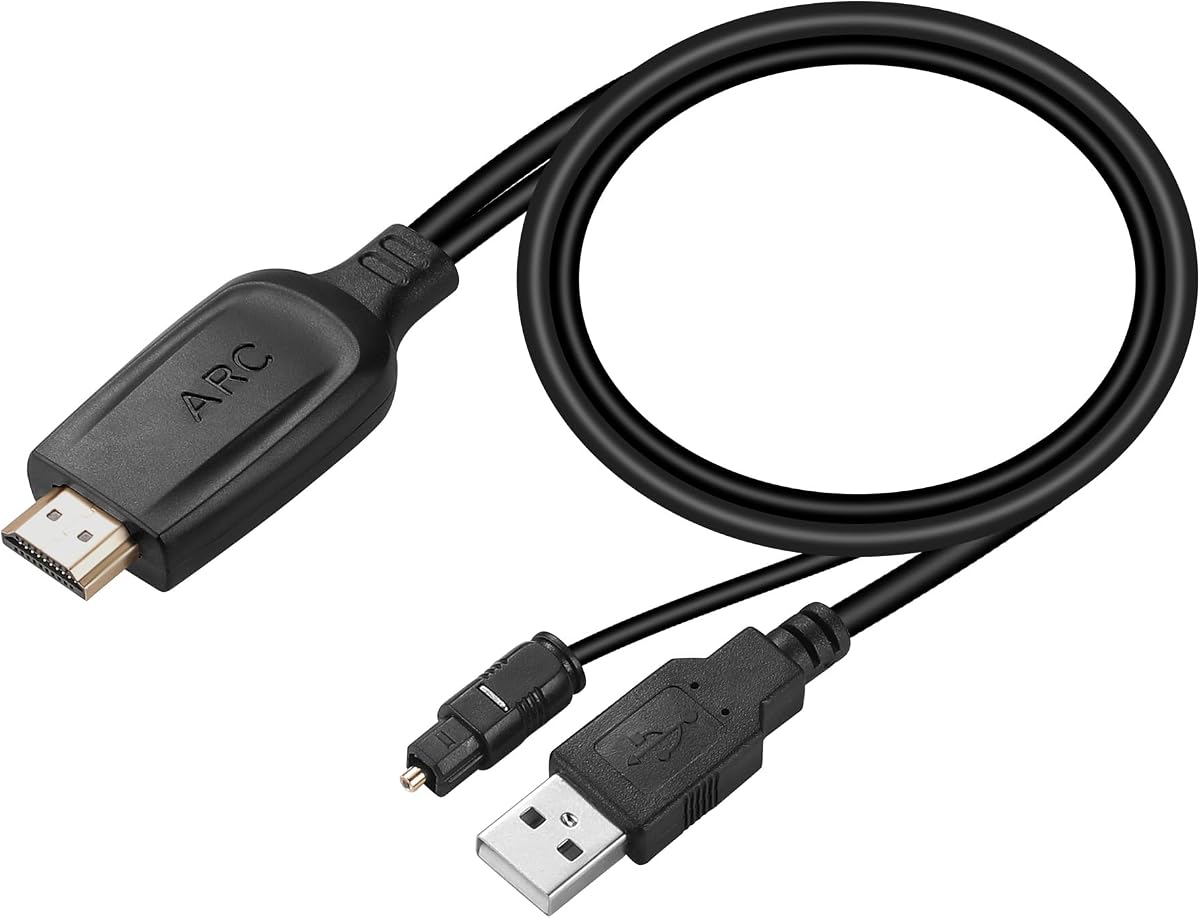
Unstincer 192KHz HDMI ARC to Optical Audio Converter
4.2Editor score
Affordable price point
192kHz sampling rate
Includes optical cable
This comprehensive guide compares the top 10 HDMI Arc Adapter for Soundbar options to help you choose the perfect audio extractor for your home theater setup
Connecting your modern television to a legacy soundbar often requires an HDMI Arc Adapter for Soundbar. These devices bridge the gap between new HDMI ARC ports and older optical or analog inputs. Choosing the right adapter ensures you get clear audio without unnecessary complexity or signal loss in your living room.
We evaluated ten highly rated adapters based on compatibility, audio quality, and ease of setup. Each product was reviewed for its ability to handle ARC and eARC signals effectively. Our list covers a range of options from budget-friendly extractors to high-fidelity converters for audiophiles.
Every pick includes detailed specs, pros and cons, and real-world usage notes. Prices and availability can change frequently so always verify the latest details before buying. This guide helps you navigate the technical details to find the best match for your specific TV and audio gear.
4.2Editor score

4.9Editor score

4.3Editor score
The following table provides a side by side comparison of all ten products featured in this guide. Look at the key specifications to see which adapter matches your needs best.


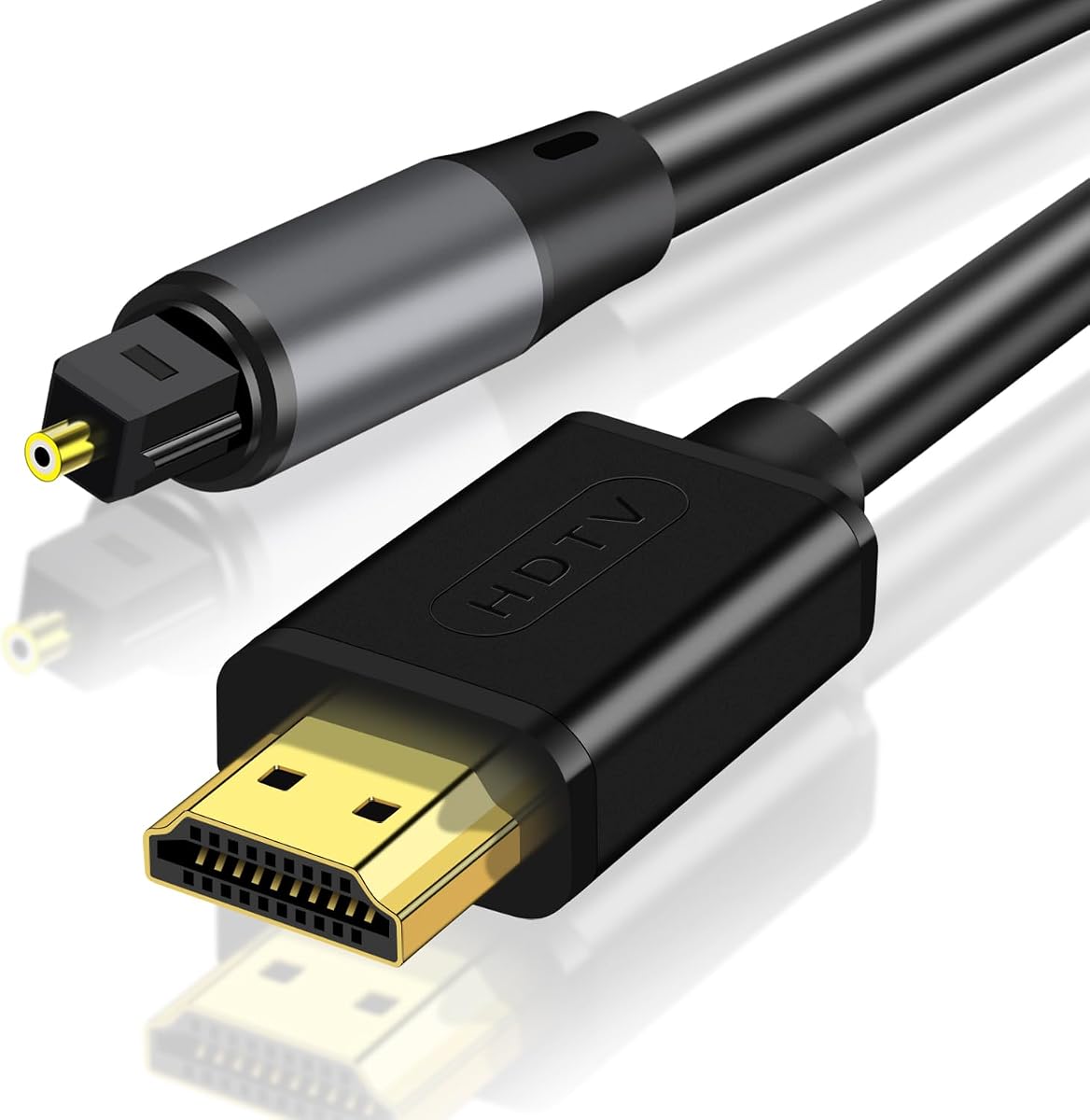
This HDMI ARC to Optical Audio Adapter stands out as the top choice for users needing reliable audio conversion. It boasts an impressive 4.9 rating from verified buyers who value its consistent performance. The adapter converts digital signals from your TV to optical for use with older soundbars or receivers.
We may earn a commission when you buy through this link, at no additional cost to you.
Its standout quality is the ability to play every audio format your TV broadcasts. Whether you stream PCM, LPCM, or Dolby 5.1, this device decodes it smoothly. The 192kHz 24-bit sampling rate ensures that your sound remains pure with virtually no loss during transmission. This fidelity is rare at this price point.
One trade-off is that it does not support HDMI eARC, only standard ARC. If your TV only has an eARC port and no ARC compatibility, this unit will not work. However, for most TVs with an ARC label, it functions flawlessly. The lack of eARC is a reasonable limitation given the cost savings.
Anyone looking to connect a legacy soundbar to a modern TV should buy this adapter. It offers the best balance of features, quality, and ease of use. The included gold-plated connectors and 4.9ft cable mean you get everything you need in the box. It is our final recommendation for most users.
The built-in chip handles PCM, AAC, and DSD formats so you never lose sound when switching apps.
Gold-plated ports resist corrosion to keep your audio signal clean for years of reliable use.
We may earn a commission when you buy through this link, at no additional cost to you.
The Unstincer 192KHz HDMI ARC to Optical Audio Converter is the best choice for budget-conscious buyers. It delivers high-quality audio at a very competitive price. With a rating of 4.2, users appreciate its simple design and effectiveness in bridging TV and soundbar connections.
We may earn a commission when you buy through this link, at no additional cost to you.
Its key strength is supporting a 24-bit 192kHz sampling rate. This ensures that even high-definition audio tracks are reproduced with clarity. The device converts ARC signals to optical SPDIF, making it easy to connect to a receiver or speakers. It works seamlessly with Dolby 5.1 and DTS 5.1 formats.
A trade-off is the lack of CEC support for volume control. You will need to adjust volume on the soundbar itself rather than using the TV remote. This is common for optical converters but might be annoying for some. Still, the sound quality makes up for this minor inconvenience.
Home theater enthusiasts and meeting room setups will find this adapter ideal. It is easy to install and requires no additional software. The included optical cable and USB power cord make setup quick. We recommend this for anyone needing a reliable, low-cost audio conversion solution.
The converter handles high sampling rates so music and movies sound clear and detailed without compression.
Plug the cables into the TV and power source then set your audio output to ARC for immediate use.
We may earn a commission when you buy through this link, at no additional cost to you.
The eSynic Professional 192Khz eARC & ARC to Optical Audio Extractor is our premium pick for audiophiles. It handles both standard ARC and newer eARC inputs, offering more flexibility. A 4.3 rating reflects user satisfaction with its ability to pull high-quality audio from modern TVs.
We may earn a commission when you buy through this link, at no additional cost to you.
This adapter focuses on one pure optical output to reduce cable clutter. Its compact design looks great next to your TV without taking up much space. The 192kHz sampling rate ensures that the signal remains clean and lossless. It is perfect for upgrading an older soundbar to work with a new TV.
The main trade-off is the lack of CEC volume control. Since optical connections do not support this feature you must adjust volume on the soundbar. This is standard for extractors but may require extra effort. However, the audio quality and eARC compatibility justify this limitation for many users.
Anyone with a modern TV and legacy gear should consider this extractor. It solves the problem of mismatched ports without needing a new receiver. The included optical cable and USB power make it ready to use right out of the box. We highly recommend it for those seeking premium performance.
The unit accepts eARC signals so you can use the full bandwidth of modern TV audio outputs.
Designed with minimal inputs and outputs to ensure a pure audio path with maximum noise reduction.
We may earn a commission when you buy through this link, at no additional cost to you.
The HDMI ARC Adapter 4K60Hz is designed for versatility with multiple audio outputs. It sends sound from ARC-enabled TVs to L R and 3.5mm ports. With a 4.1 rating, it is favored by users who need to connect headphones or analog speakers alongside their main system.
We may earn a commission when you buy through this link, at no additional cost to you.
Its key strength is simultaneous output from L R and 3.5mm ports. This allows you to use different devices at once without extra splitters. The aluminum metal material ensures good heat dissipation and durability. It supports high sampling rates up to 192kHz for clear sound quality.
One trade-off is the need for specific TV settings like PCM 2.0. If the audio format is not set correctly it may not work. Additionally it lacks CEC support so you cannot control volume via the TV remote. This requires manual adjustment on the connected device.
Users with gaming consoles or multi-device setups will find this adapter useful. It works with PS4, PS5, Xbox, and Blu-ray players too. The digital noise reduction technology keeps the sound pleasant. We recommend this for anyone needing flexible analog and digital outputs.
You can send audio to a soundbar and headphones at the same time for private listening options.
The aluminum body helps dissipate heat for stable performance during long viewing sessions.
We may earn a commission when you buy through this link, at no additional cost to you.
The HDMI eARC to Optical Audio Converter is a reliable solution for TVs without optical interfaces. It converts ARC channels into digital optical output for your audio system. A 4.4 rating shows that users trust it for consistent performance across different TV brands like Samsung and LG.
We may earn a commission when you buy through this link, at no additional cost to you.
This converter supports 24-bit 192kHz sampling rates to ensure high-quality sound. It connects easily with the included digital optical audio output cable. The USB power cable makes setup convenient without needing an extra outlet. It is designed to be plug and play with no drivers.
A trade-off is that the optical port does not support CEC volume control. You will need to adjust volume on the soundbar or amplifier directly. This is standard for this type of converter but might be less convenient for some. Still it solves major compatibility issues effectively.
Anyone with an active speaker or amplifier setup will find this useful. It bridges the gap between modern TV outputs and legacy audio gear. The wide compatibility with most TV brands makes it a safe choice. We recommend it for users seeking a straightforward conversion tool.
This device solves the issue of older TVs lacking optical ports by converting ARC signals easily.
Just connect the USB and optical cables and set your TV audio output to ARC for instant use.
We may earn a commission when you buy through this link, at no additional cost to you.
The VPFET HDMI eARC Audio Extractor offers dual optical and coaxial outputs. This is ideal for users who want multiple connection options for their sound system. With a 4.1 rating, it is appreciated for its ability to deliver lossless high-definition audio conversion.
We may earn a commission when you buy through this link, at no additional cost to you.
Its key strength is supporting simultaneous optical and coaxial audio output. This broadens compatibility with various DACs and amplifiers. The chip supports up to 24-bit 192kHz sampling rates for accurate reproduction. An independent ARC eARC status indicator helps you verify the current operating mode.
One trade-off is the lack of CEC support which means no volume control via remote. You must adjust volume on the audio device directly. Also, you need a specific eARC or ARC port which can be confusing. These are minor issues for the added functionality provided.
Home theater setups with multiple components will benefit from this extractor. It enables seamless audio separation without disturbing others at night. The included HDMI cable and Type-c power cable make it ready to use. We recommend this for those needing flexible digital connections.
You can connect to devices with optical or coaxial inputs for broader system compatibility.
The light shows you if the adapter is working correctly so you never guess about connectivity.
We may earn a commission when you buy through this link, at no additional cost to you.
The 192kHz HDMI eARC to Optical Audio Adapter comes with a generous 6.6ft cable. This is perfect if your soundbar is far from your TV. With a 4.2 rating, users find it easy to set up and reliable for daily use.
We may earn a commission when you buy through this link, at no additional cost to you.
Its key strength is the high-resolution 24-bit 192kHz audio support. This ensures that your home audio systems reach their full potential. The adapter is truly plug and play with zero software required. It overcomes limitations of television sound effects effectively.
A trade-off is the lack of CEC volume control which means you adjust volume on the soundbar. Also it does not support Dolby Atmos or multi-channel PCM formats. This limits its use for advanced surround setups but it is great for standard stereo and 5.1 needs.
Users needing a longer cable without extra purchases should buy this adapter. It solves compatibility issues between TVs and fiber optic interfaces well. The cinematic audio experience it delivers is worth the minor setup adjustments. We recommend it for simple long-distance connections.
The 6.6ft cable gives you flexible placement for your soundbar or other audio components.
The adapter supports high bitrates to ensure your music and movies sound full and detailed.
We may earn a commission when you buy through this link, at no additional cost to you.
The LiNKFOR HDMI eARC ARC to Optical Audio Converter is known for its strong format support. It handles Dolby 5.1 and DTS 5.1 with clear channel indicators. With a 4.4 rating, it is a solid choice for home theater fans needing reliable conversion.
We may earn a commission when you buy through this link, at no additional cost to you.
Its key strength is experiencing pristine sound with 24-bit 192kHz sampling. The advanced audio processing extracts pure digital audio while eliminating delay. Clear channel indicators let you see exactly what format is active. This helps optimize settings for the best experience.
One trade-off is the lack of CEC support so volume must be adjusted manually. This is standard for optical converters but may be inconvenient. Still, the ability to decode surround sound formats makes it valuable for immersive viewing sessions.
Users who host sports parties or game days will find this adapter perfect. It delivers synchronized audio for family nights without delay. The universal compatibility with soundbars and TVs makes it versatile. We recommend this for anyone needing robust surround sound decoding.
LED indicators show you the active audio format so you can adjust settings confidently.
It handles 5.1 formats so you get theater-quality sound from movies and shows.
We may earn a commission when you buy through this link, at no additional cost to you.
The HDMI ARC Audio Converter offers seamless conversion to Toslink optical or 3.5mm AUX signals. This dual output is great for connecting to legacy speakers and headphones. With a 4.3 rating, users find it practical for mixing old and new audio gear.
We may earn a commission when you buy through this link, at no additional cost to you.
Its key strength is the multi-format support up to 192kHz 24-bit. This provides immersive surround sound quality that stays clear. The device comes with free bonus cables like a USB power and HDMI 2.0 cable. This saves time and money on extra purchases.
A trade-off is that the volume buttons on the TV remote do not function. You must adjust volume on the playback device like a soundbar. Also you need to set the digital output to PCM for Aux connections. This takes a few extra steps.
Anyone with mixed audio setups should consider this converter. It bridges the gap to legacy optical devices effectively. The included accessories make it a complete package for immediate use. We recommend this for users needing flexible analog and digital connectivity.
Connect optical or Aux depending on your device needs without needing multiple adapters.
The included cables mean you have everything you need to get started right away.
We may earn a commission when you buy through this link, at no additional cost to you.
The 192KHZ HDMI eARC to Optical Audio Adapter is a simple solution with a long cable. It transforms digital signals from your TV into optical outputs. With a 4.2 rating, users appreciate its plug and play nature and ability to deliver immersive sound.
We may earn a commission when you buy through this link, at no additional cost to you.
Its key strength is the high-resolution 24-bit 192kHz audio support. This unleashes the potential of high-end audio systems. The 6.6ft cable allows flexible placement of your sound system. It overcomes television sound limitations effectively.
A trade-off is that it does not support CEC volume control. You must adjust volume on the soundbar directly. Also it lacks Dolby Atmos support which may limit advanced setups. However for standard home theater use it works reliably.
Users seeking a straightforward way to improve TV audio should buy this adapter. It solves compatibility issues between TVs and fiber optic interfaces. The cinematic experience it delivers is impressive for the price. We recommend this for simple high-quality conversions.
Connect the cables and set your TV audio to ARC for immediate use without software.
The adapter supports high sampling rates to ensure your sound is detailed and immersive.
We may earn a commission when you buy through this link, at no additional cost to you.
Choosing the right adapter requires understanding your TV and soundbar capabilities. Here are key factors to consider.
Check if your TV has an ARC or eARC port. Some adapters only work with ARC while others support both. Verify the logo on your TV HDMI port before buying to ensure it works.
Always confirm your TV supports the specific type of ARC your adapter requires.
Decide if you need optical, coaxial, or analog outputs. Most adapters offer optical but some include 3.5mm or coax. Match this to the input on your soundbar or speakers.
Choose an adapter with outputs that match your audio gear exactly.
Look for support of formats like Dolby 5.1 or DTS if you want surround sound. Some adapters only handle PCM stereo. Check the product details to ensure your content formats are supported.
Prioritize models that support the audio formats you watch most often.
Higher rates like 192kHz and 24-bit mean better sound quality. This is key for music and high definition movies. Ensure the adapter supports these specs for fidelity.
Look for 192kHz and 24-bit specs for high-resolution audio.
Most optical adapters do not support CEC for volume control. You will need to use the soundbar remote instead. This is standard but can be less convenient for some users.
Be prepared to use your soundbar remote for volume adjustments.
Some kits include optical and HDMI cables while others do not. Including these saves extra cost and hassle. Check what is in the box before purchasing.
Select a kit that includes the cables you need for setup.
Most adapters need USB power to work. Ensure your TV has a USB port or have an adapter ready. This keeps the setup neat and functional.
Make sure you have access to a USB power source.
Aluminum or metal bodies offer better heat dissipation. This ensures stability and longevity. Look for build descriptions to know the durability.
Metal construction is preferred for stable performance.
Connect the HDMI cable from your TV to the ARC or eARC port on the adapter. Make sure the port is labeled correctly on the TV.
Plug the USB power cable into the adapter and a power source. This ensures the device has enough energy to convert signals.
Set your TV audio output to ARC or Optical. Check the sound settings in the menu to enable the correct output format.
No only adapters designed for ARC or eARC work. You must use a port specifically labeled ARC or eARC on your TV. Standard HDMI ports will not send audio correctly. Check your TV manual to verify the port.
Check if the USB power is connected and the HDMI port is correct. Also ensure your TV audio output is set to ARC or Optical. Sometimes a restart of the TV helps. Verify all cables are securely plugged in.
Usually no optical connections do not support CEC volume control. You must adjust volume using the soundbar remote. This is standard for most extractors. Some specific models may vary but most do not allow this.
eARC supports higher bandwidth and lossless audio like Dolby TrueHD. ARC supports compressed formats like Dolby Digital. eARC is newer and offers better sound quality. If your TV supports eARC look for that in the adapter specs.
Yes most adapters require an optical cable to connect to the soundbar. Some come included but others need you to buy one. Check the product package to see if it is included before you buy.
No these adapters rely on ARC functionality to pull audio. If your TV does not have an ARC port you cannot use this method. Look for other audio output options like Bluetooth or analog jacks instead.
They can last many years with proper care. Avoid bending cables sharply and keep dust away. Metal builds tend to last longer. With good handling they remain reliable for daily use.
Yes they are designed for plug and play. You just connect cables and change a TV setting. No software or drivers are needed. Most users finish setup in minutes.
We reviewed ten top adapters ranging from budget options to premium picks. The top three include models for most users and specific high fidelity needs.
Prioritize compatibility with your TV and soundbar inputs. Ensure the support your audio formats and output types.
Always check current prices and availability before buying as these can change quickly.