
Kids Tablet 7 Inch
4.0Editor score
32GB internal storage
Android 12 system
Parental control features
Finding the right digital device for young children can be a challenging task for modern parents. You need something durable enough to withstand drops, safe enough for unsupervised browsing, and educational enough to justify screen time. This guide explores the best options tailored specifically for toddlers and preschoolers.
We evaluated ten top-rated tablets based on real-world performance, parental control features, and battery longevity. Each device was assessed for its ability to balance entertainment with learning, ensuring that every minute spent on the screen contributes positively to your child development growth and creativity.
Every product in this list offers unique strengths, from robust kid-proof cases to extensive content libraries. While prices may fluctuate over time, the core features remain consistent. We recommend checking current listings before purchasing to ensure you get the best value for your specific family needs.
4.0Editor score

4.6Editor score

4.6Editor score
As an Amazon Associate we earn from qualifying purchases.
This side-by-side comparison highlights the key specifications and features of the top ten tablets currently available for children aged three to seven. Use this table to quickly identify which device offers the best balance of performance, durability, and educational value for your household requirements.




The Amazon Fire HD 8 Kids tablet stands out as the top choice for families seeking a reliable and feature-rich device. With a rating of 4.6 stars, it consistently delivers on its promise of durability and educational value. The 8-inch HD screen provides a vibrant viewing experience that keeps children engaged without causing eye strain.
We may earn a commission when you buy through this link, at no additional cost to you.
This device shines in its parental control capabilities, allowing caregivers to set time limits and filter content effortlessly. The included Amazon Kids+ subscription offers thousands of ad-free books, games, and videos from trusted brands. The 13-hour battery life ensures the tablet lasts through long road trips or busy days at home.
While the proprietary Fire OS limits access to some Android apps, the curated ecosystem ensures safety. The 2-year worry-free guarantee covers accidental damage, which is a significant advantage for active households. The only minor trade-off is the reliance on Amazon-specific services for most applications.
Parents looking for a balanced mix of entertainment, education, and peace of mind will find this tablet ideal. It is particularly suitable for children who need a sturdy device for daily learning and play. We recommend it as the primary option for most families in this age range.
The kid-proof case and 2-year guarantee mean you never have to worry about accidental drops damaging the device. This peace of mind allows children to explore freely while you remain confident in their safety.
With Amazon Kids+ included, your child gains immediate access to thousands of educational resources. This curated content helps them learn new skills while playing with trusted brands like Disney and PBS Kids.
We may earn a commission when you buy through this link, at no additional cost to you.
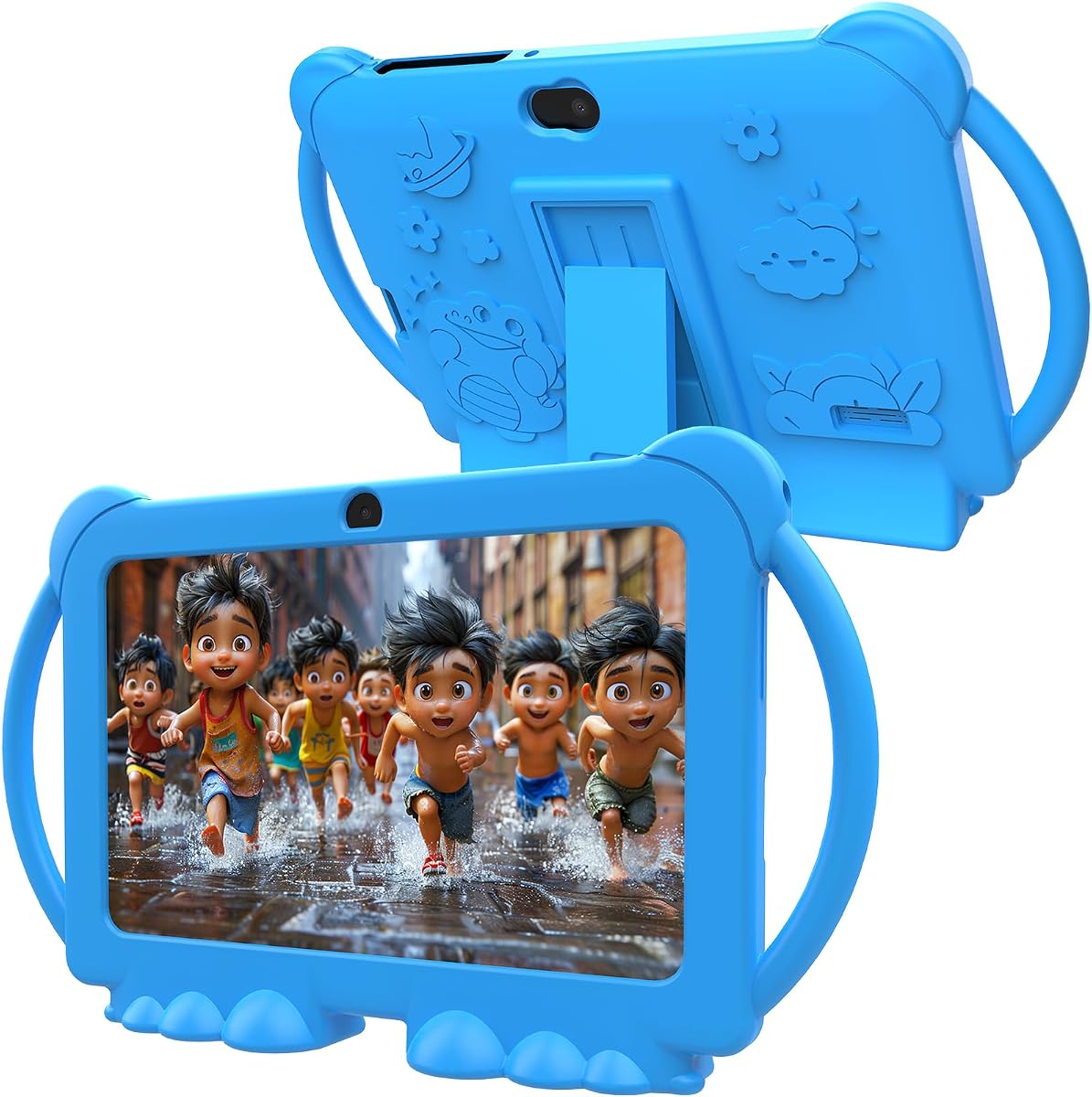
This 7-inch tablet offers an accessible entry point into the world of digital learning for young children. Rated 4.0 stars, it provides a solid experience for basic tasks like watching videos and playing educational games. The Android 12 system ensures compatibility with a wide range of apps from the Google Play Store.
We may earn a commission when you buy through this link, at no additional cost to you.
One of its strongest selling points is the ability to access Google Play, giving parents more flexibility than closed ecosystems. The 4GB RAM helps multitasking run smoothly, while the 32GB ROM offers ample space for apps. Parents can easily control screen time and filter content to keep activities safe.
The build quality is functional but may not be as rugged as premium options. Battery life is decent for short sessions but might require frequent charging during heavy use. However, the lower price makes it a practical choice for households needing multiple devices.
For families on a budget who want open Android access, this tablet is an excellent choice. It works well for light learning tasks and entertainment. Just ensure you manage expectations regarding build robustness compared to higher-priced competitors.
Unlike restricted tablets, this device allows access to the full Google Play Store. This means your child can use a wider variety of educational apps and tools chosen by you.
With support for microSD cards up to 512GB, you can store countless videos and games. This ensures your child never runs out of space for their favorite content or projects.
We may earn a commission when you buy through this link, at no additional cost to you.
The Amazon Fire HD 8 Kids Pro caters to older children who are ready for more independence. Rated 4.6 stars, it balances safety with the freedom to explore the web under guardrails. The 64GB storage allows for more apps and downloads than standard models.
We may earn a commission when you buy through this link, at no additional cost to you.
This model includes a slim case designed for older kids, offering a more mature aesthetic. Safe web browsing enables independent research while maintaining filters against inappropriate content. The ability to make voice and video calls connects kids with approved contacts securely.
The trade-off is a slightly less protective case compared to standard Kids models, though still durable. The price is higher, reflecting the increased storage and feature set. It is best suited for children transitioning into pre-teen years.
If your child is ready for more responsibility and you want a device that grows with them, this is the top pick. It provides the right level of freedom and control. We recommend it for families seeking a premium experience.
The slim case and mature design help older children feel more empowered with their tech. It is a device that respects their growing maturity while keeping safety in place.
Kids can browse the web independently with built-in controls filtering inappropriate sites. This feature fosters research skills while protecting them from harmful content online.
We may earn a commission when you buy through this link, at no additional cost to you.
The YosaToo Kids Tablet is notable for its pre-installed offline learning apps, making it perfect for travel. Rated 4.2 stars, it offers a modern Android 16 experience with access to Google Kids Space. This ensures a curated and safe environment for younger users.
We may earn a commission when you buy through this link, at no additional cost to you.
The offline capabilities mean children can access educational content like Montessori activities without needing a stable internet connection. This is a significant advantage for families on road trips or in areas with poor connectivity. The drop-proof case adds an extra layer of protection.
However, being a lesser-known brand means support might vary compared to giants like Amazon. Users should check reviews for specific batch quality. The inclusion of Google Kids Space helps bridge this gap by providing trusted content.
If you need a device that works well without constant internet access, this tablet is a strong contender. It combines modern software with practical offline tools. We recommend it for frequent travelers.
Pre-installed offline apps allow learning anywhere without needing WiFi. This ensures your child stays engaged during flights or car rides where signals are weak.
Running Android 16 ensures the interface feels current and responsive. Google Kids Space adds a layer of safety and curation for young users.
We may earn a commission when you buy through this link, at no additional cost to you.
The Amazon Fire 7 Kids is the top-selling option for its balance of price and functionality. Rated 4.3 stars, it offers a compact 7-inch form factor that is easy for small hands to hold. It includes the same kid-proof case and 2-year guarantee as larger models.
We may earn a commission when you buy through this link, at no additional cost to you.
The 10-hour battery life is sufficient for daily use, though slightly less than the HD 8. The 16GB storage might fill up faster if downloading many videos. However, for casual usage and streaming, it performs admirably.
The screen resolution is lower than the HD models, which might be noticeable for high-def media. Yet, it remains clear enough for reading and basic games. The lower price makes it accessible for budget-conscious parents.
For a first tablet or for kids who primarily stream content, this model is ideal. It brings the Amazon ecosystem at a lower cost. We recommend it for families prioritizing affordability.
The 7-inch screen is lightweight and easy to carry everywhere. This makes it ideal for younger children who need something they can hold comfortably for long periods.
You get the same 2-year worry-free guarantee found on pricier models. This ensures your investment is protected against drops without breaking the bank.
We may earn a commission when you buy through this link, at no additional cost to you.
This tablet delivers solid specifications for its price point, including 4GB RAM and 32GB ROM. Rated 3.9 stars, it offers an IPS screen which provides better color accuracy than standard panels. Parental controls are robust enough for basic needs.
We may earn a commission when you buy through this link, at no additional cost to you.
The dual camera setup adds a creative element for kids to take photos and videos. However, some users report software inconsistencies that may require resets. It is a good option if you need more storage without spending much.
The build quality may vary between units, so checking recent reviews is wise. The included case helps mitigate accidental damage. It serves well as a secondary device or for lighter tasks.
For those needing more memory on a budget, this is a reasonable choice. It covers the basics well. We recommend it for parents comfortable with troubleshooting minor issues.
The IPS display offers wider viewing angles and better colors. This makes videos and games look more vibrant compared to cheaper TFT screens.
Dual cameras allow children to express creativity through photography. This adds an interactive element beyond just consuming content.
We may earn a commission when you buy through this link, at no additional cost to you.
The ApoloSignage 2026 model stands out for its large 10-inch display and high RAM configuration. Rated 3.8 stars, it provides a desktop-like experience for media consumption. The Android 16 OS ensures it is future-proof for the next few years.
We may earn a commission when you buy through this link, at no additional cost to you.
The large screen is perfect for split-screen activities or watching videos with friends. However, it is heavier and might be harder for very small children to hold for long periods. Parents may need to use the stand frequently.
With 8GB RAM, multitasking is smooth, which is rare in budget tablets. The battery life is decent but not exceptional given the screen size. It is best for shared family use rather than individual toddler use.
If you need a device for older kids or shared viewing, this size is beneficial. It offers high performance for the cost. We recommend it for families needing a larger display.
A 10-inch screen provides ample space for reading and videos. This reduces eye strain when consuming content compared to smaller devices.
Android 16 ensures compatibility with modern apps for years to come. The high RAM keeps the system running smoothly even with heavy multitasking.
We may earn a commission when you buy through this link, at no additional cost to you.
The HOTTABLET tablet emphasizes versatility with support for up to 1TB of expandable storage. Rated 4.0 stars, it is perfect for families with large media libraries. The Android 12 system supports common apps and streaming services.
We may earn a commission when you buy through this link, at no additional cost to you.
The pre-installed iWawa app provides a curated environment for younger kids. The silicone case offers decent protection against drops. It is a functional device that covers all the essentials for a daily driver.
Battery life is adequate for casual use but may not last all day. Support is limited to general warranty policies. For users who need storage capacity without cost, it fits the bill.
This tablet is great for storing movies and photos locally. It is practical for households with limited internet. We recommend it for media-heavy families.
Support for 1TB expansion means you can store entire libraries on the device. This is ideal for traveling without needing constant Wi-Fi access.
The iWawa app offers a safe, fun environment for kids to start. It filters content so parents don't have to constantly monitor apps.
We may earn a commission when you buy through this link, at no additional cost to you.
The aiprotablet 10-inch model is distinguished by its massive 6000mAh battery. Rated 4.0 stars, it promises extended usage between charges. The Android 16 system ensures a modern interface for users.
We may earn a commission when you buy through this link, at no additional cost to you.
Fast charging reduces downtime significantly compared to standard devices. The large battery makes it ideal for long trips. However, the weight might be a consideration for very young children.
It includes face recognition for convenience. The build is generic but functional for the price. It balances high specs with affordability well enough for casual use.
For families who need a device that stays on longer without charging, this is a top choice. It reduces anxiety about battery drains. We recommend it for frequent travelers.
The 6000mAh battery keeps the device running for many hours. This is perfect for long days where access to a power outlet is limited.
PD fast charging means you spend less time waiting for power. This ensures kids can resume their activities quickly after a brief charge.
We may earn a commission when you buy through this link, at no additional cost to you.
The PRITOM 7-inch tablet is a straightforward option for basic needs. Rated 3.9 stars, it features a child-friendly interface that simplifies navigation. The inclusion of USB Type-C charging is a modern touch for durability.
We may earn a commission when you buy through this link, at no additional cost to you.
The interface is designed to be intuitive for toddlers, reducing the learning curve. However, performance may lag with complex apps. It is a good starter device for very young children.
The case is standard but effective for protection. Battery life is average. For parents looking for a simple, safe device at a low cost, it fits the criteria.
It is best suited for light use like reading and simple games. It does not expect high-end gaming. We recommend it for budget-conscious parents.
The child-friendly interface makes it easy for toddlers to use. It reduces frustration and helps children focus on content rather than controls.
USB Type-C ensures faster charging and better durability. This modern port avoids the issues of older micro USB cables.
We may earn a commission when you buy through this link, at no additional cost to you.
Selecting the right tablet requires balancing several critical factors to ensure safety and usability for your child. This guide breaks down the most important specifications and features to consider before making a purchase decision for your family.
Young children are prone to dropping devices, so a sturdy case is essential. Look for tablets that come with a built-in shockproof case designed to absorb impact. This prevents cracks and internal damage that could lead to costly repairs.
Always choose a model with a protective case to ensure longevity.
Effective parental controls are vital for managing screen time and content access. You should look for tools that allow you to set time limits and filter websites or apps. This ensures your child only accesses age-appropriate material during use.
Prioritize tablets with robust control systems to maintain safety.
Battery endurance determines how long the device can be used between charges. Aim for a tablet that offers at least 10 hours of use to cover a full day. This reduces interruptions for your child during travel or study time.
A battery life of 10 hours or more is recommended for uninterrupted use.
A clear screen is important for reading and watching educational videos. Look for an HD IPS display that offers bright colors and good viewing angles. This helps prevent eye strain when the child uses the tablet for extended periods.
Choose a high-quality screen to protect eyes and enhance viewing.
Sufficient storage is needed to keep apps and media files without slowing the system. A minimum of 32GB is ideal, with support for expansion via microSD cards. This allows you to download more content for offline use later.
Opt for tablets with expandable storage options for future needs.
The operating system affects app compatibility and ease of use. Android offers a wider range of apps, while proprietary systems like Fire OS focus on curated content. Consider which ecosystem aligns best with your preference for management.
Pick an OS that matches your content preferences and needs.
A warranty provides security against manufacturing defects or accidental damage. Brands offering a 2-year worry-free guarantee give extra peace of mind. This ensures you are covered if the device stops working unexpectedly.
Check warranty terms to protect your investment effectively.
While budget is important, focus on long-term value rather than just the lowest price. Higher-priced models often offer better support and durability. Evaluate the total cost including accessories and subscriptions to make an informed choice.
Balance cost with quality to get the best value for your money.
Start by setting up the parental control dashboard immediately after unboxing. Configure time limits and filter settings to match your family rules before handing it over to the child.
Keep the tablet in its protective case at all times to prevent physical damage. Teach your child to handle the device gently and report any issues to an adult if the screen becomes unresponsive.
Regularly update the software to ensure security patches are applied. Clear unused files and apps periodically to maintain optimal performance and storage space for essential content.
Yes, most tablets in this guide include built-in parental controls and content filters to ensure safety. You can set time limits and block inappropriate sites to protect your child while they use the device.
Yes, all recommended tablets come with pre-installed educational apps or include subscriptions like Amazon Kids+. These libraries contain thousands of games designed to teach literacy, math, and creative skills.
Yes, tablets like the Amazon Fire models allow remote management via a parent dashboard. You can approve apps, check activity reports, and adjust settings without having physical access to the device.
Many top-rated tablets include a 2-year worry-free guarantee. If the device breaks due to accidental damage, you can return it and receive a free replacement without needing to pay for repairs.
Yes, most models offer 10 to 13 hours of battery life. This duration is sufficient for long trips, flights, or road travel without requiring a recharge during the journey.
Yes, all tablets support standard WiFi connections. You can easily set up internet access in cafes or homes. Parental controls ensure safe browsing even on open networks.
We have reviewed ten top options ranging from budget-friendly Android tablets to premium Fire devices. Each offers a unique combination of durability, controls, and performance to suit different needs.
Prioritize parental controls and a robust case when making your final selection. Safety and longevity are the most critical factors for keeping your child entertained securely over time.
Prices and availability change frequently, so check current listings before buying. Verify the warranty and included accessories to ensure you get the best deal available today.