
Brother HL-L2405W
4.1Editor score
Compact wireless design
Manual feed slot
Up to 30ppm
This guide compares the top laser printers with envelope feeders for home and office use, highlighting speed, connectivity, and reliable specialty paper
Finding a laser printer with an envelope feeder simplifies mailing tasks for businesses and home offices. These devices handle specialty paper without jams, ensuring professional results for invitations and business correspondence efficiently.
We evaluated ten top models based on print speed, connectivity options, and reliable manual feed slots. Our analysis focuses on consistent performance, ease of use, and value for money across different user needs.
Each pick below shows key features and real-world performance insights to help you decide. Prices change frequently so check current listings before purchasing your next reliable laser printing solution today.
4.1Editor score

4.0Editor score

4.4Editor score
This side-by-side comparison highlights key specifications for each model including speed, paper capacity, and connectivity to help you find the perfect match for your specific printing workflow requirements.


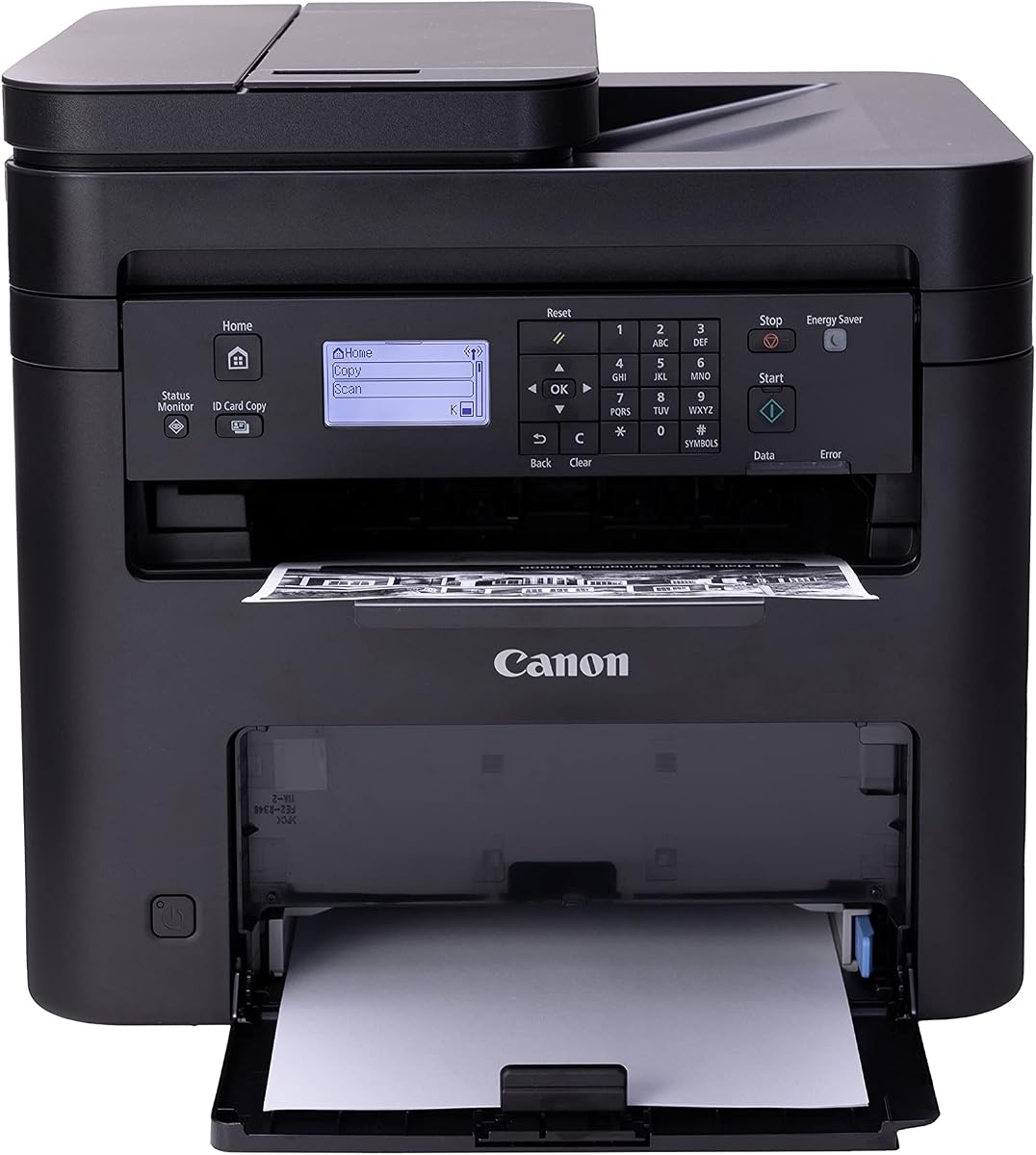


The Brother HL-L2405W stands out as a top choice for budget-conscious users needing reliable envelope printing. With a 4.1 rating it delivers sharp mono prints and includes a manual feed slot for specialty paper like envelopes.
We may earn a commission when you buy through this link, at no additional cost to you.
Its compact design fits easily into small offices while dual-band wireless ensures stable connections. The Brother Mobile Connect app lets you manage tasks remotely and order genuine supplies without hassle.
While it lacks scanning features the focused printing capability ensures consistent quality. The Refresh EZ Print Subscription Service helps manage toner costs efficiently over time.
Ideal for home offices requiring simple and cost-effective envelope handling. This model balances affordability with essential features for professional correspondence without unnecessary complexity.
Its compact form factor makes it perfect for desks with limited space while maintaining robust performance.
Built-in dual-band wireless allows reliable connections to multiple devices without cluttering your workspace.
We may earn a commission when you buy through this link, at no additional cost to you.
This professional model delivers impressive speed for busy offices needing quick envelope handling. Its 50ppm print speed and high capacity ADF make it ideal for high volume document workflows.
We may earn a commission when you buy through this link, at no additional cost to you.
The dual-band WiFi and Gigabit Ethernet provide flexible networking options. Brother Genuine TN920UXXL toner offers ultra high yield reducing per page costs significantly for large jobs.
Though it carries a premium price the efficiency gains justify the investment for commercial environments. The scanner supports legal sized documents making it versatile for various paperwork.
Best suited for businesses prioritizing speed and productivity over initial costs. It handles envelopes reliably while maintaining professional output quality for client correspondence.
High speed printing minimizes wait times allowing staff to focus on more critical business tasks.
Ultra high yield toner cartridges reduce long-term operational expenses for frequent printing needs.
We may earn a commission when you buy through this link, at no additional cost to you.
The HL-L2460DW earns top marks for balancing speed and convenience in a compact package. With automatic duplex printing it reduces paper waste while the manual feed slot handles envelopes effortlessly.
We may earn a commission when you buy through this link, at no additional cost to you.
Its 36ppm speed is faster than many competitors in this category. Dual-band wireless ensures stable connections and the Brother Mobile Connect app offers remote management capabilities.
While it lacks scanning functions the print quality remains sharp and professional. The 250-sheet tray reduces frequent refills for standard documents while specialty items are handled manually.
Perfect for home offices needing efficient envelope and document printing. It combines essential features without unnecessary complexity making it a versatile choice for most users.
Automatic duplex printing halves paper usage for two-sided documents saving costs and reducing waste.
The mobile app allows users to monitor toner levels and print from anywhere with internet access.
We may earn a commission when you buy through this link, at no additional cost to you.
Designed for small teams this model balances functionality with security features. It handles black and white documents professionally and includes an auto document feeder for efficient scanning tasks.
We may earn a commission when you buy through this link, at no additional cost to you.
The self-reset Wi-Fi resolves connectivity issues automatically ensuring uninterrupted workflows. Built-in security protects against potential attacks which is vital for office environments handling sensitive data.
HP Smart app simplifies repetitive tasks allowing scanning to cloud services directly. While the tray is modest it handles standard letters well and envelopes can be fed manually as needed.
Ideal for startups and small offices needing reliable multifunction printing. Its robust security and ease of use make it a solid investment for growing businesses.
Self-reset Wi-Fi ensures your printer stays online even if network issues arise unexpectedly.
The HP Smart app eliminates steps in routine tasks boosting overall team productivity daily.
We may earn a commission when you buy through this link, at no additional cost to you.
The MF273dw offers excellent value with fast first print times and wireless convenience. It prints and scans efficiently while auto duplex saves paper for standard business documents daily.
We may earn a commission when you buy through this link, at no additional cost to you.
With Toner 071 compatibility it ensures consistent output quality. The compact design fits well in home offices where space is at a premium for professional equipment.
Although it lacks an auto document feeder manual scanning is straightforward for single pages. This trade-off helps keep the cost lower for users who scan occasionally.
Best for small offices needing essential multifunction features without high costs. It handles envelopes reliably through manual feed ensuring professional correspondence without complexity.
First print time of 5.3 seconds ensures minimal waiting when urgent documents are needed quickly.
Auto duplex printing significantly reduces paper costs for organizations producing many two-sided reports.
We may earn a commission when you buy through this link, at no additional cost to you.
This all-in-one combines speed with essential office functions in a compact footprint. It includes a 50-page ADF for efficient multi-page scanning and faxing which suits small office needs perfectly.
We may earn a commission when you buy through this link, at no additional cost to you.
The 2.7 touchscreen allows easy navigation and direct access to cloud apps like Google Drive. Brother Mobile Connect helps manage toner levels remotely ensuring uninterrupted printing when busy.
While the tray is small it handles standard documents easily. The manual feed slot ensures envelopes and specialty paper print without jamming during critical tasks.
Ideal for small offices needing fax and scanning without bulky equipment. It balances functionality and space efficiency for productive daily workflows effectively.
The touchscreen provides intuitive controls making complex tasks like faxing simple to navigate quickly.
Scan directly to popular cloud services ensuring documents are stored securely without extra steps.
We may earn a commission when you buy through this link, at no additional cost to you.
With print speeds up to 37ppm this model is among the fastest available for monochrome laser printing. It features a 5-inch touchscreen and expandable paper capacity for high volume workflows.
We may earn a commission when you buy through this link, at no additional cost to you.
The application library on the touchscreen offers quick access to frequently used functions. High capacity toner ensures fewer replacements which is ideal for offices printing daily reports.
Setup is straightforward with wireless connectivity options. Manual feed ensures envelopes print smoothly without interfering with standard tray operations during busy days.
Best for businesses prioritizing speed and scalability. It supports heavy printing loads while maintaining reliable envelope handling for client mail.
Quick first print time means you spend less time waiting and more time working efficiently.
Expandable paper capacity allows the printer to grow with your business without needing a new device.
We may earn a commission when you buy through this link, at no additional cost to you.
This premium color laser printer delivers sharp professional results for high-end offices. It features an 80-page ADF and advanced security including NFC authentication to protect sensitive documents effectively.
We may earn a commission when you buy through this link, at no additional cost to you.
The 7-inch color touchscreen allows easy menu navigation and custom shortcuts for frequent tasks. It handles envelopes via multipurpose tray ensuring custom printing needs are met seamlessly.
While the upfront cost is significant the low-cost printing features offset this over time. Security features ensure network protection making it suitable for corporate environments handling confidential data.
Best for businesses needing color and robust security. It handles envelopes professionally while maintaining high-quality output for marketing materials.
High-quality color output enhances marketing materials making business documents stand out with sharp graphics.
Triple Layer Security protects devices and data transit ensuring confidential documents remain private always.
We may earn a commission when you buy through this link, at no additional cost to you.
Built for small teams this printer offers award-winning reliability and professional print quality. It supports duplex printing and includes a 50-sheet ADF for efficient document handling daily.
We may earn a commission when you buy through this link, at no additional cost to you.
HP's dependable Wi-Fi finds the best connection automatically ensuring consistent uptime. The 250-sheet tray reduces refills while the manual feed allows custom paper handling.
Be aware of HP chip restrictions which may limit cartridge options. However the toner quality ensures sharp professional results for business correspondence and reports alike.
Ideal for teams needing consistent performance without downtime. It handles envelopes efficiently and supports secure cloud workflows for modern business needs.
High reliability ensures your printer is ready when needed reducing delays in critical business operations.
Dependable Wi-Fi keeps all team members connected and able to print seamlessly from any device.
We may earn a commission when you buy through this link, at no additional cost to you.
This compact all-in-one offers robust construction and reliable wireless connectivity for busy schedules. It includes a 250-sheet tray for letter and legal sizes plus a manual feed for envelopes.
We may earn a commission when you buy through this link, at no additional cost to you.
The manual feed slot allows professional prints on card stock and envelopes easily. Wireless sharing across multiple users makes it suitable for small office networks needing shared resources.
While slower than some competitors the sturdy build ensures longevity. It handles standard and specialty printing well without frequent jams or errors during tasks.
Perfect for offices needing a durable shared printer. Its reliable envelope handling makes it ideal for professional correspondence and regular document output.
Robust construction ensures the printer keeps up with daily demands without wearing out quickly.
Manual feed slot enables printing on diverse media including envelopes ensuring versatile output needs.
We may earn a commission when you buy through this link, at no additional cost to you.
Choosing the right laser printer involves balancing speed, connectivity, and paper handling features to match your specific workflow needs.
Print speed measured in pages per minute (ppm) determines how quickly your documents are produced. Faster speeds reduce wait times especially when printing multiple envelopes or long reports for busy office environments.
For small offices 30ppm is often sufficient while larger teams benefit from 40ppm or higher to maximize productivity throughout the workday.
Manual feed slots are critical for reliable envelope printing as they prevent jams that standard trays might cause. Look for models that explicitly support specialty paper and envelopes in their specifications.
A robust manual feed ensures consistent alignment and quality when printing important business mail without wasting time fixing misprinted envelopes.
Modern printers offer dual-band wireless, Ethernet, and USB connections for flexibility. Ensure the printer supports your network setup and allows multiple users to print simultaneously without conflicts.
Wireless connectivity enables mobile printing from devices which is essential for modern offices needing remote and flexible access to printing resources.
Standard paper trays should hold at least 250 sheets to reduce refills during busy periods. Higher capacity trays are beneficial if you print large batches regularly throughout the day.
Choose a model with adjustable trays to support different paper sizes including legal which might be required for specific document formats occasionally.
All-in-one models include scanning and copying which streamline office workflows. Consider if you need fax capabilities or cloud scanning features based on your daily operational needs.
While multifunction printers may cost more they replace multiple devices saving desk space and improving overall office efficiency significantly.
High yield toner cartridges reduce per-page costs and the frequency of replacements. Look for printers compatible with toner that offers high page yields to lower long-term expenses.
Subscription services can automate toner delivery ensuring you never run out during critical printing tasks unexpectedly or inconveniently.
Office environments require printers with built-in security to protect sensitive data. Features like user authentication and secure print ensure confidential documents are only released to authorized users.
Advanced security also protects your network from potential cyber threats that could compromise sensitive business information stored locally.
A comprehensive warranty and responsive customer support ensure reliability when issues arise. Look for manufacturers offering free phone or live chat support for extended periods.
Strong after-sales support reduces downtime and ensures quick resolutions to any technical issues affecting your workflow daily.
To print envelopes adjust the manual feed slot guides to match the envelope size. Place envelopes face up and ensure they are not curled to prevent jamming during the printing process.
Regularly clean the interior rollers and print head to maintain consistent print quality. Dust accumulation can cause smudges and poor toner adhesion especially when using specialty paper.
Store toner cartridges in a cool dry place away from direct sunlight to preserve their longevity. Avoid exposing them to high humidity which might cause toner clumping and poor output quality.
Not all laser printers support envelopes without manual adjustments. Look for models with a dedicated manual feed slot or specific envelope settings to ensure reliable printing and avoid paper jams.
Ensure envelopes are not curled and use the manual feed slot for best results. Adjust the guides to match the envelope size and avoid using damp or damaged envelopes.
Use envelope stock between 60 and 100 lb for optimal performance. Heavier paper might require slower print speeds to avoid jams while lighter stock can lead to misfeeds.
Wireless printing enhances convenience for teams with multiple devices but is not essential. USB or Ethernet connections work well if the printer is shared by a single workstation or nearby network.
Clean the printer rollers and interior every three months or after using specialty paper. Regular maintenance ensures consistent quality and extends the lifespan of internal components.
Most scanners can handle flat envelopes if they fit on the glass bed. Use the document feeder for standard paper and manually place envelopes on the glass for scanning tasks.
Subscription services automate toner delivery which can be convenient but are optional. Regular cartridges work just as well if you monitor levels and reorder as needed manually.
Toner quality and correct settings greatly impact envelope output. Ensure you select the correct paper type in settings to optimize heat and pressure for consistent sharp prints.
We reviewed ten top laser printers that reliably handle envelope printing for home and office use. From compact budget-friendly options to high-speed business models there is a device for every printing need.
Prioritize models with manual feed slots and robust connectivity for the smoothest workflow. Consider speed and toner efficiency if you print high volumes regularly throughout the week.
Always check current listings for pricing and availability before making your final purchase decision. These printers offer reliable performance for professional correspondence and daily office tasks.