
Label Maker Machine with 4 Tapes
4.3Editor score
Backlit LCD screen
Waterproof laminated tapes
Three cable modes
Find the best Label Maker for Network Cables with our expert guide comparing top rated tools for professional and home network cable identification needs.
Proper cable identification is critical for maintaining organized and efficient network infrastructure. A reliable Label Maker for Network Cables ensures that every wire can be traced quickly without causing downtime or confusion during maintenance tasks.
We evaluated ten leading models based on durability, print quality, and ease of use. Our comparison focuses on features like heat shrink compatibility, battery life, and resistance to harsh environments common in server rooms and data centers.
Each pick highlights specific strengths for different user needs from budget friendly options to industrial grade tools. Prices and availability fluctuate so always verify current details before purchasing to ensure you get the right tool for your project.
4.3Editor score

4.6Editor score

4.8Editor score
The following table provides a side by side overview of key specifications for each of the ten top rated label makers selected for this guide.


The E1000 stands out for its ability to handle heat shrink tapes directly which is essential for network cable management. It holds a strong rating for its versatility and user-friendly interface designed for quick access.
We may earn a commission when you buy through this link, at no additional cost to you.
Its three cable modes and one touch keys simplify creating complex labels like wraps and flags. The QWERTY keyboard makes data entry intuitive reducing errors during busy installation sessions.
While it offers USB-C charging relying on AAA batteries for portability might be a slight inconvenience for some users. The waste reduction features are efficient but require understanding the settings first.
This model is ideal for technicians who need robust labeling for industrial cables. It balances performance and cost effectively making it a top recommendation for network professionals.
The included 12mm heat shrink tubes ensure secure identification that stays in place even in humid environments.
Printing multiple labels at once saves tape and keeps costs down during large scale network installations.
We may earn a commission when you buy through this link, at no additional cost to you.
This model offers exceptional value for those needing reliable cable labels without breaking the budget. It delivers clear prints and durability that suits most home and office network setups.
We may earn a commission when you buy through this link, at no additional cost to you.
The backlit LCD screen ensures you can see your work clearly in dimly lit server racks. Including four tapes right out of the box saves immediate additional purchases for new users.
While it lacks the advanced features of industrial models it covers the basics of cable identification well. The lower resolution is acceptable for standard text labels but might not suit barcodes.
Ideal for beginners or small projects this device simplifies organization without complexity. Its lightweight design makes it easy to carry around different rooms or sites easily.
The backlit screen helps prevent errors by making text visible even in poorly lit wiring closets.
Laminated tapes resist water and oil ensuring labels stay readable in diverse conditions.
We may earn a commission when you buy through this link, at no additional cost to you.
The P31S combines industrial grade performance with portability making it a top choice for complex network environments. Its high resolution ensures crisp labels that meet strict compliance standards.
We may earn a commission when you buy through this link, at no additional cost to you.
Thermal transfer technology guarantees labels last for years even in harsh conditions like dust or extreme temperatures. The rechargeable battery supports extended jobs without frequent interruptions for charging.
While the cost is higher than consumer models the durability and compliance features justify the investment for professionals. It may require extra software for bulk printing but that offers great control.
Best for certified network engineers this device ensures every label meets safety and identification requirements. It is a robust tool designed to handle the demands of enterprise infrastructure.
Meeting ANSI and TIA standards ensures labels are accepted in regulated data centers and industrial facilities.
With up to ninety days of standby time this printer lasts through long projects without recharging.
We may earn a commission when you buy through this link, at no additional cost to you.
Brother's reputation for quality shines in this P-Touch Pro model which simplifies labeling with smart features. The preview screen helps avoid mistakes before wasting expensive tape on errors.
We may earn a commission when you buy through this link, at no additional cost to you.
One touch keys for cable wraps and flags reduce the steps needed to label wires efficiently. It is lightweight enough to carry around but sturdy enough for regular workshop use.
The main downside is the cost of proprietary tapes which can add up over time. Battery life is average so keeping spares on hand is recommended for outdoor or remote work.
This device is perfect for mixed use environments where network and general labeling occur. Its user friendly design makes it accessible even for non technical users managing home networks.
Viewing labels before printing saves material and ensures accuracy for critical network identification tasks.
Dedicated buttons for common formats like wraps and flags speed up the labeling process significantly.
We may earn a commission when you buy through this link, at no additional cost to you.
BRADY is a trusted name in industrial identification and this M210 model delivers robust performance for tough settings. It is built to withstand drops and daily wear in active environments.
We may earn a commission when you buy through this link, at no additional cost to you.
The handheld design allows for precise control while creating labels directly on site. It supports a wide range of tape types suitable for various industrial applications beyond just networks.
Its weight might be a factor for extended handheld use but ensures stability during printing. The higher cost reflects the build quality and reliability that professionals expect from the brand.
For those prioritizing reliability and brand reputation this unit is a solid choice. It serves well in scenarios where label longevity and print consistency are critical for safety and tracking.
Designed for harsh environments this printer resists damage and maintains performance over years of use.
We may earn a commission when you buy through this link, at no additional cost to you.
Epson offers unmatched confidence with a lifetime warranty on this industrial label maker which is rare in the market. It supports wide tapes allowing for larger more visible labels on thick cables.
We may earn a commission when you buy through this link, at no additional cost to you.
The auto rewind feature minimizes waste by cutting tape cleanly without manual trimming. Its preview screen lets you check alignment and content before committing to the final print.
The initial cost is high but the long term savings from the warranty and efficiency make it worthwhile. It is designed for serious professionals who need consistent performance and support.
Ideal for data centers and IT departments this tool ensures compliance and reliability. The warranty adds peace of mind for businesses investing in long term equipment management tools.
A lifetime service warranty ensures your investment is protected against defects for the life of the unit.
Printing up to 24mm wide allows for clear and prominent labels on large industrial cables.
We may earn a commission when you buy through this link, at no additional cost to you.
This kit introduces modern wireless convenience to industrial labeling by connecting via Bluetooth to your phone. It is rugged enough to survive drops and shocks in tough work environments.
We may earn a commission when you buy through this link, at no additional cost to you.
Using a mobile app simplifies label design for those comfortable with smartphone interfaces. The hard case protects the printer and accessories making it ready for travel to remote sites.
Reliance on a phone means you need to carry the device but offers flexibility in design. The belt clip keeps the printer secure while you work hands free on other tasks.
Best for tech savvy professionals this tool bridges the gap between mobile apps and industrial printing. It is a great choice for modern field technicians who value connectivity and mobility.
Designing labels on a smartphone allows for quick changes and easy access to digital inventory.
We may earn a commission when you buy through this link, at no additional cost to you.
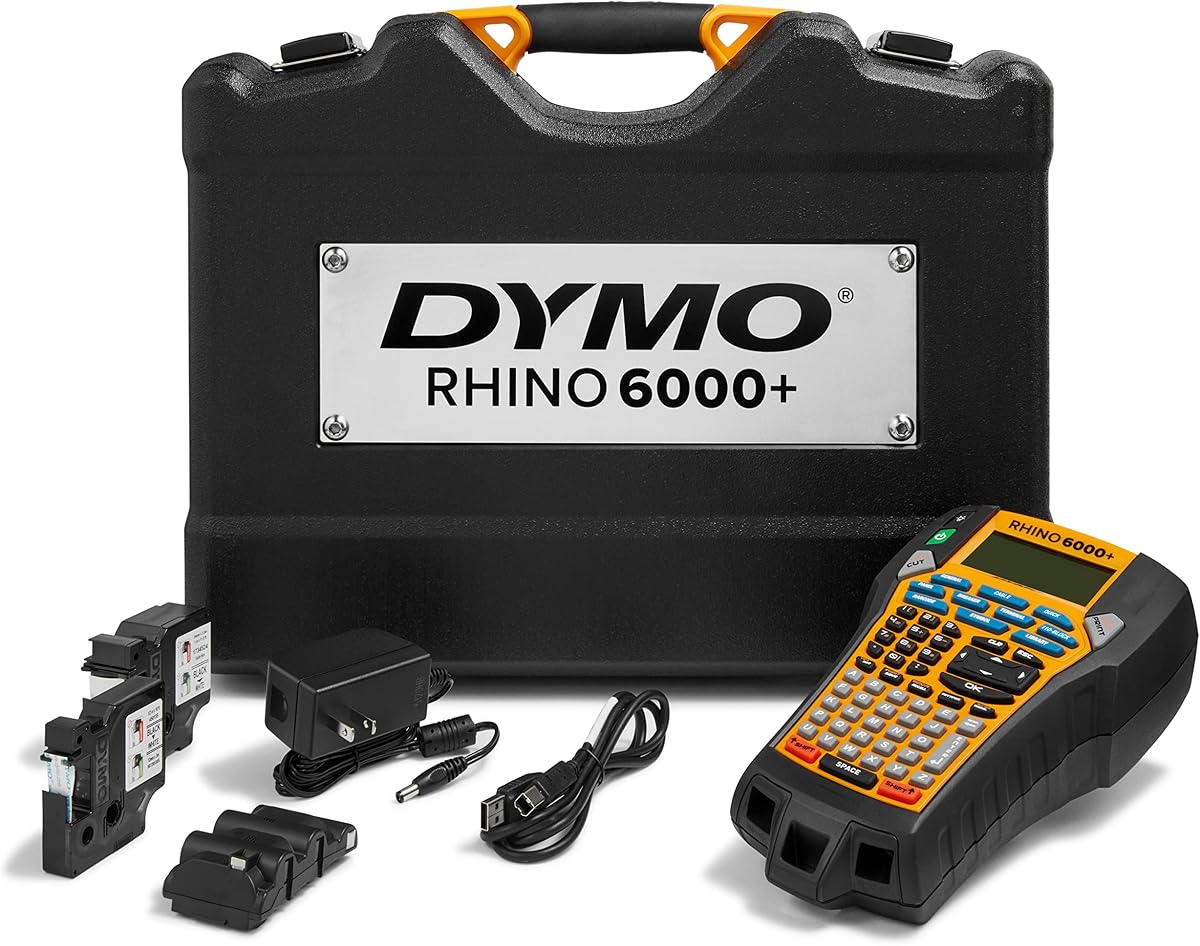
The Rhino 6000 connects to computers for full software integration allowing complex label designs before printing. It comes with a comprehensive kit including tapes and a case for immediate use.
We may earn a commission when you buy through this link, at no additional cost to you.
Rechargeable battery reduces the need for disposable cells which is eco-friendly and cost efficient over time. The software allows for bulk editing and barcode generation which is useful for inventory tracking.
While powerful it may be overkill for simple home tasks due to its complexity and price. It excels in corporate environments where standardized labeling across many assets is required.
For organizations needing high consistency this system provides the tools to manage large scale projects. The combination of software flexibility and portability makes it a versatile industrial solution.
PC software allows for detailed edits and bulk labeling tasks that would be slow to do manually.
We may earn a commission when you buy through this link, at no additional cost to you.
With an impressive rating this model is a favorite for its large display that shows five lines of text. It simplifies complex labeling tasks with dedicated hot keys that handle formatting automatically.
We may earn a commission when you buy through this link, at no additional cost to you.
The backlit screen ensures visibility in dark spaces like under desks or in cabinets. It supports barcodes which are essential for asset tracking in network environments.
Although the design is older it remains reliable and widely used by professionals. The larger size might be less portable but offers better stability for heavy use.
This device is perfect for users who need a clear interface and quick access to formatting. It balances features and reliability making it a strong contender in the industrial category.
The 5 line backlit display reduces eye strain and makes editing long labels easier.
We may earn a commission when you buy through this link, at no additional cost to you.
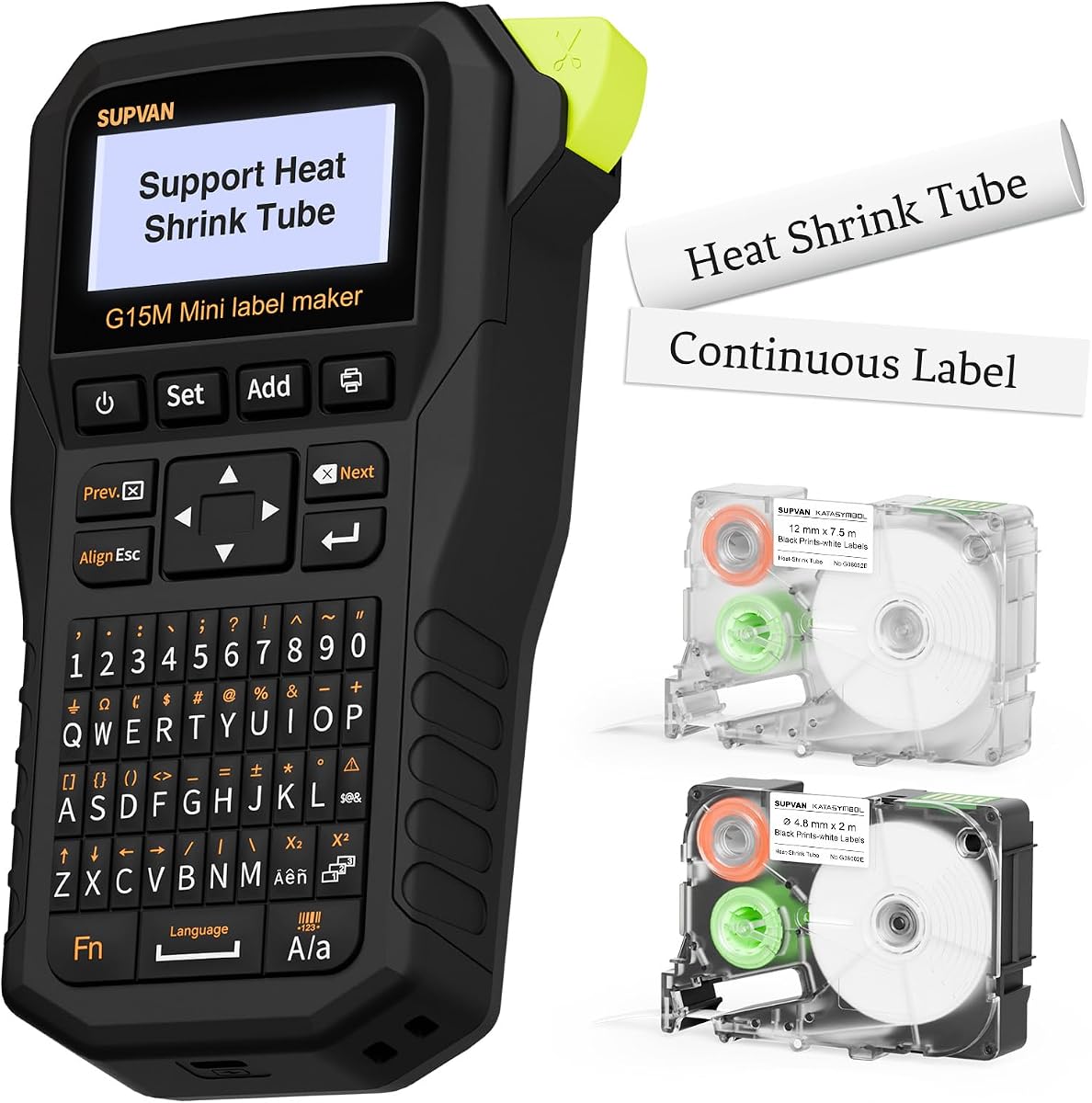
This mini label maker is designed for portability making it easy to carry in a pocket or small bag. It supports heat shrink tubes which are crucial for professional cable identification in tight spaces.
We may earn a commission when you buy through this link, at no additional cost to you.
The rechargeable battery offers convenience for on the go labeling without worrying about disposable power. Minimal margin printing saves material and ensures labels fit perfectly on small wire diameters.
While compact it may not withstand heavy industrial drops as well as larger models. However it is perfect for home office or light field work where space is at a premium.
Ideal for technicians with limited space this unit provides essential features in a small package. It simplifies the process of creating durable labels without taking up much room.
Its small footprint makes it easy to store and transport for mobile labeling tasks.
We may earn a commission when you buy through this link, at no additional cost to you.
Selecting the right device depends on your specific environment and labeling needs.
Thermal transfer printers offer durability and resistance to fading which is essential for long term cable labels. Direct thermal may fade over time so prefer thermal transfer for network infrastructure.
Look for thermal transfer options if you need labels that resist water and heat effectively.
Ensure the device supports the specific tape types you need such as heat shrink or self-laminating wraps. Some models only handle standard adhesive tape which may not fit tight cable bundles.
Verify tape width and material options to match your cable thickness and environment.
Industrial models often have rugged designs that survive drops and harsh conditions better than home versions. This reliability is key for frequent use in data centers or outdoor settings.
Choose a unit with strong housing and reliable print mechanisms for heavy usage.
Consider whether you need battery power for mobility or AC for consistent office use. Rechargeable batteries reduce waste and save money over time compared to disposable cells.
Portable models with good battery life are ideal for field technicians working remotely.
A clear display helps avoid errors and ensures labels are correct before printing. Backlit screens are beneficial when working in dimly lit areas like server rooms.
Select a model with an intuitive menu and adequate display size for ease of use.
Proprietary tapes can be expensive so check replacement costs before buying a unit. Some brands offer generic alternatives that reduce long term expenses significantly.
Factor in the cost of consumables when evaluating the total value of the device.
PC connectivity allows for advanced design and bulk editing which saves time on large projects. Check if the included software is compatible with your current operating system.
For high volume work choose a model with software support for efficient label management.
A strong warranty protects your investment against defects and ensures long term reliability. Look for brands that offer extensive support and service options.
Prioritize units with solid warranty coverage to minimize downtime and repair costs.
Always load the tape cassette according to the manufacturer's instructions to prevent jams. Ensure the tape is aligned correctly before closing the cover.
Keep the device in a protective case when not in use to avoid damage. Clean the print head periodically with a soft brush to maintain print quality.
Store tapes in a cool dry place to prevent adhesive degradation. Follow battery guidelines to ensure the device remains powered and ready for use.
Yes thermal transfer labels are more durable and resist fading over time. They are recommended for network cables that may be exposed to varying environmental conditions.
Basic units do not require software but advanced models offer PC connectivity for bulk design. Check if software is included before purchasing if you need this feature.
Use a soft brush or a lint free cloth to gently remove dust. Avoid harsh chemicals that might damage the sensor or printing components.
Most industrial models support barcode printing which is useful for asset tracking. Ensure the device supports the barcode type you need like Code 39 or Code 128.
Use heat shrink tubing specifically designed for wire identification. These shrink tightly to fit the cable diameter and provide a secure lasting label.
Battery life varies by usage but rechargeable models offer extended run times. Some units can last weeks on a single charge depending on how often you print.
The Makeid P31S and DYMO models stand out for their reliability and compliance features making them top choices for professionals.
Consider your specific needs such as budget durability and connectivity options when selecting the right tool for your network setup.
Always check current pricing and availability to ensure you get the best value for your purchase decision.