
Seagate BarraCuda 8TB
4.7Editor score
Affordable high capacity option
190 MB sustained transfer
Proven internal reliability
Choosing the right hard drive for RAID 0 is critical for maximizing performance and ensuring data integrity in demanding computing environments. You need drives that can handle high throughput speeds without bottlenecks while maintaining consistent operation under heavy workloads to deliver the full potential of striping.
We evaluated ten top rated models focusing on sustained transfer rates cache sizes RPM speeds and enterprise grade reliability features. Our analysis includes drives designed for NAS environments and high performance desktops that support RAID configurations with proven track records for uptime and speed consistency.
Each pick highlights key strengths and ideal use cases so you can match the drive to your specific RAID 0 requirements. Note that prices and availability change frequently so verify current details before purchasing to ensure you get the best value for your storage investment.
4.7Editor score

4.0Editor score

4.6Editor score
As an Amazon Associate we earn from qualifying purchases.
The following table provides a side by side comparison of all ten selected hard drives highlighting their core specifications and key attributes for RAID 0 compatibility and performance potential.






This Seagate IronWolf Pro 16 TB drive stands out as a top choice for RAID 0 configurations requiring massive capacity and enterprise reliability. It holds a 4.0 rating from users who value consistent performance over long periods without failure or slowdowns.
We may earn a commission when you buy through this link, at no additional cost to you.
Its all CMR portfolio enables industry leading 24×7 performance allowing access to data anytime anywhere. The drive supports up to 550 TB annual workload rating and includes a five year limited warranty for unparalleled total cost of ownership.
Trade-offs include a higher initial cost compared to consumer drives and a design specifically optimized for NAS systems which may require compatible hardware setup. These factors are acceptable given the robust performance and data protection features it offers.
Ideal for professionals managing large scale storage arrays this drive delivers peak system health through AgileArray technology and rotational vibration sensors. It is highly recommended for any RAID 0 setup prioritizing capacity and dependability.
The all CMR portfolio ensures consistent data access without the performance dips common in other recording technologies.
Complimentary three year Rescue Data Recovery Services provide a zero cost recovery experience for peace of mind.
We may earn a commission when you buy through this link, at no additional cost to you.
The Seagate BarraCuda 8TB is a solid budget friendly option for RAID 0 setups needing substantial storage at a reasonable price point. With a 4.7 rating it offers trusted performance for PC applications from gaming to media editing.
We may earn a commission when you buy through this link, at no additional cost to you.
It stores more and computes faster with proven internal hard drive technology backed by twenty years of innovation. The sustained transfer rate reaches 190 MB per second which supports smooth data access across multiple drives in an array.
While it lacks specific NAS optimizations the drive handles typical workloads well. The frustration free packaging simplifies setup though you may need to source your own cables for installation in custom systems.
Best for home users or small offices seeking capacity without enterprise costs this drive provides confidence through reliability. It is a practical choice for budget conscious RAID 0 builds prioritizing space.
Backed by 20 years of innovation the drive ensures confident reliance for varied PC applications.
Frustration free packaging delivers the drive in an anti static bag for quick access.
We may earn a commission when you buy through this link, at no additional cost to you.
This Western Digital Ultrastar 24TB drive represents the pinnacle of storage density for RAID 0 environments requiring massive space. It holds a 4.6 rating and is ideal for hyperscale and big data applications.
We may earn a commission when you buy through this link, at no additional cost to you.
Its 7200 RPM speed and large 512 MB cache deliver fast predictable performance for demanding server workloads. Designed for 24×7 operation it features a high 2.5 million hours MTBF rating ensuring enterprise class data dependability.
Users note that while the renewed status offers value the enterprise grade construction comes with a premium price. These trade-offs are acceptable for those needing unparalleled capacity without sacrificing performance reliability.
Engineered for massive scale out and high density data centers this drive handles intense RAID 0 loads efficiently. It is strongly recommended for professionals prioritizing capacity and enterprise standards.
Designed for 24×7 operation with a 2.5 million hour MTBF rating for dependable performance.
The large 512 MB cache ensures fast data handling for demanding server workloads.
We may earn a commission when you buy through this link, at no additional cost to you.
The Seagate IronWolf Pro 4TB is engineered for multi user NAS environments with 24×7 performance demands. Rated at 4.5 it offers a balanced combination of speed reliability and data protection features.
We may earn a commission when you buy through this link, at no additional cost to you.
It stores more and works faster with speeds up to 214 MB per second while built for less wear and tear. Integrated health management allows easy drive monitoring for long term reliability.
The five year limited warranty and three year data recovery services provide significant value though the 4 TB capacity is smaller than other options. These limitations are acceptable for users prioritizing robustness.
Best for small to medium NAS systems this drive ensures increased file sharing performance and data protection. It is a solid choice for RAID 0 arrays needing dependable operation.
Built specifically for NAS environments to reduce wear and tear while ensuring optimal performance.
Integrated IronWolf Health Management system helps protect data with prevention and recovery recommendations.
We may earn a commission when you buy through this link, at no additional cost to you.
The Western Digital WD Red Plus 12TB supports up to eight bays in business oriented NAS systems with 24×7 operation. It holds a 3.9 rating and emphasizes compatibility and workload endurance.
We may earn a commission when you buy through this link, at no additional cost to you.
It supports up to 180 TB per year workload rate ensuring sustained performance under heavy use. NASware firmware ensures compatibility with various NAS systems for optimum operation.
Users note the drive is specifically tested for NAS environments unlike standard desktop drives. While the price is higher this validation justifies the reliability expected for RAID arrays.
Ideal for small to medium business NAS systems this drive provides robust performance. It is recommended for RAID 0 builds requiring consistent uptime and compatibility.
Supports up to 180 TB per year workload rate for sustained performance under heavy use.
NASware firmware ensures compatibility with various NAS systems for optimum performance.
We may earn a commission when you buy through this link, at no additional cost to you.
This Western Digital WD Red Pro 16TB targets high intensity 24×7 multi-user NAS environments with unlimited bay support. It holds a 3.9 rating and delivers strong performance for intensive workloads.
We may earn a commission when you buy through this link, at no additional cost to you.
Rated for 550 TB per year workload rate the drive handles demanding transfers efficiently. Western Digital partners with vendors for extensive testing to ensure compatibility with most enclosures.
Design features handle continuous operation in multi-user settings. The higher price reflects its robustness and ability to manage heavy throughput without downtime.
Best for professional environments needing maximum throughput this drive delivers high performance. It is recommended for RAID 0 setups prioritizing speed and endurance.
Rated for 550 TB per year workload rate to handle demanding data transfers efficiently.
Partners with NAS system vendors for extensive testing to ensure compatibility with most enclosures.
We may earn a commission when you buy through this link, at no additional cost to you.
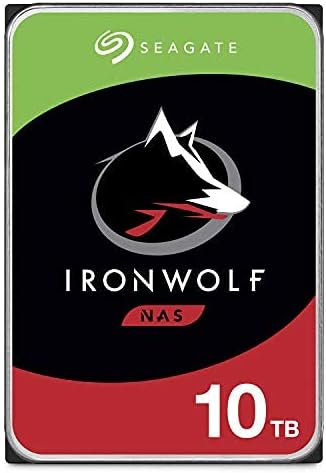
The Seagate IronWolf 10TB offers 7200 RPM speed and CMR design for multi-user NAS workloads. With a 4.7 rating it delivers up to 210 MB per second sustained data transfer.
We may earn a commission when you buy through this link, at no additional cost to you.
It includes a three-year rescue data recovery service with a 95% success rate and one million hours MTBF. RV sensors and 600,000 load/unload cycles enhance durability.
The workload is rated up to 180 TB annually. While priced higher this reliability and recovery features justify the investment for RAID arrays.
Ideal for RAID 0 systems prioritizing data protection and speed this drive excels. It is highly recommended for users needing efficient performance.
Delivers up to 210 MB per second sustained data transfer for efficient throughput.
Features one million hours MTBF and 600,000 load/unload cycles for enhanced durability.
We may earn a commission when you buy through this link, at no additional cost to you.
This Seagate IronWolf 10TB is ideal for up to eight-bay multi-user NAS environments craving powerhouse performance. It holds a 4.0 rating and offers ultra-high capacity with a 256 MB cache.
We may earn a commission when you buy through this link, at no additional cost to you.
It stores more and works faster with a NAS-optimized design delivering increased file-sharing performance. Integrated health management helps track drive status for long-term reliability.
Built for enclosures the drive provides less wear and tear. The three-year limited warranty supports confidence though capacity may vary slightly based on environment.
Best for NAS RAID 0 arrays needing stability and capacity this drive is reliable. It is a practical choice for multi-user storage systems.
Provides ultra-high capacity 10 TB with a 256 MB cache for faster performance.
Integrated health management system helps monitor drive status for long-term reliability.
We may earn a commission when you buy through this link, at no additional cost to you.
This Seagate IronWolf 10TB delivers increased file-sharing performance with a CMR design for reliable NAS operations. With a 4.6 rating it ensures little to no noise or vibration during operation.
We may earn a commission when you buy through this link, at no additional cost to you.
It features integrated health management to track drive status. The three-year limited protection plan supports peace of mind for multi-bay RAID systems.
Built for NAS enclosures it reduces wear and tear. The price aligns with high-end NAS drives but limits standard desktop use.
Ideal for RAID 0 NAS setups needing consistent sharing performance this drive excels. It is recommended for environments prioritizing uptime and stability.
CMR design ensures reliable performance for multi-bay RAID systems without speed dips.
Built for enclosures to provide little to no noise or vibration during operation.
We may earn a commission when you buy through this link, at no additional cost to you.
The Western Digital WD Red Plus 14TB offers 5400 RPM performance class with CMR technology for reliable operation. It holds a 4.5 rating and supports up to 180 TB per year workload.
We may earn a commission when you buy through this link, at no additional cost to you.
NASware firmware ensures compatibility with NAS systems for optimum performance. The 512 MB cache supports smooth transfers in RAID 0 arrays.
While slower than higher RPM drives this model balances capacity and endurance. The price reflects the large capacity and NAS-specific testing for reliability.
Best for users prioritizing space over raw speed this drive is reliable. It is recommended for RAID 0 builds focusing on capacity.
NASware firmware ensures compatibility with NAS systems for optimum performance.
Large 14 TB capacity supports extensive data storage for demanding RAID 0 builds.
We may earn a commission when you buy through this link, at no additional cost to you.
Selecting the right hard drive for RAID 0 involves balancing capacity speed and durability to match your specific workload demands.
Capacity determines how much data your RAID 0 array can store. For intensive workloads like 4K video editing choose larger drives like 16TB or 24TB to avoid constant reconfiguration. Smaller capacities suit testing or lighter multimedia tasks.
Match capacity to future growth needs rather than just current storage limits to avoid premature upgrades.
RPM impacts data access speed and throughput. Drives with 7200 RPM offer better performance for RAID 0 than 5400 RPM models especially during heavy file transfers. Higher RPM reduces latency and boosts sequential read speeds.
Prioritize 7200 RPM drives for RAID 0 arrays where speed is the primary advantage.
Cache size acts as a buffer for data transfers helping smooth out bursts of traffic. Look for drives with at least 256 MB cache to maintain consistent performance across multiple RAID drives. Larger cache reduces bottlenecks during read/write operations.
Opt for 512 MB cache on premium drives if your workload involves massive sequential data processing.
Conventional Magnetic Recording (CMR) drives maintain consistent performance unlike Shingled Magnetic Recording (SMR) which slows down during heavy writes. RAID 0 arrays benefit significantly from CMR to prevent performance drops and data integrity issues.
Always verify the drive uses CMR technology to ensure stable and predictable RAID 0 speeds.
Workload rating defines how much data can be transferred annually without risking drive health. RAID 0 arrays often require high workload capacities such as 180 TB or 550 TB per year for continuous operation. Higher ratings extend drive lifespan.
Select drives with workload ratings matching your expected data throughput to ensure longevity.
A strong warranty and data recovery services protect your investment against potential failures. NAS and enterprise drives often include five year warranties and complimentary recovery services unlike standard desktop models.
Prioritize drives with longer warranties to reduce risk and ensure faster recovery if hardware fails.
Ensure the drive uses a standard SATA 6 Gb/s interface for compatibility with most RAID controllers and backplanes. Compatibility with your specific RAID controller and enclosure is critical to avoid performance bottlenecks or hardware conflicts.
Verify the model number and compatibility lists before purchasing to guarantee seamless integration into your RAID setup.
Multi-drive environments generate vibrations that can affect performance and lifespan. Drives with rotational vibration sensors help mitigate these issues by adjusting internal components to maintain stability.
Choose drives with built-in vibration protection for optimal performance in RAID arrays with multiple units.
Install your chosen drives in compatible bays ensuring proper airflow and secure mounting to minimize physical stress. Connect data and power cables securely using the SATA 6 Gb/s ports to prevent connection failures during operation.
Configure the RAID 0 array in your operating system or controller software ensuring all drives are recognized properly before formatting. Always verify data integrity using checksums and monitor drive health regularly through provided management tools.
Maintain the system by keeping drives clean and cool avoiding dust buildup in vents which can lead to overheating. Schedule routine health scans and replace drives approaching end-of-life before failure occurs to prevent data loss in your array.
A hard drive suitable for RAID 0 should have high sustained transfer rates and consistent performance under load. CMR technology is preferred over SMR to avoid speed drops during heavy file operations. Drives with higher RPM like 7200 and robust workload ratings ensure the array meets speed demands.
RAID 0 does not strictly require NAS specific drives but they often perform better due to optimized firmware and vibration resistance. Consumer drives can work for light use but enterprise grade options offer better reliability and endurance for continuous operation in demanding setups.
For RAID 0 arrays a cache of at least 256 MB is recommended to handle data bursts efficiently. Larger cache sizes like 512 MB on high-end models provide better smoothing of read/write operations and reduce bottlenecks during intensive tasks.
It is technically possible to mix different drives but performance will be limited to the slowest drive in the array. Mixing models can also cause stability issues and uneven wear so using identical drives is strongly recommended for reliability and optimal throughput.
NAS and enterprise drives typically offer warranties ranging from three to five years depending on the model. Some premium options include data recovery services which provide an extra layer of protection against hardware failures that might otherwise result in data loss.
Workload rating indicates how much data the drive can handle annually without risking hardware degradation. RAID 0 setups that write large files regularly benefit from high workload ratings since they stress the drive more than standard desktop usage over time.
Data recovery on RAID 0 is difficult and often impossible if a single drive fails because data is striped across drives. Using drives with data recovery services included can assist in certain scenarios but prevention through redundancy is still the best strategy for data safety.
Most modern operating systems include tools to configure and monitor RAID arrays though vendor-specific software can offer advanced health metrics. Tools like IronWolf Health Management or WD Dashboard allow tracking drive conditions to prevent unexpected failures during operation.
We reviewed ten top hard drives for RAID 0 focusing on speed reliability and capacity to help you build a high-performance storage array. Each option offers unique strengths whether you need massive space or budget-friendly performance for your computing environment.
Prioritize drives with CMR technology and high workload ratings to ensure consistent speeds over time. Matching the drive specifications to your specific RAID controller and workload is essential for achieving optimal array performance and longevity.
Remember to check current prices and availability before purchasing as these fluctuate frequently online. Verify compatibility with your system setup to avoid unnecessary returns and ensure your RAID 0 build delivers the speed and capacity you expect.