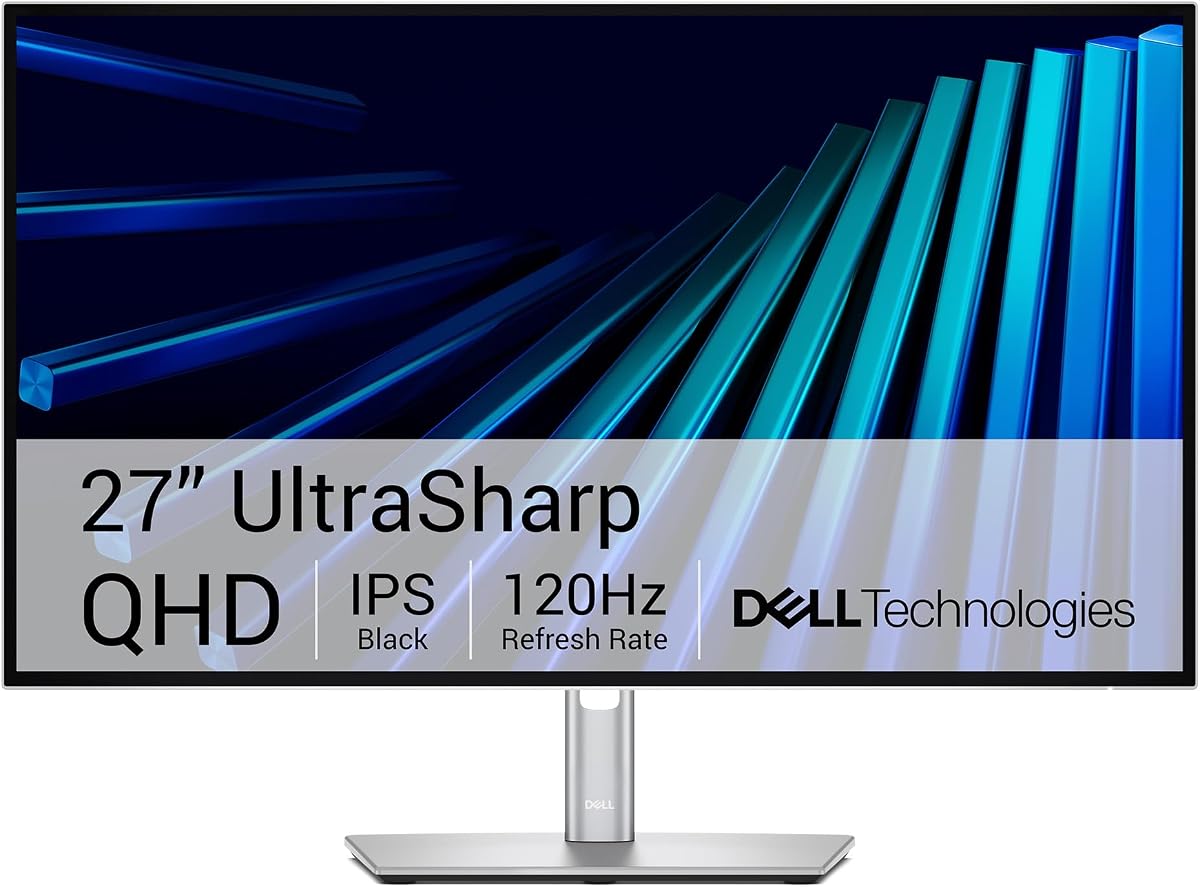
Dell UltraSharp 27 Thunderbolt Hub Monitor – U2726DER, QHD
5.0Editor score
98% Display P3 coverage
Thunderbolt hub connectivity
Factory-calibrated color accuracy
Finding the right computer monitors for MacBook Pro ensures seamless connectivity and vibrant visuals. You need displays that match macOS color profiles and offer reliable USB-C docking for your workflow.
We analyzed ten leading models based on resolution, refresh rate, and color gamut coverage. Each selection balances performance with ergonomics to suit diverse professional needs and desk environments.
This guide details strengths and weaknesses of every pick to help you decide. Prices fluctuate often, so check current listings before purchasing to secure the best deal available today.
5.0Editor score

4.3Editor score

4.6Editor score
As an Amazon Associate we earn from qualifying purchases.
This side-by-side comparison highlights key specs across all ten models. Review resolution, connectivity options, and color accuracy to find the perfect match for your MacBook Pro setup.



The BenQ MA270UP stands out as a premier choice for MacBook users seeking seamless integration. With a 4.3 rating, it delivers crisp visuals and dedicated features designed for Apple environments.
We may earn a commission when you buy through this link, at no additional cost to you.
Its standout feature is Mac Color Match, ensuring vibrant P3 wide color gamut reproduction. Dual USB-C ports support 90W delivery to charge your MacBook while acting as a hub for peripherals.
The main trade-off is the higher price compared to generic 4K displays. However, integrated brightness and volume controls via the Mac keyboard justify the cost for power users.
Buy this if you value ecosystem compatibility and want one cable to power your Mac and control screen settings. It offers the best all-in-one experience for MacBook Pros and Airs.
Calibrated for MacBook with exclusive tuning, it matches Apple's native color output for professional workflows.
Connect and expand your MacBook display with a single USB-C cable that handles data, video, and power.
We may earn a commission when you buy through this link, at no additional cost to you.
The Dell UltraSharp U2726DER offers a near-perfect experience for creators with its 5.0 rating. It brings professional color accuracy and robust docking capabilities to your workspace.
We may earn a commission when you buy through this link, at no additional cost to you.
Key strengths include 98% Display P3 coverage and factory calibration, so colors look true out of the box. The Thunderbolt hub simplifies connections while supporting a KVM switch for multiple machines.
A trade-off is using QHD resolution instead of 4K, which may matter for high-detail work. Still, the smooth 120Hz refresh rate ensures sharp transitions for design tasks.
Ideal for executives and designers needing a refined look and reliable connectivity. Install the Dell Display app to fine-tune settings for optimal Mac compatibility.
Bring your ideas to life on a screen that shows your work exactly as you intended with P3 coverage.
Switch between two machines using a single keyboard and mouse with built-in KVM functionality.
We may earn a commission when you buy through this link, at no additional cost to you.
The Philips 241V8LB delivers crisp visuals at an affordable price point with a 4.6 rating. It suits users seeking reliable performance without premium costs.
We may earn a commission when you buy through this link, at no additional cost to you.
Standout qualities include a 100Hz refresh rate and VA panel contrast that brightens whites and deepens blacks. The minimal bezel design enhances multi-monitor setups significantly.
While it lacks 4K resolution, the Full HD visuals remain sharp for general tasks. The EasyRead mode offers a paper-like experience for viewing lengthy documents comfortably.
Buy this if budget is a priority and you need a versatile second screen. It boosts productivity without compromising on essential features like flicker-free technology.
The sleek monitor is virtually bezel-free on three sides, so the screen looks even bigger for the viewer.
For busy office workers, EasyRead mode provides a more paper-like experience for when viewing lengthy documents.
We may earn a commission when you buy through this link, at no additional cost to you.
The Dell S2725QC offers 4K visuals with an ultra-smooth 120Hz refresh rate for work and play. Its 4.4 rating reflects solid performance across various use cases.
We may earn a commission when you buy through this link, at no additional cost to you.
Key strengths include 99% sRGB color accuracy and ComfortView Plus to reduce blue light emissions. The single USB-C cable manages video and 65W power delivery effectively.
A trade-off is the lower wattage power delivery compared to higher-end monitors. Also, sound quality focuses on rear output which might not fill a room.
Ideal for users seeking a balance of price and refresh rate. It creates a captivating experience for work and play without needing a dedicated graphics card.
Improved ComfortView Plus reduces harmful blue light emissions for all-day comfort without sacrificing color accuracy.
Enjoy more detailed sound with spacious audio featuring greater output power than the previous generation.
We may earn a commission when you buy through this link, at no additional cost to you.
The LG 27UP850K-W provides stunning 4K quality and versatile connectivity options with a 4.5 rating. It acts as a multimedia hub beyond just a display.
We may earn a commission when you buy through this link, at no additional cost to you.
It features 95% DCI-P3 color gamut expression and VESA DisplayHDR 400 support. The USB Type-C delivers up to 90W power while handling data transfer easily.
The Switch App transforms your screen into a multitasking hub for work, gaming, and streaming. Built-in speakers add audio convenience for casual movie watching.
Choose this if you want streaming capabilities directly on the monitor. It offers an elegant ergonomic stand for optimal positioning during long creative sessions.
Black Stabilizer brightens dark scenes to give you an advantage over the competition even when hiding in shadows.
The Switch App transforms your screen into a multitasking hub for work, gaming, and streaming effortlessly.
We may earn a commission when you buy through this link, at no additional cost to you.
The BenQ PD2706QN delivers accurate colors for professionals with its 4.5 rating. It ensures consistent visuals across your Mac and external display.
We may earn a commission when you buy through this link, at no additional cost to you.
Key strengths include ICCsync to automatically match ICC profiles when switching color modes. The 90W USB-C synchronizes images and data while charging your Mac device seamlessly.
Nano Matte panel reduces glare to preserve contrast during long design sessions. The 100Hz refresh rate ensures fluid motion for dynamic creative workflows.
Ideal for designers needing consistent colors and adjustable ergonomics. Create comfortably with tilt, pivot, and height adjustments for an ideal environment.
ICCsync automatically matches and syncs ICC profiles between your Mac and BenQ monitor when switching color modes.
Nano Matte panel diffuses ambient light to preserve color accuracy and contrast while reducing glare.
We may earn a commission when you buy through this link, at no additional cost to you.
The LG 27US500-W offers deep blacks and vivid colors with HDR10. Its 4.4 rating reflects solid visual performance for general users.
We may earn a commission when you buy through this link, at no additional cost to you.
It delivers up to 90% DCI-P3 color gamut expression for elevated color spectrum. The ergonomic stand makes it easy to flexibly adjust the tilt of the screen.
Onscreen Control lets you customize the workspace by splitting the display with a few clicks. Reader Mode helps reduce blue light for comfortable reading.
Buy this if you prioritize a clean look and high resolution. It gives creative professionals the ability to view and work with detailed imagery.
This UltraFine display with a 1000:1 contrast ratio displays deeper blacks and vivid colors in UHD clarity.
You can customize the workspace by splitting the display or adjusting basic monitor options with just a few mouse clicks.
We may earn a commission when you buy through this link, at no additional cost to you.
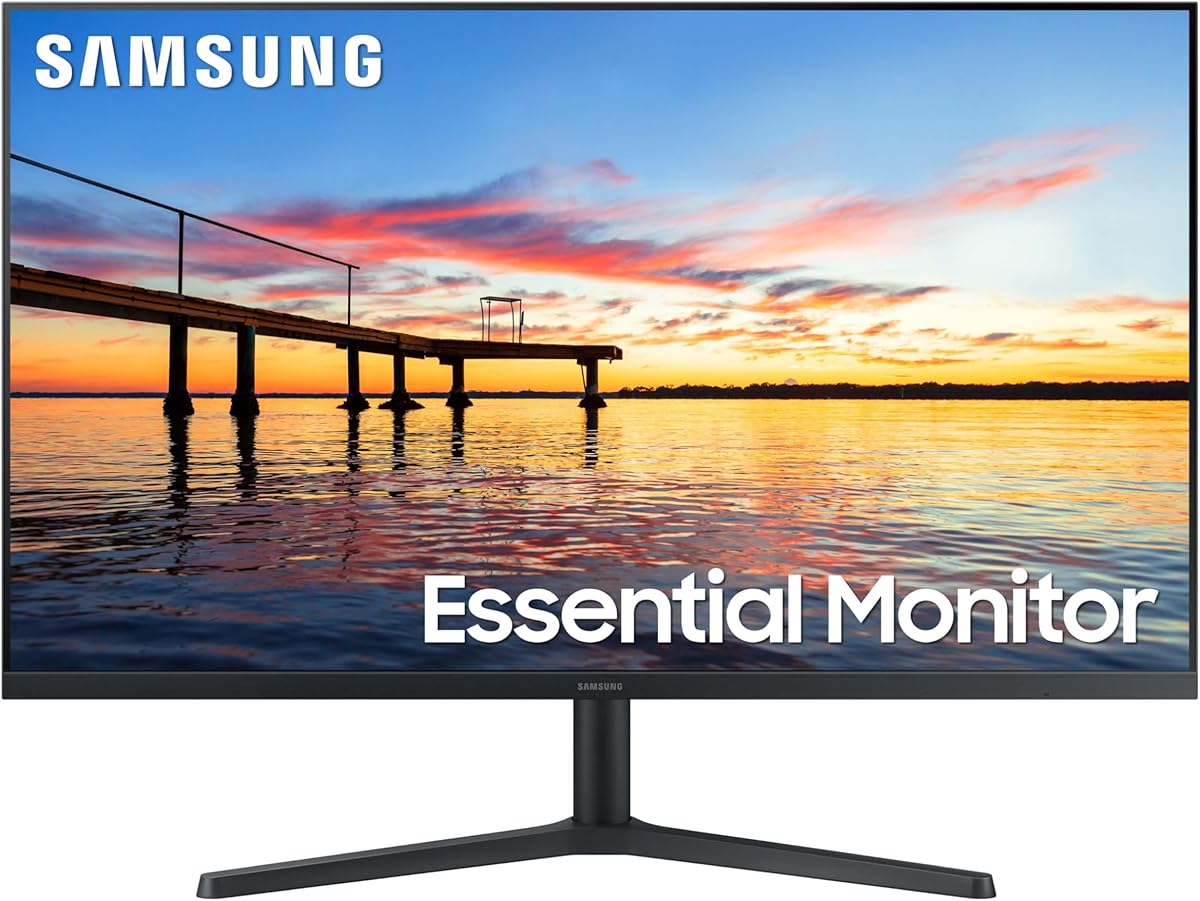
The Samsung 32 Flat monitor provides a spacious canvas for work or entertainment. Its 4.5 rating indicates satisfaction with its smooth visuals and size.
We may earn a commission when you buy through this link, at no additional cost to you.
The three-sided borderless display brings a clean aesthetic to your environment. AMD FreeSync keeps your monitor and graphics card refresh rate in sync.
Game Mode adjusts games to fill your screen with every detail in view. Advanced eye comfort technology reduces eye strain for extended computing.
Choose this if you want a larger screen for multitasking. It delivers seamless visuals and fluid scenes without ghosting effects.
In a multi-monitor setup, the displays line up seamlessly for a virtually gapless view without distractions.
Optimized game settings instantly give you the edge; View games with vivid color and greater image contrast.
We may earn a commission when you buy through this link, at no additional cost to you.
The LG 27U631A-B combines QHD resolution with a 100Hz refresh rate for smooth motion. Its 4.3 rating reflects reliable performance for everyday use.
We may earn a commission when you buy through this link, at no additional cost to you.
You get up to 99% sRGB color gamut expression to make games visually pop. USB Type-C delivers up to 15W power delivery for basic device charging.
Black Stabilizer brightens dark scenes to give you an advantage over the competition. The Switch app transforms your screen into a multitasking hub for streaming.
Ideal for users prioritizing a clean look and efficiency. Maximize your workspace with the ultra-slim stand designed to minimize desk clutter.
With a 100Hz refresh rate and 5ms response time, on screen visuals are rendered clearly for ultra-smooth motion.
Maximize your workspace with the ultra-slim stand, designed to minimize desk clutter and optimize space.
We may earn a commission when you buy through this link, at no additional cost to you.
The Dell S2425HSM delivers fast refresh rates for smooth viewing experiences with a 4.7 rating. It balances entertainment features with ergonomic adjustability.
We may earn a commission when you buy through this link, at no additional cost to you.
Its FHD resolution and 144Hz refresh rate ensure a smooth, tear-free experience. Integrated dual 3W speakers deliver a wider range of frequencies for sound.
The TÜV-certified display reduces harmful blue light emissions while maintaining image quality. You can adjust height, tilt, pivot, and swivel for comfort.
Buy this if you value speed and ergonomics on a budget. It brings clarity and immersive sound to your daily workspace.
The FHD resolution and 1500:1 contrast ratio bring clarity, while a 144Hz refresh rate delivers a smooth experience.
Prioritize visual comfort with this 4-star TÜV-certified display. Reduce harmful blue light emissions while maintaining image quality.
We may earn a commission when you buy through this link, at no additional cost to you.
Selecting the right monitor requires balancing connectivity, resolution, and color accuracy to match your specific professional needs.
Ensure your monitor supports USB-C or Thunderbolt for seamless docking with your MacBook Pro. This single cable solution often handles power delivery and video transmission simultaneously.
Prioritize monitors with high wattage USB-C charging to keep your MacBook powered during long work sessions.
Decide between 4K and QHD based on your need for screen real estate versus sharpness. A 27-inch 4K display offers excellent clarity for detailed work.
Consider the size of your desk and viewing distance to ensure comfortable usage without excessive eye strain.
Look for high sRGB or DCI-P3 coverage to ensure vibrant and true-to-life colors for creative tasks. Factory calibration ensures accurate output right out of the box.
Check for technologies that sync color profiles between your Mac and the monitor for consistent visual performance.
A higher refresh rate like 120Hz or 144Hz provides smoother scrolling and cursor movement for general productivity. Response times under 5ms prevent motion blur during dynamic content.
Prioritize faster rates if you engage in gaming or require fluid motion for creative timelines.
Adjustable stands allow you to set the perfect height and tilt for your posture. Swivel and pivot capabilities are essential for collaborative work or multi-monitor setups.
Choose a model that fits your workflow to reduce physical strain during extended working hours.
A borderless design offers a seamless look when paired with multiple screens. Quality materials contribute to durability and aesthetic appeal in professional environments.
Assess the port placement and cable management options to keep your desk clutter-free and organized.
Some monitors include speakers or KVM switches to simplify your workspace. Specialized software can help manage window layouts for enhanced multitasking.
Evaluate these extras based on whether they genuinely add value to your daily operations.
Determine your price range early to narrow down options that fit your financial constraints. Premium features often come with higher costs but may offer long-term benefits.
Balance the essential specs with your budget to find the best overall value for your needs.
Connect your monitor to the MacBook Pro using a high-quality USB-C or Thunderbolt cable. Ensure your operating system is updated to support the monitor's resolution and color profile.
Calibrate your display settings through macOS preferences to match your working environment. Adjust brightness levels based on ambient light to reduce eye fatigue over time.
Clean the screen regularly with a microfiber cloth and appropriate cleaning solution. Avoid harsh chemicals that can damage the coating or reduce visibility.
Yes, most monitors work with your MacBook Pro via HDMI or USB-C. However, monitors with native macOS support or USB-C docking offer better integration.
It is highly recommended for simplicity. A USB-C monitor can charge your laptop and display video through a single cable, reducing desk clutter.
Look for displays with sRGB or P3 coverage and factory calibration. Use macOS color profiles to match the external screen to your internal display.
4K resolution is generally ideal for creative work as it provides sharp text and detailed image rendering. It matches the pixel density of modern MacBook Pro screens.
A higher refresh rate like 120Hz makes scrolling and cursor movement feel smoother. While not critical for static work, it improves overall responsiveness and comfort.
This often happens due to mismatched color spaces. Ensure the monitor is set to the correct profile and adjust brightness settings to match your workspace.
The Dell UltraSharp U2726DER leads with its Thunderbolt connectivity while the BenQ MA270UP excels in Mac integration. Budget buyers will find the Philips 241V8LB offers excellent value.
Prioritize connectivity options and color accuracy when making your final decision. These features directly impact how well your monitor integrates with your existing macOS environment.
Remember that prices fluctuate, so verify current listings before purchasing. Select the model that best aligns with your workflow to maximize productivity today.