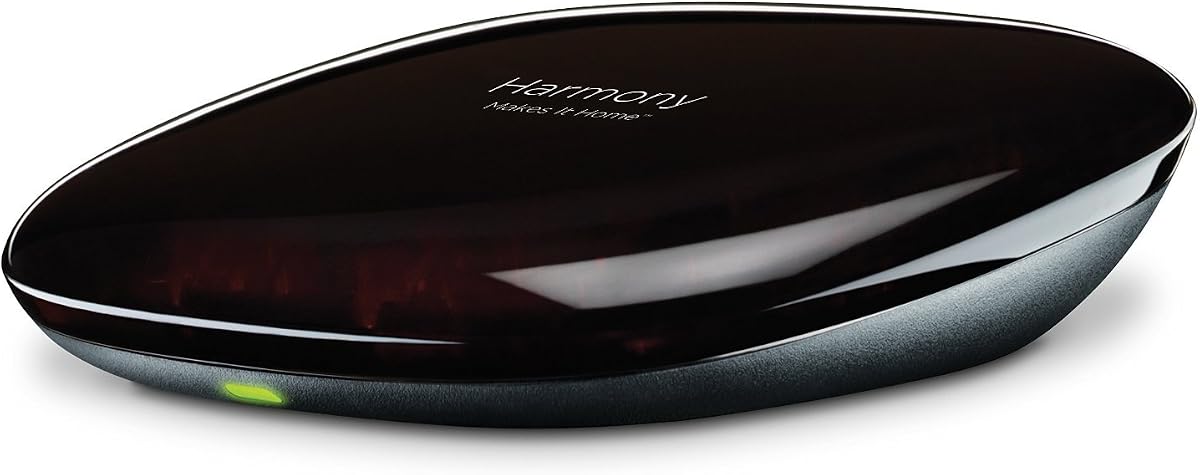
Logitech Harmony Home Hub (Renewed)
3.9Editor score
Compatible with Alexa voice control
Controls up to 8 devices
Included hub for closed cabinets
This expert guide compares the top Logitech Harmony Home Hub models to help you choose the best universal remote system for your home entertainment and smart
Finding the right control system for your home entertainment setup can be challenging. The Logitech Harmony Home Hub offers a streamlined solution to manage multiple devices from one central point. Whether you want voice control or touchscreen convenience, there is a model that fits your needs.
We have carefully reviewed ten distinct options from the Harmony lineup to create this comprehensive comparison. Our analysis focuses on device compatibility, app functionality, hub capabilities, and overall user experience. This list covers everything from budget-friendly renewed units to premium touchscreens.
Each pick in this guide highlights specific strengths to help you make an informed decision. You will see detailed breakdowns of features, pros, and cons for every product listed. Please note that availability and conditions may change, so check current listings before purchasing.
3.9Editor score

3.7Editor score

3.8Editor score
This side-by-side comparison outlines the key specifications and capabilities of each Harmony model to help you identify the best fit for your specific home automation needs.
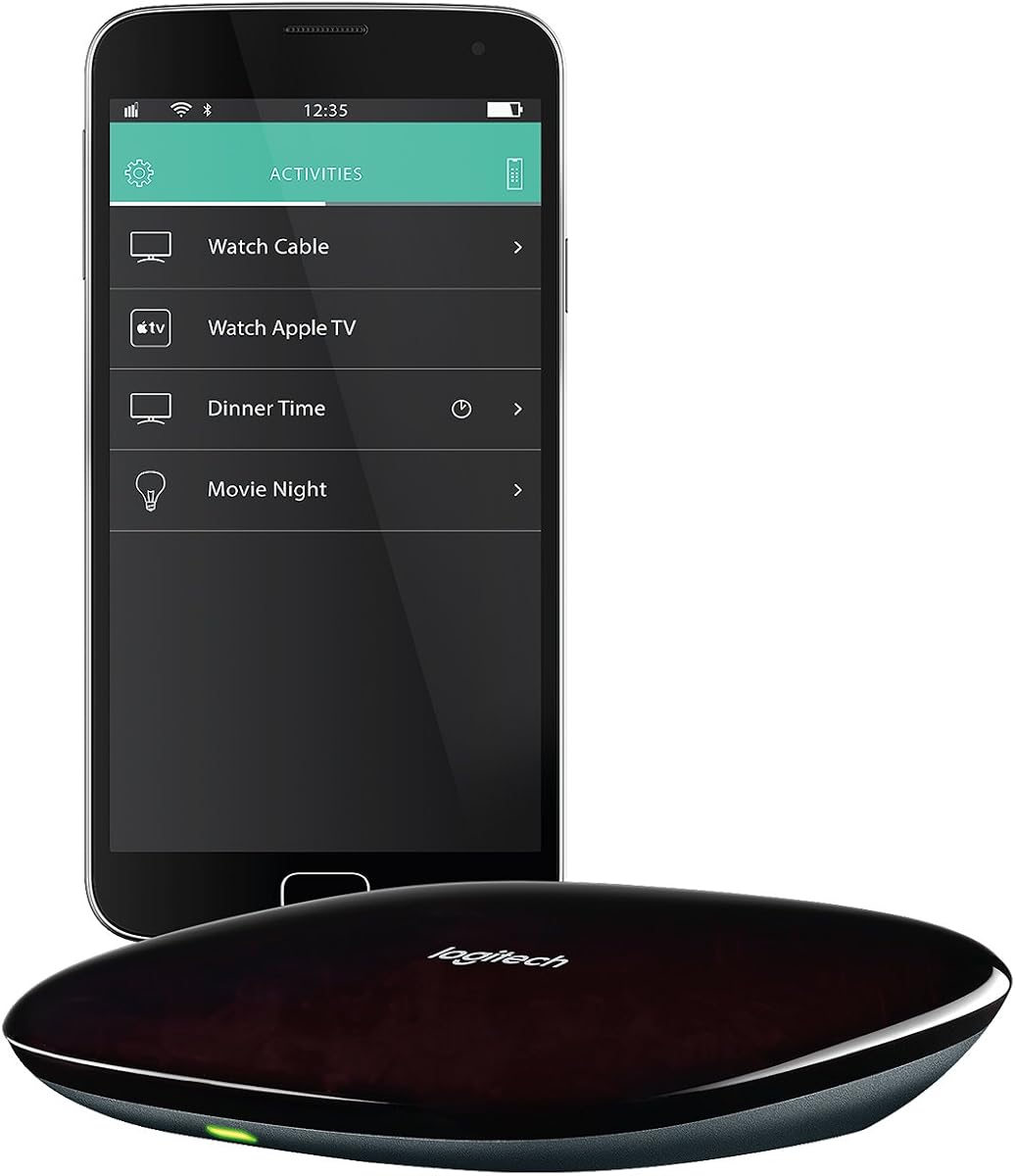


This model serves as the foundational hub for the Harmony ecosystem. It holds a rating of 3.9 and focuses on controlling up to eight entertainment devices. The standout quality is its role as a central command point that connects various remotes to one network.
We may earn a commission when you buy through this link, at no additional cost to you.
The key strength lies in its ability to consolidate signals from multiple devices. It allows you to manage TVs, cable boxes, and streaming players from a single source. This simplifies the remote landscape and reduces clutter in your entertainment area significantly.
However, there are trade-offs to consider before purchasing. Since it is discontinued by the manufacturer, finding new units might be difficult. You may need to rely on refurbished or used options which can affect long-term availability and support.
This hub is best for users who already own Harmony remotes and need a central connection point. It is a solid choice for integrating older setups into a smart home network. Ensure you check availability carefully before committing to this model.
The hub acts as the brain of your setup, allowing all remotes to talk to one central device for seamless control.
It supports a vast array of brands ensuring that your specific TV or media player will work without issue.
We may earn a commission when you buy through this link, at no additional cost to you.
The Harmony Elite is a top-tier option designed for comprehensive control of your home. With a rating of 3.7, it offers a full-color touchscreen and manages up to 15 devices. Its standout quality is the intuitive interface that simplifies complex command sequences.
We may earn a commission when you buy through this link, at no additional cost to you.
Key strengths include the ability to launch activities with a single touch. You can dim lights and start a movie instantly. The integration with Alexa adds voice control convenience. The app transforms your smartphone into a powerful remote tool for any room.
There are trade-offs to consider regarding cost and complexity. The price is higher than basic models and the initial setup can be intricate. However, once configured, the ease of use and advanced features justify the investment for tech-savvy users.
This remote is ideal for users wanting the ultimate control experience. It fits well in modern homes with mixed smart and traditional devices. Prioritize this model if you value touchscreen feedback and voice command integration.
Swiping and tapping on the screen makes navigation fluid and modern compared to traditional button remotes.
Seamlessly blends control of entertainment and smart home items like locks and thermostats in one place.
We may earn a commission when you buy through this link, at no additional cost to you.
This model focuses on leveraging your smartphone as the primary control interface. It holds a 3.9 rating and connects via Wi-Fi to manage up to 8 devices. The standout quality is its reliance on the app for intuitive navigation and channel management.
We may earn a commission when you buy through this link, at no additional cost to you.
Key strengths include swipe and tap controls on your phone for easy operation. You can manage up to 50 favorite channels and control playback without hunting for a remote. The hub allows control of hidden devices behind cabinet doors.
There are trade-offs like dependence on a stable Wi-Fi connection. If the network goes down, control may be lost. The physical remote included is simple and lacks a screen. This setup is best for users who prefer app-based interfaces.
This option suits households where everyone has a smartphone and wants to keep remotes minimal. It offers robust control features without the cost of a premium touchscreen. Ensure your network is reliable for the best experience.
Transforms your daily device into a universal remote reducing the number of physical remotes you need to track.
The hub uses IR to reach devices hidden in cabinets ensuring you can control everything from one app.
We may earn a commission when you buy through this link, at no additional cost to you.
The Ultimate Hub is designed to solve the problem of devices hidden behind doors. With a 3.9 rating, it includes a mini-blaster to send signals through cabinet panels. The standout quality is its ability to keep your entertainment center clean and organized.
We may earn a commission when you buy through this link, at no additional cost to you.
Key strengths include using your phone to navigate favorites and services easily. You can access Netflix or YouTube directly through the app. It supports 225000+ devices making it versatile for different brands and models you might own at home.
Trade-offs involve the need to keep the hub powered and connected. The included remote is functional but basic compared to Elite models. This system is optimized for mobile control rather than physical button feedback. It works best with a dedicated network.
This is a great pick for users with built-in entertainment centers. It ensures you can control equipment without opening every cabinet door. Prioritize this if hiding devices is a priority for your home decor.
The IR blaster allows you to close cabinet doors and keep your living room looking tidy while maintaining full control.
Navigate apps on Apple TV or Roku directly from your phone without switching inputs manually on the TV.
We may earn a commission when you buy through this link, at no additional cost to you.
This renewed option offers the core features of the Home Hub at a lower cost. It holds a 3.9 rating and supports control of 8 devices including smart home items. The standout quality is its ability to create customized activities like Date Night.
We may earn a commission when you buy through this link, at no additional cost to you.
Key strengths include the included hub for controlling hidden devices behind cabinets. It works with Alexa for voice commands and allows easy creation of scenarios. The app lets you swipe and tap to control channels and favorites from your phone.
Trade-offs include the renewed condition which means it was previously owned. While tested, it may show signs of wear compared to new items. This makes it a good budget choice but requires careful inspection upon arrival to ensure satisfaction with the purchase.
This model is ideal for budget-conscious users needing reliable control. It brings smart automation to your home without breaking the bank. Check the seller details to ensure you are confident in the renewed quality before ordering.
Create custom scenarios that trigger multiple devices at once making daily routines like watching a movie simple and quick.
Easy control with your voice through Alexa lets you manage entertainment without reaching for a remote entirely.
We may earn a commission when you buy through this link, at no additional cost to you.
This model brings a full color touch screen to your entertainment control. It has a 3.7 rating and is part of the Ultimate Home series. The standout quality is the ability to customize the interface to match your preferences and favorite apps.
We may earn a commission when you buy through this link, at no additional cost to you.
Key strengths include intuitive navigation that simplifies menu interactions. You can set up one-touch activities for quick access to your favorite content. It supports over 270000 devices ensuring compatibility with most modern TVs and media players.
Trade-offs include the renewed condition which might lack pristine quality. It is also an older series compared to the Elite line. However, the touch experience is still a significant upgrade over standard button remotes for most users.
This remote is great for users wanting a simple touch interface. It is suitable for those who prefer physical handheld control over just a phone app. Check the condition details carefully to ensure it meets your expectations.
You can change icons and screens to match your brand preferences and make navigation feel personal to you.
Swiping through channels is easier and more modern than scrolling through hundreds of buttons on a traditional remote.
We may earn a commission when you buy through this link, at no additional cost to you.
This renewed Elite model offers premium features at a reduced price. It holds a 3.5 rating and is compatible with Alexa for voice control. The standout quality is the ability to manage up to 15 devices through a single all-in-one system.
We may earn a commission when you buy through this link, at no additional cost to you.
Key strengths include the full color touchscreen which makes navigation visual and easy. You can launch activities like Watch a Movie with one touch. The app turns your smartphone into a universal remote which is convenient for users who prefer mobile interfaces.
Trade-offs include the lower average rating which may reflect varied user experiences. The renewed condition also means the unit has been refurbished. While functional, it might have cosmetic imperfections. Still, it offers high-end features at a more accessible price point.
This is a strong pick for those needing advanced control on a budget. It is ideal for homes with many connected devices that need central management. Verify the refurbishment details before purchasing to ensure value for money.
Alexa compatibility allows you to start movies or change volume using simple voice commands instead of buttons.
Managing 15 devices gives you room to grow your smart home without needing additional controllers for new items.
We may earn a commission when you buy through this link, at no additional cost to you.
This kit provides the full Elite experience in a renewed package. It holds a 3.9 rating and includes the hub remote and app. The standout quality is the ready-to-use nature of the bundle allowing you to set up quickly after purchase.
We may earn a commission when you buy through this link, at no additional cost to you.
Key strengths include the inclusion of the hub which supports hidden devices. The Elite remote offers touchscreen navigation that simplifies complex tasks. You can control up to 15 devices which is enough for most entertainment rooms.
Trade-offs include the renewed condition which means the unit is not new. It may have minor signs of wear from previous use. Setup can take time to configure all device codes properly. However, the feature set is very comprehensive.
This kit is best for users needing a complete solution without buying items separately. It offers high compatibility with entertainment and automation devices. Ensure you check the refurbishment status for confidence in the product condition.
Getting the remote hub and app together saves time and ensures all parts work together seamlessly for control.
The included hub sends IR signals to devices in closed cabinets keeping your room looking clean and organized.
We may earn a commission when you buy through this link, at no additional cost to you.
This model focuses on the remote aspect of the Elite lineup. It has a 3.8 rating and supports up to 15 devices. The standout quality is its ability to integrate smart home devices like lights alongside entertainment systems seamlessly.
We may earn a commission when you buy through this link, at no additional cost to you.
Key strengths include the color touchscreen which makes channel and volume control easy. You can launch activities with one touch for streamlined operation. It works with over 270000 devices ensuring you can pair almost any entertainment gear.
Trade-offs include that some units may not include the hub. You might need to buy that separately for closed cabinet control. The renewed condition also means inspecting for wear. This model is excellent if you already have a hub or do not need hidden control.
This remote is great for users wanting advanced features without the full kit. It is ideal for homes with many devices needing central control. Check the listing details to confirm what is included before ordering.
Control lights and thermostats directly from the remote so you do not need separate apps for home automation.
Tailor activities to your routine so everything powers on and sets the right scene automatically with one touch.
We may earn a commission when you buy through this link, at no additional cost to you.
The Harmony 1100 is a high-end remote with RF capabilities. It has a 3.8 rating and features a 3.5-inch color touch screen. The standout quality is the RF wireless support which allows control of devices behind walls or cabinets.
We may earn a commission when you buy through this link, at no additional cost to you.
Key strengths include the charging stand which keeps the remote powered. You can control over 225000 devices and customize icons to suit your preferences. Activities help streamline complex command sequences into single interactions for ease of use.
Trade-offs include that it is an older model compared to newer Elite lines. It may lack some modern connectivity features like Bluetooth. However, the RF capability is a strong benefit for difficult setups. It remains a solid choice for reliability.
This is best for users needing wireless control through obstacles. It suits those who value a physical charging dock. Check availability as newer models might be more common in stores now.
Use RF to reach devices hidden in cabinets or on other walls without needing line of sight.
The included charging stand keeps the remote ready to use without worrying about battery changes.
We may earn a commission when you buy through this link, at no additional cost to you.
Selecting the right Harmony system depends on your specific home setup and control preferences. This guide breaks down the key factors to consider before making a purchase.
The most critical factor is ensuring the hub supports all your current devices. Most Harmony models work with over 270000 devices including TVs cable boxes and streaming players. Verify that your specific brand and model are in the database before buying to avoid setup issues.
Always check the supported brand list to ensure your unique electronics will pair correctly with the system.
Harmony systems use IR RF and Wi-Fi to communicate with devices. IR requires line of sight which works for visible remotes. RF allows control through walls and cabinets. Wi-Fi is needed for app-based control. Choose based on where your devices are located.
If devices are hidden behind doors ensure the hub has IR blasters or RF support for reliable control.
Some kits include a hub while others are standalone remotes. The hub is essential for controlling devices hidden in closed cabinets. If you have a built-in entertainment center prioritize models with a hub. If your gear is visible a remote-only model might suffice.
Consider whether you need centralized control via a hub before deciding on a remote-only bundle.
Harmony offers standard remotes and touchscreen models. Touchscreens like the Elite provide modern navigation and app-like experiences. Standard remotes rely on buttons and app integration. Think about whether you prefer physical feedback or a glass screen.
Touchscreen remotes are ideal for users who want intuitive menu navigation and visual feedback.
Modern Harmony hubs integrate with Alexa and smart lights. This allows voice control and automation of lights and locks. If you want voice commands or multi-device scenarios like dimming lights during a movie check for compatibility.
Ensure the model supports the smart devices you already own to maximize utility.
Prices vary significantly between new and renewed models. Renewed units offer premium features at a lower cost. However, they may have cosmetic wear. Determine how much you are willing to spend and whether a refurbished unit meets your needs.
Renewed models are a great way to access high-end features without paying full price.
The ability to create activities simplifies daily routines. You can group commands like turning on the TV and soundbar into one action. Look for models with easy-to-use app editors that let you design your own flows.
Prioritize models with flexible activity editors to automate your home entertainment easily.
Advanced systems require initial setup via an app or computer. It can take time to map buttons and create activities. Newer models streamline this process but still require patience. Consider your technical comfort level before committing to a complex system.
Be prepared to spend time configuring the system to get the best performance from it.
To start using your Hub connect it to your home Wi-Fi network using the mobile app. Follow the prompts to add each device by selecting its brand and type. This process ensures all remotes can communicate properly with the central hub.
Regularly update the firmware through the app to maintain compatibility with new devices. This also helps fix bugs and improve connectivity speeds. Keep your account details secure to prevent unauthorized access to your home network.
For physical care keep the hub away from dust and direct sunlight. Avoid placing it near large metal objects that might interfere with signals. Clean the touchscreens on remotes with a soft cloth to prevent damage.
Yes you can use the Hub for local IR commands without constant internet access. However initial setup and activity synchronization require Wi-Fi. Some app features may not work offline.
You need a model that includes a hub and an IR blaster. The hub connects to your Wi-Fi and the blaster sends signals through the cabinet door to your hidden device.
Most models support up to 15 devices per hub. Some basic hubs allow control of 8 devices. Check the specs to ensure you have enough capacity for all your gear.
Most modern Harmony remotes are rechargeable via USB. The 1100 model includes a dedicated charging stand. Battery life varies but typically lasts for several weeks of daily use.
Harmony does not directly support HomeKit but it integrates with Alexa and Google Assistant. You can bridge these services to work with Apple Home in some setups.
Yes the Harmony system supports major gaming consoles like PlayStation Xbox and Nintendo Switch. You can control power volume and menu navigation just like other entertainment devices.
Choosing the best Harmony system depends on your specific needs for device count and control style. The Elite models offer the best touchscreen experience while the Home Hub is great for hidden control.
Prioritize compatibility with your existing devices and consider if you need voice control. Ensure the system supports your smart home items for a complete solution.
Prices and availability can fluctuate so check current listings before buying. This guide aims to help you find the right balance between features and value.