
2pcs Keyboard Stands
4.6Editor score
Aluminum alloy build
Prevents overheating
Includes two units
Finding the right laptop kickstand can transform your workspace into an ergonomic haven. Whether you need portability for travel or stability for desk work, the best stands offer comfort and cooling without bulk.
We compared ten top-rated laptop kickstands based on material quality, adjustability, and user feedback. Our list covers invisible adhesive models, foldable zinc alloy options, and versatile universal stands for various screen sizes.
Each pick highlights unique features like heat dissipation, portability, and build durability. Prices may change due to promotions, so check the current listings before making your final decision for a better workspace setup.
4.6Editor score

4.6Editor score

4.7Editor score
As an Amazon Associate we earn from qualifying purchases.
This comparison table details the specifications and features of the top ten laptop kickstands. Review the images, links, and key specs to find the perfect match for your device and workspace needs.
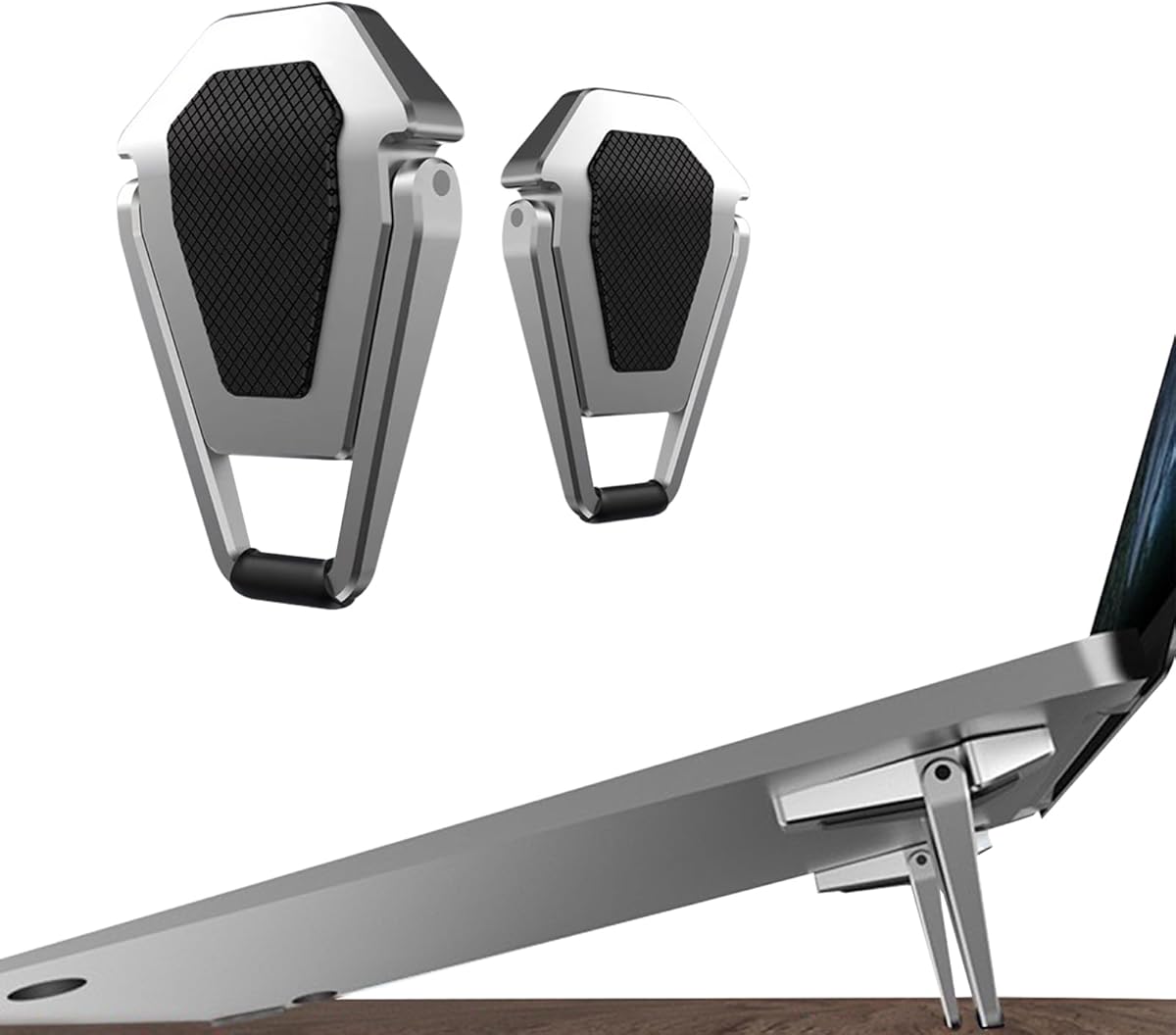



The Hagibis Laptop Stand is a versatile accessory designed to elevate your laptop for better ergonomics. With a high rating of 4.6 stars, users appreciate its ability to improve cooling and posture simultaneously.
We may earn a commission when you buy through this link, at no additional cost to you.
This stand uses aluminum alloy which acts as a thermal pad to help cool your device. The forward-tilt angle and open design promote airflow, reducing the risk of overheating during long sessions.
While the three height settings provide flexibility, the angle is fixed for each height level. Additionally, like most adhesive stands, repeated repositioning might affect the stickiness over time.
Anyone needing a reliable way to lift their laptop for better airflow and viewing angles should consider this model. It is perfect for daily office use where stability and cooling are priorities.
The open design ensures that air circulates freely under your laptop chassis preventing heat buildup efficiently.
Users can switch between 10mm 20mm and 36mm heights to match their specific ergonomic requirements easily.
We may earn a commission when you buy through this link, at no additional cost to you.
This 2-pack of mini laptop stands offers incredible value for users seeking a basic yet effective solution for posture and cooling. It holds a strong 4.6 rating from satisfied customers.
We may earn a commission when you buy through this link, at no additional cost to you.
Constructed from aluminum alloy these stands are designed to be durable and long-lasting. They fit a wide range of devices including MacBooks and various PC brands ensuring broad compatibility.
The lack of adjustable angles is a trade-off for the low price point. However, for users who need a simple lift to improve airflow without complex adjustments this works well.
Students or professionals on a tight budget will find these stands to be a smart investment. They provide a quick fix for neck strain and laptop heat issues at a fraction of the cost.
Aluminum alloy construction ensures the stands withstand daily use without bending or breaking easily over time.
Getting two stands for the price of one means you can share the setup or keep a backup for travel.
We may earn a commission when you buy through this link, at no additional cost to you.
The Ringke Step-Fit Mini Stand represents premium quality in the world of laptop accessories. Its 4.7 rating reflects high user satisfaction with its build and performance.
We may earn a commission when you buy through this link, at no additional cost to you.
Crafted from high-quality zinc alloy this stand feels substantial and reliable. The non-slip TPU provides ensures your device remains secure while the open design promotes better airflow.
While the cost is higher than basic plastic alternatives the durability and finish justify the investment. The three height levels offer good options for adjusting your screen to a comfortable viewing position.
Users willing to invest in quality accessories will appreciate the solid feel and reliable performance of this stand. It is an excellent choice for those who value aesthetics and longevity.
The zinc alloy metal construction gives the stand a premium look and feel while ensuring long-term stability.
By lifting the laptop off the surface airflow is enhanced which helps keep the device running cool during tasks.
We may earn a commission when you buy through this link, at no additional cost to you.
Designed for frequent travelers this portable stand weighs only 24 grams making it easy to slip into any bag. It earns a 4.3 rating for its balance of utility and portability.
We may earn a commission when you buy through this link, at no additional cost to you.
Despite its tiny size it supports up to 10KG which covers most laptops and devices. The rubber pads ensure stability on any surface preventing slips that could damage your equipment.
The tilt angle ranges from 15 to 25 degrees which offers some ergonomic flexibility. However users who need significant height adjustments might find this range slightly restrictive for typing.
Business travelers and digital nomads who need a minimal footprint accessory will find this stand ideal. It adds necessary elevation without adding noticeable weight to your daily carry.
Weighing just 24 grams this stand folds down to a minimal size that fits easily in pockets or laptop sleeves.
Upgraded rubber pads provide a secure grip on desktop surfaces ensuring your laptop stays in place during use.
We may earn a commission when you buy through this link, at no additional cost to you.
This two-pack offers a unique combination of functionality and added security features. Users appreciate the privacy shield that comes included with the stand for extra digital safety.
We may earn a commission when you buy through this link, at no additional cost to you.
The stand allows you to switch between 8 degree and 13 degree modes easily. This dual-angle system gives you options for different tasks like browsing versus typing without needing a new accessory.
While the ABS plastic build is durable it does not feel as premium as metal stands. However the anti-slip silicone ensures your device remains protected from scratches during daily use.
Users interested in both ergonomics and privacy will find this package offers excellent value. The inclusion of a webcam cover makes it a complete solution for remote work security.
You can instantly switch between casual browsing and ergonomic typing modes without tools for maximum flexibility.
The included webcam cover adds a layer of digital privacy protection that complements the physical ergonomic benefits.
We may earn a commission when you buy through this link, at no additional cost to you.
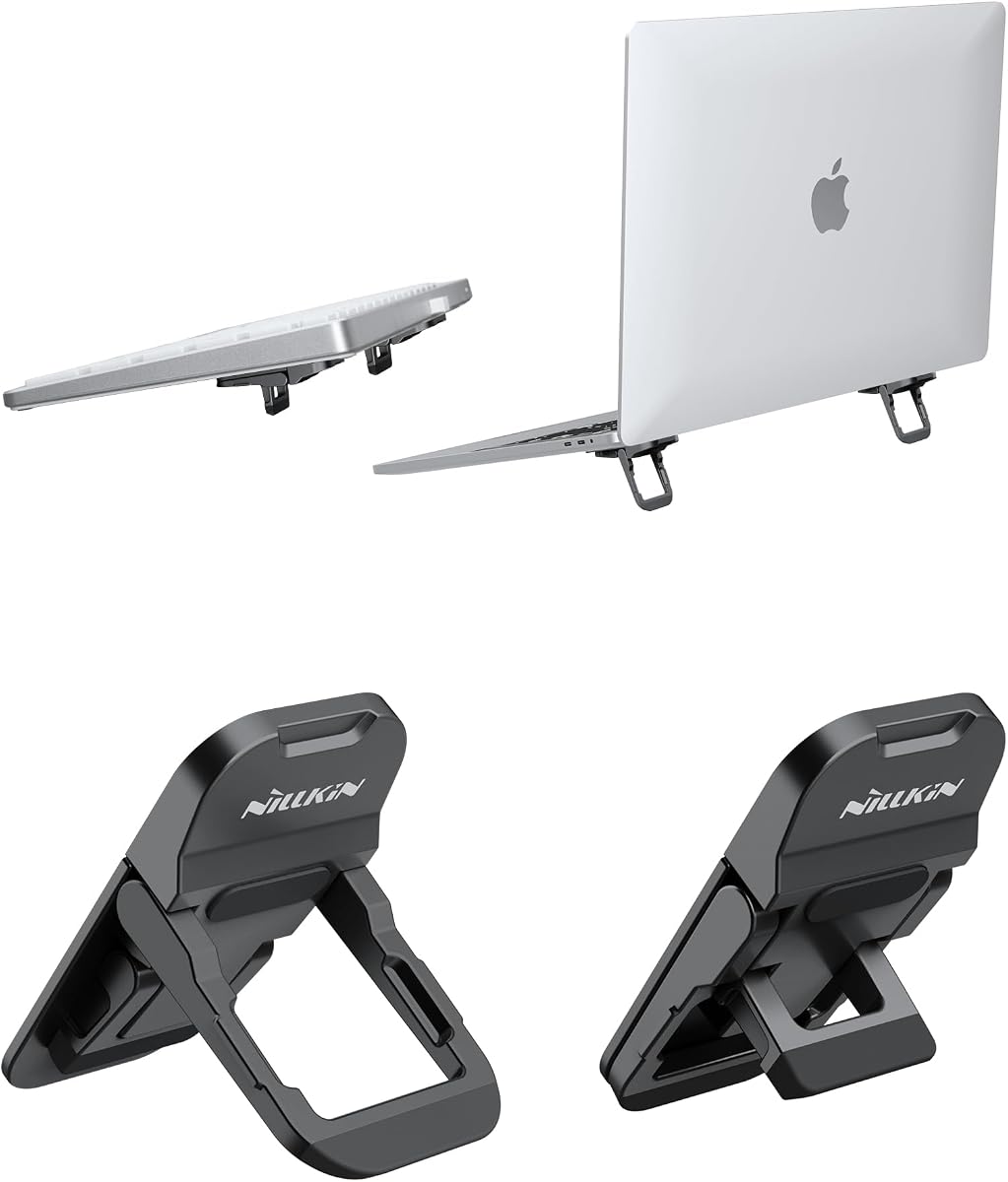
Nillkin is known for quality accessories and this stand maintains that reputation with a solid build and precise angles. It receives a 4.1 rating from users who value ergonomics.
We may earn a commission when you buy through this link, at no additional cost to you.
The three angles of 3 11 and 16 degrees allow for fine-tuned ergonomic adjustments. This range covers most user preferences reducing neck and shoulder strain during extended work sessions.
The nano traceless adhesive works well but requires an hour of curing for full strength. Users should be careful not to remove it repeatedly as this can compromise the adhesion over time.
Professionals seeking specific ergonomic adjustments in a compact form will find this stand highly effective. Its slim foldable design makes it easy to store when not in use.
With three specific angles this stand allows you to choose the perfect viewing height to reduce physical strain.
The nano adhesive ensures firm adhesion without leaving residue when you eventually decide to remove the stand.
We may earn a commission when you buy through this link, at no additional cost to you.
These mini stands are perfect for users who want a discreet lift without altering the look of their laptop too much. The high 4.6 rating indicates strong satisfaction with their compact design.
We may earn a commission when you buy through this link, at no additional cost to you.
Made from zinc alloy these stands are reliable and durable despite their small size. They fold flat which makes them ideal for stashing in a pocket or small bag when traveling.
The adhesive setup includes double-sided tapes for easy installation. While they provide stable support their small size means they are best for lighter laptops or keyboards rather than heavy gaming rigs.
If you need a subtle upgrade to your workspace that is easy to hide or move this two-pack is a great choice. It delivers reliable support with minimal bulk.
The small size ensures the stand remains invisible under your laptop maintaining a clean and professional look.
Foldable and lightweight these stands fit easily into bags making them perfect for on-the-go professionals.
We may earn a commission when you buy through this link, at no additional cost to you.
This stand stands out with its MagSafe capability allowing you to mount your iPhone directly to the stand for dual-screen workflows. It holds a 4.5 rating for its innovative design.
We may earn a commission when you buy through this link, at no additional cost to you.
Constructed from aerospace aluminum it is built to handle heavy devices like gaming laptops or iPad Pros without wobbling. The custom-tensioned hinges ensure a solid typing experience.
The stand folds into a baton shape for travel but is bulkier than adhesive models. It is best for those who want a desk setup that can be dismantled and moved frequently.
Users with iPhones or tablets will find the magnetic integration adds significant convenience. It transforms a standard stand into a multi-device workstation hub with a single purchase.
The N52 magnetic core snaps onto iPhone models allowing for a seamless dual-screen setup at your desk.
Eight distinct height slots provide precise control over screen elevation to match your natural line of sight.
We may earn a commission when you buy through this link, at no additional cost to you.
The Aulumu G07 brings a unique pop-up mechanism that allows for one-handed operation. With a 4.3 rating users enjoy the convenience of its spring-loaded design.
We may earn a commission when you buy through this link, at no additional cost to you.
Weighing only 1.4 ounces and measuring just 4mm thick it is one of the thinnest stands available. The spring mechanism ensures it pops up instantly in 0.1 seconds making it very fast to use.
The strong adhesive keeps the stand firmly attached to the back of your laptop. However the mechanical nature of the pop-up feature might be less durable than a simple fixed wedge over time.
Tech enthusiasts who appreciate innovative mechanisms and minimalism will love this product. It offers a quick way to elevate your screen without cluttering your workspace.
The built-in spring allows you to open the stand instantly in under a second for immediate use.
Folding down to the size of an index finger it remains almost invisible on your device when not in use.
We may earn a commission when you buy through this link, at no additional cost to you.
This smart folding stand focuses on simplicity and ease of use. It receives a 4.2 rating for its reliable adhesive application and minimal profile on your device.
We may earn a commission when you buy through this link, at no additional cost to you.
The 3M adhesive allows for a smooth installation process that feels secure once applied. Soft slide prevention pads protect your device surface from any potential scratches during use.
Because it relies on strong adhesive removing it multiple times may lower performance. This design is best for users who plan to keep the stand installed for long periods.
For those who want a clean setup without visible mechanical parts this stand is a solid choice. It provides essential lift with a very lightweight feel.
The 3M adhesive ensures that installation is quick and leaves no messy residue when applied correctly.
The stand adds almost zero weight or bulk to your device keeping your laptop feeling as light as ever.
We may earn a commission when you buy through this link, at no additional cost to you.
Choosing the right laptop kickstand involves considering factors like material, stability, and portability to ensure it meets your specific needs.
The material of the stand determines its durability and cooling performance. Aluminum alloy and zinc alloy are top choices because they dissipate heat better than plastic and feel more premium.
Look for stands made of metal if you want better heat management and long-term durability for your device.
If you travel frequently, a lightweight and foldable stand is essential. The best portable stands weigh less than 50 grams and fold down to a small size.
Choose a compact option that fits in your pocket or bag if you move between locations often.
Some stands offer fixed angles while others provide multiple height or angle settings. Adjustable stands allow you to customize the viewing height for better ergonomics.
Prioritize models with multiple settings if you need different positions for typing versus watching videos.
Stands can be adhesive-based or standalone. Adhesive ones are invisible but permanent, whereas standalone ones are movable but take up desk space.
Decide if you prefer a hidden look or a flexible setup that you can move around easily.
Ensure the stand can support your device's weight without wobbling. Most stands support up to 10kg which covers all standard laptops.
Check the weight capacity to ensure the stand will not tip over when you type on heavier machines.
Most stands are universal but verify they fit your specific device size. Ranges usually cover 10 to 20 inches which includes laptops and tablets.
Confirm the compatible size range to ensure the stand will fit your laptop or tablet securely.
An open design or metal material helps airflow to prevent overheating. This is critical if you use your laptop for heavy tasks like gaming or video editing.
Select stands with open frames or metal bases to keep your device cool during intense usage.
Look for stands that are easy to install without tools. Peel-and-stick designs or simple foldable mechanisms are convenient for quick setup.
Opt for a model that requires minimal effort to set up so you can start working immediately.
When installing an adhesive stand, clean your laptop surface thoroughly with alcohol to ensure a strong bond. Press firmly for 30 seconds and let it sit for an hour before use.
For foldable stands, open the legs carefully to avoid bending the hinges. Ensure the rubber pads are clean to maintain grip and prevent slipping.
Regularly clean the stand with a dry cloth to remove dust and oils. This keeps the material looking new and ensures the adhesive remains effective over time.
Generally, using a non-invasive kickstand does not void your laptop warranty. However, using strong adhesives might affect the finish. Always check your warranty terms before applying sticky products to the bottom of your device.
Most adhesive stands are designed to be semi-permanent. They can be removed, but repeated removal may reduce the stickiness. If you plan to move it often, consider a non-adhesive foldable option.
Yes, most of these stands support up to 10kg which covers gaming laptops. Ensure the stand is wide enough to support the larger base of gaming models securely.
Use a soft dry cloth to wipe down the stand. For adhesive models, avoid getting liquid on the sticky side. Metal stands can be wiped with a slightly damp cloth if needed.
Metal stands are better for cooling and durability. Plastic stands are lighter and cheaper but might not dissipate heat as effectively. Choose metal for heavy use.
Many stands listed are universal and support tablets as well. Check the specific size range to ensure your tablet is covered before purchasing.
High-quality adhesives like 3M usually remove cleanly with slow peeling. If residue remains, use a small amount of oil to lift it gently.
Most stands raise the device by 1 to 2 inches which significantly improves airflow. This modest lift is usually enough to help with cooling and ergonomics.
We explored ten top laptop kickstands ranging from budget options to premium ergonomic solutions. The Hagibis stand leads in performance while budget packs offer great value for simple needs.
Prioritize material quality and portability based on how often you travel. Metal stands offer better cooling, while foldable designs ensure you can take your setup anywhere.
Prices and availability may fluctuate so always check current listings before buying. Investing in a good stand is a simple way to improve your daily computing experience.