
Creality Ender 3 V3 SE
4.1Editor score
Auto Leveling
Fast Setup
Quiet Operation
This guide compares the top easy to use 3D printers for beginners and experts, highlighting setup, speed, and ease of use features.
Finding an easy to use 3D printer can transform your creative projects into reality without the usual frustration. Modern machines now offer automated calibration, intuitive interfaces, and reliable performance that make printing accessible to everyone from kids to professionals looking for efficient tools.
We have evaluated ten top models based on their setup simplicity, automation features, print quality, and user feedback. Each product was selected for its ability to reduce common hurdles like bed leveling and filament loading, ensuring you spend more time creating and less time troubleshooting technical issues.
Each pick below highlights specific strengths such as speed, safety, or ecosystem support to help you choose the right fit. Please note that prices and availability can change frequently, so check the latest details on the manufacturer or retailer sites before making your final purchase decision.
4.1Editor score

4.7Editor score

4.5Editor score
This side-by-side comparison evaluates all ten selected models across key usability metrics to help you make an informed decision based on your specific needs and skill level.




The Bambu Lab A1 stands out as the top pick for ease of use with its fully automatic calibration system. This printer handles Z-offset and bed leveling without user input, ensuring a perfect first layer every single time. Its high-speed capabilities and quiet operation make it ideal for home environments where performance and noise control matter.
We may earn a commission when you buy through this link, at no additional cost to you.
Key strengths include active flow rate compensation and a simplified touchscreen interface that guides you through settings. The 1-Clip quick swap nozzle allows for quick maintenance and easy access to different filament types. Combined with support for multi-color printing via the AMS lite, this device offers versatility without complexity for advanced users.
Trade-offs involve the need to purchase the AMS lite separately for multi-color prints and reliance on app connectivity for advanced monitoring. However, these limitations are minor compared to the setup simplicity and reliability offered. Most users find the seamless experience outweighs any additional accessory costs for optional features.
You should buy the Bambu Lab A1 if you want a printer that works right out of the box with minimal tuning. It is perfect for beginners who need reliability and experts who value speed and precision. This model bridges the gap between user-friendly design and professional-grade output effectively.
The printer automatically adjusts bed leveling and nozzle height, eliminating manual dialing and reducing failed prints significantly.
Active motor noise canceling and high acceleration ensure fast prints that remain quiet enough for any room in your home.
We may earn a commission when you buy through this link, at no additional cost to you.
The FLASHFORGE Adventurer 5M brings incredible speed to the table with a max travel speed of 600mm/s. It features one-click automatic printing and a 3-second nozzle change system that minimizes downtime. Users can monitor progress remotely via the Flash Studio app, making it a strong choice for those who value efficiency.
We may earn a commission when you buy through this link, at no additional cost to you.
Its CoreXY all-metal structure ensures stability during high-speed operation. The direct extruder supports up to 280°C which allows for a wide range of materials. The smart design includes vibration compensation to maintain quality even when pushing the printer to its maximum performance limits effectively.
While the speed is impressive, some users report a lower overall rating compared to more established brands. This may stem from software quirks or specific material handling issues that require tweaking. Yet for rapid prototyping, the time savings often justify these minor operational adjustments needed.
Choose this model if you prioritize speed and want a machine that can churn out parts quickly. It suits users who need frequent prototypes and do not mind occasional calibration tweaks. The mobile app adds convenience for managing multiple tasks without standing by the printer.
High speed and efficient design reduce production cycles significantly for users needing fast turnaround on designs and models.
The Flash Studio app allows real-time monitoring and status alerts so you can check prints from anywhere in your home.
We may earn a commission when you buy through this link, at no additional cost to you.
The Bambu Lab A1 mini offers a compact solution without sacrificing the ease of use found in the larger A1. It includes an LED Lamp Kit to inspire creative projects immediately. With automatic calibration and a smooth printing experience, it lets beginners focus on creating rather than troubleshooting technical setup steps.
We may earn a commission when you buy through this link, at no additional cost to you.
Access to MakerWorld's library of ready-to-print models enhances the experience right out of the box. The device is designed for everyday creativity, handling toys, decorations, and functional tools with consistent quality. Its quiet operation ensures it blends well into home environments without causing disturbance or noise.
The main trade-off is the smaller print volume which limits large projects. However, for daily use and learning, the size is often preferable. The inclusion of the LED kit adds immediate value for users looking to start with a specific fun project rather than generic test cubes.
Select the A1 mini if space is limited or you prefer a machine tailored for small-scale creativity. It is perfect for students or hobbyists needing reliable performance without a large footprint. This model proves that ease of use does not require sacrificing size or capability.
The included LED Lamp Kit provides a fun first project that turns 3D printing into an engaging hands-on learning experience.
Seamless access to MakerWorld and the Handy app connects users to a supportive community and vast model library instantly.
We may earn a commission when you buy through this link, at no additional cost to you.
The P1S is a premium pick designed for those who need reliability with advanced filaments like ABS and ASA. Its enclosed design improves print performance by maintaining consistent temperatures. With speeds up to 500mm/s and auto bed leveling, it combines professional features with user-friendly setup that saves valuable time.
We may earn a commission when you buy through this link, at no additional cost to you.
You can easily scale multi-color printing by connecting the Bambu Lab AMS system for up to 16 colors. The setup takes only 15 minutes which ensures you start printing quickly after unboxing. This makes it a favorite for professionals who demand consistent quality without sacrificing speed or workflow efficiency.
The main drawback is the higher cost compared to open-frame alternatives. Additionally, it is not recommended for carbon fiber reinforced polymers which limits some specialized applications. However, for most users the balance of speed, enclosure, and support for engineering filaments justifies the investment.
Choose the P1S if you need to print functional parts with engineering materials reliably. It is ideal for users who want a plug-and-play professional solution without spending hours on calibration. This model offers the best blend of advanced features and ease of use available today.
The enclosure keeps the temperature stable allowing you to print ABS and ASA without warping or failure during cooling.
Adding the AMS system enables vibrant multi-color prints that bring designs to life with minimal manual intervention required.
We may earn a commission when you buy through this link, at no additional cost to you.
The AOSEED AI 3D Printer is specifically designed to make 3D printing accessible for children. Its AI Doodle feature allows kids to create models using voice or images without design skills. The enclosed safe design and one-tap printing make it a perfect toy factory that inspires creativity and engagement at home.
We may earn a commission when you buy through this link, at no additional cost to you.
Access to over 8,000 human-reviewed models ensures endless fun right out of the box. Parents can monitor progress via a built-in camera which creates time-lapse videos of the creation process. This tool turns the complex world of 3D printing into an educational and enjoyable experience for families.
The limitation to single-color printing may restrict complex multi-part designs without assembly. However, for most childrens projects this is not a significant barrier. The focus on safety and ease of use ensures kids stay safe while learning about design and engineering concepts.
Buy this printer if you want a safe, engaging introduction to 3D printing for your child. It is perfect for STEM education and creative play without technical frustration. This model empowers kids to create and learn with confidence and excitement.
AI Doodle lets children draw on images or use voice commands to generate custom 3D models instantly.
Enclosed chassis and pinch-resistant design ensure a secure environment for young users exploring design and fabrication.
We may earn a commission when you buy through this link, at no additional cost to you.
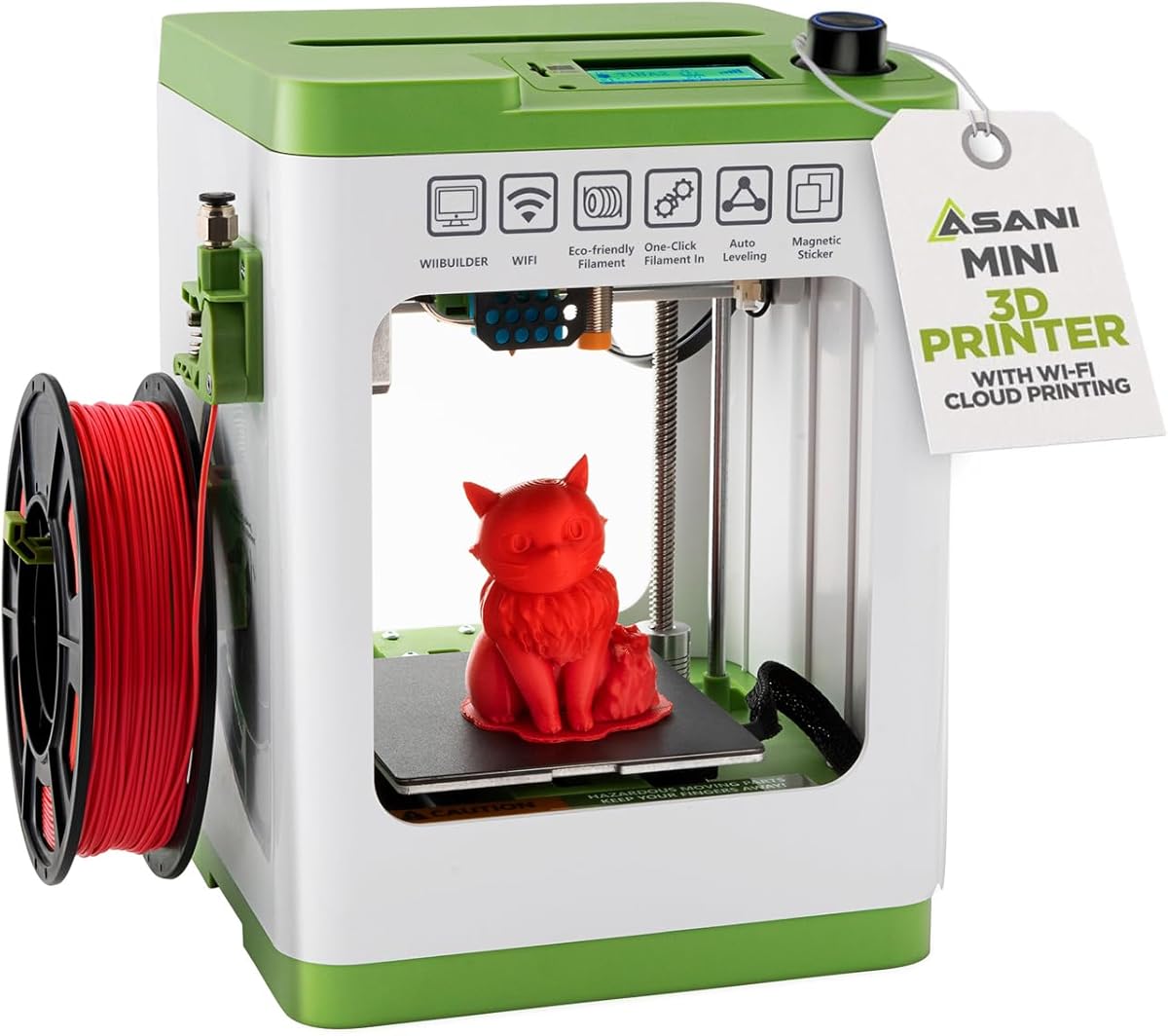
The Entina Tina2C is a mini 3D printer designed to get beginners printing in just 8 minutes. It comes fully assembled which removes the complexity of building a machine from scratch. The Poloprint Cloud app offers AI search and photo-to-print features that make starting projects incredibly intuitive and fun.
We may earn a commission when you buy through this link, at no additional cost to you.
With 25+ creative DIY modules, the printer integrates educational content seamlessly. Auto leveling and power-loss recovery help ensure successful prints without constant supervision. The compact size makes it ideal for desks and classrooms where space is at a premium for learning environments.
The main trade-off is the very small print volume which limits larger builds. While perfect for toys and small STEM projects, it cannot handle functional parts requiring larger dimensions. Yet for its target audience, this compact form factor supports portability and easy storage effectively.
Choose the Tina2C for classrooms or home learning where simplicity and safety are priorities. It is perfect for young beginners or those testing 3D printing for the first time. This model delivers an engaging educational experience that sparks interest in design.
STEM learning courses and interactive tools turn every print into a lesson that builds technical skills naturally.
WiFi and offline TF card modes allow printing anywhere with or without internet depending on your needs.
We may earn a commission when you buy through this link, at no additional cost to you.
The AD5M delivers precision and speed with a fully automatic one-click leveling system. It removes manual calibration hassles ensuring a flawless first layer every time. The patent quick-release nozzle allows for tool-free changes which simplifies maintenance for novices and experts alike effectively.
We may earn a commission when you buy through this link, at no additional cost to you.
With a CoreXY all-metal motion structure, the printer maintains stability at high speeds. Enhanced control via the Flash Maker APP allows remote monitoring and batch file transmission. This connectivity ensures you can manage multiple prints efficiently without standing by the machine constantly.
Some users might find the advanced settings require a slight learning curve initially. However, the auto resume feature helps prevent waste after power outages. This reliability makes it a solid choice for users who want high performance without sacrificing usability.
Opt for the AD5M if you need a reliable workhorse for rapid prototyping. It is perfect for those who want high speed without manual setup stress. This model balances advanced features with ease of operation well for most users.
One-click leveling measures the nozzle distance precisely so you avoid tedious manual adjustments every session.
Stable CoreXY design ensures quality even when printing at 600mm/s so you get fast results without errors.
We may earn a commission when you buy through this link, at no additional cost to you.
The TINA2S comes as a complete starter kit with everything needed to start printing immediately. Unlike other models it is fully assembled which eliminates the risk of improper setup. Its auto leveling and flexible magnetic build plate make it incredibly simple for kids and beginners to achieve great results right away.
We may earn a commission when you buy through this link, at no additional cost to you.
Open source support allows you to use a variety of slicing software like Cura and Simplify3D. The Wi-Fi capability adds convenience for remote printing from your phone or computer. This open approach ensures you have the freedom to customize settings as you learn.
Note that you must use the included metal plate for the proximity sensor to work correctly. Using a non-magnetic plate can cause malfunctions which limits flexibility. However, for most users the convenience of a ready-to-use kit outweighs this minor restriction.
Select the TINA2S if you want a hassle-free entry into 3D printing. It is perfect for classrooms or homes needing an affordable ready-to-go solution. This model reduces the barrier to entry with comprehensive included accessories.
Pre-installed models and included filament mean you can start printing within minutes of unboxing without extra purchases.
Open source compatibility gives you freedom to use any preferred slicer for advanced customization.
We may earn a commission when you buy through this link, at no additional cost to you.
The Ender 3 V3 SE brings reliable auto leveling and fast speed at an affordable price. It features a CR Touch auto leveling system that helps achieve a reliable first layer. The upgraded Sprite Direct Drive Extruder ensures smooth feeding for a wide range of common materials.
We may earn a commission when you buy through this link, at no additional cost to you.
Setup is straightforward with dual synchronized Z-axis lead screws reducing vibration for consistent quality. A 32-bit silent mainboard helps reduce noise compared to older models. This printer balances performance with value making it a popular choice for first-time buyers.
While it may lack the advanced features of premium models, it provides everything needed for standard prints. The trade-off is a simpler interface and slightly higher noise during operation. For budget-conscious users this machine delivers excellent value and reliable results.
Buy the Ender 3 V3 SE if you want a budget friendly printer that does not sacrifice core features. It is perfect for those testing the waters of 3D printing without high investment. This model sets a strong standard for ease of use in its price range.
CR Touch system automates leveling so even budget users get great first layers without manual tuning.
32-bit silent mainboard reduces noise significantly compared to older models for a better environment.
We may earn a commission when you buy through this link, at no additional cost to you.
The Anycubic Kobra X is a powerful native 4-color printer designed for ease of use. It reduces purging significantly saving time and filament. The LeviQ 3.0 auto bed leveling system uses 49 points to ensure perfect bed flatness ready for printing quickly.
We may earn a commission when you buy through this link, at no additional cost to you.
Smart AI monitoring features like spaghetti detection help prevent failed prints remotely. With a max speed of 600mm/s this printer completes projects efficiently. The top-mount spool holder saves desktop space making it a clean choice for any workspace.
Filament is not included so budget accordingly for initial colors. Also ensure a stable network connection for full app functionality. However, the ease of multi-color printing and setup speed makes this a strong contender for creative projects.
Choose the Kobra X if you want vibrant multi-color prints without complex external systems. It is perfect for hobbyists seeking convenience and color variety. This model simplifies multi-color printing for beginners effectively.
Built-in 4-color support allows vibrant prints without adding extra hardware or complex configurations.
AI detection monitors prints in real time to alert you of issues and ensure successful outcomes.
We may earn a commission when you buy through this link, at no additional cost to you.
Selecting the right printer involves evaluating features that simplify the workflow. This guide outlines key factors to help you find a machine that fits your needs without overwhelming technical demands.
Auto leveling removes the need to manually adjust the bed which is a common frustration for beginners. Look for printers with CR Touch or similar sensors that detect bed height and adjust automatically. This ensures perfect first layers without constant calibration.
Prioritize models with automatic Z-offset and bed leveling to save time and reduce failed prints.
Fully assembled units save significant time compared to kits that require tools and patience. Choose models labeled ready-to-use or pre-assembled to avoid mechanical challenges. Setup should take minutes rather than hours to ensure immediate usability.
Check if the printer arrives ready to print or requires complex mechanical assembly before use.
Quick-swap nozzles allow for easy filament changes and maintenance. Tool-free mechanisms that take seconds are ideal for beginners who want to switch materials frequently. This feature reduces downtime and frustration during maintenance tasks.
Look for a quick-swap nozzle design to simplify maintenance and material changes effectively.
Intuitive touchscreens or smartphone apps streamline the printing process. Modern printers should offer clear menus and remote monitoring. App control allows you to adjust settings without physically accessing the machine which adds convenience.
Ensure the interface is user-friendly with options for remote management and clear feedback.
Quiet operation is crucial for home and office environments. Motors with noise canceling features help keep the environment peaceful. Silent boards reduce the buzzing that can be distracting during work or sleep hours.
Check the decibel rating and motor technology to ensure the printer fits your noise tolerance.
Most beginners start with PLA but support for PETG or TPU adds versatility. Ensure the printer has a hotend capable of reaching needed temperatures for your preferred materials. Compatibility should be clear to avoid confusion.
Verify that the printer supports your desired filament types without needing extra upgrades.
Enclosed designs protect against heat and moving parts. Pinch-resistant mechanisms are vital if kids will use the machine. Look for certifications like TÜV Rheinland to ensure the device meets safety standards for home use.
Prioritize safety features especially if children will operate or observe the printer during use.
Active communities and good customer support help troubleshoot issues. Choose brands with active forums or responsive service teams. Access to model libraries and software updates ensures your printer remains useful over time.
Research brand support quality and community size to ensure help is available when needed.
Start by placing the printer on a stable surface away from direct sunlight. Connect it to power and your network if required. Most models have a guided setup mode on the screen to walk you through leveling.
Load the filament according to the instructions usually by preheating the nozzle and inserting the spool. Use the auto-loading button if available to simplify this process. Clean the bed before each print to ensure good adhesion.
Regularly clean the nozzle and check for dust buildup to maintain quality. Keep the firmware updated to access new features and stability improvements. Store filament in a dry place to prevent moisture absorption which affects print quality.
Many modern printers are designed with kid safety in mind featuring enclosed chambers and pinch-resistant parts. Always supervise usage and ensure the machine is placed in a well-ventilated area. Choosing a dedicated kids model like AOSEED or Tina2C adds extra safety features.
Not all printers require assembly. Many models now come fully assembled to get you started quickly. Check the product description for fully assembled or ready-to-use labels to avoid complex setups if you want immediate printing.
Cleaning the nozzle monthly is recommended to prevent clogs. If you print with different filaments frequently clean it more often. Use a needle tool while the nozzle is warm to remove residue effectively.
PLA is the easiest filament to use for beginners due to its low warping and ease of printing. It does not require high temperatures or an enclosed chamber. Look for PLA brands that recommend low temperature ranges for best results.
Many modern printers support Wi-Fi or SD card printing which allows you to print without a computer. You can slice models on your phone or tablet and send them directly. This adds convenience for workflow management.
Check bed adhesion and nozzle distance first. Ensure the environment is draft-free and the filament is dry. Review your slicing settings and try a small test print to identify the issue before continuing.
We have reviewed ten excellent models that prioritize ease of use for everyone. The Bambu Lab A1 remains our top choice for its seamless automation and speed. For those on a budget the Creality Ender 3 V3 SE offers great value.
Prioritize features like auto leveling and safety based on who will use the machine. Whether you need a compact desk printer or a robust enclosed model there is a fit for your needs. Simplicity should always be the primary goal in selection.
Remember to check current availability and pricing before making a final decision. Technology evolves quickly so verify the latest firmware features. Choose the model that best fits your lifestyle and creative goals today.