
J-Tech Digital 4×4 HDMI Matrix
4.2Editor score
Four input four output matrix
Ten video wall modes
LAN and web control support
This guide compares the top ten HDMI Multiviewer models for seamless switching, multiple viewing modes, and high resolution support across diverse professional
Choosing the right HDMI Multiviewer can transform how you manage multiple video sources on a single display. Whether for security monitoring or gaming setups, a quality unit ensures seamless switching without lag.
We evaluated ten leading models based on resolution support, viewing modes, compatibility, and build quality. Our analysis focuses on real-world performance and feature sets that matter most to users today.
Each pick highlights specific strengths and ideal use cases to help you decide quickly. Note that product availability and pricing may change over time, so verify details before purchasing.
4.2Editor score

4.3Editor score
4.8Editor score
The following table provides a side by side comparison of all ten HDMI Multiviewer models reviewed in this guide to help you identify key differences at a glance.




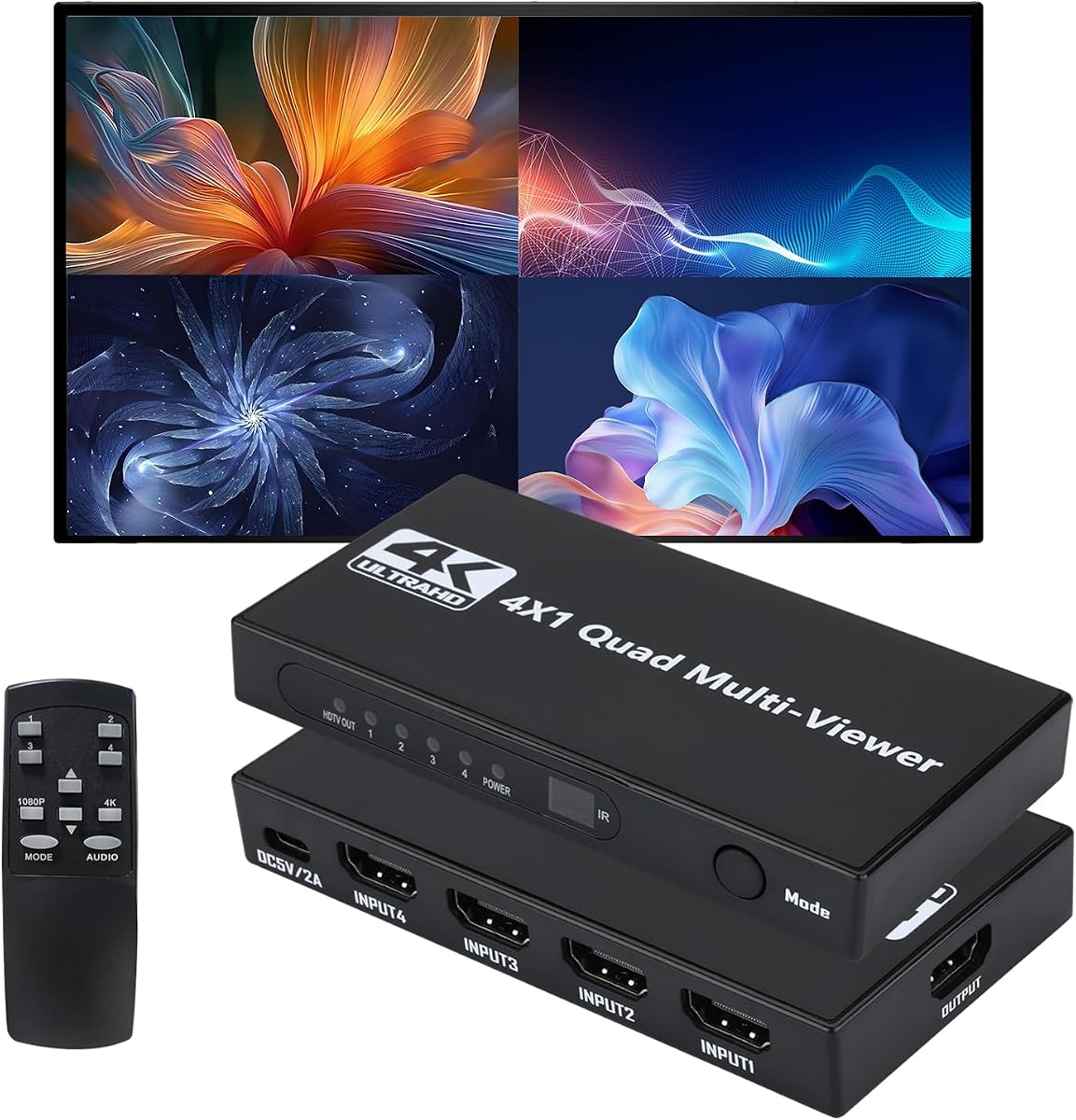
The PORTTA Quad Multi Viewer stands out as a reliable solution for managing four HDMI sources on a single screen. With a solid 4.3 rating and versatile modes, it caters well to home and office users seeking clarity and convenience.
We may earn a commission when you buy through this link, at no additional cost to you.
Its seamless switching ensures no lag when toggling between inputs, which is critical for gaming or live monitoring. The six viewing modes, including PIP and dual layouts, provide adaptability for different workflows without extra hardware.
While it does not support 4K output, the 1080p performance is sharp and stable. The inclusion of Toslink and analog audio outputs adds value for audio routing, though the remote control range is somewhat modest.
This unit is ideal for users needing a budget friendly yet capable multiviewer for consoles or security feeds. It balances functionality and price effectively, making it a top recommendation for general multiviewing tasks.
The device eliminates waiting time during switching, which is especially useful when using full screen mode for continuous monitoring or playback without interruptions.
With both Toslink and 3.5mm audio outputs, users can connect external sound systems easily while maintaining high fidelity across different media sources.
We may earn a commission when you buy through this link, at no additional cost to you.
This OREI model offers a straightforward approach to multiviewing with consistent 1080p output. It is well suited for environments where full HD clarity is sufficient and complex features are not required.
We may earn a commission when you buy through this link, at no additional cost to you.
The five display modes allow users to switch between layouts quickly via remote or front panel. Compatibility with consoles and media players ensures it fits into existing home theater or gaming setups seamlessly.
While it lacks advanced 4K capabilities, the VGA output provides extra connectivity for legacy displays. The unit is compact and easy to configure, making it accessible even for less technical users.
Consider this unit if you need a dependable multiviewer for standard HD sources without paying for unnecessary high end specs. It delivers consistent results for everyday monitoring and media switching.
The inclusion of a VGA output allows connection to older monitors or projectors that may not have HDMI inputs, extending the utility of the device.
Users can toggle inputs via the IR remote or front buttons, providing flexibility depending on where the device is mounted or accessed.
We may earn a commission when you buy through this link, at no additional cost to you.
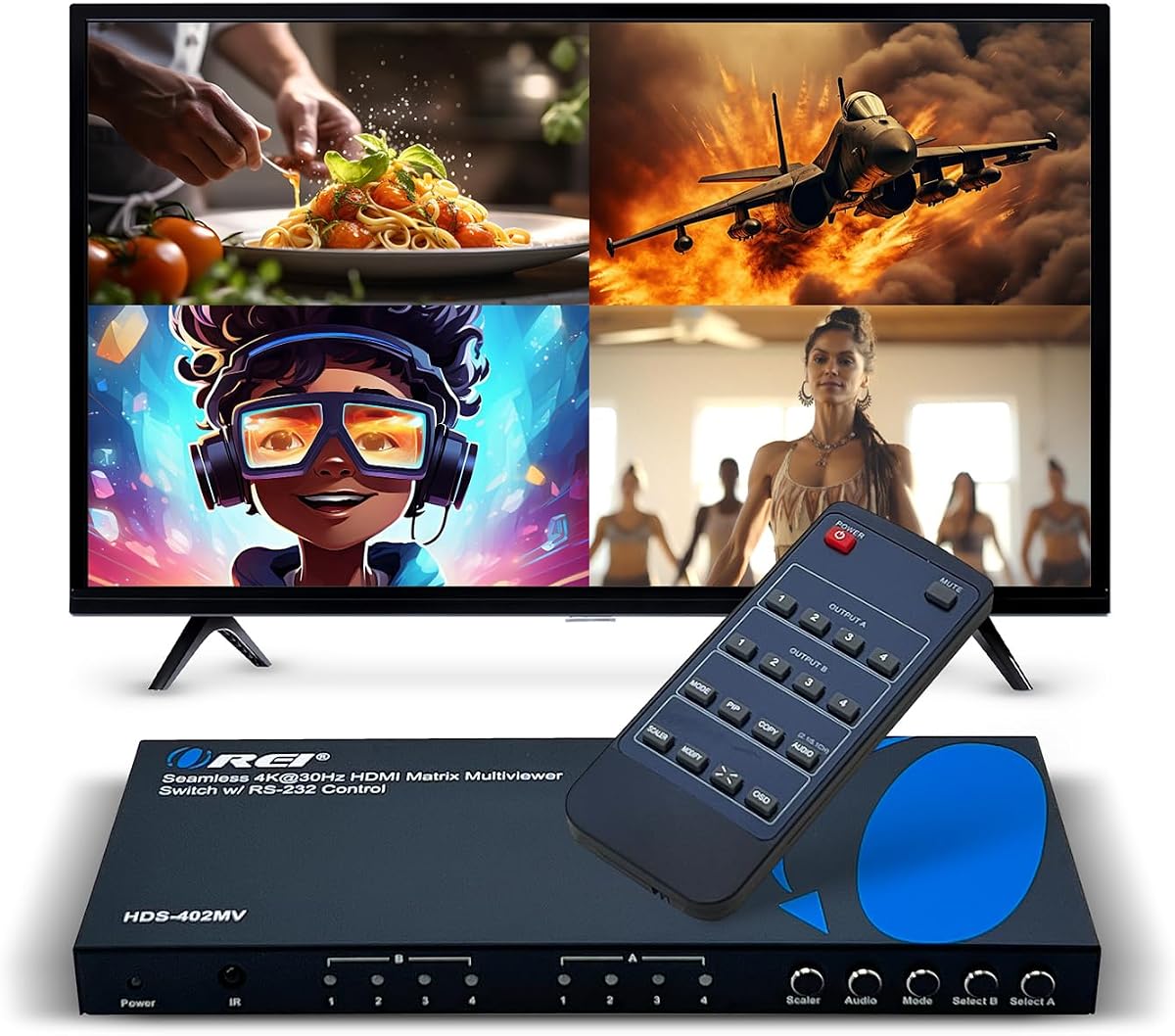
This OREI unit supports 4K at 30Hz, making it a strong choice for users needing higher resolution than standard 1080p. The audio extraction feature adds significant value for sound system integration.
We may earn a commission when you buy through this link, at no additional cost to you.
The inclusion of RS232 control allows for professional automation in commercial setups. Five unique viewing modes ensure flexibility, while support for Dolby and DTS audio formats enhances multimedia experiences.
While the unit handles high resolutions well, the interface can be intricate for casual users. The dual voltage supply and international adapter make it suitable for global deployments across different regions.
Opt for this model if you need 4K capability and professional control interfaces alongside robust audio handling. It bridges the gap between consumer and commercial grade multiviewing hardware.
Support for DTS Digital and Dolby TrueHD ensures high fidelity audio is preserved when extracting sound for external amplifiers or speakers.
The RS232 interface enables integration into building automation systems, ideal for conference rooms or control centers requiring remote management.
We may earn a commission when you buy through this link, at no additional cost to you.
This model allows four inputs to be shown on two monitors, doubling the utility for control rooms or trading desks. The 4.7 rating indicates strong satisfaction among users who need multi screen setups.
We may earn a commission when you buy through this link, at no additional cost to you.
Real time seamless switching and PIP support on either display offer advanced viewing configurations. The OSD interface helps manage sources efficiently, while audio outputs maintain sound flexibility.
The need for two displays increases the total cost of ownership but justifies the investment in professional environments. Mounting brackets facilitate secure installation on walls or racks for long term use.
Choose this if you require redundancy or extended viewing across two screens with high resolution support. It is a robust choice for security centers where oversight is critical.
Sending different layouts or sources to two monitors allows operators to track more data simultaneously without needing extra hardware switches.
Included mounting brackets allow professional installation in racks or wall mounts, ensuring the device stays stable in demanding environments.
We may earn a commission when you buy through this link, at no additional cost to you.
This unit delivers smooth 4K at 60Hz, ideal for high refresh media or demanding graphics applications. HDCP 2.2 support ensures it works with protected content from modern streaming and gaming devices.
We may earn a commission when you buy through this link, at no additional cost to you.
Comprehensive audio support covers Dolby and DTS formats, allowing high fidelity sound routing. The device is robust and built for continuous operation in professional or enthusiast environments.
The price reflects its advanced capabilities, which may not be necessary for casual use. Setup requires attention to EDID settings to ensure consistent performance across all connected sources.
Select this model for high fidelity visual experiences requiring 4K 60Hz and strong encryption support. It is well suited for media rooms or workstations where quality is paramount.
HDCP 2.2 compliance ensures compatibility with 4K protected content from streaming services and modern gaming consoles without handshake errors.
Support for 60Hz at 4K allows smoother motion for video editing, gaming, or real time monitoring without frame rate bottlenecks.
We may earn a commission when you buy through this link, at no additional cost to you.
This multiviewer offers 4K at 60Hz with eight viewing modes, giving users plenty of layout options. It aims to bridge high fidelity visuals with versatile configuration for diverse use cases.
We may earn a commission when you buy through this link, at no additional cost to you.
Seamless switching ensures uninterrupted playback in full screen mode, while the remote and onboard buttons offer flexible control. Compatibility with security cameras and consoles broadens its utility.
User feedback is mixed regarding reliability and value, so testing may be advised before permanent installation. The feature set is robust, but execution quality varies with individual units.
Consider this unit if high resolution and layout variety are priority needs. It is a strong contender for those who want flexible monitoring without sacrificing visual clarity.
Eight modes allow users to customize how signals appear on screen, accommodating tasks that demand more screen real estate for specific feeds.
Users can switch inputs via remote or front panel buttons, offering convenience regardless of where the device is placed.
We may earn a commission when you buy through this link, at no additional cost to you.
This switcher offers an accessible entry point into multiviewing with an impressive 4.8 customer rating. It supports four HDMI inputs and provides twelve screen switching modes for varied layouts.
We may earn a commission when you buy through this link, at no additional cost to you.
In full screen mode, it handles 4K at 30Hz, while multiviewer mode delivers 1080p. The device works with multiple operating systems and requires no driver installation for quick setup.
The main trade off is that multiviewing is limited to 1080p, but for budget conscious users this is often acceptable. The remote control improves ease of use, though it requires AAA batteries not included.
Pick this model if cost and flexibility are top priorities for a simple quad view setup. It is a practical choice for gamers or small offices needing multi source viewing.
A high rating reflects user approval of its reliability and feature set at a budget price, suggesting good value for most users.
The device works on Windows and Mac without drivers, allowing plug and play operation that simplifies installation for all users.
We may earn a commission when you buy through this link, at no additional cost to you.
J-Tech Digital offers a robust unit with 4K at 60Hz and professional audio extraction features. It is designed for environments where visual clarity and sound quality are equally critical.
We may earn a commission when you buy through this link, at no additional cost to you.
Eight distinct modes and an OSD allow fine tuned layouts. Users can adjust PiP windows and aspect ratios to eliminate stretching, ensuring a professional presentation in monitored environments.
Mixed customer ratings suggest quality variance, but lifetime support helps mitigate risk. The build includes mounting ears for stable installation in racks or walls for long term reliability.
Consider this if you need advanced audio extraction and high resolution for a commercial setting. It balances professional features with support that adds confidence for critical deployments.
RCA and Optical outputs let users send high fidelity sound to external amplifiers while video streams separately for best audio performance.
OSD adjustments allow precise control over window sizes and positions, making it easier to prioritize key feeds on the display.
We may earn a commission when you buy through this link, at no additional cost to you.
This unit delivers solid 1080p performance with a strong 4.4 customer rating. It supports 2K at 60Hz for single source viewing and provides VGA output for legacy compatibility.
We may earn a commission when you buy through this link, at no additional cost to you.
Five display modes allow quick switching between layouts. Stereo PCM audio is available via HDMI and analog connections, ensuring clear sound for media playback and monitoring.
The design is straightforward without complex menus, making it easy to operate. The international adapter included expands its use case for global users needing consistent multiviewing.
Choose this if you need a reliable HD multiviewer with legacy support. It fits well in home offices or retail settings where simplicity and value matter.
VGA output extends the device's usefulness by allowing connection to older displays that do not support HDMI inputs.
The inclusion of 3.5mm stereo output provides easy access to sound systems without needing extra converters.
We may earn a commission when you buy through this link, at no additional cost to you.
This matrix controller allows any of four inputs to route to any of four outputs. It is designed for complex video wall installations needing advanced routing and management capabilities.
We may earn a commission when you buy through this link, at no additional cost to you.
Ten video wall modes support various layouts like 2×2 or 1×4. LAN and web control enable remote management, making it suitable for command centers or large commercial displays.
The price reflects its extensive features and professional capabilities. Setup requires technical expertise to configure routing and resolutions correctly, but results are powerful and flexible.
Select this for large scale deployments needing total control over video routing. It is the ultimate solution for professionals needing scalable and reliable video wall management.
LAN and web control allow operators to manage sources remotely, ideal for installations where physical access to the device is limited.
Multiple pre defined layouts allow the system to adapt quickly to different monitoring or presentation needs.
We may earn a commission when you buy through this link, at no additional cost to you.
Selecting the right HDMI Multiviewer requires understanding your specific resolution, layout, and control needs. This guide outlines key factors to help you make an informed decision.
Determine whether you need 1080p, 4K at 30Hz, or 4K at 60Hz. Higher resolutions provide better image detail but may limit the number of sources viewable simultaneously.
Choose a unit that matches your source and display capabilities to avoid bottlenecks or compatibility issues.
Multiviewers offer different layouts like quad, dual, or PiP. Ensure the device provides enough modes for your workflow so you can see all sources without switching constantly.
More modes increase flexibility but may complicate the interface if you only need simple views.
Seamless switching is vital for live feeds or gaming. Look for models that advertise zero latency or instant switching to prevent blackouts during input changes.
Check user reviews for real world performance on this specific feature to avoid models with lag.
Some models include audio extraction ports like Toslink or 3.5mm. This is essential if you need to send sound to a separate sound system while viewing video.
Ensure the device supports your audio codecs like Dolby or DTS for best compatibility with media sources.
Control options range from IR remote to RS232 and LAN. Professional setups benefit from network or serial control for automation while home users may prefer simple buttons.
Match the control method to your environment to ensure ease of use during daily operation.
Verify that the unit supports HDCP standards like 1.4 or 2.2 depending on your sources. Gaming consoles and streaming devices require correct HDCP to avoid black screens.
Broad device compatibility ensures you can connect various sources without needing extra adapters or converters.
A sturdy metal chassis helps dissipate heat during continuous operation. Look for devices with mounting options if you plan to install them in racks or walls permanently.
Good build quality reduces the risk of overheating and ensures longevity in demanding environments.
Technical support can be critical if you face setup issues. Check if the manufacturer offers lifetime support or clear warranty terms for peace of mind.
A strong support network ensures you can resolve connectivity or firmware issues quickly.
Connect your HDMI sources to the input ports and your monitor to the output port. Power on the device and use the remote or front buttons to select the desired viewing mode.
Keep the multiviewer in a ventilated area to prevent overheating. Avoid stacking other devices on top of it to ensure proper airflow and long term performance.
Periodically check for firmware updates if available. This helps maintain compatibility with new devices and ensures stable operation over time.
An HDMI Multiviewer allows you to display multiple HDMI sources on a single screen simultaneously. This is useful for monitoring security feeds, comparing gaming screens, or managing media setups without needing multiple displays.
Yes, most Multiviewers work with PS4, Xbox, and Nintendo Switch. Just ensure the unit supports HDCP 2.2 if you plan to view protected content or 4K content from these devices.
Some models support 4K at 30Hz or 60Hz. However, multiview mode often reduces resolution to 1080p to manage bandwidth. Check specs if full 4K across all feeds is required.
You can switch inputs using the included remote control, front panel buttons, or RS232/LAN interfaces on advanced models. The menu or OSD lets you choose layout options as needed.
A black screen usually indicates an HDCP handshake failure or incompatible resolution. Check cables and ensure the device supports the source resolution and copy protection standards.
Many Multiviewers include audio extraction ports like Toslink or 3.5mm. This allows you to send sound to external speakers while the video displays on the main screen.
Most models are plug and play. Just connect cables and use the remote to select modes. For advanced control like RS232, a basic understanding of interfaces may be needed.
You will need HDMI cables to connect sources and a monitor. Some units include power cables. Ensure high speed HDMI cables are used for best performance with 4K sources.
This guide covered ten top models ranging from budget friendly units to professional grade matrix controllers. Each offers unique strengths for different needs like security monitoring or media management.
Prioritize resolution and control options based on your specific workflow. For simple setups the PORTTA or budget options work well while complex setups benefit from J-Tech or OREI high end models.
Always verify current product details and pricing before purchasing since availability changes. The right Multiviewer enhances your visual workflow with reliable switching and clear display capabilities.