
AOC 27 Gaming Monitor
4.6Editor score
0.3ms response time
Adaptive Sync support
Frameless design style
Finding the right monitor for competitive gaming requires balancing resolution and refresh rate. A 1440p display at 240Hz offers sharp visuals with incredible smoothness. This combination ensures you see every detail while reacting instantly to in-game events without motion blur or screen tearing.
We analyzed ten leading models based on panel technology response times and connectivity options. Each product was evaluated for color accuracy ergonomic design and gaming-specific features. Our goal is to highlight monitors that deliver high performance for FPS shooters racing games and immersive single-player titles.
Each pick showcases key strengths and potential trade-offs to help you decide. Ratings reflect user satisfaction and expert analysis of build quality and features. Prices fluctuate frequently so check current listings before purchasing to ensure you get the best value available today.
4.6Editor score

4.4Editor score
4.6Editor score
As an Amazon Associate we earn from qualifying purchases.
The following table compares key specifications across all ten monitors to help you find the right fit. We focus on panel type response time and connectivity options. Use this data to quickly identify which model meets your specific performance and budget requirements.


The LG 27GR83Q-B stands out as a top contender for competitive gamers seeking balance. It features a 27-inch IPS panel with QHD resolution and a 240Hz refresh rate. The combination delivers vibrant visuals and smooth motion handling ideal for fast-paced shooters.
We may earn a commission when you buy through this link, at no additional cost to you.
Its 1ms response time ensures minimal ghosting during rapid movements. The monitor supports both NVIDIA G-Sync Compatible and AMD FreeSync Premium technologies for tear-free gaming. Additionally, HDMI 2.1 allows for direct console connectivity while maintaining high refresh rates.
While the HDR400 certification provides better contrast than standard displays it lacks peak brightness for true HDR impact. The ergonomic stand supports height adjustment and pivot but may lack extensive flexibility for some setups. These trade-offs are acceptable given the performance advantages.
Buyers should choose this model for high-end PC or console gaming requiring reliable color and speed. It suits those who value consistent frame delivery over extreme HDR capabilities. Final recommendation favors gamers prioritizing responsiveness and broad compatibility.
Connect consoles directly without needing a PC. This feature ensures next-gen consoles run at high frame rates with full resolution support.
With 95% DCI-P3 coverage colors remain accurate for media tasks. This dual-purpose capability makes it suitable for creative work too.
We may earn a commission when you buy through this link, at no additional cost to you.
The AOC 27 Gaming Monitor offers exceptional value for budget-conscious gamers. It delivers a 240Hz refresh rate and 0.3ms response time which are rare at this price point. The 27-inch IPS panel ensures good color reproduction and wide viewing angles.
We may earn a commission when you buy through this link, at no additional cost to you.
Gaming performance remains solid thanks to Adaptive-Sync support eliminating screen tearing on both AMD and NVIDIA GPUs. The frameless design enhances immersion while minimizing bezel distractions during intense sessions. OSD controls allow for quick adjustments during matches.
The stand lacks height adjustment and may require VESA mounting for ergonomic setups. Brightness is capped at 300 nits which is adequate for indoor use but struggles in bright rooms. These limitations are minor compared to the impressive performance metrics.
This monitor is ideal for entry-level competitive gaming where speed matters most. It suits users needing reliable hardware without breaking the bank. Final recommendation supports gamers seeking fast refresh rates at a low cost.
0.3ms response minimizes ghosting effectively. This speed helps track targets clearly in fast shooters.
Ports include DisplayPort 1.4 and HDMI 2.0. This variety supports multiple device connections easily.
We may earn a commission when you buy through this link, at no additional cost to you.
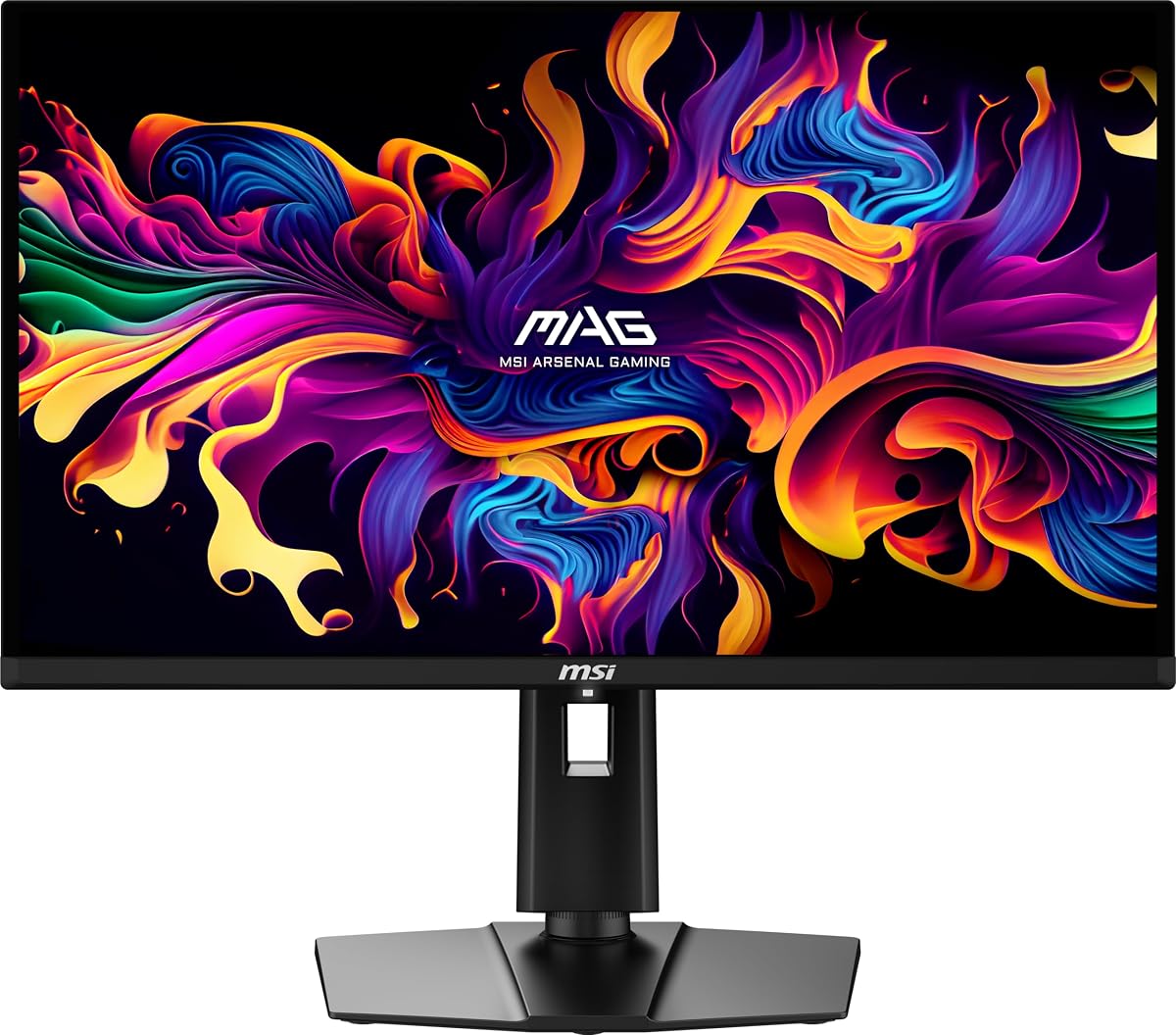
The msi MAG 271QPX sets a new standard with its QD-OLED panel technology. It delivers infinite contrast and near-instant 0.03ms response times for unparalleled gaming performance. The True Black HDR 400 certification ensures deep darks in cinematic games.
We may earn a commission when you buy through this link, at no additional cost to you.
QD-OLED technology enhances brightness and color volume significantly over traditional panels. The graphene heatsink ensures silent operation without active fans. This design extends longevity by managing heat efficiently during long sessions.
Concerns about OLED burn-in remain despite advanced protection features. The price point places this monitor in a premium category unsuitable for budget buyers. Users should weigh visual fidelity against long-term durability risks carefully.
Purchase this monitor for maximum visual fidelity in immersive games. It suits enthusiasts who prioritize contrast and speed above all else. Final recommendation highlights it as a top-tier choice for high-end setups.
Combines quantum dots with OLED for vivid colors. This tech boosts brightness while maintaining deep blacks.
Fanless graphene heatsink reduces noise effectively. Silent operation enhances focus during competitive gaming.
We may earn a commission when you buy through this link, at no additional cost to you.
The Acer Predator X27U offers stunning visuals with its QD-OLED panel. It supports 240Hz refresh rates and 0.03ms response times ensuring fluid motion handling. The 26.5-inch size is perfect for focused competitive gaming setups.
We may earn a commission when you buy through this link, at no additional cost to you.
ZeroFrame design enhances immersion by removing bezels on three sides. This feature helps maintain focus during intense matches. The DCI-P3 99% color gamut delivers accurate colors for media consumption.
Users should be cautious about static elements causing burn-in over time. Image retention refresh features help but do not eliminate risks entirely. The size remains slightly smaller than standard 27-inch options.
Ideal for gamers seeking deep blacks and speed without compromises. It suits users prioritizing picture quality in dark environments. Final recommendation supports those willing to invest in premium display tech.
Borderless design improves focus on gameplay. This layout maximizes screen real estate effectively.
Delta E<2 ensures color accuracy. This is ideal for content creation tasks.
We may earn a commission when you buy through this link, at no additional cost to you.
The KTC 27 Inch Monitor delivers strong performance with a 275Hz overclock capability. It features a Fast IPS panel ensuring quick response times and vibrant colors. The native 240Hz speed already exceeds many standard gaming monitors.
We may earn a commission when you buy through this link, at no additional cost to you.
Its built-in speakers provide audio convenience without extra desk clutter. The ergonomic stand supports height and swivel adjustments for comfort. White finish options offer a distinct look for minimalist setups.
HDR performance remains limited despite 400 nits brightness. This is standard for budget models but does not provide true HDR impact. The white aesthetic may not suit all desk themes.
Buyers seeking high refresh rates without paying premium prices should consider this. It suits users needing speakers for quick setup. Final recommendation favors budget-conscious gamers wanting high speeds.
Overclock to 275Hz for extreme smoothness. This is excellent for competitive eSports titles.
Built-in audio saves desk space. This reduces cable clutter effectively.
We may earn a commission when you buy through this link, at no additional cost to you.
The ASUS ROG XG27ACMG bridges gaming and productivity with its USB-C support. It runs at 270Hz overclocked for ultra-smooth visuals. ROG Gaming AI enhances experience with smart features for users.
We may earn a commission when you buy through this link, at no additional cost to you.
DisplayWidget Center allows easy settings adjustments via mouse. The 95% DCI-P3 color gamut suits creative professionals needing accurate colors. Free Adobe Creative Cloud adds extra value for subscribers.
The menu system may feel complex for first-time users. Pricing is higher than many comparable Fast IPS monitors. These factors may deter strict budget buyers.
Best for hybrid users needing display connectivity for laptops. It suits those valuing warranty and color accuracy. Final recommendation supports professionals and gamers alike.
Connect laptops with single cable. This supports both data and power transfer.
Three-year warranty provides peace of mind. This is above average for the category.
We may earn a commission when you buy through this link, at no additional cost to you.
The msi MAG 274QP delivers elite contrast with 1500000:1 native ratio. Its QD-OLED panel supports 10-bit color for smooth gradients. HDMI 2.1 ensures full console support for next-gen systems.
We may earn a commission when you buy through this link, at no additional cost to you.
OLED Care 2.0 provides protection against screen aging. Gaming Intelligence software includes AI Crosshair for better precision. The stand offers 4-way adjustability for ergonomic comfort.
Despite protections, OLED screens still face burn-in risks. The price remains high compared to LCD alternatives. Users should consider their usage patterns carefully.
Ideal for console gamers needing high contrast visuals. It suits users prioritizing immersion in dark scenes. Final recommendation favors high-end setups.
HDMI 2.1 supports 4K at high rates. This is excellent for PlayStation and Xbox users.
AI Crosshair enhances shooting accuracy. This reduces eye strain during long matches.
We may earn a commission when you buy through this link, at no additional cost to you.
The Alienware AW2723DF offers premium build quality with robust materials. Its 240Hz native refresh ensures consistent performance without overclocking. Nano Color technology provides wide viewing angles and vivid colors.
We may earn a commission when you buy through this link, at no additional cost to you.
AlienFX lighting adds customization for those who enjoy RGB effects. Full adjustability covers height tilt swivel and pivot. VESA HDR 600 support delivers better brightness than standard displays.
The design may not suit minimalist aesthetics due to branding. Price is higher than comparable generic brands. Users valuing brand quality will appreciate this.
Best for users needing reliable high-performance hardware. It suits enthusiasts wanting customization. Final recommendation favors those prioritizing durability.
Nano Color enhances clarity. This is useful for varied viewing positions.
Full ergonomic support reduces neck strain. This is vital for marathon sessions.
We may earn a commission when you buy through this link, at no additional cost to you.
The Acer Nitro KG271U combines gaming speed with color accuracy. Its 99% sRGB coverage makes it ideal for photo editing. The zero-frame design maximizes screen real estate.
We may earn a commission when you buy through this link, at no additional cost to you.
Response time is slightly slower than premium options but still fast. Input lag is minimal ensuring responsive gameplay. Stand adjustments include tilt and swivel for flexibility.
Contrast ratio is average which limits black levels in dark scenes. Response time is not as fast as top OLED models. These are acceptable trade-offs for color precision.
Best for hybrid users needing both gaming and editing. It suits users requiring color accuracy. Final recommendation supports creators on a budget.
99% sRGB ensures reliable editing. This is crucial for professional workflows.
ZeroFrame maximizes screen space. This enhances focus on content.
We may earn a commission when you buy through this link, at no additional cost to you.
The Acer Nitro XV272U offers comprehensive ergonomic adjustments. Its stand includes height tilt swivel and pivot. This flexibility helps reduce strain during long sessions.
We may earn a commission when you buy through this link, at no additional cost to you.
Built-in speakers provide convenience for quick gaming sessions. FreeSync Premium ensures smooth gameplay. The panel supports 240Hz via DisplayPort.
HDMI port runs at 144Hz which limits console connectivity. Visual features are standard without HDR or advanced tech. Users relying on HDMI may feel limited.
Ideal for users needing full stand adjustability. It suits users prioritizing ergonomics. Final recommendation supports comfort-focused buyers.
Height adjustment supports proper posture. This is essential for health during gaming.
DisplayPort required for max speed. Users should use DP for best performance.
We may earn a commission when you buy through this link, at no additional cost to you.
Choosing the right monitor requires understanding panel types refresh rates and connectivity options. This guide outlines critical factors to ensure you find a display that matches your needs.
IPS panels offer superior color and viewing angles ideal for mixed usage. OLED provides perfect blacks but may risk burn-in. TN offers speed but poor color. VA provides contrast but slower response.
Select IPS for balance or OLED for visual fidelity.
240Hz ensures smooth motion in fast-paced shooters. Higher rates like 270Hz offer marginal gains. Ensure your GPU can sustain high frame rates.
Prioritize 240Hz for competitive gaming advantage.
Lower response times reduce ghosting. 0.03ms is elite while 1ms is standard. Ghosting affects visibility in fast scenes.
Aim for sub-5ms response time for clarity.
G-Sync and FreeSync eliminate tearing. NVIDIA G-Sync Certified is premium while Compatible is standard. AMD FreeSync Premium adds HDR support.
Ensure compatibility with your GPU brand.
HDMI 2.1 supports consoles at high rates. DisplayPort 1.4 supports PC at 240Hz. Check cable requirements before buying.
Verify HDMI version for console performance.
Adjustable stands reduce physical strain. Height swivel and pivot adjustments are vital. VESA mounts offer flexibility if stand lacks adjustment.
Prioritize adjustable stands for long comfort.
High sRGB and DCI-P3 coverage ensures vibrant visuals. Gamers may not need perfect accuracy but creators do. Delta E values indicate precision.
Check color coverage for creative work.
Prices range from budget to premium. OLED costs significantly more than IPS. Balance features against what you can afford.
Choose based on essential needs not extras.
Proper setup starts with correct cable connections. Use DisplayPort for high refresh rates on PC. Ensure your GPU settings match the monitor's capabilities.
Adjust brightness to match room lighting conditions. High brightness increases eye strain. Use night mode to reduce blue light exposure.
Regularly clean the screen with microfiber cloths. Avoid harsh chemicals. Check for updates to firmware to improve performance.
While 144Hz is sufficient for casual play 240Hz offers a competitive edge in shooters. It reduces motion blur and improves reaction times significantly. High-end PCs benefit most from this capability.
OLED panels can suffer burn-in over time from static elements. However modern features like screen savers mitigate this risk. Users should avoid leaving static images for hours.
Consoles like PS5 require HDMI 2.1 for high frame rates. DisplayPort works best with PCs. Verify the monitor has HDMI 2.1 for next-gen console support.
1ms GtG is standard and sufficient for most gamers. Ultra-fast 0.03ms is noticeable only to experts. For general use 1ms balances speed well.
27 inches is the sweet spot for 1440p resolution. It provides adequate pixel density without scaling. Larger sizes may look less sharp at 1440p.
Yes you need a high-end GPU to drive 240Hz. Mid-range cards may struggle in demanding titles. Lower settings may be necessary for maximum frame rates.
HDR on gaming monitors varies widely. VESA HDR 600 offers decent performance while 400 is basic. Look for high brightness for true HDR effect.
Updates improve color accuracy and performance. Check manufacturer websites every few months. Drivers also fix bugs related to sync technology.
This guide reviewed ten top models ranging from budget to premium. LG and AOC offer exceptional value for competitive gamers. MSI and Acer Predator lead in OLED innovation.
Prioritize response time and sync technology for competitive advantage. Ergonomics play a crucial role in long sessions. Consider your GPU power before purchasing.
Prices fluctuate frequently so check current listings before buying. Always verify port availability for your devices. This ensures you get the best deal for your setup.