
Dell 24 240Hz Gaming Monitor
4.7Editor score
240Hz IPS display
0.5ms response time
FreeSync Premium support
Discover the top 240Hz monitors for competitive Valorant ranked by speed clarity and features. This guide compares the best options for FPS players seeking
Finding the right display is crucial for competitive FPS gaming where split-second reactions decide matches. A high refresh rate monitor ensures your actions are reflected instantly on screen without delay or stutter that can cost you rounds.
We evaluated ten leading models based on response time refresh rate and panel technology to find the best options for Valorant players. Each product was compared for motion clarity input lag and color accuracy to ensure smooth performance.
Each pick highlights specific strengths like adaptive sync or fast IPS panels that suit different play styles. Note that availability and pricing change frequently so check current details before purchasing your next gaming display setup.
4.7Editor score
4.5Editor score

4.6Editor score
This table provides a side-by-side comparison of all ten selected monitors highlighting their key specifications and unique features to help you make an informed decision quickly.


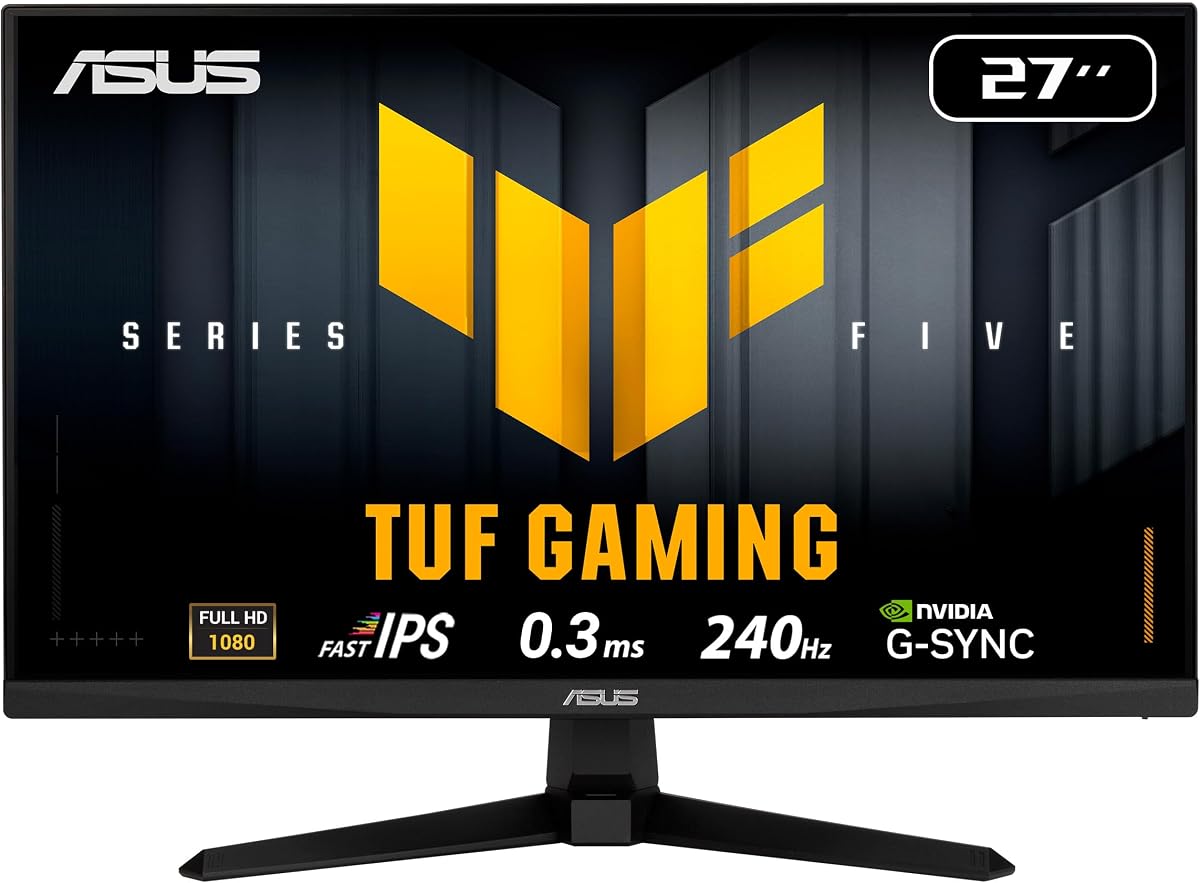
This ASUS TUF monitor delivers outstanding performance for competitive shooters with its 240Hz Fast IPS panel. It holds a solid 4.5 rating from users who appreciate its balance of speed and visual quality for FPS gaming.
We may earn a commission when you buy through this link, at no additional cost to you.
The 0.3ms response time ensures minimal blur during fast movements which is critical for tracking enemies in Valorant. ELMB SYNC technology further reduces motion blur while maintaining variable refresh rate support for tear-free gameplay.
While it lacks full ergonomic adjustments like height tuning its AI features help optimize gameplay visuals effectively. The trade-off is acceptable for players prioritizing raw performance and response speed over desk ergonomics.
Ideal for competitive players seeking a reliable 27-inch display with top-tier motion handling. This model stands out as a strong choice for those aiming to improve their ranks through better visual clarity.
ELMB SYNC combines motion blur reduction with variable refresh rates for sharper moving images during intense firefights.
Adaptive Sync technology ensures smooth frame delivery from NVIDIA GPUs reducing screen tearing during rapid action sequences.
We may earn a commission when you buy through this link, at no additional cost to you.
The Dell SE2426HG is a top contender for budget-conscious gamers wanting high refresh rates without breaking the bank. With a impressive 4.7 rating it delivers smooth motion ideal for fast-paced competitive matches.
We may earn a commission when you buy through this link, at no additional cost to you.
Its 240Hz refresh rate paired with 0.5ms response time provides fluid visuals that help track quick movements accurately. The IPS panel ensures wide viewing angles and consistent colors across the screen surface.
Lacking advanced features like HDR or height adjustment it remains focused on core gaming performance. This simplicity makes it an efficient choice for players who prioritize frame rates and input responsiveness above all.
Perfect for entry-level competitive setups or secondary stations where reliability matters most. If you need a straightforward high-speed display this Dell model offers exceptional performance at a very accessible price point.
AMD FreeSync Premium eliminates screen tearing for seamless gameplay across different frame rates during intense sessions.
TÜV Rheinland certification reduces blue light exposure helping to minimize eye strain during long gaming marathons.
We may earn a commission when you buy through this link, at no additional cost to you.
For players demanding extra clarity and speed this AOC monitor offers QHD resolution combined with 260Hz overclocking potential. Its 4.6 rating reflects strong satisfaction among users seeking premium gaming experiences on competitive titles.
We may earn a commission when you buy through this link, at no additional cost to you.
The 0.3ms MPRT response time ensures crisp visuals with minimal ghosting even during rapid directional changes. Advanced gaming features like Shadow Control help reveal details in darker areas improving visibility during clutch moments.
Its higher price and complex menu system may deter casual users but pros will appreciate the tuning options. The trade-off pays off in superior image detail and responsiveness that competitive Valorant players often require.
Best suited for dedicated esports enthusiasts who value every advantage. This model provides the resolution and speed needed to spot enemies faster and react with pinpoint accuracy in ranked matches.
2560×1440 resolution delivers sharper details than standard FHD allowing players to spot opponents from greater distances.
260Hz overclocked rate pushes beyond standard 240Hz for even smoother motion when hardware supports the extra bandwidth.
We may earn a commission when you buy through this link, at no additional cost to you.
The SANSUI monitor offers impressive speed with a 300Hz max refresh rate and useful gaming tools like Crosshair assistance. Its 4.5 rating shows it meets expectations for many budget FPS players looking for extra features.
We may earn a commission when you buy through this link, at no additional cost to you.
1ms MPRT response time provides decent motion clarity while the high sRGB coverage ensures vivid visuals. Multiple display ports including DP 1.4 allow flexible connections for different PC configurations without bottlenecks.
Build quality and color consistency lag behind premium rivals but the feature set is compelling for the price. The trade-off is acceptable for those who value refresh speed and built-in FPS tools over perfect calibration.
Ideal for gamers wanting high refresh rates without premium costs. This model is a practical pick for players needing extra speed and helpful visual aids during competitive matches.
Crosshair and RTS presets provide visual overlays to aid aiming and strategy in fast-paced competitive scenarios.
Up to 300Hz on DP allows flexibility for users with high-end GPUs wanting maximum frame rates.
We may earn a commission when you buy through this link, at no additional cost to you.
This Amzfast monitor focuses on space efficiency and immersion with its curved design and ultra-slim base. While it lacks user reviews its specs suggest solid competitive performance for compact setups on smaller desks.
We may earn a commission when you buy through this link, at no additional cost to you.
240Hz refresh and 1ms MPRT provide fluid visuals suitable for fast-paced shooters. The joystick OSD allows quick adjustments during sessions keeping you focused on gameplay rather than menus.
Its unproven track record means quality may vary but the feature set targets value seekers. The trade-off is accepting a lesser-known brand in exchange for unique ergonomic and control benefits.
Best for users needing a compact curved display with solid speed. Consider this if you want immersive visuals without taking up much desk space during intense gaming sessions.
The ultra-slim base allows keyboard storage freeing up valuable desk space for better mouse movement area.
Five-way joystick control enables instant access to settings for rapid tweaking without leaving the game view.
We may earn a commission when you buy through this link, at no additional cost to you.
The ASUS TUF VG279QM5A brings professional grade speed and AI features to enhance competitive play. Its 4.5 rating confirms reliability for FPS enthusiasts needing precise motion handling and quick responses in ranked games.
We may earn a commission when you buy through this link, at no additional cost to you.
Fast IPS technology delivers sharp visuals with 0.3ms response time ensuring minimal lag. Adaptive Sync and ELMB SYNC work together to reduce blur and tearing maintaining fluid motion even at high frame rates.
While the stand lacks full height adjust its software features provide extra value for tuning gameplay. The bundle and warranty offer peace of mind for long-term users investing in a serious gaming display.
Perfect for players wanting robust performance and extra software tools. This monitor is a smart choice for those willing to pay more for reliable speed and advanced visual features.
Variable refresh rate combined with motion blur reduction eliminates ghosting without sacrificing tear-free experience.
Powered AI features enhance visuals automatically to provide clearer targets and optimized color contrast in game.
We may earn a commission when you buy through this link, at no additional cost to you.
The msi MAG monitor holds an impressive 4.8 rating showing high user satisfaction with its performance and features. Its 240Hz refresh rate delivers smooth motion suitable for competitive shooters like Valorant.
We may earn a commission when you buy through this link, at no additional cost to you.
The VA panel offers strong contrast and color saturation enhanced by AI Vision to brighten dark details. 0.5ms response time ensures quick transitions though VA panels can have slight ghosting compared to IPS.
Basic tilt adjust and lack of height tuning may limit ergonomics for some users. The trade-off balances out with excellent visual quality and reliable motion handling at a competitive price point.
Ideal for players prioritizing contrast and user proven reliability. This monitor is a solid pick for those wanting strong performance with high user approval ratings.
Reveals hidden details in shadows and enhances overall brightness for better visibility in dark maps.
VA panel offers deeper blacks and richer colors than standard IPS enhancing immersion and image depth.
We may earn a commission when you buy through this link, at no additional cost to you.
AOC delivers a high-speed option with 260Hz overclocking on an IPS panel for clear fast motion. Its 4.6 rating indicates strong performance for players needing smooth gameplay and quick reaction times.
We may earn a commission when you buy through this link, at no additional cost to you.
0.5ms MPRT response minimizes blur while adaptive sync keeps gameplay tear-free. The IPS panel offers wide viewing angles and consistent colors making it easy to spot targets across the screen.
Limited stand adjust and power efficiency may not suit all setups but the refresh speed is notable. The trade-off is acceptable for players prioritizing frame rates and visual clarity above all else.
Perfect for competitive players needing high refresh rates. This model is recommended for those looking to maximize speed without sacrificing color accuracy and motion quality.
Up to 260Hz overclocking pushes frame rates beyond standard limits for even smoother competitive motion.
Eco Mode optimizes power usage helping to reduce energy consumption during long gaming sessions.
We may earn a commission when you buy through this link, at no additional cost to you.
This SANSUI curved monitor wraps the display for a more immersive experience with 240Hz speed. Its 4.4 rating suggests reliable performance for players wanting a distinct view angle and solid refresh rates.
We may earn a commission when you buy through this link, at no additional cost to you.
124% sRGB and shadow booster enhance visibility of dark details critical for spotting opponents. The curved design helps maintain focus by reducing peripheral distractions during high stress moments.
Color uniformity on curved VA panels can vary slightly but the immersion benefits are clear. The trade-off works well for competitive players prioritizing focus and refresh speed over flat-panel uniformity.
Best for players seeking immersive gameplay views. This monitor is a strong option for those valuing a wrapped screen and fast response for competitive edge.
1500R curve wraps visuals to reduce eye movement and increase focus during long sessions.
Adjustable black level control reveals hidden details in shadows for better situational awareness.
We may earn a commission when you buy through this link, at no additional cost to you.
The ASUS TUF VG249QML5A combines 240Hz speed with height-adjustable ergonomics for versatile use. Its 4.4 rating indicates solid performance for competitive gaming with added comfort for long sessions.
We may earn a commission when you buy through this link, at no additional cost to you.
Fast IPS delivers 0.3ms response and sharp visuals suitable for tracking enemies in Valorant. DisplayWidget Center allows easy adjustments without leaving the game environment maintaining focus and speed.
Its smaller screen may limit peripheral vision for some players but the ergonomics are superior. The trade-off is acceptable for users needing comfort and precise adjustments over extra screen real estate.
Ideal for players prioritizing ergonomics with speed. This monitor is a great choice for those needing a height-adjustable display without sacrificing high refresh performance.
Height adjustable stand helps reduce neck strain enabling longer comfortable gaming sessions.
Easy mouse-based OSD access simplifies settings changes without interrupting gameplay flow.
We may earn a commission when you buy through this link, at no additional cost to you.
Selecting the right monitor involves balancing speed clarity and comfort to suit your play style and setup needs.
Refresh rate determines how many frames per second your screen displays higher rates mean smoother motion. For Valorant a 240Hz refresh rate is the sweet spot for competitive players needing fast updates.
Look for monitors with 240Hz or higher refresh to ensure your movements translate instantly on screen.
Response time measures how fast pixels change color lower values mean less motion blur. Aim for 1ms or lower especially MPRT or GTG for sharp tracking during fast movements.
Fast response times are essential to avoid ghosting that can hide enemies in motion.
IPS panels offer better colors and viewing angles while VA provides deeper contrast. For Valorant Fast IPS is often preferred for color consistency and speed though VA can deliver richer shadows.
Choose Fast IPS for reliable speed and wide viewing angles during competitive sessions.
Adaptive sync like G-Sync or FreeSync matches the monitor refresh to your GPU frame rate. This prevents screen tearing that disrupts vision during intense gameplay.
Ensure the monitor supports adaptive sync to maintain smooth uninterrupted visuals.
Resolution affects image sharpness and system load. FHD (1080p) is standard for 240Hz gaming keeping frame rates high for competitive titles.
Stick to FHD for maximum frame rates without taxing your graphics hardware.
Adjustable stands reduce strain by letting you set the right height and tilt. Look for height and tilt adjustments to maintain proper posture during long sessions.
Prioritize monitors with ergonomic stands to keep your posture healthy and game focused.
Check that the monitor has the right ports like HDMI 2.0 or DisplayPort 1.4 for 240Hz output. Having multiple ports allows flexibility for multiple consoles or PCs.
Verify port specs match your PC to ensure full refresh rate support.
Screen size impacts immersion and target visibility. 24 to 27 inches is common for FPS gaming giving a good balance of detail and focus.
Choose sizes that fit your desk and viewing distance for optimal clarity.
Begin by connecting your monitor to a DisplayPort or HDMI 2.0 capable GPU to enable the full 240Hz refresh rate. Adjust your graphics driver settings to output at the maximum refresh rate supported.
Calibrate the brightness and contrast to match your room lighting for optimal visibility. Use in-game OSD settings to turn on adaptive sync features to prevent screen tearing.
Clean the screen gently with a soft microfiber cloth to maintain clarity. Avoid harsh chemicals that can damage coatings affecting color and clarity over time.
While not mandatory, 240Hz provides smoother motion and reduced input lag which is vital for competitive FPS play. It helps track enemies more accurately and improves reaction times significantly compared to lower refresh rates.
A response time of 1ms or lower is ideal to minimize motion blur. Monitors with Fast IPS or VA panels with low GTG ensure that targets remain clear during rapid movements.
Adaptive Sync like FreeSync or G-Sync reduces tearing without adding input lag when used properly. It ensures your visuals stay in sync with your GPU for smoother gameplay.
24-inch monitors offer a tighter focus area ideal for competitive FPS play. 27-inch provide more space but may dilute attention if your desk distance is close.
Most modern GPUs can easily reach 240+ FPS in Valorant due to its optimized engine. Ensure your hardware meets recommended specs to maintain consistent frame rates.
After connecting with a compatible cable, go to your graphics driver settings and select 240Hz from the refresh rate list. Then enable adaptive sync if supported for smoother visuals.
The ASUS TUF VG279QM5A stands out as the top choice for its balance of speed clarity and advanced motion blur reduction features.
Consider your priorities between speed and resolution before buying since some models offer QHD while others focus on raw FHD refresh rates.
Always check current availability and deals to ensure you get the best value for your competitive gaming setup today.