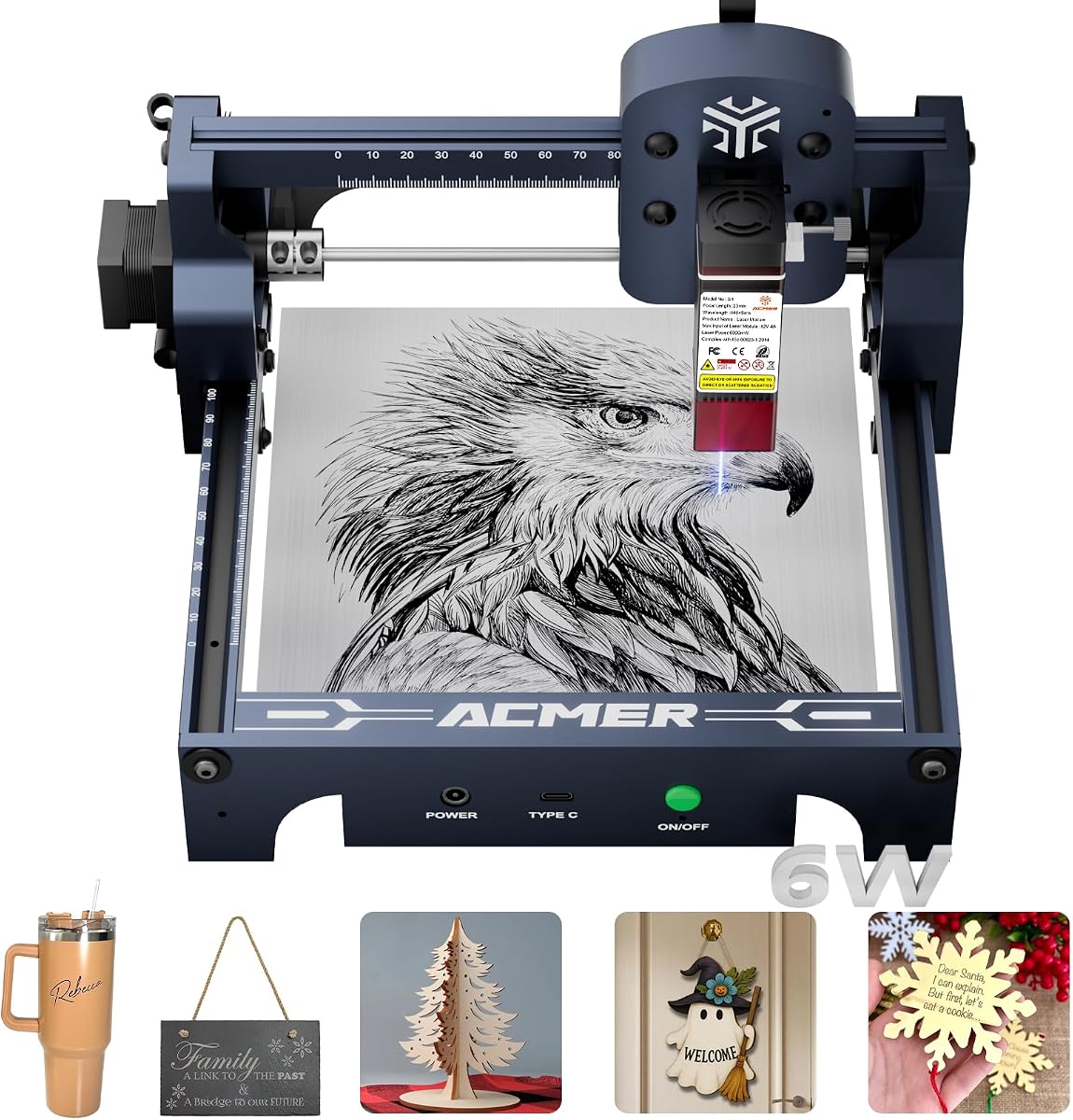
ACMER S1 Laser Engraver Machine
4.3Editor score
6000mW laser power
99% preassembled setup
Portable lightweight design
This guide compares the top Acmer laser engraver models for precision cutting and engraving across wood, acrylic, and leather for makers and businesses.
Finding the right laser engraver can transform your creative projects into professional results. Acmer offers a range of diode laser machines designed for hobbyists and small businesses looking to cut and engrave with precision. These tools allow you to personalize gifts, create signage, or even start a small manufacturing operation from the comfort of your home workshop.
We evaluated ten distinct Acmer laser engraver models based on power output, workspace size, safety features, and software compatibility. Our analysis focuses on real-world usability, including ease of setup, cutting speed, and the ability to handle various materials like wood, acrylic, and leather. Each product was reviewed to understand its specific strengths and potential limitations for different user needs.
Every pick in this list highlights key specifications and user benefits to help you make an informed decision. Whether you need a compact desktop unit or a powerful industrial-style cutter, there is an option here to match your goals. Please note that product availability and pricing can change frequently, so verify details before purchasing to ensure you get the latest features and best value available today.
4.3Editor score

4.4Editor score

5.0Editor score
The following comparison table outlines the core specifications and key features of each Acmer laser engraver model to help you quickly identify the machine that fits your workspace and project requirements.


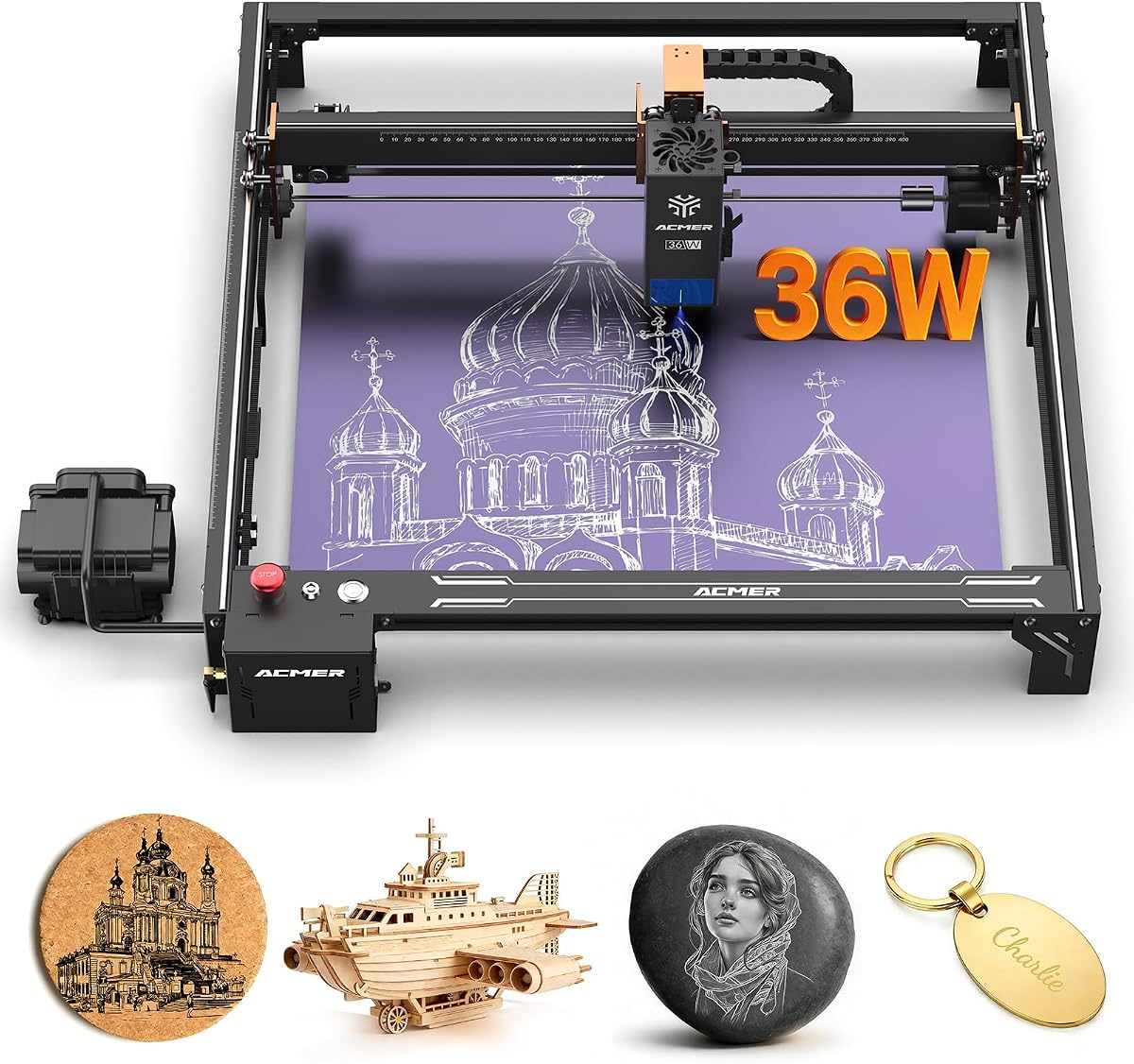
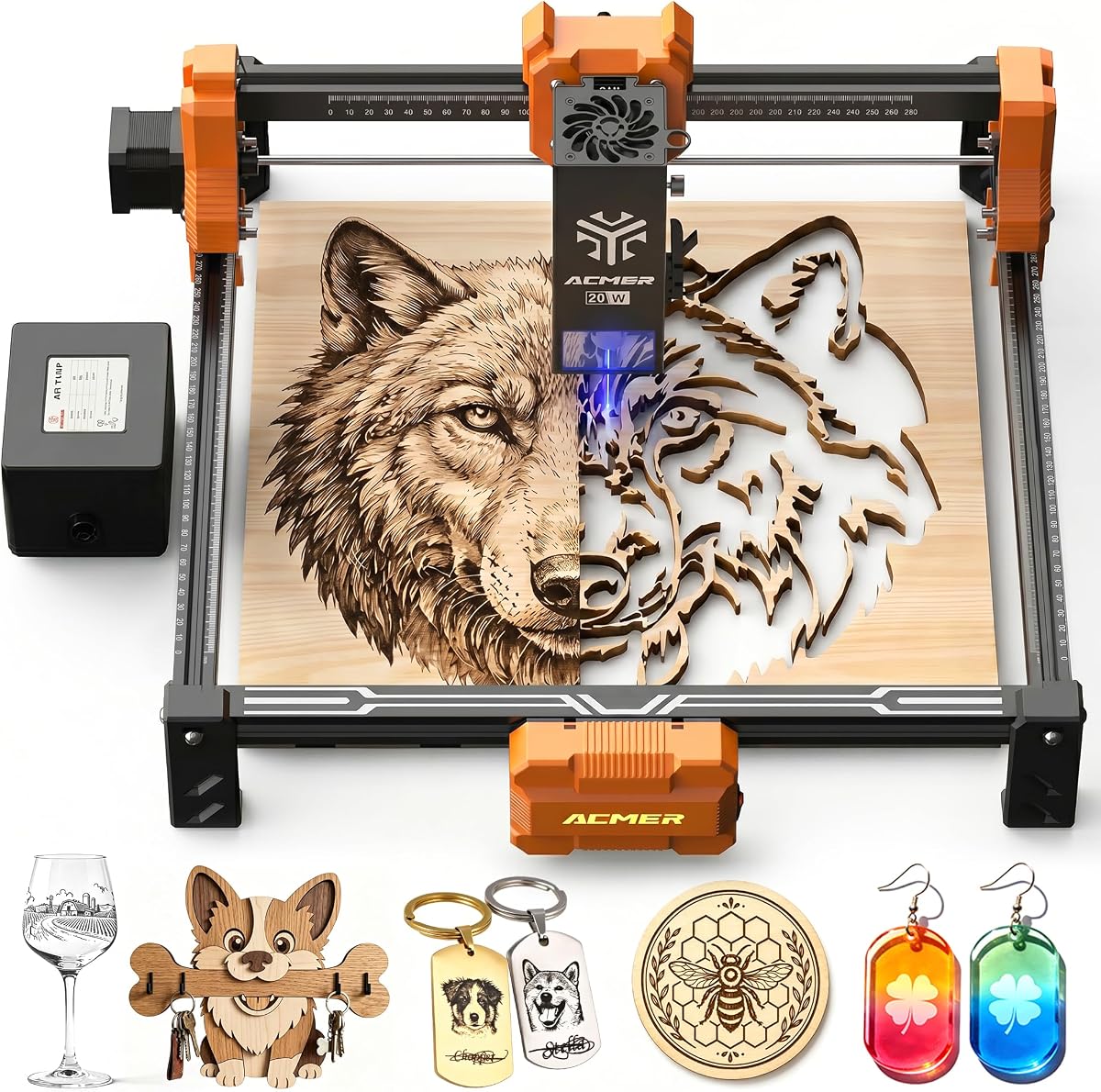
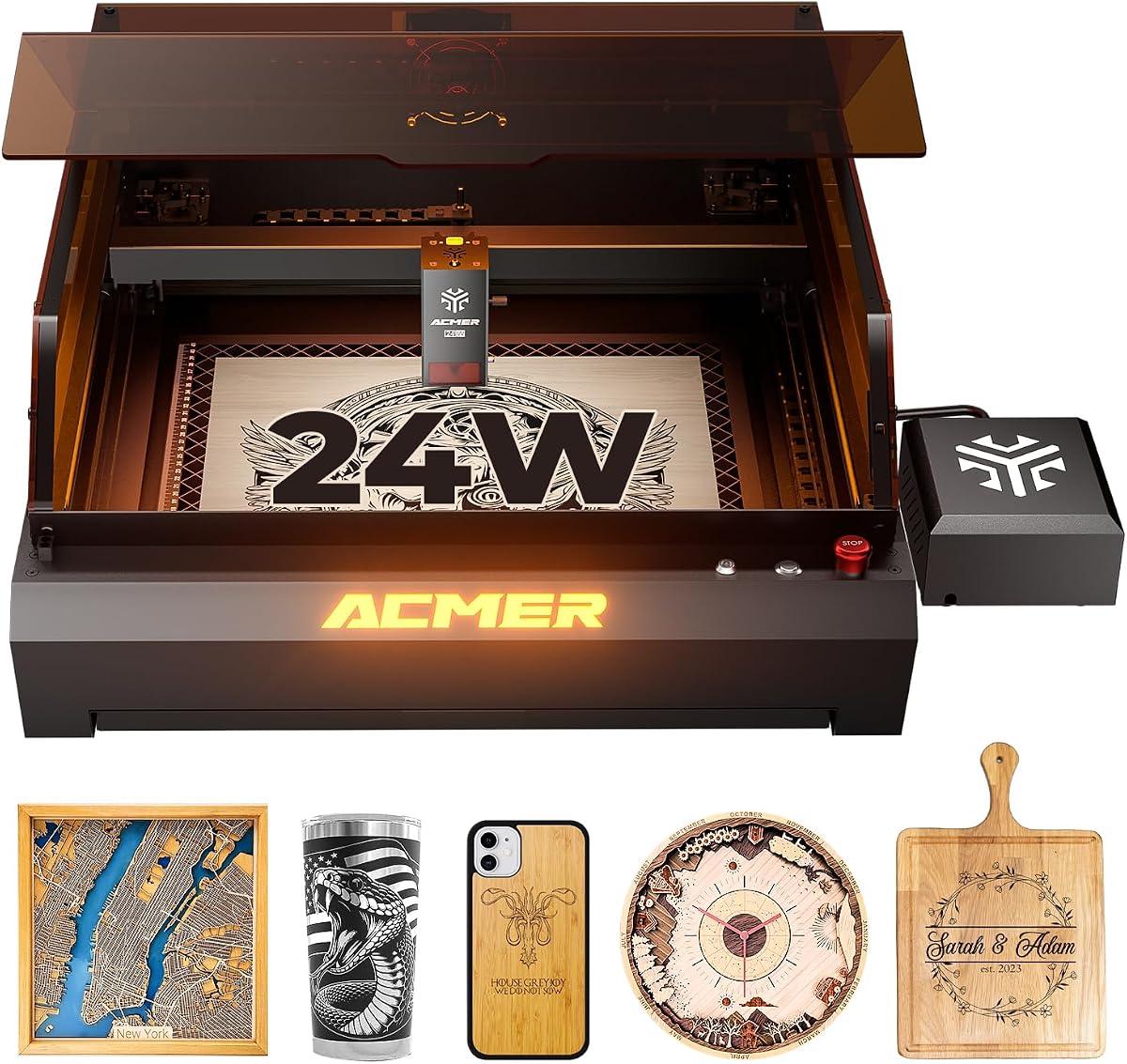

The ACMER S2 Laser Engraver stands out as a top choice for users seeking a balance of power and precision. With a 4.4 rating from verified users, it delivers consistent results across a wide variety of materials. The machine features a true 12W laser module that handles detailed engraving and deeper cutting tasks effectively.
We may earn a commission when you buy through this link, at no additional cost to you.
Its standout quality lies in the 0.01mm positioning accuracy and the refined laser spot size. This allows for sharp text and intricate patterns without excessive blur. The 300x300mm workspace offers ample room for signs and multi-piece layouts. Software compatibility with LightBurn and LaserGRBL ensures you can integrate it into existing workflows easily.
While the performance is impressive, users should note that the air assist is an optional add-on rather than included. Assembly is straightforward, but taking time to calibrate the focus will yield the best results. For hobbyists and small businesses, the investment in safety gear like the protective shield is well worth the effort.
Ultimately, this model is ideal for those who need reliability and detail in their daily projects. Whether you are personalizing gifts or creating signage, the S2 provides the control needed to achieve professional outcomes. We recommend it for anyone ready to move beyond entry-level engraving tools.
The anti-UV protective shield and motion protection pauses operations during abnormal movement to reduce risks.
Supports engraving and cutting on over 100 materials including wood, leather, and coated metals.
We may earn a commission when you buy through this link, at no additional cost to you.
For beginners or those on a tight budget, the ACMER S1 Laser Engraver Machine offers an accessible entry into laser cutting. It holds a 4.3 rating and is designed for ease of use right out of the box. The 6000mW power is sufficient for engraving wood, bamboo, and thin acrylic with decent speed.
We may earn a commission when you buy through this link, at no additional cost to you.
Its primary strength is the preassembled design that reduces setup time to under a minute. This is ideal for users who want to start projects immediately without wrestling with complex hardware. The 2kg weight makes it easy to store or transport. The included AI tools in the software help beginners turn photos into designs quickly.
However, the working area is limited to 130x130mm which may restrict larger projects. Cutting thick materials will take longer compared to higher wattage models. For small crafts and detailed work on smaller pieces, it remains a reliable and affordable choice that does not compromise too much on quality.
This machine is perfect for hobbyists, students, or anyone testing the waters of laser engraving. It provides the essential features needed to learn without a high financial risk. We suggest upgrading to a larger model if you plan to tackle bigger production runs later on.
Arrives 99% preassembled with just 1-minute laser head installation to skip complex setup steps.
Free ACMER studio software allows text prompts or photos to turn into engraving designs easily.
We may earn a commission when you buy through this link, at no additional cost to you.
The ACMER P3 Laser Engraver represents the high-end tier with dual laser output options for various needs. Rated 5.0 by users, it delivers robust performance capable of handling over 200 materials with ease. The switchable power allows you to choose between 24W and 48W depending on the task.
We may earn a commission when you buy through this link, at no additional cost to you.
Its most notable feature is the closed-box design which reduces smoke and noise by 90% for a cleaner environment. The integrated camera helps with positioning and alignment for intricate designs. The CoreXY structure ensures stability at high speeds allowing for fast production runs without sacrificing precision.
The investment is significant, but for professional use or heavy-duty applications it pays off in durability. The safety features like fire detection and tilt protection add peace of mind. While it requires a dedicated space, the enclosed system makes it safer for home workshops and studios.
This model is best for advanced users or small businesses needing high volume output. It combines industrial-grade stability with advanced safety protocols that are rare in this price range. We recommend it for those serious about scaling their engraving operations.
Automatic fire detection and enclosed box ensure secure and clean working environments always.
CoreXY structure and 0.08mm spot technology offer high-speed precision for detailed work.
We may earn a commission when you buy through this link, at no additional cost to you.
This variant of the S2 offers a strong middle ground with 7W power suitable for detailed engraving and light cutting. It holds a perfect 5.0 rating from users who appreciate its safety features and workspace size. The 300x300mm area is ample for decorative projects and signage.
We may earn a commission when you buy through this link, at no additional cost to you.
Key strengths include motion detection that pauses operation to prevent accidents during use. The anti-UV shield provides essential eye protection for home and classroom settings. It runs smoothly at speeds up to 10,000mm/min ensuring efficient project completion without long waits.
While it lacks the raw power of the 12W version, it handles common materials well. Users may need to add external accessories like air assist for cleaner cuts on thick wood. For general crafting and personalized gifts, it delivers consistent results without complications.
Ideal for educators or hobbyists needing a safe and reliable tool for various materials. The combination of performance and safety features makes it a trustworthy choice for daily use. We suggest this for those who prioritize safety and ease of use over maximum cutting speed.
Includes motion-detection auto-pause and anti-UV shield to reduce accidental laser exposure effectively.
Spacious 300x300mm area accommodates signs decorations and multiple pieces without repositioning.
We may earn a commission when you buy through this link, at no additional cost to you.
The ACMER P1 S Pro 20W delivers exceptional power with its true 20000mW diode laser module. It earns a 5.0 rating for its ability to handle deep cuts and detailed engraving equally well. The built-in air assist pump helps minimize burn marks for professional-quality edges on wood and acrylic.
We may earn a commission when you buy through this link, at no additional cost to you.
Its ultra-fine spot size ensures sharp lines and smooth gradients for intricate artwork. The machine supports high speeds of 10,000mm/min making batch production efficient. The lens lifespan of 8000 hours means less maintenance and consistent performance over time.
While the price is higher than entry-level models, the performance justifies the investment for serious creators. The stability and speed allow for reliable operation during long runs. Users will appreciate the convenience of having air assist built-in rather than as an add-on.
This machine is best for small businesses needing consistent output and quality. It handles a wide range of materials with precision that rivals more expensive industrial units. We recommend it for those who need a reliable daily driver for production work.
Includes 25L/min air assist pump to minimize burn marks and protect the laser lens.
Support engraving speeds up to 10,000mm/min for stable and efficient operation always.
We may earn a commission when you buy through this link, at no additional cost to you.
The ACMER S2 Pro 36W brings industrial-level stability with dual linear rails for smooth movement. It offers high-speed engraving up to 24,000mm/min making it one of the fastest options. The 400x400mm workspace allows for larger projects and batch production runs without interruptions.
We may earn a commission when you buy through this link, at no additional cost to you.
With 36W laser power, it cuts through materials quickly and precisely. The built-in 30L/min air pump ensures clean cuts by clearing debris continuously. Connectivity options include WiFi, TF card, and USB for flexible control methods in the workshop.
While the rating is slightly lower, users value the raw power and speed for business use. It is designed to handle long production runs without vibration issues. Safety features like tilt protection and emergency stop buttons add reliability for professional environments.
Best for small businesses needing speed and large capacity for regular orders. It provides the performance needed for commercial engraving without moving to full industrial systems. We suggest this for users who prioritize speed and workspace size.
Advanced dual linear rail system delivers better stability and minimal vibration at high speeds.
Supports WiFi, TF card, and USB connections for wireless control and offline engraving.
We may earn a commission when you buy through this link, at no additional cost to you.
The ACMER S2 20W model combines strong power with a reliable air assist system for high-quality results. Rated 5.0 by users, it delivers clean lines and sharp details on various materials. The built-in 25L/min air pump reduces burn marks significantly during cutting tasks.
We may earn a commission when you buy through this link, at no additional cost to you.
Its precision accuracy of 0.01mm ensures that logos and photos look crisp. The acceleration up to 300mm/s² helps with speed changes without compromising detail. Built-in limit switches prevent the laser head from hitting the frame, extending the life of the machine.
While it lacks advanced features like a camera, it covers the essentials for professional engraving. The stability is excellent for detailed work. Users can expect consistent performance across wood, acrylic, and coated metals with this setup.
Ideal for creators needing reliable quality without complex setups. The balance of speed and precision makes it a solid choice for small business projects. We recommend it for those who prioritize clean edges and durability.
Support engraving speeds up to 10,000mm/min and acceleration up to 300mm/s².
Built-in limit switches help define the working area accurately and prevent frame hits.
We may earn a commission when you buy through this link, at no additional cost to you.
The ACMER P3 24W Closed system brings a desktop-friendly yet powerful solution for precise engraving. It holds a 5.0 rating and integrates infrared and diode lasers for versatile material handling. The closed housing reduces smoke pollution and noise by 90% for a cleaner workspace.
We may earn a commission when you buy through this link, at no additional cost to you.
Key benefits include the aviation grade aluminum frame that ensures stability. The built-in camera module allows for visual positioning and easy setup. The CoreXY structure solves issues of blur at high speeds ensuring clean and realistic images.
Safety features like over-temperature protection and flame detection add reliability. The workspace is large at 400x400mm allowing for diverse projects. While the design is fixed, it offers robust protection for laser exposure.
Best for users wanting a safe and powerful setup for daily use. It combines high precision with a clean design suitable for offices or homes. We recommend this for professionals needing safety and quality.
Automatic detection of fire and alarm with over-temperature protection ensures secure operation.
CoreXY structure and 0.08mm compressed spot technology ensure high-speed precision.
We may earn a commission when you buy through this link, at no additional cost to you.
The ACMER P1 S Pro 6W offers an unusually large workspace for its power class. With a 380x370mm area, it accommodates bigger projects than most entry-level machines. It holds a 5.0 rating for its ease of use and connectivity options via WiFi, USB, and TF card.
We may earn a commission when you buy through this link, at no additional cost to you.
Its 0.06mm spot size ensures high precision even with lower power. This makes it ideal for detailed engraving on wood and leather without excessive burn. The Class 1 laser safety certification makes it safe for open use with protective eyewear included.
While it cuts less deep than higher wattage models, it is perfect for signs and crafts. The modular frame design makes assembly quick and maintenance simple. Users appreciate the freedom of wireless control for their projects.
This machine is best for DIYers needing space without a high cost. It delivers precision and safety for home workshops effectively. We recommend it for large surface engraving where speed is less critical.
380x370mm workspace gives plenty of room for large-scale designs and rotary attachments.
Modular frame design makes installation and maintenance quick and hassle-free for users.
We may earn a commission when you buy through this link, at no additional cost to you.
This ACMER S2 variant distinguishes itself with AI design tools and a powerful 32-bit chip. It holds a 4.3 rating for its ease of use and speed. The machine reaches up to 10,000mm/min ensuring rapid engraving and cutting. The AI tools help turn photos into designs instantly.
We may earn a commission when you buy through this link, at no additional cost to you.
Its core strengths mirror the standard S2 but with added smart features. The 0.01mm accuracy ensures detailed reproduction of patterns. Users can start creating right away without complex software settings. The AI integration simplifies workflows for less technical users.
While it shares hardware with other models, the software enhancement adds significant value. The speed and accuracy remain consistent for daily tasks. Safety features and software compatibility ensure it fits well into any workflow.
Best for users who want a modern and intuitive engraving experience. It simplifies the design process while delivering professional results. We recommend it for those valuing smart software features.
Turn text prompts or photos into engraving designs with built-in AI tools easily.
Advanced 32-bit chip delivers engraving speeds up to 10,000 mm/min for quick production.
We may earn a commission when you buy through this link, at no additional cost to you.
Choosing the right laser engraver depends on your project needs, workspace, and safety requirements.
Laser power determines how fast and deeply you can cut materials. Higher wattage like 20W or 36W is ideal for thick wood and acrylic while lower wattage like 6W suits lightweight crafts. For detailed engraving, even lower power can be sufficient if precision is prioritized.
Choose higher power for cutting speed and thicker materials.
The working area defines the maximum size of your projects. Machines range from 130x130mm to 400x400mm or larger. Ensure your workspace fits your needs such as signage or small crafts. A larger bed reduces the need to reposition materials.
Select a size that accommodates your largest typical projects.
Laser safety is crucial for home and classroom use. Look for enclosed designs, protective shields, and motion sensors. Some models include auto-pause features to prevent accidents during operation. Always use protective eyewear regardless of the system.
Prioritize safety features to protect eyes and workspace.
Software determines how you design and control the machine. ACMER offers free software but many models support LightBurn and LaserGRBL. Ensure the machine supports your preferred tools for seamless workflows. AI tools can also speed up design processes.
Check software options to ensure they match your workflow needs.
Air assist helps blow away smoke and debris for cleaner cuts. Some models include a pump while others require a separate purchase. It prevents burn marks and protects the lens. For cutting acrylic and wood, built-in assist is highly recommended.
Look for integrated air assist for cleaner results.
Connectivity affects how you transfer designs. Options include USB, WiFi, and TF card slots. Wireless control allows for easier setup and remote management. Offline options are useful for stable operation without a computer.
Choose connectivity that fits your preferred setup style.
Lightweight machines like 2kg are easy to move and store. Heavier industrial frames offer stability for high-speed engraving. Consider if you need to move the machine frequently. Stability is key for precision at higher speeds.
Balance weight and stability based on your usage.
Reliable support ensures long-term use and troubleshooting. Check for warranty terms and customer service availability. Some models offer 12-month warranties and responsive support. This protects your investment against manufacturing defects.
Verify warranty terms for peace of mind.
Always wear protective eyewear designed for the laser wavelength before starting any work. Ensure the workspace is well-ventilated to avoid smoke inhalation during cutting or engraving. Check all safety shields and motion sensors are functioning properly.
Prepare your materials by cleaning the surface and ensuring it is flat and secure on the bed. Use the focus guide or camera to align the lens at the correct distance. Calibrate the power settings on a scrap piece before running the final job.
After each session, clean the lens with appropriate tools and remove debris from the work area. Store the machine in a dry place to prevent corrosion. Regularly check cables and rails for wear to maintain precision over time.
Most ACMER engravers can cut and engrave wood, bamboo, leather, acrylic, and coated metals. Some models handle plastic and paper but avoid reflective metals or PVC due to safety risks. Always check the wattage for material thickness.
ACMER offers free software but most models support LightBurn and LaserGRBL. You can start with ACMER Studio and switch to other tools as you grow. No special software is required if you have compatible files.
They are safe when used with protective eyewear and enclosed designs. ACMER models include shields and motion sensors to reduce risks. Keep a fire extinguisher nearby and never leave the machine unattended.
Yes, many models like the P1 S Pro and S2 Pro are designed for small business production. They offer high speeds and reliable performance for batches. Ensure you comply with local safety regulations.
Diode lasers are compact and affordable but may have lower power. CO2 lasers are better for thick acrylic and non-metal materials. ACMER uses diode technology ideal for hobbyists and light industrial work.
Clean the lens before every major project or whenever you see debris. Use lens-safe cleaning solution and soft swabs to avoid scratches. A dirty lens reduces precision and can burn out faster.
Higher-end models like P1 S Pro include air assist but others require separate pumps. Built-in pumps are more convenient for consistent performance. External pumps can be added for better control if needed.
Laser modules typically last around 8000 hours of operation. Lifespan depends on usage intensity and maintenance. Replace the module if you notice power drops or burn marks on materials.
We have explored ten Acmer laser engraver models ranging from budget-friendly S1 units to powerful P3 systems. The S2 models stand out for their balance of power and usability while the P3 options offer industrial-grade features.
Prioritize safety, power, and workspace size when selecting the right machine for your needs. Ensure the software and connectivity options align with your workflow for smooth operation.
Remember to check current availability and pricing before purchasing as models may vary by region. With the right tool, you can turn creative ideas into tangible products efficiently.