
ASRock 970A-G/3.1
4.2Editor score
Supports AM3 Plus CPUs
Features M.2 slot
Includes USB 3.1 ports
This guide compares the top ten Asrock AM3 Motherboard options for performance and compatibility to help you choose the right hardware for your build.
Finding the right Asrock AM3 Motherboard is essential for enthusiasts looking to upgrade legacy systems or build budget-friendly retro gaming rigs. These boards support older AMD processors that still deliver solid performance for everyday tasks and light gaming without breaking the bank.
We evaluated ten distinct models based on chipset capabilities, expansion slot configurations, and connectivity options. Our analysis focuses on how each board handles modern storage standards and multi-GPU setups while maintaining compatibility with the AM3 socket family.
Each selection highlights specific strengths like overclocking headroom or storage versatility. Prices fluctuate frequently so always verify current listings before purchasing. This guide ensures you find a board that matches your specific CPU and memory requirements.
4.2Editor score

4.3Editor score

5.0Editor score
This table provides a side-by-side comparison of all ten models highlighting key specifications like chipset type, form factor, and supported memory speeds to aid your decision-making process.




The ASRock 760GM-HDV stands out as a top contender for budget builders needing reliable AM3+ support. Its high rating reflects consistent performance with Phenom II and Athlon II processors making it ideal for retro upgrades.
We may earn a commission when you buy through this link, at no additional cost to you.
This board supports CPUs up to 125W which is impressive for its class. The AMD Overdrive feature allows users to tweak performance settings easily. Solid capacitors ensure longevity even under moderate stress conditions.
While it lacks modern USB 3.0 and SATA3 ports the board covers essentials for legacy builds. The MicroATX layout fits smaller cases perfectly. Users trade raw speed for stability and cost efficiency.
Buyers prioritizing value over cutting-edge connectivity should choose this model. It remains a solid foundation for office PCs or light gaming systems using older AMD silicon.
Solid capacitors in the power phase ensure consistent voltage delivery to the CPU preventing crashes during heavy loads.
Support for both AM3 and AM3+ sockets means you can use a wider range of AMD processors without swapping the motherboard.
We may earn a commission when you buy through this link, at no additional cost to you.
The ASRock 970A-G/3.1 delivers exceptional value by adding modern connectivity to an older chipset. It supports M.2 drives and USB 3.1 Type-C which is rare for this socket family.
We may earn a commission when you buy through this link, at no additional cost to you.
Users benefit from six SATA3 ports and dual channel memory up to 64GB. The Quad CrossFireX capability allows for multi-GPU setups. This makes it suitable for gaming builds on a strict budget.
The board does not offer extensive overclocking options compared to premium models. However for stock performance it is very reliable. The inclusion of Type-C is a significant advantage for modern peripherals.
This is the perfect pick for users needing storage versatility without spending much. It bridges the gap between legacy AM3 systems and newer storage standards effectively.
The addition of USB 3.1 Type-C allows users to connect modern high-speed peripherals without needing extra adapter cards.
Support for M.2 PCIe storage provides a fast boot drive option that significantly improves system responsiveness.
We may earn a commission when you buy through this link, at no additional cost to you.
The ASRock 970M PRO3 is designed for builders who need gaming performance in a smaller chassis. It retains the robust AMD 970 chipset while fitting into MicroATX cases easily.
We may earn a commission when you buy through this link, at no additional cost to you.
Quad CrossFireX support enables users to link multiple graphics cards for better frame rates. The board includes USB 3.0 and SATA3 ports ensuring fast data transfer. It handles 64GB of RAM effectively.
Being smaller means fewer PCI slots and limited rear ports. Users should plan their I/O needs carefully. The thermal layout is decent but airflow in small cases is critical.
Recommend this for compact gaming rigs using Phenom II X6 CPUs. It balances performance and size better than many competitors in the AM3 space.
Support for Quad CrossFireX allows enthusiasts to maximize graphics performance without upgrading to a newer platform.
The MicroATX footprint saves space while retaining all essential features needed for a capable desktop computer.
We may earn a commission when you buy through this link, at no additional cost to you.
The ASRock 970 EXTREME3 caters to users needing extensive connectivity and storage options. It includes an eSATA3 port which is unique for this generation of boards.
We may earn a commission when you buy through this link, at no additional cost to you.
Support for RAID 0 1 5 and 10 offers flexibility for data redundancy or speed. The board provides ten USB 2.0 ports across rear and headers. It supports large amounts of DDR3 memory comfortably.
Lack of USB 3.0 is a drawback for high speed peripherals. The board is feature rich but feels dated compared to newer options. Stability is high however making it reliable for server tasks.
Buyers needing external SATA or complex RAID arrays should consider this. It remains a powerful tool for legacy system expansion projects.
The eSATA3 port allows for high speed external drive connections without occupying internal USB headers.
RAID support protects your data against drive failures or increases read write speeds based on configuration.
We may earn a commission when you buy through this link, at no additional cost to you.
The ASRock 960GM-VGS3 FX is optimized for stable daily operations and light tasks. It features XBoost technology which enhances data transfer speeds significantly.
We may earn a commission when you buy through this link, at no additional cost to you.
Support for 8-core CPUs ensures it can handle demanding workloads. The board includes Realtek audio for standard office needs. It fits well in small form factor cases for desk use.
It lacks advanced gaming features or modern ports. Users should not expect high speed storage interfaces. The focus is purely on functionality and stability.
This board is ideal for budget office PCs. It delivers consistent performance for web browsing and document processing.
XFast 555 technology accelerates disk access and network performance making everyday tasks feel faster.
Support for 8-core processors ensures the system remains responsive even with heavy multitasking.
We may earn a commission when you buy through this link, at no additional cost to you.
The ASRock 880GXH/USB3 stands out for its integrated graphics capabilities. It includes an HD4250 controller supporting Full HD playback and HDMI out.
We may earn a commission when you buy through this link, at no additional cost to you.
This board allows a dual GPU setup with dedicated cards via Hybrid CrossFireX. USB 3.0 provides fast external transfer speeds. It offers DVI and HDMI for multi-monitor setups.
Integrated graphics are basic and not suitable for modern gaming. The AM3 only support limits CPU options compared to AM3+ models. It serves best as a media center board.
Buyers needing a compact HTPC should consider this. It handles video playback and light computing well without a discrete GPU.
Integrated graphics support Full HD 1080p playback making it ideal for home theater PCs.
Multiple video outputs allow for flexible monitor connections to suit different display needs.
We may earn a commission when you buy through this link, at no additional cost to you.
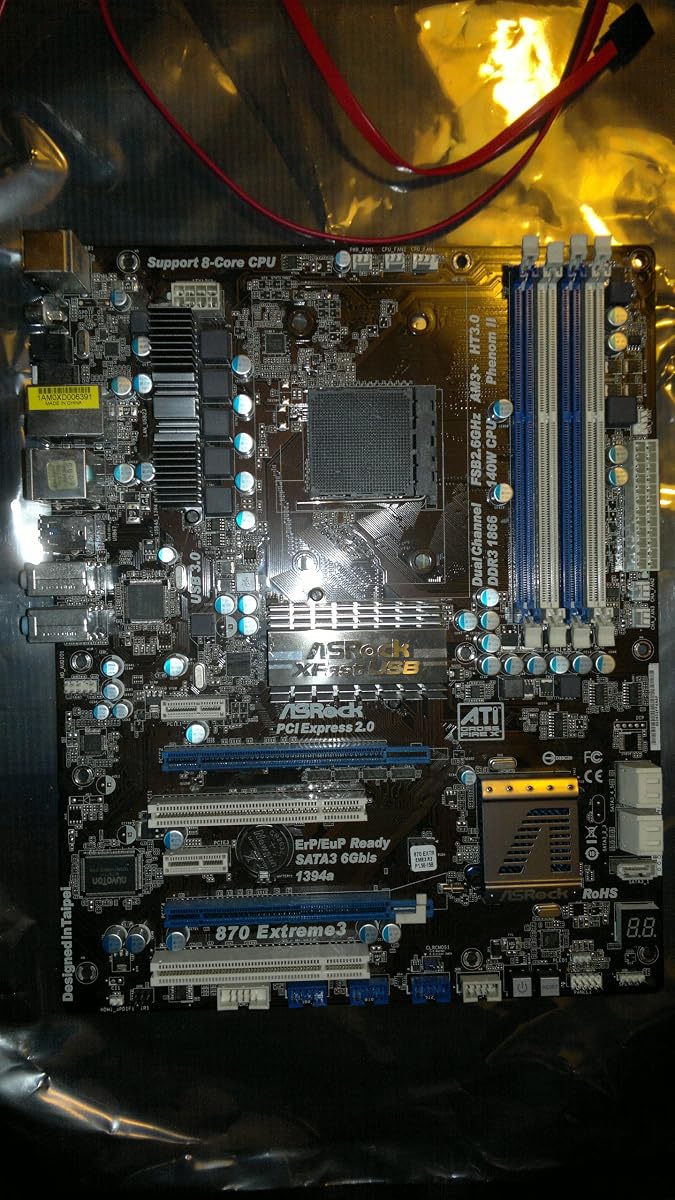
The ASRock 870 EXTREME3 R2.0 combines affordability with high-end features like SATA3 and USB 3.0. It supports Quad CrossFireX allowing for serious graphical performance.
We may earn a commission when you buy through this link, at no additional cost to you.
Seven point one channel audio ensures immersive sound for media and games. The board offers robust connectivity with many USB headers for peripherals. It is designed for enthusiasts needing expansion.
It lacks some premium features found in X58 boards. The chipset is older which limits memory speeds compared to newer models. However it remains a strong choice for budget gaming.
This board is recommended for multi-GPU builds on a budget. It provides essential modern interfaces without a high price tag.
High definition audio support enhances the gaming and media experience with rich surround sound capabilities.
Wake-On-LAN allows users to power up the system remotely for maintenance or data access.
We may earn a commission when you buy through this link, at no additional cost to you.
The ASRock 990FX EXTREME3 is a flagship board designed for maximum performance. It supports Nvidia Quad SLI and AMD Quad CrossFireX for ultimate graphics power.
We may earn a commission when you buy through this link, at no additional cost to you.
Support for 140W CPUs allows for high end processors without thermal throttling. The board includes THX TruStudio Pro for premium audio quality. Three x16 slots provide ample room for multiple GPUs.
This board consumes significant power and heat. It is built for enthusiasts who need every bit of legacy performance. Users must ensure adequate cooling and power supply.
Recommend this for power users with large cases. It delivers maximum compatibility and expansion for top tier legacy builds.
Support for Quad SLI allows users to harness massive graphical power for extreme gaming or rendering.
THX certification ensures that audio output meets high professional standards for clarity and depth.
We may earn a commission when you buy through this link, at no additional cost to you.
The ASRock 970DE3/U3S3 offers a unique advantage with a PCIe 3.0 slot. This allows for faster data transfer with compatible graphics cards or expansion cards.
We may earn a commission when you buy through this link, at no additional cost to you.
It includes USB 3.0 for modern peripheral support. The board supports AM3+ CPUs up to 125W. It is a solid choice for those needing newer bus speeds on an older platform.
The chipset is older which might limit memory controller speeds. Users benefit from the PCIe slot which is rare in this socket family. It is a versatile option for mixed builds.
Buyers needing PCIe 3.0 on a budget should pick this. It bridges the gap between legacy systems and newer bus standards effectively.
The PCIe 3.0 slot allows for double the bandwidth of previous generations improving data throughput.
USB 3.0 ports provide quick data transfer for external drives and high speed peripherals.
We may earn a commission when you buy through this link, at no additional cost to you.
The ASRock 890FX Deluxe4 is the crown jewel of this lineup. It features the 890FX chipset which offers top performance for AM3 processors.
We may earn a commission when you buy through this link, at no additional cost to you.
Full support for USB 3.0 and multiple SATA3 ports ensures high speed connectivity. The board supports Quad CrossFireX for multi-GPU setups. It is built to last with high quality components.
It lacks AM3+ support which limits CPU options. However for AM3 CPUs it is unmatched in features and stability. It is a great choice for enthusiasts.
This is the ultimate pick for AM3 builds. It provides the best balance of speed connectivity and reliability for high end users.
The combination of USB 3.0 and multiple SATA3 ports ensures your system stays fast and future-proof for peripherals.
Inclusion of IEEE 1394 FireWire ports provides compatibility with older video editing equipment and devices.
We may earn a commission when you buy through this link, at no additional cost to you.
Selecting the right AM3 motherboard requires evaluating chipset capabilities socket support and expansion needs to ensure compatibility with your CPU and components.
Ensure the board supports your specific CPU socket type. Most boards support both AM3 and AM3+ but some older models are AM3 only. Always verify your processor requirements.
Choose a board that explicitly lists your CPU model to avoid compatibility issues.
Chipsets like 890FX and 990FX offer the highest performance with better PCIe lane management. Mid-range options like 870 and 970 are suitable for single GPU builds.
Select a chipset that matches your graphics needs to avoid bottlenecks.
Decide between ATX and MicroATX based on your case size. MicroATX boards save space but offer fewer expansion slots. ATX boards provide more room for connectivity.
Measure your case before purchasing to ensure a proper fit.
Check the number and speed of PCIe slots if you plan to use multiple GPUs. Quad CrossFireX support is essential for multi-GPU gaming setups.
Ensure the board has enough slots for your intended hardware configuration.
Look for SATA3 ports if you need fast SSD support. Some models include M.2 slots or eSATA ports for extra flexibility.
Prioritize boards with enough SATA3 ports for your drive needs.
USB 3.0 support is crucial for modern peripherals. Some high end boards include USB 3.1 Type-C which is a major plus.
Verify the number of rear USB ports to match your device count.
High TDP processors require robust power phases. Look for boards that support up to 125W or 140W CPUs without throttling.
Select a board with solid capacitors to ensure long term stability.
Most boards support DDR3 but speeds vary. Check for supported memory speeds like 2000MHz or 2100MHz for optimal performance.
Ensure the board supports the amount of RAM you plan to install.
Install your CPU and memory first before mounting the board in the case. Ensure the I/O shield is placed correctly to avoid grounding issues during assembly.
Regularly clean dust from the slots and heatsinks using compressed air. Dust buildup can trap heat and lead to system instability or crashes.
Update your BIOS to the latest version for improved CPU support and stability. Always use a reliable power supply to protect sensitive components from power surges.
The ASRock 990FX EXTREME3 or 890FX Deluxe4 are best for gaming due to their superior chipset and multi-GPU support. These boards provide the necessary power and lanes for demanding graphics cards.
No, AM3 motherboards only support DDR3 memory. DDR4 requires newer platforms like AM4 or LGA1151. You cannot use DDR4 sticks in an AM3 socket.
The AMD Phenom II X6 1090T is considered the best CPU for AM3. It offers six cores and high clock speeds which maximize the potential of these boards.
Standard AM3 boards do not support NVMe SSDs directly. You may need an adapter card or a board with an M.2 slot that supports PCIe drives like the 970A-G/3.1.
Check the product page for a CPU support list. If your CPU is listed, the BIOS supports it. Otherwise, you may need to update the BIOS with an older CPU first.
They are excellent for budget or retro builds but lack modern features like USB-C or NVMe. If you need top performance, consider upgrading to a newer platform.
This guide highlights ten solid options for AM3 users ranging from budget MicroATX boards to high-end ATX models. The 890FX Deluxe4 remains a top choice for enthusiasts.
Prioritize the board that offers the features you need most such as USB3.0 or M.2 slots. Matching the chipset to your CPU ensures optimal performance and stability.
Prices change frequently so verify current listings before purchasing. This guide ensures you find a board that supports your legacy or budget build effectively.