
HP Chromebook 14 Laptop
4.3Editor score
Intel Celeron N4120
14 Inch HD Display
Long Battery Life
Thin and Lightweight Design
Finding a reliable laptop that fits your budget is essential for students and professionals alike. Chromebooks offer an affordable solution with fast boot times and secure operations. We have compiled a list of ten top models that balance cost with functionality effectively.
Our team analyzed real-world performance, build quality, and user feedback to create this comprehensive list. We focused on devices that handle daily tasks like browsing, streaming, and document editing without breaking the bank. Each selection undergoes rigorous evaluation to ensure value.
Each pick highlights key strengths and potential limitations to help you make an informed decision. Note that availability and pricing can fluctuate based on market demand and seasonal sales. We recommend checking current listings before finalizing your purchase to secure the best deal possible.
4.3Editor score

4.4Editor score

4.2Editor score
As an Amazon Associate we earn from qualifying purchases.
This side-by-side comparison highlights the key specifications and features of each selected model. By examining processors, display sizes, memory options, and connectivity ports, you can quickly identify which device aligns with your specific needs and usage patterns.





The HP 14" HD Chromebook stands out as our top recommendation for users seeking a reliable balance of performance and affordability. With a strong rating and comprehensive feature set, it delivers a seamless computing experience for students and everyday users. Its hardware ensures smooth operation even with multiple browser tabs open.
We may earn a commission when you buy through this link, at no additional cost to you.
At the heart of this device is the Intel Quad-Core N4120 processor, which provides sufficient power for daily tasks like word processing, web browsing, and video streaming. The inclusion of 4GB RAM allows for efficient multitasking without noticeable lag. Additionally, the device supports Android apps through the Google Play Store, expanding its utility significantly.
While the 14-inch display offers HD resolution rather than Full HD, it remains sharp and vibrant for standard content consumption. The battery life is a standout feature, offering up to 14 hours on a single charge, which is ideal for all-day use without access to a power outlet. The inclusion of accessories like a mouse and case adds extra value to the package.
This Chromebook is best suited for students or professionals who need a portable device for note-taking, research, and communication. Its robust connectivity options, including USB-A and USB-C ports, make it versatile for connecting peripherals. We highly recommend this model for anyone looking for a dependable machine that handles everyday workflows with ease.
The quad-core processor ensures that switching between applications remains fluid and responsive throughout the day.
With up to 14 hours of battery life, users can work or study unplugged for extended periods comfortably.
We may earn a commission when you buy through this link, at no additional cost to you.
The HP Chromebook 14 Laptop is an excellent choice for budget-conscious buyers who still require a capable machine for everyday computing. It delivers a clean and responsive interface powered by Chrome OS, making it simple to use for users of all skill levels. The build quality is robust, ensuring durability during regular transport and use.
We may earn a commission when you buy through this link, at no additional cost to you.
Powered by the Intel Celeron N4120 processor, this device handles standard tasks with ease. The 4GB RAM ensures that you can keep multiple apps open without significant slowdowns. One of its strongest features is the battery life, which lasts up to 14 hours, providing freedom from outlets during work or school hours.
Despite its budget-friendly nature, this Chromebook supports 4K content streaming, making it a great option for entertainment. The thin design makes it easy to slip into a backpack or bag without adding bulk. Fast Charge technology allows for quick top-ups, ensuring you are never without power for long.
Ideal for students or casual users, this model offers the essential features needed for browsing, writing, and media consumption. The keyboard is comfortable for long typing sessions, and the touchpad supports multi-touch gestures for smooth navigation. It is a reliable companion for those who prioritize portability and battery life.
The efficient processor and RAM combination ensures smooth navigation across web apps and documents.
Fast Charge technology allows the device to reach 50% battery in just 45 minutes for quick usage.
We may earn a commission when you buy through this link, at no additional cost to you.
The Lenovo Flagship Chromebook brings premium features to the affordable market segment, making it an appealing choice for those who demand higher resolution and modern connectivity. Its Full HD touchscreen adds a layer of interactivity that enhances usability for touch-based navigation and drawing. The sleek design ensures it looks professional in any setting.
We may earn a commission when you buy through this link, at no additional cost to you.
The MediaTek Kompanio 520 processor is a significant upgrade from standard chips, offering better performance for multitasking and media consumption. With WiFi 6 support, users can enjoy faster and more stable internet connections, which is crucial for video conferencing and online learning. The device is also equipped with a privacy shutter for added security.
While it carries a higher price tag than basic models, the upgrade in display quality and processing power justifies the cost. The slim profile makes it highly portable, weighing only 2.86 pounds. The build quality is solid, and the keyboard provides a satisfying typing experience for extended periods of work.
This model is perfect for professionals or students who need a responsive screen for collaborative work or creative tasks. The combination of a high-resolution display and efficient processor ensures a smooth experience across various applications. We recommend it for users who want a premium feel without investing in expensive hardware.
The Full HD touchscreen offers vibrant colors and sharp detail, making content consumption a pleasure.
WiFi 6 support ensures faster download speeds and better performance in crowded wireless environments.
We may earn a commission when you buy through this link, at no additional cost to you.
The Acer Chromebook 2023 offers a unique value proposition by including a comprehensive bundle of accessories with the device. This makes it an excellent starting point for users who need a complete setup right out of the box. The large display provides ample screen real estate for productivity tasks and entertainment.
We may earn a commission when you buy through this link, at no additional cost to you.
Equipped with an Intel Celeron N4020 processor, this Chromebook handles daily workloads efficiently. The anti-glare coating on the screen reduces eye strain, making it comfortable to use in various lighting conditions. The 5-in-1 bundle includes wireless earbuds and a mouse, which eliminates the need to purchase these items separately.
Despite its larger size, the battery life remains competitive, supporting long sessions away from a power source. The 64GB eMMC storage ensures quick boot times and responsive application launches. The build quality is solid, with a slim design that remains portable enough for travel despite the larger screen size.
This device is ideal for home users or students who need a desktop replacement in a portable form factor. The included accessories add significant value, making it a cost-effective solution for remote work or learning. We recommend it for those who prioritize screen size and convenience over ultra-lightweight portability.
The included wireless earbuds, mouse, and cables save users from buying separate peripherals.
The 15.6 inch display offers more space for multitasking and viewing content side by side.
We may earn a commission when you buy through this link, at no additional cost to you.
The ASUS 2026 15" FHD Chromebook stands out for its generous storage capacity, addressing one of the common limitations in budget laptops. With 128GB of storage, users can save more files locally without relying heavily on cloud services. The Full HD IPS display ensures vibrant colors and wide viewing angles for a premium viewing experience.
We may earn a commission when you buy through this link, at no additional cost to you.
Powered by an Intel processor capable of reaching up to 2.80GHz, this device offers responsive performance for everyday tasks. The 4GB DDR4 RAM supports smooth multitasking, while the HDMI port allows for easy connection to external monitors or TVs. This makes it versatile for presentations and media streaming.
As a renewed product, this model provides significant cost savings while maintaining high functionality. The Pastel Blue design adds a stylish touch to the device. The super-fast WiFi ensures stable connectivity, which is essential for video calls and downloading large files. The build quality is durable, designed to withstand daily use.
This Chromebook is best suited for users who need extra storage for offline files and media. The large screen and HDMI support make it a good choice for home entertainment setups or dual-monitor workstations. We recommend it for budget buyers who want more storage space than standard models offer.
With 128GB of internal storage, users have more room for files without needing external drives.
The HDMI port allows easy connection to larger screens for presentations or enhanced multitasking.
We may earn a commission when you buy through this link, at no additional cost to you.
The Dell Chromebook 11 3100 is designed for portability and versatility, making it an ideal choice for on-the-go users. Its 2-in-1 design allows the screen to fold back, enabling tablet mode for intuitive touch interaction. The compact 11.6 inch size ensures it fits easily into small bags or backpacks.
We may earn a commission when you buy through this link, at no additional cost to you.
Equipped with an Intel Celeron N4020 dual-core processor, it handles basic tasks like browsing and document editing efficiently. The touchscreen adds a layer of convenience for navigation and note-taking. The 32GB flash memory is sufficient for cloud-centric workflows where files are stored online.
This renewed model offers a budget-friendly entry point into the Chromebook ecosystem. Its lightweight build makes it easy to carry for long periods without fatigue. The USB Type-C connectivity ensures modern compatibility with accessories and chargers. The device is robust enough to withstand daily handling.
It is best suited for students or travelers who prioritize mobility over raw performance. The tablet mode is particularly useful for reading or viewing content in tight spaces. We recommend it for anyone needing a secondary device that fits in tight spaces.
The 2-in-1 touchscreen design allows for seamless switching between laptop and tablet modes.
Its small size and light weight make it easy to carry in any bag or backpack.
We may earn a commission when you buy through this link, at no additional cost to you.
The HP Chromebook 14-inch HD is a classic model that continues to perform well for everyday tasks. Its high user rating reflects consistent satisfaction with its reliability and usability. The sleek Ceramic White design gives it a professional and modern look that stands out among standard devices.
We may earn a commission when you buy through this link, at no additional cost to you.
Powered by the Intel Celeron N4000 processor, it delivers steady performance for web browsing and productivity. The B&O tuned stereo speakers provide enhanced audio quality for media consumption without needing external speakers. Battery life is impressive, offering up to 13 hours and 30 minutes for long sessions.
The device supports millions of Android apps via the Google Play Store, expanding its utility beyond web-based tools. Fast Charge technology allows for quick battery recovery when plugged in briefly. The multi-touch touchpad supports gestures for intuitive navigation and cursor control.
This model is ideal for users who prefer a trusted design with proven performance. Its focus on audio quality and battery life makes it a great companion for media lovers and remote workers. We recommend it for those who value reliability and brand heritage in a budget device.
B&O tuned speakers deliver clear sound for videos and music without external devices.
With up to 13 hours and 30 minutes of battery life, you can work unplugged all day.
We may earn a commission when you buy through this link, at no additional cost to you.
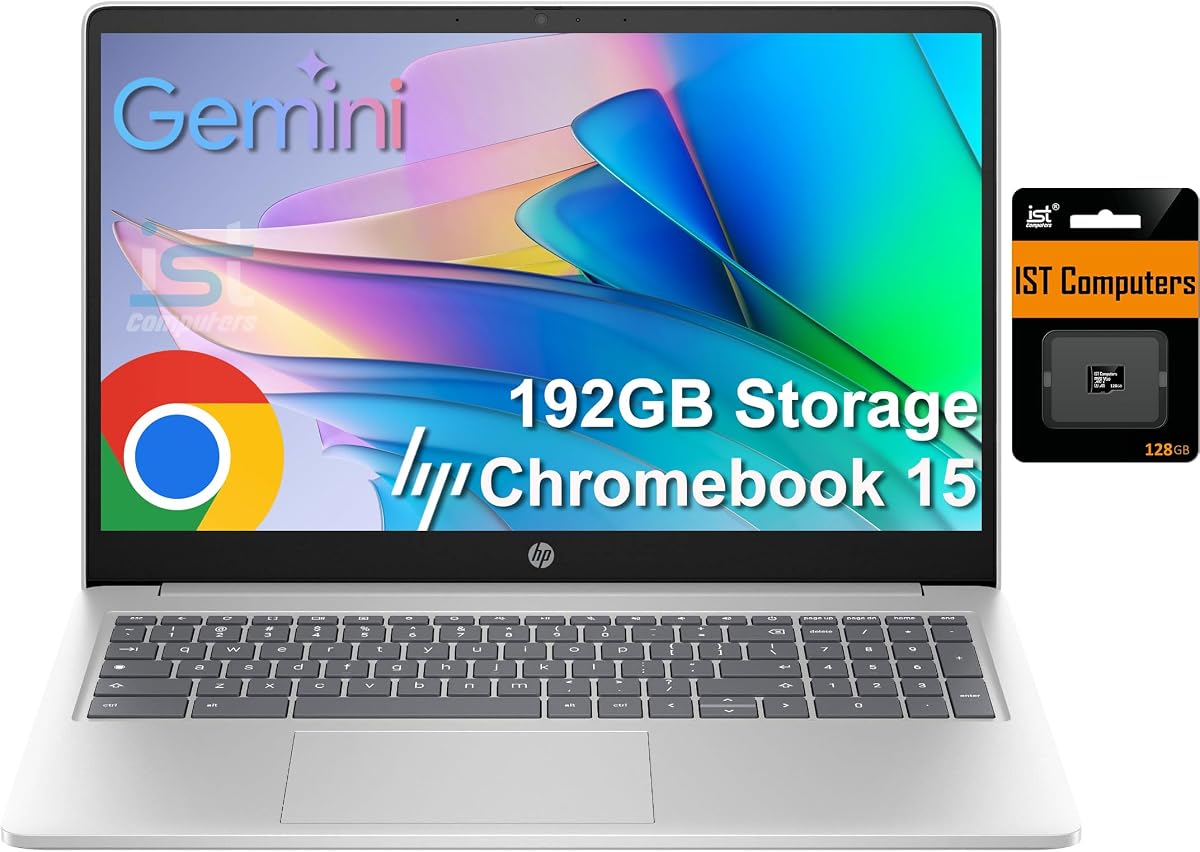
The HP Chromebook 15 15.6" delivers superior performance through its 8GB DDR5 RAM and modern Intel N200 processor. This combination ensures smooth operation even with demanding applications and multiple browser tabs. The expanded storage capacity of 192GB offers significant space for files and media.
We may earn a commission when you buy through this link, at no additional cost to you.
The inclusion of a numeric keyboard makes it particularly useful for data entry or finance-related tasks. The USB-C port supports DisplayPort, allowing for high-resolution external monitor connections. This makes it a versatile option for users who need a desktop-like experience on the go.
While it carries a higher price tag than standard models, the hardware upgrades justify the cost for power users. The larger screen provides better workspace for split-view multitasking. The build quality is sturdy, and the battery life remains reliable for extended usage periods.
This device is best suited for professionals or students who need more memory for specialized software. The numeric keypad and high RAM make it a practical choice for administrative tasks. We recommend it for users who want enhanced performance without moving to a Windows laptop.
8GB DDR5 RAM ensures seamless multitasking and quick application switching.
The numeric keypad and large display facilitate efficient data entry and workflow management.
We may earn a commission when you buy through this link, at no additional cost to you.
The Acer 2026 15" FHD Chromebook is a solid choice for users who prioritize modern connectivity and display quality. Its Ultra-Fast WiFi 6 support ensures stable and quick internet connections, which is vital for video conferencing and cloud-based work. The IPS display delivers consistent colors from various angles.
We may earn a commission when you buy through this link, at no additional cost to you.
Powered by an Intel Celeron processor and 4GB DDR5 RAM, the device offers efficient performance for everyday tasks. The DDR5 memory helps in data transfer speeds compared to older standards. The sleek design includes a stylish Dale Purple color that stands out from typical grey or black laptops.
As a renewed product, it offers a cost-effective way to access newer hardware features. The 15-inch screen provides ample space for multitasking and media viewing. The USB-C ports allow for fast charging and data transfer. It is a reliable companion for daily digital activities.
This model is best for users who need reliable internet performance and a vibrant screen. The combination of WiFi 6 and DDR5 RAM ensures the device stays relevant for longer. We recommend it for home offices or students who need fast and stable connectivity.
Ultra-Fast WiFi 6 provides faster and more reliable wireless internet connections for all tasks.
DDR5 RAM offers faster data access compared to traditional memory standards for improved speed.
We may earn a commission when you buy through this link, at no additional cost to you.
The Lenovo 100E Chromebook represents the most affordable option in our selection, designed for basic users and educational environments. Its compact 11.6 inch form factor makes it highly portable for those who need a simple device for occasional use. The renewed condition ensures functionality at a minimal cost.
We may earn a commission when you buy through this link, at no additional cost to you.
Equipped with a MediaTek MT8173C processor and 4GB RAM, it handles fundamental tasks like web browsing and email well. The 16GB eMMC storage limits local file storage but is sufficient for cloud-based workflows. The black design is practical and durable for daily handling.
This Chromebook serves well as a secondary device for quick tasks or media consumption. Its low price point makes it accessible for budgets that cannot support higher-end models. The build quality is solid enough to withstand regular transport and use in various settings.
Ideal for students or households needing a shared family device, this model offers core features without complexity. It is best suited for light usage where high performance is not a primary requirement. We recommend it for anyone looking for the absolute entry-level price point.
The low cost makes it an attractive option for basic computing needs and shared family use.
Its small size and light weight allow for easy transport and storage in small spaces.
We may earn a commission when you buy through this link, at no additional cost to you.
Selecting the right Chromebook requires understanding key specifications that impact performance and longevity. Here are the essential factors to consider when comparing models.
The processor is the brain of the Chromebook. Look for Intel Celeron N-series or newer models like N200 or Kompanio for better multitasking. A quad-core processor will offer smoother performance than dual-core ones.
Prioritize newer processors to ensure longevity and faster boot times.
RAM determines how many apps you can run simultaneously. Most budget Chromebooks come with 4GB RAM, which is sufficient for basic tasks. If you plan on heavy multitasking, look for models with 8GB RAM.
Ensure the device has at least 4GB of RAM for smooth web browsing.
Storage is often limited on Chromebooks. Look for models with at least 64GB or 128GB if you need to store files locally. Some models offer SD card slots to expand capacity later.
Check if the device supports expandable storage for flexibility.
The screen is where you interact most. HD resolution is standard but Full HD offers sharper text and images. IPS panels provide better viewing angles than TN panels.
Choose a Full HD IPS display if visual clarity is a priority.
A good Chromebook should last through a work or school day. Look for devices with at least 10 to 14 hours of battery life to avoid frequent charging.
Verify battery specifications in the product details before purchasing.
Check for USB-C ports, HDMI, and headphone jacks to connect peripherals. Wi-Fi 6 support ensures faster and more stable internet connections.
Ensure the device has the necessary ports for your accessories.
Comfort is key for typing. Look for backlit keyboards and multi-touch touchpads that support gestures. A full-size keyboard with number pad can be useful for data entry.
Test the keyboard feel if possible or check reviews for feedback.
Warranty coverage provides peace of mind. Most new devices come with a one-year limited warranty. Renewed devices may have different terms.
Review the warranty details to understand what is covered.
Keep your Chromebook clean by wiping the screen with a soft microfiber cloth. Avoid using harsh chemicals that might damage the display coating. Regular cleaning extends the lifespan of the device.
Manage your storage by utilizing cloud services like Google Drive for file backups. Keep offline storage minimal to ensure smooth performance. Clear browser cache regularly to maintain speed.
Update your software regularly to get the latest security patches and features. Chrome OS updates automatically but ensure your device is connected to Wi-Fi. A restart once a week can improve performance.
Yes, you can use Google Docs and Sheets online for free. Alternatively, you can install the web versions of Microsoft Office through the browser. Many users find cloud-based tools sufficient for daily tasks.
Most users find 64GB to 128GB sufficient for basic tasks since Chrome OS relies heavily on cloud storage. If you work with large local files, consider models with expandable storage or more internal capacity.
Chromebooks are not designed for high-end gaming but support casual web games and Android apps. Light gaming is possible, but dedicated gaming PCs are better for performance-heavy titles.
HD typically refers to 1366 x 768 resolution while Full HD is 1920 x 1080. Full HD offers sharper text and images which is easier on the eyes during long sessions.
A well-maintained Chromebook can last 3 to 5 years or more. Hardware longevity depends on usage habits and battery care. Updates may end after a certain period depending on the manufacturer.
Yes, you can use several apps offline including Google Docs, Sheets, and Gmail. However, full functionality often requires an internet connection for syncing and updates.
Renewed models offer significant savings and are often tested for quality. They are a great choice for budget buyers who understand the product may have minor cosmetic wear.
Chrome OS is faster and simpler for web-based tasks while Windows offers broader software compatibility. Choose based on your specific needs and app requirements.
We have reviewed ten top models that balance performance with affordability. The HP 14" HD Chromebook leads as our editor's choice for its versatility. The Lenovo Flagship offers premium features for those willing to pay slightly more.
When choosing, prioritize battery life and RAM if you multitask often. A larger screen is great for productivity but consider portability needs. Ensure the model supports your essential software requirements.
Remember that prices and availability change frequently. Check the latest listings to confirm current offers. We hope this guide helps you find the perfect affordable device for your needs.