
Lenovo Chromebook S330 Laptop
4.2Editor score
4 GB OnBoard memory
32 GB eMMC SSD
MediaTek MT8173C
Selecting a cheap laptop for everyday use requires balancing affordability with reliable performance for daily tasks like browsing and streaming.
We compared ten models based on processor speed, memory capacity, display quality, and battery life to identify the most practical options available.
Each pick highlights key strengths and weaknesses so you can choose wisely. Remember that product availability and pricing may vary over time.
4.2Editor score

4.4Editor score

4.3Editor score
As an Amazon Associate we earn from qualifying purchases.
The following table provides a side-by-side comparison of all ten models evaluated in this guide to help you quickly identify the right fit.




This HP Chromebook stands out as a top contender in the affordable laptop market. With an impressive 4.4 star rating from users, it delivers reliable performance for daily tasks. The 8 GB RAM ensures smooth multitasking, making it ideal for students and home users alike.
We may earn a commission when you buy through this link, at no additional cost to you.
The Intel Processor N100 provides efficient computing power without draining battery life quickly. Combined with 128 GB of Universal Flash Storage, boot times are fast and applications load swiftly. The micro-edge display offers a wide viewing area relative to the chassis size.
While the resolution is standard HD, the anti-glare coating reduces eye strain during long sessions. Chrome OS keeps the system secure and up to date automatically. The lack of traditional offline applications may be a trade-off for some users accustomed to Windows.
Buyers seeking a budget-friendly device for web browsing, streaming, and light productivity will find this model highly satisfying. It balances cost and functionality better than most peers in its category.
The Intel N100 processor is designed for modern workloads. It handles multiple browser tabs and media playback without stuttering.
Chrome OS includes built-in virus protection and updates automatically. This reduces the need for manual maintenance and security scans.
We may earn a commission when you buy through this link, at no additional cost to you.
The HP Chromebook 14 offers exceptional battery life that can last a full school day without recharging. Its thin design makes it easy to carry in a backpack. Users appreciate the fast charge feature that quickly powers the device.
We may earn a commission when you buy through this link, at no additional cost to you.
With the Intel Celeron N4120, this laptop handles everyday tasks like word processing and video streaming efficiently. The 4K graphics capability allows for smooth high-resolution playback when connected to external monitors. It is a great tool for remote learning.
Storage is limited to 64 GB, so relying on cloud storage is recommended for saving files. The HD display is adequate but not as sharp as FHD panels. Despite this, the anti-glare screen helps reduce strain during extended use.
This model is best suited for students who need portability and long battery life. It provides a secure environment for online classes and homework without the complexity of Windows.
Up to 14 hours of battery life ensure you stay productive. Fast charging adds 50 percent charge in 45 minutes.
The laptop is designed to be thin and light. It fits easily into bags and is easy to carry around.
We may earn a commission when you buy through this link, at no additional cost to you.
The Lenovo Chromebook S330 is an entry-level device perfect for basic internet browsing and media consumption. It features a sleek design and weighs just 3.3 pounds. Users appreciate the included 100 GB of cloud storage via Google Drive.
We may earn a commission when you buy through this link, at no additional cost to you.
Powered by the MediaTek MT8173C processor, this laptop handles simple tasks smoothly. The 4 GB LPDDR3 memory supports light multitasking without lag. It includes standard USB ports for connecting peripherals and accessories.
The 32 GB storage is quite limited but sufficient for cloud-based workflows. The display resolution is standard HD which may not satisfy power users seeking sharpness. However, it is a reliable tool for web-based productivity.
This Chromebook is ideal for users with strict budget constraints who need a secondary device. It offers a secure and simple computing experience with minimal setup time required.
Access 100 GB of cloud storage to keep files safe. It integrates seamlessly with Google Drive for easy access.
Built-in virus protection keeps your system safe. Updates happen automatically without user intervention.
We may earn a commission when you buy through this link, at no additional cost to you.
The Amzboy 15.6 inch laptop provides a Windows 11 experience at a very competitive price point. Its full HD display offers clear visuals for watching videos and editing documents. Users report high satisfaction with its value for money.
We may earn a commission when you buy through this link, at no additional cost to you.
Equipped with 128 GB of eMMC storage, it provides ample space for basic files. The fanless design ensures silent operation during everyday tasks. The compact charger makes it easy to travel with the device.
While the 4 GB RAM is standard for this tier, heavy multitasking might cause slowdowns. The fanless cooling system might retain some heat under load. However, for casual use, it performs admirably.
This laptop is best for users who need Windows compatibility on a budget. It balances screen quality and storage well for home office tasks.
The 15.6 inch FHD display provides sharp visuals. It is suitable for media consumption and productivity work.
45W Type-C PD fast charging keeps you powered up. It supports charging multiple devices with one cord.
We may earn a commission when you buy through this link, at no additional cost to you.
This HP Everyday Laptop is designed specifically for productivity with Microsoft 365 included. The Intel N150 processor delivers smooth performance for office tasks and streaming. Users like the modern Natural Silver finish and thin profile.
We may earn a commission when you buy through this link, at no additional cost to you.
The 128GB SSD ensures quick boot times and responsive app loading. Windows 11 with Copilot AI helps with research and writing tasks efficiently. Battery life supports all-day use for students and professionals.
The HD resolution is the main limitation for media consumption. While it meets basic needs, those who demand high visual clarity might want to look elsewhere. However, the software bundle adds significant value.
Ideal for home users needing reliable office tools without extra subscription costs. It is a practical choice for routine work and online classes.
Microsoft 365 is included for word processing and spreadsheets. You get access to cloud storage immediately.
Copilot AI assists with research and summaries. It enhances everyday tasks with intelligent suggestions.
We may earn a commission when you buy through this link, at no additional cost to you.
The HP Essential Laptop combines efficiency with modern features like AI noise reduction for calls. It includes Office 365, making it ready for schoolwork out of the box. The Willow Green top cover adds a touch of style.
We may earn a commission when you buy through this link, at no additional cost to you.
Wi-Fi 6 connectivity ensures fast internet speeds. The 128GB storage is sufficient for documents and photos. Its lightweight design makes it easy to carry between classes.
The 4 GB RAM may struggle with heavy multitasking. The port selection is adequate but not expansive. Still, it provides a solid foundation for daily academic needs.
Students needing a simple machine for typing papers and web research will find this helpful. It keeps the system up to date with the latest Windows features.
Wi-Fi 6 offers faster wireless performance. USB-C and HDMI ports help connect to monitors.
AI noise reduction improves voice clarity during calls. It helps during online meetings and remote classes.
We may earn a commission when you buy through this link, at no additional cost to you.
The HP Slim Laptop offers a modern chassis design with a focus on mobility. It uses DDR5 memory for faster data processing. The natural silver finish is sleek and professional for office environments.
We may earn a commission when you buy through this link, at no additional cost to you.
With up to 11 hours of video playback, the battery is reliable for travel. The dedicated Copilot key provides quick access to AI tools. Connectivity is handled well with essential ports.
The HD display is functional but lacks vibrancy compared to FHD options. Storage is standard for the price range but may need expansion. It remains a capable workhorse for general tasks.
Users prioritizing portability and battery life will appreciate this model. It balances style and substance effectively for daily commuting.
DDR5 RAM provides faster data transfer. It improves overall system responsiveness.
Enjoy all-day battery life for travel. It supports up to 11 hours of playback.
We may earn a commission when you buy through this link, at no additional cost to you.
The Lenovo Flagship Chromebook features a touchscreen that enhances navigation. The FHD resolution ensures crisp visuals. Users like the MediaTek Kompanio 520 for its efficient performance.
We may earn a commission when you buy through this link, at no additional cost to you.
This device is thin and light making it easy to carry. The battery life is optimized for long sessions. It integrates well with Android apps for a hybrid experience.
Storage is modest so cloud reliance is recommended. Touchscreens are great for drawing or note-taking. It is a modern choice for interactive learners.
Buyers wanting a touch-enabled Chromebook will find this a strong option. It combines speed and usability in a portable package.
Touchscreen navigation makes browsing intuitive. It supports gestures for zooming and scrolling.
The 8-core processor handles apps well. It is designed for reliable connected experiences.
We may earn a commission when you buy through this link, at no additional cost to you.
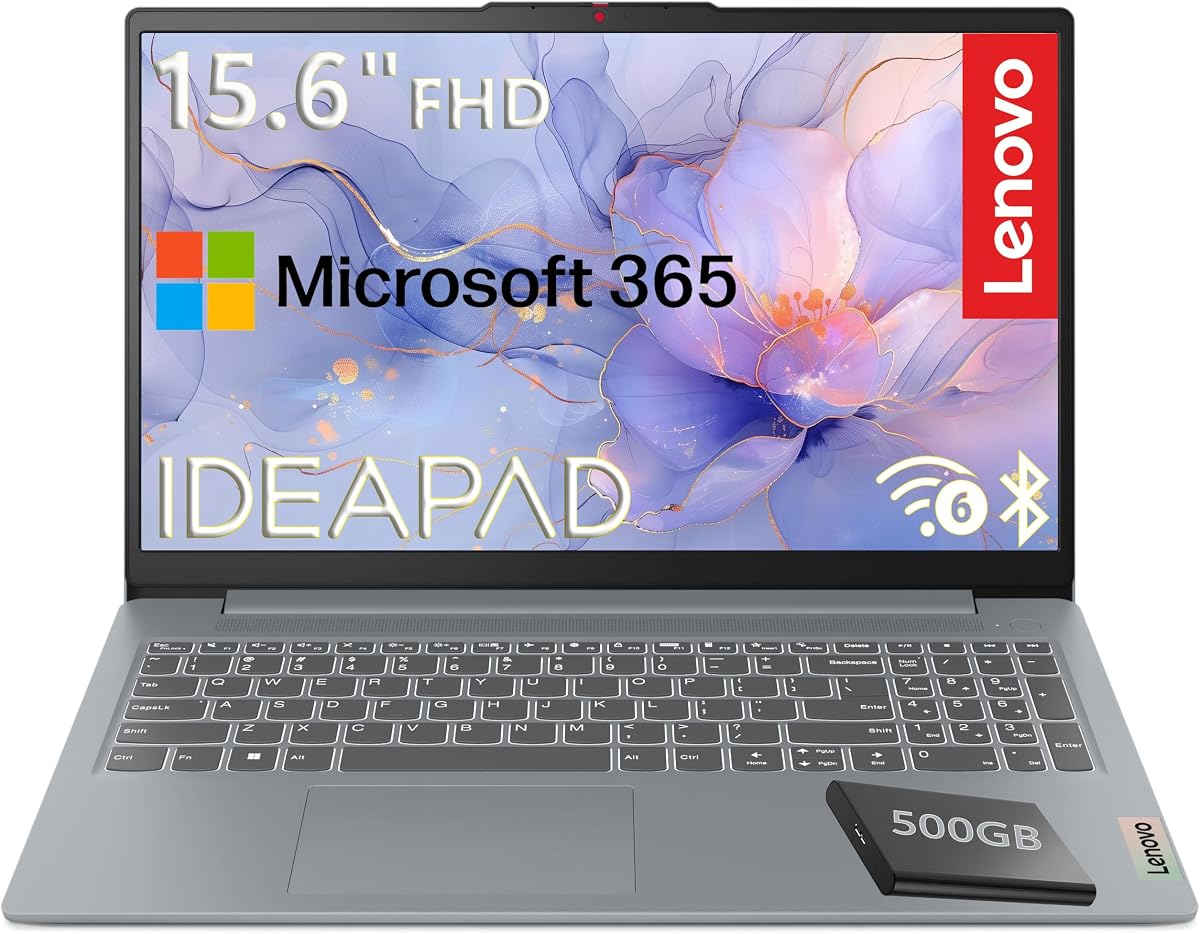
The Lenovo 15.6 FHD Laptop stands out with its Full HD display and external hard drive. It offers a great viewing experience for streaming videos and editing images. The MIL-STD certification ensures durability for rough handling.
We may earn a commission when you buy through this link, at no additional cost to you.
Wi-Fi 6 connectivity is robust for modern networks. The stereo speakers provide decent audio for casual listening. It includes Microsoft 365 for productivity needs.
The S mode may limit software choices initially. It is heavier than many other options in this guide. Still, the hardware value is strong.
Families looking for a durable home PC will appreciate this machine. It balances screen quality and storage for everyday entertainment.
Full HD display offers crisp visuals. It is great for watching movies online.
MIL-STD certification ensures it can handle drops. It is built to last through rigorous use.
We may earn a commission when you buy through this link, at no additional cost to you.
This Laptop offers an impressive 12GB RAM configuration which is rare at this price. It handles multitasking better than most peers. The FHD IPS screen ensures wide viewing angles for media.
We may earn a commission when you buy through this link, at no additional cost to you.
The Pentium Gold processor provides steady performance for web apps. Privacy slider protects your web during offline use. It is a versatile machine for home and student use.
The CPU architecture is older which limits peak speed. The design is generic but functional. Still, the memory boost makes it stand out.
Anyone needing extra RAM for multitasking will find this useful. It is a practical solution for light productivity and browsing.
12GB RAM runs apps faster than 8GB. It is great for multitasking.
Privacy slider covers the camera lens. It keeps you safe during offline moments.
We may earn a commission when you buy through this link, at no additional cost to you.
Selecting the right device involves looking beyond price. We break down the key factors that impact real-world performance.
The processor is the brain of your laptop. Modern options like the Intel N100 or N150 handle daily web tasks efficiently without excessive cost. Look for processors designed for low power consumption if you plan to travel often.
For everyday use, avoid older dual-core chips. Stick to recent generations that balance speed and battery efficiency.
RAM determines how many applications you can run at once. 4 GB is standard for entry-level laptops, but 8 GB or more allows for smoother multitasking. If you plan to keep many tabs open, prioritize higher memory.
Check if the memory is upgradeable. Some models have onboard RAM that cannot be changed later.
Solid State Drives (SSD) are essential for fast boot times. Look for at least 128 GB of storage for basic needs. If you need more space, external drives can help but add bulk.
Cloud storage is often included with Chromebooks which helps offset limited local drive space.
Screen resolution affects visual clarity. Full HD (1920×1080) offers sharper images than HD. An IPS panel provides better viewing angles than TN panels.
Anti-glare coatings are vital if you work in bright environments to reduce eye strain.
For students and travelers, battery life is critical. Aim for a device that offers at least 8 to 10 hours of real-world use. Fast charging features can be a lifesaver during long days.
Check battery reviews specifically as manufacturer claims often differ from actual performance.
Windows 11 offers broad software support but costs more. Chrome OS is fast and secure with minimal maintenance but relies heavily on internet connectivity.
Choose based on the apps you need daily. If you only use web apps, a Chromebook may save you money.
Modern laptops often rely on USB-C. Ensure the model has enough ports for your peripherals. HDMI is useful for connecting to external displays.
Missing ports might require dongles which add cost and clutter. Verify the specific port layout before buying.
Durability matters for long-term use. Look for laptops with MIL-STD certification or sturdy materials. A solid chassis protects internal components.
Lighter builds are easier to carry but may feel less durable. Find a balance that suits your mobility needs.
Always shut down your laptop properly to preserve data integrity. Use the operating system functions rather than just closing the lid to conserve battery and prevent overheating.
Protect the screen by avoiding harsh pressure. Clean it with a microfiber cloth and mild cleaner to remove dust without scratching the surface.
Keep the software updated regularly to maintain security. Use cloud backups for important files to prevent data loss in case of hardware failure.
The HP Chromebook 14 inch Laptop with 8 GB RAM is highly recommended for its balance of performance and affordability. It handles daily tasks smoothly and offers a secure operating system for most users.
Yes, many models have durable builds that last 3 to 5 years with proper care. Using a protective case and keeping the software updated can extend the lifespan significantly.
These laptops are designed for basic web games and light titles. They are not suitable for high-end gaming but can handle casual entertainment and streaming easily.
4 GB is sufficient for web browsing and document editing. If you use many tabs simultaneously, upgrading to 8 GB RAM is recommended for a smoother experience.
Choose Windows if you need specific desktop software. Chrome OS is better if you mostly use web apps and want a simpler, secure system.
You can use cloud storage services like Google Drive to save files. External USB drives also work well for additional space if needed.
We highlighted ten models that offer the best value for everyday users. The HP Chromebook 14 inch Laptop leads our list due to its generous RAM and reliable performance.
Prioritize your specific needs such as battery life or display quality. A more expensive model might not be necessary if your usage is limited to basic tasks.
Prices and availability can fluctuate so check the current links before buying. This guide ensures you make an informed decision based on real data.