
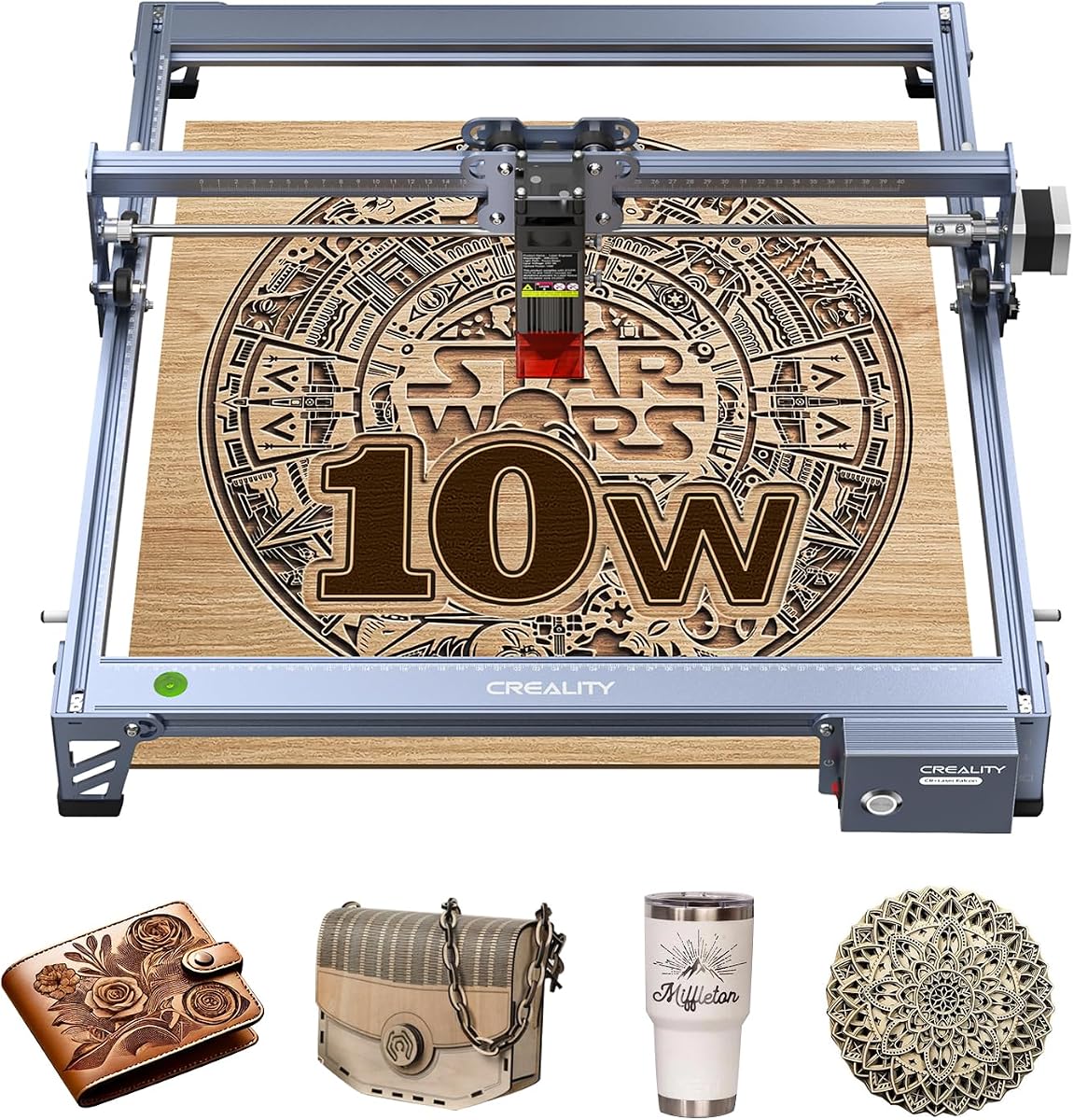
Creality Falcon 10W Laser Engraver Machine
4.2Editor score
72W Effective Laser Power
Anti-UV Filter Protection
SD Card Offline Support
Finding the right laser engraver can transform your creative projects into professional results. Creality offers a range of models designed for hobbyists and professionals alike. Each machine brings unique features like safety enclosures and smart cameras to simplify your workflow.
We evaluated these ten models based on power output, engraving speed, ease of use, and safety certifications. Our analysis focuses on real-world performance metrics and software compatibility to ensure you find a machine that meets your specific crafting needs effectively.
Each pick highlights key strengths and ideal use cases to help you decide quickly. Remember that availability and specifications may shift over time. Always check the latest product details before making your final purchase decision for your workspace.
4.2Editor score

4.1Editor score

4.2Editor score
As an Amazon Associate we earn from qualifying purchases.
The following table provides a side-by-side comparison of the top ten Creality laser engraver models. It highlights key specifications such as power output, engraving speed, and safety features to help you distinguish between the various options available.



The Creality Falcon A1 10W laser engraver stands out as a robust choice for both hobbyists and professionals. With an 80W powerful output and a fully enclosed design, it delivers safety and precision in equal measure. The HD camera auto positioning feature simplifies the setup process significantly.
We may earn a commission when you buy through this link, at no additional cost to you.
Its CoreXY system allows for impressive engraving speeds of up to 600mm/s ensuring that projects are completed efficiently. The pre-assembled nature means you can start creating immediately without complex assembly steps. Smart material recognition further reduces the trial and error usually associated with laser engraving.
While the machine is excellent for wood and metal, users should note it does not support highly reflective materials. The enclosed design blocks 99% of laser light providing a safe environment without the need for extra goggles. This balance of speed safety and ease of use makes it a top contender.
Ideal for users seeking a reliable machine that balances performance with safety features the Falcon A1 is a strong recommendation. Whether you are personalizing gifts or creating professional products this model offers the versatility needed to handle a variety of tasks with confidence and ease.
The fully enclosed Class 1 safety design ensures that laser light is blocked effectively allowing safe operation in any environment without additional protective eyewear for the user.
The HD camera automatically recognizes materials and applies the best settings simplifying the workflow and ensuring sharp detailed results every time you start a new project.
We may earn a commission when you buy through this link, at no additional cost to you.
For those looking for a budget-friendly entry into laser engraving the Creality Falcon 10W offers exceptional value. It delivers an effective power of 72W capable of cutting through significant wood thickness in one pass. The large workspace allows for bigger projects without needing multiple cuts.
We may earn a commission when you buy through this link, at no additional cost to you.
The machine features a 32-bit chip and compressed spot laser module ensuring precise control over engraving accuracy. It supports offline creation via SD card which is great for users who want to work without a computer connection. Safety is also considered with an anti-uv filter to reduce harmful rays.
While it may lack the advanced enclosure of higher-end models it still provides necessary protection. Users will appreciate the compatibility with popular software like LightBurn and LaserGRBL. This flexibility makes it a versatile choice for hobbyists who want freedom in their design process.
If you are seeking a cost-effective tool that still delivers solid performance the Falcon 10W is an excellent pick. It balances affordability with enough power to handle a wide range of materials making it a practical choice for new creators or small businesses.
The 72W effective power ensures it can cut through 12mm wood boards and 5mm black acrylic in one pass offering serious cutting capability for its price point.
Compatibility with multiple operating systems and software platforms ensures you can work with tools you already know without being locked into proprietary ecosystems.
We may earn a commission when you buy through this link, at no additional cost to you.
The Falcon A1 Pro 20W brings premium features to the table with an impressive 180W output power. This speed allows for batch efficiency that meets most professional needs. The sleek smartphone-style touchscreen simplifies operations making it easy to manage projects without cables.
We may earn a commission when you buy through this link, at no additional cost to you.
App control elevates the workflow by letting you monitor progress from anywhere. The autofocus system uses AI vision to achieve measurement accuracy within 0.012 inches ensuring flawless results from the first cut. The enclosed design blocks smoke and noise keeping the workspace clean.
While the machine is robust the 2W IR laser module for high precision metal engraving is not included and must be purchased separately. This adds to the total cost but offers flexibility for those who need specific capabilities for delicate tasks. The dual protective covers filter 99% of light for eye safety.
For professionals or serious hobbyists willing to invest in high performance the A1 Pro is unmatched. It combines speed precision and modern interface features to deliver a top-tier engraving experience that supports advanced workflows and detailed creative projects effectively.
Running at speeds up to 600 mm/s this machine is three times faster than standard models delivering rapid batch efficiency for production environments.
Intelligent app control allows for real-time monitoring from anywhere in your home so you can multitask while the machine works on your designs.
We may earn a commission when you buy through this link, at no additional cost to you.
This variant of the Falcon A1 includes an air assist feature that significantly enhances cutting quality. The smart camera provides a full-frame view of the engraving area making it easy to lock onto objects without manual tweaking. It offers rapid speeds thanks to the CoreXY Motion System Technology.
We may earn a commission when you buy through this link, at no additional cost to you.
Graphic outline extraction unlocks creative potential by converting design patterns into detailed engraving paths. The software is self-developed to make editing easy for all design levels. With a Class 1 safety rating it ensures a safe environment with auto-lock and emergency stop features included.
The working area is limited to 381 × 305mm so it may not suit very large projects. However for intricate work it performs exceptionally well. The air assist helps clear debris and smoke keeping the lens clean and the cutting edge sharp for consistent results.
Ideal for users who prioritize cutting quality and ease of setup this model is a strong choice. The combination of smart features and safety protections makes it a reliable tool for anyone looking to expand their engraving capabilities without complex configurations.
The integrated air assist helps to blow away debris and smoke ensuring cleaner cuts and extending the life of the laser lens during operation.
Falcon Design Space integrates creative browsing and vector design allowing you to start your creative journey effortlessly with free and smart tools.
We may earn a commission when you buy through this link, at no additional cost to you.
The Creality Laser Engraver Machine 10W Output Power is designed for ease of use. It features a strong aluminum alloy made structure with steel shaft wheel guide rail design for stability. You can assemble it in 10 to 20 minutes quickly getting you started on projects.
We may earn a commission when you buy through this link, at no additional cost to you.
It offers compatibility with various mature engraving software making it versatile for different user levels. Wi-Fi and USB cable data transfer options allow you to use the machine anytime and anywhere. The anti-UV filter acrylic protects your eyes and those around you from harmful rays.
While it requires assembly it is straightforward and supported by professional timely service. The focusing plate included allows you to adjust focus quickly without tools. A one-button management system makes operation easy for users who want simplicity in their workflow.
For beginners who want a reliable machine with good support this model is a great fit. It provides enough power to cut 5mm basswood or 3mm black acrylic in one pass ensuring you can tackle a variety of materials with confidence and safety.
Most users can assemble the machine in 10 to 20 minutes allowing you to start engraving sooner without dealing with complex setup procedures.
The manufacturer provides 1-year free parts replacement and permanent professional technical customer service ensuring you have help if needed.
We may earn a commission when you buy through this link, at no additional cost to you.
The Falcon2 Pro S 22W is designed for professional makers seeking reliable batch production. It features a fully integrated enclosure and enhanced safety containment for a safer workflow. The Z-Axis Auto Focus simplifies setup making it easy to switch between different work materials.
We may earn a commission when you buy through this link, at no additional cost to you.
With an upgraded cutting speed of up to 500mm/s it enables high-speed batch processing that lower-power machines cannot achieve. The built-in camera above the center of the product allows for intuitive positioning and improves the success rate of creation significantly. The debris drawer collects cutting residue effectively.
Safety features include a flame detector and laser detection cover ensuring protection during operation. However the price point is higher than entry-level models. The integrated enclosure helps isolate smoke and dust keeping your workspace clean during long production runs.
For small studios or sole traders needing consistent results this machine delivers the necessary efficiency. It balances power with safety features making it a solid investment for those who prioritize speed and quality in their professional crafting or manufacturing projects.
The 22W optical output is capable of cutting 15mm basswood and 10mm black acrylic in one pass meeting high demands for batch production.
A built-in debris drawer collects cutting residue during operation and can be pulled out to empty reducing cleaning frequency in your workspace.
We may earn a commission when you buy through this link, at no additional cost to you.
The Falcon A1C 10W AI brings intelligent features to your workspace. It converts photos into engraving-ready artwork in just a few clicks with AI One-Tap Engraving. The interchangeable laser platform allows you to switch heads easily for different tasks enhancing long-term creativity.
We may earn a commission when you buy through this link, at no additional cost to you.
Built-in AI HD camera captures your material and automatically positions designs with up to 0.1 mm positioning accuracy. Combined with Auto Focus this delivers a smoother and faster engraving experience. The Class 1 safety certified design ensures a safer experience for homes and classrooms.
The work area is generous at 150 × 150 mm maintaining a compact desktop footprint. This machine is ideal for signs coasters and personalized gifts. You can expand your capabilities with compatible accessories like rotary attachments and smoke purifiers as your needs evolve.
If you value smart workflows and ease of use this model is a top recommendation. It simplifies design and layout tasks allowing both beginners and experienced creators to produce professional-quality engraving faster and with greater confidence in the final output.
AI Background Removal and Smart Fill simplify design making it easier to create stunning engravings without requiring advanced graphic design skills.
The platform grows with you allowing you to add compatible Falcon accessories for new materials and larger projects without replacing the machine.
We may earn a commission when you buy through this link, at no additional cost to you.
This model brings the power of the Pro series with a focus on usability. It features a smart touchscreen that simplifies everyday tasks with no messy cables. The autofocus system delivers clean laser engraving on common maker materials in just about three seconds ensuring precise placement.
We may earn a commission when you buy through this link, at no additional cost to you.
The enclosed cutter's transparent cover filters out 99% of laser radiation and blocks noise and smoke. Lid open stop and emergency stop functions add safety for home or small shop use. The CoreXY system boosts batch productivity to up to 600 mm/s without sacrificing detail.
Handling 10 mm basswood and 8 mm black acrylic with smooth edges this machine is a wood engraver and cutter. While the 2W Red Light Switching module is optional it offers exceptional clarity for jewelry and photos if purchased separately. This provides flexibility for specialized tasks.
For users who want a premium interface and strong performance this model is ideal. The combination of touch control and air assist ensures that your shop remains clean and efficient while you work on complex projects with confidence and minimal manual intervention.
The enclosed design effectively blocks smoke and noise keeping your workspace clean and comfortable during operation which is essential for long sessions.
The smart camera provides full-bed preview for precise placement allowing you to deliver clean laser engraving on common maker materials easily.
We may earn a commission when you buy through this link, at no additional cost to you.
The Falcon A1C Mini 10W offers an innovative quick-swap modular design. You can change compatible laser modules in as little as 15 seconds without complicated installation. This flexibility allows you to cut and engrave a wider range of materials as your creative needs evolve.
We may earn a commission when you buy through this link, at no additional cost to you.
The smart camera provides precise visual positioning and real-time preview to make alignment easy. With engraving speeds of up to 15,000 mm/min it delivers crisp details and smooth lines. The Class 1 enclosed design helps block laser exposure without requiring protective goggles during normal use.
Intelligent flame detection automatically stops operation and sends alerts to your PC. This lightweight portable design makes it easy to move between rooms or locations. The free Falcon Design Space software offers AI image generation and material recognition to simplify your workflow.
For users who need a compact machine that is easy to move this is a great option. It supports engraving on wood leather and dark opaque acrylic. The modular design ensures you can expand your capabilities over time without buying a new machine.
Quick-swap modules in 15 seconds let you upgrade to IR lasers for selected metals and plastics expanding possibilities without replacing the unit.
Flame detection stops operation automatically and sends alerts to your PC ensuring safety without requiring manual monitoring of the engraving area.
We may earn a commission when you buy through this link, at no additional cost to you.
The Falcon A1 10W Compact is defined by speed and precision. The CoreXY motion system enables speeds of up to 600mm/s allowing for rapid engraving without sacrificing detail. It achieves instant acceleration ensuring quick turnaround times for your projects efficiently and reliably.
We may earn a commission when you buy through this link, at no additional cost to you.
Equipped with a 10W laser module it delivers exceptional engraving quality with an ultra-fine spot. The smart HD full-frame camera provides a clear real-time view of the workspace making positioning easy. Zero assembly is required so you can start engraving immediately after unboxing.
Built with aerospace-grade aluminum it boasts durability and tensile strength. The compact design is 47% more efficient in terms of footprint compared to similar models. This space-saving design allows it to fit comfortably on desks or shelves in small workshops or offices.
For users with limited space who need high performance this machine is perfect. It balances speed and accuracy making it ideal for intricate designs and large-scale projects alike. The safety protections ensure care-free use at home while you create with confidence.
The machine accelerates from 0 to 600mm/s in just 0.03 seconds ensuring quick turnaround times without sacrificing precision on your projects.
With zero assembly required and intuitive three-step operation even beginners can start engraving immediately without technical training or complex setup.
We may earn a commission when you buy through this link, at no additional cost to you.
Choosing the right engraver requires understanding power output safety features and workspace requirements. These factors determine how well the machine fits your projects and environment.
Power output defines what materials a machine can cut and how fast it works. Higher wattage allows for faster cutting speeds and thicker materials. Consider whether you need speed for production or precision for detailed artistic work.
Look for machines with at least 10W to 20W optical output for versatility. Ensure the speed matches your workflow needs to avoid bottlenecks in your creative process.
Safety is paramount when working with lasers. A fully enclosed Class 1 safety design protects your eyes from harmful rays without needing extra goggles. This is crucial for home users and shared workspaces.
Verify that the machine includes emergency stop buttons and smoke extraction. These features reduce risks and ensure compliance with safety standards in your area.
The physical size of the machine and its workspace area determine what projects you can create. Larger workspace allows for bigger materials in one go without multiple setups.
Measure your desk or shelf space before buying. Choose a compact model if space is limited but ensure the workspace area meets your project sizes.
Software drives your design capabilities. Most Creality engravers work with LightBurn and LaserGRBL offering flexibility. Some models include proprietary software like Falcon Design Space for easier setup.
Check if the software supports your operating system. Compatibility ensures you can import designs from other tools without conversion issues.
HD cameras with auto positioning simplify setup significantly. They allow you to see exactly where the laser will engrave. This reduces material waste from alignment errors.
Look for features like auto focus and smart material recognition. These tools streamline your workflow and make the machine accessible to beginners.
Durable construction ensures long-term reliability. Aluminum alloy frames and steel shafts provide stability. Look for machines with warranty coverage and available replacement parts.
Evaluate the quality of components like guide rails and motors. High-quality build reduces maintenance needs and ensures consistent performance over time.
Different models support different materials. Some can cut acrylic and wood easily while others require special IR modules for metals. Review the specs to ensure it matches your primary material needs.
Remember that reflective materials are often prohibited on standard diode lasers. Ensure you know what materials you plan to use before purchasing.
Connectivity options like Wi-Fi USB and SD cards offer flexibility. Touchscreens and app control make operation intuitive. Offline support is useful if you work without a computer nearby.
Consider how you prefer to send files to the machine. Easy connectivity reduces setup time and enhances the overall user experience.
Start by placing the machine on a stable flat surface away from flammable materials. Connect the power and ensure safety features like the lid sensors are functional before beginning any engraving task.
Use the software to position your design correctly. If using a camera feature drag the design onto the live image to align it with your material. Adjust settings based on the material type to avoid burns or incomplete cuts.
Regularly clean the lens and debris tray to maintain performance. Keep the enclosure closed during operation to protect your eyes and contain smoke. Always monitor the first few minutes of a new project to ensure safety.
Yes many models are Class 1 safety certified with fully enclosed designs that block laser radiation. They include emergency stops and smoke control to ensure safe operation in home environments without needing extra protective eyewear.
Standard models can engrave on some metals if coated. For reflective metals and uncoated materials you may need an optional IR module. Check the specific product data to confirm material compatibility before buying.
Most models connect via USB or Wi-Fi to a computer but some support SD card offline mode. This allows you to start creations without a computer connection at any time for greater flexibility in your workflow.
Highly reflective materials like mirror-finished metals and mirrored acrylic are prohibited. These can reflect laser light dangerously. Also avoid PVC and vinyl as they release toxic fumes when cut by the laser.
Speeds vary by model ranging up to 600mm/s on higher-end units. Simpler projects on wood may take minutes while detailed work on acrylic or metal may take longer. Faster speeds help with batch production tasks.
Many models like the A1 are fully pre-assembled ready to use straight out of the box. Others may require minimal assembly taking about 10 to 20 minutes with included tools and instructions.
The Creality Falcon A1 10W stands out as the top choice for its balance of safety speed and ease of use. It is ideal for those seeking a versatile machine for home or small business projects.
If you need high volume cutting consider the Falcon A1 Pro 20W for its increased power and smart features. Budget users will find the Falcon 10W offers excellent value without compromising on core engraving capabilities.
Remember that models and features may change so always check the latest product details on the manufacturer's site before purchasing. Choosing the right model depends on your specific materials and workspace needs.