
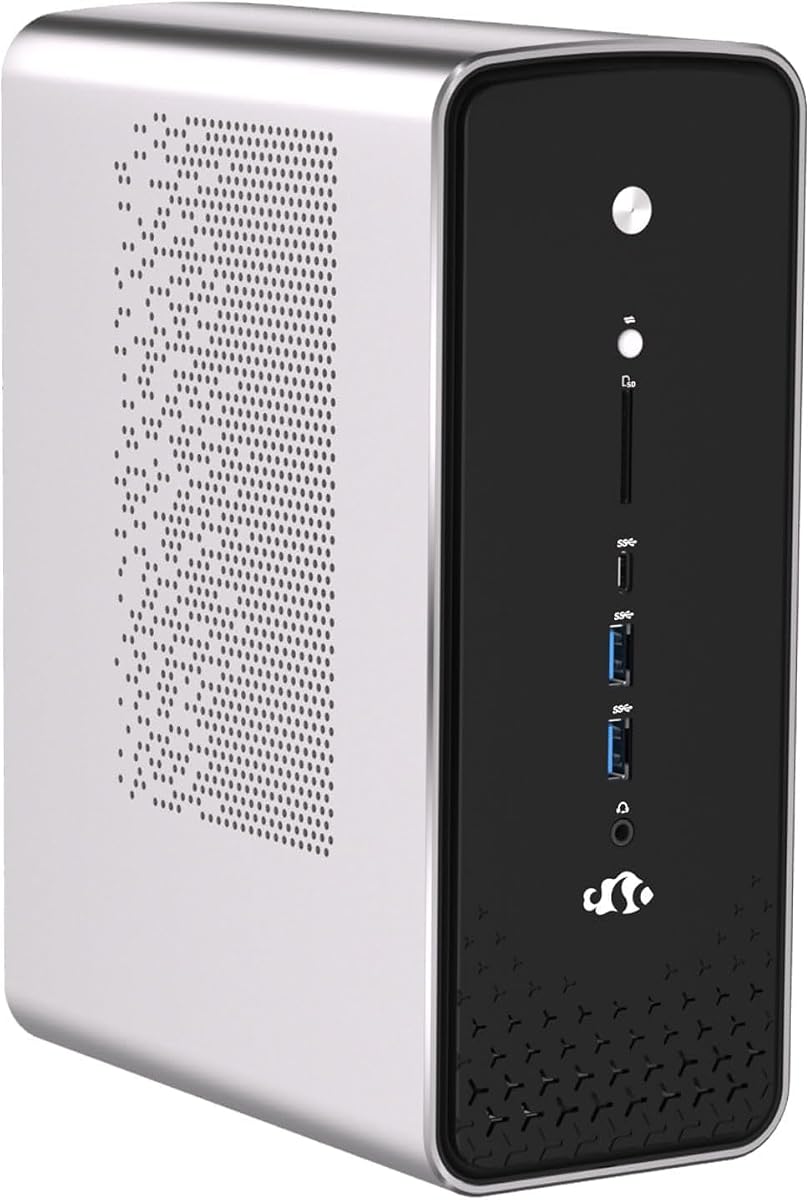
Beelink Mini PC SER9 Pro AMD Ryzen 7 255
4.0Editor score
Ubuntu System Included
Radeon 780M Graphics
24G LPDDR5X Memory
Discover the top Desktop PC with Ubuntu Pre Installed options for developers and users. This guide compares performance, specs, and value for open-source
Finding a Desktop PC with Ubuntu Pre Installed can streamline your workflow immediately upon unboxing. These systems eliminate the hassle of manual operating system installation, providing a stable open-source environment ready for coding, server management, or creative tasks right out of the box.
We evaluated ten diverse models ranging from compact mini PCs to powerful business towers. Our analysis focused on hardware capabilities, pre-installed software configurations, thermal performance, and connectivity options to ensure each recommendation delivers reliability and speed for Linux-centric workflows.
Each selection below highlights specific strengths like AI processing power or multi-display support. Keep in mind that product availability and pricing fluctuate frequently, so verify current stock and deals before making your final decision to secure the best value available.
4.0Editor score
5.0Editor score
This side-by-side comparison details the specifications and unique attributes of each selected Desktop PC with Ubuntu Pre Installed. Reviewing these specs helps identify the most suitable machine for your specific computing needs.






The NIMO Mini PC stands out as a premier choice for developers needing a Desktop PC with Ubuntu Pre Installed. Its perfect five-star rating reflects a seamless dual-boot setup that allows users to switch between Windows and Ubuntu without complex configuration steps. This flexibility makes it ideal for teams working across different software environments.
We may earn a commission when you buy through this link, at no additional cost to you.
Powered by the Ryzen AI Max+ 395, this unit delivers next-generation processing speed capable of handling heavy machine learning tasks locally. The dedicated NPU accelerates AI workflows significantly, reducing reliance on cloud services. Furthermore, the triple display support via HDMI, DisplayPort, and USB4 enables expansive multi-monitor workflows for data analysis or coding.
While the performance is top-tier, users should be aware of the premium pricing compared to standard office towers. The high cost is justified by the advanced architecture and extensive connectivity features like WiFi 7 and USB4. However, those on a strict budget might find cheaper alternatives with basic Linux support.
This mini PC is highly recommended for professionals needing raw power and OS flexibility in a small footprint. Whether you are training local models or managing server environments, this system offers the versatility to grow with your needs. It is the top pick for anyone seeking a future-proof Desktop PC with Ubuntu Pre Installed.
Users can switch between Windows for gaming or compatibility and Ubuntu for development without reinstalling hardware drivers. This reduces setup time and enhances productivity across diverse project requirements.
The integrated Ryzen AI NPU provides the TOPS performance needed to run large language models locally. This ensures data privacy and faster inference times compared to cloud-based solutions.
We may earn a commission when you buy through this link, at no additional cost to you.
The Beelink Mini PC SER9 Pro offers a sophisticated Desktop PC with Ubuntu Pre Installed experience tailored for productivity and media tasks. Its unique integration of Openclaw alongside the Ubuntu system enhances user interaction through AI tools and automation features. This combination makes it an attractive option for tech enthusiasts seeking smart capabilities.
We may earn a commission when you buy through this link, at no additional cost to you.
Equipped with the Ryzen 7 255 processor and 24GB of LPDDR5X memory, this system delivers rapid performance for multitasking applications. The Radeon 780M graphics allow for smooth visual rendering and light gaming without a dedicated graphics card. Dual M.2 slots provide expandable storage options for extensive file libraries and project archives.
The presence of pre-installed proprietary software might require users to adapt their workflow or manage background processes carefully. Additionally, while the integrated graphics are impressive, heavy 3D rendering may still require external solutions. These factors are minor trade-offs for the overall value and form factor provided by this mini PC.
This device is perfect for users wanting a compact desktop that balances Linux utility with modern AI enhancements. It suits office environments needing silent operation and reliable network connectivity through its 2.5G LAN port. It remains a strong contender in the premium segment for a Desktop PC with Ubuntu Pre Installed.
The 24GB LPDDR5X memory ensures high bandwidth for data-intensive tasks. Dual M.2 PCIe 4.0 slots offer flexible expansion up to 8TB total internal storage capacity.
Built-in microphones and speakers support voice recognition within five meters. This AI voice PC capability enhances hands-free operation for various productivity scenarios.
We may earn a commission when you buy through this link, at no additional cost to you.
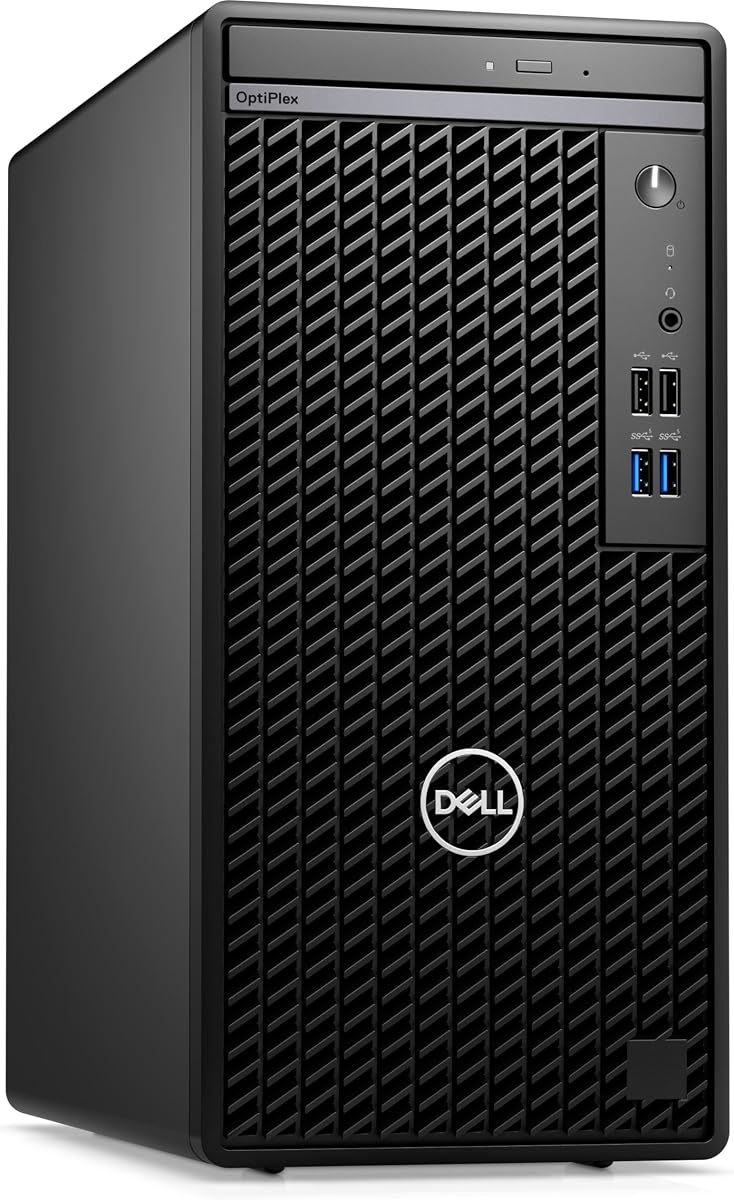
The Dell Optiplex 7010 represents an accessible entry point for buyers seeking a Desktop PC with Ubuntu Pre Installed. It comes configured with Ubuntu Linux 22.04, ensuring a stable and up-to-date environment without manual setup. The business-grade tower design offers durability and expandability typical of professional hardware.
We may earn a commission when you buy through this link, at no additional cost to you.
Featuring the 13th Gen Intel i5-13500, this model provides significant processing power for a budget system. The 14-core architecture supports efficient multitasking for development environments or virtualization. The PCIe NVMe SSD ensures fast boot times and responsive application launches, which is critical for daily productivity.
The initial configuration includes only 8GB of RAM and 256GB storage, which might feel restrictive for heavy usage. However, the Mini Tower case allows for future upgrades to RAM and storage easily. Users should consider additional investments to unlock the full potential of this affordable machine.
This unit is ideal for small businesses or students needing a reliable Linux workstation at a lower price. It avoids the complexities of manual installation and provides a familiar Dell quality standard. For those prioritizing value and expandability, this is the best budget Desktop PC with Ubuntu Pre Installed available.
As a business desktop tower, it is built for reliability and longevity. It supports extensive connectivity options suitable for office peripherals and networking needs.
The i5-13500 offers 14 cores and 20 threads for balanced performance. Its modern architecture supports efficient power usage even under moderate workloads.
We may earn a commission when you buy through this link, at no additional cost to you.
While not strictly Ubuntu, the ASUS NUC 14 Pro offers a compelling Desktop PC with Ubuntu Pre Installed alternative through its Linux Mint configuration. Mint shares the same kernel and package managers, making it highly familiar to Ubuntu users. This mini PC brings next-gen Intel Ultra power to a tiny chassis, ideal for portable Linux workflows.
We may earn a commission when you buy through this link, at no additional cost to you.
The Intel Core Ultra 7 155H processor features significant AI capabilities and improved efficiency cores. This helps in handling complex tasks like AI inference while maintaining low power consumption. The inclusion of Thunderbolt 4 allows for fast data transfer and daisy-chaining of displays, which is rare in mini PCs.
User reviews indicate some variability in performance consistency, suggesting potential firmware or driver adjustments may be needed. Linux Mint is excellent but differs slightly from Ubuntu in default settings. Users who specifically require Ubuntu branding might need to install it manually to match their strict environment requirements.
For users willing to use a Linux variant, this offers unmatched compact performance and connectivity. It suits mobile professionals or developers needing a powerful but portable desktop. It is a strong consideration when evaluating high-end options in the Desktop PC with Ubuntu Pre Installed category.
The latest Ultra processors integrate NPUs for AI acceleration directly on chip. This improves performance for generative AI tasks without taxing the main CPU cores.
Support for Thunderbolt 4 enables high-speed peripheral connections and fast charging. It supports up to four 4K displays for a multi-monitor setup.
We may earn a commission when you buy through this link, at no additional cost to you.
This Dell OptiPlex 7070 SFF is a robust business machine that serves well as a Desktop PC with Ubuntu Pre Installed platform if configured. It comes with Windows 11 Pro pre-installed, offering a solid base for users who may prefer to switch to Linux later. The high 32GB RAM configuration ensures smooth multitasking across complex applications.
We may earn a commission when you buy through this link, at no additional cost to you.
The 8th Gen i7-9700 processor is still capable for many development tasks, though it is older than modern alternatives. The inclusion of a 1TB NVMe SSD provides ample storage for large codebases and virtual machines. WiFi 6E support ensures future-proof wireless connectivity for modern office networks.
Users must perform a fresh install to achieve a true Ubuntu Pre Installed state, which requires technical confidence. The system is built for office use and may lack modern GPU acceleration for creative tasks. These factors should be weighed against the reliability and performance of the existing Windows setup.
This is a great choice for businesses looking for durable hardware that can run Linux with minimal hardware changes. It offers excellent value for those needing a quiet and efficient workstation. Consider this if you prioritize business build quality in your Desktop PC with Ubuntu Pre Installed search.
32GB of DDR4 RAM allows for extensive virtual machine usage and heavy IDEs. This memory capacity reduces bottlenecks when running multiple services locally.
WiFi 6E offers faster speeds and less congestion in busy environments. This ensures stable network connections for server management and cloud tools.
We may earn a commission when you buy through this link, at no additional cost to you.
The Dell Pro Micro QCM1250 is a modern business mini desktop that includes Ubuntu Linux 18.04 out of the box. While the OS version is older, it provides a stable base for immediate deployment. The system features the latest 15th Gen Intel Ultra 5 processor, offering significant performance gains over previous generations.
We may earn a commission when you buy through this link, at no additional cost to you.
Equipped with DDR5 memory, this unit handles data-intensive workflows with ease. Its compact footprint allows it to fit neatly in any office environment while maintaining high efficiency. The inclusion of AI features makes it suitable for tasks involving machine learning inference on the device.
The pre-installed Ubuntu 18.04 is outdated and requires manual updates to current LTS versions. Users must verify that their software stack supports the older version. Additionally, 8GB RAM might be limiting for heavy containerized workflows without future upgrades.
This mini PC is recommended for modern offices needing fresh hardware with Linux compatibility. It suits users who value compact design and latest processor technologies. It represents a new direction for the Desktop PC with Ubuntu Pre Installed category.
The 15th Gen Ultra 5 processor brings improved efficiency and AI capabilities. It supports advanced workflows that require modern instruction sets.
Built for professional environments, it supports reliable network connectivity. The small form factor saves space on crowded work desks.
We may earn a commission when you buy through this link, at no additional cost to you.
This Dell Optiplex 7060 SFF serves as a capable Desktop PC with Ubuntu Pre Installed if you choose to install Linux manually. It features a strong i7-8700 processor and 32GB of RAM, ensuring smooth performance for development. The 512GB NVMe SSD provides quick access to files and applications.
We may earn a commission when you buy through this link, at no additional cost to you.
As a renewed unit, it offers a cost-effective entry point into Dell business hardware. The SFF design saves desk space while allowing for decent connectivity options. Built-in WiFi and Bluetooth simplify peripheral connections for keyboards and mice without extra dongles.
The Windows OS pre-installation means you must manage your own installation if you require Ubuntu. However, the hardware is fully compatible with modern Linux kernels. Users should check warranty terms for renewed products to ensure support coverage.
Ideal for budget-conscious professionals needing high specifications for daily tasks. It is a solid base for converting to a Linux workstation. Consider this model when looking for value in the Desktop PC with Ubuntu Pre Installed category.
Professional renewal ensures tested and certified hardware. It offers significant savings compared to new models with similar core specs.
Multiple USB ports and display options support various peripherals. The chassis allows for internal hardware upgrades like additional storage.
We may earn a commission when you buy through this link, at no additional cost to you.
The Dell Optiplex 7050 SFF is an entry-level option for users needing a Desktop PC with Ubuntu Pre Installed configuration. With a 1TB SSD and 32GB RAM, it handles basic server tasks or development environments efficiently. The hardware supports dual monitor setups for improved productivity.
We may earn a commission when you buy through this link, at no additional cost to you.
As a renewed device, it provides a low-cost solution for deploying multiple workstations. The i7-7700 processor is older but still competent for many standard tasks. Its small form factor keeps it out of the way on crowded desks or shelves.
The processor lacks modern instruction sets that might be required for cutting-edge Linux features. Users should be prepared for a manual installation of Linux if they need the specific Ubuntu ecosystem. Check the seller warranty before purchasing to ensure coverage.
This unit is best for simple tasks or legacy support environments. It offers high capacity storage at a very low price. Consider it for low-usage roles in a Desktop PC with Ubuntu Pre Installed setup.
The 1TB SSD allows for extensive local data storage. This is useful for developers needing large project repositories.
HDMI and DisplayPort connections enable dual display configurations. This improves workflow efficiency for multitasking users.
We may earn a commission when you buy through this link, at no additional cost to you.
The Dell Optiplex 5050 SFF is a basic business desktop suitable for those seeking a Desktop PC with Ubuntu Pre Installed. It features 16GB RAM and a 512GB NVMe SSD, providing a decent baseline for standard computing. The compact chassis fits easily into any workspace.
We may earn a commission when you buy through this link, at no additional cost to you.
This unit offers a simple and reliable platform for running lightweight Linux distributions. The hardware is well-tested for office environments. However, the older processor may struggle with intensive modern development tasks like Docker-heavy workloads.
It does not have extensive internal storage expansion options. Users looking for large scale storage should consider external drives. The Windows 11 Pro license requires replacement if Ubuntu is the target.
This system is best for basic office productivity or light development. It is a simple choice for entry-level Linux setups. Consider it for cost-effective deployment in the Desktop PC with Ubuntu Pre Installed category.
The NVMe SSD offers faster boot times than SATA. It ensures responsive interaction with the operating system.
The design allows easy access to RAM and storage. This simplifies future upgrades for expanding system capabilities.
We may earn a commission when you buy through this link, at no additional cost to you.
The ASUS PB64 is a premium mini PC that serves as a modern Desktop PC with Ubuntu Pre Installed option. It features the latest Core Ultra 7 processor and DDR5 RAM for high performance. The toolless chassis access makes hardware upgrades straightforward for advanced users.
We may earn a commission when you buy through this link, at no additional cost to you.
It includes hardware TPM for enhanced security and VESA mounting for flexible placement. The WiFi 6E and Bluetooth 5.4 ensure robust wireless connectivity. While it ships with Windows, the hardware supports all modern Linux features.
The cost is higher than standard business units due to its premium design. Users must install Ubuntu manually as it is not pre-loaded. This requires technical skill but offers full control over the software environment.
This model is ideal for those wanting top-tier performance in a small chassis. It supports headless server use cases efficiently. Consider it for high-performance Desktop PC with Ubuntu Pre Installed projects.
The chassis requires no tools for maintenance. This simplifies upgrades to SSD or RAM for expanding capability.
Hardware TPM provides robust identity protection. It ensures that secure boot and encryption features are supported.
We may earn a commission when you buy through this link, at no additional cost to you.
Selecting a Desktop PC with Ubuntu Pre Installed requires evaluating hardware compatibility and specific performance needs.
Ensure the system ships with a current LTS version like Ubuntu 22.04 or 24.04 for long-term support. Older versions may lack necessary security patches and driver support for modern hardware.
Verify that the pre-installed OS matches your project requirements without needing manual configuration.
Choose processors like Intel Core Ultra or AMD Ryzen that have well-documented Linux kernel support. Modern architectures often include NPU for AI tasks which may require specific drivers.
Look for multi-core processors to handle parallel tasks like compilation or virtualization efficiently.
At least 16GB of RAM is recommended for development environments. Storage should be NVMe SSD for fast boot times and system responsiveness.
Check expandability options if you plan to store large datasets locally on the device.
Integrated graphics like Intel Iris or AMD Radeon generally work well out of the box. Verify that the GPU supports the desktop environment you intend to use.
Dedicated GPUs require careful checking for driver compatibility on Linux systems.
Ensure sufficient USB ports for peripherals and Ethernet for stable network connections. Thunderbolt support adds value for fast storage docks and multi-monitor setups.
Modern wireless standards like WiFi 6E improve network performance in crowded office spaces.
Mini PCs often rely on passive or active fans. Verify thermal specs to ensure sustained performance during heavy loads.
Look for systems designed for low noise if the device will be placed in a quiet room.
Consider if the system fits on your desk or needs VESA mounting behind a monitor. Space-saving designs are crucial for small workstations.
Compact units offer mobility but may limit future expansion options.
Select vendors with reliable support for Linux-related issues. Business-grade hardware often includes better warranty terms than consumer models.
Check if the vendor offers driver assistance to ensure smooth operation.
Upon unboxing, plug in the power and peripherals, then boot the system to verify the Ubuntu login screen appears. Update all system packages using the software updater to ensure drivers are current.
Install essential development tools like compilers and container environments via the command line or terminal. Ensure backups of important data are stored on external drives or cloud services.
Keep the vents clean of dust to maintain airflow. Restart the system regularly to apply security patches and maintain system stability.
No, some models like the Dell Optiplex 7070 ship with Windows. You will need to perform a manual installation if those units do not offer an Ubuntu option at the time of purchase.
Yes, most machines support dual boot or full replacement. Backup your data first and create a bootable USB drive with the Ubuntu ISO to install it yourself.
Hardware with mainstream drivers like Intel graphics and standard WiFi cards is most reliable. Check Linux compatibility lists for specific components before buying.
Mini PCs are excellent for development due to their size and efficiency. Ensure they have enough RAM and storage for your specific projects.
Use the built-in Software Updater tool to manage security updates and feature upgrades. Regular updates keep the system secure and performant.
Pre-installed systems save setup time and guarantee compatibility with the hardware. This reduces potential conflicts between drivers and the operating system.
Yes, a monitor is necessary for the initial boot and user configuration. Many models include HDMI or DisplayPort connections.
Ubuntu requires 4GB for basic use, but 16GB is recommended for heavy multitasking or development. Check product specs for RAM details.
We highlighted the NIMO Mini PC as the top choice for AI power and dual OS flexibility. The Beelink Mini PC SER9 Pro stands out for premium features and productivity tools.
Prioritize systems that match your workload needs whether for development server management or office use. Ensure the hardware supports your required software stack effectively.
Prices and stock levels change often so verify the latest details before finalizing your purchase decision.