
Rongta Bluetooth Shipping Label Printer
4.0Editor score
Bluetooth wireless connectivity
Automatic label identification
Compact portable design
Compare the top 10 DHL label printers for 2026. This guide reviews thermal shipping printers with Bluetooth, USB, and Wi-Fi features for small businesses and
Finding the right DHL label printer can transform your shipping workflow. A good thermal printer offers speed, clarity, and reliability for daily operations.
We compared ten top-rated models based on connectivity, print quality, and platform support. Each option serves different needs from budget-conscious sellers to high-volume shippers.
Each pick shows key specs and real-world performance notes. Please note that pricing and availability change frequently so check current listings before buying.
4.0Editor score

4.6Editor score

4.1Editor score
This side-by-side comparison highlights key differences across all ten thermal printers. Look closely at connectivity options and supported platforms to find your match.






The Rollo USB printer stands out as a top choice for serious shippers. It holds a strong 4.6 rating from users who value consistency and speed. This commercial grade device handles high volume loads without slowing down or jamming.
We may earn a commission when you buy through this link, at no additional cost to you.
Its standout quality is the 203 DPI print head which delivers crisp barcodes and addresses. Users report that every label scans perfectly first time. The direct thermal technology means you never buy ink or toner again saving money over years of use.
While it lacks wireless options the USB connection ensures stable data transfer. Some users find the initial setup slightly technical but drivers are free. The investment pays off quickly through reduced waste and higher productivity.
This printer is ideal for small businesses shipping hundreds of orders weekly. If reliability is your priority choose the Rollo USB model. It remains a market leader for good reason in the DHL label printer category.
Built to withstand continuous operation this printer lasts years longer than consumer models.
Saving on ink costs and reducing label errors lowers your total cost per shipped package.
We may earn a commission when you buy through this link, at no additional cost to you.
The Rongta Bluetooth printer offers incredible value for budget conscious sellers. With a 4.0 rating it delivers solid performance for occasional to moderate shipping needs. Its wireless capability makes it easy to print from phones or tablets.
We may earn a commission when you buy through this link, at no additional cost to you.
This device features automatic label identification which simplifies setup significantly. You do not need to manually adjust settings when changing roll sizes. The 150mm/s speed is adequate for most small business daily shipping routines.
Some users note the Bluetooth connection can be picky on older devices. You may need to install specific drivers on Windows or Mac for best results. Despite minor quirks the ease of use keeps it popular.
Choose this model if you need a quick affordable solution for home shipping. It works well for Etsy or Shopify sellers starting out. The portable design lets you store it away when not printing orders.
Print labels directly from your smartphone using the RONGTA app without needing a computer.
The printer detects label width automatically saving time on calibration after each roll change.
We may earn a commission when you buy through this link, at no additional cost to you.
The JADENS Bluetooth Thermal Shipping Label Printer brings high tech features at a reasonable price. It holds a 4.4 rating reflecting satisfaction with its print clarity and ease of use. This model works with both fanfold and roll labels.
We may earn a commission when you buy through this link, at no additional cost to you.
Equipped with a Japanese print head it delivers 203 DPI resolution for crisp shipping labels. Users appreciate the ability to print wirelessly via Bluetooth on Windows or Mac. The included U-Disk has drivers and videos to speed up setup.
You must press the feed button to calibrate size when changing labels. This step adds a small delay but ensures accurate printing every time. The one year warranty and remote support provide peace of mind for new buyers.
This printer suits small businesses needing a mix of mobile and desktop printing. It connects well with platforms like ShipStation and Shopify. If you want reliable performance without breaking the bank this is a strong contender.
The Japanese thermal print head ensures long lasting sharp text and barcodes on every label.
Remote control support and included videos help resolve issues quickly without visiting a repair shop.
We may earn a commission when you buy through this link, at no additional cost to you.
This NULLTONEX shipping label printer focuses on speed and efficiency for small businesses. With a 4.4 rating it delivers clear labels at 150mm/s which equals 72 labels per minute. The direct thermal tech cuts maintenance costs significantly.
We may earn a commission when you buy through this link, at no additional cost to you.
Users love the FlashLabel Pro app which offers over 1800 customizable templates. You can print offline which helps when internet is slow. The package includes power cord cables and 25 sheets of labels to start immediately.
Bluetooth works only through the app on Android and iOS which may limit flexibility. However USB ensures a stable connection for office setups. The matte finish resists wear while keeping the unit looking professional on your desk.
Ideal for home offices this printer balances cost and performance well. It supports major carriers like DHL UPS and FedEx. If you need fast reliable printing without high upfront costs this model fits the bill.
Access thousands of pre made designs for shipping barcode and organizational labels instantly.
Getting the box with labels means you can print your first order right after unboxing.
We may earn a commission when you buy through this link, at no additional cost to you.
The KNAON Bluetooth Thermal Shipping Label Printer delivers high speed printing in a small package. It holds a 4.4 rating from users who value its 180mm/s speed and extensive template library. This model is great for mobile sellers.
We may earn a commission when you buy through this link, at no additional cost to you.
You can print via USB or Bluetooth using the FlashLabel Pro app on most systems. It even supports ChromeOS with an extension for Chromebook users. The device includes 10 test papers so you can verify prints before sending orders.
Saving logistics labels as PDFs is a necessary step for DHL or Shopify imports. This adds a click or two but ensures compatibility across platforms. The design measures only 7 inches wide so it fits in tight spaces.
Choose this if you need a lightweight printer for occasional shipping. It works well for Etsy and PayPal sellers. The balance of speed and portability makes it a versatile tool for modern small businesses.
Compatibility with Linux ChromeOS and Mac ensures you can print from almost any computer.
Over 3000 templates help you create custom labels quickly without design skills.
We may earn a commission when you buy through this link, at no additional cost to you.
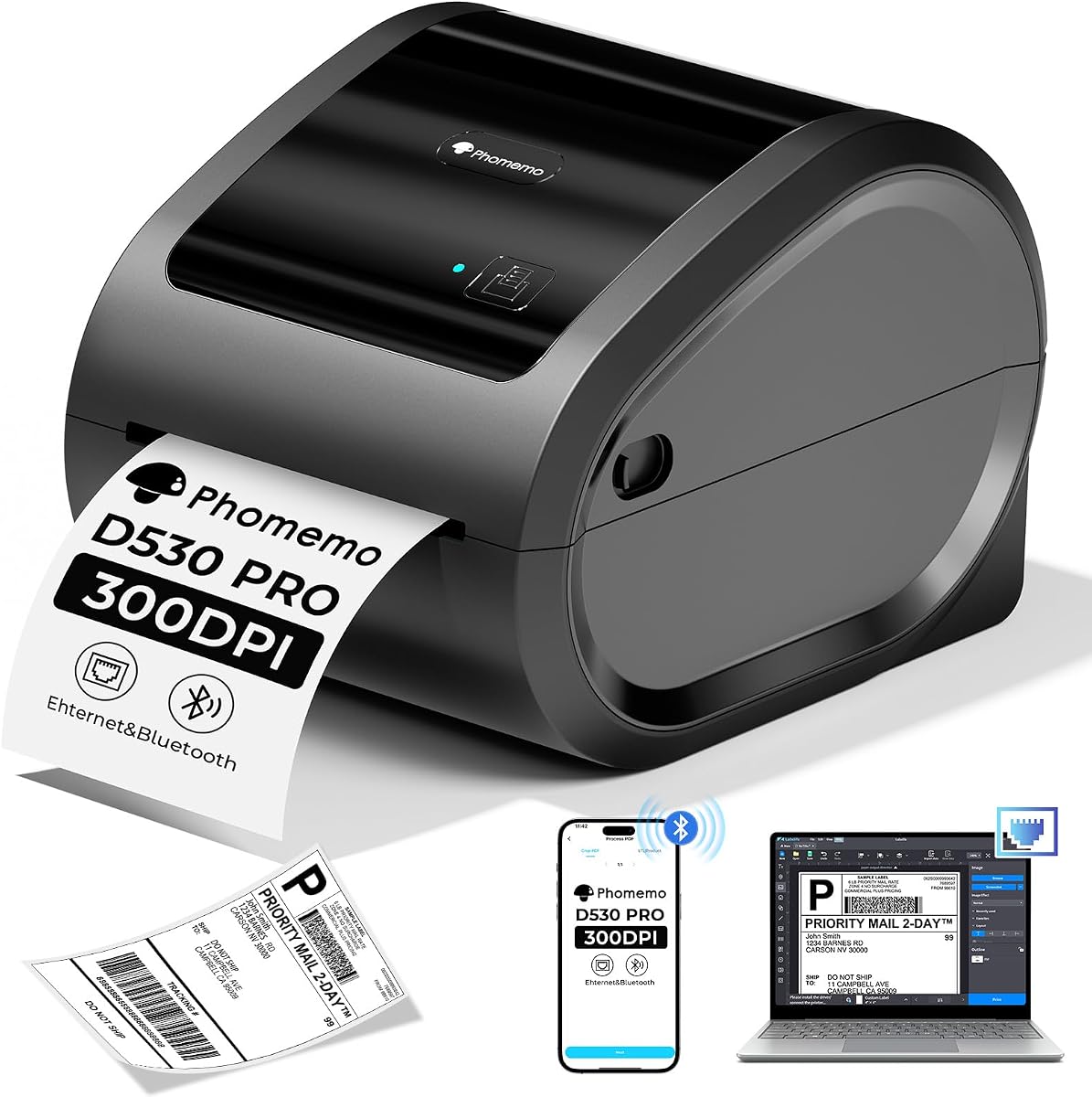
The Phomemo D530Pro offers higher 300 DPI resolution than most competitors. With a 4.1 rating it appeals to users needing ultra clear labels for detailed shipping addresses or barcodes. Its built-in bin holds up to 500 labels.
We may earn a commission when you buy through this link, at no additional cost to you.
You can connect via Ethernet or Bluetooth depending on your network needs. The device supports Android iOS and Linux systems making it flexible for diverse offices. It also features a return to paper towel function to reduce waste.
Setting up Ethernet drivers may take time on some Mac systems. However once connected it operates smoothly for long periods. The space saving design keeps your desk tidy while hiding paper clutter inside the unit.
This printer suits retail or warehouse settings requiring precision labeling. It supports DHL Amazon and eBay seamlessly. If you need higher print clarity than standard thermal units this model delivers excellent results.
The internal paper bin eliminates the need for external holders saving valuable desk space.
At 300 DPI every character and barcode scans instantly reducing delivery errors.
We may earn a commission when you buy through this link, at no additional cost to you.
The MUNBYN Bluetooth Thermal Label Printer features unique DAC chip technology for auto calibration. With a 4.2 rating it stands out for minimizing label misalignment issues. Users appreciate the whisper quiet 60 dB operation.
We may earn a commission when you buy through this link, at no additional cost to you.
Its 0.1mm font legibility ensures small text remains readable. The engineering claims a lifespan of 970000 labels which reduces replacement frequency. You can print labels from 1.57 to 4.25 inches wide easily.
The Bluetooth indicator lights only during data transfer which some find confusing initially. Once set up the connection remains stable for routine use. This device is great for libraries or quiet offices where noise matters.
Opt for this if you want advanced calibration and low noise. It supports major platforms like Shopify and Etsy. The combination of precision and quiet performance makes it a standout for focused workspaces.
The DAC chip automatically adjusts alignment to prevent wasted labels and shipping errors.
Running at 60 dB ensures the printer does not disturb colleagues during quiet hours.
We may earn a commission when you buy through this link, at no additional cost to you.
The Rollo Wireless Shipping Label Printer uses Wi-Fi for true cable free operation. With a 4.1 rating it offers AirPrint support for iPhone and Mac users without needing extra drivers. This simplifies mobile printing workflows.
We may earn a commission when you buy through this link, at no additional cost to you.
Connect simply by joining your network and start printing from phones or Chromebooks. The print head lasts about 650000 labels which is 4x longer than average units. It supports FedEx UPS USPS and major marketplaces equally.
Network setup can be tricky on complex corporate firewalls. Once connected though it runs smoothly for long periods. The lack of drivers reduces software conflicts across different operating systems significantly.
Choose this for offices wanting wireless flexibility and Apple integration. It suits high volume shippers needing reliability. The investment is higher but the convenience of driverless AirPrint is worth it for many teams.
Print directly from iOS devices without installing drivers or apps for immediate workflow.
Eliminate software conflicts by connecting via standard network protocols instead of proprietary drivers.
We may earn a commission when you buy through this link, at no additional cost to you.
The Nelko Bluetooth Thermal Shipping Label Printer offers fast speeds at a competitive price. With a 4.3 rating it appeals to home sellers needing efficiency. The direct thermal tech delivers 150mm/s speed for quick order processing.
We may earn a commission when you buy through this link, at no additional cost to you.
You can print via USB or Bluetooth using the NELKO app on most systems. Mac users must use USB though Bluetooth may be limited for M1 M2 chips. It works with Amazon Shopify and USPS out of the box.
Instruction videos and drivers are available on a U-Disk for easy setup. The printer is much smaller than traditional units taking minimal desk space. It handles both fanfold and roll labels for versatile usage.
Select this for small businesses needing a compact reliable tool. It is great for daily labels price tags and shipping. The balance of speed and size makes it a practical choice for growing sellers.
At 72 labels per minute this printer clears shipping queues efficiently during busy times.
Small footprint means you can keep it on your desk without cluttering your workspace.
We may earn a commission when you buy through this link, at no additional cost to you.
The DYMO LabelWriter 550 Series stands apart with branded label compatibility and automatic recognition. With a 3.6 rating it is known for precise printing without sheet labels. It uses FSC certified BPA free materials for eco conscious users.
We may earn a commission when you buy through this link, at no additional cost to you.
Its optimized direct thermal method ensures only required labels are printed. This reduces waste significantly compared to cutting sheet labels by hand. The device is simple to use for basic address or shipping tasks.
You must use authentic DYMO labels which may limit options or raise costs. Some users report sensitivity to third party labels causing jams or poor print. The packaging is plastic free aligning with green initiatives.
Ideal for eco aware small businesses needing reliable basic output. It fits best for simple address labels rather than complex barcodes. If brand trust and sustainability are priorities this model is a safe choice.
FSC certified paper and plastic free packaging reduce environmental impact of your shipping process.
Print precise quantities rather than cutting sheets to save paper and reduce recycling burden.
We may earn a commission when you buy through this link, at no additional cost to you.
Selecting the right printer requires balancing speed, connectivity, and compatibility with your workflow.
Determine whether you need Bluetooth, USB, or Wi-Fi based on your office setup. USB offers stability while wireless provides flexibility for mobile sellers.
Always check if your OS supports the printer drivers or apps for seamless integration.
Look for 203 DPI or higher resolution to ensure barcodes scan correctly. Print speeds of 150mm/s are standard for efficient shipping.
Higher speed reduces wait time during peak hours but may increase costs slightly.
Ensure the printer works with your preferred shipping platforms like Shopify, Amazon, or DHL directly. Some require apps or PDF imports for label creation.
Universal compatibility saves time by avoiding extra middleware or conversion steps.
Most printers handle standard 4×6 inches but check width ranges if you print varied sizes. Support for fanfold or roll labels depends on your storage preference.
Verify the minimum and maximum widths to match your specific packaging needs.
Commercial grade printers often offer longer printhead lives which reduce long term costs. Look for warranty terms and support availability for peace of mind.
A longer expected lifespan means fewer replacements and better return on investment.
Models with automatic label identification or built-in tutorials simplify initial use. Check if drivers are required or if app-based printing is available.
Easy setup reduces downtime when you first receive or switch to a new unit.
Consider the cost of labels alongside the device price. Some use proprietary labels while others accept third party rolls.
Thermal printers save on ink but factor in the ongoing cost of thermal paper or labels.
Quiet operation is vital if you work in shared spaces or home offices. Look for decibel ratings below 60 dB if noise is a concern.
Lower noise levels help maintain focus and comfort during long printing sessions.
Start by downloading the necessary drivers or apps for your operating system. Connect the printer via USB or Bluetooth and run a test print to verify alignment.
Clean the print head periodically with a lint-free cloth or alcohol swab to maintain clarity. Avoid touching the roller surfaces with bare hands to prevent oil buildup.
Store labels in a cool dry place to prevent moisture damage or fading. Always use labels sized correctly for your printer to avoid jams or feed errors.
Yes most models support DHL directly or through platforms like ShipStation. Check specific compatibility in the product description before purchasing.
Many printers accept third party labels but some brands like DYMO recommend their own. Check user reviews for reliability with generic rolls.
Bluetooth models allow printing from phones or tablets. Some require specific apps while others connect directly via AirPrint or Android services.
Use the feed button to calibrate the printer before each label change. Adjust margins in your printing software if text shifts.
Commercial units can print over 500,000 labels before head replacement. Proper care and avoiding paper jams extends this life significantly.
No thermal printers use heat to print on special paper eliminating the need for ink or toner cartridges entirely.
Our top picks highlight options for every budget from the Rongta budget model to the premium Rollo Wireless.
Prioritize connectivity and platform support based on where you sell to avoid workflow bottlenecks.
Always check current pricing and availability as these features change frequently online.