
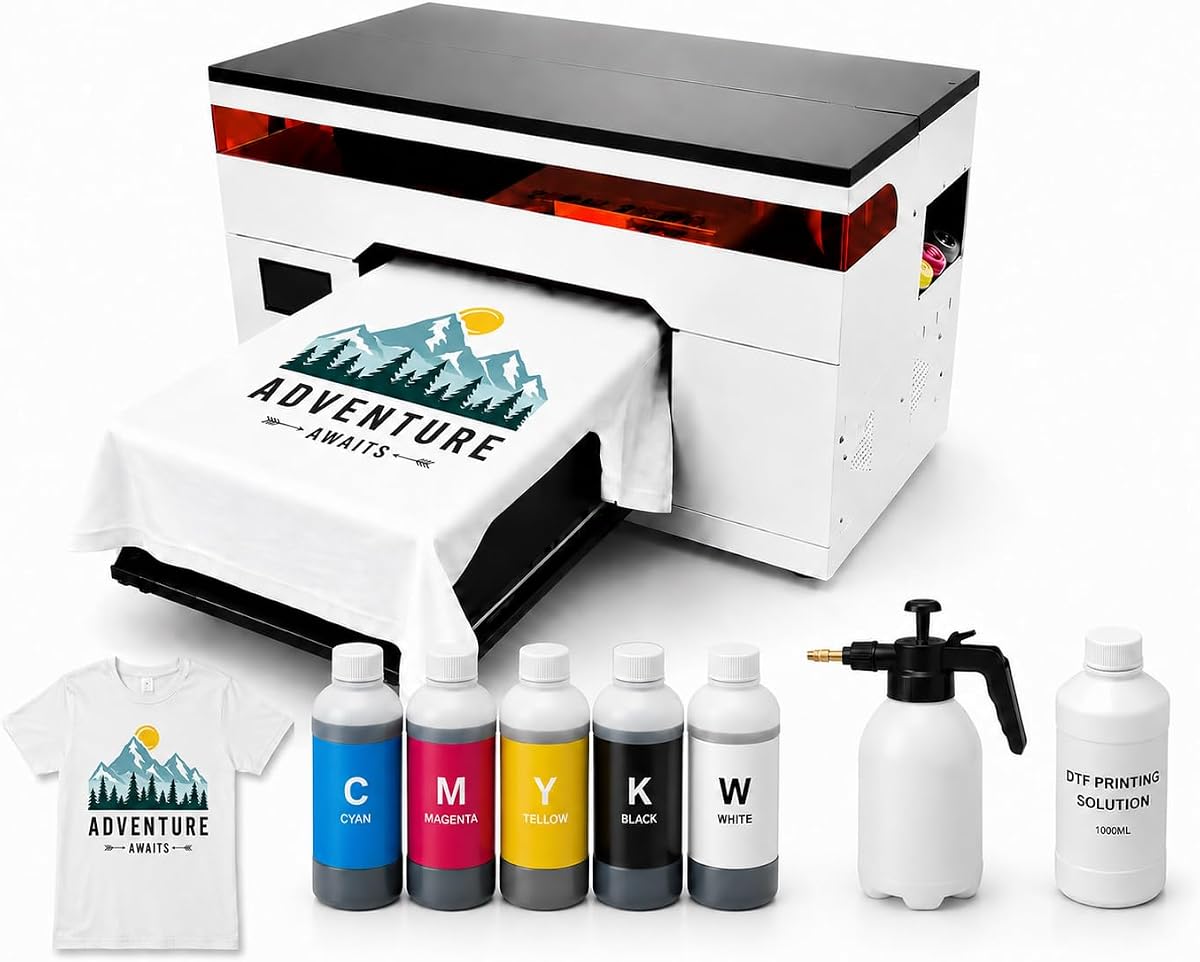
InkSonic A3 R1390 DTF Printer
4.5Editor score
13 inch wide print area
Auto cleaning and circulation
Includes premium ink bundle
Starting a custom apparel business requires the right equipment to produce high-quality prints efficiently. A Direct to Garment Printer for Beginners allows you to print directly onto fabric with vibrant colors and soft hands without needing screen printing skills or expensive setups.
We evaluated ten leading models based on ease of use, print quality, maintenance requirements, and overall value for new entrepreneurs. Our comparison covers DTG and DTF technologies, helping you decide which approach fits your workflow and target market best for long-term success.
Each pick highlights key features, pros, and cons to guide your investment decision. Keep in mind that product availability and pricing can change over time, so verify current details before purchasing to ensure you get the best deal for your specific printing needs.
4.5Editor score

4.3Editor score
5.0Editor score
As an Amazon Associate we earn from qualifying purchases.
The following table provides a side by side overview of all ten products reviewed in this guide to help you quickly compare key specifications and features.

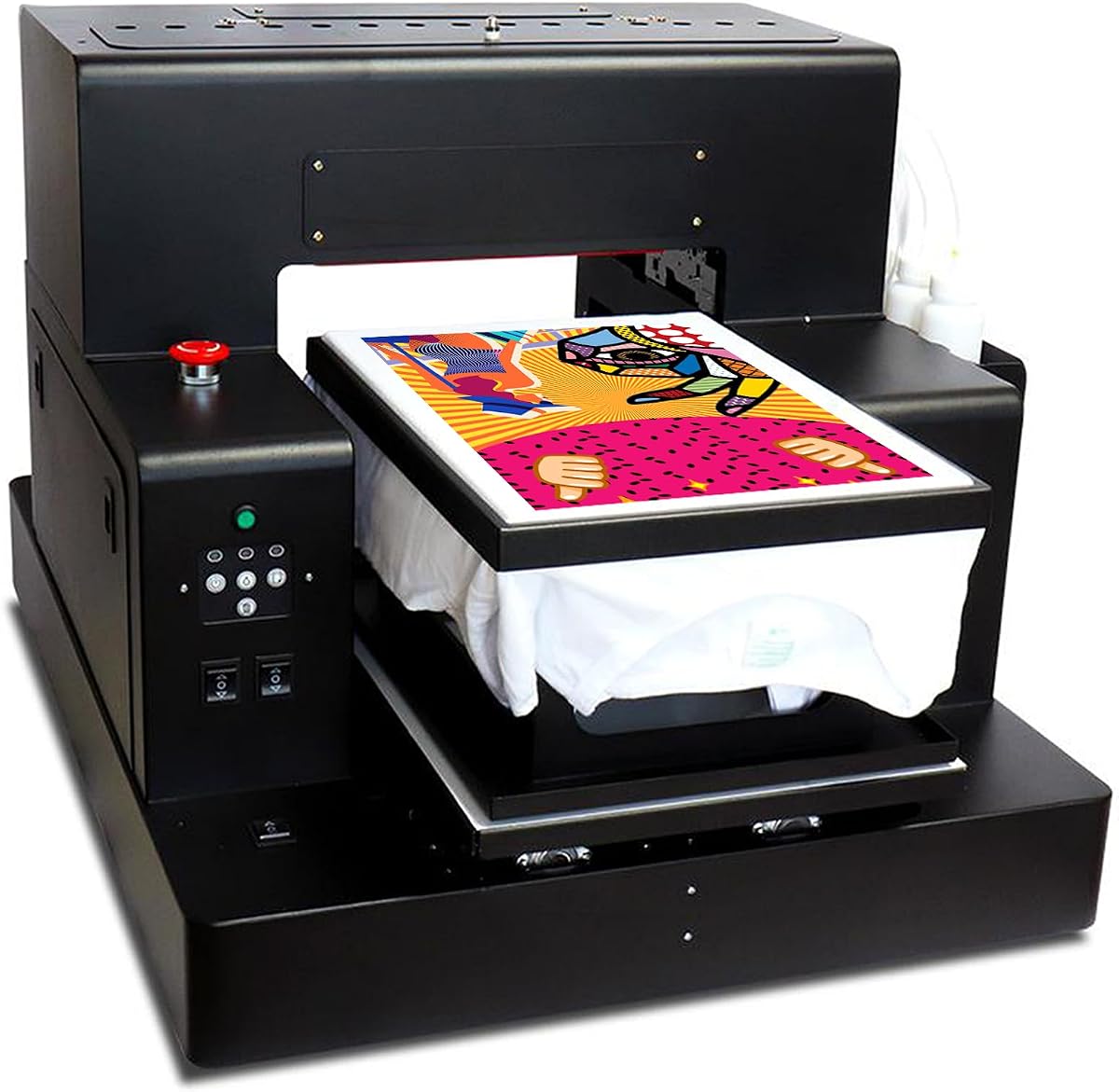


The DXZ A3 DTG Printer stands out as a top choice for newcomers due to its exceptional resolution and user friendly design. With a rating that reflects strong performance, it delivers sharp details and vivid colors ideal for custom apparel projects.
We may earn a commission when you buy through this link, at no additional cost to you.
Its water based ink system ensures prints are safe for sensitive skin while maintaining vibrancy. The semi automatic cleaning feature reduces maintenance hassle, and the included sprayer helps apply pretreatment evenly for consistent results on dark garments.
While the price may be higher than some entry level models, the included ink kit and pretreatment liquid offset initial costs. The learning curve is manageable, making it accessible for those transitioning from manual printing to digital workflows.
Beginners seeking professional quality without complex screen setup will find this printer reliable. It is recommended for those ready to invest in a machine that supports growth from small batches to medium production runs effectively.
The 2800 x 1440 DPI resolution ensures even fine text and gradients appear smooth and lifelike on fabric.
Water based inks are non toxic and safe for childrens clothing, adding value for baby apparel sellers.
We may earn a commission when you buy through this link, at no additional cost to you.
This DTF printer is designed for those who prefer transfer methods over direct printing. It offers a large A3 area suitable for multi logo layouts and comes with a one touch ink pumping system that simplifies operation.
We may earn a commission when you buy through this link, at no additional cost to you.
The LiteHead technology and automatic cleaning help prevent clogging which is common in DTF setups. The infrared guard protects the head from film warping, reducing interruptions during long runs. G7 color accuracy ensures designs match screens closely.
However, it requires a smokeless oven separately for curing which adds to the total setup cost. The Windows requirement may limit users with other operating systems. Despite this, it remains a solid entry point for DTF.
It is ideal for sellers who want flexibility in printing various garments without deep fabric penetration. Beginners interested in DTF transfers specifically will appreciate the included software and protection features.
The touchscreen and one touch pumping make it simple for first time users to start printing quickly.
Real time monitoring detects particles to save the printhead from damage during operation.
We may earn a commission when you buy through this link, at no additional cost to you.
InkSonic offers a comprehensive package that includes an oven and plenty of ink. The 13 inch width handles most apparel sizes easily. Its 24 7 technical guidance is a major plus for beginners who might need immediate help.
We may earn a commission when you buy through this link, at no additional cost to you.
The 3 in 1 white ink protection keeps flow smooth and reduces sediment. RIP software ensures designs print correctly. The California based service center adds reliability for long term business planning and troubleshooting.
Some users may find the setup process slightly involved but the provided manuals and videos help. The included consumables ensure you can start immediately without extra purchases. This value is rare at this price point.
It is perfect for side businesses or home studios needing a turnkey solution. If you prioritize support and supply consistency this bundle gives you the tools to produce professional transfers consistently.
Including the curing oven means you have everything needed to complete the print to press process.
One-on-one guidance helps beginners avoid common mistakes during installation and daily printing.
We may earn a commission when you buy through this link, at no additional cost to you.
This bundle includes the smokeless oven which reduces odors in small spaces. The K13 Lite features intuitive controls and automatic cleaning to keep operation smooth. The expanded package gives you enough ink to start right away.
We may earn a commission when you buy through this link, at no additional cost to you.
Professional color accuracy helps ensure prints match design files. The infrared protection safeguards the head from debris. These features together reduce downtime and make daily use more reliable for production environments.
The price is higher than the printer alone but saves the cost of a separate oven. Windows only support limits OS choice but works well for most studios. It is a strong contender for DTF focused users.
If you want a ready to run system with fewer extra purchases this is ideal. It suits creators who value cleanliness and accuracy in their workflow and are willing to invest in quality upfront.
The smokeless oven makes indoor setups more comfortable by minimizing fumes during curing.
G7 certified curves ensure colors look consistent across multiple prints and batches.
We may earn a commission when you buy through this link, at no additional cost to you.
With dual printheads this machine offers faster production rates than single head units. It prints directly on cotton with high resolution detail. The complete starter kit includes pretreatment software and inks to get you going.
We may earn a commission when you buy through this link, at no additional cost to you.
The white ink circulation prevents clogs during use. Adjustable height accommodates different garment types. This versatility makes it suitable for T shirts hoodies and canvas bags without needing extra fixtures.
The price is a significant investment but the included accessories reduce extra costs. It requires proper pretreatment which is standard for DTG. The industrial performance helps scale up as demand grows.
Ideal for small businesses ready to handle higher volumes efficiently. Beginners who want to skip the trial of sourcing parts will appreciate the all-in-one setup and professional output.
Two XP600 heads allow for quicker printing times while maintaining high detail levels.
All needed inks and solutions are included so you can begin production immediately.
We may earn a commission when you buy through this link, at no additional cost to you.
This model emphasizes vivid colors and fine text with high DPI. The white ink mixing ensures bright prints on dark garments. The included sprayer helps apply pretreatment effectively which improves ink adhesion.
We may earn a commission when you buy through this link, at no additional cost to you.
Semi automatic cleaning simplifies maintenance. The soft touch of prints preserves fabric breathability. Technical support responds quickly which is vital for new users encountering setup or printing issues.
It requires proper pretreatment especially for white ink which can be time consuming. Despite this the quality justifies the effort. The printer is built for consistent results on cotton based fabrics.
Best for those who prioritize print quality and detail over speed. It is a solid choice for businesses focusing on complex designs where sharpness is essential for customer satisfaction.
DTG technology maintains the fabric feel better than thick transfer films.
Technical assistance within 24 hours helps resolve issues quickly.
We may earn a commission when you buy through this link, at no additional cost to you.
DSV includes a 2 year supply plan which ensures you have ink for two years. The auto maintenance keeps the head ready after long periods of inactivity. Printing is fast with the F1080 printhead.
We may earn a commission when you buy through this link, at no additional cost to you.
A heating plate dries prints quickly and a built in cutter trims film precisely. Alerts for low ink and waste overflow prevent accidents. These features streamline production and reduce waste.
The supply plan is US only which limits international buyers. The interface is advanced but requires familiarization. Still the included accessories like the purifier help setup.
It is perfect for small businesses wanting predictable supply costs. The integrated cutter saves extra steps and ensures clean cuts every time making transfers look professional.
Free refills every two months keep your business running without interruptions.
The built in cutter trims film to size reducing material waste and extra work.
We may earn a commission when you buy through this link, at no additional cost to you.
This machine handles both DTG and DTF allowing you to choose methods per order. The vacuum platform holds materials steady for precise prints. It uses an L1805 head for high resolution details.
We may earn a commission when you buy through this link, at no additional cost to you.
White ink mixing prevents clogs and the semi auto cleaning keeps it running smoothly. The package includes most hardware but inks are sold separately. This flexibility is great for multi fabric projects.
Using DTG requires DuPont ink which can be pricey. DTF mode allows printing on any fabric. The setup is more complex than single mode printers but offers broader possibilities.
Ideal for shops wanting one machine to handle various orders. Beginners should ensure they understand the difference between DTG and DTF workflows to maximize the dual capability.
You can print on cotton with DTG or transfer to any material with DTF.
Built-in suction keeps films and garments in place during printing.
We may earn a commission when you buy through this link, at no additional cost to you.
This printer offers both DTG and DTF options in one unit. The large print area allows for full front and back designs. Vacuum suction holds clothes in place during printing.
We may earn a commission when you buy through this link, at no additional cost to you.
White ink circulation stops sedimentation. Automatic height adjustment simplifies setup for different garments. It works well on cotton and linen providing soft breathable prints that last.
Note that inks are not included so budget for them. It requires Windows for the software. The dual functionality adds value by reducing the need for separate machines.
Good for sellers targeting multiple garment types. Beginners should check ink compatibility to ensure the best results for each mode and material type.
The 16.5 inch width allows for wide designs on larger garments.
Infrared system adjusts height automatically reducing manual setup time.
We may earn a commission when you buy through this link, at no additional cost to you.
This multifunction machine supports both printing methods with standard features. The motherboard and head are easy to replace. It avoids chip resets and double flashes common in other models.
We may earn a commission when you buy through this link, at no additional cost to you.
The suction platform handles films and garments well. Stirring keeps ink consistent. The setup is straightforward and reduces failure rates. This makes it a cost effective choice for startups.
Support details are less clear than other brands. It may take more time to troubleshoot issues. However the hardware is reliable for daily use if maintained properly.
Best for budget conscious buyers wanting dual capabilities. It is a practical entry level option if you are comfortable with standard maintenance and setup procedures.
Parts are accessible and easy to swap if needed.
The machine restores picture effects with bright vivid colors.
We may earn a commission when you buy through this link, at no additional cost to you.
Choosing the right printer involves considering your budget, production volume, fabric types, and technical skill. This section breaks down key factors to help you make an informed decision.
DTG prints directly on cotton for soft detailed images while DTF prints on film then transfers to fabric. DTG is ideal for cotton and detailed work whereas DTF works on polyester and dark materials. Beginners should consider which fabric they plan to print on most.
DTF is often easier to maintain and offers more fabric versatility but DTG feels more premium on cotton. If you sell mostly t-shirts DTG may suit you better but if you want to print on caps and nylon DTF is better.
Higher DPI produces sharper gradients and text. Look for 1440 DPI or higher for professional results. This impacts how fine details like fonts look on shirts.
Resolution affects how sharp your final prints will look. Always check DPI specs to ensure the machine matches your design complexity needs.
Automatic cleaning and ink circulation reduce clogs and maintenance time. Beginners should prefer printers with auto features to avoid head damage.
Look for semi automatic cleaning and white ink stirring to keep the machine running smoothly without daily manual work.
Some printers include inks and pretreatment which saves startup costs. Always check what comes in the box to avoid unexpected extra purchases.
Bundles with ink and oven offer better value. Ensure the included consumables match the machine type to prevent waste.
Many DTG printers require Windows. If you use Mac you may need a workaround. Always verify OS support before buying to avoid software issues.
Check if the RIP software supports your OS. Some DTF printers work on Mac while DTG often needs Windows drivers.
Reliable technical support helps resolve setup issues quickly. Look for companies offering 24/7 guidance and warranties on parts.
A one year warranty on parts protects your investment. Choose brands with good reputation for responsiveness.
Speed matters if you plan to sell in bulk. Dual head printers are faster. Single head printers take longer for large runs.
Consider your expected order volume. Beginners can start slow but should plan for growth if speed becomes a bottleneck.
The printer price is only one cost. Factor in ink, pretreatment, and electricity usage. High quality inks reduce waste and increase print life.
Look for cost per print calculations online. Cheaper printers may cost more in maintenance and ink over time.
Always pre-treat fabrics for DTG to ensure ink adhesion. Shake white ink before printing to prevent pigment settling.
Run cleaning cycles after every session to avoid nozzle clogs. Store the printer in a dust free environment.
Keep firmware updated for performance. Contact support if errors occur rather than forcing manual resets that could damage the head.
DTF is often easier for beginners because it prints on film then transfers to fabric allowing use on many materials. DTG offers a softer hand feel but requires more prep. If you want versatility choose DTF.
Prices vary widely but entry level printers range from under two thousand to nearly five thousand dollars. Bundles with oven and ink may cost more upfront but save money later.
Most DTG printers require Windows for the RIP software. Some DTF printers work on Mac. Check product descriptions carefully to ensure OS compatibility before purchasing.
Run automatic cleaning cycles after each job. Use provided solution to wipe nozzles weekly. Store in a humid environment to prevent heads drying out during downtime.
Yes but you need to apply white ink pretreatment first. This ensures colors look bright and last long on dark fabrics. Always use the correct ink type.
1440 DPI or higher is recommended for crisp text and gradients. Higher resolution improves image clarity on fabrics. Avoid lower DPI for professional apparel designs.
We reviewed ten models offering a mix of DTG and DTF options to suit different needs. The top three choices balance performance, ease of use, and value for new business owners.
Prioritize features like automatic cleaning and included supplies to reduce early headaches. Consider your primary fabric type to decide between DTG and DTF workflows.
Prices and availability change frequently so confirm current details before buying. With the right machine you can produce custom apparel that impresses customers and scales your brand.