
Acer 4-in-1 USB C Hub
4.2Editor score
Dual 4K@60Hz output
100W power delivery
Compact design
This comprehensive guide compares the top dual HDMI monitor adapters for productivity, featuring detailed reviews of compatibility, video quality, and
Finding the right dual HDMI monitor adapter can transform your workspace significantly. Whether you work from home or need a robust office setup, connecting multiple screens boosts efficiency. You need a reliable adapter that supports high resolutions without lag.
We evaluated ten leading models based on compatibility, video output quality, and ease of use. Our analysis covers USB-C and USB-A options, ensuring you find a solution for your specific laptop or desktop. Each product was assessed for stability and driver requirements.
Each pick highlights unique strengths and potential limitations to help you decide. We focus on real-world performance for tasks like coding, design, and multitasking. Remember that prices fluctuate, so check current listings before making your final purchase decision.
4.2Editor score

4.5Editor score

4.5Editor score
This side-by-side comparison highlights the key specifications and capabilities of each adapter. We focus on connection types, resolution support, and operating system compatibility to help you narrow down your choices quickly.


The StarTech USB-A 3.0 to Dual HDMI Adapter stands out for Windows users seeking stability. It delivers solid video output with support for 4K at 30Hz on one screen and 1080p at 60Hz on the other. This makes it ideal for workstations where reliability is key.
We may earn a commission when you buy through this link, at no additional cost to you.
Its compatibility covers all major Windows X86/X64/ARM platforms, including Intel, AMD, and Snapdragon systems. The adapter requires administrator rights for driver installation, which ensures security in corporate environments. Once installed, it offers consistent performance without frequent disconnections.
While the video refresh rate is capped at 30Hz for 4K, this is sufficient for most office tasks and media consumption. The short cable length and specific OS limits may be drawbacks for flexible setups, but the hardware quality compensates well for these constraints.
Business users or home office workers on Windows will find this adapter dependable for extending their desktops. Its IT-focused design and support options make it a safe choice for long-term daily use in professional settings.
The adapter focuses exclusively on Windows systems, simplifying driver management and ensuring security compliance for enterprise IT departments.
Though refresh rates are modest, the stable output supports spreadsheets, coding, and browsing without visual stutter or lag.
We may earn a commission when you buy through this link, at no additional cost to you.
The Acer 4-in-1 USB C Hub offers exceptional value for users needing dual 4K displays at 60Hz. Its compact design includes essential ports like USB-A for data and a 100W power delivery port. This makes it a versatile choice for modern laptops with USB-C video output.
We may earn a commission when you buy through this link, at no additional cost to you.
It supports crisp visuals on both screens, which is rare at this price tier. The USB-A port allows quick file transfers, while the PD port keeps your laptop charged. However, the cable is short, so monitor placement must be close to your device.
Mac users should note that macOS only supports mirroring, not extending, with this adapter. This limits its utility for Mac workflows requiring multiple different screens. Still, for Windows users or those content with mirroring, it delivers impressive performance.
Budget-conscious buyers will appreciate its feature set. It balances cost and capability well, providing high-resolution support without the premium price tag of other hubs. Ideal for light professional or educational use cases.
Both HDMI ports support 4K at 60Hz, allowing smooth scrolling and sharp text on two external monitors simultaneously.
Additional ports for data and power delivery make this a one-stop hub for essential connectivity needs on the go.
We may earn a commission when you buy through this link, at no additional cost to you.
This adapter combines premium materials with robust video performance. The aluminum housing ensures heat dissipation and durability for frequent plugging. It supports dual 4K at 60Hz on Windows, making it excellent for high-resolution workflows like design or data analysis.
We may earn a commission when you buy through this link, at no additional cost to you.
The included USB-A port transfers files at 5Gbps, while the PD port charges your laptop at up to 100W. However, the package lacks a power adapter, which is a minor inconvenience. Mac users should be aware that only mirroring is supported here.
Despite these caveats, the speed and stability make it a top contender. Its support for full-function USB-C and Thunderbolt ports ensures wide compatibility with modern devices. The compact form factor fits well in laptop bags.
Professionals seeking a high-end solution will find this adapter meets their needs. It balances aesthetics, performance, and portability effectively. While not perfect for macOS extension, it excels in Windows environments.
The aluminum alloy casing provides better heat management and protection against wear compared to plastic alternatives.
USB-A and USB-C ports offer fast data transfer alongside charging, streamlining your desk setup.
We may earn a commission when you buy through this link, at no additional cost to you.
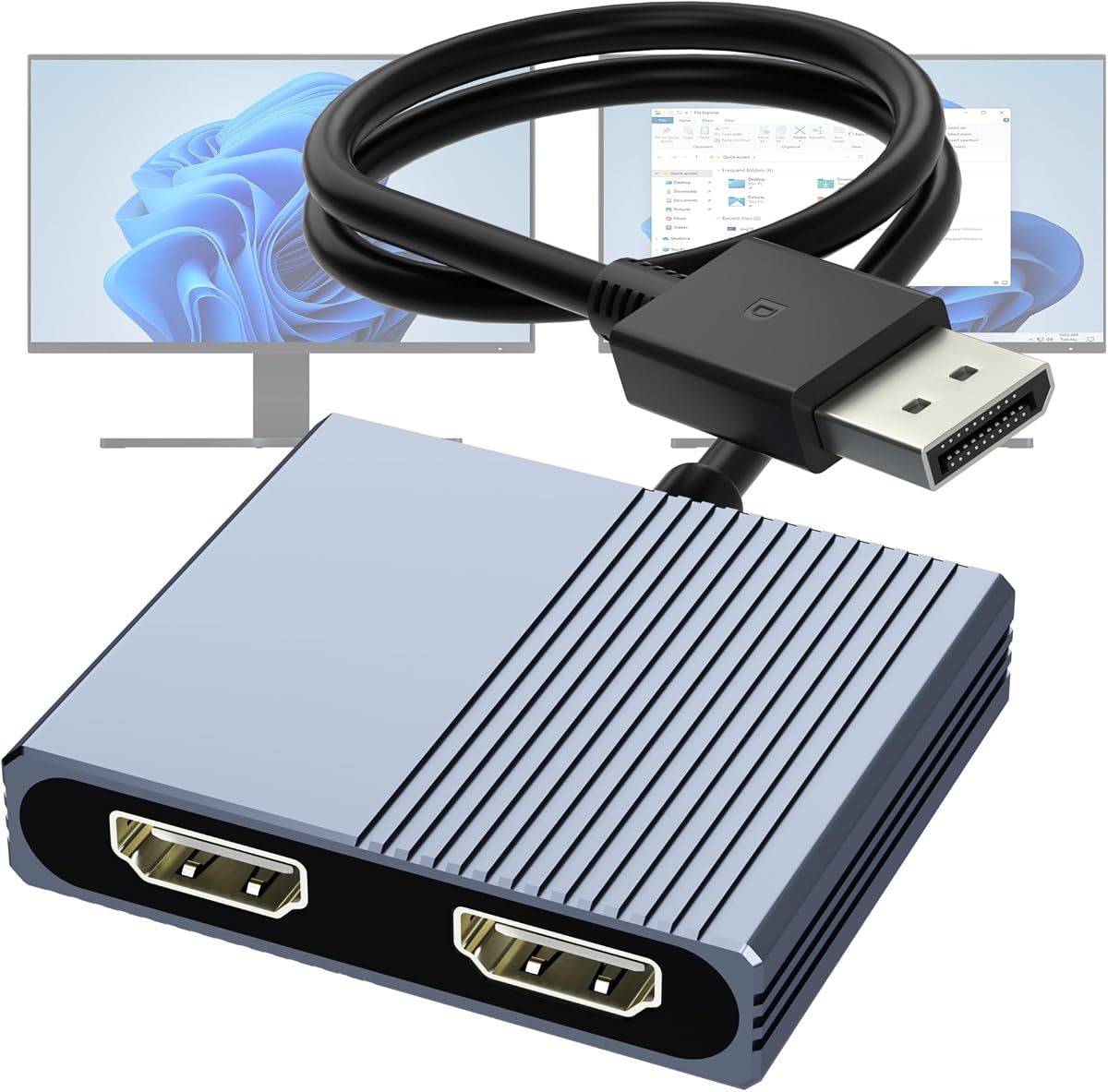
This adapter is built for desktop PCs with dedicated graphics cards. It takes a single DisplayPort signal and splits it into two HDMI outputs, allowing dual 4K setups. It supports MST for extended displays, which is rare for HDMI splitters at this price.
We may earn a commission when you buy through this link, at no additional cost to you.
It requires a separate USB power source to run its internal chipset. This adds complexity but ensures stable signal transmission. The design includes smart chips to prevent interference, which is helpful for maintaining image quality.
Users must ensure their GPU supports DisplayPort 1.4 to achieve dual 4K at 60Hz. Integrated graphics often lack this capability, limiting use to desktops. While not ideal for laptops, it offers solid performance for workstation builds.
For PC gamers or designers needing multiple screens, this provides a cost-effective solution. It avoids expensive docking stations by using existing ports effectively. Just remember to manage cables and power needs properly.
Specifically designed for systems with AMD or NVIDIA GPUs, ensuring compatibility with modern graphics hardware.
Built-in smart chips help maintain consistent video quality without flickering or dropouts during use.
We may earn a commission when you buy through this link, at no additional cost to you.
The WAVLINK adapter allows connections via USB-C or USB 3.0, giving users flexibility in port choice. It supports extending screens up to 1440p and 1080p, making it suitable for productivity apps like Google Docs. Driver installation is required for Windows and macOS.
We may earn a commission when you buy through this link, at no additional cost to you.
Its broad compatibility includes Chrome OS and Android devices for mirroring. However, it is not recommended for gaming due to potential latency. The driver download process can be tedious but ensures functionality across different systems.
Users looking for a universal adapter for various devices will appreciate this model. The inclusion of a warranty adds peace of mind. Just be prepared for setup time and avoid relying on it for interactive tasks.
For office environments with mixed hardware, this adapter provides a versatile solution. It handles multitasking well without breaking the bank. Ensure your IT policies allow driver installation before purchasing for corporate use.
Supports both USB-C and USB-A inputs, making it adaptable for older and newer laptops alike.
Works across Windows, macOS, and Chrome OS, though setup varies slightly by platform.
We may earn a commission when you buy through this link, at no additional cost to you.
OREI offers an adapter that enables a three-screen setup by adding two external monitors to a laptop. It requires a Silicon Motion driver and an Intel i5 processor or higher for optimal function. This ensures stability but limits use to more powerful devices.
We may earn a commission when you buy through this link, at no additional cost to you.
The USB-A and USB-C options make it flexible for different laptop generations. It supports 4K at 30Hz, which is adequate for static content. However, the need for driver installation and IT admin checks may slow deployment in companies.
Mac users are restricted to iOS or macOS limitations here, with Linux being unsupported. For Windows professionals, it provides a solid extension path. The build quality and support are reliable for home or office setups.
If you need extra screens on a powerful PC, this is a workable choice. Just verify your hardware meets the minimum requirements before buying. It’s a good option for multitasking without buying expensive docking stations.
Enables adding two monitors to a laptop, ideal for creating a three-screen workstation environment.
Relies on specific Silicon Motion drivers, so checking your system compatibility is crucial before setup.
We may earn a commission when you buy through this link, at no additional cost to you.
This docking station provides extensive connectivity with eight ports, including dual HDMI and card readers. It supports 4K at 60Hz on Windows and mirrors on macOS. The 100W power delivery keeps devices powered while in use.
We may earn a commission when you buy through this link, at no additional cost to you.
Users with Thunderbolt or full-featured USB-C laptops will benefit most. The SD card reader allows quick file access from cameras, and USB-A ports handle peripherals. However, the video limitation on macOS means Mac users should proceed with caution.
Despite these limitations, the hub delivers strong performance for Windows environments. Its design helps declutter workspaces by consolidating ports. Installation is straightforward, making it user-friendly for daily use.
For those needing multiple ports and screens, this is a strong contender. It balances functionality and ease of use well. Just ensure your laptop matches the port requirements before purchase.
Offers multiple USB and card slots alongside HDMI, turning a single port into a full workstation connection.
100W PD pass-through ensures your laptop stays charged even while powering external devices and monitors.
We may earn a commission when you buy through this link, at no additional cost to you.
This basic HDMI splitter duplicates your screen on two monitors, making it perfect for presentations or shared viewing. It requires no drivers and supports 4K at 30Hz. Since it only mirrors, it cannot extend your desktop, which limits productivity.
We may earn a commission when you buy through this link, at no additional cost to you.
It is compatible with TVs, consoles, and PCs for simple signal distribution. Audio is synchronized automatically, eliminating extra cables. While it lacks versatility, its simplicity is a plus for casual users who just need more visible screens.
The lack of extended display means it’s not for multitasking. However, for streaming or conference displays, it works well. The price point is very low, making it accessible for budget-conscious buyers.
Consider this if you just need to mirror content. It is reliable for static tasks but won’t help with working across different screens. Always check your source device supports 4K output.
No software or driver installation is required, making it ready to use straight out of the box.
Doubles the same image on two displays, great for showing content to an audience.
We may earn a commission when you buy through this link, at no additional cost to you.
Designed for desktop graphics cards, this adapter uses DisplayPort to drive two 4K monitors at 60Hz. The aluminum housing ensures durability and better heat dissipation. It supports extended displays on Windows, which is great for multitasking.
We may earn a commission when you buy through this link, at no additional cost to you.
Mac users only get mirror mode, similar to other USB-C solutions. You must have a DP 1.4 capable system for full resolution. Despite this, it offers solid performance for those with compatible GPUs. Setup is plug-and-play without software.
The design is compact yet sturdy, fitting well under a desk. It simplifies connections by reducing cable clutter. While it’s not for portable setups, it is excellent for fixed workstations needing high resolution.
For desktop users with NVIDIA or AMD cards, this adapter offers a straightforward way to expand. Just confirm your port specs before buying. It balances performance and build quality effectively.
Delivers 4K@60Hz to both monitors, ensuring smooth visuals for design and video editing tasks.
Aluminum alloy housing protects against wear and heat, extending the adapter’s lifespan over time.
We may earn a commission when you buy through this link, at no additional cost to you.
This hub offers dual 4K HDMI outputs along with multiple USB-A ports for peripherals. It supports 100W power delivery and works with Windows and macOS. While macOS supports only mirroring, Windows users can extend displays easily.
We may earn a commission when you buy through this link, at no additional cost to you.
The USB-A ports are 2.0 speed, which is fine for keyboards and mice but slower for transfers. Its lightweight design makes it portable, and the setup requires no drivers. It’s a good all-rounder for hybrid workers.
Mac users should note the mirroring limitation, but the rest of the features are strong. It keeps your laptop charged while connecting devices. The short cable might be inconvenient for some desk setups.
For those wanting a compact hub with dual screens, this is a solid choice. It balances port count and performance well. Ensure your laptop supports DP Alt Mode before use.
Includes three USB-A ports and dual HDMI, offering enough connections for most peripherals and displays.
100W pass-through charging means your laptop stays powered while using all connected accessories simultaneously.
We may earn a commission when you buy through this link, at no additional cost to you.
Selecting the right adapter requires checking your laptop’s ports and OS compatibility. This section explains the key factors to consider before buying.
Your adapter must match your laptop's available ports. USB-C supports video only if it has DisplayPort Alt Mode or Thunderbolt. USB-A adapters often need drivers. Ensure your system is listed in the product specs.
Verify your device supports video output before purchasing. Check the manufacturer's documentation or settings for video capabilities.
Higher resolutions like 4K require better adapters and HDMI cables. Refresh rates above 30Hz offer smoother visuals for scrolling. Check if the adapter supports your monitor's max specs.
Look for dual 4K at 60Hz support if you need sharp and fluid displays for work.
Windows usually supports extended displays well. macOS often limits adapters to mirroring unless specific conditions are met. Review OS compatibility notes carefully.
Always confirm whether the adapter allows extending or just mirroring on your specific operating system.
Some adapters need drivers to function, which can slow setup. Others are plug-and-play. Consider your IT policies if you are in a corporate environment.
Prefer driver-free models for ease of use if your system allows quick installation.
Adapters with Power Delivery can charge your laptop while in use. This reduces the need for multiple chargers. Ensure the wattage matches your device's needs.
Look for 100W PD support to keep high-performance laptops charged during use.
Aluminum housings dissipate heat better than plastic. This prevents overheating during long sessions. Check connector materials for durability.
Choose adapters with metal bodies and gold-plated connectors for longer life and stable signals.
Short cables can limit monitor placement. Longer cables offer flexibility but may signal degradation. Ensure length matches your desk layout.
Check the included cable length or plan to buy one separately if needed.
Higher price often correlates with better performance. Look for warranties to protect your investment. Compare features against cost to ensure value.
Opt for brands with reliable support and warranty terms for peace of mind.
Plug the adapter into your laptop's port first before connecting the monitors. This ensures proper initialization and avoids signal errors. Wait for drivers to install if prompted.
Adjust display settings in your OS to extend or mirror screens. Arrange monitors in the display settings to match physical positions. Use HDMI 2.0 cables for best resolution.
Disconnect gently by unplugging from the laptop first. Avoid bending the cables sharply to prevent internal damage. Store the adapter in a cool, dry place when not in use.
Many adapters support Mac but only for mirroring. Some USB-C hubs may not allow extending two screens. Always check product specs for macOS MST support.
Some models require drivers for full functionality, especially USB-A adapters. Others are plug-and-play. Verify driver needs on the product page before buying.
This could be due to cable issues or unsupported resolutions. Ensure both monitors match resolution settings. Check that the adapter supports your setup.
MST allows extending different screens, while SST only mirrors them. Windows supports MST, but macOS often restricts it. Check adapter specs for MST support.
Yes, adapters with Power Delivery allow charging. Look for 100W PD ports to ensure sufficient power for your laptop.
Many support 4K at 30Hz or 60Hz. Confirm your monitor and HDMI cable support the required resolution. HDMI 2.0 cables are recommended for 4K.
Yes, most adapters need HDMI 2.0 cables for dual 4K output. Ensure your monitors and cables are compatible to avoid resolution limits.
Use a USB-A to HDMI adapter. Some require drivers and offer lower resolution. Check specs to ensure your setup matches the adapter’s capabilities.
Our top picks balance performance and value for different user needs. The StarTech adapter is reliable for Windows, while Acer and Selore offer great value for dual 4K.
Prioritize compatibility and power delivery when shopping. Ensure your laptop supports video output via USB-C or USB-A before buying.
Prices and availability change often, so verify current listings before purchasing. Investing in the right adapter will greatly improve your productivity.