
TP-Link ER605
4.4Editor score
Five Gigabit Ports
Advanced Security Features
Supports Multiple VPNs
Discover the top dual wan router options for reliable internet. This guide compares features, security, and performance to help you choose the perfect network
A dual wan router provides essential redundancy for modern networks by allowing multiple internet connections to work together. This setup ensures that if one link fails, traffic automatically switches to another, keeping your devices online without interruption.
We evaluated ten top models based on port options, security features, and management tools. Each device offers unique strengths, from budget-friendly units to high-performance enterprise solutions designed for specific connectivity needs.
Each pick highlights key capabilities and ideal use cases to simplify your decision. Prices and availability change frequently, so verify current details before purchasing to ensure you get the best value for your network setup.
4.4Editor score

4.4Editor score

4.2Editor score
This side-by-side comparison helps you evaluate the most important specifications across all ten models. Reviewing these details ensures you select a device that matches your specific bandwidth and security requirements.



The TP-Link ER605 stands out as a versatile choice for small businesses needing reliable internet redundancy. With a rating of 4.4, it offers five Gigabit ports and robust security without complex setup requirements.
We may earn a commission when you buy through this link, at no additional cost to you.
It supports up to 20 VPN connections, including OpenVPN and IPsec, ensuring secure remote access for employees. The built-in firewall protects against DoS attacks while maintaining high throughput for daily tasks.
While the firmware lacks advanced customization, the basic features cover most standard network needs effectively. Users benefit from stable failover mechanisms that keep operations running during outages.
This router is ideal for home offices or small teams requiring dependable connectivity. Its balance of performance and ease of use makes it a top recommendation for most buyers.
Multiple VPN protocols ensure employees can connect safely from anywhere.
Five Gigabit ports allow for varied network setups and WAN backup options.
We may earn a commission when you buy through this link, at no additional cost to you.
The Peplink B-One is designed for enterprise branch offices needing uninterrupted internet. It delivers 1Gbps throughput and uses SpeedFusion technology to maintain smooth video calls during connection issues.
We may earn a commission when you buy through this link, at no additional cost to you.
Its architecture allows seamless integration with Starlink and other ISPs for load balancing. This ensures critical tasks like file sharing continue without disruption even if primary lines fail.
Firmware updates happen automatically to keep the network secure and performing at peak levels. The stability reduces frequent resets often seen with cheaper alternatives.
For businesses prioritizing reliability and advanced connectivity, this router is an excellent investment. It handles demanding applications well and adapts to diverse network configurations.
SpeedFusion ensures smooth transitions between connections without dropping calls.
Effortless integration with Starlink simplifies satellite internet backup setups.
We may earn a commission when you buy through this link, at no additional cost to you.
The NETGEAR PR60X offers high-performance hardware with 10G ports and cloud management. It supports up to 32 VLANs and secure remote access via WireGuard or IPsec protocols.
We may earn a commission when you buy through this link, at no additional cost to you.
Integrating with Pro WiFi access points simplifies enterprise network setup for SMEs. The Insight subscription allows management from anywhere, ensuring quick adjustments and monitoring.
While the cost is higher, the speed and security features justify it for demanding environments. The hardware supports long-distance backhaul with SFP+ ports for scalability.
IT professionals and growing businesses will appreciate the centralized control and speed. This router is best suited for offices needing advanced networking capabilities and remote oversight.
Insight provides remote access to manage the network anytime from any device.
Support for WireGuard and IPsec ensures safe remote client connections.
We may earn a commission when you buy through this link, at no additional cost to you.
The Cudy R700 unlocks professional control with full OpenWRT support and five ports. It allows VLAN segmentation and custom QoS policies for advanced network management.
We may earn a commission when you buy through this link, at no additional cost to you.
Built-in VPN servers support WireGuard and OpenVPN for secure remote access. This makes it a complete gateway suite for businesses requiring encrypted tunnels.
The web GUI and cloud tools offer clear visibility for troubleshooting network issues. Diagnostic tools like Traceroute help resolve connection problems quickly.
Ideal for tech-savvy users or home labs needing enterprise features at low cost. Its flexibility and security make it a strong contender for those willing to customize settings.
Unlock custom policies and community packages for professional-grade management.
Built-in server options allow creating secure tunnels easily.
We may earn a commission when you buy through this link, at no additional cost to you.
The Omada ER707-M2 supports over 500,000 sessions and multi-gigabit connectivity. It includes a USB port for LTE backup to maintain internet during outages.
We may earn a commission when you buy through this link, at no additional cost to you.
Remote access via Omada app centralizes management across multiple sites easily. This scalability suits expanding businesses needing consistent network control.
Hardware supports up to 1000 clients ensuring robust capacity for busy environments. The five-year warranty provides long-term confidence in the investment.
This router is best for medium enterprises seeking high throughput and centralized tools. Its balance of performance and support makes it a reliable choice.
Omada app brings centralized cloud management of sites anywhere anytime.
Supports over 500,000 concurrent sessions for busy networks.
We may earn a commission when you buy through this link, at no additional cost to you.
The ASUS RT-BE88U features blazing-fast WiFi 7 tech with Multi-Link Operation for throughput. It bolsters wired networks with 10G ports for demanding applications.
We may earn a commission when you buy through this link, at no additional cost to you.
AI WAN detection ensures always-on internet through versatile configuration options. This automation helps manage connections without manual intervention.
AiMesh compatibility allows establishing whole-home networks seamlessly with guest access. Security features like AiProtection Pro safeguard against malicious traffic effectively.
For users needing maximum speed and future-proofing, this router is unmatched. It balances enterprise-grade wired speed with advanced wireless technologies.
Boosts throughput up to 7200Mbps with Multi-Link Operation and 4096-QAM.
AI-driven detection ensures always-on internet through versatile options.
We may earn a commission when you buy through this link, at no additional cost to you.
The ASUS ExpertWiFi EBG15 simplifies management with Bluetooth setup and an app. It offers up to three WAN ports and commercial-grade IPS protection.
We may earn a commission when you buy through this link, at no additional cost to you.
VLAN support adds security by assigning ports to specific IDs. This prevents unauthorized access between different network segments.
USB backup WAN maintains connectivity if primary lines fail. This is useful for small businesses needing reliable connections without complex gear.
While rated slightly lower, it balances ease of use and security well. It is best for users prioritizing straightforward setup and intrusion prevention.
Convenient and easy router management via web browser or mobile app.
Deep packet inspection blocks malicious traffic before it enters.
We may earn a commission when you buy through this link, at no additional cost to you.
The D-Link DSR-250V2 meets government standards with NDAA compliance for trusted use. It extends corporate networks to remote offices using enterprise-grade encryption.
We may earn a commission when you buy through this link, at no additional cost to you.
Web-based tools simplify management and troubleshooting for small teams. This accessibility reduces deployment complexity for organizations needing quick setup.
Failover ensures continuous connectivity if primary internet fails during critical tasks. This minimizes disruptions for video calls and file sharing.
Best for agencies requiring regulatory compliance and long-term warranty. While reliability varies, its security features make it suitable for sensitive environments.
Meets NDAA and TAA for enhanced trust in strict regulatory environments.
Backed by D-Link's Limited Lifetime Warranty for long-term confidence.
We may earn a commission when you buy through this link, at no additional cost to you.
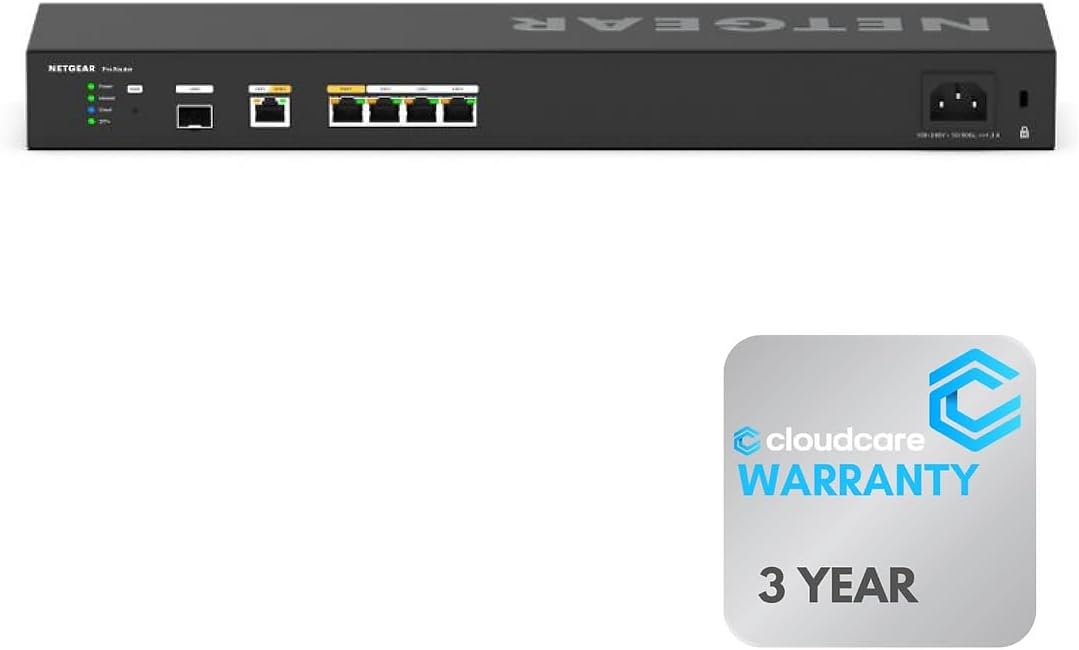
The Cloud Care version offers six 10G ports for maximum wired speed. Its rack-mountable design saves space in professional environments efficiently.
We may earn a commission when you buy through this link, at no additional cost to you.
Insight cloud control allows monitoring setup and maintenance remotely. This ensures quick adjustments without needing physical access to the device.
Cloud Care warranty support simplifies claims by covering manufacturer defects directly. This added layer of protection enhances reliability for critical setups.
Ideal for offices needing high port density and flexible installation. The performance and support make it a solid choice for growing businesses.
Rack-mountable design organizes equipment efficiently for professional environments.
Cloud Care support makes claims easy through a single form.
We may earn a commission when you buy through this link, at no additional cost to you.
The Linksys LRT224 meets wide business requirements with load balancing and VPNs. It supports up to 50 IPsec tunnels for secure site-to-site access.
We may earn a commission when you buy through this link, at no additional cost to you.
Firewall throughput reaches 900 Mbps ensuring decent performance for daily tasks. This makes it feature-rich for small business network requirements.
Support for iOS and Android users via OpenVPN ensures remote access flexibility. This helps mobile workers connect securely to corporate resources.
For businesses needing straightforward redundancy without complexity, this model works well. Its balance of affordability and capability suits general office use.
Up to 50 IPsec tunnels provide secure site-to-site and client-to-site access.
Five OpenVPN tunnels ensure iOS and Android users connect remotely.
We may earn a commission when you buy through this link, at no additional cost to you.
Selecting the right router requires evaluating specific technical capabilities against your operational needs. Understanding these factors ensures your network remains stable and secure.
Review the number of Ethernet ports available to ensure they meet your current and future device counts. Look for Gigabit or Multi-Gigabit speeds to support high-bandwidth activities like streaming or large file transfers.
Prioritize routers with multiple WAN ports to facilitate true redundancy without extra hardware.
Check if the device supports automatic failover to switch traffic instantly when a primary link drops. Load balancing features can distribute traffic across multiple connections to maximize available bandwidth.
Ensure the router handles these functions without significant latency or configuration complexity.
Look for strong encryption protocols like IPsec and OpenVPN to protect data in transit. Commercial-grade firewalls and intrusion prevention systems add essential layers against external threats.
Verify the router supports enough concurrent tunnels for your remote workforce needs.
Cloud-based management tools simplify oversight for businesses with multiple locations. Mobile apps provide on-the-go access for quick configuration changes or troubleshooting steps.
Prioritize devices with intuitive interfaces to reduce IT overhead and training time.
Processors and memory determine how well a router handles concurrent sessions and heavy traffic. High-performance CPUs prevent bottlenecks during peak usage hours or large downloads.
Check specs for session capacity to avoid slowdowns as your network grows.
Longer warranties indicate manufacturer confidence in product reliability and durability. Access to timely technical support is crucial for resolving network issues quickly.
Consider extended warranty options for critical business infrastructure to minimize downtime risks.
Ensure the router works with your existing network infrastructure and ISP requirements. Compliance with government standards like NDAA may be necessary for certain industries or sectors.
Verify firmware update policies to ensure long-term security and feature relevance.
Balance initial costs against performance and features to avoid overpaying for unused capabilities. Consider future growth needs to ensure the router supports expansion without replacement.
Investing slightly more now can save money later if it scales effectively with your business.
Begin by connecting both internet sources to the designated WAN ports and verify links are active. Use the web interface to configure failover settings ensuring automatic switches occur without manual steps.
Regularly update firmware to patch security vulnerabilities and maintain performance standards. Most routers offer automatic updates which should be enabled in the admin settings.
Keep the device in a well-ventilated area to prevent overheating and potential hardware damage. Periodically restart the router to clear memory caches and resolve minor software glitches.
A dual wan router allows you to connect two internet service providers simultaneously to one device. It ensures that if one connection fails, traffic automatically shifts to the other without interruption.
Load balancing distributes internet traffic across multiple connections to maximize available bandwidth. This can improve speeds for downloads by utilizing both links actively rather than just one.
Yes, typically you need two separate internet service providers to utilize the full benefits of this router. This provides true redundancy and load balancing capabilities compared to a single line.
Most models include built-in firewalls, intrusion prevention, and encryption protocols to secure your data. However, you should still change default passwords and keep firmware updated for best protection.
Yes, many routers support USB WAN ports where you can connect a 4G or 5G modem. This serves as a reliable backup when your primary connection is unavailable or unstable.
WAN ports connect to your internet providers while LAN ports connect to your local devices. Some ports may be configurable to function as either depending on your setup needs.
Some models like NETGEAR require subscriptions for advanced cloud management features. Others provide basic tools for free, so check specific terms before purchasing.
Basic setup is generally straightforward, but advanced features like VLANs may require technical knowledge. Many routers offer guided wizards to simplify initial configuration steps.
The top picks offer diverse solutions ranging from budget-friendly units to high-performance enterprise models. Each device ensures stable connectivity through robust failover and load balancing mechanisms.
Prioritize features like port speed and security protocols that align with your specific operational needs. Consider management tools to simplify ongoing maintenance and remote oversight.
Always verify current availability and compatibility before finalizing your purchase decision. This ensures you select a device that will reliably support your network infrastructure for the long term.