
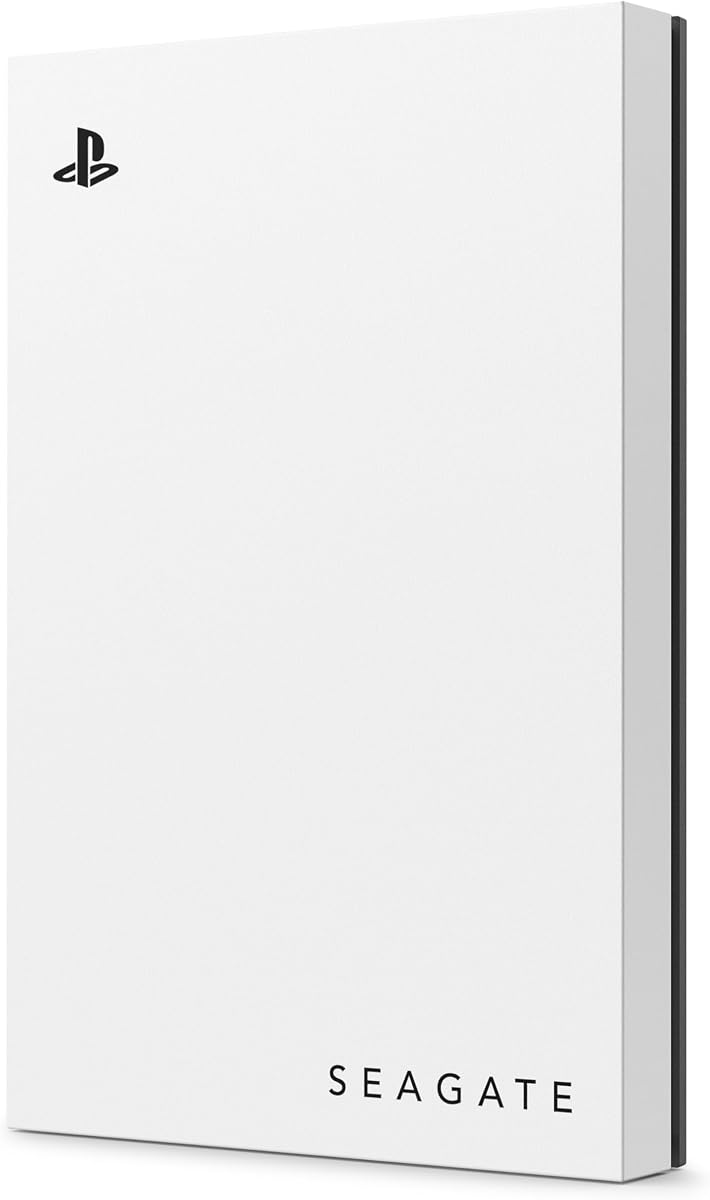
Seagate Game Drive PS4/PS5 5TB
4.4Editor score
5TB capacity for large libraries
Blue LED lighting design
Plug and play simplicity
Discover the best External PS5 Storage Options for 2026. We compare top HDDs and SSDs by speed, capacity, and compatibility to help gamers expand their library
Modern gaming consoles require vast storage space for today's massive titles. External PS5 Storage Options provide a practical solution for expanding your library without opening the console. Choosing the right drive ensures seamless performance and reliable access to your favorite games.
We evaluated ten leading external drives based on compatibility, speed, capacity, and build quality. Our analysis focuses on officially licensed products and high-performance SSDs that meet Sony's strict requirements. This guide helps you find the perfect match for your gaming needs.
Each selection highlights key features, pros, cons, and real-world usage scenarios. Prices fluctuate regularly, so verify current listings before purchasing. Use this resource to make an informed decision that enhances your PlayStation 5 experience today.
4.4Editor score

4.8Editor score
4.5Editor score
This side-by-side comparison highlights the core specifications of each recommended drive. Evaluate capacity, interface type, and compatibility to determine which option fits your specific gaming setup best.


The WD_BLACK 1TB SN850P stands out as the premier choice for PS5 expansion. With a 4.8 rating, it delivers seamless integration directly into the console's M.2 slot. This ensures your PS5 games run at native speed without transfers.
We may earn a commission when you buy through this link, at no additional cost to you.
Its standout quality is the 7,300MB/s read speed, matching internal storage performance. The included heatsink guarantees thermal stability during long sessions. You can install and play titles immediately without sacrificing space.
Trade-offs include a higher cost compared to external USB drives. The internal installation process requires removing the console cover. However, the performance gains justify this effort for serious gamers.
This drive is ideal for players needing extra PS5 game storage. If speed and compatibility are your priorities, this is the top recommendation. It future-proofs your console against growing file sizes.
Experience load times equal to internal storage with PCIe Gen 4 technology.
The optimized heatsink prevents throttling during extended gameplay sessions.
We may earn a commission when you buy through this link, at no additional cost to you.
This drive offers a massive 5TB capacity for extensive game libraries. With a 4.5 rating, it is built specifically for PS5 compatibility. The blue LED lighting adds a stylish touch to your setup.
We may earn a commission when you buy through this link, at no additional cost to you.
Its premium quality comes from officially licensed firmware ensuring perfect function. You can store hundreds of games without needing to delete favorites. Portability lets you take your library anywhere easily.
Trade-offs include HDD speeds slower than internal SSDs. The price is higher than standard external drives. Still, the seamless experience and large capacity are valuable for collectors.
Ideal for PS5 owners wanting huge external storage. It balances performance, style, and convenience well. Choose this if you want a dedicated PS5 drive.
Store up to 150 games without managing space constantly.
Matching firmware and lighting complement the PS5 console perfectly.
We may earn a commission when you buy through this link, at no additional cost to you.
This 5TB drive delivers huge value for budget-conscious gamers. With a 4.4 rating, it stores PS4 games directly. PS5 titles can be moved here to free internal space.
We may earn a commission when you buy through this link, at no additional cost to you.
Its strength is the 5TB capacity at an accessible price point. The white LED design fits clean setups. It's lightweight for taking your library on the go.
Trade-offs include slower HDD speeds than SSDs. The design lacks advanced features. However, it perfectly meets the basic need for expanded game storage.
Perfect for players prioritizing storage amount over speed. It saves money while solving the space shortage. Choose this for archiving old favorites.
Get 5TB capacity at a competitive price for your library.
Official firmware ensures seamless use with all PS models.
We may earn a commission when you buy through this link, at no additional cost to you.
The Toshiba Canvio Gaming 2TB is built for responsive gameplay. With a 4.7 rating, it features an Always-On mode to prevent delays. It stores PS4 games directly and PS5 archives.
We may earn a commission when you buy through this link, at no additional cost to you.
Its standout feature is the firmware customization for gaming consoles. It works with Xbox and PC too. The sleek black design is compact for travel.
Trade-offs include PS5 limitations requiring internal storage for play. It remains a solid choice for PS4 libraries. The reliability is high for the price.
Ideal for cross-console gamers. It balances performance with flexibility. Pick this if you play on multiple systems.
Always-On mode optimizes the drive for instant console access.
Use the same drive on PS, Xbox, and PC easily.
We may earn a commission when you buy through this link, at no additional cost to you.
The WD_Black P10 6TB offers unmatched portable capacity. With a 4.7 rating, it holds up to 150 games. It works seamlessly with PS4, PS5, and Xbox consoles.
We may earn a commission when you buy through this link, at no additional cost to you.
Its key strength is the massive 6TB storage space. The metal top provides fast access and durability. You can archive PS5 games easily here.
Trade-offs include PS5 archive limitations. It's also heavier than smaller drives. Still, the sheer capacity is a major advantage.
Perfect for gamers with huge libraries. It solves the storage shortage completely. Choose this if capacity is your top priority.
6TB capacity stores old favorites and new titles together.
Metal cover ensures durability while looking stylish.
We may earn a commission when you buy through this link, at no additional cost to you.
This drive provides a massive 8TB storage space. With a 4.4 rating, it uses a 7200RPM enterprise drive. It stores PS4 games directly for fast play.
We may earn a commission when you buy through this link, at no additional cost to you.
Its standout quality is the 8TB capacity for huge libraries. The white premium case looks modern. You can copy PS5 games quickly to play.
Trade-offs include PS5 transfer requirements. It's not for direct PS5 play. But storage management is much easier.
Ideal for data hoarders. It offers unmatched room for your library. Pick this if you have many games.
7200RPM speed ensures fast data access.
New case and refurbished HDD ensure reliability.
We may earn a commission when you buy through this link, at no additional cost to you.
The Sandisk 1TB Extreme SSD is fast and durable. With a 4.5 rating, it offers 1050MB/s read speeds. It is designed and tested for PlayStation consoles.
We may earn a commission when you buy through this link, at no additional cost to you.
Its key strengths are speed and rugged IP65 durability. You can move PS5 games fast. It also includes a Discord trial.
Trade-offs include PS5 archive mode. It costs more than HDDs. But speed and durability are excellent.
Perfect for travelers needing fast storage. It combines speed with tough build. Choose this for portability.
Transfer games fast with up to 1050MB/s speeds.
IP65 rating protects against water and drops.
We may earn a commission when you buy through this link, at no additional cost to you.
The Seagate Portable 4TB is easy to use. With a 4.6 rating, it offers 4TB storage. It works well with PS5 for archiving.
We may earn a commission when you buy through this link, at no additional cost to you.
Its strengths include plug and play simplicity and included rescue. You just connect and start using it. No software is required.
Trade-offs include PS5 archive limits. It is a basic HDD. But it is reliable for extra space.
Ideal for users needing simple backups. It works seamlessly for storage needs. Pick this for simplicity.
Automatic recognition ensures setup takes seconds.
1-Year rescue protection gives data peace of mind.
We may earn a commission when you buy through this link, at no additional cost to you.
The BUFFALO External SSD 1.0TB is very compact. With a 4.4 rating, it is officially licensed for PS5. Its stick design saves space near the console.
We may earn a commission when you buy through this link, at no additional cost to you.
Its key strengths are the compact stick type and official license. It reduces loading times for PS4 games. Connection is easy without extra cables.
Trade-offs include limited 1TB capacity. PS5 games need internal play. But it is great for PS4 storage.
Perfect for those needing simple expansion. It is easy to use and reliable. Choose this for compactness.
Cable-free stick design minimizes clutter.
Passed quality inspection for PS5 compatibility.
We may earn a commission when you buy through this link, at no additional cost to you.
The Ezekers Portable 500GB is a budget option. With a 4.3 rating, it offers basic storage. It connects via USB-C for modern devices.
We may earn a commission when you buy through this link, at no additional cost to you.
Its key strengths are the low price and USB-C support. It works with phones and consoles. The LED indicator shows connection status.
Trade-offs include small 500GB space. It is only for PS5 storage. But it is great for backups.
Ideal for basic needs and small budgets. It is portable and versatile. Pick this for simple backups.
USB-C and 3.0 support multiple devices.
2.5-inch design is easy to carry anywhere.
We may earn a commission when you buy through this link, at no additional cost to you.
Selecting the right drive depends on your specific needs. We break down the key factors to consider before purchasing.
Capacity is the most obvious factor. Drives range from 500GB to 8TB. For modern games averaging 50GB, 5TB is a solid baseline.
Choose capacity based on your game count. Archive drives need 4TB+. Expansion slots need 1TB+.
SSDs offer fast read speeds like 1050MB/s. HDDs offer slower speeds around 130MB/s. Speed matters for direct gameplay.
Prioritize SSDs if you play often. HDDs suffice for archiving.
External drives can store PS5 games. Only internal M.2 drives play PS5 games. Check if you need playback.
Archive drives need USB 3.0. Expansion needs M.2 NVMe.
Official drives guarantee seamless firmware support. This avoids compatibility errors. Brands like Seagate and WD offer these.
Licensing ensures your drive is safe. Always prefer licensed models.
Look for durable cases and metal tops. IP65 rating protects against elements. Warranty lengths vary from 1 to 5 years.
A robust case ensures longevity. Check warranty terms for peace of mind.
2.5-inch drives are portable. Stick drives are even smaller. Heavy drives like 8TB are for desktop use.
Choose portable drives for travel. Desktop drives for home libraries.
Prices vary wildly. SSDs are more expensive than HDDs. Decide how much you can spend.
Balance budget with needs. Don't overspend if you only need storage.
Moving games between storage is key. Faster transfers save time. USB 3.0 is standard now.
Look for USB-C if possible. It ensures future-proofing.
To use your external drive, connect it to the PS5's USB port. The console automatically recognizes compatible drives. You can move games via Settings > Storage.
For internal M.2 drives, remove the console's side panel. Install the SSD into the slot. Ensure the heatsink is mounted properly to avoid overheating.
Care for your drive by avoiding drops and moisture. Store it in a cool place. Regular backups are recommended to save important data.
No. PS5 games must be played from the internal SSD or M.2 expansion slot. External USB drives only store PS5 games for archiving. You must copy them back to internal storage before playing.
Sony recommends at least 250GB for M.2 expansion. However, most users choose 1TB or 2TB for practical use. Ensure the SSD supports PCIe Gen 4 for best performance.
Most portable drives draw power from the console. Desktop models may need a separate outlet. Check the product description. USB 3.0 powered is common.
Go to Settings > Storage. Select Console Storage > Games and Apps. Move titles to the external drive. This frees up internal space for new games.
It depends on your needs. SSDs transfer data faster than HDDs. If you archive often, SSDs save time. For simple storage, HDDs are budget friendly.
Licensed drives have firmware optimized for PS5. This reduces errors and ensures compatibility. Unlicensed drives might not work properly or cause issues.
We covered ten top options for expanding your PS5 storage. From the fast WD_BLACK SN850P to the budget-friendly Seagate Drive, there is a pick for everyone.
Prioritize capacity for archiving and speed for gameplay. Licensed products ensure reliability and safety. Choose based on your specific storage demands.
Prices change frequently so verify current listings before buying. Use this guide to find the perfect match. Enjoy your expanded library today.