
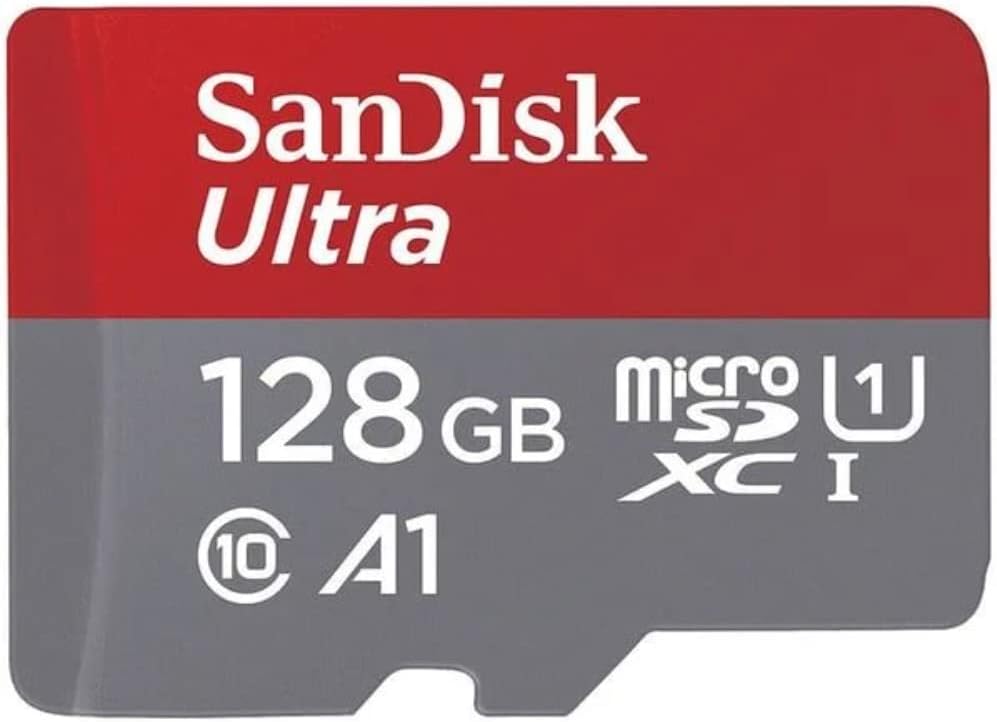
Made for Amazon SanDisk 128GB microSD Memory Card
4.6Editor score
Exclusive Made for Amazon certification
Class 10 performance for Full HD video
Designed for simultaneous activities without lag
Explore the top extra storage for tablet options including microSD cards, USB drives, and portable SSDs to expand your device capacity quickly and efficiently.
Finding the right extra storage for tablet can transform your mobile computing experience significantly. Whether you need space for media files or professional apps, selecting the correct expansion solution is crucial for optimal performance and convenience on the go.
We have carefully evaluated ten leading storage solutions designed specifically for modern tablets and mobile devices. Our comparison considers transfer speeds, compatibility, durability, and ease of use to help you make an informed decision based on your specific workflow needs.
Each product pick highlights key features and real-world performance characteristics to guide your selection process effectively. Please note that availability and pricing may fluctuate over time so checking current listings ensures you get the most accurate information before purchasing.
4.6Editor score
4.7Editor score

4.5Editor score
This side-by-side comparison outlines the core specifications and capabilities of each selected storage option to help you identify the best fit for your tablet model and usage requirements.



This SanDisk microSD card stands out as a top choice for expanding tablet storage with its impressive speed and reliability. It holds a strong rating from users who appreciate its performance in demanding environments. The A1 rating ensures applications run smoothly when stored directly on the card.
We may earn a commission when you buy through this link, at no additional cost to you.
Its transfer speeds of up to 140MB/s make moving large files like photos and videos quick and efficient. The card is designed to handle high-definition content playback without stuttering or lag. This makes it ideal for media consumption and creative workflows on mobile devices.
While it requires an external reader for computers which might be an inconvenience for some users the speed and reliability make up for it. The physical size is small which increases the risk of losing it if not stored carefully. However, these trade-offs are minor compared to the benefits it offers.
Users looking for a dependable and fast expansion solution for their Android tablets or Chromebooks should consider this card. It balances performance and cost effectively making it a versatile option for daily use. The long warranty provides additional peace of mind for long-term storage needs.
The A1 rating on this card means apps stored on it load faster compared to standard storage cards improving overall device responsiveness.
With a ten-year limited warranty this card is built to last ensuring your data remains safe and accessible for years to come.
We may earn a commission when you buy through this link, at no additional cost to you.
This microSD card is exclusively designed and certified to work seamlessly with Fire Tablets and Fire TV devices. Users report a lag-free experience when expanding storage on these specific platforms. It is a cost-effective solution for those deeply integrated into the Amazon ecosystem.
We may earn a commission when you buy through this link, at no additional cost to you.
The Class 10 performance ensures smooth playback of Full HD videos without interruptions. It allows users to download apps and games directly to the card freeing up internal memory. This functionality is crucial for maintaining device speed when internal storage fills up.
While it is optimized for Amazon devices it may not offer the same speed as general-purpose high-end cards on other Android tablets. Its compatibility focus limits its versatility across different brands of tablets. However for Fire users it remains the safest and most reliable choice.
Those with Fire Tablets looking to expand storage without risking compatibility issues will find this card ideal. It provides a straightforward way to add more space for media and apps. The budget-friendly nature makes it accessible for casual users and families alike.
Tested and certified by Amazon this card guarantees compatibility with Fire Tablets eliminating the guesswork often associated with third-party storage options.
Designed to handle Full HD video playback it ensures your movies and shows run smoothly without buffering on your Fire device.
We may earn a commission when you buy through this link, at no additional cost to you.
This portable SSD offers an impressive one terabyte of storage with blazing-fast read speeds ideal for power users. It connects via USB-C making it perfect for modern tablets and laptops without extra adapters. The aluminum case helps dissipate heat ensuring consistent performance during heavy use.
We may earn a commission when you buy through this link, at no additional cost to you.
Transfer speeds reaching up to 1050MB/s mean large video files and datasets move almost instantly. It supports features like S.M.A.R.T. health diagnostics to monitor drive longevity. This level of performance caters to professionals who need reliable access to large datasets on the go.
The price is significantly higher than standard flash drives or microSD cards which may not suit budget-conscious buyers. Additionally it relies on USB power which can drain tablet batteries quickly during long transfers. These factors make it a niche product for specific professional needs.
Professionals like video editors or data analysts who need portable high-speed storage should consider this drive. It delivers desktop-class performance in a portable form factor. The durability and speed justify the investment for those who rely on mobile workflows daily.
With read speeds up to 1050MB/s this drive handles large file transfers efficiently saving valuable time for creative and technical professionals.
The aluminum alloy case not only looks premium but also provides superior heat dissipation to keep the drive cool during intensive operations.
We may earn a commission when you buy through this link, at no additional cost to you.
This SanDisk microSD card is a versatile choice for expanding storage across various devices including tablets and laptops. Its high rating reflects consistent performance in real-world scenarios. The card supports fast app loading which is essential for smooth user experiences.
We may earn a commission when you buy through this link, at no additional cost to you.
With transfer speeds up to 140MB/s users can quickly move files between devices. The card includes access to the SanDisk Memory Zone app for easy file management. This integration helps keep your data organized and backed up efficiently without extra software.
While it shares similarities with other high-performance cards it might lack some advanced features found in premium models. The reliance on a card reader for PC access can be slightly inconvenient for some users. However the balance of speed and cost remains strong.
General users looking for a straightforward way to expand their tablet storage will appreciate this option. It works well for media storage and app expansion across multiple platforms. The ten-year warranty adds significant value and confidence in the purchase.
The included SanDisk Memory Zone app allows you to view access and back up files directly from your device with ease.
Compatible with Android smartphones tablets Chromebooks and Windows laptops this card is a flexible solution for mixed device environments.
We may earn a commission when you buy through this link, at no additional cost to you.
This dual-ended flash drive simplifies data transfer between tablets and computers without needing extra adapters. It works seamlessly with Type-C devices including recent iPhones and Android tablets. The design makes it a practical tool for sharing files across different platforms quickly.
We may earn a commission when you buy through this link, at no additional cost to you.
Read speeds up to 130MB/s allow for efficient file access and transfer. The drive supports multiple operating systems including Windows and Mac making it versatile for various users. It is ideal for transferring photos and videos directly from mobile devices to PCs.
Write speeds are lower than read speeds which might affect bulk uploading tasks. The separate cap for connectors is convenient but risks being lost if not attached securely. Despite these minor drawbacks it offers solid functionality for everyday use.
Users who frequently move files between mobile devices and desktop computers will find this drive handy. Its dual interface reduces the need for multiple storage gadgets. The compact size ensures it fits easily in a pocket or bag.
Supporting both Type-C and USB-A interfaces this drive bridges the gap between modern mobile devices and older computer ports effectively.
No software installation is required so you can start transferring files immediately after plugging it into your device for instant convenience.
We may earn a commission when you buy through this link, at no additional cost to you.
This SanDisk drive combines USB-C and USB-A connectors for versatile connectivity across devices. Its reversible connector makes it easy to plug in without checking orientation. Users can transfer files quickly between tablets and computers using the high-speed interface.
We may earn a commission when you buy through this link, at no additional cost to you.
The included Memory Zone app automatically backs up photos to help save space on your mobile device. This feature is particularly useful for maintaining a clean and organized storage environment. Performance remains consistent across supported mobile and desktop platforms.
While read speeds are impressive write speeds are not explicitly detailed which may be a consideration for large uploads. Mobile devices require On-The-Go support to function correctly with this drive. These limitations are standard for portable drives but worth noting.
Users seeking a reliable way to manage files across different devices will benefit from this drive. The automatic backup feature adds significant value for those concerned with data loss. Its design ensures it fits well in any tech-oriented bag.
The SanDisk Memory Zone app enables automatic photo backups keeping your mobile storage free while ensuring your memories are safely stored on the drive.
With up to 150MB/s read speeds moving large files between devices happens quickly reducing waiting time during file management tasks.
We may earn a commission when you buy through this link, at no additional cost to you.
Samsung flash drive offers a sleek design with a large storage capacity ideal for extensive media libraries. It connects directly to USB-C devices for seamless file management without extra cables. The durable build ensures it can withstand accidental drops and water exposure.
We may earn a commission when you buy through this link, at no additional cost to you.
With read speeds up to 400MB/s it handles large 4K video files efficiently. The reversible plug design allows for quick and convenient insertion every time. This makes it suitable for professionals who need reliable and fast data access on the go.
While it lacks a USB-A adapter for older computers its focus remains on modern devices. The price reflects its high build quality and speed which might be steep for casual users. However the durability features add value over time.
Users who prioritize data security and physical durability will find this drive suitable. It is built to survive harsh conditions while maintaining high performance. The warranty provides additional assurance for long-term usage reliability.
Waterproof shock-proof and temperature-proof this drive protects your valuable data against physical damage and environmental hazards effectively.
Designed to handle high-resolution video transfer this drive ensures smooth workflow for content creators working with large media files.
We may earn a commission when you buy through this link, at no additional cost to you.
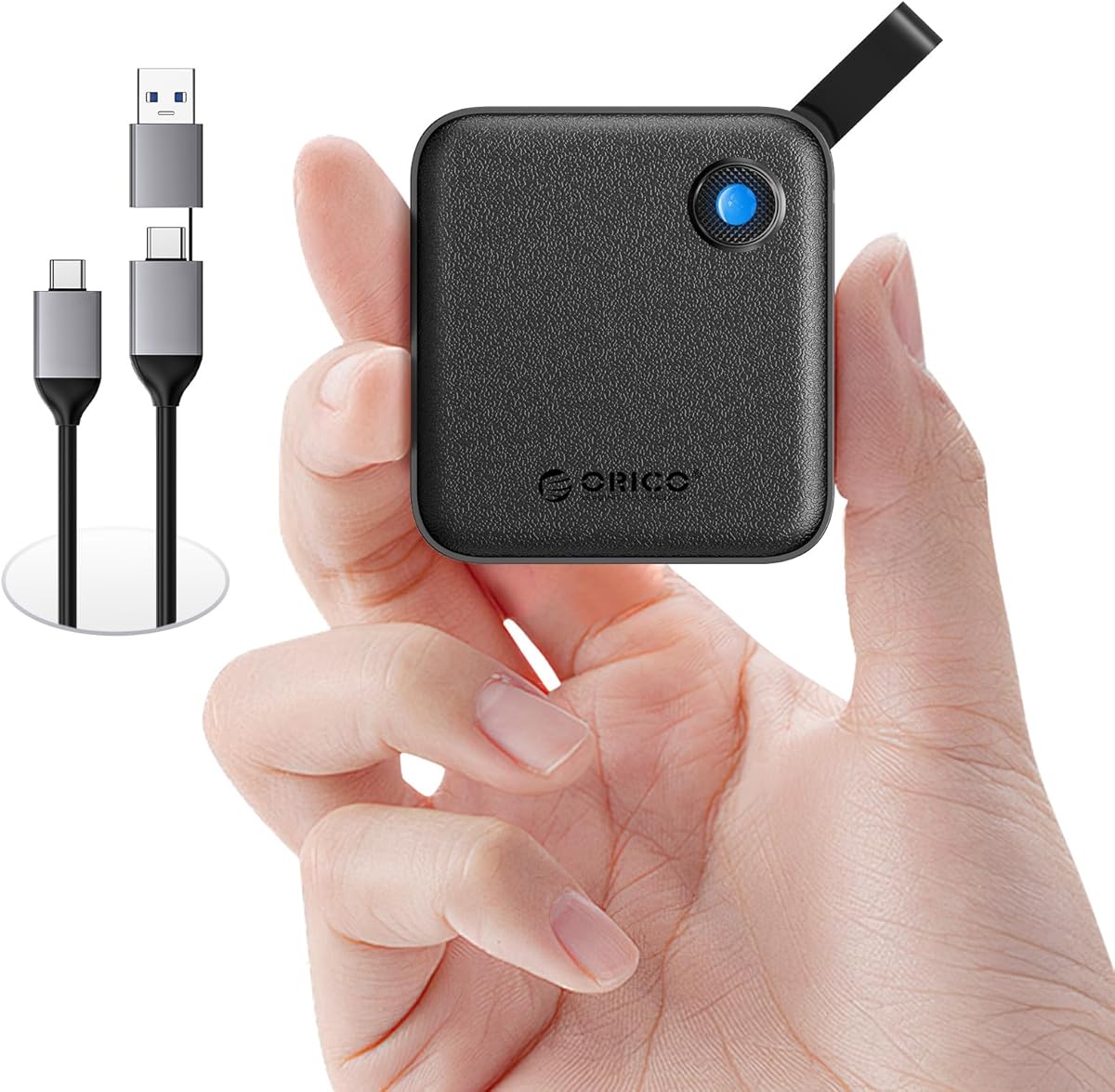
This ORICO SSD provides fast solid-state performance in a portable package for modern devices. It comes with both USB-C and USB-A cables ensuring compatibility with various ports. The lightweight design makes it easy to carry alongside your tablet daily.
We may earn a commission when you buy through this link, at no additional cost to you.
Transfer speeds reaching up to 460MB/s allow quick access to large files and applications. The durable casing protects internal components while maintaining a slim profile. Users appreciate the versatility of connecting to different devices without needing extra adapters.
The price per gigabyte might be higher compared to standard flash drives which could be a consideration for bulk storage. However the speed and reliability of SSD technology often justify the cost. It suits users who value performance over maximum capacity.
Users looking for a balance of speed and portability will find this SSD appealing. It bridges the gap between slow traditional drives and bulky external hard drives. The included cables make it ready to use right out of the box.
Included USB-C and USB-A cables ensure you can connect to almost any device immediately without needing to buy separate accessories.
With solid-state technology this drive provides faster read and write speeds compared to traditional hard drives enhancing overall workflow efficiency.
We may earn a commission when you buy through this link, at no additional cost to you.
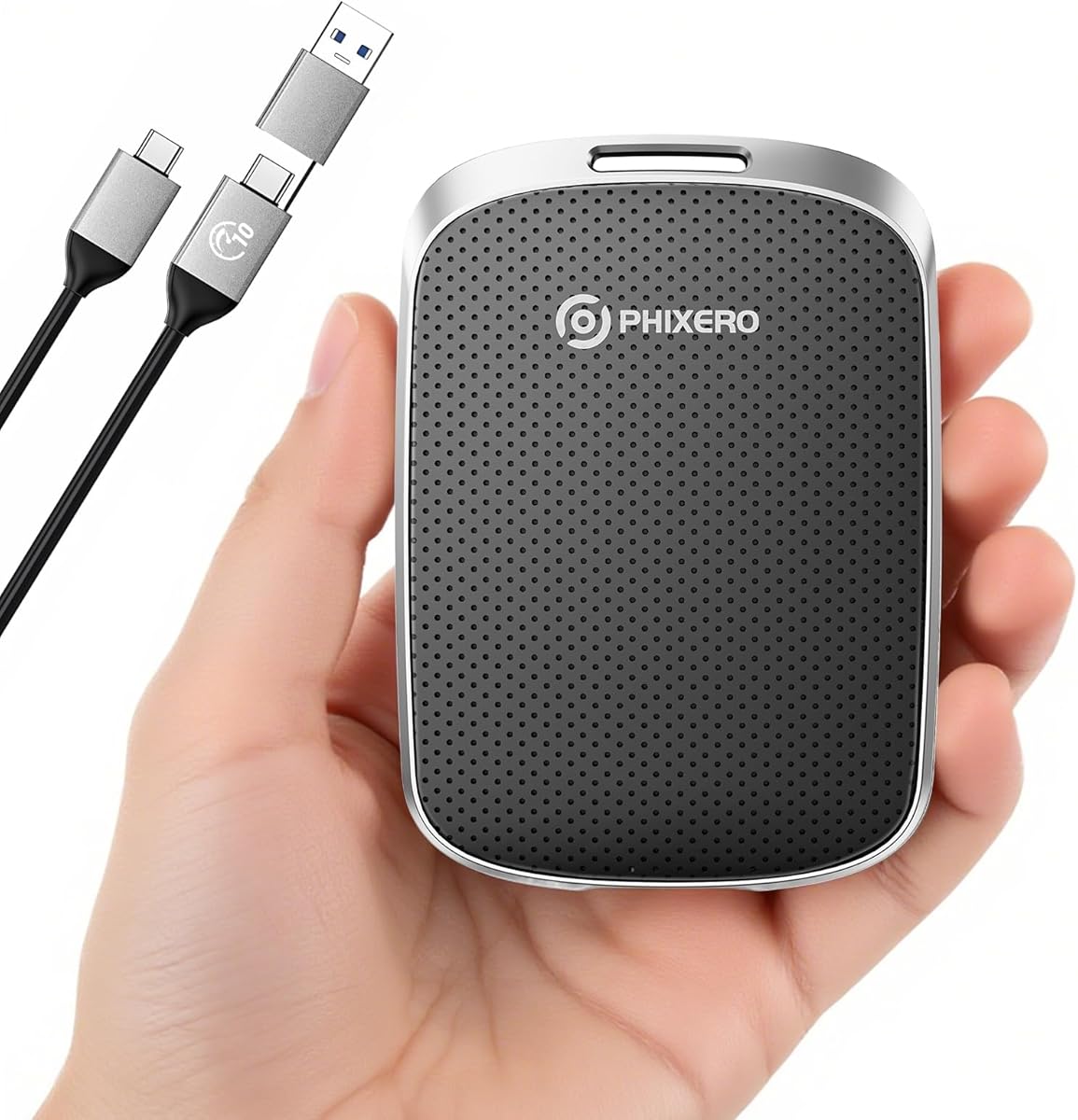
This PHIXERO SSD offers high-speed data transfer thanks to USB 3.2 Gen 2 technology. The aluminum frame provides protection against drops and vibrations while ensuring durability. Users can connect it to a wide range of devices including PCs and tablets easily.
We may earn a commission when you buy through this link, at no additional cost to you.
With read speeds up to 550MB/s files move quickly reducing downtime during work sessions. The drive operates silently which is beneficial for quiet environments like offices. It is ideal for video editors who need to review footage directly from external storage.
The price is competitive for a portable SSD but still higher than flash drives. Cables included may vary in length which could be a minor inconvenience for some setups. Overall the performance and build quality make it a strong contender in the market.
Users who need reliable high-speed storage for video editing or large files will find this SSD useful. Its compact design ensures it is always ready for mobile work. The warranty adds a layer of trust in the product's longevity.
Supporting 4K video recording this drive allows users to save high-resolution content directly without buffering or performance drops.
The solid-state design ensures no moving parts which means the drive operates silently making it perfect for quiet workspaces.
We may earn a commission when you buy through this link, at no additional cost to you.
This Vansuny drive combines USB-C and USB-A ports for broad compatibility across devices. The included keychain ensures it stays attached to your keys or bag. Users find it convenient for backing up photos and videos on Android devices quickly.
We may earn a commission when you buy through this link, at no additional cost to you.
Data transfer is fast enough for everyday files with USB 3.0 speeds. It defaults to exFAT format which works with most smartphones and computers out of the box. This compatibility simplifies the initial setup process for new users.
Write speeds might not match higher-end drives which could affect large file transfers. Users should check the drive format if issues arise with specific devices. Despite these limitations it remains a budget-friendly option for general use.
Casual users looking for an affordable way to expand tablet storage will appreciate this drive. Its dual interface eliminates the need for multiple adapters. The keychain feature adds practical value for portability and security.
The included keychain helps prevent loss by attaching the drive securely to your keys or backpack for easy access whenever needed.
Compatible with Windows Mac Linux and Android systems this drive works across most operating systems without requiring special drivers.
We may earn a commission when you buy through this link, at no additional cost to you.
Selecting the right storage solution depends on several factors including capacity speed and compatibility with your specific tablet model.
Evaluate how much space you actually need based on your typical usage. If you primarily store photos and videos a 128GB card might suffice but professionals may prefer 512GB or 1TB options for larger datasets.
Consider future needs as your collection of media and apps will likely grow over time. Investing in slightly higher capacity now can prevent the need for another purchase soon.
Check your tablet's ports to decide between microSD cards USB-C drives or flash drives. Some tablets only support microSD slots while others rely on USB-C ports for external storage.
Ensure the connector type matches your device to avoid needing additional adapters. Compatibility is crucial for seamless data transfer without extra hardware.
Look for high-speed standards like USB 3.0 or UHS-I for faster file transfers. Speed is important if you work with large video files or require quick access to apps.
Higher speeds reduce waiting time during backups and transfers improving overall productivity. Always check read and write speed specs before purchasing.
Portable devices are often carried around so durability matters. Look for waterproof shockproof or metal casing options if you plan to use the drive in varied environments.
A robust build protects your data from physical damage and environmental hazards. Invest in quality construction to ensure longevity.
If you use multiple devices like Windows PCs and Android tablets choose a drive that supports all of them. Formats like exFAT work across different operating systems without issues.
Cross-platform compatibility prevents the need to reformat drives for different devices. This versatility adds value to your storage investment.
Plug-and-play drives require no software installation making them simpler for everyday use. Avoid solutions that need specific drivers or apps unless necessary.
User-friendly designs save time and reduce setup frustration. Simplicity is key for quick data access.
A longer warranty period indicates manufacturer confidence in product quality. Check if the brand offers reliable customer service for potential issues.
Good support ensures you are protected if the drive fails unexpectedly. Look for warranties of at least five years when possible.
Compare prices against storage capacity and speed to find the best value. Cheaper drives might lack speed or durability features that matter for long-term use.
Balance budget constraints with performance needs to make a smart purchase. Investing slightly more often yields better reliability.
Always connect and disconnect storage drives properly to avoid data corruption. Safely eject the drive through your tablet's settings before unplugging to ensure all data is written correctly.
Keep the connectors clean and free from dust to maintain a good connection. Use the protective caps when not in use to prevent physical damage to the ports.
Store your drives in a cool dry place to prevent heat or moisture damage. Avoid exposing them to extreme temperatures which can degrade the internal components over time.
Yes many modern tablets allow you to install apps directly on microSD cards or USB drives if formatted correctly. Check your device settings to enable this feature and ensure the drive supports high-speed access.
Generally not if you use a high-speed card or drive. Slower storage might cause lag during data access but modern USB 3.0 and UHS-I options perform well without affecting tablet speed.
Connect the drive to your tablet to move files onto it then plug it into your computer to access the data. Use file manager apps or drag and drop in your operating system to complete transfers easily.
Most drives do not offer encryption by default so sensitive data may be at risk. Use encryption tools or secure apps to protect private files stored on external media for added safety.
Losing the physical drive means losing the data stored on it unless you have backups. Always keep copies of important files on the cloud or another device to prevent data loss.
Most Android tablets do but some models especially budget versions may lack microSD slots. Check your device specifications to confirm support before purchasing any external storage solution.
We reviewed ten top options ranging from microSD cards to portable SSDs to suit different storage needs. Each pick offers unique benefits depending on whether you prioritize speed capacity or affordability.
When choosing prioritize compatibility and transfer speed to ensure a smooth experience. Investing in quality storage now can save time and frustration later as your data grows.
Remember to check current availability and specifications before buying since products may update over time. Finding the right fit ensures your tablet remains powerful and versatile for all your tasks.