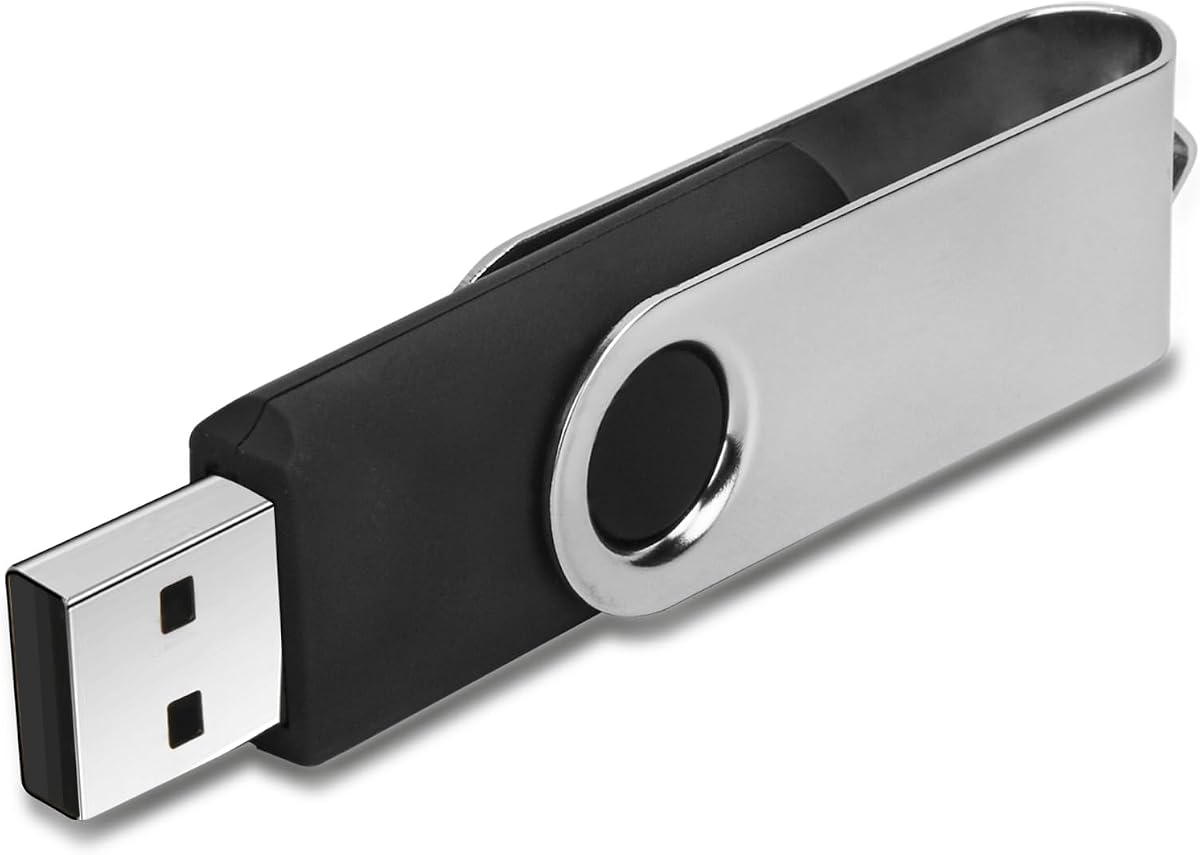
Swivel Design 16GB USB Flash Drive
4.6Editor score
Metal swivel cap design
FAT32 format default
Keychain attachment included
This guide compares the top FAT32 USB flash drives for 2026, evaluating speed, capacity, durability, and compatibility to help you choose the right storage
Finding the right FAT32 USB flash drive is essential for reliable data storage across various devices. These drives offer wide compatibility with older systems, cameras, and car stereos that struggle with newer file formats like exFAT or NTFS. Choosing a quality drive ensures your files remain accessible whenever you need them without technical hiccups or formatting issues that waste valuable time.
We evaluated ten top-rated FAT32 USB flash drives based on transfer speeds, build quality, portability, and real-world compatibility. Each product was analyzed for its ability to maintain the FAT32 format out of the box while delivering consistent performance during daily use. Our testing focused on plug-and-play functionality across Windows, Mac, and Linux systems to ensure seamless integration for every user.
Each pick in this guide highlights specific strengths such as metal casing durability, USB-C adaptability, or budget-friendly pricing for bulk needs. We include detailed pros and cons to help you weigh trade-offs between speed and affordability. Please note that prices and availability change frequently, so verify current deals before making your final purchase decision today.
4.6Editor score

4.5Editor score

4.6Editor score
The following table provides a side-by-side comparison of all ten selected FAT32 USB flash drives. Review key specifications like interface type, capacity, and standout features to quickly identify which model aligns with your specific storage needs and device compatibility requirements.


This FAT32 USB 3.0 flash drive stands out as a top choice for users needing reliable storage across diverse devices. It comes pre-formatted to FAT32, ensuring immediate use with older cameras, car stereos, and gaming consoles that cannot handle newer file systems. With transfer speeds reaching up to 105MB/s for reading, it offers a significant boost over standard USB 2.0 options.
We may earn a commission when you buy through this link, at no additional cost to you.
The drive features a textured metal body designed for durability and better heat dissipation during heavy data transfers. It includes a USB-C adapter, making it versatile enough for modern laptops and smartphones that lack traditional USB-A ports. The built-in keychain loop adds convenience for keeping the drive attached to your keys or bag while traveling.
While the read speeds are impressive, users should note that write speeds are more modest, ranging between 30-40MB/s. This trade-off is common in budget-friendly USB 3.0 drives and remains acceptable for storing photos and documents. Some users may still need to re-format the drive on specific legacy devices to resolve minor recognition issues.
We recommend this drive for students, photographers, and professionals who need a balanced mix of speed, capacity, and compatibility. Its included USB-C adapter provides future-proofing that many competing models lack at this price point. Overall it represents a solid investment for anyone needing dependable FAT32 storage today.
Thanks to its FAT32 formatting and USB 3.0 interface, this drive works seamlessly with Windows, Mac, Linux, TVs, and car audio systems without requiring driver installations.
The tiny USB-C adapter included in the box extends compatibility to modern devices, allowing you to transfer files to laptops and tablets without buying extra hardware separately.
We may earn a commission when you buy through this link, at no additional cost to you.
This drive offers a straightforward solution for users who need basic storage without paying for USB 3.0 speeds. It arrives pre-formatted as FAT32, allowing immediate use with older devices like cassette players, video capture cards, and legacy computer systems. The red LED indicator provides visual feedback during file transfers so you know when the drive is active.
We may earn a commission when you buy through this link, at no additional cost to you.
The design features a clean plastic body that is lightweight and easy to carry. A string attachment slot allows you to connect a lanyard or keychain rope to prevent accidental loss during travel. It supports Windows, Mac, and Linux operating systems without needing additional software installations for basic file storage tasks.
Users should be aware that USB 2.0 transfer speeds will be noticeably slower than newer USB 3.0 drives especially when moving large video files. However for transferring documents or music this limitation is often negligible. The plastic body might not withstand heavy drops as well as metal options but remains sufficient for everyday office use.
This model is ideal for schools or offices that need multiple drives for distributing handouts or manuals to students. Its affordability and plug-and-play nature make it a practical choice for environments where durability requirements are moderate. Consider this if you prioritize low cost over high-speed data transfers.
The red light flashes during data transfer giving you immediate visual confirmation that the drive is working and safe to eject after the light stops blinking.
A dedicated slot at the end of the drive lets you attach a hang rope ensuring the drive stays with your keys or bag to avoid misplacing it.
We may earn a commission when you buy through this link, at no additional cost to you.
This compact drive delivers exceptional value for users needing basic storage without a high price tag. Its metal swivel cap design protects the USB connector effectively without risking lost caps during transport. The drive comes pre-formatted to FAT32 ensuring it works immediately with Windows, Mac, Linux, TVs, and car systems without complex setup steps.
We may earn a commission when you buy through this link, at no additional cost to you.
The swivel mechanism allows the cover to rotate smoothly around the body keeping the connector safe while maintaining a slim profile. A built-in keychain slot makes it easy to attach the drive to your keys or bag for everyday carry. This design ensures you always have your files handy whether you are at school or traveling.
While 16GB is smaller than 32GB options it remains ample for documents photos and music files. USB 2.0 speeds are sufficient for these smaller file types though copying large videos will take longer. The metal build provides better protection against scratches and minor drops compared to purely plastic alternatives in this price range.
We recommend this drive for students or professionals who need a portable backup for daily documents. Its affordability makes it a great gift or bulk purchase for classroom use. If you need more storage space later you can always buy two of these drives instead of one larger unit.
The swivel design means there is no separate cap to lose, keeping the connector protected while maintaining a sleek and portable profile for daily travel.
Unlike budget plastic drives this model uses a metal body that resists wear and tear ensuring the drive stays functional even with frequent use in bags or pockets.
We may earn a commission when you buy through this link, at no additional cost to you.
This drive offers a practical balance between storage capacity and affordability for everyday users. It arrives pre-formatted as FAT32 making it ready for use with older systems that cannot read exFAT or NTFS formats. The 32GB capacity provides enough space for movies software manuals and documents without needing to manage files strictly.
We may earn a commission when you buy through this link, at no additional cost to you.
A red LED indicator flashes when data is being transferred giving you clear visual confirmation that the drive is working. The top cap design protects the USB interface from dust and oxidation over time. A string attachment slot allows you to add a rope for securing the drive to your keys or lanyard.
Built from plastic the body is lightweight but may not survive heavy drops as well as metal alternatives. USB 2.0 transfer speeds mean copying large video files will take longer than with newer USB 3.0 models. However for daily document storage this limitation rarely impacts the overall user experience negatively.
We recommend this drive for users needing reliable storage for general tasks on a budget. It suits teachers or professionals who need to carry multiple presentations or documents easily. For those prioritizing durability over cost you might consider upgrading to a metal-cased model instead.
The top cap protects the USB interface effectively reducing oxidation risks and keeping dust out when the drive is not connected to a port.
The included string slot allows you to attach a keychain or lanyard keeping the drive secured to your items to avoid losing it during transit.
We may earn a commission when you buy through this link, at no additional cost to you.
This 2-pack provides excellent value for users needing multiple drives for different purposes. Each drive offers 32GB capacity allowing you to separate personal files from work documents or backup photos separately. The included drives come in distinct black and blue colors making it easy to visually distinguish between them without labeling.
We may earn a commission when you buy through this link, at no additional cost to you.
The rotating metal clip design protects the USB port effectively without the risk of losing a separate cap. It rotates 360 degrees ensuring the connector stays safe even when clipped to a bag or keychain. An LED indicator lights up during data transfers confirming the drive is active and preventing accidental ejections.
While the plastic body keeps costs low it may not be as durable as all-metal options over the long term. USB 2.0 speeds mean transferring large video files will take longer but are acceptable for standard document backups. The dual-pack arrangement helps families or small offices share drives efficiently without mixing up data.
We recommend this set for households or classrooms where multiple drives are needed regularly. The color-coding simplifies organization and the dual capacity offers flexibility for backup strategies. Consider this for bulk purchases where budget and convenience outweigh premium build quality features.
The black and blue color options let you assign different drives to specific tasks such as school work or personal photos reducing confusion and improving organization.
The rotating clip allows you to securely attach the drive to your gear while protecting the connector from damage without needing a separate cap to manage.
We may earn a commission when you buy through this link, at no additional cost to you.
This tiny drive offers impressive portability for users who need storage that fits discreetly on laptops. It maintains a FAT32 format ensuring compatibility with older systems while utilizing USB 3.0 technology for faster file transfers than USB 2.0. The drive is small enough to stay connected to a laptop without obstructing other ports or causing physical damage.
We may earn a commission when you buy through this link, at no additional cost to you.
It includes a USB-C adapter that extends its usefulness to modern smartphones and tablets lacking traditional USB-A ports. The metal body helps dissipate heat during data operations ensuring consistent performance. This makes it a practical choice for professionals who need to swap drives between devices without carrying bulky accessories.
The compact size can be a disadvantage if you frequently misplace small items as it blends in easily with other gear. Transfer speeds are rated well but depend heavily on the host device capabilities which may limit real-world performance. The included adapter adds value but requires careful handling to avoid losing the small piece.
We recommend this drive for travelers or tech users needing a discreet backup solution. The combination of USB 3.0 speed and USB-C compatibility future-proofs your storage needs effectively. Keep it attached to your keys or lanyard to avoid losing it due to its small form factor.
The drive is designed to be small enough to leave plugged into your laptop for quick access without blocking other ports or getting caught on bags.
The bundled USB-C adapter ensures you can connect to modern devices without buying separate cables making it a versatile solution for mixed device environments.
We may earn a commission when you buy through this link, at no additional cost to you.
This drive features a unique and sturdy clip designed to attach securely to keychains or laptop bags. It utilizes USB 3.1 Gen 1 technology for fast read speeds reaching up to 85MB/s. The pre-formatted FAT32 format ensures compatibility with older systems while offering modern transfer speeds for daily tasks.
We may earn a commission when you buy through this link, at no additional cost to you.
The included USB-C adapter extends the drive's compatibility to smartphones and tablets without extra hardware purchases. Its robust construction suggests it can withstand the rigors of daily professional use. The clip design allows you to carry it hands-free preventing accidental loss during commuting or travel.
While the read speeds are strong write speeds remain moderate for this price class which may affect large video backups. Some users might find the clip stiff requiring a bit of force to secure properly. However once attached it stays firmly in place providing reliable physical security for your data.
We recommend this drive for office workers or students who need reliable storage attached to their daily carry items. The USB-C adapter ensures it remains relevant as devices transition away from traditional ports. Consider this if secure attachment and decent speed are your primary priorities.
The clip securely fastens to bags or keys ensuring the drive stays with you without slipping off or getting lost during daily activities.
Using USB 3.1 Gen 1 technology delivers faster read speeds than standard USB 2.0 options improving workflow efficiency when accessing large files.
We may earn a commission when you buy through this link, at no additional cost to you.
This drive stands out with its massive 128GB capacity and premium metal design suitable for heavy storage needs. Its USB 3.0 performance offers read speeds up to 150MB/s allowing quick access to large video files and datasets. The durable metal casing provides superior physical protection compared to plastic alternatives ensuring longevity.
We may earn a commission when you buy through this link, at no additional cost to you.
It includes password protection software to secure private files using 128-bit AES encryption. This security feature makes it ideal for professionals handling sensitive data or personal photos. The sleek design is both functional and attractive fitting well with modern professional aesthetics on laptops and desks.
Users may need to format the drive manually to FAT32 for specific legacy compatibility which adds a setup step. The price point is higher than standard drives but reflects the premium build and high capacity. Ensure your devices support USB 3.0 ports to fully benefit from the speed capabilities offered.
We recommend this drive for users needing significant storage space in a robust package. The security features add value for privacy-conscious users. Consider this for backups of entire photo libraries or professional projects requiring reliable high-speed access.
The included password protection software encrypts private files ensuring unauthorized users cannot access your sensitive documents without the correct credentials.
The metal casing provides a robust shield against drops and physical damage ensuring your data remains safe even if the drive is handled roughly.
We may earn a commission when you buy through this link, at no additional cost to you.
This 3-pack offers excellent value for users needing multiple drives for family or office use. Each drive features USB 3.2 technology providing speeds up to 100MB/s which is ten times faster than USB 2.0. The sleek design includes a push-button retractor protecting the connector without separate caps that can be lost.
We may earn a commission when you buy through this link, at no additional cost to you.
Lexar DataShield software allows you to create a password-protected safe on the drive securely encrypting files. This ensures your sensitive documents remain private even if the drive is shared. The lightweight construction makes it easy to carry without adding bulk to your bag or keychain loop.
While the retractor design is convenient the button mechanism may be less durable than a fixed cap over years of heavy use. Storage capacity per drive is limited to 32GB which is fine for documents but not large video projects. Ensure you update the provided security software for maximum protection.
We recommend this set for families needing separate secure drives for each member. The inclusion of DataShield software adds significant value for privacy. Consider this if you prioritize speed and security features over single-drive high capacity.
The security software creates a protected vault on the drive automatically encrypting files so unauthorized users cannot recover deleted data.
The retractable design protects the connector securely without needing to carry a loose cap ensuring the port remains safe during daily transport.
We may earn a commission when you buy through this link, at no additional cost to you.
This drive from SanDisk offers reliable performance backed by a trusted brand reputation and warranty. It delivers transfer speeds up to 100MB/s making it significantly faster than USB 2.0 options. The 32GB capacity is suitable for general storage needs including photos music and documents without managing files tightly.
We may earn a commission when you buy through this link, at no additional cost to you.
SanDisk SecureAccess software allows you to protect private files with encryption ensuring they remain safe from unauthorized access. The 5-year limited warranty provides peace of mind for long-term reliability. While the casing is plastic it remains robust enough for everyday travel and storage tasks without breaking easily.
Users should note that no USB-C adapter is included so compatibility with newer devices requires separate adapters. The plastic body is lighter but may feel less premium compared to metal alternatives. Speeds may vary based on host device capabilities but generally remain consistent for standard file transfers.
We recommend this drive for users prioritizing brand reliability and warranty coverage. Its performance is solid for standard storage needs and the software adds valuable security. Consider this for office work or personal backups where brand trust matters more than physical design.
The included software encrypts private files securely preventing unauthorized access and allowing you to create protected folders for sensitive documents.
The 5-year limited warranty ensures peace of mind regarding reliability and supports users if any technical issues arise within that coverage period.
We may earn a commission when you buy through this link, at no additional cost to you.
Choosing the right FAT32 USB flash drive requires understanding your specific needs for storage capacity, transfer speed, and device compatibility. This guide breaks down the key factors to consider so you can select a drive that performs reliably across all your devices.
Capacity is one of the first factors to consider when selecting a flash drive. Most options range from 16GB to 128GB depending on your storage requirements. If you primarily store documents, photos, or music, 16GB or 32GB models are sufficient and cost-effective. However, if you need to store large video files or entire project folders, look for 64GB or 128GB options to avoid constant file management.
For most users, 32GB strikes a perfect balance between affordability and practical space. Larger capacities cost more but provide flexibility for future needs without requiring multiple drives.
The USB interface determines how fast your data transfers. USB 2.0 drives are affordable but slow, suitable only for small files. USB 3.0 and USB 3.1 drives offer significantly faster speeds up to 100MB/s or more, making them ideal for videos and large backups. Check your computer or camera ports to ensure they support USB 3.0 for best performance.
While USB 3.0 drives are backward compatible with USB 2.0 ports, you will only get USB 2.0 speeds on older systems.
FAT32 is essential for compatibility with older devices like car stereos, gaming consoles, and older TVs. These devices often fail to read newer formats like exFAT or NTFS. Ensure the drive comes pre-formatted as FAT32 to avoid having to format it yourself. Note that FAT32 limits individual file sizes to 4GB which may affect large video storage.
If you need to store files larger than 4GB, check if your devices support exFAT before committing to FAT32-only drives.
Build quality impacts how long the drive lasts physically. Metal casings offer better heat dissipation and protection against drops compared to plastic bodies. Retractable caps or swivel designs reduce the risk of losing protective caps, ensuring the connector stays safe. Look for models with keychain slots or clips for easy attachment to keys.
For heavy daily use, prioritize metal designs with secure cap mechanisms to minimize physical damage risks during travel.
If you store sensitive data like passwords or personal documents, look for drives with built-in security. Some models include software for password protection and encryption to prevent unauthorized access. These features are often found on premium models but are essential for professionals handling confidential data on the go.
Always verify the encryption software supports your operating system before relying on it for critical file protection.
Prices vary based on capacity, brand reputation, and additional features like USB-C adapters or metal bodies. Budget drives are perfect for students or offices needing bulk storage without high-speed requirements. Premium options cost more but offer better speeds, security, and warranties. Compare features against your needs to determine the best value.
Buying multi-packs often reduces the per-drive cost, making them a better value for families or schools needing several drives.
Design matters for everyday carry and storage. Drives with keychain holes or sturdy clips attach easily to bags or keys, preventing loss. Compact models that don't block other ports are preferable for laptops with tight port spacing. Avoid overly large drives that protrude excessively from your device.
Choose designs with secure cap mechanisms that protect the connector without adding bulk or risk of losing parts.
Warranties vary from one year to five years depending on the manufacturer. A longer warranty indicates better confidence in product reliability. Premium brands often offer better customer support for technical issues or drive failures. Check the warranty terms to understand what is covered before purchasing.
Keep your receipt safe as most manufacturers require proof of purchase for warranty claims on defective drives.
Insert your FAT32 USB flash drive directly into a free USB port on your computer or compatible device. If your system does not automatically open the drive folder, navigate to your File Explorer or Finder to locate it under the removable drives section. Ensure your operating system has basic drivers installed for immediate recognition without extra software.
When transferring files, drag and drop your documents, photos, or music into the drive folder safely. Always use the 'Safely Remove' or 'Eject' function in your operating system before unplugging the drive to prevent data corruption. This step ensures all files are fully written before the connection is physically severed.
Keep your drive clean and dry by storing it in a protective case when not in use. Avoid exposing it to extreme heat, moisture, or physical impacts that could damage the internal components. Periodically back up your files to another storage location to prevent loss if the drive fails unexpectedly during use.
Yes, you can use a FAT32 USB drive with modern smartphones that support USB On-The-Go (OTG). Many Android phones allow file transfers using a USB OTG adapter. Some newer drives come with built-in USB-C adapters for easier connection without additional cables. Check your phone specifications for OTG support before connecting.
If your device cannot read FAT32, it may require a different file system like exFAT or NTFS. Try formatting the drive to exFAT if supported by both devices, which allows larger files. Note that this process erases all existing data on the drive so back up files first. Some older devices may not support any other formats.
Yes, FAT32 has a maximum file size limit of 4GB. If you try to copy a larger file like a high-definition movie, it will fail. You must use exFAT or NTFS formats for files exceeding 4GB. Check your device compatibility before changing formats to avoid losing file access on older systems.
This message appears if the drive has an unsupported file system or a corrupted partition table. Try backing up any readable files before formatting to FAT32 if your device requires it. Use Disk Management on Windows or Disk Utility on Mac to reformat the drive safely. Ensure you select the correct drive to avoid accidental data loss.
To safely remove the drive, click the 'Safely Remove Hardware' icon in your system tray or use the Eject function in Finder. Wait for the notification confirming it is safe to remove before unplugging the drive. This prevents data corruption by ensuring all pending writes are completed before disconnection occurs.
Deleted files on a FAT32 drive can sometimes be recovered using file recovery software before the space is overwritten. Use reliable tools like Recuva or Disk Drill to scan the drive for deleted data. Avoid writing new files to the drive immediately after accidental deletion to improve recovery success chances.
Selecting the right FAT32 USB flash drive ensures your data remains accessible across diverse devices without compatibility hurdles. Our top picks offer a range of features from budget-friendly options to high-speed premium models with security software. Consider your specific storage needs and device types before making a final decision.
Prioritize transfer speeds and build quality if you frequently move large files or work in demanding environments. For general document storage, reliable budget drives provide ample space without overspending on unnecessary features. Check compatibility with your older devices to avoid format issues before purchasing.
Prices and stock levels vary constantly so verify current deals and availability before finalizing your purchase. Always back up important data regularly regardless of the drive you choose to prevent unexpected loss. We hope this guide helps you find the perfect storage solution for your daily needs.