
MEKO Stylus Pen
4.6Editor score
3-in-1 universal tips
Transparent disc tip
Replaceable rubber nibs
Discover the top fine tip stylus pens for touchscreens. This guide compares ten popular models for accuracy, comfort, and versatility across devices.
Finding the right fine tip stylus can transform how you interact with your touchscreen devices. Whether you are drawing, writing notes, or navigating menus, a precise tool enhances accuracy and reduces finger fatigue significantly.
We have carefully selected and analyzed ten highly rated stylus pens available on the market today. Each option offers unique features designed to meet different user needs, from budget-friendly universal tips to advanced magnetic designs.
This guide provides detailed insights into each product to help you make an informed choice. Please note that availability and pricing may vary over time, so checking current listings is recommended before purchasing your next stylus.
4.6Editor score
4.6Editor score
4.0Editor score
This side-by-side comparison highlights the key specifications and features of each stylus model to help you quickly identify the best fit for your specific touchscreen device and usage habits.


The MEKO Stylus Pen stands out as a versatile tool for touchscreen interaction with its innovative 3-in-1 design. It holds a strong rating from users who appreciate its ability to handle various tasks from navigation to note-taking without needing power sources.
We may earn a commission when you buy through this link, at no additional cost to you.
Its transparent disc tip offers precise visibility of the contact point, making it ideal for detailed work. The dual rubber tips provide alternative options for scrolling or gaming, ensuring adaptability across different screen types and user preferences.
While it lacks active features like pressure sensitivity, the passive design ensures seamless functionality without pairing issues. Users should note that the disc tip requires careful handling to avoid screen scratches during extended use.
This stylus is perfect for students or professionals seeking a reliable, budget-friendly solution. Its ease of use and replaceable components make it a practical choice for everyday tasks on tablets and smartphones.
The transparent disc tip allows you to see exactly where your mark will appear, enhancing control for detailed work.
Replaceable tips extend the product lifespan, and the lack of batteries means it is always ready to use.
We may earn a commission when you buy through this link, at no additional cost to you.
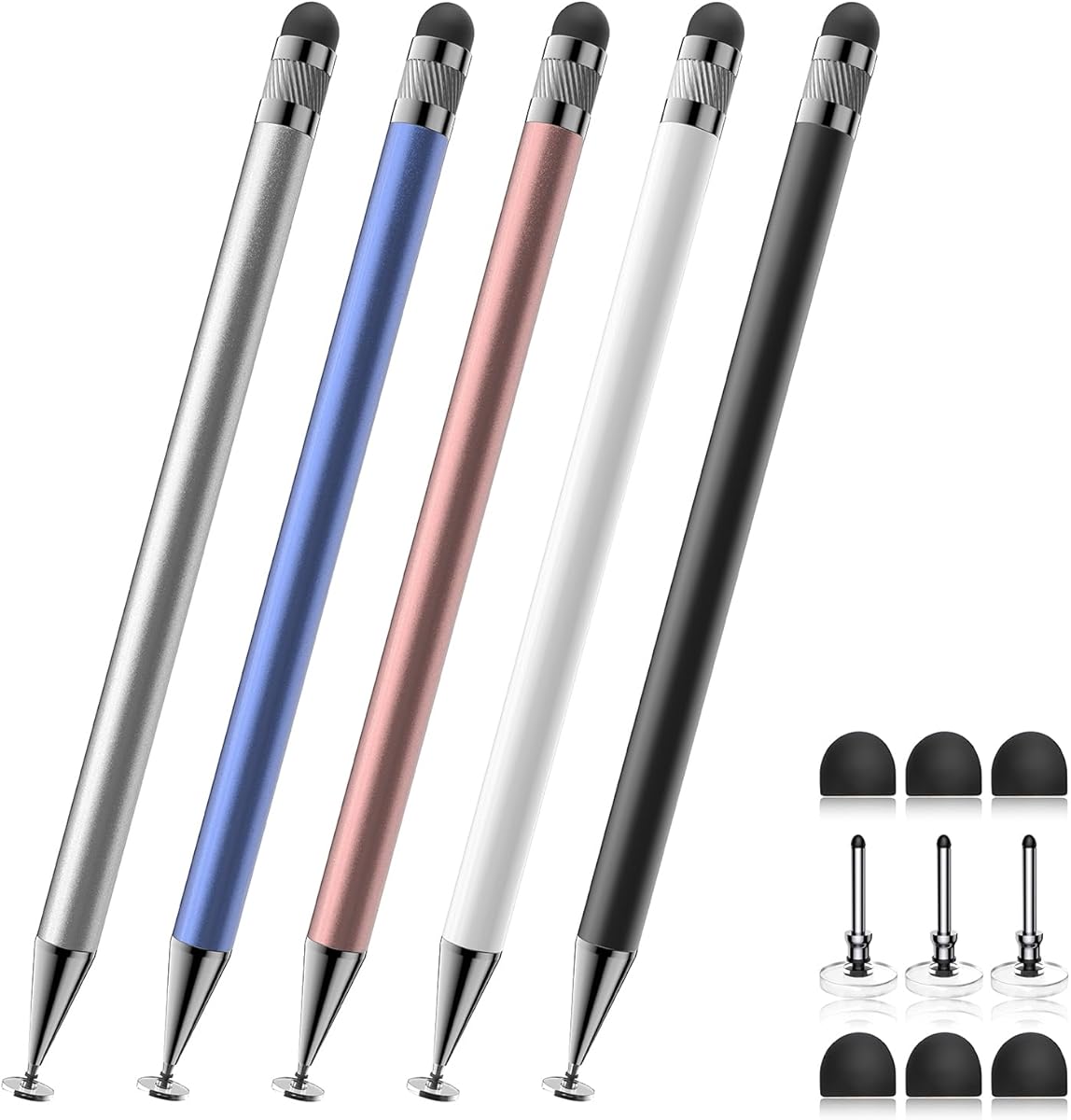
The Bopomofo Stylus offers exceptional value by providing five distinct pens in a single purchase, making it ideal for families or teams. Users praise its ability to replace fingers effectively on various touchscreens with a design that feels natural in hand.
We may earn a commission when you buy through this link, at no additional cost to you.
Each pen features a flexible transparent disc tip and a rubber tip, offering two distinct touch experiences. The set includes replacements ensuring long-term usability without needing immediate repurchase, which is a significant benefit over single units.
Although it does not support pressure sensitivity, the stylus performs well for drawing, scrolling, and note-taking. The stylish design adds a personal touch that many users find appealing for daily professional or creative tasks.
This option is recommended for those who need multiple styluses for different environments or users. Its simple operation and broad compatibility make it a convenient choice for enhancing device interaction.
With five pens included, this set is perfect for households or offices where multiple people need access to a stylus.
The patented aesthetic and ergonomic shape ensure comfort during extended use while adding style to your workflow.
We may earn a commission when you buy through this link, at no additional cost to you.
The 2026 upgraded version of this stylus brings enhanced precision with a sensitive transparent disc tip. It is designed to meet all user needs for writing and gaming, offering a smooth experience that minimizes lag effectively.
We may earn a commission when you buy through this link, at no additional cost to you.
Users appreciate the high sensitivity of the tips which allow for accurate input on various capacitive screens. The replaceable nature of the tips ensures the stylus remains functional even if a tip wears down over time.
While it does not feature advanced battery functions, the passive design means no charging interruptions. However, those requiring palm rejection should note this limitation when using it on sensitive touch devices.
This stylus is a strong contender for anyone prioritizing accuracy and versatility. It serves well for both work tasks and creative projects, providing a reliable tool for digital interaction.
The updated transparent disc tip provides superior visibility and response for detailed digital work.
Built for durability, the stylus offers a comfortable grip and replaceable components for sustained use.
We may earn a commission when you buy through this link, at no additional cost to you.
This dual-tip stylus is unique in its ability to work with both modern capacitive screens and older resistive devices. It provides a simple solution for users who interact with legacy hardware like GPS units alongside smartphones.
We may earn a commission when you buy through this link, at no additional cost to you.
The silicone round head is designed for modern tablets and phones, ensuring smooth navigation without scratches. The hard plastic tip offers functionality for specific resistive screens, though it requires careful handling to maintain screen safety.
While it lacks the refinements of active styluses, its versatility is unmatched for niche use cases. Users appreciate the straightforward design that allows immediate use without any setup or pairing steps.
Ideal for maintenance workers or collectors, this stylus bridges the gap between old and new technology. It remains a practical choice for those needing a universal tool for diverse touchscreen environments.
The hard plastic tip enables use with resistive screens, making it valuable for specific industrial or older devices.
The silicone head ensures seamless interaction with contemporary capacitive touchscreens for daily tasks.
We may earn a commission when you buy through this link, at no additional cost to you.
This set includes seven styluses offering a range of colors to suit individual preferences or group needs. The lightweight alloy body provides a sturdy feel while maintaining comfort during extended use for writing or gaming.
We may earn a commission when you buy through this link, at no additional cost to you.
Users value the high sensitivity which allows for smooth transitions without lag. The design ensures that inspiration can be captured anywhere without the need for charging or complex setup procedures.
Although it does not offer pressure sensitivity, the stylus excels in basic touch tasks and navigation. The variety of colors makes it easy to distinguish different styluses among team members or family.
Recommended for offices or classrooms, this bundle ensures everyone has a reliable tool. Its simple functionality and robust construction make it a dependable choice for everyday digital tasks.
With seven colors available, users can select a style that matches their personality or organizational needs.
The alloy body ensures durability while providing a comfortable grip that reduces hand fatigue.
We may earn a commission when you buy through this link, at no additional cost to you.
ChaoQ offers a compact three-piece set featuring vibrant aluminum bodies that feel sturdy yet lightweight. The ergonomic design reduces wrist strain, making it suitable for long periods of note-taking or scrolling tasks.
We may earn a commission when you buy through this link, at no additional cost to you.
High sensitivity rubber tips glide smoothly without scratching, ensuring a clean and precise interaction. The included replaceable tips add value by extending the life of the styluses without requiring new purchases.
This product is designed for immediate use on any capacitive screen, simplifying the user experience. While it lacks advanced features, its reliability and ease of use are highly rated by consumers.
Perfect for travel or daily commuting, these styluses are ready whenever you need them. They offer a balance of style and function that appeals to a wide range of users.
The design reduces wrist strain during extended use, which is beneficial for students or professionals.
No setup is required, allowing you to start working or playing instantly on any touchscreen device.
We may earn a commission when you buy through this link, at no additional cost to you.
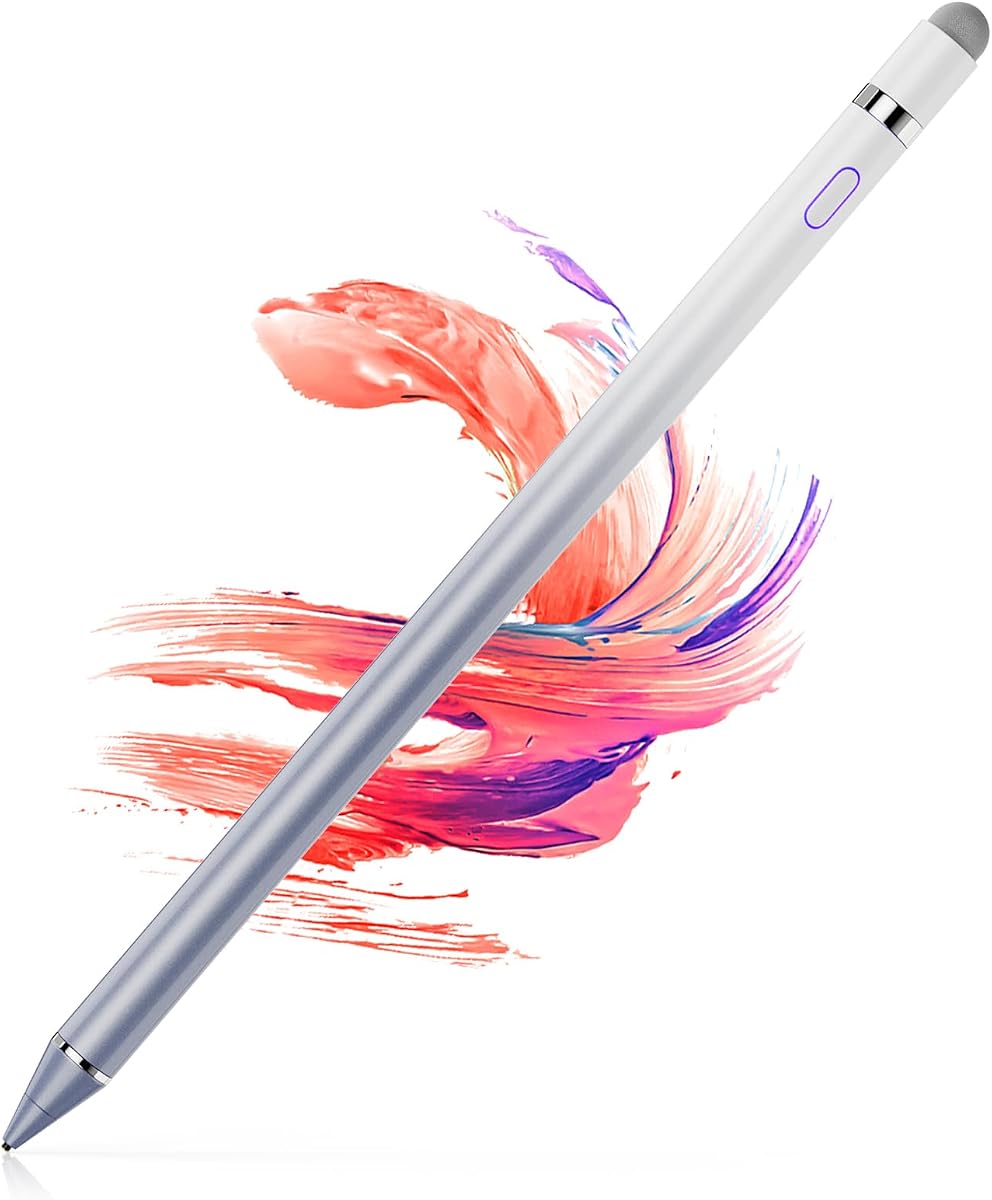
This stylus introduces a magnetic adsorption design that keeps it secure on the side of compatible devices. It features a quick charge capability providing hours of usage on a short charge, ensuring you are ready to write.
We may earn a commission when you buy through this link, at no additional cost to you.
The one-touch switch allows for easy control, letting you turn the pen on or off instantly. Users appreciate the versatility it offers across multiple devices without the complexity of full active stylus pairing.
While it does not offer palm rejection, the accuracy and sensitivity are strong for general tasks. It is a solid choice for those who want a bit more functionality than a passive stylus offers.
Ideal for creators and note-takers, this model bridges the gap between passive and active options. Its convenience features make it a compelling choice for everyday digital workflows.
The magnetic design ensures the stylus stays close to your device preventing loss and damage during transport.
Quick charging capabilities mean minimal downtime and maximum creativity for your daily tasks.
We may earn a commission when you buy through this link, at no additional cost to you.
OASO provides a thoughtful package that includes an extra replacement tip inside the pen body for easy access. The magnetic cap ensures the disc tip is protected when not in use, maintaining its condition over time.
We may earn a commission when you buy through this link, at no additional cost to you.
The disc tip is designed to simulate a human finger, offering high sensitivity without requiring power sources. Users find it effective for drawing, note-taking, and scrolling across a wide range of touchscreens.
Despite being a passive stylus, the design focuses on convenience and longevity. The included leather case adds a touch of quality and ensures the stylus remains safe during travel.
This model is suitable for users who prioritize ease of use and thoughtful design. Its features make it a reliable companion for digital tasks that require precision and durability.
The magnetic cap and leather case work together to keep the stylus protected and ready for use.
Storing the spare tip inside the pen ensures you never run out of replacements when you need them.
We may earn a commission when you buy through this link, at no additional cost to you.
This stylus features a 1.5mm ultra-fine copper tip designed for high precision and detailed art. The magnetic cap provides added security by locking the pen to the device preventing accidental loss during use.
We may earn a commission when you buy through this link, at no additional cost to you.
With a battery life of twelve hours, it supports extended creative sessions without interruption. The copper tip glides smoothly without lag or scratching, offering a realistic feel for professional-level control.
While it requires occasional charging, the convenience of no Bluetooth pairing makes it a hassle-free option. It is a strong choice for artists and professionals who need precision without active device pairing.
Ideal for detailed work on Pro devices, this stylus combines portability with performance. Its design and function make it a reliable tool for serious digital creators and writers.
The ultra-fine copper tip offers pro-level accuracy for signatures, detailed art, and precise annotations.
The magnetic cap locks the pen securely to the device ensuring it stays safe and charged when not in use.
We may earn a commission when you buy through this link, at no additional cost to you.
This active pencil offers a realistic writing feel with a 1.5mm diameter tip for precision drawing and handwriting. The quick power on function allows you to start writing within seconds without any complex setup steps.
We may earn a commission when you buy through this link, at no additional cost to you.
It provides long battery life allowing for continuous use during long sessions. Users appreciate the auto power off feature which conserves energy and extends the time between charges effectively.
While it lacks advanced pressure sensitivity, the consistency of line width is appreciated for note-taking and sketches. The Micro USB charge port ensures compatibility with existing charging cables.
Best for those wanting an active pen feel without the high cost. It balances performance and affordability making it a practical choice for everyday creative and professional tasks.
Power on within one second to capture ideas immediately without the delay of pairing or booting.
The auto power off function ensures you get maximum usage time from each charge cycle.
We may earn a commission when you buy through this link, at no additional cost to you.
Choosing the right stylus involves considering various factors that impact performance and comfort. This guide outlines the most critical aspects to evaluate before making a purchase decision.
The tip type determines the precision and interaction style of the stylus. Disc tips offer high visibility and accuracy which is ideal for drawing or detailed work. Rubber tips are more versatile for scrolling and tapping and they provide a softer touch. Consider your primary use case when selecting between these materials.
Some styluses require batteries or charging while others operate passively. Active styluses often provide features like pressure sensitivity or better palm rejection but they add weight and complexity. Passive styluses are always ready without needing power and they are simpler to maintain.
Ensure the stylus is compatible with your specific devices. While most work with standard capacitive screens certain models may support resistive screens or have unique magnetic features. Check the specifications to avoid issues with your tablets or smartphones.
Styluses with replaceable tips offer better long-term value. As tips wear out or get damaged being able to swap them extends the life of the pen. Look for models that include spare parts or offer easy access to replacements.
Comfort is key during extended use. A stylus that is too heavy can cause fatigue while one that is too light may feel cheap. Look for ergonomic designs that fit comfortably in your hand and provide a secure grip.
The build quality affects how well the stylus withstands daily use. Metal bodies offer durability but can be heavier. Plastic is lightweight but may be less resilient. Consider the construction material based on your usage habits and environment.
Styluses range from basic inexpensive options to premium models with advanced features. Determine your budget and prioritize features that matter most to you. Sometimes a simple stylus is sufficient for basic tasks.
Some packages include extra tips or cases that add convenience. A protective case can safeguard your stylus during travel. Extra tips ensure you are always prepared even if one gets lost. These small additions can enhance the overall user experience.
To get the best performance from your stylus ensure the screen is clean and free of oils. A dirty screen can affect the sensitivity and accuracy of the tip. Wipe the display with a microfiber cloth before use.
Store your stylus in a safe place to avoid damage to the tip. If it has a magnetic cap use it to secure the pen when not in use. Avoid placing heavy objects on the tip as it can become misaligned.
Regularly check and replace worn tips to maintain precision. If the stylus is rechargeable monitor the battery level and charge it before it runs out. Keeping the battery healthy ensures consistent performance over time.
Most fine tip styluses are compatible with standard capacitive screens found on smartphones and tablets. However older resistive screens may require a different type of tip. Always check the product description for device compatibility before buying.
A disc tip offers higher precision and visibility of the contact point making it ideal for detailed work. A rubber tip is softer and better for general navigation and scrolling. Many styluses include both to cover different needs.
Passive styluses can be used for drawing but they lack pressure sensitivity. This means all lines will have the same thickness regardless of how hard you press. They are sufficient for basic sketches but not professional art.
Depending on usage tips should be replaced every few months to maintain accuracy. Look for signs of wear such as fraying or loss of responsiveness. Replacing them ensures smooth operation and protects your screen.
Most active styluses need Bluetooth to access advanced features like palm rejection. Some operate without it but offer limited functionality. Check the product details to understand the connection requirements.
Magnetic caps provide convenience by keeping the stylus secure on the device. They prevent loss and protect the tip during transport. If you travel frequently this feature can be valuable despite the higher price.
In conclusion finding the right stylus depends on your specific needs and devices. Whether you need precision for drawing or simplicity for navigation there is an option that fits. Evaluate the features carefully to make the best choice.
Prioritize factors like tip type and comfort to ensure a pleasant user experience. A good stylus can significantly improve productivity and creativity on your touchscreen. Consider the budget and value propositions of each model.
Remember to check current availability and pricing before finalizing your purchase. Models may update over time so reviewing the latest specs is recommended. With the right tool you can enhance how you interact with your digital devices.