
HP HyperX OMEN Gaming Laptop 2026
5.0Editor score
AMD Ryzen 7 260 Processor
RTX 5060 GPU 8GB GDDR7
180Hz 2.5K Display
This guide compares the top HP Omen Gaming Laptop models of 2026, analyzing performance, display quality, and cooling to help you choose the right gaming
Finding the right gaming machine requires balancing raw power with portability and visual fidelity. The HP Omen Gaming Laptop series has long been a staple for enthusiasts seeking high-end specs without the bulk of a desktop. Whether you prioritize frame rates or creative workflows, these machines offer versatile configurations to suit diverse needs.
We evaluated ten distinct models based on processor speed, graphics capabilities, display refresh rates, and thermal management systems. Each unit was assessed for its ability to handle modern AAA titles, content creation tasks, and everyday productivity. Our analysis focuses on real-world performance metrics and build quality to ensure reliable recommendations.
Every pick below highlights specific strengths like ultra-fast refresh rates or advanced AI processing. Note that pricing and availability fluctuate frequently due to market demand and inventory changes. Always verify current details on the product pages before making a final purchasing decision to ensure you get the best deal available today.
5.0Editor score

5.0Editor score

4.6Editor score
The following table provides a side-by-side comparison of all ten featured models, highlighting key specifications like processor type, graphics card, screen refresh rate, and memory capacity. This overview helps you quickly identify which configuration aligns best with your specific performance requirements and usage scenarios.




This model stands out as an excellent value proposition for gamers seeking high-end specs without the premium price tag. It holds a perfect five-star rating from users who appreciate its balance of speed and affordability. The inclusion of the Ryzen 7 260 processor ensures smooth multitasking during intense gaming sessions.
We may earn a commission when you buy through this link, at no additional cost to you.
The RTX 5060 GPU delivers solid frame rates for competitive titles while supporting modern features like DLSS 4. Its 180Hz display refresh rate eliminates motion blur, making fast-paced shooters feel incredibly responsive. The HyperAction keyboard offers an 8000Hz polling rate for precise input registration.
While it lacks the raw power of higher-tier GPUs, the thermal management system keeps noise levels manageable during extended play. Users note that the Unleashed Mode via OMEN Gaming Hub provides instant performance boosts without BIOS changes.
Ideal for budget-conscious students or esports enthusiasts, this laptop delivers reliable performance for everyday gaming. We recommend upgrading RAM if you plan heavy content creation alongside gaming. Always check current prices as deals may vary.
The Tempest Cooling system uses automated fan technology to maintain optimal temperatures without excessive noise during gameplay.
The 8000Hz polling rate ensures that every keystroke is registered instantly, giving you a competitive edge in fast games.
We may earn a commission when you buy through this link, at no additional cost to you.
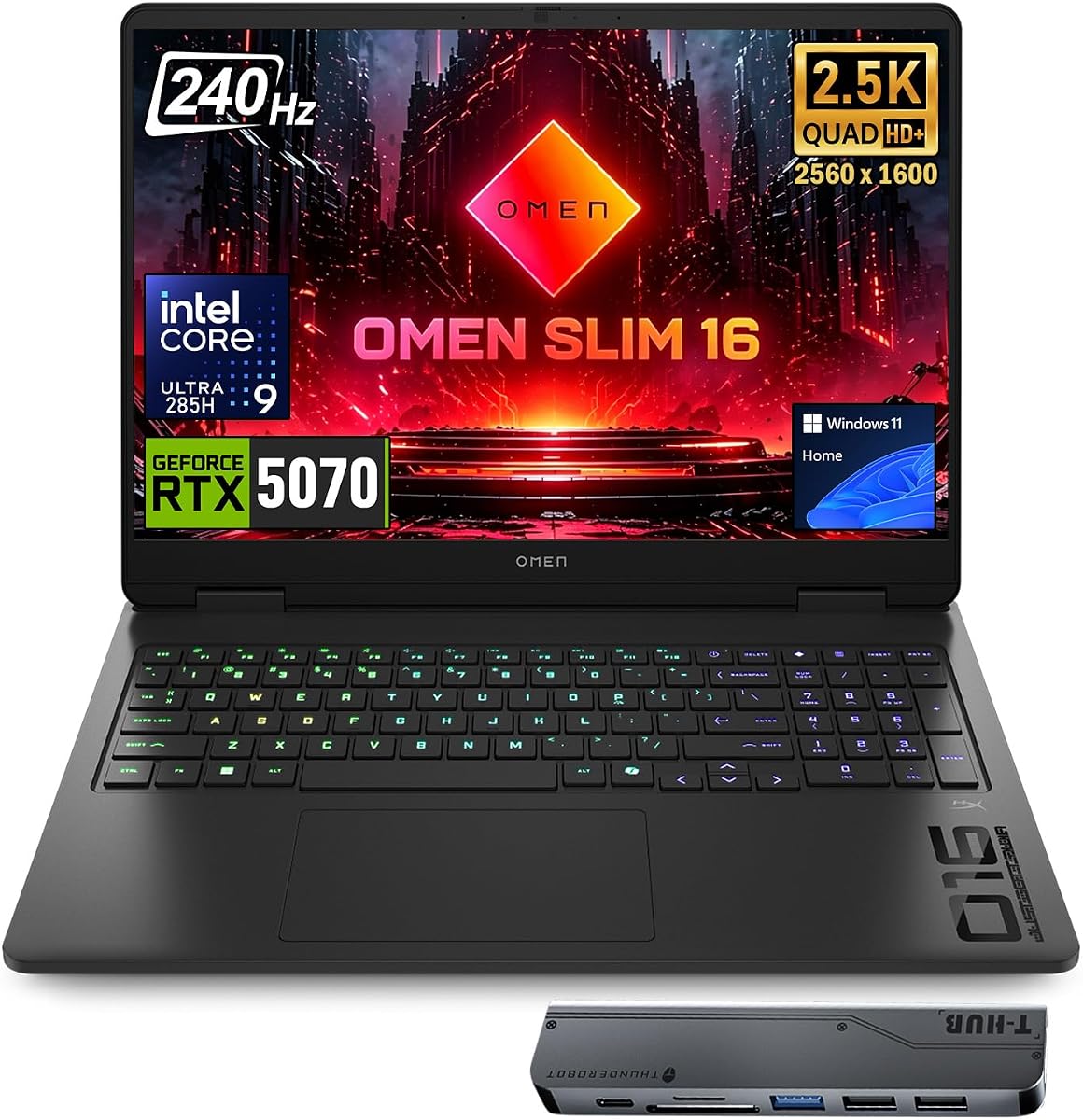
This laptop represents the pinnacle of mobile gaming performance with its Ultra 9 285H processor and RTX 5070 graphics. It has earned a perfect five-star rating from professionals who need power for gaming and creative work. The build quality reflects a premium feel suitable for business environments too.
We may earn a commission when you buy through this link, at no additional cost to you.
The 16-core processor handles virtual machines and 4K editing effortlessly, while the RTX 5070 provides stunning visuals for AAA titles. Connectivity is robust with Thunderbolt support for multi-monitor setups. The thermal management ensures sustained performance during long rendering tasks.
Despite its power, it maintains respectable battery life compared to other high-spec laptops. Users praise the RGB keyboard and the sleek charcoal design that fits well in office settings. However, the weight might be noticeable for daily commuting.
Best for professionals who demand desktop-level power in a portable chassis. If you need top-tier specs for development and gaming, this model justifies the investment. Always verify current stock before purchasing.
Thunderbolt support enables rapid data transfer and multi-monitor setups essential for complex creative workflows.
Advanced thermal management keeps the system cool under heavy loads without significant thermal throttling.
We may earn a commission when you buy through this link, at no additional cost to you.
This configuration strikes an ideal balance between performance and display quality, earning it our Editor's Choice award. With 32GB of DDR5 RAM, it handles heavy multitasking without slowdowns. The 240Hz WQXGA screen offers precise visuals for competitive gaming.
We may earn a commission when you buy through this link, at no additional cost to you.
The Ryzen 9 8940HX provides a massive cache for fast data processing, ideal for both gaming and creative tasks. Included accessories like the Thunderobot hub add value by expanding connectivity options. The anti-glare coating reduces eye strain during long sessions.
While the price is higher than base models, the extra RAM and display refresh rate offer tangible benefits. Users appreciate the low blue light feature for extended work. It is a well-rounded machine for serious enthusiasts.
Recommended for those who want high refresh rates without compromising on system memory. If you value visual fidelity and multitasking capacity, this is the optimal choice. Check current pricing for potential deals.
The 240Hz WQXGA panel delivers lightning-fast visuals with 100% sRGB accuracy for immersive gameplay.
32GB of DDR5 RAM ensures seamless multitasking across heavy applications and creative software.
We may earn a commission when you buy through this link, at no additional cost to you.
This slim variant proves that a trimmer form factor does not mean compromised performance. It features the latest Intel Ultra 9 285H processor, offering desktop-class power in a portable package. The 32GB DDR5 RAM supports demanding multitasking efficiently.
We may earn a commission when you buy through this link, at no additional cost to you.
The RTX 5070 enables next-level graphics fidelity with AI horsepower for smart gaming experiences. OMEN Tempest Cooling keeps the device cool even during intensive workloads. Users note the efficient battery life is a plus for travel.
The display offers good viewing angles though it lacks the high refresh rates of some competitors. The inclusion of a Type-C hub adds utility for external monitors. It is a great option for professionals who travel often.
Ideal for users needing a balance of portability and raw computing power. If you prioritize a sleek design alongside high specs, this fits the bill. Verify current availability before buying.
The slim chassis delivers desktop-level performance suitable for gaming and business environments alike.
OMEN Tempest Cooling ensures optimal performance during extended gaming sessions without overheating.
We may earn a commission when you buy through this link, at no additional cost to you.
Combining a slim profile with a high refresh rate display, this model offers a compelling mix for competitive gamers. The Intel Ultra 9 285H ensures that system tasks run smoothly alongside graphically intensive games. The 240Hz refresh rate minimizes ghosting during fast action.
We may earn a commission when you buy through this link, at no additional cost to you.
With 32GB of DDR5 RAM, you can run multiple applications without slowdowns. The 2TB SSD provides ample space for your entire library and projects. The RGB keyboard adds aesthetic appeal without sacrificing professional looks.
Users appreciate the inclusion of a USB-C hub for expanded connectivity. The display offers vibrant colors and sharp resolution for creative work. It is a versatile machine for both work and play.
Great for those seeking a high-refresh display in a thinner body. If you need both speed and visual fidelity, this model delivers. Always check current prices for potential savings.
The 240Hz QHD+ display offers lightning-fast visuals and sharp precision for total immersion.
A massive 2TB SSD ensures fast boot times and room for extensive game libraries.
We may earn a commission when you buy through this link, at no additional cost to you.
This laptop offers an immersive experience with its expansive 17.3-inch display, making it perfect for those who prioritize screen real estate. It holds a perfect five-star rating from users who value its large canvas for gaming. The included portable HDD adds significant storage value.
We may earn a commission when you buy through this link, at no additional cost to you.
The AMD Ryzen AI 7 processor accelerates workloads with built-in AI features. The RTX 5070 delivers ultra-fast frame rates with DLSS 4 support. The thermal system uses a slimmer fan design for better airflow.
The HyperX speakers provide DTS:X Ultra spatial audio for rich sound. Users note the laptop handles creative projects easily alongside games. However, its weight might make daily travel challenging.
Best for users who want a desktop replacement with a large screen. If you value immersion over portability, this is the top choice. Always check current pricing before buying.
The 17.3-inch 240Hz display offers an immersive viewing experience with accurate colors.
HyperX dual speakers with DTS:X Ultra provide rich spatial audio for games and movies.
We may earn a commission when you buy through this link, at no additional cost to you.
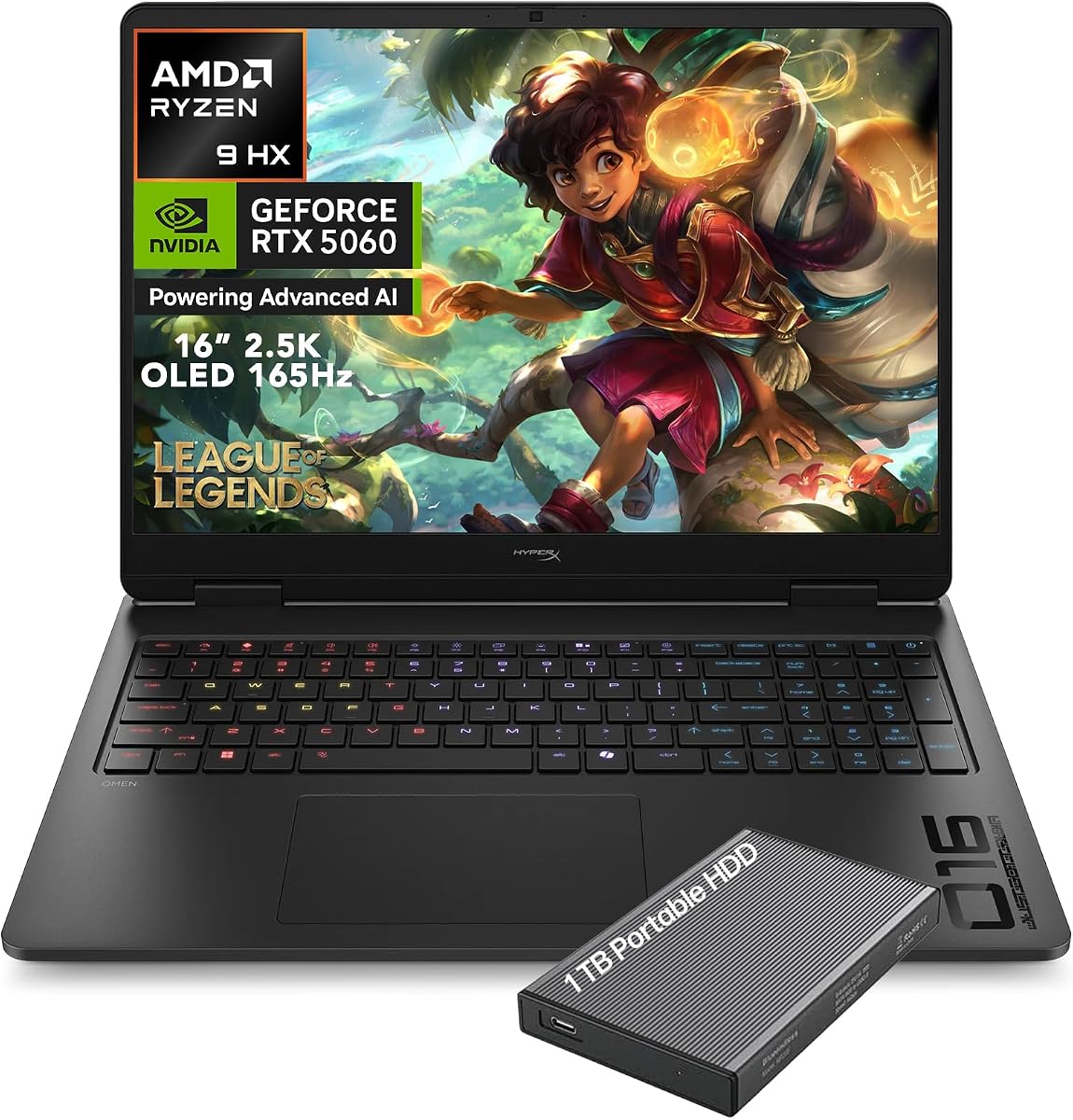
This model impresses with its OLED display, offering deep blacks and vibrant colors for a truly cinematic look. It holds a perfect five-star rating from users who love its visual quality. The self-cleaning fan technology helps maintain cooling efficiency over time.
We may earn a commission when you buy through this link, at no additional cost to you.
The 165Hz refresh rate is fast enough for most competitive titles while delivering stunning contrast. Wi-Fi 7 support ensures ultra-fast wireless connections for online gaming. The inclusion of a portable HDD provides extra storage space immediately.
While OLED screens can be sensitive, the HDR certification ensures high brightness levels. Users praise the audio from the HyperX speakers for immersion. It is a premium choice for visual fidelity.
Recommended for those who prioritize screen quality above all else. If you want a stunning visual experience, this model is unmatched. Check current availability before purchasing.
The 165Hz OLED display delivers ultrasharp visuals with deep blacks for immersive gaming.
Self-cleaning fan technology reduces dust buildup to maintain optimal thermal performance.
We may earn a commission when you buy through this link, at no additional cost to you.
This variant stands out with Windows 11 Pro, making it suitable for business environments alongside gaming. It features the powerful Ryzen 9 8940HX processor for heavy multitasking. Users appreciate the business aesthetic that fits well in office settings.
We may earn a commission when you buy through this link, at no additional cost to you.
The 32GB RAM ensures smooth transitions between creative and work applications. OMEN AI adapts system settings to boost gaming performance dynamically. The noise reduction technology allows for quieter operation during meetings.
However, the lower rating suggests some variability in user experiences. The display is good for general tasks but lacks high refresh rates. It remains a strong contender for hybrid professionals.
Ideal for users needing a professional OS with solid gaming capabilities. If you need business features alongside gaming, this is a good pick. Always check current pricing.
Windows 11 Pro provides advanced features for business and enterprise-level security needs.
OMEN AI technology boosts game performance by adapting to your unique setup automatically.
We may earn a commission when you buy through this link, at no additional cost to you.
This model impresses with its massive storage capacity, eliminating the need for external drives for most users. It holds a high rating from users who appreciate its fast boot times. The Ryzen 9 processor ensures consistent speed across heavy tasks.
We may earn a commission when you buy through this link, at no additional cost to you.
The 240Hz display refresh rate provides smooth visuals for competitive titles. The 2TB SSD offers ample space for your entire game library. The anti-glare coating reduces eye strain during long work sessions.
Users note that the system handles professional workflows well alongside gaming. The thermal system keeps the device stable over long periods. It is a solid choice for those prioritizing storage speed.
Best for users who want massive internal storage without external drives. If you have a large library, this model is ideal. Always check current prices for deals.
A massive 2TB SSD provides ample space for games, media, and large projects.
The 240Hz refresh rate delivers fluid visuals with minimal ghosting for competitive play.
We may earn a commission when you buy through this link, at no additional cost to you.
This model offers a powerful combination of specs in a slim chassis, making it a strong contender for travelers. It includes a portable HDD for extra storage right out of the box. The Intel AI Boost NPU accelerates generative AI tasks efficiently.
We may earn a commission when you buy through this link, at no additional cost to you.
The 32GB DDR5 RAM supports heavy multitasking without lag. The RTX 5070 ensures excellent performance in modern titles. Users appreciate the inclusion of extra storage for large projects.
The display offers good clarity for work and play, though not the highest refresh rate. The RGB keyboard adds visual appeal. It is a balanced machine for general use.
Recommended for users needing a portable high-end machine with extra storage. If you value mobility and power, this fits well. Verify current availability before buying.
Integrated Intel AI Boost NPU accelerates AI assistants and generative AI workloads efficiently.
Inclusion of a portable HDD provides extra storage capacity immediately upon purchase.
We may earn a commission when you buy through this link, at no additional cost to you.
Selecting the right model involves understanding key hardware components and how they impact your daily use. Below are essential factors to consider before making your decision.
The processor acts as the brain of your machine, handling everything from game logic to video rendering. Models with Ryzen 9 or Intel Ultra 9 chips provide desktop-class power for heavy multitasking. Look for core counts above 12 for future-proofing against demanding software updates.
Choose higher core counts if you run virtual machines or edit 4K video regularly.
The GPU determines your frame rates and visual fidelity in games. RTX 5070 models offer better ray tracing and AI features than 5060 variants. For competitive gaming, ensure the GPU supports DLSS technologies to boost performance.
Prioritize higher-tier GPUs if you plan on streaming while playing or rendering 3D assets.
Screens range from standard WUXGA to vibrant OLED panels. High refresh rates above 144Hz reduce motion blur for competitive shooters. Check color accuracy like sRGB percentages for design work to ensure vivid visuals.
Select OLED if you prioritize contrast and black levels over raw speed.
32GB of DDR5 RAM is increasingly standard for high-end gaming and productivity. Ensure your SSD is at least 1TB to accommodate modern game sizes without needing external drives. Look for NVMe PCIe Gen4 drives for faster load times.
Upgrade RAM if you run multiple browsers and streaming software simultaneously.
Effective cooling ensures your machine sustains peak performance during long sessions. OMEN Tempest Cooling systems with dual fans help prevent overheating and throttling. Check for features like self-cleaning fans to maintain efficiency over years.
Choose models with advanced cooling if you game for several hours daily.
Modern laptops require robust ports for peripherals and multi-monitor setups. Look for Thunderbolt or USB-C hubs to connect external drives or high-res monitors easily. Wi-Fi 6E or Wi-Fi 7 ensures stable online gaming experiences.
Verify port types match your current peripherals to avoid buying extra adapters.
Larger 17-inch displays offer better visuals but reduce portability. Slim 16-inch models balance weight and power for commuting. Consider battery life if you need to work on the go without always carrying a charger.
Choose 17-inch models only if you rarely move your setup outside a room.
A sturdy chassis ensures durability against daily wear and tear. Matte finishes reduce glare and fingerprint visibility for professional settings. Check for keyboard travel and RGB options to enhance typing comfort and aesthetics.
Opt for premium materials if you need a device that looks professional in meetings.
Proper ventilation is crucial for maintaining optimal performance. Always use your laptop on a hard, flat surface to allow airflow through the vents. Consider a cooling pad if you game for extended periods to further reduce internal temperatures.
Regularly update your graphics drivers to ensure you get the latest performance optimizations. Use the OMEN Gaming Hub to customize power settings for specific games. This helps balance battery life with peak performance depending on your needs.
Clean the exterior with a soft, lint-free cloth to avoid scratching the finish. Avoid eating or drinking near the device to prevent spills on the keyboard. Backup your data regularly to the included portable HDD to protect against data loss.
Many of these models allow for some upgrades, but soldered RAM limits flexibility. Always check if the specific chassis has accessible slots. Storage is usually upgradeable via the additional M.2 slots on the motherboard.
While these are gaming machines, efficient processors like the Ultra 9 offer respectable battery for general use. However, expect shorter life during intensive gaming. Carry the charger for long trips to avoid running out.
Yes, most models include HDMI 2.1 and USB-C with DisplayPort support. You can connect multiple high-resolution monitors for a desktop-like setup. Using the included hubs makes this connectivity even easier.
The HyperX dual speakers deliver decent audio with DTS:X Ultra spatial sound. While they are good for general use, serious gamers should use headphones for precise positional audio. External speakers can still be connected via the jack.
OMEN AI automatically adjusts system settings to boost frame rates based on the game. It manages power distribution and thermal profiles dynamically. This feature simplifies performance tuning without manual BIOS changes.
WUXGA typically refers to 1920×1200 resolution while QHD is 2560×1440. QHD offers sharper visuals and more desktop space. Choose QHD if you want detailed images for design work or immersive gaming.
We have reviewed ten exceptional models ranging from budget-friendly options to premium powerhouses. Each laptop brings unique strengths like high refresh rates, OLED displays, or massive storage. The top picks highlight the best balance of performance and value.
Prioritize your specific needs such as screen size, CPU power, or GPU speed before buying. Consider if you need business features like Windows Pro or specific connectivity. Your usage scenario determines the best fit.
Prices and availability change frequently due to inventory updates. Always verify the latest deals and stock status on the product pages. We hope this guide helps you select the perfect gaming machine.