
Tonmom Laptop Stand for Desk
4.5Editor score
Adjustable 7 level height
Lightweight foldable design
Wide laptop compatibility
A laptop ventilation stand helps keep your device cool while improving your workspace ergonomics. These stands elevate your notebook to eye level, reduce neck strain, and allow better airflow to prevent overheating during intense tasks like gaming or video editing.
We analyzed ten highly rated stands based on stability, material quality, airflow design, and compatibility. Our comparison covers aluminum risers, adjustable models, and cooling pads to help you find the right solution for your specific laptop size and usage habits.
Each pick highlights key features like portability, build strength, and thermal management. While we focus on performance and design, remember that prices and availability can change. Check the current listings before making your final decision to ensure you get the best value.
4.5Editor score

4.8Editor score

4.7Editor score
As an Amazon Associate we earn from qualifying purchases.
Here is a side-by-side comparison of the top ten laptop ventilation stands. Each entry lists key specifications to help you quickly identify which model offers the best balance of cooling, stability, and ergonomic support for your needs.




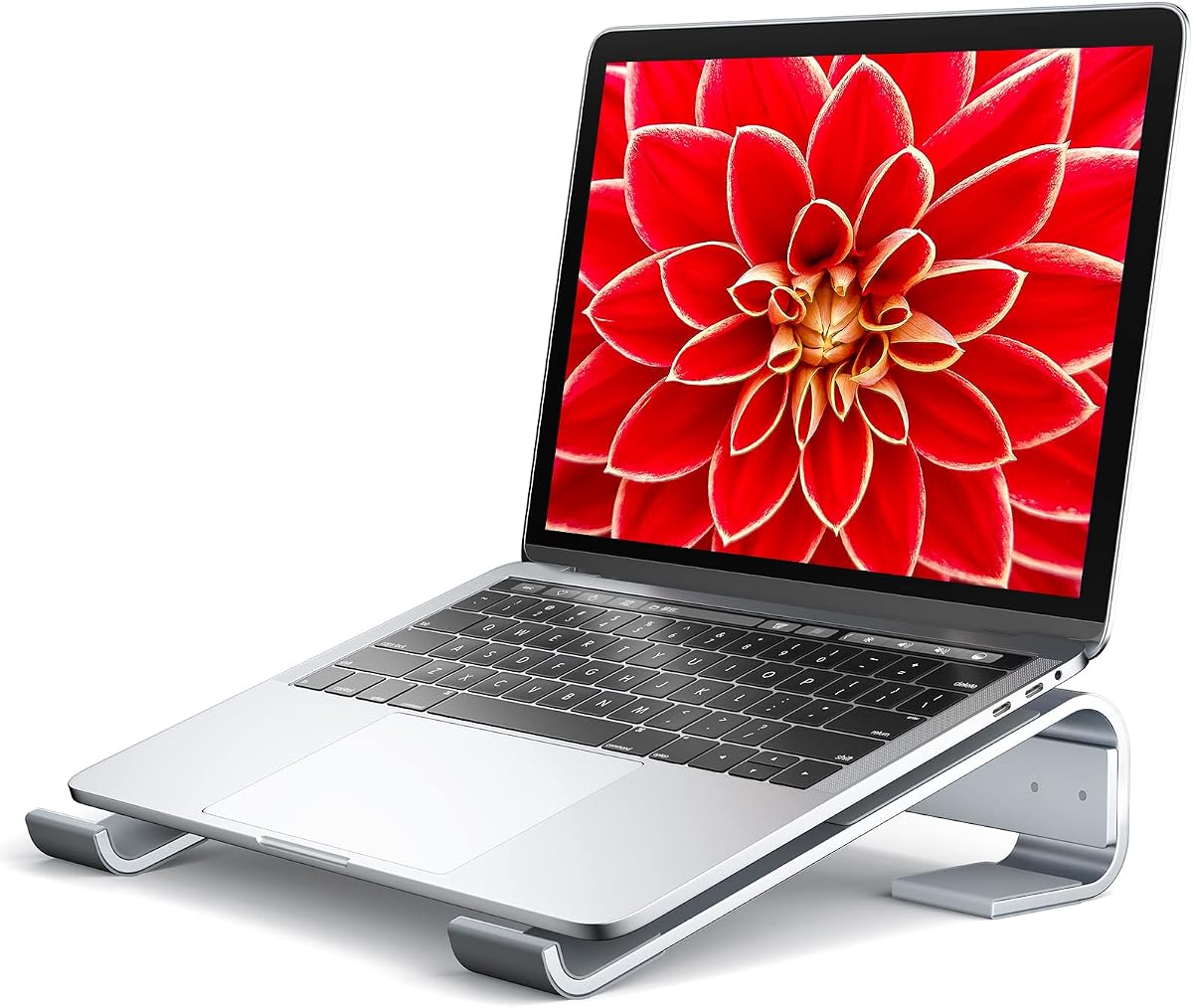

The Tonmom Laptop Stand offers an accessible entry point into ergonomic computing. With a strong rating of 4.5 stars, it delivers essential benefits like posture correction and cooling through its open design.
We may earn a commission when you buy through this link, at no additional cost to you.
Its standout feature is the seven-level height adjustment, allowing you to elevate your notebook from 2.78 inches up to 6.5 inches. This flexibility helps you find a comfortable eye level. The forward-tilt angle improves airflow to cool your device during operation.
While the design is effective, the materials are not as robust as aluminum alternatives. It uses a plastic construction which might feel less stable with heavy typing. However, for light use or travel, it remains a practical and cost-effective solution.
This stand is ideal for students or remote workers on a tight budget who still want to protect their neck and manage heat. If you need a simple, portable riser that keeps your laptop cool, this model is a solid starting choice.
You can adjust the height across seven levels to match your desk height and vision needs without spending a lot of money.
The open structure allows air to flow under the laptop, reducing heat buildup without needing fans or power sources.
We may earn a commission when you buy through this link, at no additional cost to you.
The Thibault Aluminum Laptop Stand brings a minimalist and sturdy option to your desk. Rated 4.6 stars, it focuses on simplicity and strength, using robust aluminum to create a stable platform for your device.
We may earn a commission when you buy through this link, at no additional cost to you.
Its primary benefit is durability and airflow. The stand is designed to accommodate laptops up to 17 inches, making it versatile for various brands. The ventilation features allow heat to escape efficiently, keeping your system cool during use. Assembly is straightforward and takes only moments.
The fixed angle might not offer the adjustability of other models, which limits customization for different seating positions. Additionally, while the design is sleek, it requires you to put the pieces together before use. These are minor trade-offs for the value provided.
This stand works well for users who prefer a solid, metallic build that supports larger devices. If you value stability and cooling without complex adjustments, this Thibault model is a reliable choice for your home office.
Crafted from aluminum alloy, this stand resists wear and provides a stable, long-lasting base for your valuable laptop.
It supports devices up to 17 inches, offering a secure fit for many desktop replacement and gaming machines.
We may earn a commission when you buy through this link, at no additional cost to you.
The Kootek Laptop Cooling Pad offers a more active approach to heat management. With a 4.4-star rating, it combines cooling fans with ergonomic features, making it a hybrid solution for demanding tasks.
We may earn a commission when you buy through this link, at no additional cost to you.
It features five quiet fans that you can control via switches, allowing you to balance noise and cooling as needed. The dual USB hub adds connectivity for peripherals, while six height settings let you customize your viewing angle. It fits laptops from 12 to 17 inches.
The need for a USB power connection can limit portability and cable management. The active fans also add some bulk compared to simple risers. However, the enhanced cooling performance is worth it for users running intensive software.
This product is best for gamers or professionals who push their laptops hard and need extra thermal relief. If you want active cooling combined with an ergonomic stand, the Kootek pad delivers strong performance.
Five quiet fans provide adjustable cooling power, ensuring your device stays within safe temperatures during heavy workloads.
Built-in USB ports allow you to connect drives or mice directly to the stand, freeing up ports on your laptop.
We may earn a commission when you buy through this link, at no additional cost to you.
The havit HV-F2056 Cooling Pad is designed for ultra-portable cooling and ergonomics. It has a rating of 4.4 stars, and it focuses on providing a noise-free environment while keeping your laptop cool.
We may earn a commission when you buy through this link, at no additional cost to you.
It uses three ultra-quiet fans that create a noise-free atmosphere. The slim profile makes it easy to carry with your laptop bag. A metal mesh surface ensures stability, and an extra USB port helps extend connectivity. This setup is great for travelers.
Compared to larger cooling pads, it has fewer fans which may reduce cooling efficiency for very heavy loads. The height adjustments are also minimal. For most general work and light gaming, this is a solid compromise between performance and size.
Ideal for travelers or those who need a quiet, effective solution without taking up much desk space. The havit pad is a smart choice for keeping your system cool on the go.
Three quiet fans ensure minimal noise interference, allowing you to focus on work or media without distraction.
Lightweight and slim construction makes it easy to slip into a bag and take to coffee shops or meetings.
We may earn a commission when you buy through this link, at no additional cost to you.
The Amazon Basics Laptop Stand offers a balanced blend of features for everyday use. With a 4.6 rating, it is crafted from lightweight aluminum and supports up to 15.6-inch laptops, making it a versatile pick for most users.
We may earn a commission when you buy through this link, at no additional cost to you.
It provides up to seven inches of height adjustment, helping you improve posture and reduce fatigue. The open design promotes airflow to keep your device cool. It folds flat for storage and weighs only 1.7 pounds, so it is easy to pack.
Larger devices might affect stability, and the stand works best on flat, solid surfaces. The 15.6-inch limit excludes some 17-inch models. However, for standard laptops, it offers excellent value and build quality.
This stand is perfect for students or office workers who need a reliable, portable ergonomic solution. If you want a trusted brand with good adjustability and cooling, the Amazon Basics stand is a safe bet.
You can adjust the height to reach up to seven inches, helping you align your screen with your eyes for better posture.
The open aluminum structure allows air to circulate, dissipating heat and preventing thermal throttling during use.
We may earn a commission when you buy through this link, at no additional cost to you.
The Adjustable Laptop Stand Riser is a lightweight option for portable ergonomics. It holds a 4.5-star rating, and it focuses on being easy to carry while still improving your viewing angle and airflow.
We may earn a commission when you buy through this link, at no additional cost to you.
It weighs only 0.49 pounds and folds into a very small size. The six-level height system helps you find a comfortable angle, while the triangle design adds stability. The anti-slip silicone pads secure your laptop in place.
While convenient, it might feel less rigid than heavier aluminum stands. Typing aggressively could cause some wobble. Still, for travel and occasional use, it strikes a good balance between weight and functionality.
This stand is ideal for digital nomads or anyone who moves their workspace frequently. If you want a simple, light tool to reduce neck strain and improve cooling, this riser is a practical choice.
At just 0.49 pounds, this stand fits easily into a laptop sleeve and adds minimal bulk to your travel kit.
The triangular structure provides a sturdy base for most workloads, ensuring your device stays stable on the desk.
We may earn a commission when you buy through this link, at no additional cost to you.
The BESIGN LS03 Laptop Stand stands out as a top-rated choice for its premium build and ergonomics. With a 4.8-star rating, it delivers a stable, adjustable aluminum stand that improves posture and reduces neck strain.
We may earn a commission when you buy through this link, at no additional cost to you.
It elevates your laptop by six inches, providing a perfect viewing level. The premium aluminum alloy ensures stability without wobble. The open design keeps your device cool, and the detachable design allows for easy storage. It fits laptops from 10 to 15.6 inches.
The fixed angle might not work for everyone, and the price is higher than plastic options. However, the quality and comfort it provides justify the cost for many users. It is a reliable long-term solution.
This stand is perfect for office professionals who spend hours typing. If you value durability, cooling, and ergonomic comfort, the BESIGN LS03 is a highly recommended investment.
The premium aluminum alloy construction ensures no wobble, providing a steady typing experience even with heavy use.
You can detach parts easily to assemble in three steps, making it convenient to store or transport when needed.
We may earn a commission when you buy through this link, at no additional cost to you.
The Soqool Laptop Stand is designed to reduce wrist strain and improve cooling. Rated 4.7 stars, it uses aluminum alloy to create a stable platform that maintains a neutral posture during long typing sessions.
We may earn a commission when you buy through this link, at no additional cost to you.
It elevates your laptop to an ergonomic angle, alleviating pressure on your wrists and shoulders. The triangle support ensures no rocking while you type. The aluminum material helps dissipate heat effectively, preventing temperature-related crashes.
Because the angle is fixed, you cannot adjust the height or tilt. It is also heavier than plastic alternatives, which might limit its appeal for travelers. These are reasonable trade-offs for the comfort and stability it offers.
This stand is ideal for stationary desks where ergonomic comfort is a priority. If you want a sturdy, cooling-focused riser that protects your wrists, the Soqool model is a strong contender.
The elevated angle aligns your wrists with your hands, reducing strain and promoting a neutral posture for extended use.
The aluminum alloy and ventilated design work together to move heat away from the laptop, keeping it cool.
We may earn a commission when you buy through this link, at no additional cost to you.
The Aluminum Laptop Stand Riser offers a simple and elegant wedge design. With a 4.6 rating, it is precision-crafted from 6061 aluminum, providing a durable and stylish platform for your laptop.
We may earn a commission when you buy through this link, at no additional cost to you.
It raises the rear of your laptop by 35mm to improve typing angles and airflow. The base is wide and stable, while non-slip pads keep your device secure. A unique feature is the built-in dual-scale ruler, which is handy for measuring.
As a wedge, it lacks height adjustment, so you cannot change the angle. It is also a fixed design. However, for users who want a clean, stable solution with added utility, it is very effective.
This stand is great for home offices or studios where minimalism matters. If you appreciate quality materials and a simple, functional design, this aluminum riser is a great fit.
Precision-crafted from 6061 aluminum, this stand is durable and looks great on any desk with a refined finish.
Laser-engraved markings turn the stand into a convenient measuring tool for your desktop workspace.
We may earn a commission when you buy through this link, at no additional cost to you.
The Nulaxy Ergonomic Laptop Stand offers heavy-duty stability for demanding users. Rated 4.7 stars, it uses a dual-support rod mechanism to ensure a wobble-free typing experience even with larger machines.
We may earn a commission when you buy through this link, at no additional cost to you.
It supports up to 22 lbs, accommodating gaming laptops without risk. The geometric heat-vent design maximizes airflow to prevent overheating. It is also foldable and fits laptops from 10 to 16 inches, making it versatile.
The dual-foldable design adds a bit more complexity and bulk when compared to single-hinge models. This might take up slightly more space. However, the added stability and cooling performance are worth the slight trade-off.
This stand is perfect for power users with large or heavy laptops. If you need a robust, well-ventilated stand that stays stable, the Nulaxy model is an excellent choice.
The dual-support rod mechanism ensures a 100 percent wobble-free typing experience even with heavy devices.
A unique geometric design on the upper panel provides superior airflow to prevent thermal throttling during tasks.
We may earn a commission when you buy through this link, at no additional cost to you.
Choosing the right laptop ventilation stand depends on your specific needs, device size, and budget. Here are key factors to consider before making your purchase.
The material of your stand affects durability and cooling. Aluminum stands offer better heat dissipation and a premium feel, while plastic models are lighter and cheaper. Look for sturdy designs that do not wobble when typing.
Choose aluminum for long-term use and cooling, or plastic if you need something lightweight and affordable.
Ventilation is crucial for preventing overheating. Open designs with gaps allow air to flow under the laptop, while cooling pads use fans for active cooling. Passive stands are quieter and simpler, whereas active pads require power.
If you run intensive tasks, consider active cooling; otherwise, passive airflow is usually sufficient for general work.
Adjustable stands let you find the perfect viewing angle to reduce neck strain. Look for multiple height levels or tiltable designs. Fixed stands are simpler but may not suit all desk heights.
Prioritize stands that raise your screen to eye level to maintain a healthy posture during long sessions.
If you travel often, choose a lightweight and foldable stand. Some models collapse flat and weigh under a pound, while others are heavier and designed for stationary use. Consider how you will transport the stand.
Foldable designs are best for remote workers who move between locations, while solid stands suit permanent desks.
Ensure the stand fits your laptop size. Most support up to 15.6 inches, but some accommodate larger 17-inch devices. Check weight capacity too, especially if you have a heavy gaming laptop.
Verify the dimensions and load capacity match your device to avoid instability or damage.
A good stand should keep your laptop secure. Non-slip silicone pads or hooks prevent sliding and scratching. Triangle support designs often provide better stability than single supports.
Look for anti-slip features to ensure your device stays in place during typing and use.
Extra features like USB hubs or built-in rulers can be useful. Cooling pads may offer fan controls or LED lights. These can enhance functionality but might add complexity or cost.
Decide if extras like connectivity ports or measurement tools are necessary for your workflow.
Prices vary widely from budget plastic risers to premium aluminum stands. Consider how much you need the stand for and how long you expect it to last. Higher price does not always mean better performance for your needs.
Select a stand that fits your budget while meeting your ergonomic and cooling requirements.
Place your stand on a flat, stable surface to ensure safety and maximize performance. If the stand is adjustable, set the height so the screen is at eye level for comfortable viewing.
Ensure your laptop is properly aligned on the stand and secured by any non-slip pads. This prevents sliding and protects your device from potential scratches or drops during use.
Clean the stand regularly with a soft, dry cloth to remove dust and debris. For aluminum models, avoid harsh chemicals that could damage the finish. This maintenance keeps the stand looking new and functioning smoothly.
Yes, ventilation stands improve cooling by elevating your laptop and allowing air to circulate underneath. This prevents heat buildup that can cause thermal throttling. Active cooling pads with fans offer even better temperature control.
Aluminum is generally the best material because it is durable, sturdy, and conducts heat well. It adds to the cooling process. Plastic stands are lighter and cheaper but do not dissipate heat as effectively.
Yes, many ventilation stands work well with gaming laptops. Look for models that support larger sizes like 17 inches and have strong weight capacities. Active cooling pads may be better for very demanding gaming sessions.
Adjustable stands offer more flexibility to fit different desk heights and ergonomic needs. Fixed stands are simpler and often more stable. Choose adjustable if you need customization, or fixed if you want a straightforward solution.
Most basic ventilation stands do not require electricity because they rely on passive airflow. However, cooling pads with fans need a USB power connection to operate. Check the product details before buying.
Clean your stand with a soft, dry cloth to remove dust. For aluminum, you can use a slightly damp cloth. Avoid harsh chemicals that may damage the surface. Regular cleaning keeps the stand effective and looking good.
We explored ten top-rated laptop ventilation stands ranging from budget-friendly risers to heavy-duty models. The BESIGN LS03 stands out for premium stability, while the Tonmom offers great value for casual users.
When choosing, prioritize airflow design, material quality, and ergonomics that suit your workspace. If you travel, look for foldable options; if you work at a desk, stability and cooling are key.
Remember that prices and availability can change. Always check current listings and reviews before purchasing to ensure you get the best stand for your needs.