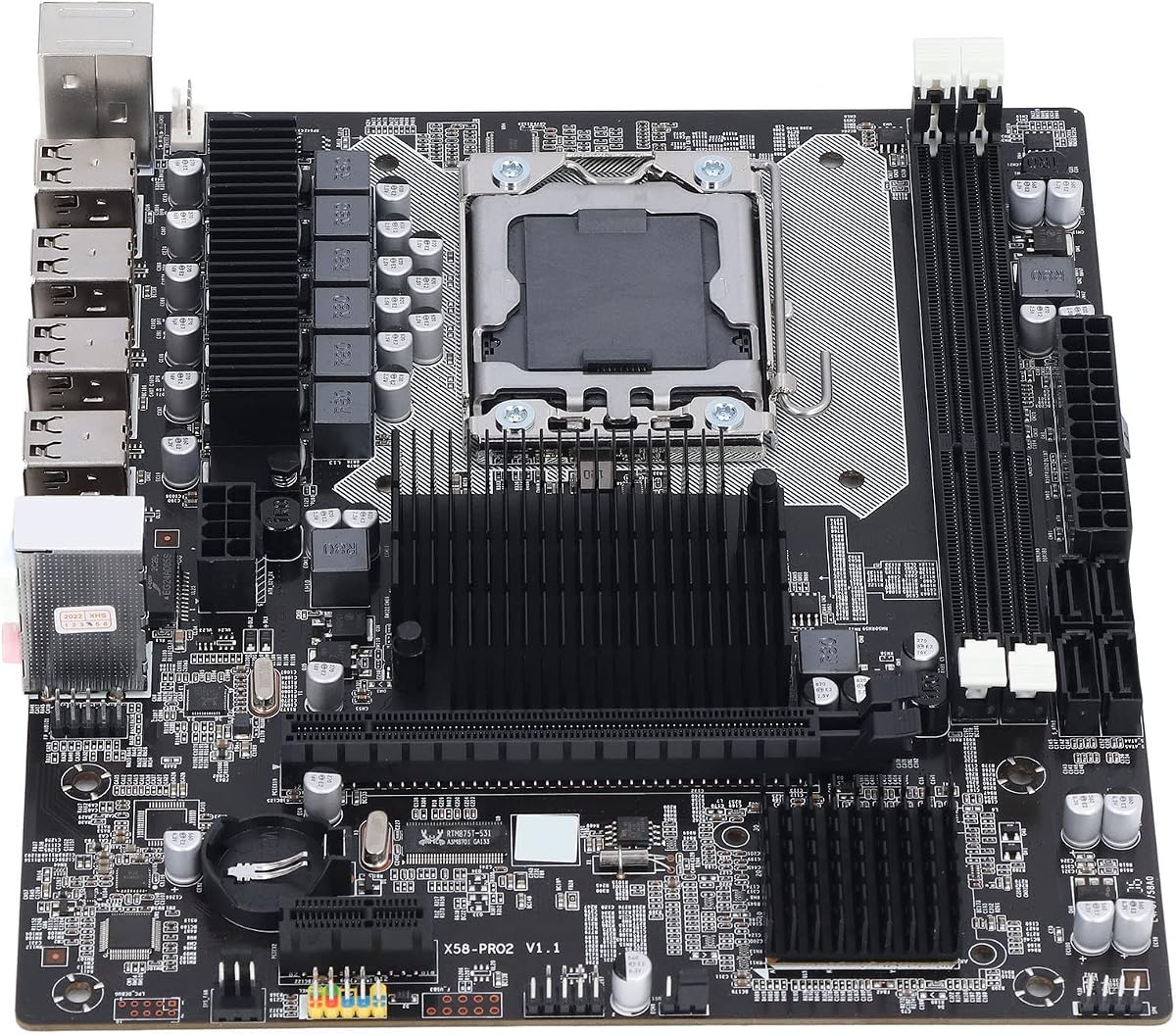
X58 Gaming Motherboard
Solid capacitor design
ECC memory support
Standard ATX power
This guide compares the top Lga 1366 Motherboard options for enthusiasts seeking legacy performance and high-end workstation capabilities today.
Finding the right Lga 1366 Motherboard is essential for builders who need robust workstation power and extreme overclocking potential in their legacy systems today.
We compared ten models based on chipset features, expansion slots, memory support, and reliability to help you find the best fit for your specific project needs.
Each pick highlights unique strengths and trade-offs so you can choose wisely. Prices and availability change frequently so check current listings before you commit to a purchase.

5.0Editor score

4.0Editor score
This side-by-side comparison helps you see key differences at a glance so you can quickly identify which board fits your workstation or gaming build requirements best.


The ASUS P6T7 WS SuperComputer stands out as a top tier choice for users needing serious workstation capabilities on the LGA 1366 platform. With a flawless five star rating from verified buyers, it delivers the reliability and performance required for demanding tasks.
We may earn a commission when you buy through this link, at no additional cost to you.
This board features an Intel X58 chipset with ICH10R and dual Nvidia NF200 bridges allowing for massive multi GPU support via CrossFireX and three way SLI. It includes dual Realtek Gigabit LAN controllers supporting teaming which is vital for network heavy workloads. The six DDR3 DIMM slots support up to 24GB of triple channel memory ensuring ample bandwidth for virtualization and rendering.
While it lacks modern USB 3.0 ports it compensates with a massive number of USB 2.0 ports and IEEE 1394a headers for legacy peripherals. The CEB form factor fits in standard ATX cases but offers enterprise grade stability. Some users note the price is high for older tech but the durability justifies the cost for critical builds.
If you need a motherboard that handles extreme multi-GPU setups and network redundancy without compromise this is the definitive choice. Its five star reputation reflects its ability to run complex workloads reliably making it the Editor's Choice for serious professionals.
Support for CrossFireX and 3-Way SLI allows multiple graphics cards to render simultaneously for maximum graphical power.
Dual Gigabit LAN controllers support teaming technology to ensure continuous internet access even if one port fails.
We may earn a commission when you buy through this link, at no additional cost to you.
This X58 Gaming Motherboard offers an accessible entry point into the LGA 1366 ecosystem for builders on a tight budget. While it lacks the extensive features of high-end models it provides the essential foundation for stable gaming or basic workstation needs.
We may earn a commission when you buy through this link, at no additional cost to you.
It features all solid capacitors which ensure stable power delivery and improved durability under load. The board supports ECC memory giving you flexibility for both gaming and workstation builds without paying a premium. It includes standard USB 2.0 ports for reliable connectivity with older peripherals and straightforward 8-pin and 24-pin power connectors.
The simplified design means fewer expansion slots and no modern high-speed interfaces like USB 3.0. However for single GPU systems or retro gaming rigs these limitations are often acceptable. The focus on solid components ensures longevity even if the feature set is modest.
For those prioritizing cost efficiency over advanced features this board delivers excellent value. It keeps system costs low while maintaining the core benefits of the X58 platform making it the Best Budget option for entry level projects.
Solid capacitors provide long-term stability without the high cost of premium chipset features or brand recognition.
Support for both ECC and non-ECC modules allows you to use server-grade RAM if available at a discount.
We may earn a commission when you buy through this link, at no additional cost to you.
The ASUS P6X58D Premium was designed to push the boundaries of the X58 platform by integrating faster data interfaces and robust overclocking tools. It holds a solid four star rating among users who value performance and modern connectivity features.
We may earn a commission when you buy through this link, at no additional cost to you.
It features True ASUS 16+2 Phase Power Design which provides unprecedented innovation with high quality components for best performance. The board includes USB 3.0 and SATA 6Gb/s support to fully unleash bandwidth for data transfers and storage RAID setups. ASUS TurboV allows for real time precise tuning to set new OC records easily.
The Stack Cool 3+ solution offers effective fanless heat dissipation keeping the system cooler by up to 20 degrees under load. While the price is higher than generic options the inclusion of legacy modern ports like USB 3.0 makes it future proof for older systems. Availability is limited due to age but it remains a premium choice.
If you need fast data transfer rates and stable power for heavy workloads this board is the Best Premium option. Its focus on bandwidth and thermal efficiency ensures your system runs smoothly even under demanding conditions.
USB 3.0 and SATA 6Gb/s support significantly boost data transfer speeds compared to older USB 2.0 and SATA 2 standards.
The Stack Cool 3+ fanless design reduces noise while effectively dissipating heat to maintain component longevity.
We may earn a commission when you buy through this link, at no additional cost to you.
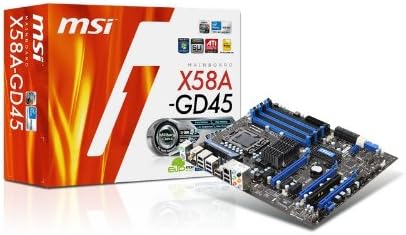
The MSI X58A-GD45 offers a strong balance of performance features at a competitive price point. Users appreciate its stable build quality and the inclusion of next-generation interfaces like USB 3.0 and SATA 6Gb/s.
We may earn a commission when you buy through this link, at no additional cost to you.
It features Revolutionary SuperSpeed USB 3.0 which is ten times faster than USB 2.0 with up to 5Gbps bandwidth. Support for next-generation SATAIII provides up to 6Gbps bandwidth doubling the data transfer rate of SATAII. The Active Phase Switching technology dynamically controls power demand to ensure efficiency and stability.
The board includes three PCI Express 16 slots allowing for flexible multi GPU configurations without breaking the bank. While the audio and USB headers are standard for the era the overall package delivers excellent value for builders needing more than basic connectivity.
For users seeking a blend of modern connectivity and reliable performance this board is a solid choice. It avoids excessive bloat while providing the essentials for high speed data and graphics expansion.
Active Phase Switching dynamically adjusts power phases to improve efficiency and reduce heat during lower load tasks.
Multiple PCI Express slots allow for adding capture cards or GPUs without needing a specialized workstation board.
We may earn a commission when you buy through this link, at no additional cost to you.
The Dx58So Extreme Series is often found in specialized builds and OEM systems requiring specific BIOS configurations. It carries a reputation for solid performance though specific user reviews are scarce compared to mass market boards.
We may earn a commission when you buy through this link, at no additional cost to you.
This board is part of the Extreme series which typically implies a focus on high-end features like robust VRM designs and advanced BIOS options. While detailed specifications are not fully listed here the naming convention suggests support for overclocking and performance tuning tools essential for enthusiasts.
Because it is less common in retail channels documentation and support may be limited compared to ASUS or MSI boards. However for users who need a specific chipset layout or BIOS feature set it can be a valuable option for targeted projects.
If you require specific OEM features or a unique layout this board warrants consideration. It is best suited for builders who have experience with less common hardware and can navigate limited documentation.
Designed for specific system integrations it offers stable performance for specialized workstation or custom PC builds.
As an Extreme series board it likely includes enhanced voltage regulation and memory tuning tools for peak performance.
We may earn a commission when you buy through this link, at no additional cost to you.
The ASUS P6X58D-E is a refined version of the X58 platform that focuses on connectivity and audio quality. It features a Realtek ALC889 8-Channel High Definition Audio CODEC which provides clear sound for media and gaming needs.
We may earn a commission when you buy through this link, at no additional cost to you.
It includes Marvell Gigabit LAN controller featuring AI NET2 for enhanced network diagnostics and stability. The board supports up to 24GB of triple channel non-ECC memory which is ideal for heavy multitasking. With dual USB 3.0 ports and multiple IEEE 1394a headers it offers versatile connectivity for legacy and modern peripherals.
While it lacks Wi-Fi capabilities the wired network performance is top-notch for this generation. The board supports ECC memory which adds a layer of stability for workstation use. Users report high reliability and good cooling solutions for VRMs and chipsets.
For builds requiring high-quality audio and reliable networking this board is an excellent choice. It balances premium features with solid performance making it suitable for media centers or office workstations.
Realtek ALC889 8-Channel High Definition Audio CODEC delivers immersive sound without needing a separate sound card.
AI NET2 features allow for real-time cable check and enhanced diagnostics to ensure stable network connections.
We may earn a commission when you buy through this link, at no additional cost to you.
The Supermicro X8STI is built with server-grade reliability in mind making it a top choice for workstation environments where uptime is critical. With a 4.7 star rating it is praised for its consistent performance under heavy loads.
We may earn a commission when you buy through this link, at no additional cost to you.
It features dual Intel 82574L Gigabit Ethernet Controllers which are known for their driver support and reliability. The board supports ECC/Non-ECC Unbuffered memory up to 24GB ensuring data integrity for professional tasks. The Matrox G200eW Graphic Controller provides basic display output which is sufficient for headless systems or secondary monitors.
While the graphics are not for gaming the dual LAN ports and memory support make it ideal for virtualization or server setups. The build quality is robust and designed for continuous operation. Some consumers find it expensive compared to gaming boards but the stability justifies the cost for professional users.
If you need a motherboard that can run 24/7 without issues this is the best option for workstation stability. It brings server-level features to the consumer platform ensuring maximum dependability.
Supermicro is known for enterprise hardware so this board is built to handle continuous operation in critical environments.
Dual Intel Gigabit controllers allow for network segmentation or redundant connections to maintain connectivity at all times.
We may earn a commission when you buy through this link, at no additional cost to you.
The Supermicro X8DTN+ is a specialized board that supports dual Intel Xeon processors which is rare for the LGA 1366 platform. This allows for massive multi-threaded performance suitable for heavy rendering or virtualization tasks.
We may earn a commission when you buy through this link, at no additional cost to you.
It supports up to 288GB of DDR3 memory which is an enormous amount for this generation. The Intel 82576 Dual-port Gigabit Ethernet Controller ensures robust networking capabilities. The Intel 5520 Chipset handles the heavy load of two CPUs efficiently.
The form factor is EATX meaning you need a large case to house it. Because it is designed for dual processors it might be overkill for single CPU builds but offers unmatched power for specific workloads. It is a niche product but highly effective for its intended purpose.
If you are building a dual-processor workstation for server emulation or rendering this board is a powerhouse. It offers memory and CPU scalability that other boards on this list cannot match.
Support for two CPUs allows for massive parallel processing power which is essential for virtualization and 3D rendering.
With support for up to 288GB of RAM this board can handle the most memory-intensive applications without bottlenecks.
We may earn a commission when you buy through this link, at no additional cost to you.
The ASUS P6T Deluxe V2 is a versatile board that supports both CrossFireX and SLI technologies for flexible multi-GPU setups. It is part of the renowned P6T series known for solid features and ease of use.
We may earn a commission when you buy through this link, at no additional cost to you.
It features Intel Dynamic Speed Technology which optimizes performance based on workload needs. The board supports up to 24GB of triple channel memory which is excellent for bandwidth hungry applications. With 12 USB ports it offers plenty of connectivity for peripheral heavy systems.
Users note that while it is a solid board it may not match the extreme overclocking features of the Premium series. The rating of 3.3 suggests some users found issues with BIOS complexity or component longevity. However for standard builds it remains a reliable choice.
If you need a flexible board for gaming or rendering without the premium price tag this is a strong contender. It offers the core features of the X58 platform in a user-friendly package.
Support for both ATI CrossFire and Nvidia SLI gives you freedom to choose the best graphics cards for your needs.
With 12 USB ports you can connect multiple devices without needing expensive external hubs or expansion cards.
We may earn a commission when you buy through this link, at no additional cost to you.
The Intel DX58SO Extreme Series is one of the few boards made directly by Intel ensuring maximum compatibility and stability. It supports up to 16GB of DDR3 memory and includes 7.1 Dolby Digital Audio for immersive sound experiences.
We may earn a commission when you buy through this link, at no additional cost to you.
It supports ATI CrossFire and Nvidia SLI making it suitable for multi-GPU builds without complex bridge requirements. The board includes 12 USB ports which is generous for the era. The BIOS interface is generally clean and user-friendly for enthusiasts.
While it lacks some advanced tweaking tools found on ASUS boards it provides a solid foundation for general use. The native chipset support often results in fewer quirks with specific CPUs or memory kits. Some users find the audio features basic but functional.
If you prefer a straightforward experience without complex proprietary software this board is an excellent choice. It delivers the core benefits of the X58 platform with the reliability of Intel hardware.
Being made by Intel ensures the board is optimized to work flawlessly with official Intel processors and memory.
Support for both SLI and CrossFire allows you to utilize multiple graphics cards for enhanced rendering power.
We may earn a commission when you buy through this link, at no additional cost to you.
Selecting the right motherboard involves considering chipset features, expansion options, and memory support to match your specific build goals.
The Intel X58 chipset is the standard for this platform offering triple channel memory support and PCIe lane flexibility. Look for boards with newer revisions that include SATA 6Gb/s or USB 3.0 for better connectivity.
Prioritize models with robust power delivery systems to ensure stability during overclocking or heavy workstation loads.
Check the number of PCI Express x16 slots if you plan to use multiple graphics cards or capture cards. Workstation boards often offer more slots and better spacing between them.
Ensure the board has enough PCIe x1 slots for Wi-Fi or audio cards if your primary slots are occupied by GPUs.
The LGA 1366 platform supports triple channel memory which is critical for bandwidth. Ensure the board supports at least 24GB of RAM if you plan to run virtual machines or heavy applications.
ECC memory support is essential for data integrity in workstation environments but is often found only on premium or server-class boards.
A strong VRM is necessary for stable overclocking and handling high-end Core i7 Extreme Edition processors. Look for boards with 16-phase or higher power designs for better thermal performance.
Solid capacitors are preferred for longevity and stability under load compared to cheaper alternatives.
Check the rear I/O panel for the number of USB ports and SATA headers. Boards with USB 3.0 are better for modern external drives and peripherals.
Consider the presence of IEEE 1394a headers if you need to connect legacy video equipment or cameras.
Ensure the board is ATX or CEB as most consumer cases will not fit large workstation boards without modification. Check case specifications before purchasing.
Some workstation boards are larger than standard ATX and may require a specific chassis to accommodate all ports.
High-end audio codecs like Realtek ALC889 are standard for better sound quality without external DACs. LAN controllers vary with Intel and Marvell offering better stability than Realtek in server environments.
Dual Gigabit LAN ports are beneficial for network redundancy or separating traffic for virtualization tasks.
Stick to reputable brands like ASUS or Supermicro for better BIOS support and build quality. Enterprise boards often last longer and are designed for continuous operation.
Check user reviews for stability issues or BIOS quirks before purchasing to avoid potential headaches during setup.
Always handle the motherboard by the edges to avoid static discharge which can damage sensitive components. Use an anti-static wrist strap when installing the board to protect it from potential harm.
Keep the motherboard in a dust-free environment and regularly clean fans with compressed air to prevent overheating. Ensure the case fans are working correctly to maintain airflow across the VRMs.
Update the BIOS to the latest stable version to ensure compatibility with your CPU and memory. Follow manufacturer instructions carefully during installation to avoid voiding warranties.
LGA 1366 motherboards support Intel Core i7 processors in the 900 and 1000 series along with Xeon 3500 series chips. These CPUs offer high core counts and overclocking potential suitable for workstation builds.
Native support for NVMe SSDs is not available on X58 chipsets. You would need to use a PCIe NVMe adapter card to get high-speed storage on these boards.
No, LGA 1366 motherboards only support DDR3 memory. Using DDR4 modules is physically impossible as the slots are different shapes and electrical requirements.
Most LGA 1366 boards support up to 24GB or 48GB of triple channel DDR3 memory. Workstation models may support up to 144GB depending on the chipset design.
They can handle older games well but modern titles may struggle due to older architecture. However they support SLI and CrossFire which can boost performance in specific titles.
Workstation boards with dual LAN or ECC support are rarer and built for durability. This niche market keeps prices higher than standard consumer boards.
We explored ten powerful options ranging from budget-friendly choices to premium workstation boards. The ASUS P6T7 WS SuperComputer stands out for its multi-GPU capabilities while the X58 Gaming Motherboard offers great value.
Prioritize your needs such as memory capacity or network redundancy when selecting your board. A higher quality board ensures stability for critical applications that require consistent performance.
Prices and availability for legacy hardware change often so check current listings before finalizing your purchase. Always verify compatibility with your case and power supply to ensure a smooth build process.