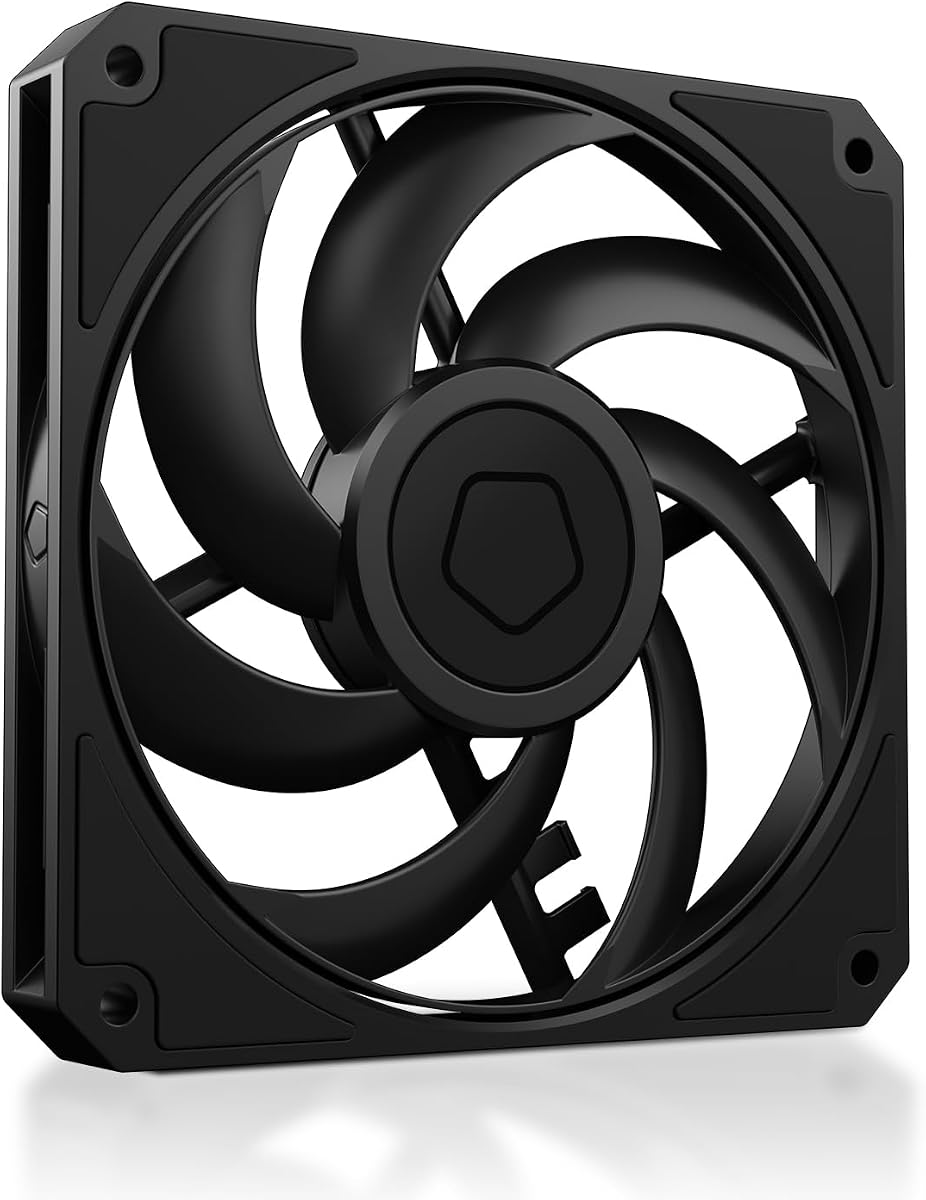
ID-COOLING AM-120-SLIM
4.8Editor score
High 59.6 CFM airflow
Ultra-slim 15mm design
Quiet hydraulic bearing operation
This expert guide compares the top 10 low profile case fans for quiet cooling in small builds, featuring detailed specs, pros, cons, and buying advice.
Low profile case fans are essential for builders working with compact chassis where space is at a premium. These specialized cooling solutions deliver robust airflow while maintaining a slim profile that fits into tight areas. Choosing the right fan ensures your system stays cool without compromising on acoustics or physical dimensions.
We have evaluated ten leading models based on their static pressure, airflow capacity, noise levels, and build quality. Each product was selected for its ability to perform in restricted environments like ITX cases or low-profile coolers. Our analysis highlights the strengths and weaknesses of every option to help you make an informed decision.
Every pick in this list showcases specific technical details and real-world performance expectations for your setup. You will find detailed breakdowns of bearing types, speed controls, and mounting options for each unit. Please note that availability and pricing can fluctuate, so verify current stock before making a purchase.
4.8Editor score

4.9Editor score

4.8Editor score
This side-by-side comparison provides a quick overview of the key specifications for all ten selected fans, allowing you to assess airflow, pressure, and speed ratings at a glance.



This premium slim fan holds a top rating for its balanced performance in restricted spaces. It delivers efficient cooling without the loud noise often associated with high-speed units.
We may earn a commission when you buy through this link, at no additional cost to you.
The award-winning A-series design incorporates Flow Acceleration Channels that reduce turbulence. This ensures smooth airflow even when pushing air through radiators or dense heat sinks.
While it costs more than budget options, the durability justifies the investment. The bearing system is engineered to run smoothly for over 150,000 hours of use.
If you need a reliable fan for an ITX build or low-profile cooler, this is the safe choice. It offers the best combination of silence and cooling power available.
The frame uses advanced acoustic optimization to dampen vibrations and noise. This allows the fan to spin at higher speeds without creating distracting whine.
At 15mm thick, it fits perfectly where standard fans cannot. This slim profile is crucial for small form factor cases and specialized cooling setups.
We may earn a commission when you buy through this link, at no additional cost to you.
This black edition brings the same legendary cooling performance in a monochromatic look. It is perfect for users who want silence without the traditional brown accents.
We may earn a commission when you buy through this link, at no additional cost to you.
The chromax.black.swap edition includes a kit of anti-vibration pads in multiple colors. This lets you add subtle accents to the corners while maintaining a clean profile.
It supports a wide speed range and can stop completely when cooling is not needed. This semi-passive operation helps keep the system silent during light workloads.
Choose this if you prioritize aesthetics alongside high performance. It offers the same reliability as the standard model but fits modern black-themed builds better.
The self-adhesive anti-vibration pads come in red, blue, green, and more. You can easily match your case theme without buying separate custom parts.
The fan can stop spinning entirely when the temperature is low enough. This feature is great for users who want absolute silence during office tasks.
We may earn a commission when you buy through this link, at no additional cost to you.
This fan delivers impressive specs for a fraction of the cost of premium brands. It is designed specifically for tight spaces where standard fans fail to fit.
We may earn a commission when you buy through this link, at no additional cost to you.
With speeds up to 2500 RPM, it pushes significant air through tight radiators. The hydraulic bearing ensures it runs quietly enough for most daily tasks.
While it may not be as refined as top-tier models, it offers great value. Users can buy multiple units to maximize airflow without breaking the bank.
If you are building a budget ITX system, this is a smart choice. It provides the necessary cooling performance without compromising your overall budget.
The fan is optimized to push air through dense radiator fins. This makes it highly effective for liquid cooling setups in compact cases.
Standard mounting holes and a 4-pin connector fit most motherboards. It works well with cases and coolers that require a slim profile.
We may earn a commission when you buy through this link, at no additional cost to you.
Buying a pack of three fans makes this an economical choice for full cases. Each unit is tuned for high static pressure to manage air resistance.
We may earn a commission when you buy through this link, at no additional cost to you.
The 15mm design allows them to fit where 25mm fans simply cannot go. This is ideal for radiators in SFF cases where clearance is limited.
While they lack the premium feel of high-end fans, they perform well for the cost. You get multiple units to cover intake and exhaust needs.
This pack is perfect for builders who need coverage without spending much. It ensures every corner of your system has adequate airflow.
Optimized for static pressure helps the fan push air through restrictions. This ensures efficient cooling even when mounted on a dense heatsink.
The PWM connection allows the motherboard to adjust speed automatically. This keeps noise low when the system is idle.
We may earn a commission when you buy through this link, at no additional cost to you.
This 92mm fan is specifically designed for low-profile CPU coolers like the NH-L9 series. It delivers quiet cooling in very compact spaces.
We may earn a commission when you buy through this link, at no additional cost to you.
Despite its small size, it reaches speeds up to 2500 RPM for strong cooling. The A-series design ensures minimal noise even at high speeds.
It is an excellent fit for systems that strictly require 92mm fans. Using this unit helps maintain low noise while managing heat effectively.
Select this if your cooler limits you to 92mm fans. It offers the best performance available in that small physical footprint.
The 14mm thickness fits perfectly with small CPU air coolers. This ensures you can get cooling without adding height to the system.
The HS-PWM version allows for automatic speed adjustment based on load. This maximizes silence during light usage and cools under load.
We may earn a commission when you buy through this link, at no additional cost to you.
This 140mm fan offers a larger surface area for cooling while keeping a slim 16mm profile. It is excellent for cases that support larger dimensions.
We may earn a commission when you buy through this link, at no additional cost to you.
The optimized design ensures high airflow without excessive noise. It is suitable for radiators where a wide fan fits but depth is limited.
The single unit provides a cost-effective way to upgrade intake or exhaust. It balances performance and quietness well for its price.
Use this if your case accepts 140mm fans. It provides superior airflow compared to 120mm units while maintaining the slim height.
The fan design ensures efficient cooling even with increased air resistance. This makes it ideal for radiator use in restricted spaces.
Engineered to keep noise to a minimum while ensuring maximum cooling. This helps maintain a pleasant environment around your workspace.
We may earn a commission when you buy through this link, at no additional cost to you.
This fan focuses on providing maximum airflow with very low noise. It is built with be quiet!'s signature German engineering standards.
We may earn a commission when you buy through this link, at no additional cost to you.
The seven blades are optimized to move air efficiently without turbulence. The rifle bearing ensures a long life and smooth operation.
It is a reliable choice for general case cooling needs. It performs well in standard setups where slim depth is required.
Choose this if you want a proven brand for silent cooling. It offers consistent performance and durability for everyday use.
The product reflects German design and engineering standards. This ensures a high level of performance and build integrity.
The frame is designed for peak performance on radiators. This allows it to push air through fins effectively.
We may earn a commission when you buy through this link, at no additional cost to you.
This slim fan offers a balance of cooling performance and noise control. It uses a reliable bearing system to ensure smooth rotation.
We may earn a commission when you buy through this link, at no additional cost to you.
The S-FDB bearing reduces friction and vibration effectively. This keeps the noise level low even when the fan is running at full speed.
The included anti-vibration pads help reduce noise further. This is a thoughtful addition that improves the overall installation experience.
It is a solid option for general cooling needs. It performs well in small cases where space is a constraint.
The S-FDB bearing keeps noise low while maintaining cooling performance. This extends the service life of the fan.
Four corners are equipped with vibration absorbing pads. These reduce noise caused by the rotation of the fan.
We may earn a commission when you buy through this link, at no additional cost to you.
This FLX version uses a 3-pin connector instead of PWM. It offers three fixed speed settings via included Low-Noise Adaptors.
We may earn a commission when you buy through this link, at no additional cost to you.
You can choose between high airflow or near-silent operation based on your needs. The fan itself maintains the same premium build quality as the PWM model.
While it lacks automatic speed control, the manual options provide flexibility. It is great for users who prefer a simple setup.
Select this if you want to set a fixed speed manually. It maintains the high performance and silence of the A-series fan.
The adapter provides three speed settings to fine-tune performance. You can optimize for max airflow or minimal noise.
The fan features Flow Acceleration Channels for superior cooling. This design minimizes acoustic pollution in your environment.
We may earn a commission when you buy through this link, at no additional cost to you.
This standard version offers the same high performance in a classic design. It is an ideal choice for those who prefer a simple brown fan.
We may earn a commission when you buy through this link, at no additional cost to you.
The Y-cable included allows two fans to run on one header. This is helpful for daisy-chaining setups to save header space.
It provides the full range of PWM control for automatic adjustments. The fan is reliable and efficient in restricted environments.
It is a great pick for users who want proven performance. It matches the quality of the other A-series units listed.
The fan supports automatic speed control via PWM headers. This ensures efficient cooling without manual intervention.
A Y-cable is included to run two fans on one header. This simplifies cabling in complex builds.
We may earn a commission when you buy through this link, at no additional cost to you.
Selecting the right low profile case fan requires balancing size, performance, and noise. Consider these factors to ensure the unit fits your build and meets your cooling needs.
The most critical factor is the fan's thickness. Standard fans are 25mm thick, but low profile models are 15mm or 16mm. Measure your case clearance carefully before buying.
Ensure the fan fits in tight spots like radiators or under RAM clearance. A proper fit prevents physical interference and ensures secure mounting.
Airflow measures how much air the fan moves in open space. Static pressure measures how well it pushes air through resistance like a heatsink. Check both metrics.
Prioritize static pressure if the fan goes on a radiator. Prioritize airflow if it moves freely into the case as intake or exhaust.
Noise is measured in decibels (dB) or Sones. Lower numbers mean less noise. High-speed fans often produce more noise at full RPM.
Look for models with acoustic optimization or hydraulic bearings. These features help keep the system quiet even at higher speeds.
PWM fans use a 4-pin connector for automatic speed control. FLX or 3-pin fans rely on manual adapters for fixed speeds. Choose based on your motherboard support.
PWM is generally more versatile as it adjusts speed automatically. However, manual control is sometimes preferred for simplicity.
Bearings determine the lifespan and smoothness of the fan. Fluid Dynamic Bearings (FDB) and Rifle Bearings are common high-quality options that reduce vibration.
Better bearings last longer and run quieter. Avoid basic sleeve bearings for premium silent builds as they may degrade faster.
Fans come in brown, black, or white. Some models allow customization with anti-vibration pads. Match the color to your build theme.
Black fans often look cleaner in modern cases. Brown fans are iconic for specific brands but may clash with dark interiors.
Premium fans cost more but offer better build quality and lower noise. Budget packs provide more units for the price with standard performance.
Evaluate if you need premium silence or just basic airflow. Budget packs are great for multiple fans in tight spaces.
Mount the fan securely using the included screws. Align the airflow direction arrows on the frame before tightening. This ensures air moves through the intended path.
Connect the 4-pin or 3-pin plug to the motherboard header. Ensure the connector is fully seated to prevent loose connections. Test the system to verify it spins.
Keep the fan free of dust and debris. Compressed air can clear buildup from the blades. This helps maintain airflow and reduces strain on the bearing over time.
A low profile case fan is designed for compact PC builds where space is tight. It fits into small form factor cases, low-profile CPU coolers, or tight radiator gaps where standard fans do not fit. They maintain cooling performance while reducing height requirements.
Yes, modern low profile fans provide sufficient cooling for most compact setups. Models with high static pressure handle radiators well. Choose a fan with high CFM and static pressure for optimal results in restricted spaces.
Not necessarily, but they can be equally quiet. Noise depends on the bearing type and motor efficiency. Premium low profile fans are optimized for silence despite their smaller size.
Look for a 4-pin PWM connector for automatic speed control. If your motherboard has 3-pin headers, ensure compatibility. The connector type affects how the system adjusts fan speeds.
Measure the depth of your case space. Standard fans are 25mm; low profile are 15mm or 16mm. Also check the fan diameter (120mm vs 140mm) to match your mounting holes.
Yes, low profile fans are often designed specifically for radiator use. Their high static pressure helps push air through the dense fins of a radiator. This makes them ideal for SFF liquid cooling systems.
Fluid Dynamic Bearings (FDB) and Rifle Bearings are best for longevity and quietness. These bearings reduce friction and vibration, extending the lifespan of the fan significantly.
They are worth it if you have strict space constraints. Standard fans cannot fit in many ITX cases. The extra cost buys compatibility and reliable performance in tight spots.
We have covered the top options for low profile case fans suitable for 2026 builds. From the Noctua NF-A12x15 to the ID-COOLING AM-120-SLIM, each model offers distinct advantages.
Prioritize the right balance of static pressure and noise level for your specific case. Choose PWM control for convenience and a bearing type that ensures long-term quiet operation.
Remember to check current prices and availability before purchasing. Prices fluctuate, and stock may vary by region. Verify the fit with your chassis dimensions first.